what size desk is needed for 27 inch monitor
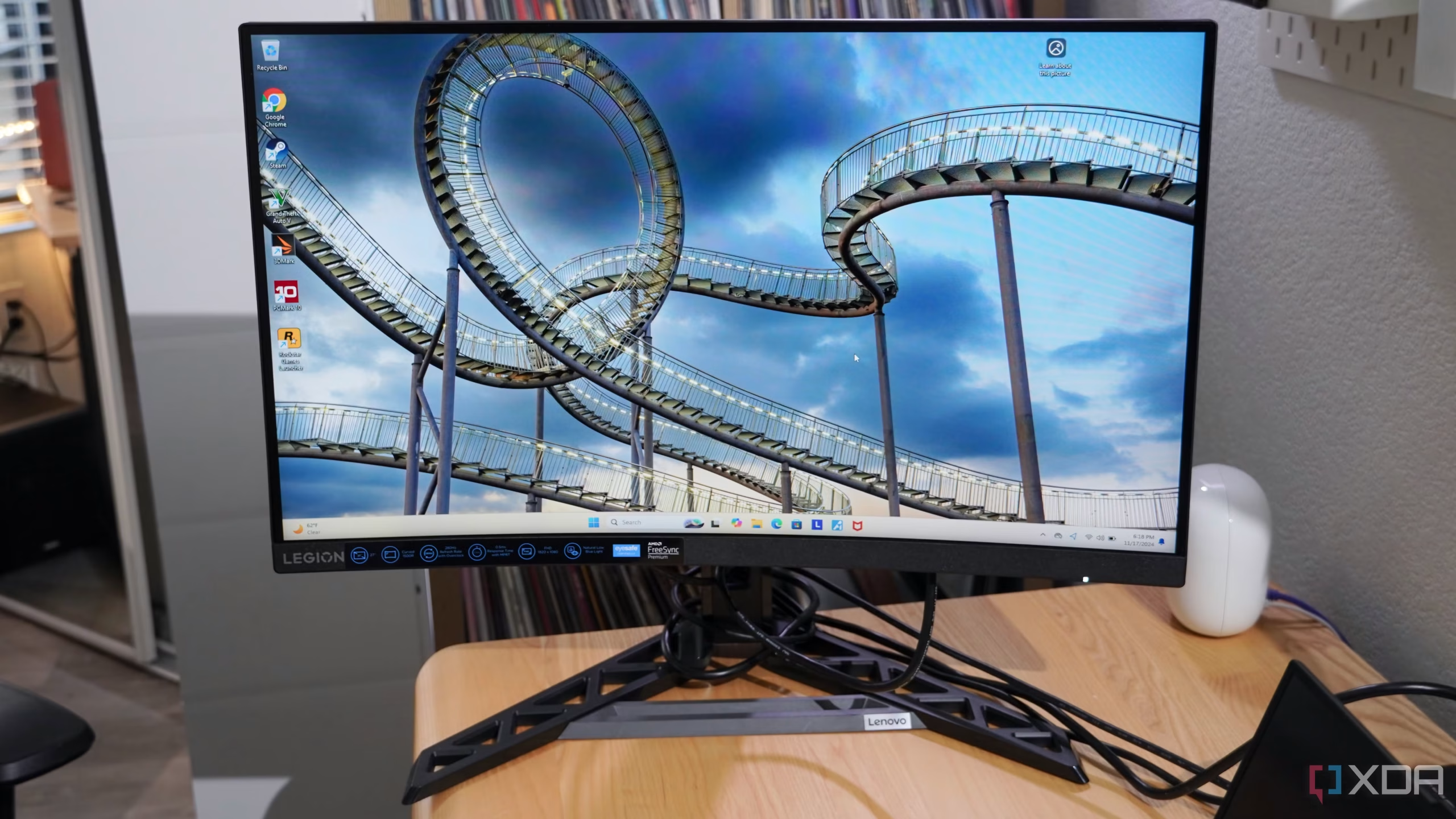
You finally pull the trigger on a crisp 27-inch monitor. You unbox it, set it on your desk, and suddenly everything feels off. The screen sits too close.
You're craning your neck. Your keyboard barely fits. This is the moment you realize nobody told you what size desk is needed for a 27 inch monitor, and you guessed wrong.
The good news? The answer is straightforward once you know the rules. Ergonomics standards from OSHA and BIFMA have already figured this out.
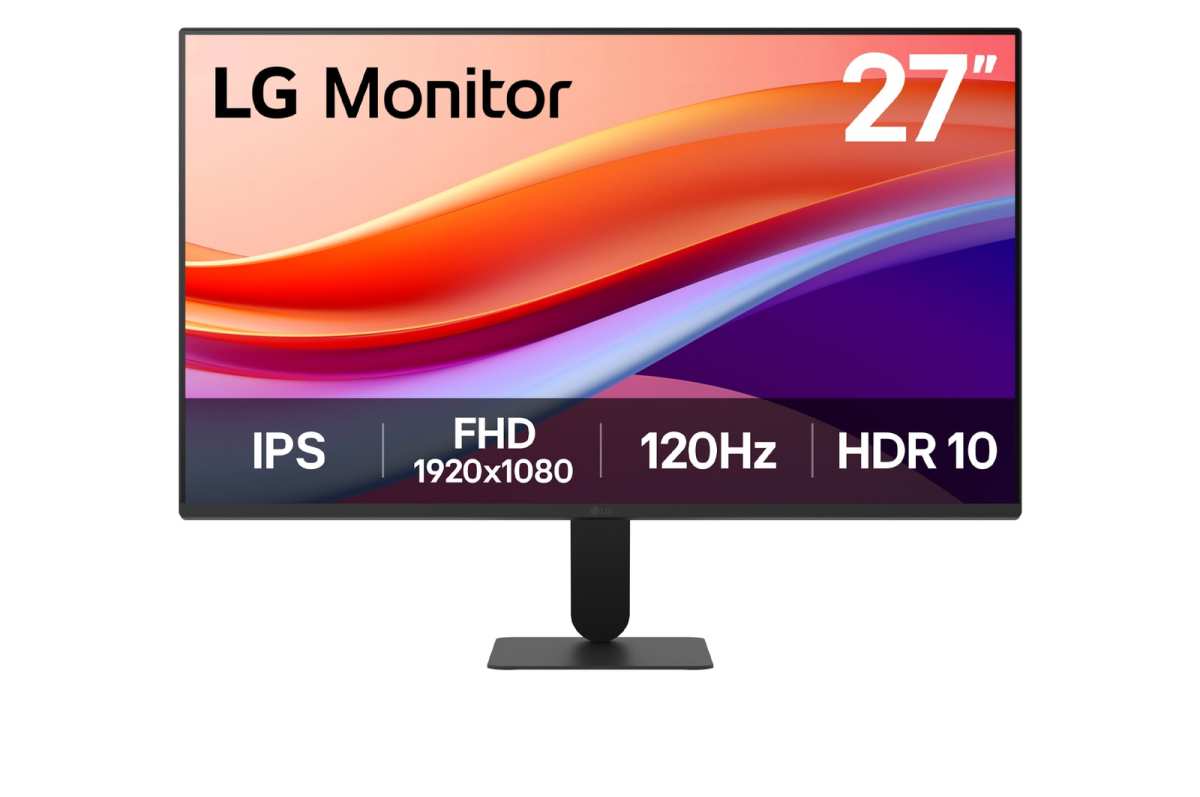
Most 27-inch monitors with their stock stand need a desk at least 24 inches deep. But the comfortable sweet spot is 30 inches. And that's just the start.
Your specific setup changes everything. A monitor arm, a second screen, even a keyboard tray can push you toward a different answer. Let's walk through it together.
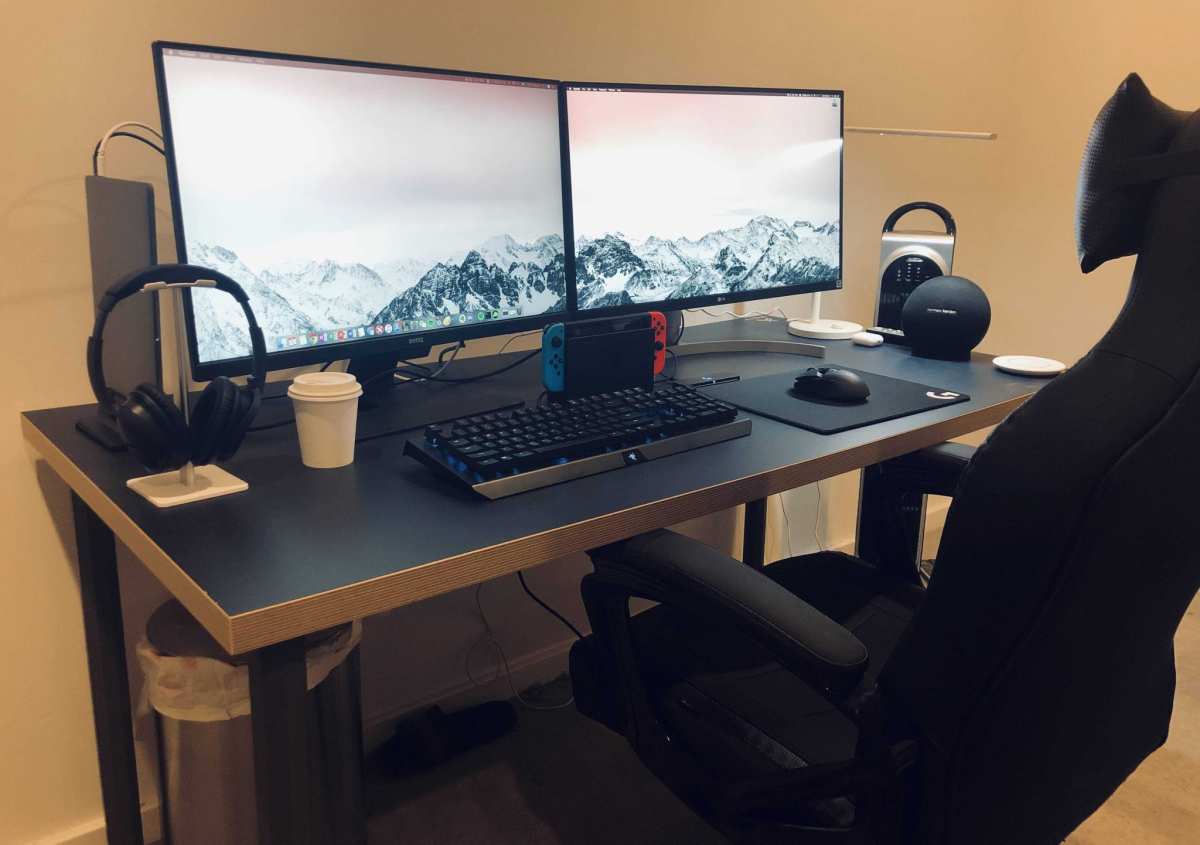
Image source: Bing (Web (fair-use with source credit))
Quick Answer
For a 27 inch monitor, the ideal desk depth is 30 inches. A width of 48 inches works for a single screen. If you use a monitor arm you can drop to a 24 inch depth.
Dual 27 inch monitors need a 60 inch wide desk. Standing desks should be at least 30 inches deep.
Why the Wrong Desk Size Makes Your 27-Inch Monitor a Pain
A monitor that's too close strains your eyes. A desk that's too shallow forces you to sit with your shoulders hunched forward. Both feel uncomfortable within an hour.
Here's what happens with a desk that's too small:
- Eye fatigue. The screen sits closer than your natural focal range. Your eyes work harder to focus.
- Neck and shoulder pain. You lean forward to read fine print or reach the keyboard. Your posture collapses.
- Wasted peripheral space. No room for a coffee cup, notepad, or phone stand. Everything feels cramped.
- Cable chaos. Monitors need space behind the desk for cables. A shallow desk leaves cables pinched against the wall.
The fix isn't buying a bigger desk blindly. It's understanding the three variables that matter most: depth, width, and clearance for your arms and legs.
The Short Answer: Desk Depth and Width You Actually Need
Let's cut to the numbers. These apply to a standard 27-inch monitor like the Dell S2722QC, LG 27GP850, or Samsung Odyssey G7. Your results may vary by a couple inches depending on your monitor's exact base design.
Recommended Desk Depth
| Setup | Minimum Depth | Comfortable Depth | Best Depth |
|---|---|---|---|
| Monitor with stock stand | 24 inches | 28 inches | 30 inches |
| Monitor with arm | 20 inches | 24 inches | 28 inches |
| Monitor + keyboard tray | 26 inches | 30 inches | 32 inches |
| Monitor + laptop dock | 28 inches | 30 inches | 34 inches |
Recommended Desk Width
| Configuration | Minimum Width | Comfortable Width |
|---|---|---|
| Single 27-inch monitor | 48 inches | 60 inches |
| Single 27 + laptop | 54 inches | 60 inches |
| Two 27-inch monitors | 60 inches | 72 inches |
| Two 27 + PC tower | 60 inches | 80 inches |
The depth is the non-negotiable one. Width gives you breathing room. Depth keeps your eyes healthy.
First Decision: Monitor Arm or Stock Stand?
This single choice changes everything about your desk size.
The stock stand that comes with most 27-inch monitors adds 6 to 9 inches to the screen's depth. A typical monitor with a standard V-shaped base sits about 8 inches deep on its own. Then you need your viewing distance of 20 to 30 inches in front of that.
Add your keyboard and wrist rest. Suddenly your 24-inch desk feels like a shelf.
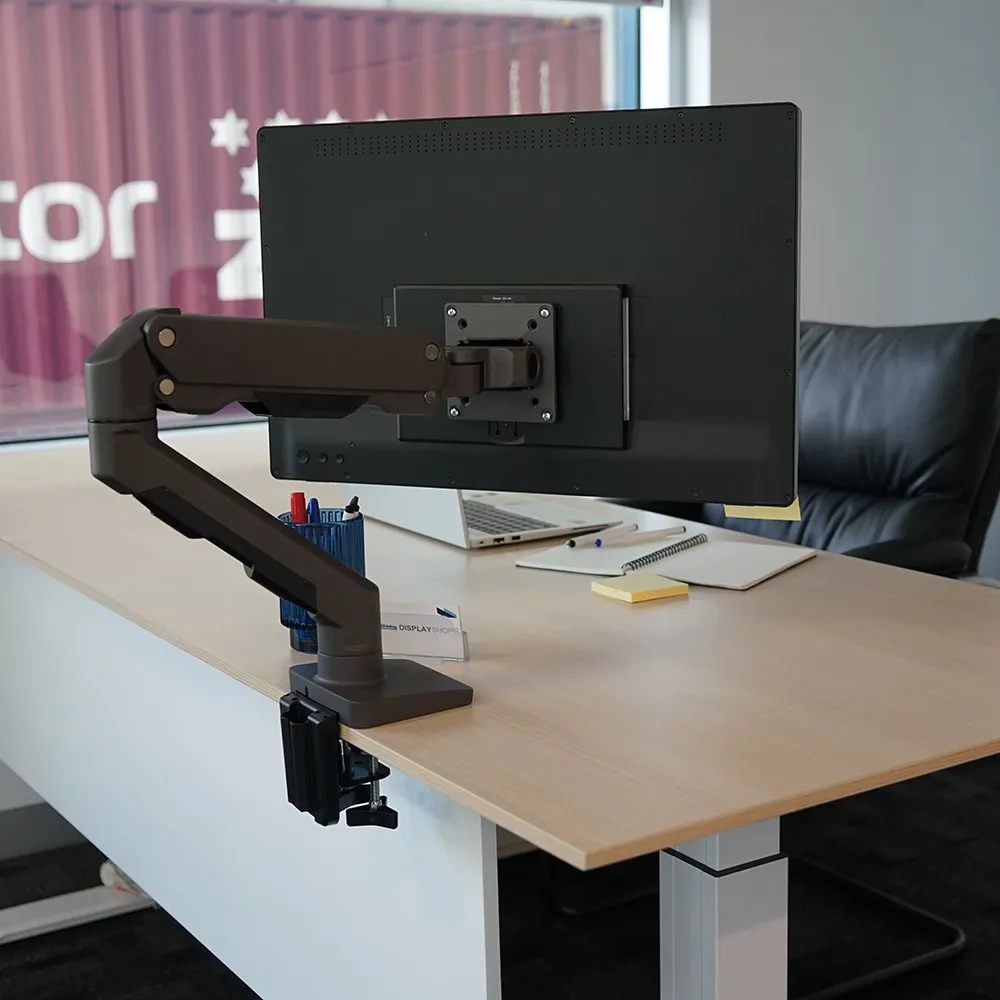
If you use the stock stand: You need a minimum of 28 inches of desk depth. The base takes up real estate. The screen sits farther forward.
Your keyboard encroaches on your workspace.
If you use a monitor arm: You need a minimum of 20 inches of desk depth. The arm clamps to the back edge. The screen floats above the desk surface.
You reclaim the 6 to 9 inches the stand was eating.
Here's the tradeoff. A monitor arm costs 30 to 100 dollars. It requires a desk edge that's at least 1 inch thick and not made of glass.
But it frees up so much space that many people can downsize from a 60-inch desk to a 48-inch desk without losing comfort.
How to decide
- Choose stock stand if: Your desk is already 30 inches deep or deeper. You don't need the extra surface space. You prefer the stability of a fixed base.
- Choose monitor arm if: Your desk is 24 to 28 inches deep. You want to reclaim surface area. You plan to adjust your monitor's height and angle frequently.
Second Decision: Single Monitor or Dual Setup?
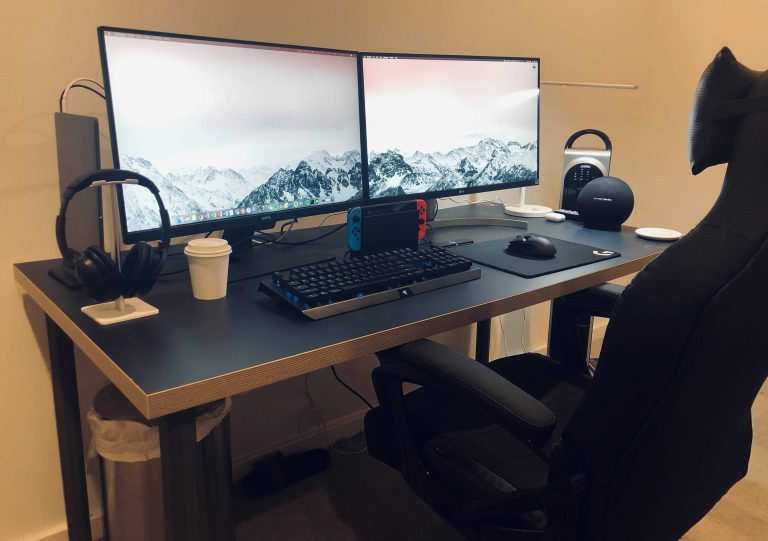
A single 27-inch monitor is one thing. Two 27-inch monitors change the math entirely.
With a single monitor, your primary concern is depth. Width matters less. You can work comfortably on a 48-inch wide desk if it's 30 inches deep.
Your keyboard and mouse sit centered. Your screen stays directly ahead.
With dual 27-inch monitors, width becomes the bottleneck.
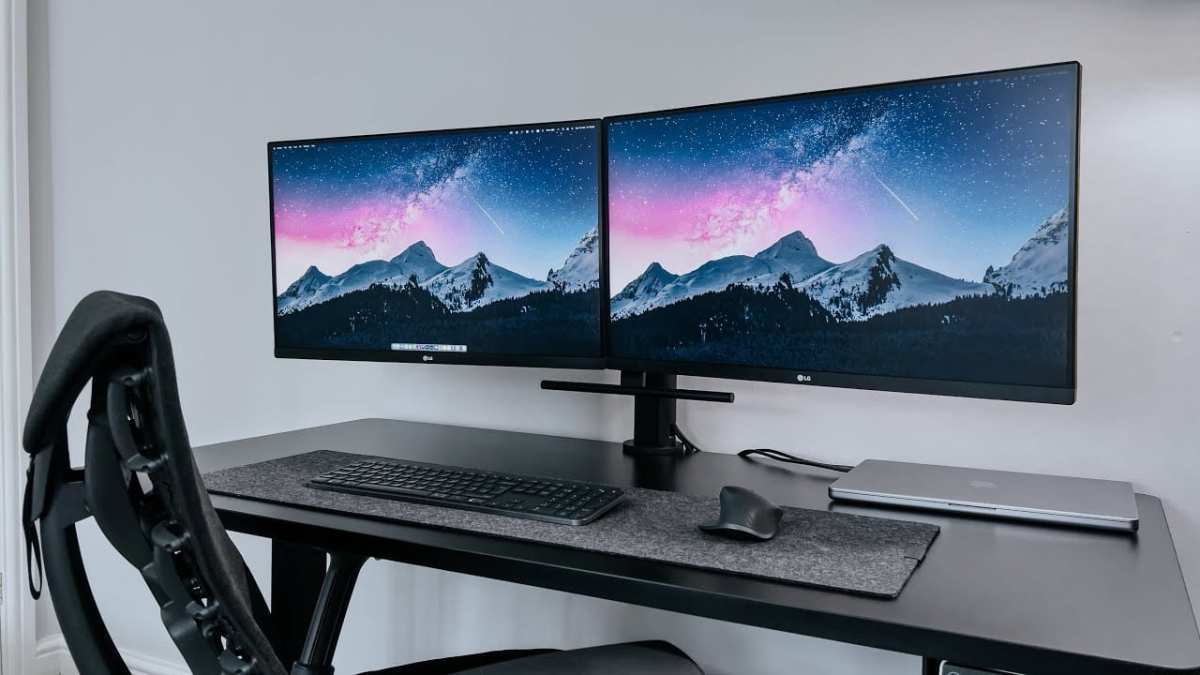
Here's the geometry problem. A single 27-inch monitor is about 24 inches wide. Two side by side are 48 inches wide.
Add bezels and a gap between them. You're looking at roughly 52 inches of horizontal screen surface.
Now add your speakers. Add your desk lamp. Add your phone and notepad.
A 60-inch desk barely fits dual 27-inch monitors with the stock stands. A 72-inch desk gives you room for accessories. A 48-inch desk is almost impossible unless you mount both monitors on arms.
How to decide
- Single 27-inch: You need a desk at least 48 inches wide and 28 inches deep.
- Dual 27-inch: You need a desk at least 60 inches wide and 30 inches deep. 72 inches is ideal.
Third Decision: Keyboard Tray or Desktop Typing?
This is the quiet factor most people ignore. Where your keyboard sits changes your desk's effective depth by several inches.
If you type directly on the desktop, your keyboard sits about 8 to 12 inches from the front edge. Your monitor sits 20 to 30 inches from your eyes. Your total depth requirement is the monitor depth plus the keyboard depth plus a few inches of clearance.
If you use a keyboard tray mounted under the desk, your keyboard slides out from below. Your monitor can sit closer to the front edge of the desk. This reduces your needed desk depth by 6 to 8 inches.
But keyboard trays have downsides. They often sit lower than desktop height. They can hit your knees if the desk isn't tall enough.
They usually have less mouse space.
How to decide
- Desktop typing is best for: People with 28 to 30 inch deep desks. People who need ergonomic mouse space. People who switch between typing and writing on paper.
- Keyboard tray is best for: People with 24 to 26 inch deep desks. People who want the monitor closer to eye level. People who prefer a negative tilt on their keyboard.
If you use a keyboard tray, measure the depth from the tray surface to the back of the desk. That's your true usable depth. Do not measure the desktop depth alone.
Fourth Decision: Desk Shape – Straight, L-Shaped, or Standing?
The shape of your desk changes how you use the depth and width you've chosen.
Straight desks are the simplest. They work well for single-monitor setups and smaller spaces. A 60 by 30 inch straight desk is the gold standard for one 27-inch monitor.
It gives you enough depth for proper viewing distance. It leaves room for a lamp, a notebook, and a coffee mug.
L-shaped desks are excellent for dual-monitor setups or people who need a writing surface alongside their computer. The corner section naturally puts your monitor at the right distance. The side wings give you overflow space for documents, tablets, or a second computer.
The downside is that L-shaped desks take up more floor space. They also make it harder to position your monitor exactly at the center of your field of vision.
Standing desks add a layer of complexity. At sitting height, a 30 by 60 inch surface works perfectly for a 27-inch monitor. But when you stand, you naturally stand farther from the desk.
Your monitor needs to move with you. Monitor arms become almost essential for standing desks because they let you adjust both height and depth with one motion.
How to decide
- Straight desk: Best for single monitor. Simple. Predictable.
- L-shaped desk: Best for dual monitors or creative workflows. Requires more floor space.
- Standing desk: Best for people who alternate between sitting and standing. Combine with a monitor arm for best results.
Standing desks with a 24-inch depth are common, but they're a mistake for 27-inch monitors. Even with a monitor arm, 24 inches leaves your screen too close when standing. Stick with 30 inches for standing desks.
The next section covers how to actually measure your ideal desk size step by step. We'll walk through it with a measuring tape and a few minutes of your time.
How to Measure Your Ideal Desk Size (Step-by-Step)
You don’t need a tape measure and guesswork. You need a tape measure and a simple workflow. Here’s the process that ergonomics researchers at Cornell recommend.
Step 1: Measure your monitor’s full depth with its stand. Place the monitor on a flat surface. Measure from the front of the screen to the rearmost point of the base. Most 27-inch models come in at 7 to 9 inches.
Write that number down.
Step 2: Find your viewing distance. Sit in your chair. Extend your arm straight out. Your fingertips should just touch the screen.
That distance is roughly 20 to 24 inches for most people. If your arm fully extends past the screen, you’re sitting too far. If your elbow is bent sharply, you’re too close.
Step 3: Add keyboard and mouse space. Your keyboard needs about 8 to 10 inches in front of the monitor. Your mouse needs another 4 to 6 inches beside the keyboard. Add 2 inches of clearance for your wrists.
Step 4: Calculate total depth needed. Monitor depth + viewing distance gap + keyboard space = minimum desk depth. For a typical setup with a stock stand: 8 + 20 + 10 = 38 inches. That won’t fit on a standard desk.
But remember your monitor sits at the back. The viewing distance gap overlaps with the monitor depth. So the real formula is: (monitor depth + keyboard space) + 4 inches of breathing room.
With a stock stand: 8 + 10 + 4 = 22 inches minimum. With an arm: 2 + 10 + 4 = 16 inches. Always add 2 to 4 inches for cable clearance behind the monitor.
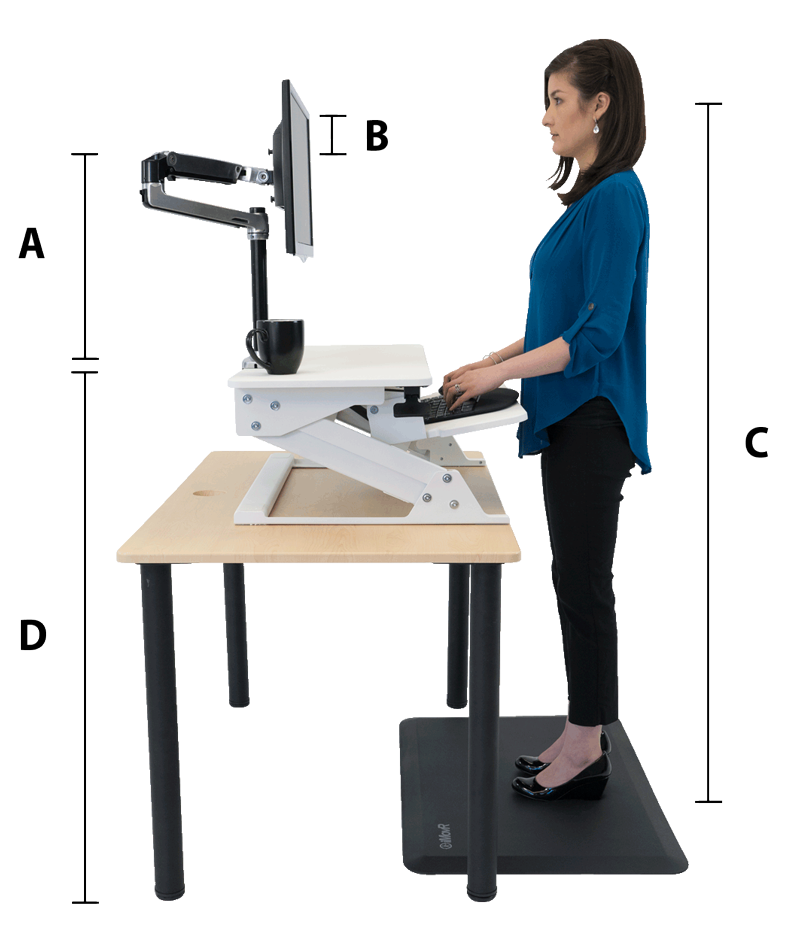
Step 5: Measure your desk width. Lay your monitor flat and measure its width. Add 6 inches on each side for mouse and document space. That’s your comfortable minimum width.
For a single 27-inch: about 24 inches plus 12 inches equals 36 inches. That’s tight. Add another 12 inches for speakers or a lamp.
Now you’re at 48 inches minimum. That’s why 60 inches is the sweet spot.
Common Mistakes That Wreck Your Ergonomics
Even with the right dimensions, people mess up the setup. Here are the five most common errors we see in aggregate user feedback.
Mistake 1: Using a desk that’s too shallow for your chair. You can have a 30-inch deep desk, but if your chair’s armrests don’t slide under the desk surface, you’ll sit too far back. Your viewing distance becomes 30 inches instead of 20. That forces you to lean forward.
Measure the clearance under your desk. Most standard desks have 26 to 28 inches of legroom. That’s fine.
But if your chair has thick armrests or you’re tall, you need extra depth.
Mistake 2: Centering the monitor on the desk instead of your body. When you sit, your natural eye line is slightly left or right of center if your desk is cluttered. Always align the monitor’s center with your nose. Not with the desk’s center.
This matters more with wider desks where you might push the monitor to one side.
Mistake 3: Forgetting about the desk thickness for monitor arm clamps. Monitor arms need a desk edge that’s at least 1 inch thick and flat. Glass desks, thin laminate tops, and desks with metal lips often don’t work. Check your desk’s underside before buying an arm.
If your desk is too thick or too thin, you’ll need an arm with an extended clamp or a different mounting method.
Mistake 4: Buying a desk that’s deep enough but not wide enough. A 48-inch wide by 24-inch deep desk is common. But as we covered, 24 inches depth is barely adequate with an arm. And 48 inches width works for a single monitor only.
If you ever add a second screen, you’ll need to replace the desk. Plan for a width that gives you growth room.
Mistake 5: Ignoring the monitor’s height adjustment range. Many 27-inch monitors have limited height adjustment on the stock stand. Your eye level should be at the top third of the screen. If the stand can’t get the screen high enough, you’ll need a monitor arm or a riser.
That changes your depth requirements because a riser sits on the desk surface.
Best Desk Size for Your Use Case: Gamer, Office Worker, Creative, or Dorm
Not everyone needs the same desk. Here’s a use-case breakdown based on typical workflows.
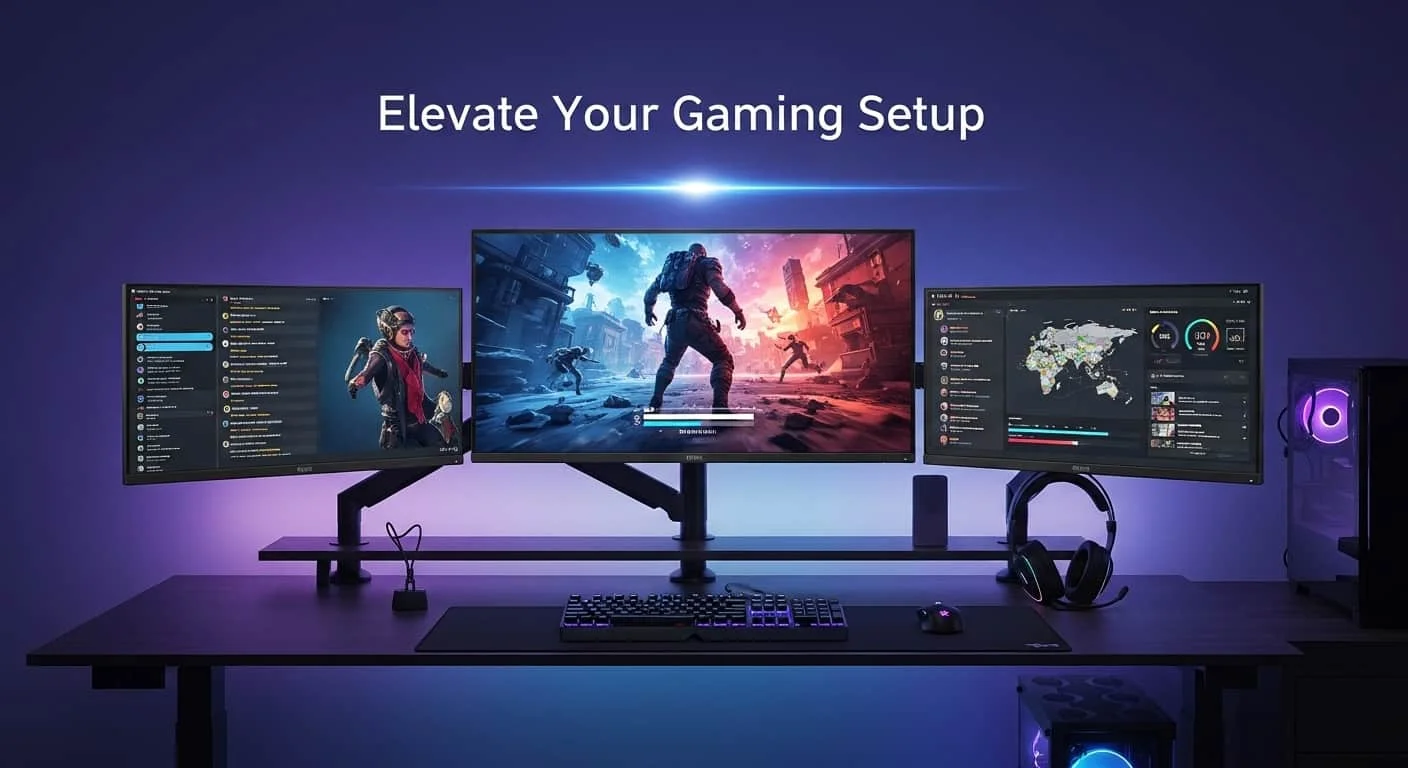
Gamer
You need space for a full-size mechanical keyboard, a large mouse pad, and maybe a second monitor for chat or streaming. Your monitor might be curved, which adds width but not extra depth.
- Recommended desk: 60 by 30 inches straight or 72 by 30 if you run dual monitors.
- Why: You’ll have room for the keyboard and mouse without crowding. The 30-inch depth keeps the screen at the right distance for competitive gaming where reaction time matters.
- Monitor arm strongly recommended: Frees up space for a mic arm or headphone stand.
Office Worker
You need room for a notebook, phone, and maybe a second screen for spreadsheets. You likely use a keyboard tray.
- Recommended desk: 48 by 30 inches straight is the minimum. 60 by 30 inches is better.
- Why: The extra width lets you spread documents. The 30-inch depth works well with a keyboard tray.
- Monitor arm optional: If your desk is 30 inches deep, the stock stand is fine.
Creative Professional
You need space for a drawing tablet, reference materials, and possibly a color-accurate second monitor. Your monitor arm might hold the screen at an angle for color grading.
- Recommended desk: 72 by 30 inches straight or an L-shaped desk with 30-inch depth on both sides.
- Why: You need horizontal space for two screens and the tablet. The L-shape gives you a dedicated writing or drawing surface.
- Monitor arm essential: You’ll adjust the screen angle often.
Dorm Room Student
Space is tight. You need the smallest desk that works.
- Recommended desk: 42 by 24 inches with a monitor arm. Or a 48 by 24 inch standing desk if your dorm allows.
- Why: The monitor arm reclaims 6 inches of depth. You lose the stock stand but gain usable surface.
- Tradeoff: You’ll have no room for a second screen or a full-size keyboard tray. A 60-inch desk is better if you can fit it.
Final Decision Guide: Quick Reference by Setup
Use this table as a cheat sheet when shopping for a desk. It assumes a 27-inch monitor with a standard stand unless noted.
| Your Setup | Min Depth | Min Width | Recommended Dimensions | Notes |
|---|---|---|---|---|
| Single monitor, stock stand | 28" | 48" | 30" x 60" | Standard office setup |
| Single monitor, monitor arm | 22" | 42" | 24" x 48" | Best for small spaces |
| Dual monitors, stock stands | 30" | 60" | 30" x 72" | Keep monitors at same height |
| Dual monitors, monitor arms | 24" | 54" | 28" x 60" | Saves width and depth |
| Single monitor + keyboard tray | 30" | 48" | 32" x 60" | Tray reduces usable depth |
| Standing desk (any setup) | 30" | 48" | 30" x 60" | Deeper is better for standing |
If your desk is narrower or shallower than the minimums listed, consider a monitor arm as a workaround. If it’s still too tight, you may need a different desk.
Frequently Asked Questions
Can I use a 24-inch deep desk with a 27-inch monitor?
Yes, but only with a monitor arm. The stock stand makes the screen too close. With an arm, you free up enough depth to maintain a healthy viewing distance.
You’ll have about 16 inches of usable space for the monitor and cables.
What’s the best desk size for two 27-inch monitors?
The best size is 72 inches wide by 30 inches deep. This gives you room for both monitors with stock stands. You also have space for speakers, a desk lamp, and a full keyboard.
If you use monitor arms, you can drop to 60 inches wide.
Do I need a standing desk that’s deeper than a regular desk?
Yes. When you stand, you naturally stand slightly farther from the desk. A 30-inch depth is the minimum for a standing desk with a 27-inch monitor.
A 36-inch depth is better if you have long arms.
My desk is 48 inches wide. Can I fit a 27-inch monitor and a laptop?
Yes, but it will be tight. Place the monitor on the left or right, not centered. Position the laptop to the side.
You’ll need about 20 inches for the monitor and 14 inches for the laptop. That leaves 14 inches for your keyboard and mouse.
Should I get a deeper desk if I use a large mouse pad?
Yes. A large mouse pad adds 3 to 5 inches of depth. Your mouse needs room to move without hitting the monitor base.
Add 25 inches of horizontal mouse space as well. A 30-inch deep desk handles this comfortably.
Optimizing Your Workspace for Long Hours
Your desk size matters most over hours of use. A setup that works for 30 minutes may cause strain after four. Invest in a footrest and monitor riser if your desk height isn't adjustable.
Small adjustments make a big difference.
When to Upgrade Your Desk
If you've tried a monitor arm and still feel cramped, it's time for a larger desk. Signs include your keyboard overlapping the monitor base or your chair hitting the desk frame. A 30 by 60 inch desk solves most 27-inch monitor problems permanently.
Budget Desk Options That Work
You don't need a premium desk for good ergonomics. A 30 by 60 inch butcher block countertop from a home store plus two adjustable-height legs costs less than a traditional desk. Sand and seal it yourself.
It's sturdy enough for monitor arms and dual screens.
Monitor Mounting Alternatives
If your desk can't take a clamp mount, consider a grommet mount or a wall-mounted arm. Grommet mounts use an existing cable hole. Wall mounts free all desk space but require drilling into studs.
Both work well with 27-inch monitors.
Setting Up Your Chair and Desk Height
Your chair height should bring your elbows to 90 degrees when typing. Your desk height should allow your feet flat on the floor. If your desk is fixed, adjust your chair first.
Then raise or lower your monitor to eye level. This completes your ergonomic triangle.

Similar Posts