Is Ips Monitor Better Than Va
Why IPS vs VA Still Confuses People in 2025
If you've ever typed "is ips monitor better than va" into a search bar, you already know the problem. Half the internet says IPS is the only serious choice. The other half swears VA gives you deeper blacks and better value.
The truth is messier and more useful than either camp admits.
Both technologies have improved dramatically as of 2026. Modern VA panels close the speed gap. Modern IPS panels push contrast higher than they used to.
The real answer depends on what you actually do with your monitor, your room lighting, and how much you care about color accuracy versus contrast. Let's break it down properly.
Quick Answer
Neither IPS nor VA is universally better. Each excels in different areas.
IPS delivers superior color accuracy and viewing angles. VA offers significantly deeper contrast and better black levels. Your best choice depends entirely on your primary use case.
Always evaluate the specific monitor model, not just the panel type.
How IPS and VA Actually Work
The Core Technical Difference
Both IPS (In-Plane Switching) and VA (Vertical Alignment) are LCD technologies. They sit on the same basic foundation: a backlight, liquid crystal cells, and color filters. What changes is how those liquid crystals move when voltage hits them.
IPS crystals rotate in-plane, staying parallel to the glass substrate. This lets light pass through more consistently at off-angles. That's why colors stay accurate even when you're viewing the screen from the side.
VA crystals tilt vertically when off and lean when voltage is applied. In their resting state, they block more light. That's why VA panels produce deeper blacks and stronger contrast ratios out of the box.
Think of it this way. IPS keeps the light consistent. VA blocks the light better when it needs to.
Where Your Eyes See the Difference First
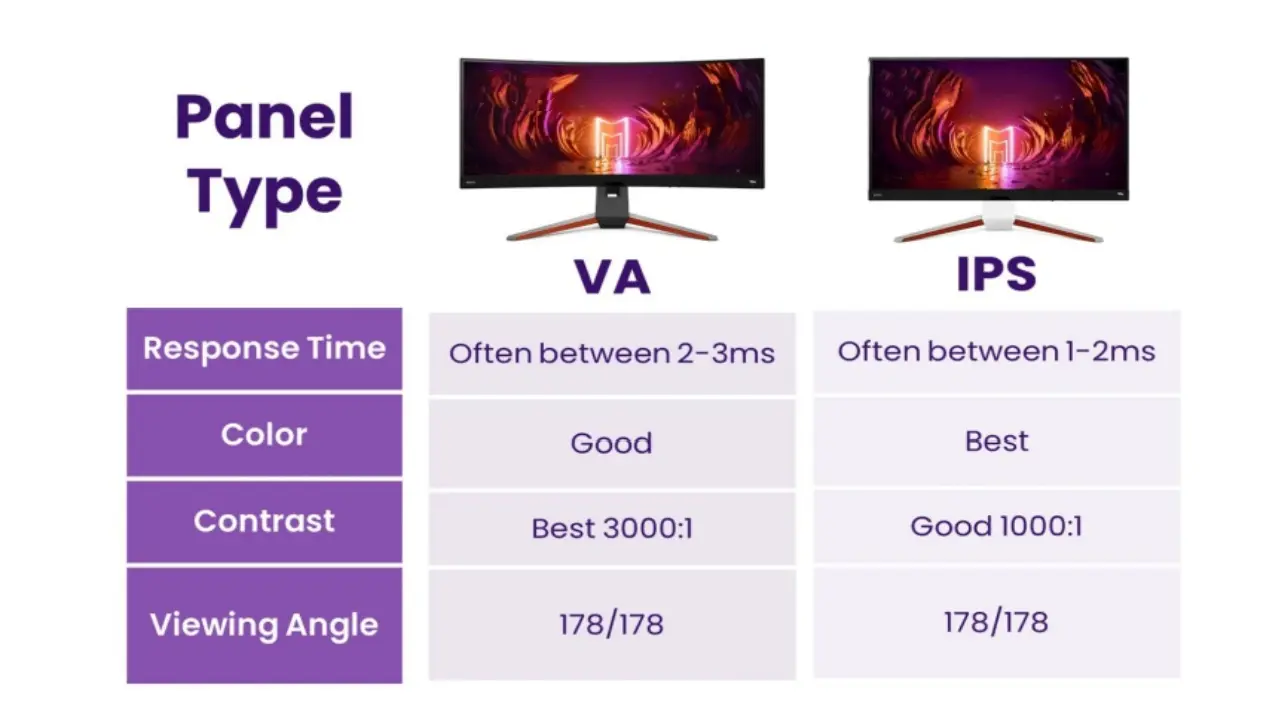
The most immediate visual difference is contrast. A typical IPS panel runs around 1000:1 native contrast. A typical VA panel hits 3000:1 to 5000:1.
That gap is obvious in a dim room. Blacks on VA look black. Blacks on IPS look dark gray.
Viewing angles are the other giveaway. Tilt an IPS panel slightly and the colors barely shift. Tilt a VA panel and you'll notice color and contrast change more quickly, especially toward the edges.
Response times tell a more complicated story. Older VA panels were noticeably slower, particularly on dark pixel transitions. This created "black smearing" during fast motion.
Modern VA panels have closed this gap significantly, though IPS still tends to hold a slight edge in raw pixel speed on many current models.
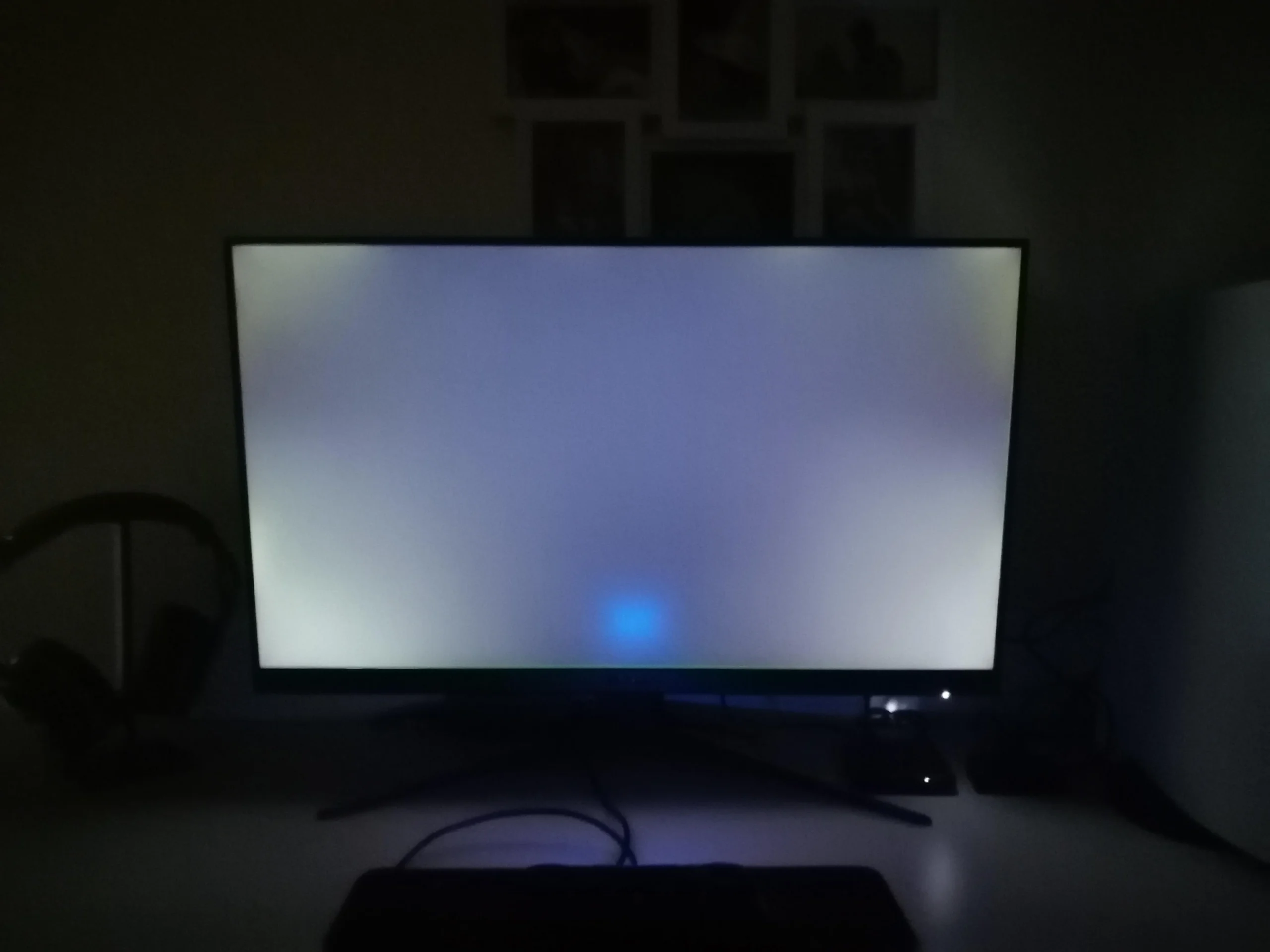
Image source: Bing (Web (fair-use with source credit))
Side-by-Side IPS vs VA Comparison
Here's where things get practical. Let's put the two technologies head to head on the specs and experiences that actually matter.
| Specification / Trait | IPS Panel | VA Panel |
|---|---|---|
| Native Contrast Ratio | ~1000:1 | ~3000:1 to 5000:1 |
| Viewing Angles | Excellent, minimal color shift | Good, more color shift off-center |
| Color Accuracy | Typically excellent out of box | Good, varies by model |
| Black Levels | Decent, some glow in dark | Deep, minimal glow |
| Response Time (GtG) | 1ms to 4ms typical | 1ms to 5ms typical |
| Black Smearing | Rare | Possible on some models |
| HDR Performance | Limited by contrast | Better native foundation |
| Typical Price Range | Moderate to premium | Budget to moderate |
| Best For | Color work, collaborative viewing | Dark rooms, movies, immersion |
The contrast gap is the single biggest differentiator. It affects everything from how movies look to how much detail you see in shadowy game scenes. IPS can't overcome the physics of its lower native contrast without local dimming, which adds cost.
But IPS wins on consistency. Colors look the same across the entire screen and from wider angles. That matters when multiple people view the display or when you're working with color-critical content.
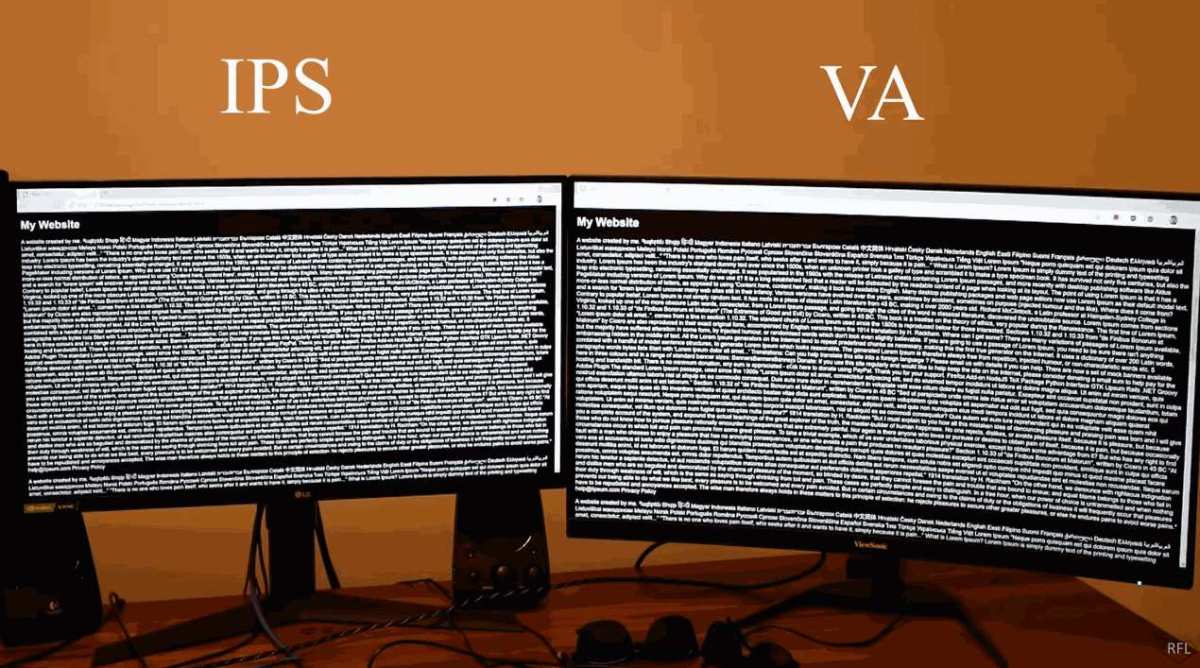
Image source: Bing (Web (fair-use with source credit))
Best Monitor Type for Each Use Case
This is where the "IPS vs VA" debate actually gets resolved. The right answer changes depending on what you do.
Professional Color Work
If you edit photos, grade video, or design for print, IPS is the safer bet. The color accuracy and consistency across the panel are hard to beat. Factory-calibrated IPS panels routinely achieve Delta E values below 2, meaning color differences are imperceptible to the human eye.
VA panels can be calibrated too, but the off-center color shift creates inconsistency across the screen. For work where color fidelity matters, IPS remains the professional standard.
Competitive Gaming
For fast-paced competitive gaming, IPS holds the edge on most current-generation panels. The faster pixel transitions and lower overshoot give cleaner motion in fast scenes. Many esports-focused monitors use Fast IPS or Nano IPS variants specifically designed for speed.
That said, modern VA panels with good overdrive implementation can absolutely handle competitive play. If you're not playing at the highest esports level, the difference may not justify the price premium.
Immersive Gaming and Media
VA shines here. The deep blacks and high contrast make dark scenes in games and movies look genuinely immersive. Horror games, cinematic single-player titles, and movie watching all benefit from that extra depth.
If you game or watch content in a dim or dark room, VA's contrast advantage becomes even more noticeable. IPS glow in dark scenes can be distracting. VA panels handle darkness with far more authority.
General Office and Productivity
Either works fine for office use. IPS has a slight edge if you often view the screen from odd angles or collaborate with others sitting nearby. VA works well if your workspace has controlled lighting and you prefer deeper contrast for reading and general tasks.
For pure productivity, panel type matters less than resolution, screen size, and ergonomics. A good VA panel will serve you just as well as a good IPS for spreadsheets and documents.
Mixed Use / Can't Decide
If you do a bit of everything, consider your dominant use case. More than 60% gaming or media? Lean VA.
More than 60% creative work or collaborative tasks? Lean IPS.
Also consider your room. Bright room with windows? The contrast gap narrows and IPS viewing angles matter more.
Dim or dark room? VA's contrast advantage becomes the dominant factor.
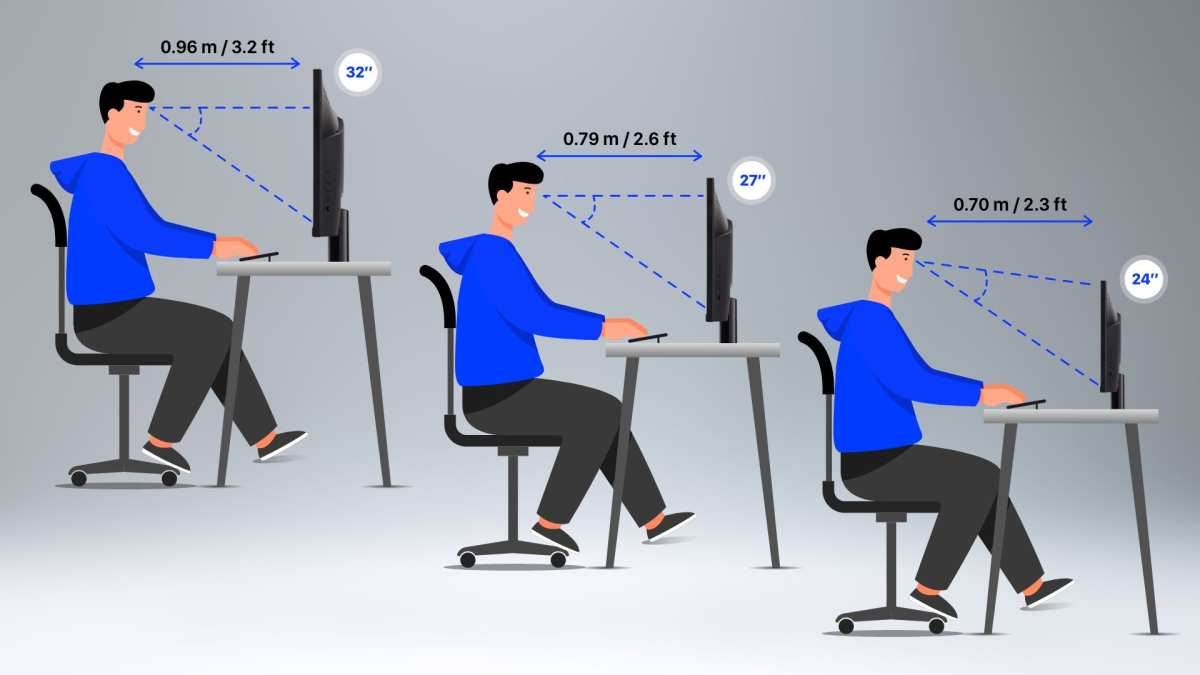
Image source: Bing (Web (fair-use with source credit))
Real Specs That Matter More Than the Label
Here's something most "IPS vs VA" articles skip. The panel type matters less than the specific panel implementation. A well-tuned VA panel can outperform a mediocre IPS panel in almost every metric.
Manufacturer specs give you a starting point, not the full story. Here's what to actually look for:
- Contrast ratio: Check measured values, not just "typical" specs. Some IPS panels measure closer to 800:1. Some VA panels hit 4000:1.
- Response time: Manufacturer "1ms" claims are often best-case. Look for independent GtG measurements across the full transition range.
- Color gamut: sRGB coverage matters for most work. DCI-P3 coverage matters for HDR and wide-gamut content. Check what the panel actually covers, not just what it "supports."
- HDR capability: DisplayHDR certification from VESA gives you a standardized baseline. DisplayHDR 400 is entry level. DisplayHDR 600 and above are more meaningful.
- Factory calibration: A Delta E below 2 out of the box means accurate color without manual calibration. Not all panels ship this way.
- Overdrive implementation: Poor overdrive creates inverse ghosting. Good overdrive cleans up motion without artifacts. This varies by firmware and model.
The panel lottery is real too. Two units of the same monitor model can perform slightly differently. This is normal manufacturing variation.
It's worth checking return policies if you get a unit with noticeable backlight bleed, IPS glow, or uniformity issues.
Common Mistakes People Make
Trusting the Category Over the Specific Model
This is the biggest mistake. "I bought an IPS because IPS is better" ignores the fact that panel quality varies enormously within each category. A $200 IPS panel and a $600 IPS panel share a technology but not a performance level.
Always check reviews of the specific monitor you're considering. Look for measured contrast, response time, and uniformity data. The panel type tells you the general characteristics.
The specific model tells you the actual experience.
Ignoring Your Room and Viewing Setup
People often choose based on specs alone without considering their actual environment. A VA panel's contrast advantage is most visible in dim rooms. An IPS panel's viewing angle advantage matters most when you sit close to a large screen or share the display with others.
Your desk layout, ambient light, and viewing distance all influence which panel type serves you better. Factor these in before you buy.
Overpaying for Specs You Won't Notice
A 1ms response time sounds impressive. If you're not playing competitive shooters at 240Hz, you'll never perceive the difference between 1ms and 4ms. Similarly, a 5000:1 contrast ratio won't matter much in a bright room with windows behind you.
Match the specs to your actual use. Don't pay a premium for performance you won't experience.
The IPS vs VA Decision Guide
Decision Guide: Which Panel Type Should You Buy?
Walk through these questions in order. Your answer at each step points you toward the right panel type.
What is your primary use?
- Photo/video editing or color-critical design work → IPS
- Gaming or media consumption → Continue to next question
- Office productivity or general use → Either works, continue for refinement
Do you primarily use your monitor in a dark or dim room?
- Yes → VA
- No, my room is well-lit → IPS
Do you play competitive fast-paced games at high refresh rates?
- Yes, regularly → IPS (Fast IPS preferred)
- No, I play slower or single-player games → VA
Do multiple people view your screen regularly?
- Yes → IPS
- No, just me → VA is fine
Is deep contrast and black level your top priority?
- Yes → VA
- No, color accuracy matters more → IPS
Is budget a major concern?
- Yes, I want the best value → VA typically offers better contrast per dollar
- No, I'm willing to pay for premium performance → IPS at higher tiers
If you're still on the fence after this, lean IPS for versatility. It's the safer general-purpose choice. VA rewards you more in specific scenarios but requires the right conditions to shine.
Pricing and What You Actually Get
Panel type influences price, but it's not the only factor. Here's a rough breakdown of what to expect in the current market.
| Price Range | What You Typically Get | Notes |
|---|---|---|
| Under $200 | Basic IPS or VA, 1080p to 1440p, 60Hz to 144Hz | VA more common at this tier, good value |
| $200 to $400 | Solid IPS or VA, 1440p, 144Hz to 165Hz | Sweet spot for most users, both types well represented |
| $400 to $700 | Premium IPS or VA, 4K or high-refresh 1440p, better HDR | IPS dominates the color-accurate segment here |
| $700+ | High-end IPS, Mini-LED backlighting, professional calibration | VA available but less common at this tier |
VA panels generally cost less at equivalent feature levels. You'll often find a VA monitor with similar refresh rate and resolution to an IPS model at a lower price. That savings can go toward a better stand, higher resolution, or simply staying in budget.
IPS commands a premium in professional and color-accurate segments. If you need factory calibration and wide gamut coverage, expect to pay more. The technology simply costs more to implement at that level.
The Bottom Line
IPS and VA aren't competitors in the way most articles frame them. They're different tools for different jobs. IPS gives you color accuracy, viewing angles, and consistent performance across environments.
VA gives you contrast, depth, and value that's hard to match.
The best monitor isn't the one with the "better" panel type. It's the one whose strengths match your actual use case. Define what you need first.
Then pick the panel type that delivers it. Then choose the specific model based on measured performance, not marketing specs.
That's the approach that actually gets you a great monitor. Skip the tribal loyalty. Follow the use case.
Frequently Asked Questions
Is IPS better than VA for gaming?
It depends on what you play. IPS generally delivers faster pixel response with less overshoot, which suits competitive shooters and fast-paced esports. VA works better for atmospheric or cinematic games where deep contrast adds immersion.
Your specific monitor model matters more than the panel category here.
Do VA panels still have smearing issues?
Modern VA panels have improved significantly. Some current models keep up with IPS in average GtG response. Dark transition smearing can still appear on certain units.
Check measured response data for the exact panel before buying.
Why do IPS panels look washed out in dark rooms?
IPS panels typically have a native contrast ratio around 1000:1. This makes dark scenes look grayish compared to VA panels at 3000:1 or higher. IPS glow can also brighten black areas near the corners.
This is a physical limitation of the technology.
Can a VA panel be used for color-accurate work?
Yes, but with caveats. Some VA panels cover wide gamuts and calibrate well. Off-center color shift can be an issue for critical work.
IPS remains the safer choice for professional color accuracy across the entire screen.
Which panel type lasts longer?
Both IPS and VA panels have similar lifespans. LED backlight degradation is the primary aging factor for both. Neither technology has a meaningful longevity advantage over the other under normal use.
Is it worth paying more for IPS over VA?
If you need color accuracy, wide viewing angles, or the fastest motion clarity, yes. If you prioritize contrast, dark-room performance, or value, VA gives you more for less. Match the premium to your actual needs.

Similar Posts





















