Is Microled Monitor Good for Multitasking
If you're wondering is microled monitor good for multitasking, the short answer is: it depends on your budget, your workspace, and what you actually need from your screen real estate. MicroLED technology is genuinely impressive on paper, but the reality of using it for everyday productivity is more complicated than the marketing suggests.
As of 2026, true MicroLED monitors in a desktop-friendly form factor barely exist for consumers. Samsung's The Wall and Sony's Crystal LED are modular systems aimed at enterprise and ultra-high-end commercial installations, with pixel pitches that work fine at 8 feet but look coarse at arm's length. Let's break down what this actually means for your multitasking workflow.

Quick Answer
MicroLED monitors are not good for most multitasking setups right now. They cost over $150,000 and target commercial installations. Current pixel density is too low for desk viewing distances.
OLED and ultrawide monitors deliver better multitasking value today. MicroLED makes sense only for control rooms and command centers.
What Makes MicroLED Different From Everything Else
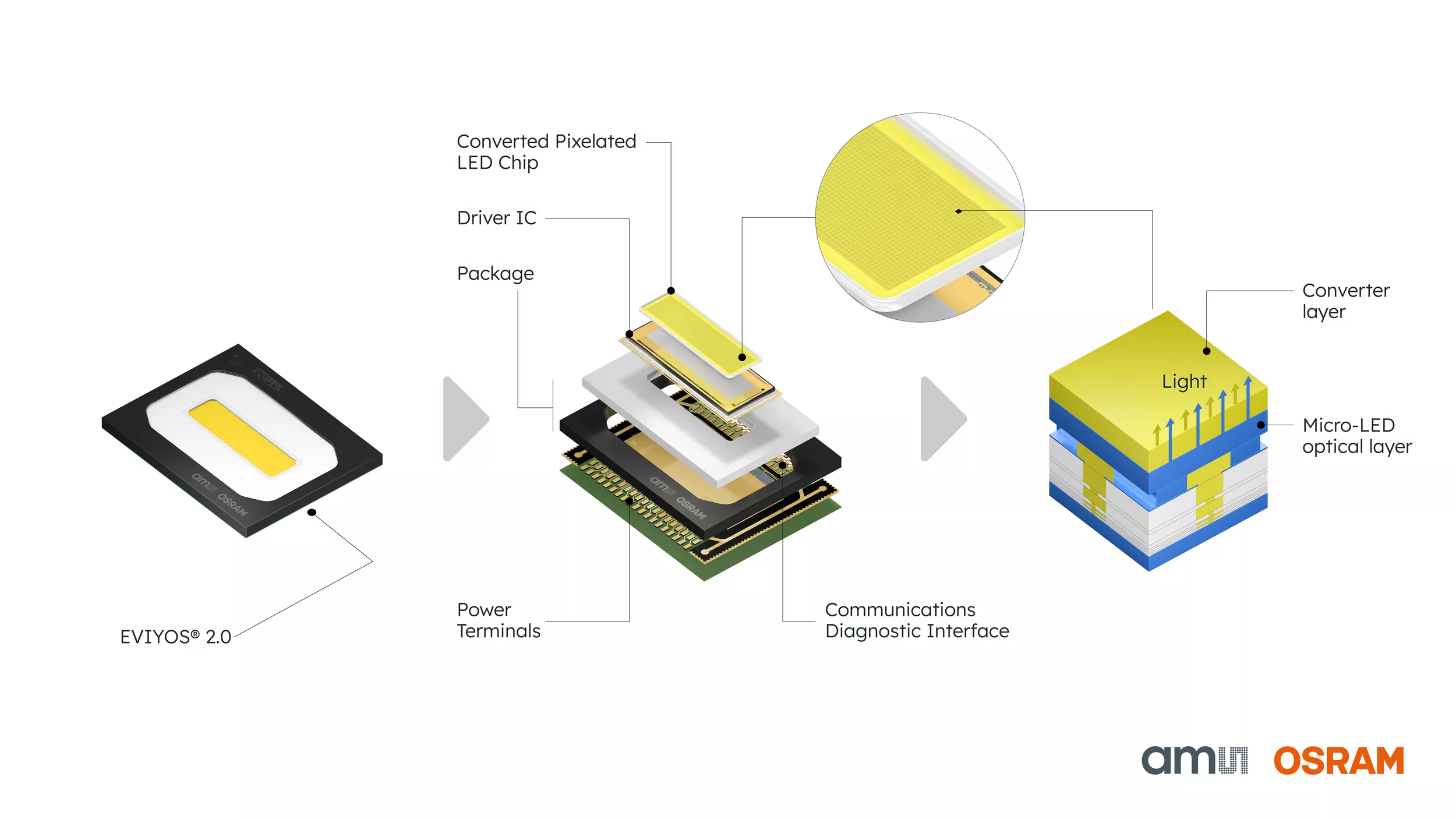
MicroLED is a self-emissive display technology, meaning each pixel produces its own light independently. There's no backlight, no liquid crystal layer, and no organic material involved. Every single pixel is a tiny inorganic gallium nitride (GaN) LED chip, similar to the LEDs you'd find in a commercial lighting fixture, just shrunk down to microscopic size.
This matters because it combines the best traits of two existing technologies. You get the perfect blacks and per-pixel dimming of OLED without the organic degradation that causes burn-in. You also get the extreme brightness of a traditional LED display without the backlight bleed that plagues most LCD monitors.
Manufacturer specifications indicate peak brightness levels reaching 2,000 to 5,000 nits, which dwarfs what OLED or Mini-LED can sustain.
The modular nature is the other big differentiator. MicroLED panels come in individual tiles, typically 10 to 20 inches each, that snap together to create a seamless display of virtually any size. Samsung's The Wall can scale from 76 inches all the way up to 292 inches in a single configuration.
Sony's Crystal LED system offers similar scalability with professional-grade color accuracy.
For multitasking specifically, this means you could theoretically replace an entire multi-monitor array with one massive, bezel-free canvas. No gaps between screens. No mismatched color or brightness across panels.
Just one continuous display surface for all your windows, apps, and workflows.
But here's where the practical problems start. The smallest pixel pitch available in current commercial MicroLED products is around 0.5mm to 0.7mm. That sounds tiny until you realize that a standard 27-inch 4K monitor has a pixel pitch of roughly 0.155mm.
At a typical desk viewing distance of 2 to 3 feet, MicroLED pixels would be visibly chunky, and text rendering would look soft compared to what you're used to.
MicroLED vs. OLED vs. Mini-LED vs. Multi-Monitor: Side-by-Side Comparison
Let's put the main head-to-head options on the table so you can see exactly where each technology lands for multitasking workloads.
| Factor | MicroLED | OLED (including QD-OLED) | Mini-LED | Dual/Triple Monitor Setup |
|---|---|---|---|---|
| Peak Brightness | 2,000–5,000 nits | 1,000–1,500 nits | 1,000–2,000 nits | Varies by panel |
| Burn-in Risk | None (inorganic) | Moderate to high | None (LED backlight) | None (LCD) |
| Black Levels | Perfect (per-pixel off) | Perfect (per-pixel off) | Very good (zone dimming) | Good to very good |
| Pixel Density (desk use) | Poor at current pitch | Excellent | Excellent | Excellent |
| Cost (typical) | $150,000+ | $800–$3,000 | $1,200–$3,500 | $600–$2,000 |
| Bezel-free multitasking | Yes (modular seamless) | Single panel only | Single panel only | No (physical bezels between screens) |
| Size Scalability | Virtually unlimited | Fixed panel sizes | Fixed panel sizes | Limited by desk space |
| Installation Complexity | Professional required | Plug and play | Plug and play | Moderate (mounting, cabling) |
| Availability (2026) | Enterprise only | Widely available | Widely available | Widely available |
Where MicroLED Wins for Multitasking
Zero burn-in with static content. If you keep taskbars, spreadsheets, or dashboards on screen for hours every day, MicroLED won't degrade. OLED panels, including QD-OLED variants, carry a documented risk of burn-in after prolonged static image exposure. This is MicroLED's single biggest practical advantage for productivity users.
Seamless large-format workspace. No bezels means no visual interruptions between your windows. For someone running 15 or 20 windows simultaneously, a single continuous display surface is genuinely useful. You can arrange content spatially without a black strip cutting through the middle.
Extreme HDR and bright-room performance. If your workspace has lots of ambient light or you work with HDR content alongside your productivity apps, MicroLED's brightness advantage is real. You can have a blindingly bright reference window next to a dark coding environment with zero halo or bloom artifacts.
Modular flexibility. You can configure the display shape and size to match your exact workflow. Need a tall, narrow panel for code review next to a wide panel for timeline editing? MicroLED lets you build that. No other display technology offers this kind of physical customization.
Where MicroLED Falls Short for Real-World Use
Pixel density is the dealbreaker. Current MicroLED products have a pixel pitch of 0.5mm to 1.5mm. At 0.7mm pitch, a 110-inch display only resolves around 36 PPI at typical viewing distances. That's roughly equivalent to a 720p signal stretched across a massive screen. Text looks fuzzy. Fine detail in spreadsheets and code editors suffers. For any task requiring sharp text rendering, this is a serious problem.
Price is absurd for consumers. Samsung's The Wall starts around $150,000 for a 110-inch configuration as of 2026. Even smaller configurations cost tens of thousands. You could buy a top-tier dual-monitor setup, a powerful workstation, and still have money left over for a nice vacation.
Physical size and weight make desk use impractical. MicroLED modular panels are large, heavy, and require structural mounting. This isn't something you put on a standard office desk. You need a dedicated space, professional installation, and serious structural support.
Limited connectivity and software features. Most MicroLED products are designed for commercial signage and control room use. They lack the consumer-friendly features you'd expect from a desktop monitor, like USB-C daisy-chaining, built-in KVM switches, or intuitive on-screen display menus.
Individual chip failure risk. Each pixel is a separate LED chip. With millions of chips on a large modular array, the statistical probability of at least one chip failing over time is non-trivial. Replacing a dead chip requires professional service, not a simple warranty swap.
Who Should Actually Consider a MicroLED Setup Right Now
Let's be honest about who benefits from MicroLED today. The list is short.
Command and control rooms are the primary use case. Air traffic control, security operations centers, network monitoring facilities, and emergency dispatch centers all need massive, reliable, bright displays that run 24/7 with static content. MicroLED's zero burn-in risk and seamless modular format make it ideal here.
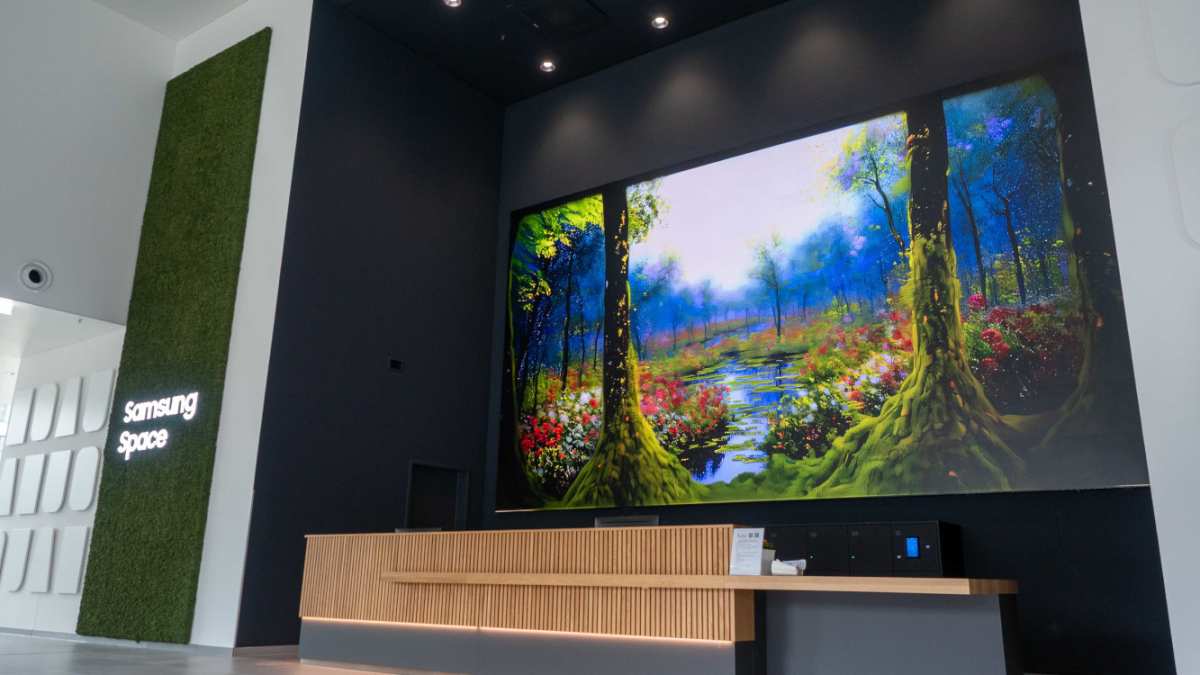
Digital signage and corporate lobbies are another natural fit. When you need a jaw-dropping video wall that can operate continuously without degradation, MicroLED delivers. The modular format allows custom shapes and sizes that match architectural requirements.
High-end broadcast and production studios use MicroLED for reference monitoring and video walls where color accuracy, brightness, and reliability matter more than pixel density at close range.
For individual professionals doing multitasking work, the honest answer is that MicroLED doesn't make sense yet. If you're a financial trader, a software developer, a video editor, or a creative professional who needs sharp text and detailed UI rendering at arm's length, you're far better served by existing alternatives. The technology needs to achieve sub-0.3mm pixel pitch before it becomes viable for desk-level use, and that milestone hasn't arrived in commercial products as of 2026.
The Pixel Density Problem Nobody Talks About
This deserves its own section because it's the single biggest reason MicroLED fails for desk-based multitasking, and it's the spec that marketing materials conveniently gloss over.
Pixel pitch is the distance in millimeters from the center of one pixel to the center of the next. Smaller pitch means higher pixel density and sharper image at close viewing distances. Here's how the numbers compare:
| Display Type | Typical Pixel Pitch | PPI (approximate) | Sharp at 2–3 ft? |
|---|---|---|---|
| 27" 4K IPS monitor | 0.155 mm | 172 PPI | Excellent |
| 32" 4K QD-OLED | 0.18 mm | 140 PPI | Excellent |
| 49" 5120×1440 ultrawide | 0.23 mm | 109 PPI | Very good |
| 110" 4K MicroLED (0.7mm pitch) | 0.7 mm | ~36 PPI | Poor |
| 146" 4K MicroLED (0.9mm pitch) | 0.9 mm | ~27 PPI | Very poor |
At 36 PPI, you're looking at roughly the pixel density of a budget smartphone from 2012, except it's 110 inches diagonally and you're sitting two feet away. Text rendering in small fonts becomes noticeably soft. Spreadsheet cells with narrow columns lose legibility.
Code editors with 12-point fonts look blurry compared to what you'd see on a standard 4K monitor.
The industry target for MicroLED to compete at desktop viewing distances is a pixel pitch below 0.3mm. Research published through the Society for Information Display (SID) and ongoing development by companies like ams Osram suggest this is technically achievable, but commercial products at that scale aren't expected to reach the consumer market until late 2027 at the earliest, and even then, pricing will likely remain premium.
Some manufacturers have demonstrated prototype MicroLED panels with pixel pitches as small as 0.25mm at trade shows. These look genuinely sharp at desk distances. But demonstration units at a conference and a product you can actually buy are very different things.
Manufacturing yields for such tiny LED chips at scale remain a significant challenge, which is why current commercial products use larger pitches.
If you're considering MicroLED for multitasking, ask yourself one question: will you be reading text at a normal desk distance? If the answer is yes, current MicroLED products will disappoint you on image quality, regardless of how impressive they look from across a showroom floor.
What You'd Actually Spend: Real Pricing and Hidden Costs
The sticker price is just the beginning. Let's walk through what a MicroLED setup actually costs when you factor in everything required for a functional installation.
Samsung The Wall (consumer/residential configuration):
- 110-inch Premium Kit: approximately $150,000 to $180,000
- 146-inch Premium Kit: approximately $220,000 to $280,000
- 99-inch Premium Kit (smallest available): approximately $100,000 to $130,000
Sony Crystal LED (commercial/enterprise):
- Pricing is custom-quoted per project, typically $200,000+ for a modest configuration
- Installation and calibration included in enterprise contracts
Hidden costs most people don't think about:
Professional installation. You can't unbox and mount these yourself. Samsung and Sony require certified installers. Budget $2,000 to $10,000 for installation depending on complexity and wall mounting requirements.
Structural reinforcement. A large MicroLED array weighs hundreds of pounds. Your wall or floor may need structural modification to support it safely. This can add $1,000 to $5,000 or more depending on your space.
Calibration. Professional color calibration for a modular MicroLED array requires specialized equipment and expertise. Expect $500 to $2,000 for initial calibration, with periodic recalibration recommended annually.
Electrical requirements. Large MicroLED arrays draw significant power. A 146-inch configuration can pull 1,500 watts or more at peak brightness. You may need dedicated electrical circuits, adding another $500 to $2,000.
Controller hardware. The modular panels need a dedicated controller unit to manage input signals, tiling configuration, and processing. This is sometimes included but often priced separately at $1,000 to $5,000.
Shipping and handling. These are large, fragile, heavy panels. Specialized freight shipping and white-glove delivery can cost $1,000 to $3,000 depending on distance and access requirements.
For context, you could buy a top-tier dual-monitor setup with two Dell UltraSharp U3225QE 4K displays (roughly $1,800 total), a premium ergonomic desk mount, and professional calibration, and still have over $140,000 left over. That dual-monitor setup would give you sharper text, better color accuracy for desk viewing, and infinitely more practical functionality for daily multitasking.
The value proposition only makes sense when you genuinely need a massive, seamless display surface that spans 100 inches or more, and where the viewing distance is 6 feet or greater. For everyone else, the money is better spent elsewhere.
Better Alternatives for Most Multitasking Setups
Let's talk about what actually works for multitasking in 2026, because the good news is that existing display technology is genuinely excellent.
Dual 4K Monitor Setup
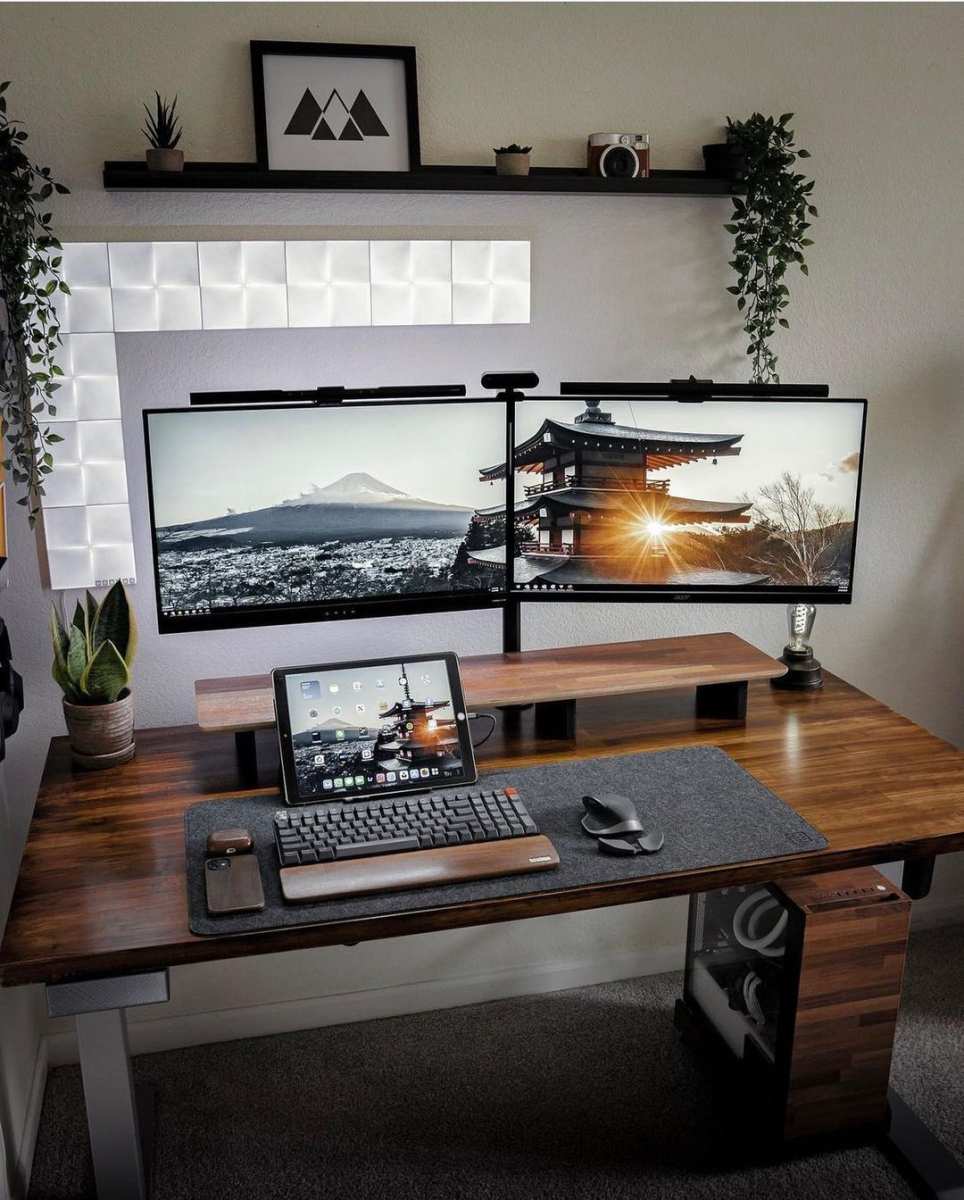
Two 27-inch 4K IPS or QD-OLED monitors remain the sweet spot for most multitasking workflows. You get 33.2 million total pixels across both screens, sharp text rendering, and the ability to dedicate each display to a specific task. Total cost runs $800 to $2,000 depending on panel choice.
Best for: Software developers, writers, analysts, and anyone who benefits from mentally separating work contexts across physical screens.
Ultrawide with High Resolution
The Samsung Odyssey OLED G9 (57-inch, 7680×2160) and similar super-ultrawides offer a single-panel experience that approximates dual monitors without the bezel gap. You get 16:9 equivalent screen real estate side by side on one curved panel. These QD-OLED panels offer excellent color, deep blacks, and sharp text at their native resolution.
Best for: Video editors, traders, and creative professionals who want a single-cable, single-panel solution with immersive workspace.
Mini-LED Reference Monitors
Apple's Pro Display XDR and competing Mini-LED monitors from ASUS and Cooler Master offer excellent HDR performance with 1,152 or more local dimming zones. You get near-OLED black levels with higher sustained brightness and zero burn-in risk. Text sharpness is excellent since these use conventional LCD pixel structures with standard pixel pitches.
Best for: Color-critical professionals who also multitask and want HDR capability without OLED burn-in concerns.
Single Large 4K or 5K Display
A 32-inch 5K display like the Apple Studio Display or a 43-inch 4K monitor gives you enormous screen real estate on a single panel. At 5K resolution on 32 inches, you get roughly 218 PPI, which means razor-sharp text and plenty of room for four or more windows arranged in quadrants.
Best for: Users who prefer a single display with window management software (like Magnet, Divvy, or FancyZones) over physical screen separation.
Each of these alternatives costs between $800 and $3,000. Each one will look sharper at desk distance than any currently available MicroLED product. Each one plugs in and works without structural engineering.
For the vast majority of multitasking scenarios, these are the right choice.
When MicroLED Will Actually Make Sense for You
MicroLED technology is progressing. It's not a question of if it becomes viable for desk use, but when. Here's what needs to happen and when we can reasonably expect it.
Pixel pitch needs to drop below 0.3mm. At that threshold, a MicroLED panel can match the sharpness of current desktop monitors at normal viewing distances. Industry roadmaps from Samsung Display and ams Osram suggest sub-0.3mm MicroLED panels could reach limited production by late 2027 or 2028, initially for premium commercial applications.
Manufacturing yields need to improve. Right now, producing millions of microscopic LED chips with consistent color and brightness is expensive and error-prone. As yields improve, costs will drop. Historical patterns from OLED manufacturing suggest a 50% cost reduction is possible within 3 to 4 years of initial commercial production at any given pixel pitch.
Consumer-focused products need to exist. Currently, MicroLED is exclusively an enterprise and commercial technology. For it to matter for individual multitasking, someone needs to build a desktop-sized MicroLED monitor with consumer features like USB-C connectivity, standard VESA mounting, and a reasonable on-screen display. Apple was rumored to be developing MicroLED for future devices, though those plans reportedly shifted.
Samsung has shown prototype small-format MicroLED displays but hasn't committed to a consumer monitor product.
A realistic timeline for consumer MicroLED monitors:
- 2026 to 2027: Continued commercial-only availability, pixel pitch stuck at 0.5mm+
- Late 2027 to 2028: First sub-0.3mm panels in limited production, likely priced at $10,000+
- 2029 to 2030: Potential consumer products at $3,000 to $5,000 if yields and pricing follow optimistic projections
If you're reading this and hoping to buy a MicroLED monitor for your home office this year, the honest advice is to wait or go with an alternative. The technology isn't there yet for desk-level multitasking at a price that makes sense.
Common Mistakes People Make When Considering MicroLED
Even though most people won't end up buying MicroLED, the research process itself reveals some recurring errors worth calling out.
Confusing MicroLED with Mini-LED. These are completely different technologies. Mini-LED uses thousands of small LED zones behind an LCD panel. MicroLED has millions of individual self-emissive pixels with no LCD layer.
The names sound similar, but the image quality, contrast, and performance characteristics are fundamentally different. If you see "MicroLED" in a product listing for a $500 monitor, it's almost certainly Mini-LED with misleading marketing.
Judging image quality from a showroom distance. MicroLED looks spectacular when you're standing 10 feet away in a bright showroom. The colors pop, the brightness is eye-searing, and the seamless modular design is impressive. None of that tells you what it looks like when you're sitting 2.5 feet away trying to read 10-point font in a spreadsheet.
Always evaluate pixel density for your actual viewing distance.
Ignoring total cost of ownership. Beyond the purchase price, factor in installation, calibration, potential chip replacement, electrical costs, and the controller hardware. A $150,000 MicroLED wall can easily become a $175,000 to $200,000 project once everything is accounted for.
Assuming future improvements apply to current purchases. Just because sub-0.3mm MicroLED might exist in 2028 doesn't help you today. If you need a display now, buy what works now. Don't wait for a technology that may or may not arrive on schedule.
Overestimating the need for a single seamless display. For most multitasking workflows, having two or three separate monitors with clear physical boundaries actually helps with organization. You can dedicate one screen to communication apps, one to your primary work, and one to reference material. A single massive display sounds appealing in theory, but many people find they prefer the mental separation that physical screen boundaries provide.
Frequently Asked Questions
Can I use a MicroLED display as my main computer monitor?
Not practically with current products. The pixel density is too low for desk viewing, the physical size is too large for a standard desk, and the connectivity options are designed for commercial use, not desktop computing. You'd need a sub-0.3mm pixel pitch product, which doesn't exist in consumer form yet.
Is MicroLED better than OLED for productivity?
In theory, yes, because MicroLED eliminates burn-in risk while matching OLED's per-pixel contrast. In practice, current MicroLED products can't match OLED's pixel density for desk use. For productivity today, a good QD-OLED or IPS monitor is the better choice.
How long do MicroLED panels last?
Manufacturer specifications suggest 100,000+ hours of operational life for the LED chips themselves. Since MicroLED uses inorganic gallium nitride rather than organic compounds, degradation is slower than OLED. However, long-term consumer data doesn't exist yet since the technology is so new in display applications.
Will MicroLED monitors get cheaper?
Yes, eventually. As manufacturing yields improve and pixel shrinks become more efficient, costs will decline. The pattern matches what happened with OLED displays over the past decade.
But "cheaper" is relative. Even optimistic projections suggest MicroLED monitors won't reach mainstream pricing before 2029 or 2030.
What's the smallest MicroLED display available?
As of 2026, Samsung offers a 99-inch configuration of The Wall as its smallest consumer option. Commercial products from companies like Leyard and Unilumin offer smaller individual tiles, but the assembled display still tends to be quite large. No one currently sells a MicroLED panel smaller than about 76 inches in a consumer-accessible format.
Does MicroLED work well in bright rooms?
This is one of MicroLED's genuine strengths. With peak brightness reaching 2,000 to 5,000 nits, it performs exceptionally well in high-ambient-light environments where OLED and LCD displays can appear washed out. If your workspace has large windows or bright overhead lighting, MicroLED maintains visibility better than any other display technology.
Final Verdict: Should You Buy a MicroLED Monitor for Multitasking?
For the vast majority of people asking this question, the answer is no. Not now, and probably not within the next two to three years. The technology is genuinely promising, but current products solve a problem that most desk-based multitasking workflows don't actually have, while introducing several problems that matter a great deal.
If you're choosing a display for multitasking today, here's the simple decision path:
Budget under $2,000. Get a dual 4K IPS or QD-OLED setup. You'll get excellent sharpness, good contrast, and practical functionality that MicroLED simply can't match at desk level.
Budget $1,500 to $3,000 and you want a single panel. Look at a super-ultrawide QD-OLED like the Samsung Odyssey OLED G9 or a high-end Mini-LED reference monitor. You get a seamless single display with strong image quality.
Budget over $100,000 and you need a 100+ inch display for a control room, lobby, or broadcast environment. MicroLED becomes worth evaluating. Its zero burn-in, seamless modularity, and extreme brightness serve real needs in these contexts.
You want future-proof technology and don't mind waiting. Keep an eye on sub-0.3mm pixel pitch MicroLED development. The technology will eventually reach desktop monitors, but the timeline stretches into 2028 or beyond for anything consumer-accessible.
MicroLED isn't a bad technology. It's an incredible technology that's currently aimed at a market most people don't belong to. The gap between "impressive at a trade show" and "useful at my desk" is still significant.
When that gap closes, MicroLED could genuinely transform how we think about display workspace. We're just not there yet.
The best multitasking monitor is the one that gives you sharp text, reliable performance, and enough screen real estate for your workflow at a price that doesn't require a second mortgage. Right now, that's a dual 4K setup or a premium ultrawide. It's not glamorous, but it works.
Who Should Actually Consider a MicroLED Setup Right Now
Let's be honest about who benefits from MicroLED today. The list is short.
Command and control rooms are the primary use case. Air traffic control, security operations centers, network monitoring facilities, and emergency dispatch centers all need massive, reliable, bright displays that run 24/7 with static content. MicroLED's zero burn-in risk and seamless modular format make it ideal here.
Digital signage and corporate lobbies are another natural fit. When you need a jaw-dropping video wall that can operate continuously without degradation, MicroLED delivers. The modular format allows custom shapes and sizes that match architectural requirements.
High-end broadcast and production studios use MicroLED for reference monitoring and video walls where color accuracy, brightness, and reliability matter more than pixel density at close range.
For individual professionals doing multitasking work, the honest answer is that MicroLED doesn't make sense yet. If you're a financial trader, a software developer, a video editor, or a creative professional who needs sharp text and detailed UI rendering at arm's length, you're far better served by existing alternatives. The technology needs to achieve sub-0.3mm pixel pitch before it becomes viable for desk-level use, and that milestone hasn't arrived in commercial products as of 2026.
The Pixel Density Problem Nobody Talks About
This deserves its own section because it's the single biggest reason MicroLED fails for desk-based multitasking, and it's the spec that marketing materials conveniently gloss over.
Pixel pitch is the distance in millimeters from the center of one pixel to the center of the next. Smaller pitch means higher pixel density and sharper image at close viewing distances. Here's how the numbers compare:
| Display Type | Typical Pixel Pitch | PPI (approximate) | Sharp at 2–3 ft? |
|---|---|---|---|
| 27" 4K IPS monitor | 0.155 mm | 172 PPI | Excellent |
| 32" 4K QD-OLED | 0.18 mm | 140 PPI | Excellent |
| 49" 5120×1440 ultrawide | 0.23 mm | 109 PPI | Very good |
| 110" 4K MicroLED (0.7mm pitch) | 0.7 mm | ~36 PPI | Poor |
| 146" 4K MicroLED (0.9mm pitch) | 0.9 mm | ~27 PPI | Very poor |
At 36 PPI, you're looking at roughly the pixel density of a budget smartphone from 2012, except it's 110 inches diagonally and you're sitting two feet away. Text rendering in small fonts becomes noticeably soft. Spreadsheet cells with narrow columns lose legibility.
Code editors with 12-point fonts look blurry compared to what you'd see on a standard 4K monitor.
The industry target for MicroLED to compete at desktop viewing distances is a pixel pitch below 0.3mm. Research published through the Society for Information Display (SID) and ongoing development by companies like ams Osram suggest this is technically achievable, but commercial products at that scale aren't expected to reach the consumer market until late 2027 at the earliest, and even then, pricing will likely remain premium.
Some manufacturers have demonstrated prototype MicroLED panels with pixel pitches as small as 0.25mm at trade shows. These look genuinely sharp at desk distances. But demonstration units at a conference and a product you can actually buy are very different things.
Manufacturing yields for such tiny LED chips at scale remain a significant challenge, which is why current commercial products use larger pitches.
If you're considering MicroLED for multitasking, ask yourself one question: will you be reading text at a normal desk distance? If the answer is yes, current MicroLED products will disappoint you on image quality, regardless of how impressive they look from across a showroom floor.
What You'd Actually Spend: Real Pricing and Hidden Costs
The sticker price is just the beginning. Let's walk through what a MicroLED setup actually costs when you factor in everything required for a functional installation.
Samsung The Wall (consumer/residential configuration):
- 110-inch Premium Kit: approximately $150,000 to $180,000
- 146-inch Premium Kit: approximately $220,000 to $280,000
- 99-inch Premium Kit (smallest available): approximately $100,000 to $130,000
Sony Crystal LED (commercial/enterprise):
- Pricing is custom-quoted per project, typically $200,000+ for a modest configuration
- Installation and calibration included in enterprise contracts
Hidden costs most people don't think about:
Professional installation. You can't unbox and mount these yourself. Samsung and Sony require certified installers. Budget $2,000 to $10,000 for installation depending on complexity and wall mounting requirements.
Structural reinforcement. A large MicroLED array weighs hundreds of pounds. Your wall or floor may need structural modification to support it safely. This can add $1,000 to $5,000 or more depending on your space.
Calibration. Professional color calibration for a modular MicroLED array requires specialized equipment and expertise. Expect $500 to $2,000 for initial calibration, with periodic recalibration recommended annually.
Controller hardware. The modular panels need a dedicated controller unit to manage input signals, tiling configuration, and processing. This is sometimes included but often priced separately at $1,000 to $5,000.
Shipping and handling. These are large, fragile, heavy panels. Specialized freight shipping and white-glove delivery can cost $1,000 to $3,000 depending on distance and access requirements.
For context, you could buy a top-tier dual-monitor setup with two Dell UltraSharp U3225QE 4K displays (roughly $1,800 total), a premium ergonomic desk mount, and professional calibration, and still have over $140,000 left over. That dual-monitor setup would give you sharper text, better color accuracy for desk viewing, and infinitely more practical functionality for daily multitasking.
The value proposition only makes sense when you genuinely need a massive, seamless display surface that spans 100 inches or more, and where the viewing distance is 6 feet or greater. For everyone else, the money is better spent elsewhere.
Better Alternatives for Most Multitasking Setups
Let's talk about what actually works for multitasking in 2026, because the good news is that existing display technology is genuinely excellent.
Dual 4K Monitor Setup
Two 27-inch 4K IPS or QD-OLED monitors remain the sweet spot for most multitasking workflows. You get 33.2 million total pixels across both screens, sharp text rendering, and the ability to dedicate each display to a specific task. Total cost runs $800 to $2,000 depending on panel choice.
Best for: Software developers, writers, analysts, and anyone who benefits from mentally separating work contexts across physical screens.
Ultrawide with High Resolution
The Samsung Odyssey OLED G9 (57-inch, 7680×2160) and similar super-ultrawides offer a single-panel experience that approximates dual monitors without the bezel gap. You get 16:9 equivalent screen real estate side by side on one curved panel. These QD-OLED panels offer excellent color, deep blacks, and sharp text at their native resolution.
Best for: Video editors, traders, and creative professionals who want a single-cable, single-panel solution with immersive workspace.
Mini-LED Reference Monitors
Apple's Pro Display XDR and competing Mini-LED monitors from ASUS and Cooler Master offer excellent HDR performance with 1,152 or more local dimming zones. You get near-OLED black levels with higher sustained brightness and zero burn-in risk. Text sharpness is excellent since these use conventional LCD pixel structures with standard pixel pitches.
Best for: Color-critical professionals who also multitask and want HDR capability without OLED burn-in concerns.
Single Large 4K or 5K Display
A 32-inch 5K display like the Apple Studio Display or a 43-inch 4K monitor gives you enormous screen real estate on a single panel. At 5K resolution on 32 inches, you get roughly 218 PPI, which means razor-sharp text and plenty of room for four or more windows arranged in quadrants.
Best for: Users who prefer a single display with window management software (like Magnet, Divvy, or FancyZones) over physical screen separation.
Each of these alternatives costs between $800 and $3,000. Each one will look sharper at desk distance than any currently available MicroLED product. Each one plugs in and works without structural engineering.
For the vast majority of multitasking scenarios, these are the right choice.
When MicroLED Will Actually Make Sense for You
MicroLED technology is progressing. It's not a question of if it becomes viable for desk use, but when. Here's what needs to happen and when we can reasonably expect it.
Pixel pitch needs to drop below 0.3mm. At that threshold, a MicroLED panel can match the sharpness of current desktop monitors at normal viewing distances. Industry roadmaps from Samsung Display and ams Osram suggest sub-0.3mm MicroLED panels could reach limited production by late 2027 or 2028, initially for premium commercial applications.
Manufacturing yields need to improve. Right now, producing millions of microscopic LED chips with consistent color and brightness is expensive and error-prone. As yields improve, costs will drop. Historical patterns from OLED manufacturing suggest a 50% cost reduction is possible within 3 to 4 years of initial commercial production at any given pixel pitch.
Consumer-focused products need to exist. Currently, MicroLED is exclusively an enterprise and commercial technology. For it to matter for individual multitasking, someone needs to build a desktop-sized MicroLED monitor with consumer features like USB-C connectivity, standard VESA mounting, and a reasonable on-screen display. Apple was rumored to be developing MicroLED for future devices, though those plans reportedly shifted.
Samsung has shown prototype small-format MicroLED displays but hasn't committed to a consumer monitor product.
A realistic timeline for consumer MicroLED monitors:
- 2026 to 2027: Continued commercial-only availability, pixel pitch stuck at 0.5mm+
- Late 2027 to 2028: First sub-0.3mm panels in limited production, likely priced at $10,000+
- 2029 to 2030: Potential consumer products at $3,000 to $5,000 if yields and pricing follow optimistic projections
If you're reading this and hoping to buy a MicroLED monitor for your home office this year, the honest advice is to wait or go with an alternative. The technology isn't there yet for desk-level multitasking at a price that makes sense.
Common Mistakes People Make When Considering MicroLED
Even though most people won't end up buying MicroLED, the research process itself reveals some recurring errors worth calling out.
Confusing MicroLED with Mini-LED. These are completely different technologies. Mini-LED uses thousands of small LED zones behind an LCD panel. MicroLED has millions of individual self-emissive pixels with no LCD layer.
The names sound similar, but the image quality, contrast, and performance characteristics are fundamentally different. If you see "MicroLED" in a product listing for a $500 monitor, it's almost certainly Mini-LED with misleading marketing.
Judging image quality from a showroom distance. MicroLED looks spectacular when you're standing 10 feet away in a bright showroom. The colors pop, the brightness is eye-searing, and the seamless modular design is impressive. None of that tells you what it looks like when you're sitting 2.5 feet away trying to read 10-point font in a spreadsheet.
Always evaluate pixel density for your actual viewing distance.
Ignoring total cost of ownership. Beyond the purchase price, factor in installation, calibration, potential chip replacement, electrical costs, and the controller hardware. A $150,000 MicroLED wall can easily become a $175,000 to $200,000 project once everything is accounted for.
Assuming future improvements apply to current purchases. Just because sub-0.3mm MicroLED might exist in 2028 doesn't help you today. If you need a display now, buy what works now. Don't wait for a technology that may or may not arrive on schedule.
Overestimating the need for a single seamless display. For most multitasking workflows, having two or three separate monitors with clear physical boundaries actually helps with organization. You can dedicate one screen to communication apps, one to your primary work, and one to reference material. A single massive display sounds appealing in theory, but many people find they prefer the mental separation that physical screen boundaries provide.
Frequently Asked Questions
Can I use a MicroLED display as my main computer monitor?
Not practically with current products. The pixel density is too low for desk viewing, the physical size is too large for a standard desk, and the connectivity options are designed for commercial use, not desktop computing. You'd need a sub-0.3mm pixel pitch product, which doesn't exist in consumer form yet.
Is MicroLED better than OLED for productivity?
In theory, yes, because MicroLED eliminates burn-in risk while matching OLED's per-pixel contrast. In practice, current MicroLED products can't match OLED's pixel density for desk use. For productivity today, a good QD-OLED or IPS monitor is the better choice.
How long do MicroLED panels last?
Manufacturer specifications suggest 100,000+ hours of operational life for the LED chips themselves. Since MicroLED uses inorganic gallium nitride rather than organic compounds, degradation is slower than OLED. However, long-term consumer data doesn't exist yet since the technology is so new in display applications.
Will MicroLED monitors get cheaper?
Yes, eventually. As manufacturing yields improve and pixel shrinks become more efficient, costs will decline. The pattern matches what happened with OLED displays over the past decade.
But "cheaper" is relative. Even optimistic projections suggest MicroLED monitors won't reach mainstream pricing before 2029 or 2030.
What's the smallest MicroLED display available?
As of 2026, Samsung offers a 99-inch configuration of The Wall as its smallest consumer option. Commercial products from companies like Leyard and Unilumin offer smaller individual tiles, but the assembled display still tends to be quite large. No one currently sells a MicroLED panel smaller than about 76 inches in a consumer-accessible format.
Does MicroLED work well in bright rooms?
This is one of MicroLED's genuine strengths. With peak brightness reaching 2,000 to 5,000 nits, it performs exceptionally well in high-ambient-light environments where OLED and LCD displays can appear washed out. If your workspace has large windows or bright overhead lighting, MicroLED maintains visibility better than any other display technology.

Similar Posts





















