Is Microled Monitor Good for Creative Professionals

If you're wondering is microled monitor good for creative professionals, the honest answer is: it depends entirely on what kind of creative work you do and what you're comparing it to. For most individual creative professionals working at a desk in 2024, a MicroLED monitor is impressive technology that doesn't yet make practical sense. For studios and high-end production houses with specific needs, it's a different conversation.
MicroLED is a self-emissive display technology where each pixel is its own tiny inorganic LED, delivering per-pixel illumination similar to OLED but without organic materials that degrade over time. Manufacturer specifications indicate peak brightness levels reaching 2,000 nits sustained, which dwarfs what most professional monitors deliver today. Let's break down where this technology actually helps creative work and where it falls short.
Quick Answer: Should Creative Professionals Buy a MicroLED Monitor in 2024?
For most creative professionals, no. MicroLED monitors are not a practical purchase right now. The technology excels at large-format HDR and sustained brightness. But current options lack hardware calibration support and cost six figures.
If you do color-critical desk work, a high-end OLED or Mini-LED monitor serves you better. MicroLED makes sense mainly for studios needing seamless large-format displays.
What MicroLED Actually Is (And Why It's Different)
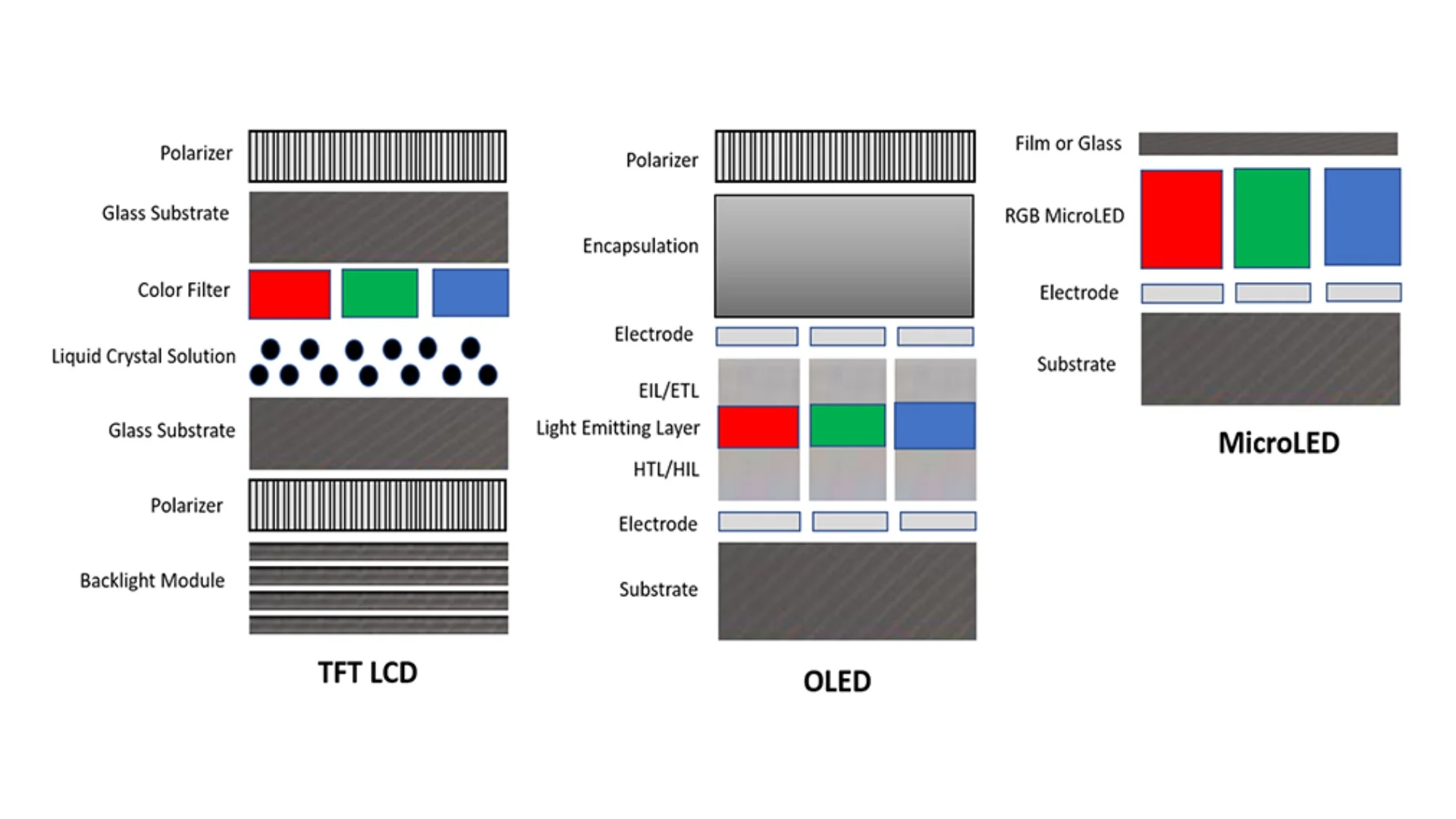
MicroLED uses microscopic inorganic gallium nitride (GaN) LEDs as individual pixels. Each pixel emits its own light and can turn off completely. This is the same fundamental approach as OLED, but the materials are completely different.
OLED uses organic compounds that degrade with use. That degradation causes color shift over time and creates burn-in risk when static elements sit on screen for hours. MicroLED's inorganic materials don't have this problem.
The pixels last far longer and maintain consistent output across the panel's lifetime.
Think of it this way. OLED is like a wax candle, bright at first but slowly burning down. MicroLED is more like a ceramic light bulb, maintaining its output characteristics for years without the material breaking down.
The manufacturing process involves growing millions of microscopic LED chips and transferring them onto a substrate. This is extraordinarily difficult at small pixel pitches suitable for desk monitors. That's why current MicroLED products are either very large modular systems or use pixel pitches that work fine across a 110-inch display but would look rough at 27 or 32 inches.
Samsung's The Wall and Sony's Crystal LED are the two most prominent MicroLED systems available. Both are modular, meaning you tile panels together to build a display of virtually any size. Neither comes in a traditional monitor form factor that sits on a desk with a stand.
What MicroLED Gets Right for Creative Work
True Blacks Without Compromise
Because each pixel is self-emissive and can turn completely off, MicroLED delivers genuinely infinite contrast. There's no backlight bleed, no blooming around bright objects on dark backgrounds, and no IPS glow in the corners. For anyone working with HDR content, dark UI elements, or evaluating shadow detail, this is immediately noticeable and genuinely useful.
When you're grading a scene that moves from a bright window into a dark interior, the transition is clean and precise. There's no halo effect around bright elements. This matters for colorists and VFX artists who need to evaluate exactly what's happening in the darkest parts of an image.
Brightness That Changes HDR Work
This is where MicroLED pulls ahead of almost everything else. Sustained peak brightness of 1,000 to 2,000 nits is standard across current professional MicroLED systems. Some configurations push even higher.
Compare that to a typical high-end IPS monitor delivering 350 to 600 nits, or even the Apple Pro Display XDR which hits 1,000 nits sustained but uses a Mini-LED backlight.
For HDR mastering, this brightness headroom is transformative. You can actually evaluate specular highlights, sun reflections, and bright light sources at the luminance levels they'll appear on capable consumer displays. Most professional monitors can't show you what HDR really looks like because they simply can't get bright enough.
No Burn-In Anxiety
For anyone who lives in applications with static UI elements, this is a real benefit. Color grading interfaces, timeline layouts, tool palettes, and status bars all sit in the same positions for hours. OLED panels can retain these images over time.
MicroLED doesn't have this issue at all because the inorganic materials don't degrade the way organic compounds do.
This makes MicroLED genuinely suitable for broadcast studios and control rooms where the same interface elements appear continuously across long shifts.
Color Volume at High Luminance
Color gamut coverage on professional MicroLED systems typically reaches 100% of DCI-P3 and significant coverage of Rec. 2020. But what matters more than gamut coverage is color volume, the range of colors available at different brightness levels. MicroLED maintains color saturation at high luminance levels where other technologies wash out.
This is critical for HDR content evaluation where colors need to remain vivid even in bright scenes.
What MicroLED Gets Wrong for Most Creative Professionals
The Text Clarity Problem Nobody Talks About
Here's where things get complicated for desk-based work. Current MicroLED systems use pixel pitches ranging from about 0.8mm to 1.5mm or larger. At the large viewing distances these displays are designed for, this looks perfectly sharp.
But if you put that same pixel structure at 27 or 32 inches and sit two feet away, text rendering suffers.
The subpixel layout on MicroLED panels isn't the standard RGB stripe layout that operating systems are optimized for. Windows and macOS font rendering assumes a specific subpixel arrangement. When that assumption doesn't match the physical hardware, text looks fringed, soft, or just slightly wrong.
For anyone spending eight hours reading and editing text, this is a real problem.
This isn't a minor quibble. Photographers zooming into images at 100%, designers evaluating fine typography, and video editors reading timeline markers all need crisp pixel-level detail. Current MicroLED doesn't deliver that at desk-monitor sizes.
Hardware Calibration Is Missing
Professional color work requires hardware calibration, where a colorimeter measures the display's output and a lookup table (LUT) is built directly into the monitor's internal processor. This ensures the display meets specific color standards like DCI-P3, Rec. 709, or Adobe RGB with measured, verifiable accuracy.
Current MicroLED professional systems don't offer this. You can apply ICC profiles at the operating system level, but that's software calibration, which is less precise and can't correct for the panel's native response curves the way a hardware LUT can. For working colorists who need to deliver content that meets specific broadcast or cinema standards, this is a dealbreaker.
Eizo's ColorEdge CG series, NEC's SpectraView line, and ASUS ProArt monitors with built-in calibrators all offer hardware calibration. MicroLED doesn't, at least not yet in any product available as of 2024.
Size and Form Factor Don't Fit Most Workspaces
The smallest current MicroLED consumer option is Samsung's 110-inch The Wall, priced around $150,000 or more. Professional modular systems from Sony start in similar size ranges and scale up from there. These aren't monitors.
They're display systems that require professional installation, structural mounting, and dedicated space.
Most creative professionals work at desks. They need 27 to 42 inch displays at arm's length. MicroLED simply doesn't exist in this form factor at any price point that makes sense.
The technology is physically capable of smaller sizes, but manufacturing yields and pixel pitch requirements make it impractical for the foreseeable future.
The Price Stops Most People Cold
Let's put real numbers on this. Samsung's 110-inch The Wall runs approximately $150,000. Sony's Crystal LED modular systems for professional installation can reach $300,000 to $500,000 depending on size and configuration.
Even if you wanted one, the purchase process isn't as simple as ordering online. It involves site assessment, professional installation, calibration, and ongoing service contracts.
For context, a top-tier professional reference monitor like the Sony BVM-HX3110 4K HDR broadcast reference display costs around $45,000. That's considered expensive in professional circles, and it's a fraction of what MicroLED demands.
How MicroLED Stacks Up Against What You're Probably Already Using
MicroLED vs OLED for Creative Work
OLED monitors have become the go-to recommendation for creative professionals who need perfect blacks and wide viewing angles. The LG WOLED panels used in displays like the LG UltraFine and ASUS ProArt OLED lines deliver excellent color accuracy and true per-pixel dimming. QD-OLED from Samsung Display adds quantum dot color conversion for even wider gamut coverage.
The comparison comes down to a few key trade-offs. OLED offers better text clarity at desk-monitor sizes because the pixel pitch is much finer and the subpixel layout matches what operating systems expect. OLED also has mature hardware calibration support through calibration suites like CalMAN and LightSpace.
But OLED carries burn-in risk with static UI elements, and sustained peak brightness tops out around 800 to 1,000 nits on most panels.
MicroLED wins on brightness, longevity, and burn-in resistance. It loses on text rendering, available sizes, calibration support, and price. For a photographer retouching images at 100% zoom, OLED is the better tool right now.
For a colorist mastering HDR content in a controlled studio environment, MicroLED's brightness advantage becomes meaningful.
MicroLED vs Mini-LED vs IPS at a Glance
| Feature | MicroLED | OLED (WOLED/QD-OLED) | Mini-LED FALD | High-End IPS |
|---|---|---|---|---|
| Black Level | True zero (per-pixel) | True zero (per-pixel) | Near-black (zone dimming) | IPS glow present |
| Peak Brightness | 1,000 to 2,000+ nits | 800 to 1,000 nits | 1,000 to 2,000 nits | 350 to 600 nits |
| Burn-In Risk | None | Present (organic decay) | None (backlight) | None |
| Hardware Calibration | Not available (2024) | Available on pro models | Available on pro models | Widely available |
| Text Clarity at Desk Distance | Poor (subpixel layout) | Good to excellent | Excellent | Excellent |
| Available Sizes | 110"+ (modular) | 27" to 97" | 27" to 42" | 24" to 42" |
| Price Range | $150,000+ | $1,000 to $25,000 | $1,500 to $6,000 | $400 to $4,000 |
| Best For | Large-format HDR reference, studios | Color-critical desk work, HDR review | HDR review, general pro work | General creative, print work |
So Who Is a MicroLED Monitor Actually Good For?
Broadcast and Post-Production Studios
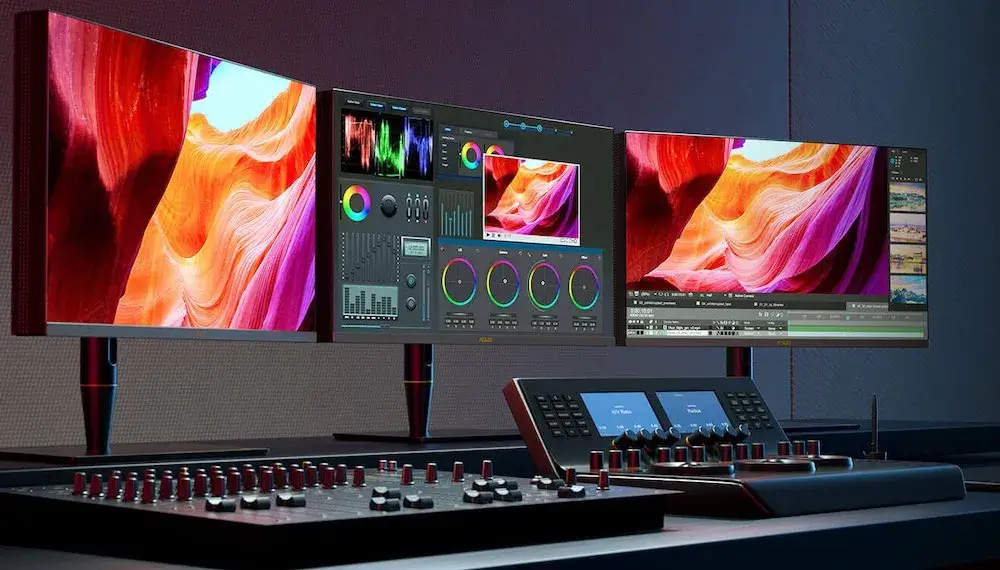
If you're running a facility that needs large-format HDR reference displays for client review or final color approval, MicroLED starts making sense. The combination of extreme brightness, perfect blacks, and seamless tiling creates an viewing experience that no single-panel monitor can match. Studios doing cinema grading, high-end commercial work, or broadcast mastering benefit most from what MicroLED offers.
The modular nature means you can build a display that fits your screening room or color suite exactly. No bezels interrupt the image. The display can be sized to the room and viewing distance.
For a facility already spending six figures on reference monitoring, MicroLED fits into the budget conversation more naturally.
High-End Client Presentation Spaces
Agencies and studios that present work to clients in dedicated rooms find value in MicroLED's visual impact. The sheer size and brightness create an immersive experience that impresses clients and accurately represents HDR content. This is less about pixel-level accuracy and more about delivering a viewing experience that matches what the audience will see on premium displays.
Medical and Scientific Imaging
Fields that require sustained high brightness with zero image retention benefit from MicroLED's characteristics. Medical imaging workstations, scientific visualization labs, and control rooms running 24/7 operations value the burn-in immunity and consistent output over time. The inorganic materials maintain color accuracy across the panel's lifespan without the degradation curves that OLED exhibits.
It's Probably Not Right If You Sit at a Desk All Day
Freelance photographers, independent designers, video editors working from home studios, and most individual creative professionals should look elsewhere. The text clarity issue alone makes MicroLED frustrating for daily productivity work. The price puts it out of reach for individuals.
And the lack of hardware calibration means you can't verify that your output meets the standards your clients or deliverables require.
If you're doing print retouching, web design, illustration, or any work that involves reading text on screen for hours, a calibrated IPS or OLED monitor will serve you better at every budget level.
How to Decide: A Working Creative Professional's Decision Framework
Step 1: What's Your Primary Color Workflow?
If your work is primarily SDR content for web or print, MicroLED offers you almost nothing you can't get from a good IPS panel. If you're doing HDR mastering for streaming platforms or cinema, the brightness advantage becomes relevant. Be honest about what you're actually delivering.
Most creative work in 2024 is still SDR.
Step 2: What's Your Viewing Distance and Display Size?
MicroLED's pixel pitch works at large sizes and longer viewing distances. If you need a display you'll view from 8 to 15 feet away in a dedicated room, the technology fits. If you're sitting 24 inches from a 32-inch screen, the text rendering issues will bother you every single day.
Step 3: Do You Need Hardware Calibration?
If your deliverables require verified compliance with DCI-P3, Rec. 709, or other color standards, you need hardware calibration. Current MicroLED options don't support this. If your work is more about visual impact and client presentation than strict compliance, this matters less.
Step 4: Does Your Budget Allow for Professional Installation?
MicroLED isn't a monitor you unbox and plug in. It requires professional installation, structural assessment, and ongoing service. Budget for the display system, installation, calibration, and maintenance.
If your total display budget is under $50,000, MicroLED isn't in the conversation.
Common Mistakes Creative Professionals Make When Evaluating MicroLED
Assuming spec sheet superiority means practical superiority. MicroLED's specs look incredible on paper. Infinite contrast, 2,000 nits, no burn-in. But specs don't tell you about text rendering, calibration support, or whether the form factor fits your workspace.
Ignoring the subpixel rendering problem. Operating systems are designed around specific subpixel layouts. When the hardware doesn't match, text looks wrong. This isn't something you get used to.
It's a daily friction that affects every task involving reading or editing text.
Comparing MicroLED to consumer monitors. A $150,000 MicroLED system isn't competing with a $3,000 OLED. It's competing with other large-format professional reference displays like Sony's BVM-HX series or high-end cinema projection. Compare it to the right category.
Buying for the wrong use case. If you need a display for color-critical desk work, MicroLED is the wrong tool regardless of budget. The technology excels at large-format HDR viewing, not pixel-level precision at arm's length.
Underestimating installation complexity. Modular MicroLED systems require professional installation, power planning, thermal management, and structural support. This isn't a weekend project.
What to Buy Instead (In Most Scenarios)
For the vast majority of creative professionals, these alternatives will serve you better than MicroLED right now.
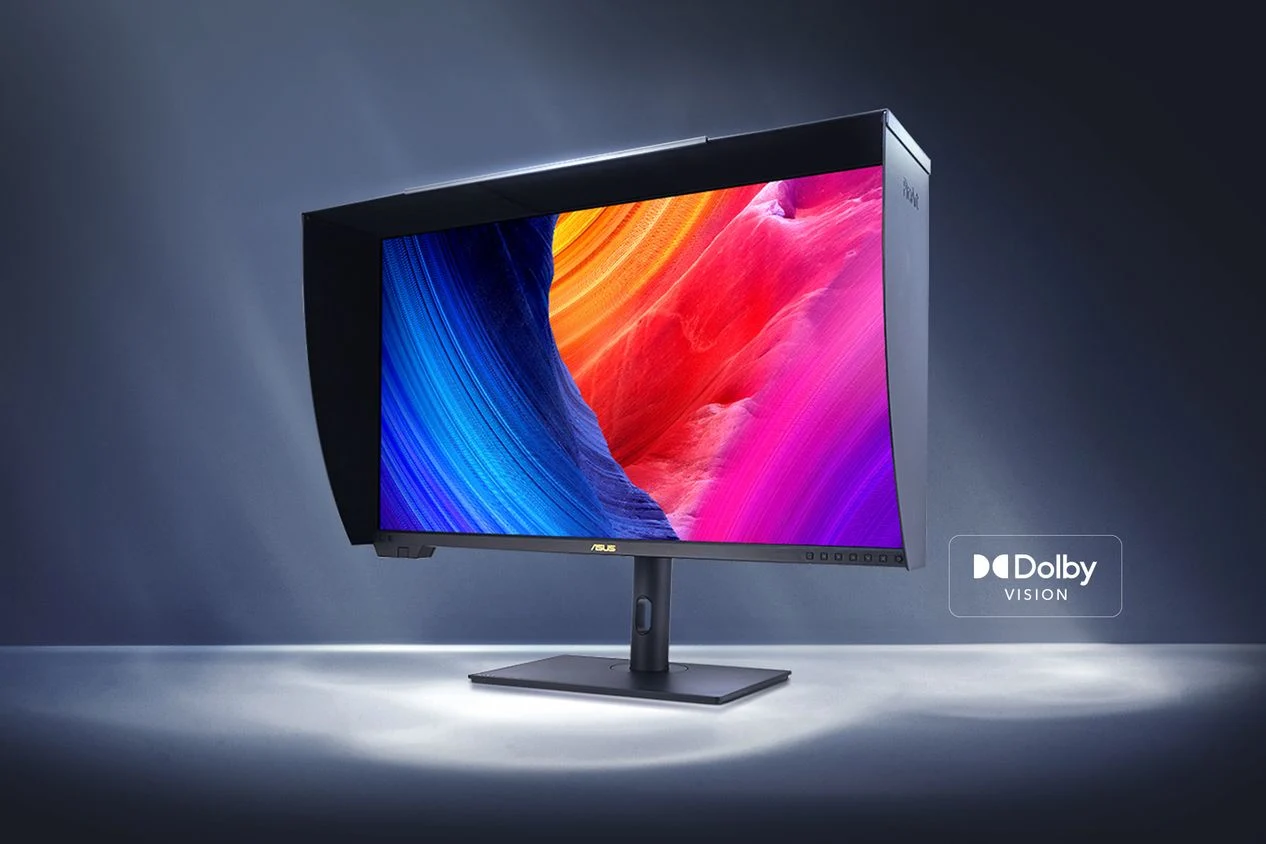
For color-critical desk work: Look at the ASUS ProArt PA32UCG (Mini-LED, hardware calibrated, around $4,000) or the Eizo ColorEdge CG319X (IPS with built-in calibrator, around $5,000). Both offer verified color accuracy, hardware LUT support, and form factors that actually fit on a desk.
For HDR review and mastering: The Apple Pro Display XDR delivers 1,600 nits peak with Mini-LED backlighting and works seamlessly with macOS color management. The Sony BVM-HX3110 is the broadcast reference standard at around $45,000 if you need guaranteed compliance.
For OLED image quality at desk size: The LG 32EP950 (32-inch 4K OLED, around $2,000) or the ASUS ProArt PQ22UC (21.6-inch 4K OLED) offer true per-pixel dimming with proper subpixel rendering for sharp text.
Looking Ahead: When MicroLED Will Actually Make Sense for Individuals
The technology is moving in the right direction. Manufacturing improvements are gradually reducing pixel pitches, which means smaller form factors become possible. As production scales up, costs will come down, though "down" relative to $150,000 still leaves it expensive.
Industry roadmaps from Samsung Display and other manufacturers suggest MicroLED could reach 50 to 75 inch consumer products within the next few years. That's still large for a desk monitor, but it opens the door for more accessible form factors. Hardware calibration support will likely arrive as the technology matures and professional calibration companies develop tools for MicroLED panels.
If you're reading this and MicroLED sounds appealing but impractical, the right move is to invest in a strong OLED or Mini-LED display now and revisit MicroLED in three to five years. The technology will be better, cheaper, and more available. Your current work needs a good display today.
Final Verdict
MicroLED is genuinely impressive display technology with real advantages for creative work. The brightness, contrast, and longevity are unmatched by any other current technology. For studios and facilities that need large-format HDR reference displays, it's a legitimate and valuable investment.
For individual creative professionals, the answer is straightforward. Don't buy one. The text clarity issues, lack of hardware calibration, impractical form factors, and extreme cost make it the wrong tool for desk-based creative work in 2024.
A well-calibrated OLED or Mini-LED monitor will deliver better results for your actual daily workflow at a fraction of the price.
Frequently Asked Questions
Can you use a MicroLED monitor for photo editing?
You can, but you probably shouldn't for critical work. The subpixel layout causes text and fine detail rendering issues at desk distances. Photo editing benefits from the sharp pixel density of a 4K or 6K IPS or OLED panel where every pixel renders cleanly.
Is MicroLED better than OLED for color grading?
It depends on the context. For HDR mastering where sustained brightness matters, MicroLED has an advantage. For SDR work or anything requiring hardware calibration at desk size, OLED is the more practical choice with better text rendering and established calibration support.
How long do MicroLED displays last?
Manufacturer specifications indicate 100,000 or more hours to half-brightness, significantly longer than OLED panels. The inorganic LED materials don't degrade the way organic compounds do, making MicroLED suitable for 24/7 operation in professional environments.
Will MicroLED monitors get cheaper?
Eventually, yes. Manufacturing improvements and production scaling will bring costs down over time. However, "cheaper" is relative.
Even with significant price reductions, MicroLED will likely remain a premium technology for the foreseeable future.
What size MicroLED monitor should I buy?
Current MicroLED options start at 110 inches for consumer products and scale up through modular professional systems. There are no MicroLED monitors in traditional desk-monitor sizes as of 2024. If you need something smaller, look at OLED or Mini-LED alternatives.

Similar Posts