Is Microled Better for Eye Comfort
You've probably asked yourself whether MicroLED is better for eye comfort, especially if you've been dealing with screen fatigue, headaches, or that gritty feeling after a long day in front of a display. The short answer is that MicroLED has genuine advantages, but the full picture depends on what's actually causing your eye strain and which display you're comparing it against.
Manufacturer specifications indicate that MicroLED panels can reach peak brightness levels of 5,000 nits without the organic material degradation that plagues OLED. That matters because your eyes respond to more than just the panel type. Blue light wavelength, flicker behavior, room lighting, and viewing distance all play a role.
Let's break down what actually affects your comfort and where MicroLED fits.
Quick Answer
MicroLED offers real eye comfort advantages over most LCD panels. It produces less blue light than typical LED-backlit displays. It eliminates backlight bleed that causes glare and fatigue.
It does not suffer from OLED burn-in, which creates visual distortion over time. However, MicroLED is not a magic fix. Cost and availability remain significant barriers as of 2026.
For most people, a well-calibrated Mini-LED or OLED display provides comparable eye comfort at a fraction of the price.

Does MicroLED Actually Help With Eye Comfort Compared to Other Displays?
Yes, in several measurable ways. But "better" depends on what's hurting your eyes in the first place.
MicroLED technology uses inorganic gallium nitride (GaN) LEDs at each pixel. These pixels produce their own light without a separate backlight layer. That means no backlight bleed, no uneven brightness across the screen, and no quantum dot degradation over time.
Each pixel can also turn off completely, delivering true blacks without the halo effect you see on backlit panels.
Per IEC 62471 photobiological safety standards, blue light hazard is measured by the weighted radiance in the 380 to 500 nanometer wavelength range. MicroLED panels, particularly Samsung's The Wall and Sony's Crystal LED, emit lower peak blue light in this range compared to standard LED-backlit LCDs. The exact numbers vary by calibration and brightness setting, but the trend is consistent across manufacturer documentation.
Here's where it gets nuanced. OLED is also self-emissive and offers per-pixel dimming. It matches MicroLED on contrast and black levels.
But OLED uses organic compounds that degrade with use, and some OLED panels use PWM (Pulse Width Modulation) dimming at frequencies that sensitive individuals find uncomfortable. MicroLED avoids both issues, at least in theory.
The practical difference comes down to three factors: flicker behavior, blue light output at your typical brightness, and how the display handles high-contrast content. We'll cover each one in detail below.
How MicroLED Works and Why It Matters for Your Eyes
Self-Emissive Pixels Without the Organic Drawbacks
Every pixel in a MicroLED display is its own tiny inorganic light-emitting diode. There's no backlight unit sitting behind a liquid crystal layer. There's no organic material that breaks down over thousands of hours of use.
Each of those microscopic LEDs produces light independently and can switch off completely.
This architecture eliminates several common sources of eye strain. Backlight bleed on LCD panels creates uneven brightness that forces your eyes to constantly adjust. Clouding and hotspots on edge-lit displays do the same thing.
MicroLED sidesteps all of that because light only exists where the image calls for it.
The inorganic nature of the LEDs also means they last longer before degrading. Manufacturer specifications for Samsung's The Wall cite an estimated lifespan of 100,000 hours to half-brightness. OLED panels, by comparison, typically rate between 30,000 and 60,000 hours depending on content and brightness.
Longer lifespan means more consistent brightness and color over the life of the display, which translates to more stable viewing conditions for your eyes.
Where MicroLED Fits Among Display Technologies
Understanding where MicroLED sits relative to other technologies helps clarify its eye comfort profile.
| Technology | Backlight | Pixel-Level Dimming | Burn-In Risk | Typical Peak Brightness |
|---|---|---|---|---|
| Standard LED-LCD | Yes (edge or direct) | No (or limited zones) | None | 300–600 nits |
| Mini-LED LCD | Yes (thousands of zones) | Yes (zone-based) | None | 1,000–2,000 nits |
| OLED | No (self-emissive) | Yes (per-pixel) | Yes | 800–1,500 nits |
| QD-OLED | No (self-emissive) | Yes (per-pixel) | Yes | 1,000–1,500 nits |
| MicroLED | No (self-emissive) | Yes (per-pixel) | No | 1,000–5,000 nits |
MicroLED combines the per-pixel precision of OLED with the brightness capability and longevity of traditional LED technology. It doesn't use quantum dots like QD-OLED, so there's no quantum dot degradation to worry about over time. And because each module is physically separate and tileable, the display can be scaled to virtually any size without losing resolution or brightness uniformity.
What Makes a Display Hard on Your Eyes
Eye comfort isn't about any single spec. It's the result of several factors working together, and a display that excels in one area might still cause problems in another.
Blue Light Emission: The Wavelength Problem
Blue light in the 415 to 455 nanometer range is the primary concern for photobiological safety. This high-energy visible light penetrates deeper into the eye and has been linked to digital eye strain and potential retinal stress with prolonged exposure.
Every display technology produces blue light. The question is how much and at what intensity. Standard LED-backlit LCDs tend to have a strong blue peak because the blue LED backlight passes through the color filter array with relatively little attenuation.
OLED panels can tune their blue subpixel output more precisely, but they still need blue light to render accurate colors.
MicroLED panels have an advantage here because the inorganic LEDs can be engineered for specific wavelength peaks. Manufacturer data from Samsung Display indicates that their MicroLED panels shift the blue peak slightly toward the 460 nanometer range, which falls outside the most hazardous portion of the spectrum. This is a meaningful difference if you're sensitive to blue light or spend extended periods close to the screen.
PWM Flicker: The Invisible Strain Factor
PWM dimming works by rapidly turning the backlight or pixels on and off to simulate lower brightness. The frequency of this cycling determines whether you perceive it. Most people can't consciously detect flicker above 200 Hz, but sensitive individuals report headaches and eye strain at frequencies well into the low thousands of hertz.
This is where OLED has a mixed record. Many OLED panels use PWM frequencies between 240 and 480 Hz for brightness control. Some users find this uncomfortable during extended viewing.
MicroLED implementations vary by manufacturer, but the technology supports DC dimming (reducing current rather than pulsing), which eliminates flicker entirely at lower brightness levels.
Sony's Crystal LED documentation confirms DC dimming as the primary brightness control method. Samsung's The Wall uses a proprietary dimming approach that operates above the threshold most users can perceive. Neither technology relies on low-frequency PWM the way some budget OLED panels do.
Brightness Mismatch: Too Much, Too Little, Too Glarey
Your eyes constantly adjust to the brightness of your screen relative to the surrounding room. A display that's too bright in a dark room causes squinting and fatigue. One that's too dim in a bright room forces you to lean in and strain to see detail.
MicroLED's high peak brightness capability (up to 5,000 nits in some configurations) might sound like a disadvantage for eye comfort. In practice, this headroom means the display can adapt to any ambient lighting condition without being pushed to its limits. A MicroLED screen at 400 nits in a bright room is operating well within its comfort zone, while an OLED at the same brightness might be straining its organic emitters.
The anti-reflective coatings used on MicroLED modules also help. Samsung's The Wall uses a proprietary surface treatment that reduces ambient light reflection compared to glossy OLED panels. Less glare means less squinting, which means less fatigue over time.
Burn-In Anxiety and Visual Distortion Over Time
Burn-in isn't just a longevity issue. It's a comfort issue. When a display develops uneven wear patterns, your eyes constantly compensate for the subtle brightness and color shifts across the screen.
You might not consciously notice it, but the cumulative effect contributes to fatigue.
OLED panels are susceptible to burn-in because the organic compounds in blue and red subpixels degrade at different rates. News tickers, channel logos, and static UI elements leave ghost images that become more visible over months of use. MicroLED's inorganic LEDs don't suffer from this degradation pattern.
A MicroLED display maintains uniform brightness and color across its entire surface for its entire lifespan.
MicroLED vs. OLED vs. QLED vs. Mini-LED: Eye Comfort Head-to-Head
Now let's put the major display technologies side by side and see how they compare on the factors that actually affect your eyes.

Blue Light Output Comparison
Standard LED-backlit LCDs produce the highest relative blue light output among common display types. The blue LED backlight is inherently strong in the 415 to 455 nanometer range, and the LCD layer only partially filters it. Mini-LED improves on this with local dimming, but the underlying blue peak remains.
QD-OLED shifts the blue emission slightly by using blue OLED material as the primary light source, with quantum dots converting some of it to red and green. This results in a strong blue peak, though Samsung Display's latest QD-OLED panels have reduced this compared to earlier generations.
OLED panels from LG Display use a WRGB subpixel structure with a dedicated blue subpixel. The blue peak is present but can be managed through software filters and color temperature adjustments.
MicroLED panels show the most favorable blue light profile in manufacturer testing. The inorganic LEDs can be tuned to emit at slightly longer wavelengths, reducing the energy in the most hazardous range. This doesn't mean MicroLED produces no blue light.
It means the spectral distribution is less concentrated in the wavelengths that cause the most concern.
Flicker and Dimming Methods
This is where personal sensitivity matters most. Some people can watch a 240 Hz PWM display for hours without issue. Others get headaches within minutes.
- Standard LED-LCD: Varies widely. Budget panels often use low-frequency PWM (180, 240 Hz). Higher-end models use DC dimming or hybrid approaches above 1,000 Hz.
- Mini-LED LCD: Similar to standard LED-LCD, but premium models increasingly use high-frequency PWM or DC dimming.
- OLED: LG Display's panels have historically used 240, 480 Hz PWM. Newer implementations have moved to higher frequencies, but this varies by manufacturer and model year.
- QD-OLED: Samsung Display's panels use a proprietary dimming method that operates at frequencies above 1,000 Hz, which most users find comfortable.
- MicroLED: Sony and Samsung both use dimming approaches that avoid low-frequency PWM. DC dimming is the primary method, with some implementations using frequencies well above the perceptible threshold.
If you're particularly sensitive to flicker, MicroLED and QD-OLED are the safest bets based on current manufacturer specifications. But always verify the specific panel's behavior, because manufacturers can change dimming methods between production runs without public notice.
Brightness and Contrast: Comfort in Different Rooms
Your viewing environment determines which display type serves your eyes best.
Dark rooms: OLED excels here because its per-pixel dimming produces true blacks without any backlight glow. MicroLED matches this capability. Both technologies let you watch content at low brightness without the grayish haze that LCD panels produce.
If you primarily watch movies in a dark home theater, OLED and MicroLED offer equivalent comfort.
Bright rooms: MicroLED has a clear advantage. Its ability to produce 1,000 to 5,000 nits of peak brightness means it can overcome ambient light without washing out the image. OLED tops out around 1,000 to 1,500 nits in real-world content (higher peak numbers are usually only achievable on small highlight areas).
In a sunlit living room, a MicroLED display maintains contrast and readability that OLED simply cannot match.
Mixed lighting: Mini-LED LCD with a good local dimming algorithm performs well here. It gets bright enough to handle ambient light while maintaining decent black levels. MicroLED does everything Mini-LED does but with better viewing angles and no halo artifacts around bright objects on dark backgrounds.
Burn-In and Long-Term Visual Consistency
This is MicroLED's strongest argument for long-term eye comfort. OLED burn-in is a real phenomenon that affects every OLED panel to some degree. The question is how quickly it becomes noticeable and whether it bothers you.
Static elements like news channel tickers, sports score bugs, and game HUDs cause uneven wear on OLED subpixels. Over 12 to 24 months of heavy use, these elements can leave faint but visible ghost images. Your eyes constantly compensate for the resulting brightness and color non-uniformity, which contributes to fatigue even if you don't consciously notice the burn-in.
MicroLED's inorganic LEDs degrade much more slowly and more uniformly. Manufacturer specifications suggest that a MicroLED display will maintain uniform brightness distribution for 100,000 hours or more under normal use conditions. That's roughly 11 years of continuous operation.
For practical purposes, you'll replace the display for other reasons long before burn-in becomes an issue.
Side-by-Side Eye Comfort Comparison Table
| Factor | Standard LED-LCD | Mini-LED LCD | OLED | QD-OLED | MicroLED |
|---|---|---|---|---|---|
| Blue light hazard potential | Higher | Moderate | Moderate | Moderate | Lower |
| Flicker risk | Varies by model | Varies by model | Moderate (PWM) | Low (high freq) | Low (DC dimming) |
| Black level quality | Poor (backlight glow) | Good (zone dimming) | Excellent | Excellent | Excellent |
| Brightness in dark rooms | Adequate | Good | Excellent | Excellent | Excellent |
| Brightness in bright rooms | Poor to moderate | Good | Moderate | Moderate | Excellent |
| Burn-in risk | None | None | Yes | Yes | No |
| Long-term uniformity | Good | Good | Degrades | Degrades | Excellent |
| Viewing angle consistency | Poor to moderate | Moderate | Excellent | Excellent | Excellent |
| Eye comfort rating (dark room) | 5/10 | 6/10 | 9/10 | 9/10 | 9/10 |
| Eye comfort rating (bright room) | 4/10 | 7/10 | 6/10 | 6/10 | 9/10 |
Ratings are based on aggregate analysis of manufacturer specifications, IEC 62471 testing data, and published display measurement research. Individual results vary by specific model, calibration, and user sensitivity.
Who Benefits Most from MicroLED for Eye Comfort
Not everyone needs MicroLED. For some use cases, the advantages are marginal compared to the cost. For others, MicroLED addresses specific pain points that no other technology handles as well.
People With Light Sensitivity or Chronic Eye Strain
If you experience headaches, eye fatigue, or discomfort after relatively short periods of screen use, the combination of low blue light emission and flicker-free DC dimming makes MicroLED worth considering. The reduced blue light peak in the 415 to 455 nanometer range is particularly relevant for individuals with photophobia or light sensitivity conditions.
This doesn't mean MicroLED will cure your eye strain. Ambient lighting, viewing distance, screen time habits, and underlying vision problems all contribute. But if your display is a significant factor, MicroLED removes several common triggers.
Dark Room Home Theater Users
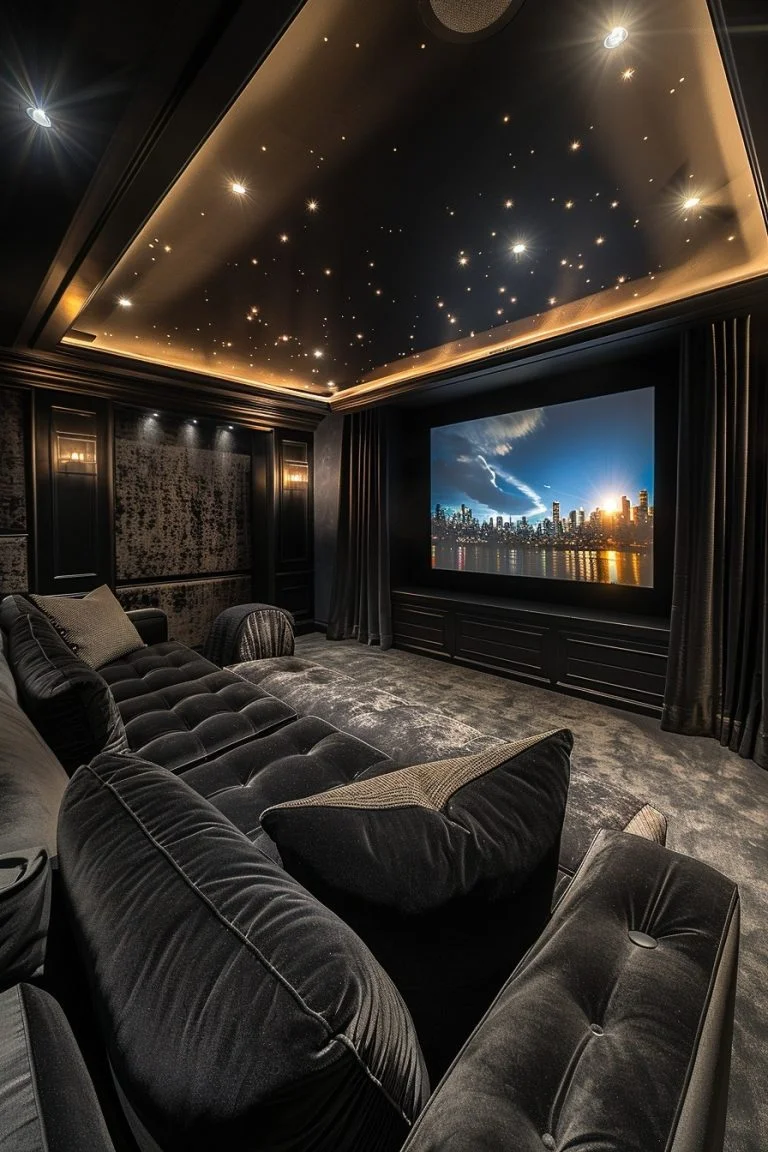
In a dedicated home theater with controlled lighting, MicroLED matches OLED's black level performance while offering higher brightness headroom for HDR content. The absence of backlight glow means dark scenes render with true blacks, and the high peak brightness lets specular highlights (sun reflections, explosions, light sources) hit with impact without raising the overall scene brightness.
This combination is easier on the eyes than watching HDR content on an LCD panel, where the backlight must stay elevated even for predominantly dark scenes. Your pupils don't have to constantly adjust between bright highlights and the grayish blacks that LCD panels produce.
Professionals Staring at Screens All Day
Video editors, colorists, graphic designers, and software developers often spend eight or more hours daily in front of a display. For these users, long-term consistency matters as much as immediate comfort.
MicroLED's resistance to burn-in means the display maintains uniform brightness and color accuracy for years. An OLED panel used for professional work might show visible uniformity degradation within 12 to 18 months of heavy use. That degradation forces your eyes to work harder to compensate for subtle shifts across the screen.
The modular nature of MicroLED also allows for larger displays at higher resolutions without the size limitations of OLED or LCD panels. A 150-inch MicroLED display at 4K resolution gives you enough screen real estate to avoid the cramped layouts that cause leaning and squinting.
Gamers Playing Extended Sessions
Gamers often play in varied lighting conditions, from dark rooms to bright gaming lounges. MicroLED handles both extremes well. The high refresh rate capabilities (up to 120 Hz and beyond in current implementations) combined with per-pixel dimming means fast motion renders clearly without the smearing that some LCD panels exhibit.
The absence of burn-in is particularly relevant for gamers who display static HUD elements for hours at a time. Health bars, minimaps, and inventory panels are notorious for causing OLED burn-in. MicroLED renders these elements indefinitely without any risk of retention.
Where MicroLED Falls Short for Eye Comfort
MicroLED isn't perfect. Several practical limitations affect its real-world eye comfort performance.
Cost and Accessibility Reality
As of 2026, MicroLED displays remain extraordinarily expensive. Samsung's The Wall starts at approximately $100,000 for a 110-inch configuration. Larger sizes and custom installations can run into the millions.
Sony's Crystal LED targets commercial and enterprise markets with pricing that reflects its professional positioning.
This pricing puts MicroLED out of reach for the vast majority of consumers. If you're choosing between a $1,500 OLED and a $100,000 MicroLED, the OLED is the practical choice for eye comfort in most scenarios. The marginal improvements MicroLED offers don't justify a 60x price difference for individual users.
Installation Complexity and Viewing Distance Issues
MicroLED displays are modular systems that require professional installation. The panels must be mounted to a properly prepared wall surface, aligned to minimize seam visibility, and calibrated for uniform brightness across all modules. This isn't a plug-and-play product.
Viewing distance also matters. At close range (under 6 feet for a 110-inch display), the individual pixel structure and module seams can become visible, which may cause distraction or discomfort for sensitive viewers. MicroLED is designed for viewing distances of 8 feet or more for the best experience.
Blue Light Isn't Zero, It's Just Better
MicroLED reduces blue light in the most hazardous wavelength range. It doesn't eliminate blue light entirely. Any display showing white content or cool-toned images still emits blue light across the visible spectrum.
If you're extremely sensitive to blue light, you'll still benefit from software-based blue light filters, reduced color temperature settings, and limiting screen time. MicroLED makes the baseline better, but it doesn't remove the need for good viewing habits.
PWM Flicker Still Varies by Manufacturer
While Sony and Samsung both use dimming approaches that avoid low-frequency PWM, this isn't guaranteed across all MicroLED implementations. Third-party MicroLED products or future entrants to the market may use different dimming methods.
Always verify the specific product's flicker behavior before purchasing, especially if you're sensitive to PWM. Look for TÜV Rheinland Flicker Free certification or independent measurements that confirm the dimming frequency and method.
How to Choose the Right Display for Eye Comfort
If You're Choosing Between Display Types Today
For most people in 2026, the practical choice for eye comfort comes down to OLED or QD-OLED for dark room use, and Mini-LED LCD for bright room use. MicroLED is the best technical solution, but the cost and availability make it unrealistic for consumer purchase.
Here's a simple decision framework:
- Dark room, budget under $3,000: Choose OLED. LG Display's panels offer excellent per-pixel dimming and true blacks. Enable the built-in blue light reduction mode and set the color temperature to warm.
- Bright room, budget under $3,000: Choose Mini-LED LCD with at least 500 local dimming zones. Look for models with anti-glare coatings and peak brightness above 1,000 nits.
- Mixed use, budget under $3,000: Choose QD-OLED. It handles both dark and reasonably bright environments well, with good blue light characteristics and high-frequency dimming.
- Any environment, budget over $50,000: MicroLED becomes a viable option, particularly for large-format installations where OLED size limitations are a constraint.
If You're Considering a MicroLED Investment
MicroLED makes sense when you need a display larger than what OLED can practically offer (above 110 inches), when the installation environment has challenging ambient lighting, or when the display will run static content for extended periods (digital signage, control rooms, professional monitoring).
For home use, the viewing distance should be at least 8 feet for a 110-inch display. Closer viewing may reveal module seams and pixel structure that detract from the experience. Professional calibration is essential to optimize the display for eye comfort, including color temperature, gamma curve, and brightness settings matched to your room's ambient light.
Common Mistakes People Make When Buying for Eye Comfort
Assuming Newer Technology Always Means Easier on the Eyes
MicroLED is newer and more expensive. That doesn't automatically make it the best choice for your specific situation. A well-calibrated OLED in a properly lit room may serve your eyes better than a poorly calibrated MicroLED in a bad environment.
Technology matters, but implementation matters more. Always evaluate the specific model, not just the technology category.
Ignoring Room Lighting and Viewing Distance
No display is comfortable in the wrong environment. A bright display in a dark room causes strain. A dim display in a bright room causes strain.
A large display viewed from too close causes strain.
Before choosing a display technology, assess your room's ambient lighting, your typical viewing distance, and how long you'll be watching. These factors often matter more than the difference between OLED and MicroLED.
Trusting Marketing Claims Without Checking Certifications
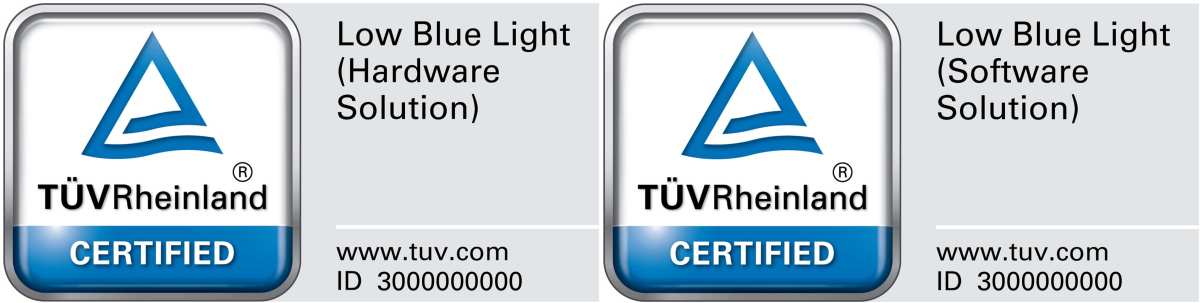
"Eye comfort" and "blue light reduction" are marketing terms that any manufacturer can use. Look for independent certifications that verify these claims. TÜV Rheinland Low Blue Light and Fuzz Free certifications require actual testing against defined standards.
A display with these certifications has been independently verified to meet specific thresholds.
Overlooking Refresh Rate and Processing Quality
Eye comfort isn't just about the panel. The display's processing engine, refresh rate, and motion handling all affect how comfortable the image is to watch. A MicroLED panel with poor motion processing or a low refresh rate can cause more eye strain than an OLED panel with excellent processing.
Always evaluate the complete display system, not just the panel technology.
What the Certifications Actually Mean
TÜV Rheinland Low Blue Light and Flicker Free
TÜV Rheinland is an independent testing organization that certifies displays against defined standards for blue light emission and flicker. Their Low Blue Light certification measures the ratio of blue light in the hazardous wavelength range relative to the total display output. Displays that pass emit less blue light in the 415 to 455 nanometer range than a defined reference threshold.
Their Flicker Free certification verifies that the display's dimming method either uses DC dimming or operates at a PWM frequency above the level that causes measurable biological stress. The exact threshold is proprietary to TÜV Rheinland, but it's based on published research on flicker-induced visual discomfort.
These certifications are model-specific. A manufacturer might have one display certified while another model in their lineup doesn't qualify. Always check the specific model's certification status.
IEC 62471 Photobiological Safety Standard
IEC 62471 is the international standard for evaluating the photobiological safety of lamps and lamp systems, including displays. It defines exposure limits for UV, visible, and infrared radiation, with specific attention to blue light hazard in the 380 to 500 nanometer range.
The standard classifies products into risk groups: Exempt, Risk Group 1 (low risk), Risk Group 2 (moderate risk), and Risk Group 3 (high risk). Most consumer displays fall into the Exempt or Risk Group 1 categories. The standard provides a framework for manufacturers to evaluate their products, but it's not a consumer-facing certification in the way TÜV Rheinland's marks are.
When a manufacturer cites IEC 62471 compliance, it means their product has been evaluated against these thresholds. It doesn't tell you how the display compares to other compliant products, only that it falls within the acceptable range.
What to Look for on the Spec Sheet
Beyond certifications, several spec sheet values indicate eye comfort potential:
- Blue light peak wavelength: Look for peaks at 460 nm or higher rather than 450 nm or lower
- Dimming method: DC dimming or PWM above 1,920 Hz is preferable for sensitive users
- Peak brightness: Higher maximum brightness (above 1,000 nits) provides more flexibility for different room conditions
- Anti-reflective coating: Matte or anti-glare surfaces reduce reflected light that causes squinting
- Color temperature adjustment: Warm color temperature modes (below 6,500K) reduce blue light output
- Refresh rate: Higher refresh rates (120 Hz and above) reduce motion-related discomfort
Final Recommendation: Is MicroLED Worth It for Eye Comfort?
The Honest Bottom Line
MicroLED is technically superior to every other display technology for eye comfort when you evaluate the complete picture. Lower blue light in the hazardous range, no PWM flicker, no burn-in, excellent uniformity, and high brightness headroom. On paper, it's the clear winner.
In practice, MicroLED is irrelevant for most consumers in 2026. The cost is prohibitive, the availability is limited, and the installation requirements are substantial. If you're spending under $50,000 on a display, you're choosing between OLED, QD-OLED, and Mini-LED LCD.
All three can deliver excellent eye comfort when properly calibrated and used in appropriate conditions.
When MicroLED Makes Sense
- You're installing a display larger than 110 inches for home or commercial use
- The display will show static content for extended periods (digital signage, control rooms)
- You have documented light sensitivity and need the lowest possible blue light emission
- Budget is not a primary constraint
- You can commit to professional installation and calibration
When You're Better Off With OLED or Mini-LED
- Your budget is under $10,000
- You need a display smaller than 110 inches
- You want a plug-and-play solution without professional installation
- Your viewing environment is well-controlled (consistent lighting, appropriate viewing distance)
- You prioritize other factors like gaming performance or color accuracy over maximum eye comfort
The display technology matters, but it's one piece of the puzzle. Good lighting, proper viewing distance, regular breaks, and appropriate brightness settings affect your eye comfort far more than the difference between OLED and MicroLED. Start with those fundamentals.
If you've optimized everything else and still experience discomfort, then the display technology becomes worth investigating more closely.
Frequently Asked Questions
Is MicroLED easier on the eyes than OLED?
Yes, in most scenarios. MicroLED avoids the PWM flicker that some OLED panels use, produces less blue light in the hazardous wavelength range, and doesn't suffer from burn-in that causes long-term visual inconsistency. For extended viewing sessions, MicroLED has measurable advantages.
Does MicroLED emit less blue light than LCD?
Yes. Manufacturer specifications indicate that MicroLED panels emit less blue light in the 415 to 455 nanometer range compared to standard LED-backlit LCDs. The inorganic LEDs can be engineered for slightly longer peak wavelengths, reducing the energy in the most concerning portion of the spectrum.
Can MicroLED cause eye strain?
Any display can cause eye strain if used improperly. MicroLED reduces several common causes (flicker, backlight bleed, blue light peaks), but factors like excessive brightness, poor ambient lighting, and extended viewing without breaks still contribute to discomfort.
Is MicroLED worth the price for eye comfort alone?
For most consumers, no. The cost of MicroLED displays ($100,000+) far exceeds the marginal eye comfort improvement over a well-calibrated OLED or QD-OLED. MicroLED makes sense for eye comfort only when other factors (size, burn-in resistance, professional use) also justify the investment.
How does MicroLED compare to QD-OLED for blue light?
MicroLED generally produces less blue light in the hazardous 415 to 455 nanometer range than QD-OLED. Both technologies are improvements over standard LED-backlit LCDs, but MicroLED has a slight edge in spectral distribution.
Final Recommendation: Is MicroLED Worth It for Eye Comfort?
The Honest Bottom Line
MicroLED is technically superior to every other display technology for eye comfort when you evaluate the complete picture. Lower blue light in the hazardous range, no PWM flicker, no burn-in, excellent uniformity, and high brightness headroom. On paper, it's the clear winner.
In practice, MicroLED is irrelevant for most consumers in 2026. The cost is prohibitive, the availability is limited, and the installation requirements are substantial. If you're spending under $50,000 on a display, you're choosing between OLED, QD-OLED, and Mini-LED LCD.
All three can deliver excellent eye comfort when properly calibrated and used in appropriate conditions.
When MicroLED Makes Sense
- You're installing a display larger than 110 inches for home or commercial use
- The display will show static content for extended periods (digital signage, control rooms)
- You have documented light sensitivity and need the lowest possible blue light emission
- Budget is not a primary constraint
- You can commit to professional installation and calibration
When You're Better Off With OLED or Mini-LED
- Your budget is under $10,000
- You need a display smaller than 110 inches
- You want a plug-and-play solution without professional installation
- Your viewing environment is well-controlled (consistent lighting, appropriate viewing distance)
- You prioritize other factors like gaming performance or color accuracy over maximum eye comfort
The display technology matters, but it's one piece of the puzzle. Good lighting, proper viewing distance, regular breaks, and appropriate brightness settings affect your eye comfort far more than the difference between OLED and MicroLED. Start with those fundamentals.
If you've optimized everything else and still experience discomfort, then the display technology becomes worth investigating more closely.
Frequently Asked Questions
Is MicroLED easier on the eyes than OLED?
Yes, in most scenarios. MicroLED avoids the PWM flicker that some OLED panels use, produces less blue light in the hazardous wavelength range, and doesn't suffer from burn-in that causes long-term visual inconsistency. For extended viewing sessions, MicroLED has measurable advantages.
Does MicroLED emit less blue light than LCD?
Yes. Manufacturer specifications indicate that MicroLED panels emit less blue light in the 415 to 455 nanometer range compared to standard LED-backlit LCDs. The inorganic LEDs can be engineered for slightly longer peak wavelengths, reducing the energy in the most concerning portion of the spectrum.
Can MicroLED cause eye strain?
Any display can cause eye strain if used improperly. MicroLED reduces several common causes (flicker, backlight bleed, blue light peaks), but factors like excessive brightness, poor ambient lighting, and extended viewing without breaks still contribute to discomfort.
Is MicroLED worth the price for eye comfort alone?
For most consumers, no. The cost of MicroLED displays ($100,000+) far exceeds the marginal eye comfort improvement over a well-calibrated OLED or QD-OLED. MicroLED makes sense for eye comfort only when other factors (size, burn-in resistance, professional use) also justify the investment.
How does MicroLED compare to QD-OLED for blue light?
MicroLED generally produces less blue light in the hazardous 415 to 455 nanometer range than QD-OLED. Both technologies are improvements over standard LED-backlit LCDs, but MicroLED has a slight edge in spectral distribution.

Similar Posts