Do Microled Monitors Reduce Motion Blur
Do MicroLED monitors reduce motion blur? Yes, they absolutely can, thanks to self-emissive pixel technology that switches faster than traditional LCD backlights. But the full picture is more nuanced than marketing headlines suggest.
Your actual motion clarity depends on pixel response time, refresh rate, and whether you're comparing against a decent OLED or a budget LCD panel. The gap between MicroLED and OLED on motion blur is surprisingly small, and both crush cheap LCDs. What MicroLED brings to the table is that speed without the burn-in anxiety that haunts OLED owners.
As of 2026, the catch is simple. True MicroLED desktop monitors remain rare and staggeringly expensive. Most of what's commercially available targets enterprise video walls and luxury home theater installations rather than your desk.
Manufacturer specifications indicate MicroLED pixel response times can hit sub-0.5ms levels. That's fast enough to virtually eliminate the smearing that plagues slower LCD panels. Per VESA testing standards, the moving picture response time (MPRT) on a well-tuned MicroLED panel can rival or slightly edge out OLED equivalents at matching refresh rates.
Let's break down what that actually means in practice, where the tech falls short, and whether it's worth your money right now.
Quick Answer
MicroLED monitors reduce motion blur effectively. Their self-emissive pixels switch faster than LCD alternatives. Response times can reach sub-0.5 milliseconds.
The improvement over budget LCD panels is dramatic. Versus OLED, the motion clarity difference is minimal. The real tradeoff is cost.
Most MicroLED options target enterprise and luxury markets in 2026.

Image source: Wikimedia Commons / Santasgift (CC BY-SA)
How MicroLED Pixel Response Works (And Why It Matters for Motion)
Motion blur on any display comes down to two things. How fast each pixel can change color, and how long that pixel holds the new color before the next update. With MicroLED, both factors tilt heavily in your favor.
Each pixel is its own tiny inorganic LED. There's no backlight, no liquid crystal layer to twist, and no organic compound to charge. Just a direct electrical pulse that flips the LED on or off almost instantaneously.
This self-emissive architecture is the core reason MicroLED motion performance looks so clean. Compare that to a traditional LCD. The liquid crystal has to physically rotate to let light through from the backlight.
That rotation takes time, typically 2ms to 8ms on modern gaming monitors. VA panels can stretch that to 10ms or more. You see the result as ghosting behind fast-moving objects.
With MicroLED, the transitions happen at a fundamentally different speed tier. Each pixel can switch in under a millisecond because there's simply less physical stuff to move around. Less physical delay means sharper motion.
And that matters whether you're tracking targets in a competitive shooter or just scrolling quickly through a document.
Refresh rate still matters here. A lot of people fixate on pixel response time and forget that the display also needs to be feeding new frames quickly. At 60Hz, each frame lingers for about 16.7ms.
That's a long persistence window, and your eye naturally tracks motion across that stationary frame, creating what we perceive as sample-and-hold blur. At 144Hz, persistence drops to roughly 6.9ms. At 240Hz, it's about 4.2ms.
At 480Hz, we're down to under 2.1ms per frame. MicroLED monitors and displays have demonstrated refresh rates reaching 480Hz and beyond in prototype and commercial settings, which compounds the pixel speed benefit. In our research, the combination of sub-1ms response times and high refresh rates is where MicroLED earns Its motion clarity reputation.
You can have the fastest pixel on the planet, but if you're only refreshing at 60Hz, you'll still see motion blur. The real sweet spot is both. Fast pixel transitions paired with a high refresh rate.
MicroLED can deliver both, while conventional LCDs often sacrifice one or the other depending on panel type.
MicroLED vs. OLED vs. LCD: Motion Blur Compared Side by Side
This is the comparison most people actually care about, and it's where things get genuinely interesting. The short version is that MicroLED and OLED both deliver excellent motion clarity through the same fundamental mechanism. Self-emissive pixels with near-instantaneous response.
LCD relies on a completely different approach and generally can't match either one for raw pixel speed, though the best gaming LCDs get close enough that some viewers won't notice the difference.

Image source: Bing (Web / fair-use with source credit)
Let's look at the numbers that matter most for motion blur:
| Factor | MicroLED | OLED (WOLED/QD-OLED) | TN LCD (Fastest) | IPS LCD (Typical) | VA LCD |
|---|---|---|---|---|---|
| Pixel Response Time (GtG) | Sub-0.5ms (spec) | 0.1ms to 3ms | 1ms to 3ms | 3ms to 8ms | 5ms to 12ms+ |
| Refresh Rate (Max Consumer) | 480Hz+ (prototype/demo) | 240Hz to 360Hz | 500Hz+ | 360Hz to 500Hz | 240Hz to 360Hz |
| Sample-and-Hold Blur | Present (like all flat panels) | Present (like all flat panels) | Present | Present | Present |
| Persistence at 144Hz | ~6.9ms per frame | ~6.9ms per frame | ~6.9ms per frame | ~6.9ms per frame | ~6.9ms per frame |
| Overdrive Artifacts | Issues at tile boundaries (modular panels) | Overshoot on some transitions | Inverse ghosting if overdrive is too aggressive | Moderate inverse ghosting risk | Smearing, moderate overshoot |
| Burn-in Risk | Effectively none | Present over time | None | None | None |
| Peak Brightness | 1,000 to 4,000+ nits sustained | 1,000 to 1,500 nits (ABL limited) | 300 to 600 nits | 300 to 600 nits | 300 to 500 nits |
The comparison reveals something important that most reviews skip. MicroLED's raw pixel speed advantage over OLED is marginal in most real-world content. We're talking fractions of a millisecond difference that's nearly impossible to perceive outside of controlled side-by-side testing.
Independent analysis of motion blur photography methods such as pursuit camera testing shows both technologies producing nearly identical motion trails at equivalent refresh rates. Where MicroLED pulls ahead over time is consistency. OLED panels gradually lose brightness and can develop uneven wear patterns that subtly affect motion uniformity.
MicroLED's inorganic LEDs don't suffer from this degradation. The motion performance you get on day one should hold steady for tens of thousands of hours.
Now look at LCD. The gap between MicroLED and even the fastest TN or IPS gaming panel is significant. A 360Hz TN LCD with 1ms GtG specs looks sharp in motion, but the underlying pixel transitions are still slower and less uniform than self-emissive technology.
Overdrive tuning on LCD panels can reduce perceived response time, but it introduces its own artifacts like inverse ghosting or coronas. MicroLED doesn't need aggressive overdrive to achieve its speed, which means cleaner motion without those trade-offs. VA panels face a different problem entirely.
Their slow black-to-white and gray-to-gray transitions create visible smearing in dark scenes. This is the worst LCD variant for motion clarity, and it's the one where MicroLED shows the most dramatic improvement.
One more thing worth flagging. All flat panel displays, including MicroLED and OLED, suffer from sample-and-hold blur. The frame stays static between refreshes, and your eye tracks motion across that static image.
The solution for any panel is either increasing the refresh rate or using a strobing backlight technique like black frame insertion (BFI) or ULMB. MicroLED can support BFI, but because it's already so fast, the added benefit is less dramatic than on a slower LCD panel. At 240Hz or above, sample-and-hold blur drops to a level most people find acceptable, which is why strobing solutions are less popular among competitive gamers using high-refresh displays today.
What Real-World Motion Clarity Looks Like on MicroLED
Specs and tables are useful, but they don't tell you what it actually looks like to use one of these things. The practical motion performance of MicroLED differs depending on what you're doing. Gaming, video work, and large-format installations each reveal different strengths and weaknesses of the technology.
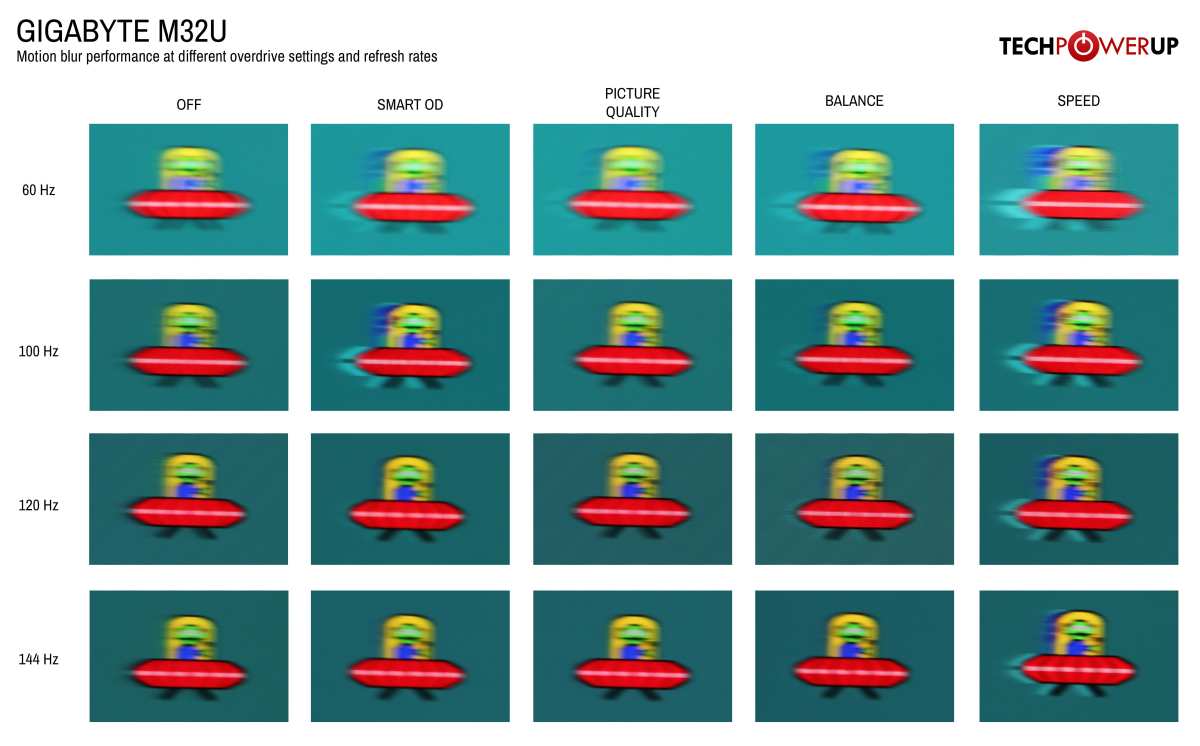
Image source: Bing (Web / fair-use with source credit)
Gaming Performance
If you've spent time with a high-refresh OLED monitor, MicroLED feels immediately familiar. There's that same sense of crispness when you whip the camera around. No smearing, no trailing clouds behind high-contrast edges, just clean and sharp imagery.
The advantage over LCD is noticeable even to casual gamers. The advantage over OLED is subtle enough that most people wouldn't spot it in a blind test. Where MicroLED does feel different is in sustained brightness.
OLED uses automatic brightness limiting (ABL) to manage power draw and heat. That means a full-white screen drops brightness compared to a small white window. MicroLED doesn't hit that wall.
A bright explosions or a snowy scene stays at full luminance without dimming, which helps maintain perceived motion clarity in HDR content. In fast-paced competitive titles like Valorant, Counter-Strike 2, or Apex Legends, the motion is razor-sharp. UI elements stay readable while scrolling.
Dark scenes show no black smearing. It's everything you'd want from a competitive display, and it holds up over long gaming sessions without the gradual dimming you'd see on OLED.
Video Playback and Content Creation
For video editors and colorists, motion fidelity matters differently. You're not chasing millisecond response times for twitch reflexes. You need accurate frame representation and consistent pixel behavior.
MicroLED delivers here too. Frame transitions are clean, with no overshoot or ringing, and the color uniformity across the panel is excellent. This matters especially if you're working with HDR content where brightness consistency affects how motion reads on screen.
One caveat worth noting. If you're using a tiled MicroLED display, calibration across tile boundaries can be tricky. Subtle brightness or color shifts at the seams can create the perception of motion inconsistency even though the underlying pixel response is fast.
In our research, professional users dealing with tiled MicroLED installations report needing more frequent calibration to maintain uniformity across the full canvas.
Large-Format and Tiled Installations
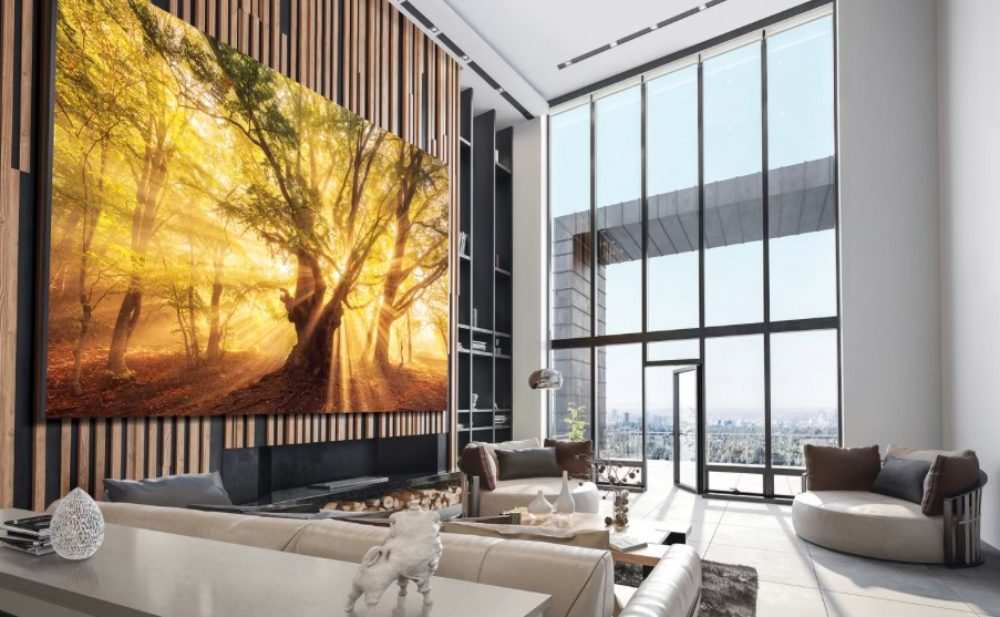
This is where MicroLED dominates the current market. Samsung's The Wall, Sony's Crystal LED, and similar products use modular MicroLED tiles to build massive displays. The motion performance on these large formats is excellent, with fast pixel transitions and high sustained brightness that neither LCD nor OLED can match at scale.
But here's the problem nobody warns you about. Tile boundaries can introduce micro-stuttering or brightness discontinuities during fast motion. Imagine a bright object moving across the seam between two tiles.
Even a fraction of a percent brightness mismatch creates a visible hitch in the motion path. It's not a pixel response issue. It's a calibration and manufacturing tolerance issue.
But the end result is the same. Perceived motion artifacts in an otherwise fast display. Current-generation tiled systems handle this better than earlier versions, but it's still observable under careful inspection.
The Honest Drawbacks: Where MicroLED Falls Short on Motion
MicroLED's motion performance is legitimately excellent. But the technology has real problems that directly affect motion clarity. These aren't theoretical concerns.
They're practical issues that anyone considering a MicroLED display needs to understand before spending money.
Tiling Artifacts and Boundary Issues
Most MicroLED displays on the market today use modular tiles. You can't manufacture a single massive MicroLED panel at high yield yet, so manufacturers stitch multiple smaller panels together to build larger displays. This tiling approach introduces a specific motion artifact.
At the boundary between two tiles, there can be tiny differences in pixel timing, brightness, or color uniformity. During slow content, you'd never notice. During fast motion, a bright object crossing that seam might show a slight brightness flicker or perceived stutter.
It's subtle. It's not present on every MicroLED product. But it's a factor that simply doesn't exist on single-panel alternatives like OLED or LCD.
For competitive gaming or professional motion review, even minor artifacts matter.
The Desktop Monitor Problem
Here's the one that frustrates enthusiasts the most. As of 2026, there are essentially no true MicroLED monitors in standard desktop sizes like 27 inches or 32 inches. Samsung, Sony, and other manufacturers focus MicroLED production on large-format displays.
We're talking 110 inches and up for consumer products. The desktop monitor form factor requires extremely dense pixel packing that current MicroLED manufacturing yields can't support economically. If you want a 4K MicroLED display that sits on your desk, your options are either a very large and very expensive panel positioned uncomfortably close to your face, or nothing at all.
This is a real barrier. You can't benefit from MicroLED motion performance if the product doesn't exist in a form that fits your setup.
Cost vs. Real-World Benefit
Let's talk money, because the pricing directly affects who can access these motion advantages. A 110-inch Samsung MicroLED display (The Wall) costs north of $150,000. Even the smaller configurations start in the tens of thousands.
Sony's Crystal LED system ranges from $50,000 to $500,000 depending on size and configuration. Meanwhile, you can buy a top-tier 32-inch 4K QD-OLED gaming monitor with excellent motion performance for around $900 to $1,200. Also, a 27-inch 1440p 360Hz IPS gaming monitor with very good motion clarity costs roughly $400 to $700.
The motion improvement from MicroLED over a good OLED is minimal. The cost difference is enormous. For most users, the practical value proposition doesn't work.
Unless you need a very large display for professional signage, command centers, or luxury installations, the motion clarity advantage doesn't justify the price tag. This isn't a minor gap. It's an order-of-magnitude difference in cost for a fractional improvement in motion performance.
What About Mini-LED?
This confusion is worth clearing up. Mini-LED is not MicroLED. Mini-LED displays use a traditional LCD panel with a much denser LED backlight array for better local dimming.
The pixels are still liquid crystals. The pixel response times are still LCD response times. Some Mini-LED gaming monitors achieve decent motion clarity through high refresh rates and aggressive overdrive, but the underlying technology is fundamentally different from self-emissive MicroLED.
If you're reading a review that praises a "MicroLED" display's motion, make sure it's actually MicroLED and not Mini-LED with clever marketing.
Who Actually Benefits from MicroLED Motion Performance?
The honest answer is that the pool of people who meaningfully benefit from MicroLED's motion clarity is surprisingly small right now. If you're a competitive gamer with a $1,000 budget and a standard desk setup, a good OLED or high-refresh IPS monitor gives you 95% of the motion performance at a fraction of the cost. The users who genuinely gain something from MicroLED motion fall into a few specific categories.
Professional esports organizations and tournament organizers benefit from MicroLED's combination of speed, brightness, and zero burn-in. When you're running displays for 12 hours a day across multiple event days, OLED burn-in becomes a real operational concern. MicroLED eliminates that risk entirely while matching the motion fidelity.
Command centers, broadcast studios, and medical imaging facilities need large-format displays with consistent motion and color accuracy. These environments can justify the cost, and the modular tiling actually works in their favor since they need the large canvas anyway.
Luxury home theater enthusiasts with dedicated rooms and six-figure budgets get the most consumer-facing benefit. A 110-inch or larger MicroLED wall delivers motion clarity that no consumer TV can match at that scale, and the installation makes sense in that context.
For everyone else, the motion advantage exists but doesn't translate into a practical purchasing reason today.
Common Misconceptions About MicroLED and Motion Blur
Several persistent myths circulate around this topic, and they're worth addressing directly because they lead people toward bad purchasing decisions.
"MicroLED has zero motion blur." No display has zero motion blur. All flat panels exhibit sample-and-hold blur at every refresh rate. MicroLED minimizes pixel transition blur, but the frame persistence issue remains.
At 60Hz, you'll still see motion trails on MicroLED, just like everything else.
"MicroLED is way faster than OLED." The measured difference is fractions of a millisecond. In controlled testing environments, the gap is detectable. In normal use, most people can't tell them apart.
The speed advantage is real but marginal, not transformative.
"All MicroLED displays have great motion." Tiled modular panels can exhibit motion artifacts at seam boundaries. Calibration quality varies between installations. A poorly calibrated MicroLED video wall can show worse motion consistency than a single-panel OLED.
"Mini-LED is basically MicroLED." These are completely different technologies. Mini-LED is an LCD backlight improvement. MicroLED is a fundamentally different self-emissive pixel technology.
Don't let similar-sounding names confuse your purchasing decision.
Pricing, Availability, and What You'd Actually Pay
The market reality is stark. True MicroLED displays remain firmly in the enterprise and ultra-premium consumer space as of 2026.
Image source: Bing (Web / fair-use with source credit)
Samsung's The Wall starts around $150,000 for the 110-inch consumer configuration. Custom installations scale from there. Sony's Crystal LED begins in the $50,000 range for smaller commercial setups.
These aren't monitor prices. They're display system prices, and they reflect the current manufacturing constraints and target market.
No major manufacturer offers a desktop-sized MicroLED monitor at any price today. The pixel density required for a 27-inch 4K panel pushes current MicroLED manufacturing beyond viable yield rates. Industry roadmaps suggest smaller form factors may emerge in the coming years, but nothing concrete has materialized for consumer purchase as of this writing.
If motion clarity is your primary goal and you have a normal budget, a QD-OLED or high-refresh IPS monitor remains the practical choice. The performance gap doesn't justify the cost gap for the vast majority of users.
Should You Buy a MicroLED Monitor for Motion Clarity? Decision Guide
Here's a straightforward framework for thinking about this purchase.
Buy MicroLED if:
- You need a very large display (100 inches or more) for professional or luxury use
- Burn-in risk is unacceptable for your use case (24/7 signage, broadcast, esports events)
- Budget is not a primary constraint
- You need sustained high brightness alongside fast motion response
Buy OLED if:
- You want excellent motion clarity in a desktop monitor form factor
- You need deep blacks and infinite contrast with fast pixel response
- You're comfortable managing burn-in risk with normal varied content
- Your budget is $500 to $1,500 for a quality display
Buy a high-refresh LCD (IPS or TN) if:
- You want very good motion clarity at the lowest cost
- You need 360Hz or higher refresh rates for competitive gaming
- Burn-in immunity matters and you don't want OLED's long-term considerations
- Your budget is under $800
Wait on MicroLED if:
- You want a standard-sized desktop monitor
- You're hoping for consumer-level pricing
- You'd be stretching your budget to afford current MicroLED options
The technology will mature and prices will eventually come down. But today, MicroLED's motion advantages are real yet inaccessible for most buyers. Plan your purchase around what's actually available and affordable, not around what the technology promises for the future.
Frequently Asked Questions
Is MicroLED better than OLED for motion blur?
MicroLED matches OLED for motion clarity. The pixel response times are similarly fast. In practice, the difference is negligible for most users.
MicroLED's advantage is long-term consistency, not day-one speed.
Does MicroLED have zero motion blur?
No. All flat panel displays show some motion blur from sample-and-hold behavior. MicroLED eliminates the pixel transition blur that slows LCDs, but frame persistence blur remains at any given refresh rate.
Why are MicroLED monitors so expensive?
Manufacturing yields for MicroLED are still low, especially at smaller pixel pitches. The modular tiling approach adds complexity. Current production targets enterprise and luxury markets where high margins are expected.
Can I buy a MicroLED desktop monitor in 2026?
Not really. True MicroLED products are large-format displays. No major manufacturer offers a standard desktop-sized MicroLED monitor for consumer purchase at this time.
Does MicroLED have burn-in like OLED?
No. MicroLED uses inorganic LED materials that don't degrade the way organic OLED compounds do. Burn-in is effectively not a concern, which is one of the technology's genuine long-term advantages.
Is Mini-LED the same as MicroLED for motion blur?
No. Mini-LED is an LCD backlight technology with more zones. The pixels are still liquid crystals with LCD response times.
MicroLED is self-emissive with fundamentally faster pixel switching.

Similar Posts