Do Ips Monitors Have HDR
Do IPS monitors have HDR support baked into the panel technology itself? The short answer is yes, but whether that HDR looks genuinely good is a completely different question. Plenty of IPS monitors accept an HDR signal and display it, yet the actual experience ranges from "wow, that's stunning" to "wait, that's supposed to be HDR?"
The honest truth is that panel type alone doesn't determine HDR quality. Peak brightness, contrast ratio, local dimming, and color bit depth matter just as much. A $250 IPS monitor with HDR400 certification will look nothing like a $1,200 IPS monitor using a Mini-LED backlight with hundreds of dimming zones.
Per VESA's DisplayHDR Compliance Test Specification, certification tiers exist precisely because the industry needed a way to separate real HDR performance from marketing labels slapped on any display that accepts an HDR signal. Understanding those tiers changes everything about how you shop.
Quick Answer
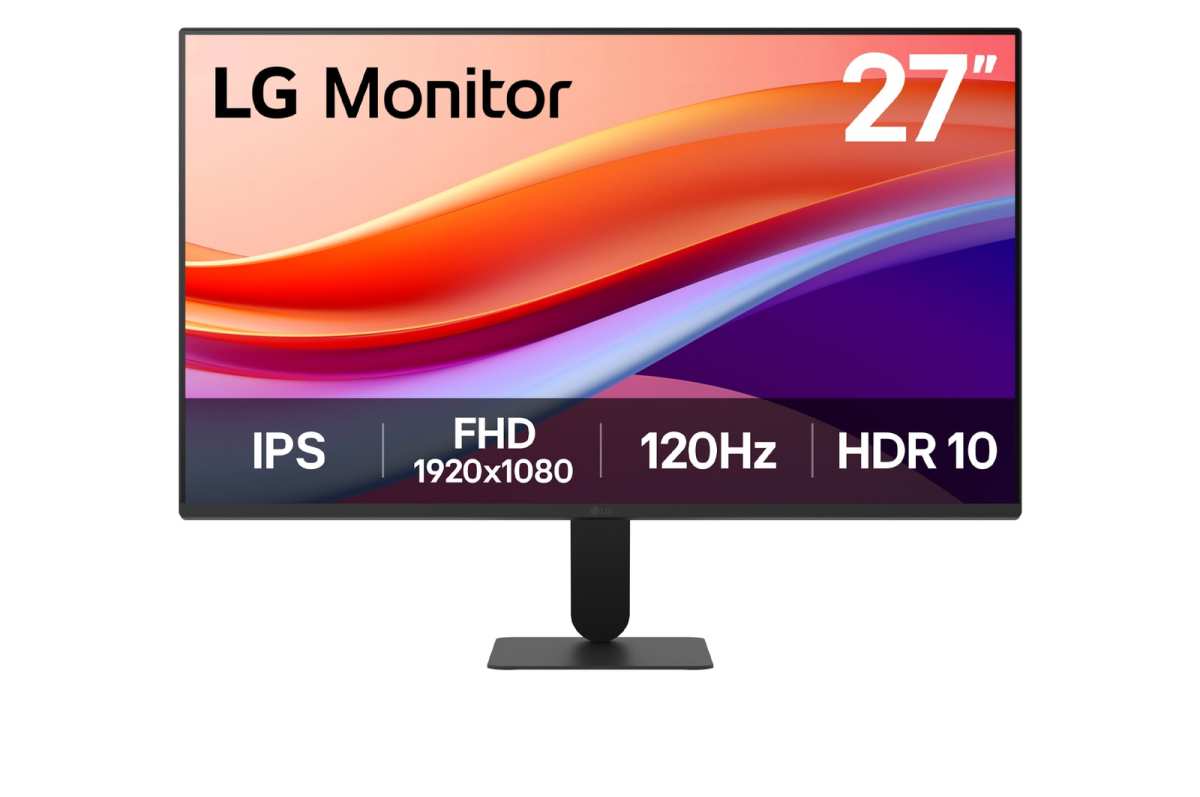
Yes, IPS monitors can have HDR. Many models support HDR10 input and carry VESA DisplayHDR certification. However, not all HDR IPS monitors deliver a true HDR experience.
The difference comes down to peak brightness, native contrast, and local dimming implementation. A DisplayHDR 1000 IPS monitor looks dramatically better in HDR than a DisplayHDR 400 model.
Why IPS Panels Struggle With HDR
High Dynamic Range is fundamentally about two things: very bright highlights and very deep blacks existing in the same image at the same time. That's where IPS technology hits its ceiling.
IPS panels, including newer variants like IPS Black, rely on liquid crystals that twist in-plane to control light from a backlight. This design gives them fantastic color accuracy and wide viewing angles, but it struggles to block light completely in dark scenes. The result is a native contrast ratio that typically sits between 1000:1 and 1500:1.
VA panels often hit 3000:1 or better, and OLED effectively has infinite contrast because each pixel emits and cuts its own light.
What that means in practice: when you watch HDR content on a standard IPS monitor, those shadow details don't go truly black. Instead, they look grayish, especially in a dim room. IPS glow, that faint silver-white haze visible in the corners during dark scenes, makes the problem more noticeable.
Manufacturers have gotten creative with workarounds. Full-array local dimming (FALD) divides the backlight into zones that brighten or dim independently. Mini-LED backlights pack hundreds or thousands of these zones into a relatively thin panel.
These technologies help IPS panels punch above their weight in HDR, but they add cost and complexity.
The Plain Truth: It Depends on the Specific Monitor
Saying "IPS monitors don't do HDR" is just as wrong as saying "all IPS monitors do HDR well." The reality lives in the specs of the individual display you're looking at.
A 27-inch IPS gaming monitor from 2019 with HDR400 certification will technically accept an HDR10 signal. Its peak brightness might hit 400 nits momentarily. It won't have local dimming.
The contrast ratio hovers around 1000:1. Enabling HDR on a display like this often looks worse than leaving SDR on, because the tone mapping gets muddy and blacks look raised.
Now compare that to a current-generation IPS creator monitor with a Mini-LED backlight containing 576 dimming zones, hitting 1000 nits sustained brightness, and carrying DisplayHDR 1000 certification. HDR content on that display will genuinely impress you. Specular highlights pop, shadow detail remains visible, and colors stay saturated in bright areas without clipping.
The HDR label on the box is almost meaningless by itself. What matters is what's behind that label.
Understanding VESA DisplayHDR Ratios on IPS Displays
VESA created the DisplayHDR certification system because the term "HDR" had become meaningless marketing fluff. Their tiers define minimum performance requirements for black level, peak brightness, color gamut, and bit depth.
Here's what the common tiers mean in practice for IPS monitors:
| Certification | Peak Brightness | Black Level | Color Gamut | Local Dimming | HDR Experience |
|---|---|---|---|---|---|
| DisplayHDR 400 | 400 nits | ≤0.4 cd/m² | 95% sRGB/99% BT.709 | Not required | Minimal to none |
| DisplayHDR 500 | 500 nits | ≤0.1 cd/m² | 99% BT.709 | Required | Visible but limited |
| DisplayHDR 600 | 600 nits | ≤0.1 cd/m² | 99% BT.709 | Required | Decent entry-level |
| DisplayHDR 1000 | 1000 nits | ≤0.02 cd/m² | 99% BT.709, high DCI-P3 | Required | Genuinely good |
| DisplayHDR 1400 | 1400 nits | ≤0.02 cd/m² | 99% BT.709, high DCI-P3 | Required | Excellent |
DisplayHDR 400 is where things get controversial. A monitor can carry that badge while lacking local dimming entirely. The blacks don't get any brighter reference, just the highlights.
Most DisplayHDR 400 IPS monitors deliver an experience that's barely distinguishable from a good SDR display.
DisplayHDR 500 and above require local dimming. That minimum standard separates displays that can actually produce a meaningful HDR experience from those that simply accept the signal and do their best. IPS panels achieving DisplayHDR 600 or higher tend to use either edge-lit local dimming on the better models or full-array systems on the premium ones.
DisplayHDR True Black is a separate tier aimed at OLED and self-emissive panels. IPS monitors don't qualify for True Black ratings because they can't achieve the near-zero black levels required.
What Makes an IPS Monitor Actually Good at HDR
Certain technical factors separate IPS monitors that handle HDR well from those that merely accept an HDR signal.
Peak brightness is the most obvious one. HDR content is mastered at brightness levels ranging from 1,000 to 4,000 nits on professional reference displays. A monitor that tops out at 400 nits has to compress that range aggressively, losing highlight detail in the process.
Sustained brightness matters as much as peak numbers, since some displays hit their rated peak briefly before thermal throttling kicks in.
Local dimming zone count determines how precisely the backlight can respond to on-screen content. A display with 384 zones can dim the area around a starfield while keeping the stars bright. A display with 16 zones struggles with the same scene because each zone covers too much screen area.
IPS panels generally need more dimming zones than VA panels to compensate for their lower native contrast.
Color bit depth affects how smooth gradients appear. True 10-bit panels display 1.07 billion colors, helping HDR gradients look smooth without banding. Many IPS monitors use 8-bit+FRC (frame rate control) to approximate 10-bit output.
That works reasonably well, but true 10-bit panels handle subtle transitions more cleanly.
Color gamut coverage ties directly to how faithfully HDR content reproduces color. HDR10 content uses the BT.2020 container, though most mastering targets DCI-P3. IPS panels covering 95% or more of DCI-P3 will display HDR color volume accurately.
Some wide-gamut IPS displays also let you clamp the gamut to sRGB when working in standard color spaces, which is useful for professional workflows.
Native contrast still matters even with local dimming. IPS Black panels, which LG and others have pushed into production, roughly double traditional IPS contrast to around 2000:1. That improvement makes a noticeable difference in HDR shadow detail even before local dimming engages.
IPS vs VA vs OLED forHDR: Where Each Panel Type Lands
When you step back and compare all three major panel technologies, each one handles HDR with genuinely different strengths and weaknesses. IPS sits in a middle ground that often confuses people shopping for their first HDR display.
VA panels deliver the strongest native contrast among LCD technologies. Ratios between 3000:1 and 5000:1 mean blacks look noticeably deeper before any local dimming enters the picture. The downside is narrower viewing angles and slower pixel response times, which can produce smearing in fast-paced content.
For watching HDR movies on a single monitor positioned directly in front of you, a VA panel with decent local dimming holds its own against IPS.
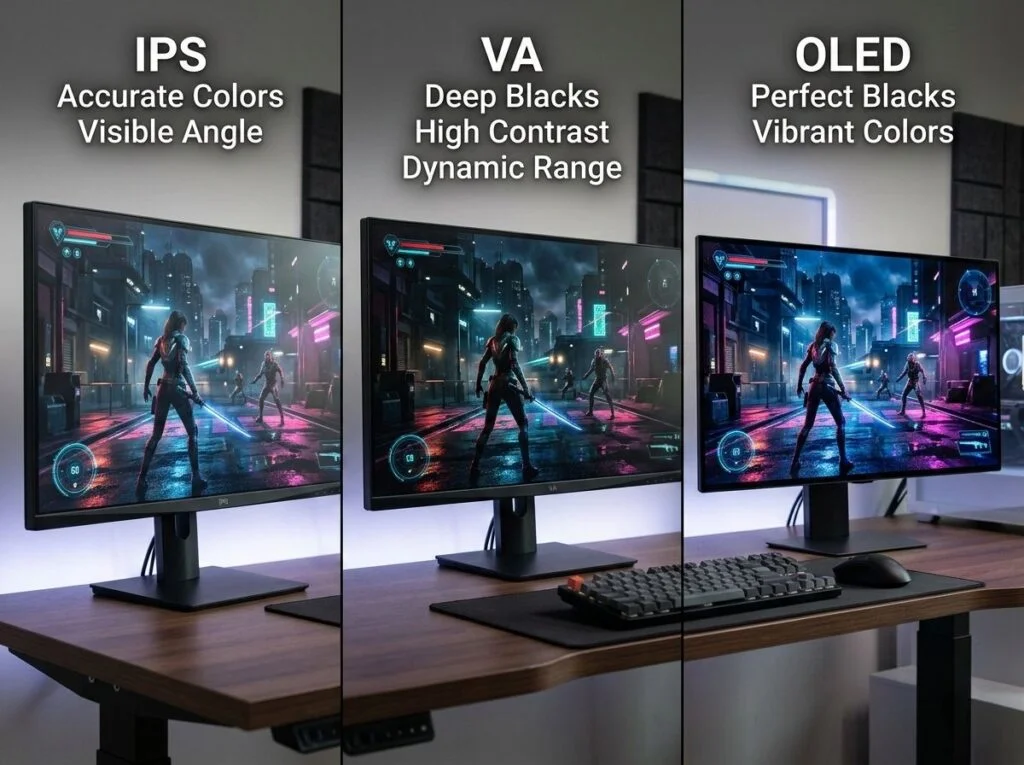
OLED remains the gold standard for HDR as of 2026. Each pixel generates and extinguishes its own light independently. Black levels are essentially zero.
Highlight brightness on current QD-OLED and WOLED panels reaches around 1000 nits in small window sizes, though full-screen sustained brightness is lower. The infinite contrast ratio makes HDR content look dramatically more three-dimensional than on any LCD technology, including IPS. The tradeoff is burn-in risk with static elements and higher cost per inch.
IPS competes on viewing angle stability, color accuracy, and versatility. A professional who grades video in the morning and plays HDR games in the evening values the consistent color IPS delivers across the entire screen. VA panels tend to show gamma shift toward the edges, which complicates color-critical work.
Mini-LED IPS displays have narrowed the contrast gap significantly, though they still can't match OLED's pixel-level precision.
For pure HDR immersion in dark room viewing, OLED wins. For mixed-use work and play where color accuracy matters, a well-equipped IPS with Mini-LED serves you better than most VA alternatives. Budget HDR in a bright room?
A VA panel often gives you more visible contrast improvement per dollar spent.
The Role of Mini-LED Backlights in Making IPS HDR Work
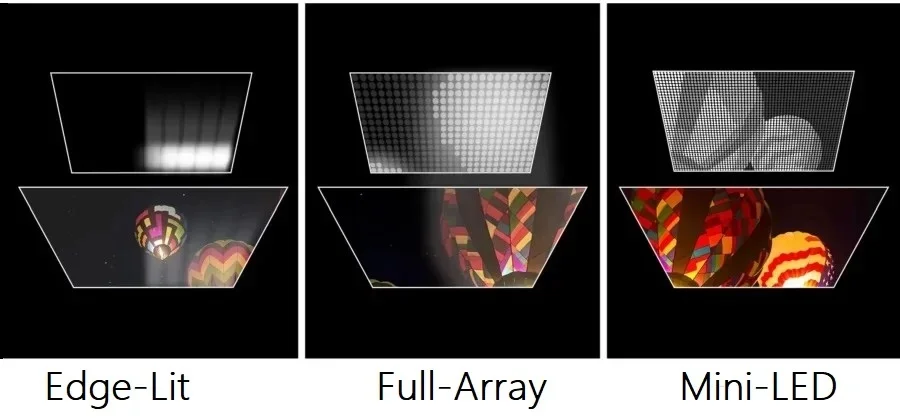
Mini-LED backlighting represents the single biggest leap in IPS HDR performance over the past several years. The concept is straightforward: pack hundreds or thousands of tiny LED emitters behind the LCD layer, then divide them into independently controlled dimming zones.
This matters because a standard IPS panel with edge-lit backlighting has one or two zones at most. The entire backlight either brightens for HDR highlights or stays dim for dark scenes. You can't have a bright moon in a dark sky without the sky washing out around it.
Mini-LED changes that equation. A 384-zone Mini-LED backlight lets roughly one zone cover the area around that moon while adjacent zones dim down. The result is visibly better shadow detail and less blooming around bright objects, even though the underlying IPS layer still has that 1000:1 native contrast limitation.
Zone count isn't the only factor. Zone arrangement matters too. A 576-zone full-array layout covers the screen more evenly than a 1152-zone edge-lit configuration.
The processing algorithm driving those zones also plays a role, since overly aggressive dimming can crush near-black detail while overly conservative dimming leaves halos around bright content.
Manufacturer specifications rarely reveal zone count directly, so aggregate teardown reviews become your most reliable source for that detail. Premium creator monitors and high-end gaming displays tend to advertise their zone counts, as it's become a selling point. Models that stay quiet about it are worth investigating before you buy.
Blooming remains the most common complaint with Mini-LED IPS displays. White subtitles on a black background create visible glow around the text. Bright cursors moving across dark scenes produce a faint trail.
The density of modern zone arrays has reduced this problem substantially, but it hasn't eliminated it entirely. If you work extensively in dark-themed interfaces, this is worth considering.
Real HDR Performance: What Specs Actually Matter
Marketing materials talk about HDR support as a binary feature, but actual performance lives on a continuum shaped by specific technical factors.
Peak brightness and sustained brightness are not the same number. A monitor rated for 1000 nits might only sustain that brightness in a small 2% window for a few seconds before dropping to 600 nits on a 10% window or 400 nits full-screen. For HDR movies, which average around 20-30% APL (average picture level), the 10% window sustained number tells you more than the peak spec.
Black level stability determines whether shadow detail is visible or crushed. IPS panels tend to raise blacks in the center and show glow in the corners. Uniformity compensation features in some IPS monitors help correct this, though they can reduce peak brightness slightly in the process.
Tone mapping quality refers to how the display compresses HDR mastered at 1000-4000 nits down to its own peak capability. Better tone mapping preserves highlight detail in bright scenes without making the overall image look dim. Cheaper monitors often clip highlights aggressively, turning a bright cloud into a white blob.
Color volume captures how well a display maintains color saturation at different brightness levels. A monitor might cover 98% of DCI-P3 at mid-tones but drop to 85% at peak brightness. HDR content is specifically mastered to take advantage of expanding color volume, so a display that falls short here won't deliver the intended look.
Input lag in HDR mode affects gaming responsiveness. Some monitors apply additional image processing when HDR engages, adding 5-15ms of processing delay. Competitive gamers should verify HDR-specific input lag numbers separately from SDR ratings.
Best Use Cases for IPS HDR Monitors
HDR-capable IPS monitors tend to serve certain workflows better than others. The technology's strengths align particularly well with professional content creation and versatile dual-use setups.
Photo and video editing benefit from IPS color accuracy even when HDR isn't the primary workflow. Having HDR capability as a secondary feature lets creators preview HDR output on the same display used for color-critical SDR work. A Mini-LED IPS panel covering 98% of DCI-P3 serves both audiences without requiring separate reference monitors.
HDR gaming on IPS has become genuinely compelling as Mini-LED backlights have matured. The fast response times of modern IPS panels, often reaching 1ms GtG on gaming-oriented models, pair well with high refresh rates up to 240Hz or 360Hz. Mini-LED local dimming adds visual punch to games with high contrast scenes.
Competitive esports players might still prefer raw speed over HDR quality, but for immersive single-player experiences, the combination works well.
Creative professionals working in hybrid color spaces find IPS refreshingly straightforward. Switching between sRGB-clamped and wide-gamut modes is easier on most IPS alternatives. VA panels sometimes struggle with gamma consistency when changing input modes, and OLED's automatic brightness limiting can interfere withSDR reference work.
Casual HDR streaming and movie watching are fine on mid-range IPS HDR displays. A DisplayHDR 600 IPS with basic local dimming handles Netflix and Disney+ HDR content acceptably in typical room lighting. True cinephiles watching in complete darkness will still notice the contrast limitations compared to OLED, but in common living environments the difference shrinks considerably.
Who Should Skip IPS HDR and Go Another Route
Despite genuine improvements, IPS HDR isn't the right choice for everyone.
Dedicated home theater setups belong on OLED or high-end VA. If you watch HDR movies as a primary activity in a fully dark room, the contrast advantage of OLED is too significant to ignore. IPS glow and raised blacks become obvious in cinematic content, particularly letterboxed films with black bars.
The black bars on an IPS display look gray. On OLED, they disappear completely.
Budget buyers seeking visible HDR improvement often get better results with a VA panel at the same price point. A $300 VA display with 3000:1 native contrast and DisplayHDR 400 certification can look more impactful in HDR than a $300 IPS with the same certification. You give up some viewing angle stability and color uniformity, but contrast is the single most noticeable contributor to HDR impact.
Professionals who require absolute black level accuracy for print proofing or broadcast mastering should skip consumer IPS HDR entirely. Reference-grade displays with hardware calibration and true 10-bit panels at DisplayHDR 1400 tier exist, but they cost several thousand dollars and require regular calibration to maintain accuracy.
Users sensitive to motion artifacts should test Mini-LED IPS displays before purchasing. The interplay between dimming zone transitions and fast-moving content can produce visible pulsing or flickering in some implementations. This varies between models, which is why hands-on evaluation or thorough review coverage matters when choosing a specific display.
Common Buying Mistakes With HDR IPS Monitors
Assuming HDR certification equals quality is the single most expensive mistake in this category. DisplayHDR 400 tells you the monitor accepts an HDR signal and hits 400 nits. It says nothing about local dimming quality, black level behavior, or actual visual improvement.
Many shoppers see "HDR Ready" or "HDR400" on the box and assume they're getting a meaningful HDR experience.
Overlooking zone count specifications catches people too. Two monitors can both carry DisplayHDR 1000 certification while having drastically different dimming implementations. A 384-zone system and a 1152-zone system both qualify.
The visual difference between them is noticeable in real content.
Ignoring sustained brightness in favor of peak numbers leads to disappointment. If a monitor advertises 1000 nits but only sustains 550 nits at 10% window, most HDR content looks washed out. Always verify sustained brightness from independent testing rather than trusting the marketing peak.
Buying based on panel type alone is another trap. "IPS has good colors, so this IPS HDR monitor works for my video editing workflow" ignores the fact that not all IPS panels calibrate identically and HDR capability doesn't automatically mean good factory calibration. Budget IPS monitors with HDR certification often ship with mediocre factory color accuracy.
Windows HDR settings being left in default configuration trips up many users initially. Enabling HDR in Windows without adjusting the SDR content brightness slider, without configuring the correct color profile, and without ensuring the GPU outputs 10-bit color all produce a flat, washed-out look. The monitor isn't necessarily at fault.
Expert Tips for Evaluating Any IPS HDR Monitor
Check for independent zone count verification rather than trusting manufacturer claims. Aggregate reviews and teardowns frequently reveal the actual dimming architecture versus what marketing materials imply.
Compare sustained brightness at multiple window sizes. A display maintaining 800+ nits at 10% window is a fundamentally different HDR performer than one dropping to 450 nits at the same window level. Small bright highlights trigger the better display's full capability.
Test local dimming behavior on near-black gradients. A dark-to-medium gradient banding visibly when local dimming engages indicates aggressive zone processing that harms shadow detail. Good implementations transition smoothly without obvious zone boundaries.
Verify that HDR gaming and HDR video use separate tone mapping profiles. Some monitors lock a single HDR mode across all inputs, which forces movie content through a gaming-oriented curve that crushes specular highlights. Displays with per-input HDR calibration options handle mixed usage more elegantly.
Enable 10-bit output in GPU driver settings manually. Many systems default to 8-bit output unless explicitly configured. Running HDR content at 8-bit introduces visible gradients and banding that mimics poor panel quality when the actual issue is entirely configurable.
The Verdict: Is an IPS HDR Monitor Right for You?
If your workflow spans color-accurate creative work alongside gaming or media consumption, a well-configured IPS HDR display serves you well. Models combining Mini-LED backlighting with DisplayHDR 1000 certification deliver genuine HDR impact alongside the viewing angle and color stability IPS is known for.
If your priority is the absolute best HDR movie watching experience in a dark room, OLED deserves your budget more than IPS. The contrast difference remains tangible despite Mini-LED improvements.
If you primarily need an HDR display for console or PC gaming at reasonable cost, weigh IPS against VA carefully. VA's native contrast advantage shows clearly in dimly lit game environments, while IPS offers better motion handling and off-axis color consistency.
The honest conclusion: IPS monitors absolutely can deliver real HDR, but the panel type alone doesn't guarantee it. Look at the specific display's tier certification, zone count, and sustained brightness performance before deciding.
Frequently Asked Questions
Is HDR400 on an IPS monitor worth it?
Most aggregate reviews suggest DisplayHDR 400 provides minimal visible improvement over good SDR. The certification lacks mandatory local dimming, and peak brightness of 400 nits doesn't dramatically expand dynamic range. Unless the monitor is priced identically to its non-HDR equivalent, it's not a meaningful upgrade.
Can IPS monitors display true blacks in HDR content?
LCD-based IPS panels cannot produce true black, since the backlight always emits some light through the liquid crystal layer. Even with local dimming, slight leakage remains visible in dark room conditions. Only self-emissive technologies like OLED achieve true zero-lit black pixels.
Does enabling HDR in Windows hurt SDR content quality?
Windows HDR handling applies tone mapping to SDR content when HDR mode is active, which can make standard desktop elements look flat or slightly desaturated. The SDR content brightness slider in Windows display settings helps compensate, but SDR content generally looks best with HDR mode disabled unless you're actively consuming HDR material.
How do I know if my IPS monitor's HDR is actually working correctly?
Confirm 10-bit output via your GPU driver control panel, verify the monitor's on-screen display shows an active HDR signal, and check that Windows recognizes the display as HDR-capable in System > Display > HDR. Test with a known HDR source rather than relying on the desktop appearance, since Windows desktop HDR rendering varies significantly by build version.


Similar Posts





















