Is Gemini Free
Is Gemini free? That's the question everyone asks when they first hear about Google's AI assistant, and the honest answer is more nuanced than a simple yes or no. Google offers multiple tiers of Gemini access, and what you pay (or don't pay) depends entirely on how you plan to use it.
The free tier covers a lot of ground for everyday users. But if you need advanced reasoning, faster responses, or the ability to build apps with Gemini's API, the pricing structure changes quickly. Let's break down exactly what you get at each level so you can figure out which tier actually makes sense for you.
Quick Answer
Yes, Gemini is free for basic use. You can chat with it, ask questions, and generate content at no cost. Google also offers a paid tier called Gemini Advanced for $19.99 per month.
Developers pay per token when using the Gemini API. Enterprise users access Gemini through Vertex AI with separate billing.
The Real Breakdown: What's Free vs. What Costs Money
Here's where most people get confused. Google doesn't have just one "Gemini" product with one price. They've got a consumer app, a premium subscription, a developer platform, and an enterprise system.
Each one has its own pricing model, and they don't all work the way you'd expect.
The Free Tier: What You Actually Get
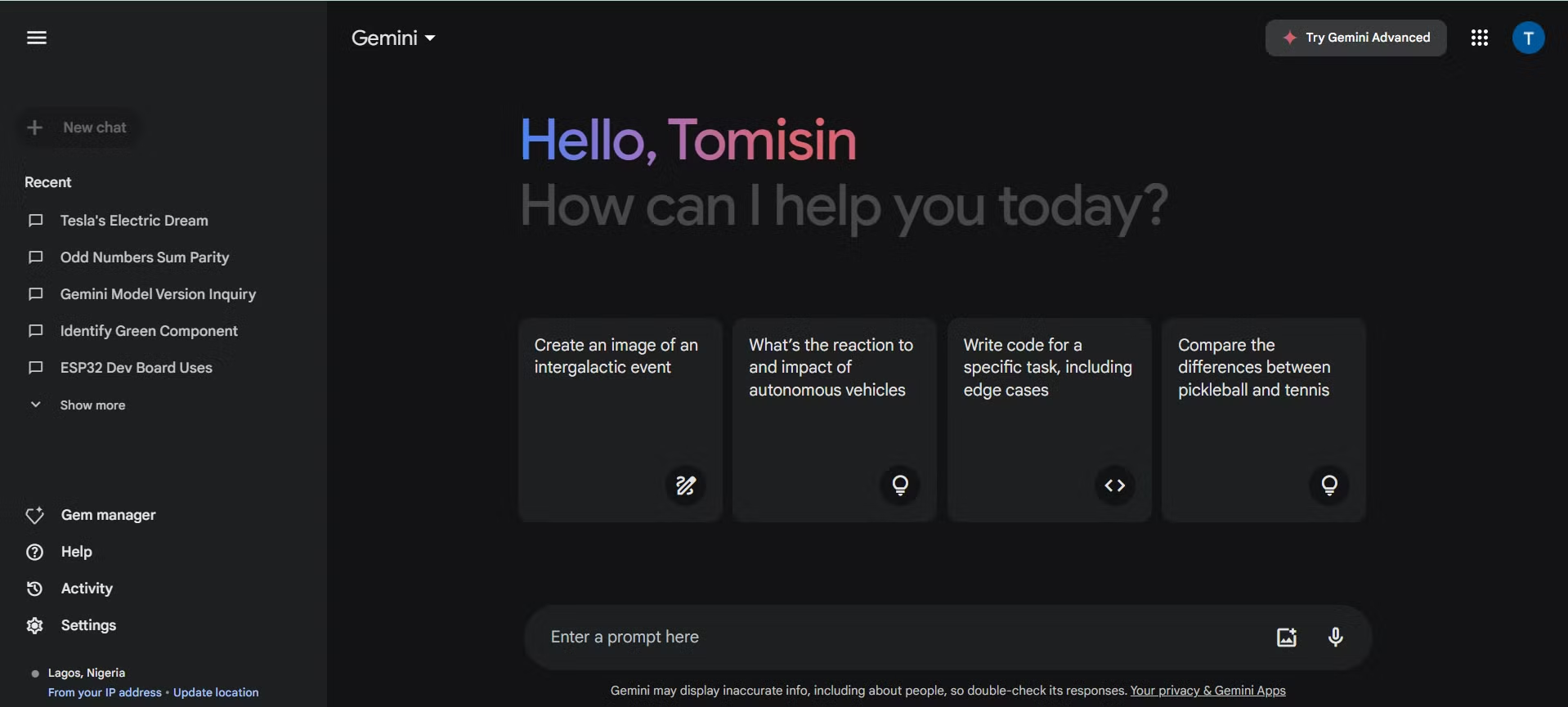
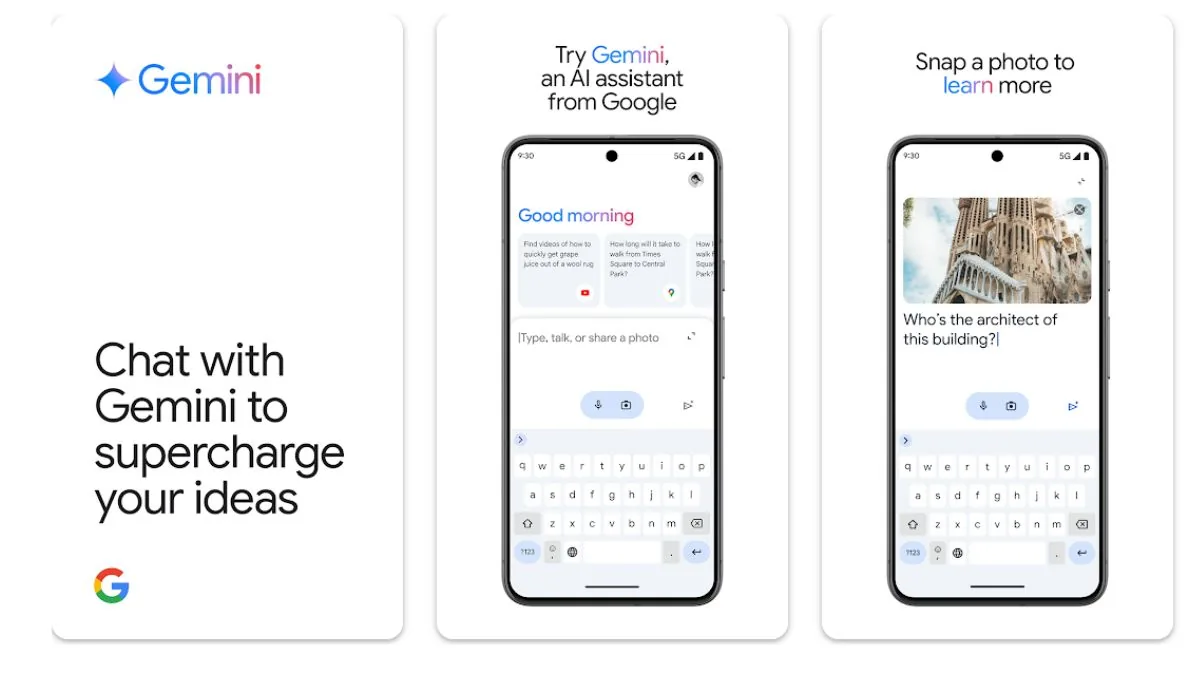
The free version of Gemini is genuinely useful. You can access it through the Gemini app on Android, the iOS app, or by visiting gemini.google.com in your browser. All you need is a Google account, and you're good to go.
With the free tier, you get access to what Google calls the "base" Gemini model. This handles general conversation, question answering, basic writing tasks, image generation, and code help. You can upload images, ask follow-up questions, and use it for everyday research.
It's multimodal, meaning it can process text, images, and voice inputs without you paying a dime.
There are limits, though. Free tier users experience slower response times during peak hours. You won't get access to Gemini's most powerful reasoning features, and advanced capabilities like Deep Research mode or the full 1-million-token context window are locked behind the paywall.
Google also serves ads within AI responses on the free tier, which some users find annoying.
For most people just looking to chat, brainstorm, or get quick answers, the free tier does the job well. You don't need to pay anything to use it, and there's no usage cap that locks you out after a certain number of queries.
The Paid Tiers: Gemini Advanced and Beyond
Gemini Advanced is the premium consumer tier, and it's bundled inside the Google One AI Premium subscription. As of 2026, that costs $19.99 per month and comes with a one-month free trial so you can test it before committing.
What do you get for that $19.99? Access to Gemini Ultra, which is Google's most capable model. You also get the 1-million-token context window, which means Gemini can process and reason over massive documents, long conversations, or complex codebases without losing track of context.
Deep Research mode lets Gemini conduct multi-step research on your behalf, pulling together information across the web.
The subscription also bundles 2TB of Google One storage, access to Gemini in Gmail, Docs, Sheets, and other Workspace apps, and priority access to new features. If you're already paying for Google One storage, the AI Premium tier can actually be a decent value since you're getting both the storage and the advanced AI capabilities together.

API and Developer Pricing (If You're Building Apps)
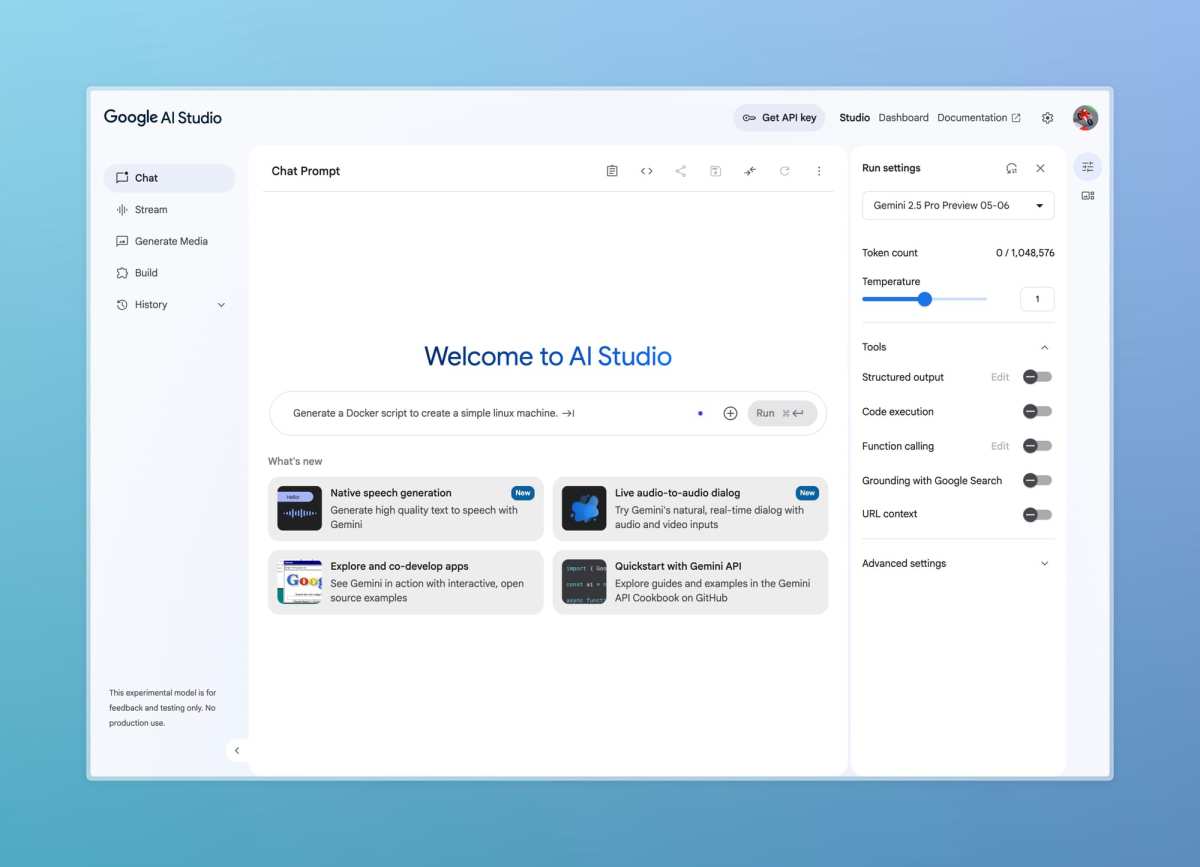
If you're a developer looking to integrate Gemini into your own apps, the pricing works completely differently. Google offers Gemini API access through Google AI Studio, and you pay per token processed.
Here's the thing that catches people off guard. The API pricing is separate from the consumer app pricing. Even if you're using the free Gemini app every day, that doesn't give you any API credits.
You set up a separate billing account through Google Cloud, and you're charged based on the volume of text your app processes.
For the Gemini 1.5 Pro model, input tokens cost around $0.000125 per 1,000 tokens, and output tokens run about $0.0005 per 1,000 tokens. That sounds cheap until you realize that a single complex query can consume thousands of tokens. At scale, API costs add up fast, especially for apps with heavy usage.
Google does offer a free tier for API usage during the testing and development phase, so you can experiment without getting billed. But once you go live with a production app, you're paying per request. Budget carefully and monitor your usage through the Google Cloud console.
Decision Tree: Which Gemini Tier Do You Actually Need?
Not sure which tier fits your situation? Work through these scenarios and you'll land on the right answer.
Branch 1: Casual Use (Chat, Questions, Basic Tasks)
If you just want to ask Gemini questions, get help with writing, brainstorm ideas, or generate a few images, the free tier is all you need. You don't need to pay a cent. Just download the app or visit the website, sign in with your Google account, and start chatting.
This covers students doing homework, people researching topics online, casual writers looking for inspiration, or anyone who just wants to mess around with AI. The free tier handles all of this without any issues.
Branch 2: Power Users (Deep Research, Advanced Reasoning, Workspace Integration)
If you need Gemini to analyze long documents, conduct multi-step research, or integrate with your Gmail and Google Docs workflows, you'll want Gemini Advanced. The $19.99 monthly fee unlocks the most powerful model and the features that serious users rely on.
This branch applies to professionals who use Google Workspace daily, researchers who need Deep Research mode, or anyone who's frustrated by the free tier's limitations on context length and reasoning depth. The one-month free trial lets you test these features before you commit.
Branch 3: Developers (Building Apps, API Access)
If you're building an app and want to use Gemini as the backend, you need API access through Google AI Studio. This is a separate product with separate billing. You'll set up a Google Cloud billing account and pay per token.
Start with the free testing tier to prototype your app. Once you're ready for production, budget for ongoing API costs based on your expected usage volume. Monitor your token consumption closely in the early days to avoid surprise bills.
Branch 4: Enterprise Teams (Vertex AI, Production Workloads)
If you're running AI workloads at scale within a company, you're probably looking at Vertex AI, which is Google's enterprise ML platform. Vertex AI gives you access to Gemini models along with enterprise features like access controls, compliance certifications, and dedicated support.
Pricing for Vertex AI varies based on your contract and usage. Enterprise sales teams can provide custom quotes. This tier is overkill for individual users or small teams.
It's designed for organizations deploying AI across multiple departments or products.
Side-by-Side: Gemini Free vs. Gemini Advanced vs. API
Here's a quick comparison to help you see the differences at a glance.
| Feature | Gemini Free | Gemini Advanced ($19.99/mo) | Gemini API |
|---|---|---|---|
| Cost | $0 | $19.99/month | Pay per token |
| Model | Base Gemini | Gemini Ultra / 1.5 Pro | 1.5 Pro / 1.5 Flash |
| Context Window | Standard (32K tokens) | 1 million tokens | Up to 2 million tokens |
| Deep Research | Not available | Included | Not applicable |
| Workspace Integration | Not available | Gmail, Docs, Sheets | Custom integration |
| Ads in Responses | Yes | No | No |
| Response Speed | Standard (slower at peak) | Priority / fastest | Depends on tier |
| Storage | Standard Google account | 2TB Google One | None |
| Best For | Casual users, students | Power users, professionals | Developers, apps |
The free tier covers most people's needs. Gemini Advanced is worth it if you need the extra power or already pay for Google One storage. The API is only relevant if you're building something that calls Gemini programmatically.
Common Mistakes People Make With Gemini Pricing
Assuming "Free" Means Unlimited
The free tier is generous, but it's not unlimited in practice. Google throttles response times during high-traffic periods, and you'll hit feature walls when you try to access advanced capabilities. Free tier users also see ads embedded in AI responses, which can feel intrusive if you're not expecting it.
Not Realizing API Costs Are Separate
This one trips up a lot of people. Using the free Gemini app doesn't give you any API access. If you want to build an app that uses Gemini, you need a separate Google Cloud billing account.
The API has its own pricing, its own rate limits, and its own quota system. Don't assume your free app usage carries over.
Confusing Google One AI Premium With the Free App
Google One AI Premium is the paid subscription that includes Gemini Advanced. The free Gemini app is a completely separate product. You can use the free app without ever touching Google One.
But if you want the advanced features, you need the subscription. People sometimes sign up for Google One thinking it's required to use Gemini at all, which it isn't.
Expecting Enterprise Features Without Admin Setup
If you're in a company using Google Workspace, your IT admin needs to enable Gemini access for your organization. The free consumer version won't give you Workspace integration. That requires the admin to turn on the Gemini for Google Workspace features and assign the appropriate licenses.
Don't expect it to just work out of the box in a corporate environment.
Real Scenarios: What Different Users Actually Pay
Let's put this in concrete terms. Here's what different types of users actually spend (or don't spend) on Gemini.
The Student Doing Homework
A high school or college student using Gemini for research, essay brainstorming, and explaining difficult concepts pays nothing. The free tier handles all of this without issue. Upload a photo of a math problem, ask for a summary of a historical event, or get help structuring an essay.
All free.
The only time a student might need to pay is if they're working on a massive research project that requires analyzing dozens of long documents at once. That's when the 1-million-token context window in Gemini Advanced becomes useful. For 95% of student use cases, the free tier is plenty.
The Freelancer Writing Content
A freelance writer or content creator using Gemini for drafting, editing, and generating ideas can work entirely on the free tier. Image generation, blog outlines, and rewriting passages all work without payment.
Some freelancers upgrade to Gemini Advanced for the Workspace integration. If you're already living in Gmail and Google Docs, having Gemini built into those tools saves time. The $19.99 monthly cost can pay for itself if you're billing clients for your time.
The Developer Building a Chatbot
This is where costs get real. A developer building a customer support chatbot using the Gemini API pays per token. Let's say your chatbot handles 10,000 conversations per month, and each conversation averages 2,000 input tokens and 500 output tokens.
That's roughly $2.50 for input and $2.50 for output per month. Not bad at that scale. But if your app grows to 100,000 conversations per month, you're looking at $25 to $50 monthly just for API costs.
Monitor your usage closely and set billing alerts in Google Cloud to avoid surprises.
The Business Team Using Workspace
Companies using Google Workspace need their IT admin to enable Gemini for the organization. This requires purchasing Google Workspace Enterprise or Business Plus plans, which include Gemini access. Pricing varies by plan and number of users, but it's not a simple per-seat add-on like consumer subscriptions.
Enterprise users get additional controls over data retention, access management, and compliance features. If your company handles sensitive data, work with your IT team to understand what Gemini access looks like in your specific environment.
Is Gemini Advanced Worth $20/Month?
For casual users, probably not. If you're just chatting with Gemini occasionally, the free tier does everything you need. The ads in responses are a minor annoyance, not a dealbreaker.
For power users who live in Google Workspace, the math changes. You're getting 2TB of storage, Gemini in Gmail and Docs, Deep Research, and the most capable model. If you'd pay for 2TB of Google One storage anyway (which costs $9.99/month), the extra $10 for Gemini Advanced is a solid deal.
Developers and business users have completely separate pricing structures, so the $19.99 consumer subscription doesn't apply to them. They're paying for API access or enterprise licensing instead.
How to Get Started With Free Gemini (Step by Step)
Getting started with the free tier takes about two minutes. Here's exactly what to do.
Step 1: Open your browser and go to gemini.google.com, or download the Gemini app from the Google Play Store or Apple App Store.
Step 2: Sign in with your existing Google account. You don't need to create anything new. If you use Gmail, you already have an account.
Step 3: Accept Google's terms of service and privacy policy. Read through them if you want, but the short version is that your conversations may be used to improve Google's models.
Step 4: Start typing. Ask a question, paste in some text, or upload an image. Gemini processes your request and generates a response.
Step 5: If you want to try Gemini Advanced, look for the "Try it free" or upgrade prompt in the app. You'll need to sign up for the Google One AI Premium trial. Set a calendar reminder for a month from now so you can cancel before being charged if it's not for you.
That's it. No credit card needed for the free tier, no setup process, no configuration. Just sign in and start using it.
Frequently Asked Questions
Can I use Gemini for free without a Google account?
No. You need a Google account to access Gemini. But creating one is free and takes about a minute if you don't already have one.
Does the free tier have usage limits?
The free tier doesn't have a hard cap on queries, but Google throttles response speed during peak times. You might notice slower replies when lots of people are using the service simultaneously.
Is Gemini Advanced included with Google One storage?
Gemini Advanced is part of the Google One AI Premium plan, which includes 2TB of storage. The standard Google One 2TB plan costs $9.99/month and does not include Gemini Advanced. You need the AI Premium tier at $19.99/month to get both.
Can I use Gemini commercially on the free tier?
Yes, you can use free Gemini outputs for commercial purposes. But review Google's terms of service for specific restrictions on how you can use AI-generated content, especially in regulated industries.
How does Gemini pricing compare to ChatGPT?
Both offer free tiers with capable models. ChatGPT Plus costs $20/month, same as Gemini Advanced. The main difference is ecosystem: Gemini integrates with Google services, while ChatGPT integrates with Microsoft tools.
Will I lose access if I cancel Gemini Advanced?
Yes. Once you cancel the Google One AI Premium subscription, you lose access to Gemini Advanced features, the 1TB of additional storage, and Workspace integration. Your account reverts to the free tier.

Similar Posts