ChatGPT Search vs Google
If you've been wondering whether ChatGPT Search can replace Google, you're not alone. The comparison between ChatGPT Search and Google has become one of the most practical questions people ask when they sit down to research something online. Both tools promise to find you answers, but they go about it in fundamentally different ways.
Google has been the default search engine for over two decades, indexing billions of web pages and serving results in under a second. ChatGPT Search, launched by OpenAI in late 2024, takes a different approach by using a large language model to synthesize answers directly. As of 2026, both tools have matured significantly, and understanding how they differ can save you real time depending on what you're trying to find.

Quick Answer
ChatGPT Search synthesizes answers from web sources and presents them conversationally with citations. Google Search returns a ranked list of web pages for you to explore. ChatGPT Search works best for complex questions that need synthesis.
Google works best for finding specific pages, local results, and real-time information. Most people benefit from using both tools for different tasks.
Why This Comparison Actually Matters Right Now
The search landscape has shifted dramatically in the past two years. Google rolled out its AI Overviews feature across most queries, blending traditional results with AI-generated summaries at the top of the page. OpenAI responded by building ChatGPT Search directly into its chatbot, giving users a conversational way to pull information from the live web.
This matters because the way people search is changing. Users increasingly expect direct answers rather than a list of blue links. A 2025 Pew Research Center study found that a growing share of adults now use AI tools for information lookup at least occasionally.
That trend puts ChatGPT Search and Google in direct competition for the same moment: the second you type a question and hit enter.
But here's the thing. These tools aren't really doing the same job. Google excels at pointing you to sources.
ChatGPT Search excels at summarizing what those sources say. Understanding that distinction is the key to using both effectively.
How ChatGPT Search and Google Search Actually Work Under the Hood
The underlying technology between these two tools is fundamentally different, and that difference shapes everything about the results you get.
Google Search relies on web crawling and indexing. Google's bots constantly scan the web, catalog pages, and rank them using hundreds of signals including relevance, authority, user engagement, and freshness. When you search, Google matches your query against its index and returns the pages it considers most useful.
You then click through to those pages yourself.
ChatGPT Search combines a large language model with real-time web browsing. When you ask a question, the system searches the web, retrieves relevant content, and then generates a synthesized answer in natural language. It cites its sources with links, but the answer itself is generated, not simply retrieved.
Here's a simple way to think about it. Google is like a librarian who hands you a stack of books and says "the answer is probably in one of these." ChatGPT Search is like a research assistant who reads the books, summarizes the key points, and hands you a report with footnotes.
| Feature | ChatGPT Search | Google Search |
|---|---|---|
| Core technology | Large language model + web browsing | Web crawling + ranking algorithm |
| Result format | Synthesized answer with citations | Ranked list of web pages |
| Follow-up queries | Natural conversation | New search required |
| Source visibility | Citations included in answer | Links displayed below snippets |
| Ad display | None (subscription-based) | Ads at top and bottom of results |
| Real-time information | Yes, via web browsing | Yes, via continuous indexing |
| Knowledge cutoff | Mitigated by live web access | Not applicable (always current) |
Side-by-Side: ChatGPT Search vs Google Search
Let's break down how these tools compare across the factors that actually matter when you're searching.
Speed and simplicity. Google returns results almost instantly. The interface is familiar to virtually everyone. ChatGPT Search takes slightly longer because it has to retrieve sources, process them, and generate a response.
For a quick lookup like "weather in Chicago," Google wins on speed. For a complex question like "compare the economic policies of the last three UK prime ministers," ChatGPT Search saves you from opening ten tabs.
Source transparency. ChatGPT Search includes citations with its answers, linking back to the web pages it drew from. Google shows you the sources directly as clickable results. Both approaches have merit.
ChatGPT's citations let you verify specific claims. Google's approach lets you evaluate the source itself before you even read the answer.
Accuracy and reliability. Both tools can get things wrong. Google surfaces pages that may contain misinformation alongside accurate ones. ChatGPT Search can hallucinate or misinterpret sources, especially on niche or controversial topics.
Neither tool replaces your own judgment, but Google's approach of showing you the raw sources makes fact-checking more straightforward.
Conversational ability. This is where ChatGPT Search pulls ahead significantly. You can ask a follow-up question and it remembers what you just discussed. Google treats each search as a standalone event, though its AI Overviews do attempt some contextual understanding within a session.
Ads and monetization. Google Search is free because it shows ads. ChatGPT Search is available to ChatGPT Plus subscribers at $20 per month, with no ads in the results. If you dislike sponsored results mixed into your searches, ChatGPT Search offers a cleaner experience.
Where ChatGPT Search Wins
ChatGPT Search has genuine advantages in specific scenarios. Knowing when to reach for it can make your research dramatically more efficient.
Complex synthesis questions. When you need information pulled together from multiple sources into a coherent answer, ChatGPT Search shines. Asking "what are the pros and cons of heat pumps versus gas furnaces for a cold climate" will get you a structured comparison with citations. On Google, you'd need to visit several pages and piece that together yourself.
Exploratory research. If you're diving into a topic you don't know well, ChatGPT Search lets you ask broad questions and then narrow down naturally. You can say "tell me more about that second point" or "what do critics say about this approach" without starting a new search.
Coding and technical help. ChatGPT's language model was built for understanding technical content. Asking it to explain an error message or compare two programming frameworks often yields more useful results than a standard Google search, where you might land on an outdated forum post.
Writing and brainstorming. ChatGPT Search can help you outline arguments, suggest angles, or summarize competing viewpoints on a topic. It's less about finding a specific fact and more about getting a head start on thinking through a problem.

Ad-free experience. For people who find Google's ad-heavy results frustrating, ChatGPT Search provides a clean, focused answer without sponsored content competing for attention.
Where Google Search Still Dominates
Google isn't standing still, and for many everyday search tasks, it remains the better tool.
Finding specific pages and sites. If you know roughly what you're looking for, Google's index is unmatched. Searching for a specific recipe, a product manual, a government form, or a news article from a particular outlet is faster and more reliable on Google.
Local search. "Coffee shop near me" or "plumber in Austin" are queries where Google's local search infrastructure, Maps integration, and business listings are far ahead. ChatGPT Search doesn't have the same depth of local business data.
Real-time and breaking information. Google's indexing speed means it surfaces breaking news and live updates faster. While ChatGPT Search can access the web in real time, its synthesis step introduces a slight delay that matters when minutes count.
Shopping and product comparison. Google Shopping, product reviews in the index, and price comparisons are deeply integrated into Google Search. ChatGPT Search can describe products, but it can't match Google's structured shopping results.
Image and video search. Google's multimedia search capabilities are significantly more advanced. If you're looking for a specific image, tutorial video, or visual reference, Google is the clear choice.
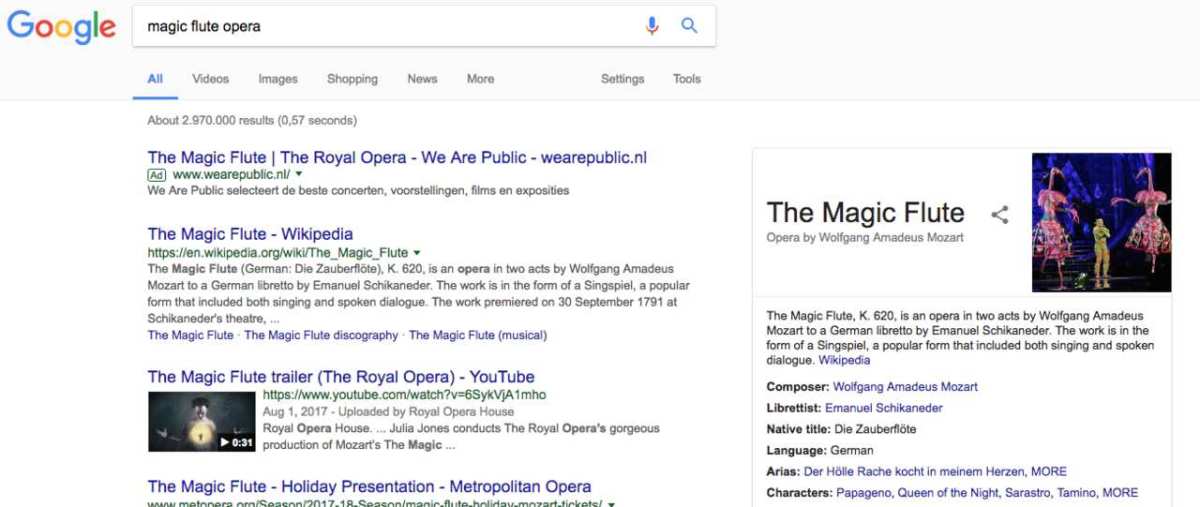
Verifying claims across sources. When you need to see what multiple sources say about a controversial or fast-moving topic, Google lets you open several tabs and compare. ChatGPT Search gives you one synthesized view, which is efficient but can obscure disagreement between sources.
Best Tool for Each Type of Search Task
Rather than picking one tool and sticking with it, the smarter approach is matching the tool to the task. Here's how that breaks down in practice.
Use ChatGPT Search when:
- You need a summary of a complex topic pulled from multiple sources
- You're doing exploratory research and want to ask follow-up questions
- You're comparing options and want a structured breakdown
- You're working through a technical problem that benefits from explanation
- You want a conversational back-and-forth to refine your understanding
Use Google Search when:
- You're looking for a specific page, document, or website
- You need local results like businesses, directions, or events
- You're shopping and want to compare prices across retailers
- You need the latest news or real-time updates
- You want to see what multiple sources say side by side
- You're searching for images, videos, or other media
Use both when:
- You're doing serious research on an important topic
- You want a quick overview from ChatGPT Search, then need to verify claims by checking Google for the original sources
- You're fact-checking something an AI tool told you
The researchers and students we've seen get the best results treat these tools as complementary. ChatGPT Search gives you the map. Google lets you walk the territory yourself.
Real Scenarios: Which One Would You Actually Reach For?
Let's walk through some concrete examples to make this practical.
Scenario 1: Planning a trip to Portugal. Start with ChatGPT Search. Ask for a two-week itinerary that balances cities and nature, with budget estimates. Follow up with questions about transportation between regions and the best time to visit specific areas.
Then switch to Google to book flights, find hotel reviews on specific sites, and check current entry requirements on official government pages.
Scenario 2: Understanding a new regulation affecting your business. ChatGPT Search can summarize the regulation, explain what it means in plain language, and outline compliance steps. But you'll want to verify everything against the actual regulatory text, which Google will help you find on the relevant government website.
Scenario 3: Fixing a software bug. ChatGPT Search excels here. Describe the error message and your setup, and you'll likely get a step-by-step solution with explanations of why each step works. Google can help too, but you might wade through outdated forum posts before finding a relevant answer.
Scenario 4: Finding a restaurant for dinner tonight. Google, every time. You need current hours, a menu, reviews from the past few weeks, and a map. ChatGPT Search doesn't have access to that kind of granular, real-time local data.
Scenario 5: Writing a research paper. Use both. ChatGPT Search helps you understand the landscape of your topic and identify key arguments. Google Scholar and traditional Google searches help you find the primary sources and peer-reviewed studies you need to cite.
Common Mistakes People Make When Switching Between Them
A few patterns trip people up when they start using both tools regularly.
Trusting AI summaries without verification. ChatGPT Search can sound confident even when it's wrong. Always check critical information against the cited sources, especially for health, legal, or financial decisions.
Using ChatGPT Search for time-sensitive queries. If you need to know whether a store is open right now or whether a flight is delayed, Google's real-time data is more reliable. ChatGPT Search's synthesis step can introduce delays and occasional staleness.
Using Google for complex synthesis. If you find yourself opening fifteen tabs and trying to piece together an answer, you're better off starting with ChatGPT Search and then verifying the key points.
Ignoring Google's AI Overviews. Google has added generative AI summaries to many searches. These can give you a quick answer without leaving the page, though they come with the same caveats as any AI-generated content.
Forgetting about privacy. Both tools collect data about your searches. Google's data practices are well-documented and tied to your broader Google account. OpenAI's data policies for ChatGPT Search are outlined in their privacy documentation.
Neither is completely private, so adjust your expectations accordingly.
What About the Cost? Pricing and Access Breakdown
The cost difference between these tools is straightforward but worth understanding clearly.
Google Search is free. You pay with your attention to ads and with the data Google collects about your search behavior. There's no subscription, no paywall, and no limit on how many searches you can run.
ChatGPT Search is included with ChatGPT Plus, which costs $20 per month as of 2026. That subscription also gives you access to GPT-4o, higher usage limits, and faster response times. Free ChatGPT users have limited access to search features, with daily caps that vary based on demand.
There's also ChatGPT Pro at $200 per month, which offers unlimited access to all models including advanced reasoning features. For most people, the Plus tier is sufficient if you want regular access to ChatGPT Search.
The question comes down to whether the synthesis capability is worth $20 a month for your use case. If you do a lot of research, writing, or technical work, it probably is. If you mostly search for local businesses, quick facts, and specific websites, Google's free access covers your needs.
Expert Tips for Getting the Best Results From Both
A few practical habits can improve your results regardless of which tool you're using.
Be specific with ChatGPT Search. Instead of asking "tell me about solar panels," try "compare the 10-year cost of solar panels versus grid electricity for a 2,000-square-foot home in Arizona." More specific prompts get better answers.
Use Google's advanced search operators. Quotation marks for exact phrases, the minus sign to exclude terms, and site: to search within a specific website. These work in Google but not in ChatGPT Search.
Cross-check important claims. If ChatGPT Search tells you something surprising or consequential, verify it with a Google search to see what multiple sources say. This takes an extra minute and saves you from acting on bad information.
Leverage ChatGPT's conversation memory. When you're mid-research, ask follow-up questions that build on previous answers. This is where the conversational format genuinely outperforms traditional search.
Don't neglect Google Scholar for academic work. If you need peer-reviewed sources, Google Scholar indexes academic papers that ChatGPT Search may not surface with the same precision.
Frequently Asked Questions
Can ChatGPT Search replace Google entirely?
Not yet. ChatGPT Search handles synthesis and explanation well, but it falls short on local search, shopping, real-time updates, and finding specific pages. For most people, it works best as a complement to Google rather than a replacement.
Is ChatGPT Search more accurate than Google?
Neither is consistently more accurate. Google surfaces sources that may contain errors. ChatGPT Search can misinterpret sources or generate plausible-sounding but incorrect answers.
Both require verification for important decisions.
Does ChatGPT Search work in real time?
Yes, ChatGPT Search accesses the live web to answer questions. However, the synthesis step means there's a slight delay compared to Google's near-instant results, and the information may not always be as current as what Google's indexing surfaces.
Is ChatGPT Search free?
ChatGPT Search is available to free users with daily limits. Full access requires a ChatGPT Plus subscription at $20 per month, which removes usage caps and provides faster responses.
How does ChatGPT Search handle citations?
ChatGPT Search includes source citations with its answers, linking to the web pages it used to generate the response. These citations let you verify individual claims, though not every sentence in the answer will have a direct citation.
What's the biggest weakness of Google Search compared to ChatGPT?
Google requires you to do the synthesis work yourself. For complex questions that pull from multiple sources, you'll need to open several pages and connect the dots on your own. ChatGPT Search does that connecting for you.
Final Verdict: Which One Should You Use?
The honest answer is that you should use both, but for different things.
ChatGPT Search is the better starting point when you're facing a complex question, exploring an unfamiliar topic, or need information synthesized from multiple sources. It saves you time on the heavy lifting of research and gives you a foundation to build on.
Google Search remains essential for finding specific pages, local information, shopping, real-time updates, and verifying claims. Its index is deeper, its local data is richer, and its results are faster for straightforward lookups.
If you can only use one, Google covers more ground for the average person. If you're willing to pay $20 a month, adding ChatGPT Search to your toolkit makes research-heavy work noticeably easier.
The smartest approach is to start with the tool that matches your immediate need, then switch when the task changes. That flexibility will serve you better than loyalty to either platform.


Similar Posts