What Is Google Gemini
You've probably seen Google Gemini popping up everywhere and wondered what the actual deal is. What is Google Gemini, really, and how is it different from ChatGPT, Google Assistant, or any of the other AI tools vying for your attention?
Google Gemini is a family of multimodal AI models built by Google DeepMind. It handles text, images, audio, video, and code in one system. As of 2026, it powers everything from the Gemini app you can use for free to enterprise tools running on Google Cloud.
While earlier Google AI models relied on text only, Gemini was trained on multiple types of data from the start. It works across more than 40 languages.
Quick Answer
Google Gemini is a family of multimodal AI models developed by Google DeepMind. It processes text, images, audio, video, and code within a single system. Google offers Gemini in three main tiers, ranging from Ultra to Nano.
It powers the free Gemini app, Google Workspace tools, and cloud APIs. Gemini 1.5 Pro supports a context window of up to 2 million tokens. That allows it to analyze long documents and datasets efficiently.

Image source: Wikimedia Commons / Google
Why Getting Gemini Right Actually Matters
Most AI tools look similar on the surface. You type a prompt, you get an answer. But the differences underneath, things like accuracy, cost, privacy, and what the model was actually trained on, make a real difference in your results and your risk.
Getting Gemini wrong cancost you money on API calls that don't deliver what you need. It canshare sensitive data through channels that aren't as locked down as you assumed. It canalso produce confident-sounding answers that are completely wrong, and if you're using Gemini for anything high-stakes, that's a real problem.
Here's what makes this especially tricky: Google sells Gemini in several different versions. Each one has different capabilities, different pricing, and different limitations. Picking the wrong tier for your task is one of the most common mistakes people make.
What Is Google Gemini? The 60-Second Version
Google Gemini is a multimodal foundation model developed by Google DeepMind. "Multimodal" means it processes text, images, audio, video, and code through a single system. Older AI models typically handled one or two of these.
Gemini handles all of them together.
Google launched Gemini in December 2023. It replaced Bard, which used the older PaLM 2 family of models. Gemini now sits across Google's entire AI ecosystem.
You'll find it in the Gemini app, Google Workspace products like Docs and Gmail, Android through Gemini Nano, and Google Cloud through Vertex AI.
The model has undergone several major updates. The Gemini 1.5 generation brought a massive increase in context window size. Gemini 2.0 introduced more advanced reasoning and agentic capabilities.
How Gemini Actually Works Under the Hood
At a technical level, Gemini is built on a transformer architecture. That's the same underlying design used by most large language models, including GPT-4. But Google trained Gemini on text, images, audio, video, and code from the start.
This is different from bolting a vision model onto a text model later.
This matters because tasks like reading a PDF, analyzing a screenshot from a coworker, or describing a diagram require the model to understand multiple content types at once. Native multimodal training means Gemini handles these more smoothly than systems built piece by piece.
Gemini 1.5 introduced a Mixture-of-Experts (MoE) architecture. Instead of running the entire neural network for every query, MoE activates only the relevant parts. The Mixture-of-Experts design began appearing in Gemini 1.5.
The context window also expanded dramatically, reaching up to 2 million tokens in Gemini 1.5 Pro.
The Different Gemini Models — And Why Picking the Wrong One Costs You
One of the most common mistakes is treating Gemini as a single model. Google offers multiple versions. Each has different capabilities, pricing, and limits.
| Tier | Best For | Key Limitation |
|---|---|---|
| Gemini Ultra | Complex reasoning, research, professional writing | Limited availability, highest cost |
| Gemini Pro | Daily use, moderate tasks, most developers | Less capable than Ultra on hard problems |
| Gemini Nano | On-device processing, privacy-sensitive tasks | Smaller model, lower capability |
| Gemini Flash | Speed-critical applications, low-latency needs | Shorter context window, faster responses |
Most people interacting with Gemini through the free app or Google Workspace are using Gemini Pro or Flash under the hood. Ultra has more limited availability. Nano runs directly on Pixel devices and select Android hardware.
Picking the wrong tier mainly affects cost and quality. Gemini Flash handles simple tasks faster. Pro handles moderate tasks reliably.
Ultra tackles complex reasoning, but you pay more and get narrower availability.
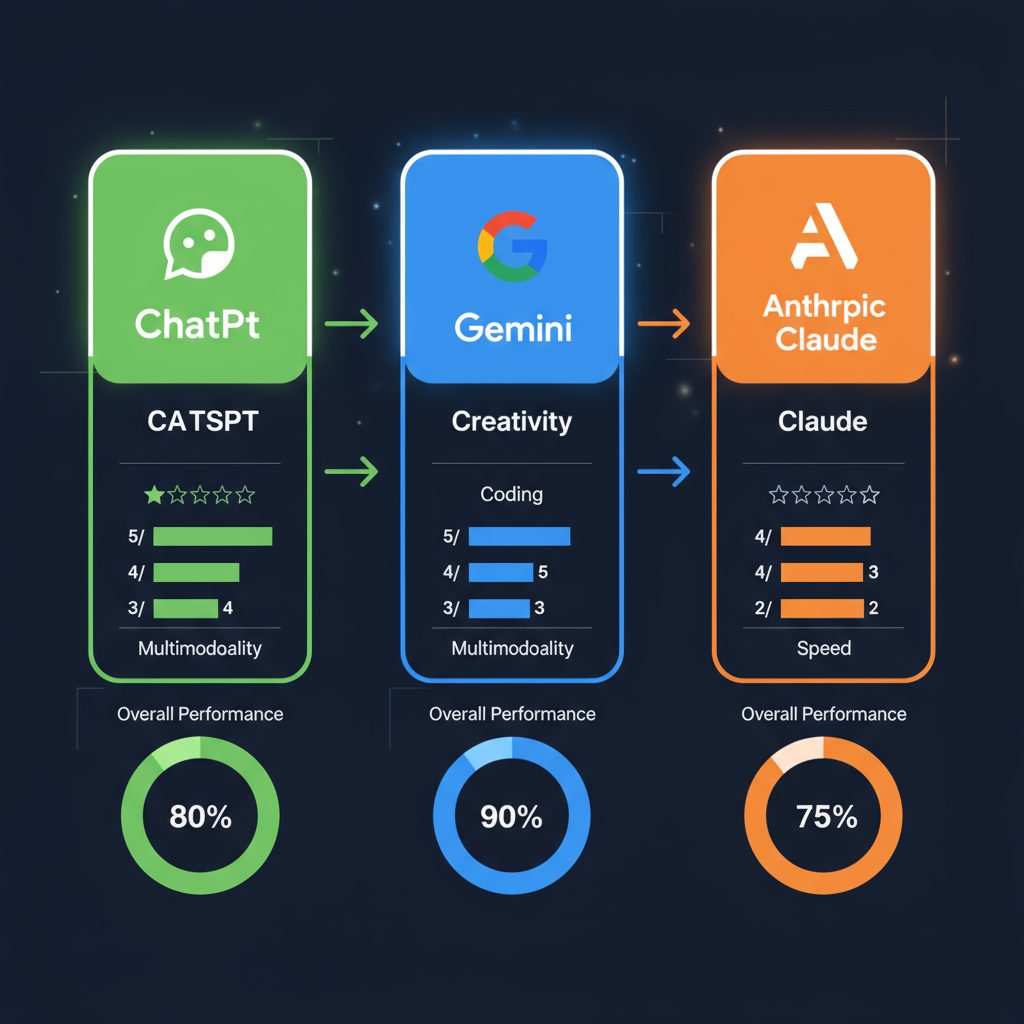
Image source: Bing (Web (fair-use with source credit))
What Can Gemini Really Do? Capabilities That Matter
Let's talk about what Gemini actually does well, and where it fits into a real workflow.
Core capabilities worth knowing:
- Multimodal reasoning across text, images, audio, video, and code. You can feed Gemini a screenshot alongside an audio file alongside a code snippet and ask it to explain something that spans all three.
- Long-context processing. With up to 2 million tokens in Gemini 1.5 Pro, you can analyze entire books, extensive codebases, or hours of meeting transcripts in a single session.
- Code generation and debugging. Gemini handles Python, JavaScript, Java, C++, and many other languages. It can explain code, find bugs, and suggest fixes.
- Real-time voice conversation. Gemini Live supports natural back-and-forth voice interaction. It's closer to a phone call than a chatbot.
- Google Search grounding. Gemini can pull in current information from Google Search. This helps reduce hallucinations on factual queries.
- Function calling and structured output. For developers, Gemini can return JSON-formatted responses and trigger external tools or APIs.
- On-device processing via Gemini Nano. On Pixel devices and select Android hardware, Gemini Nano runs locally. This keeps sensitive data off the cloud.
These capabilities make Gemini useful for developers building AI-powered applications, enterprise teams automating workflows, students and researchers analyzing documents, and everyday users who want a capable assistant across Google's ecosystem.
Where Gemini Falls Short (Honest Limitations)
No AI model is perfect, and Gemini has real limitations you should understand before relying on it.
Hallucination remains the biggest risk. Gemini can generate confident-sounding answers that are factually wrong. This is especially dangerous with medical, legal, financial, or safety-critical information. Always verify important claims through independent sources.
Inconsistent output quality across tiers. Gemini Flash is fast but less reliable on complex reasoning. Ultra is more capable but harder to access. Pro sits in the middle, and even it can produce variable results depending on the prompt.
Context window limitations on lower tiers. While Gemini 1.5 Pro supports up to 2 million tokens, Flash and Nano have much shorter limits. If you're working with long documents on a lower tier, you may hit walls.
Privacy concerns with cloud processing. Unless you're using Gemini Nano on-device, your inputs go through Google's servers. Google's data processing terms apply. For sensitive enterprise data, you need to understand Vertex AI's data handling policies and compliance certifications.
Prompt sensitivity. Gemini's output can vary significantly based on how you phrase your prompt. Small changes in wording can produce very different results. This means prompt engineering matters more than marketing suggests.
Rate limits and quota management. Free tiers have strict limits. API usage requires quota management. Hitting rate limits mid-workflow is frustrating and can disrupt production systems.
How Gemini Compares to ChatGPT, Claude, and Other AI Tools
Here's a practical comparison based on publicly available benchmarks and documented capabilities as of 2026.
| Feature | Gemini 1.5 Pro | GPT-4o | Claude 3.5 Sonnet |
|---|---|---|---|
| Context window | Up to 2M tokens | 128K tokens | 200K tokens |
| Multimodal (native) | Yes | Yes | Yes (text + image) |
| On-device option | Yes (Nano) | No | No |
| Free tier | Yes (Gemini app) | Limited | Limited |
| Google ecosystem integration | Deep | None | None |
| Code generation | Strong | Strong | Strong |
| Long-document analysis | Excellent | Good | Very good |
Gemini's biggest advantage is its context window and Google ecosystem integration. If you're already using Google Workspace, Android, or Google Cloud, Gemini fits naturally into your workflow.
GPT-4o from OpenAI offers strong multimodal capabilities and a mature plugin ecosystem. Claude from Anthropic emphasizes safety and long-form reasoning. Both are excellent tools, and the best choice depends on your specific needs.
For developers, the decision often comes down to API pricing, latency, and which ecosystem you're already invested in. For everyday users, the free tiers of all three are worth testing to see which fits your style.
Who Should Actually Use Gemini — And Who Shouldn't
Gemini is a strong fit for several groups, but it's not the right tool for everyone.
Gemini is a good fit if you:
- Already use Google Workspace, Android, or Google Cloud and want AI that integrates smoothly.
- Need to analyze long documents, codebases, or datasets that exceed 100K tokens.
- Want a free, capable AI assistant for everyday tasks like writing, summarizing, and brainstorming.
- Are a developer building AI-powered applications and want access to Google's infrastructure.
- Need on-device AI processing for privacy-sensitive tasks (via Gemini Nano on Pixel).
Gemini is NOT the best fit if you:
- Need guaranteed factual accuracy for medical, legal, or financial decisions. No AI model is reliable enough for this without human verification.
- Work in a highly regulated industry with strict data residency requirements, unless you've confirmed Vertex AI's compliance certifications meet your needs.
- Require offline functionality without any cloud dependency (except Nano on supported devices).
- Need specialized capabilities that other models handle better, like Anthropic's emphasis on safety guardrails or OpenAI's plugin ecosystem.
The bottom line: Gemini is a versatile, powerful tool that excels in the Google ecosystem. But it's not a replacement for expert judgment in high-stakes situations.
Real Ways People Are Using Gemini Right Now
Here are practical examples of how different groups are putting Gemini to work.
Software developers use Gemini through the API or Google AI Studio to generate boilerplate code, debug errors, and document functions. The long context window is especially useful for analyzing entire codebases.
Enterprise teams deploy Gemini on Vertex AI for customer support automation, document processing, and internal knowledge bases. The enterprise tier offers additional security and compliance features.
Students and researchers use the free Gemini app to summarize papers, explain complex concepts, and brainstorm research directions. The multimodal capability lets them upload diagrams and ask for explanations.
Content creators use Gemini for drafting, editing, and repurposing content across formats. The integration with Google Docs and Gmail streamlines the workflow.
Everyday users interact with Gemini through the app or Android for tasks like planning trips, writing emails, or getting quick answers to questions. Gemini Nano on Pixel devices handles some of this locally.
The Safety and Privacy Questions You Need to Ask
Before you start feeding Gemini sensitive information, there are a few things you should understand.
Data handling: When you use Gemini through the app or API, your inputs are processed on Google's servers. Google's terms of service and privacy policy apply. For enterprise use, Vertex AI offers more control over data processing, including data residency options and compliance certifications like SOC 2, ISO 27001, and HIPAA eligibility with a Business Associate Agreement.
Hallucination risk: Gemini can and does generate incorrect information. This is not a bug you can patch. It's a fundamental limitation of how large language models work.
For any decision that affects health, finances, legal standing, or safety, you need to verify Gemini's output through independent sources.
Bias: Like all AI models, Gemini reflects patterns in its training data. This means it can reproduce biases present in that data. Google has published its AI Principles and responsible AI practices, but no model is free from this issue.
Prohibited use cases: Google restricts certain uses of Gemini, including weapons development, surveillance, and generating content that violates its policies. Make sure your use case complies with Google's terms.
Practical safety tips:
- Don't input personal health information, financial account numbers, or legal documents into the free Gemini app.
- For enterprise use, configure Vertex AI with appropriate data governance policies.
- Always verify factual claims from Gemini before acting on them.
- Use Gemini Nano on-device for tasks that require local processing.
Getting Started With Gemini: A Practical Walkthrough
Here's how to start using Gemini, whether you're a casual user or a developer.
For everyday use:
- Go to gemini.google.com or download the Gemini app on Android.
- Sign in with your Google account.
- Start typing prompts or use the microphone for voice input.
- For images, upload files directly or use your camera.
For developers:
- Visit Google AI Studio at aistudio.google.com.
- Create a new project and generate an API key.
- Choose your model tier (Flash, Pro, or Ultra depending on availability).
- Configure parameters like temperature, max tokens, and safety settings.
- Test prompts in the playground before integrating into your application.
For enterprise use:
- Set up a Google Cloud account and enable Vertex AI.
- Configure data residency and compliance settings.
- Access Gemini models through the Vertex AI API.
- Set up monitoring, logging, and quota management through Cloud Console.
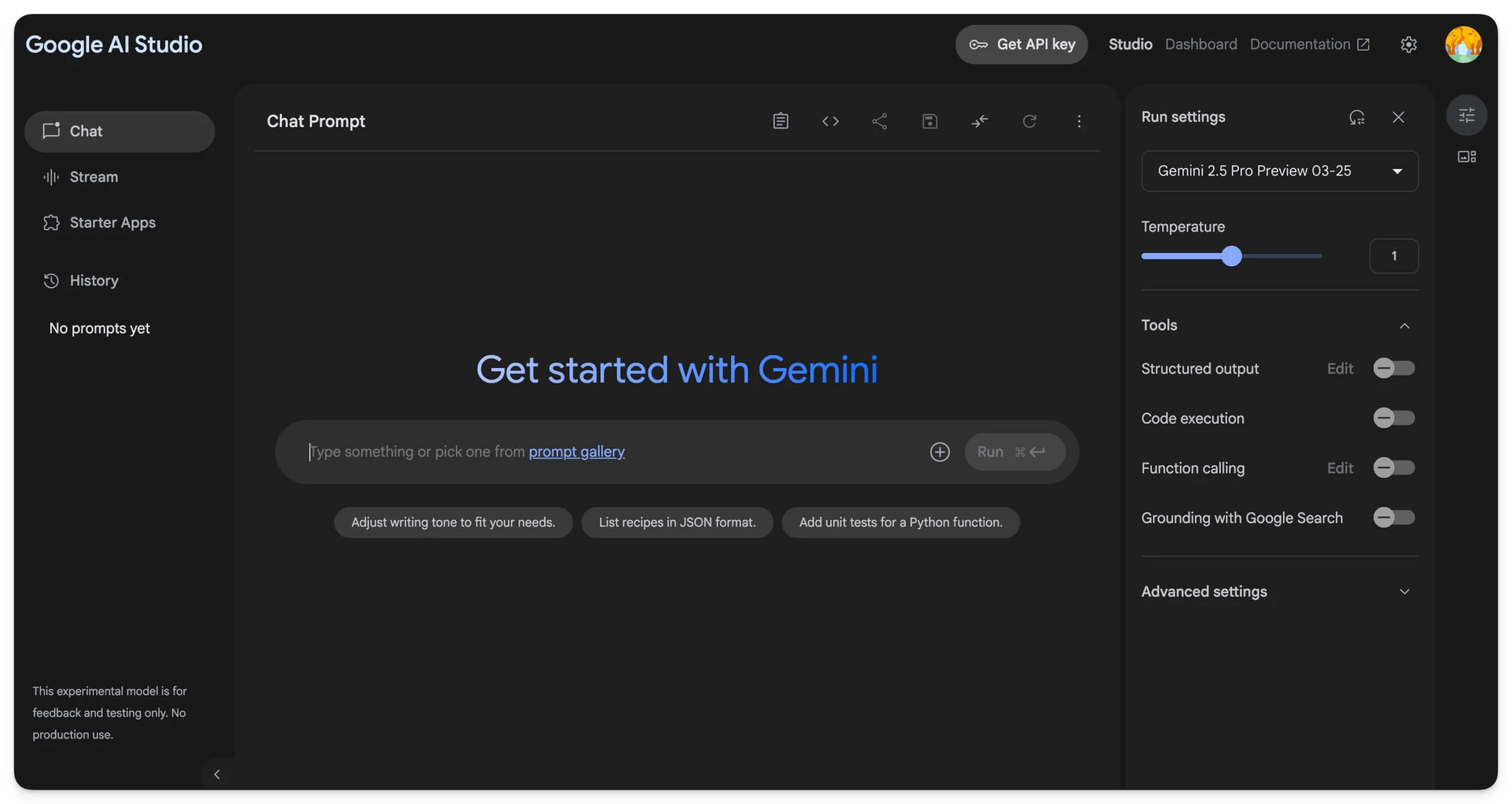
Image source: Bing (Web (fair-use with source credit))
Common Mistakes That Waste Your Time (And Money)
These are the mistakes we see most often, and they're easy to avoid once you know about them.
Using the wrong model tier for the task. Don't use Gemini Flash for complex reasoning. Don't pay for Ultra when Pro handles your workload fine. Match the tier to the task.
Ignoring rate limits. Free tiers have strict limits. API usage requires quota planning. Hitting limits mid-workflow is frustrating and avoidable.
Trusting output without verification. Gemini is confident even when it's wrong. Always verify factual claims, especially for anything high-stakes.
Poor prompt engineering. Vague prompts produce vague results. Be specific about format, length, tone, and context. Small improvements in prompt quality produce large improvements in output quality.
Not understanding data privacy implications. If you're inputting sensitive data, make sure you understand where it's processed and what policies apply. The free app is not the same as Vertex AI with enterprise controls.
Overlooking the context window. If you're working with long documents, make sure your chosen tier supports the token count you need. Flash and Nano have much shorter limits than Pro.
Pricing, Limits, and What You're Actually Paying For
Gemini's pricing varies significantly by tier and use case. Here's what you need to know as of 2026.
Free tier: The Gemini app and Google AI Studio offer free access with rate limits. This is sufficient for casual use and testing.
API pricing: Gemini API pricing is based on tokens processed. Costs vary by model tier. Flash is the most affordable.
Ultra is the most expensive. Pricing is per 1,000 or 1,000,000 tokens depending on the model.
Vertex AI pricing: Enterprise use through Vertex AI includes additional costs for compute, storage, and optional features like grounding and safety filters.
Key cost factors:
- Model tier (Flash < Pro < Ultra)
- Input and output token counts
- Multimodal inputs (images, audio, video may cost more)
- Region and data residency options
- Enterprise features and support
For most individual users, the free tier is sufficient. For developers and enterprises, budget based on expected token volume and required model tier.
When to Trust Gemini — And When to Double-Check Everything
This is the most important section in this guide. Knowing when to trust Gemini and when to verify everything can save you from serious mistakes.
You can generally trust Gemini for:
- Drafting and editing text (emails, documents, creative writing)
- Summarizing documents you can verify against the source
- Generating code that you test before deploying
- Brainstorming and ideation
- Explaining concepts in general terms
- Translating between languages (with verification for critical content)
You should always verify Gemini's output for:
- Medical advice or health-related decisions
- Legal interpretations or contract analysis
- Financial decisions or investment advice
- Safety-critical information
- Factual claims about current events
- Citations and sources (Gemini can hallucinate these)
The golden rule: If a wrong answer could cause harm, financial loss, or legal liability, verify everything through independent sources. Gemini is a tool, not an authority.

Image source: Bing (Web (fair-use with source credit))
Frequently Asked Questions
Is Google Gemini free to use?
Yes, Google offers a free tier through the Gemini app and Google AI Studio. This includes access to Gemini Pro and Flash with rate limits. For higher usage, enterprise features, or Ultra access, paid options are available through the API and Vertex AI.
What is the difference between Gemini and ChatGPT?
Both are multimodal AI models, but they come from different companies with different ecosystems. Gemini integrates deeply with Google Workspace, Android, and Google Cloud. ChatGPT integrates with OpenAI's ecosystem and third-party plugins.
Gemini 1.5 Pro offers a larger context window (up to 2 million tokens) compared to GPT-4o's 128K tokens.
Can Gemini analyze images and videos?
Yes. Gemini is natively multimodal, meaning it can process text, images, audio, video, and code within a single system. You can upload files directly in the Gemini app or send them through the API.
Is Gemini safe to use for sensitive data?
It depends on how you use it. The free Gemini app processes data on Google's servers under Google's standard terms. For sensitive enterprise data, Vertex AI offers additional controls, including data residency options and compliance certifications like SOC 2, ISO 27001, and HIPAA eligibility.
What is Gemini Nano?
Gemini Nano is the smallest tier of the Gemini model family. It runs directly on supported devices, including Google Pixel phones and select Android hardware. This allows for on-device AI processing without sending data to the cloud, which benefits privacy and offline functionality.
How accurate is Gemini?
Gemini is capable but not infallible. Like all large language models, it can generate incorrect or misleading information, known as hallucinations. Accuracy varies by task complexity and model tier.
Always verify important claims through independent sources.
The Bottom Line: Is Gemini Right For You?
Gemini is a genuinely capable multimodal AI system that fits best within Google's ecosystem. If you're already using Google Workspace, Android, or Google Cloud, it's a natural choice. The free tier is generous enough for most casual users.
For developers, the API pricing and context window advantages are compelling. For enterprises, Vertex AI offers the compliance and control features that matter at scale.
But Gemini is not a magic solution. It hallucinates. It varies in quality across tiers.
It requires thoughtful prompt engineering and careful verification for anything important.
If you go in with clear expectations and a solid understanding of its limitations, Gemini is one of the most versatile AI tools available as of 2026. Just don't skip the verification step on anything that matters.
Frequently Asked Questions
Is Google Gemini better than ChatGPT?
Neither is universally better. Gemini excels at long-context analysis and Google ecosystem integration. ChatGPT has a mature plugin ecosystem and strong creative writing capabilities.
The best choice depends on your specific needs and which ecosystem you're already using.
What happened to Bard?
Google rebranded Bard to Gemini in early 2024. Bard was Google's earlier conversational AI, built on the PaLM 2 model family. Gemini replaced it as the primary consumer-facing AI assistant, offering multimodal capabilities and stronger reasoning.
Can Gemini replace Google Assistant?
Not entirely. Google is integrating Gemini into Google Assistant for more complex tasks, but traditional Assistant functions like smart home controls and quick lookups still rely on separate systems. Gemini handles the heavier reasoning work.
How does Gemini handle non-English languages?
Gemini supports over 40 languages across text input and output. Quality varies by language, with strongest performance in English, Japanese, Korean, and major European languages. For critical translations, always verify with a native speaker.

Similar Posts