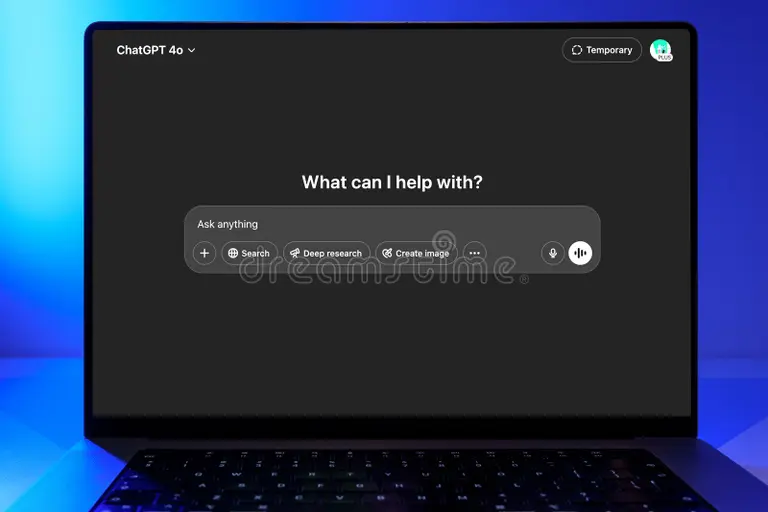
Gemini Advanced vs Free
If you've been using Google's Gemini for a while, you've probably hit that moment where you wonder, "gemini advanced vs free… is the paid version actually worth it?" It's a fair question. Google gives you a genuinely capable AI at no cost, so spending money on the premium tier feels like it should come with a pretty clear payoff.
Here's what we've found. Gemini Advanced isn't just the same tool with a fancy badge. You're getting access to Google's most powerful model (Gemini Ultra 1.0), a context window that stretches up to 1, 2 million tokens, deeper integration with your Gmail and Google Drive, and 1 TB of Google One storage bundled in at $19.99 per month.
Whether that's a smart buy depends entirely on how you're using Gemini day to day.
Quick Answer
Gemini Advanced is the premium subscription tier of Google's AI platform. The free tier gives you solid AI capabilities at $0 per month. Advanced costs $19.99 per month through Google One AI Premium.
The paid tier unlocks the most powerful model, bigger context windows, and Google Workspace integration most users don't get otherwise.
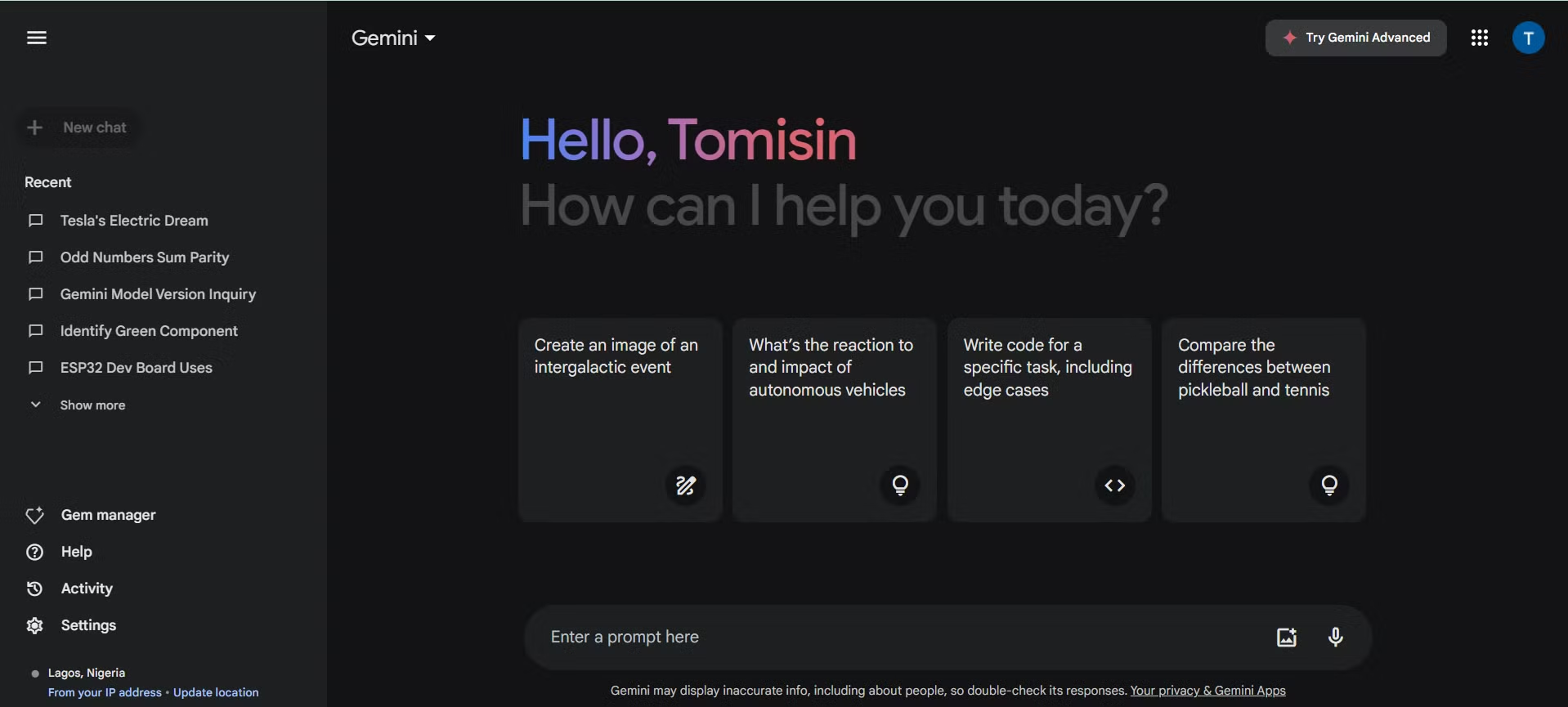
Why This Comparison Actually Matters
Google's AI branding has shifted around a fair bit over the past couple of years. What started as Bard became Gemini, then Gemini got split into tiers, and somewhere in the mix a whole lot of people ended up confused about what they're actually getting for free versus what sits behind the paywall.
The confusion isn't surprising. Google makes the free version good enough that casual users rarely feel the need to upgrade. But if you're leaning on Gemini for work, research, coding, or anything that goes beyond quick conversational questions, the gap between free and Advanced is bigger than the price difference suggests.
In our research, the key distinction came down to three things. First, which AI model is actually powering your conversations. The free tier uses capable but lighter models.
Advanced gives you Gemini Ultra 1.0, the same flagship model Google positions as competitive with the best offerings from OpenAI and Anthropic. Second, how much information you can work with in a single session. Advanced's massive context window means you can feed it entire document sets or codebases without the conversation losing the thread.
Third, whether Gemini can actually connect to your personal files, emails, and photos. That integration is locked to Advanced, and once you've used it, it's hard to go back.
Knowing these three differences makes the decision a whole lot clearer. Let's break down each tier in detail.
What You Get with Gemini (Free)
The free version of Gemini is no slouch. Google has made it genuinely useful, which is exactly why many people never feel the need to upgrade. Here's what sits in the free tier as of 2026.
First, you get access to Gemini's core conversational AI. You can ask questions, generate text, summarize articles, brainstorm ideas, and even create images. The underlying model is capable enough for most everyday tasks.
Google has rolled out lighter model variants like Gemini Flash that handle quick queries and straightforward tasks well, keeping response times snappy without costing you anything.
Second, you get 15 GB of Google One storage space. This is the same shared storage pool that covers your Gmail, Google Drive, and Google Photos. For casual users who don't pile up heavy Drive folders or email attachments, this is usually plenty.
Third, the free tier includes file upload and analysis. You can drop in documents, PDFs, and spreadsheets and ask Gemini to summarize or extract information from them. The limitation here is in how much context the model can hold at once.
Free tier conversations hit context ceilings faster, which means longer documents or extended conversations will eventually get trimmed from the beginning.
Fourth, you get the standard rate limits Google applies to all free accounts. During normal usage you probably won't notice them. But during peak usage periods or if you're hammering Gemini with back-to-back requests, you may hit temporary caps or notice slower response times.
The free tier is honestly a solid deal. It's the right fit for students on a budget, casual users who ask Gemini a handful of questions a week, or anyone testing the waters before committing to a subscription.
What Changes When You Upgrade to Gemini Advanced
This is where things get interesting. Gemini Advanced, accessed through the Google One AI Premium subscription, doesn't just remove a few restrictions. It fundamentally changes what the tool can do for you.
The most immediate difference is model quality. Advanced gives you Gemini Ultra 1.0, Google's flagship model. In benchmark testing Ultra consistently ranks among the most capable large language models in the world, particularly on complex reasoning, coding, and multi-step problem-solving tasks.
You'll notice the difference most when you're asking Gemini to handle nuanced analysis, write sophisticated code, or work through layered arguments where the free tier's lighter models can start to lose the thread.
Next is the context window. Gemini Advanced supports up to 1 to 2 million tokens depending on the current model configuration. To put that in perspective, that's roughly equivalent to feeding the entire text of a long novel into a single conversation and being able to ask detailed questions about it.
For practical purposes, this means you can upload entire codebases, multiple research papers, or large document sets and Gemini will actually retain and reason across all of that information within one session. The free tier can't come close to this.
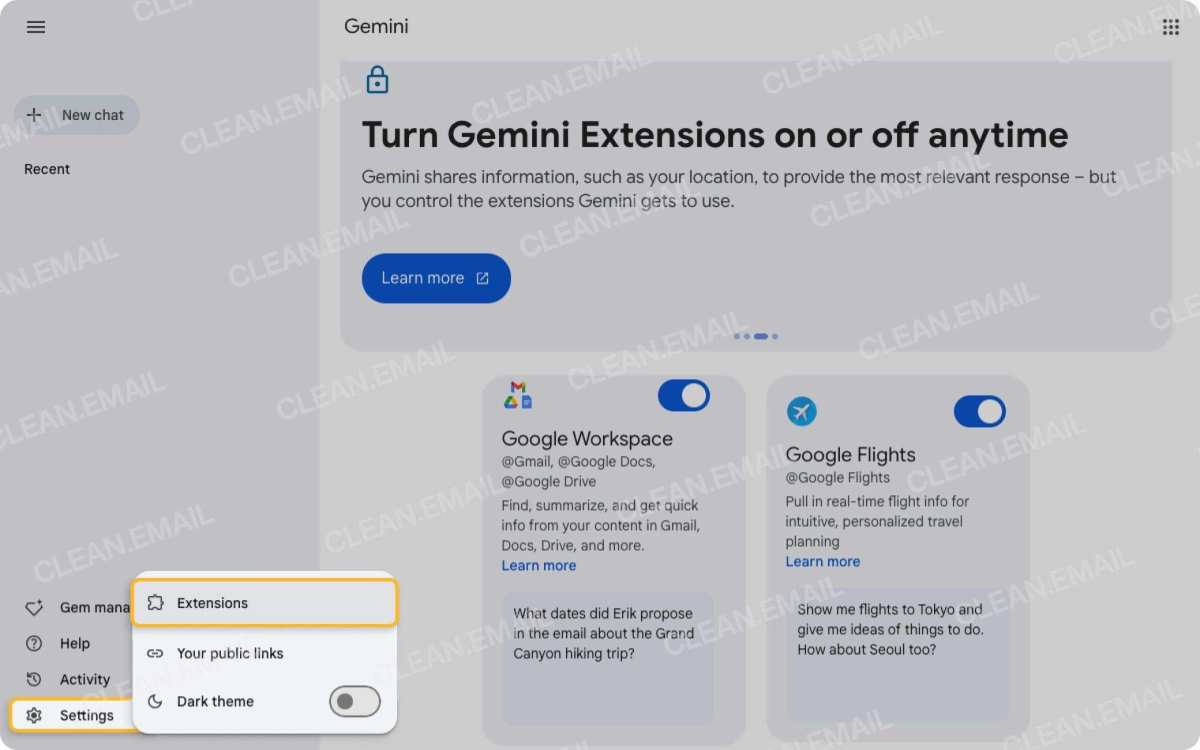
Google Workspace integration is the third major upgrade that changes daily workflows. On Advanced, Gemini can read and reference your Gmail messages, your Drive files, Google Docs, and Google Sheets. Instead of copying and pasting content manually, you can ask Gemini to "summarize the threads in my inbox from this client this week" or "look at the spreadsheet in my Drive and explain the budget variance." The free tier has no access to this.
Once you've seen your AI assistant pull directly from your actual work files, it's a feature that feels essential rather than optional.
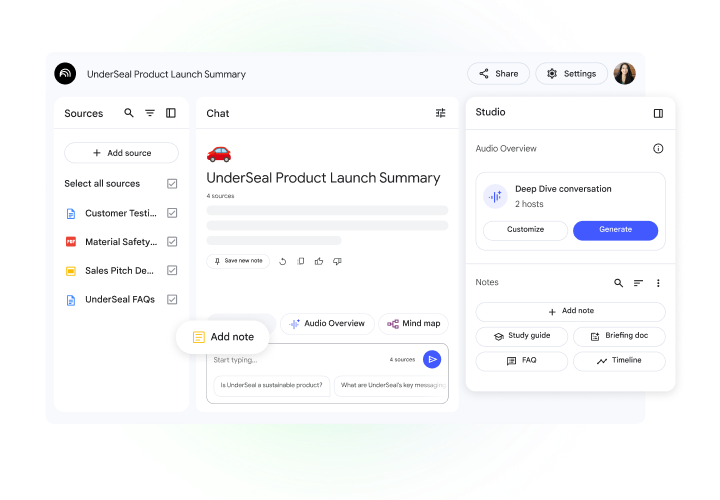
Additional perks in Advanced include access to Google's NotebookLM deep research tool, which lets you upload detailed source documents and get synthesized research output. You also get priority server access during high-traffic windows, meaning fewer slowdowns when lots of people are using Gemini simultaneously. And then there's the 1 TB of Google One storage that comes bundled with the subscription, which for many users alone justifies part of the monthly cost if you were already paying for cloud storage.
Side-by-Side: Free vs Advanced at a Glance
Sometimes you just want the numbers. Here's a clean breakdown of what separates these two tiers.

Pricing & Storage
| Feature | Gemini Free | Gemini Advanced |
|---|---|---|
| Monthly cost | $0 | $19.99 |
| Google One storage | 15 GB | 1 TB |
| Family sharing | Not available | Up to 5 members |
| Google One VPN | No | Included |
Gemini Advanced bundles the 1 TB storage, and if you were already paying Google for extra Drive space, this subscription can actually replace that separate cost. The family plan is another quietly valuable perk, a single subscription can cover up to five people, bringing the per-person cost down to roughly $4 per month.
Model Access & Intelligence
| Feature | Gemini Free | Gemini Advanced |
|---|---|---|
| Primary model | Gemini Flash / Pro | Gemini Ultra 1.0 |
| Reasoning capability | Standard | Extended thinking mode |
| Priority for new models | No | Yes |
| Advanced coding support | Basic | Full |
The model gap is the heart of this comparison. Ultra isn't just "a bit smarter." On complex tasks with multi-step reasoning, coding challenges, and nuanced analysis, the performance difference is measurably significant. Google positions Ultra as competitive with the best flagship models from OpenAI and Anthropic, and independent benchmarks generally back that up.
Context Window & Memory
| Feature | Gemini Free | Gemini Advanced |
|---|---|---|
| Approximate context window | Lower, varies by model | Up to 1 to 2 million tokens |
| Long conversation retention | Truncates early messages | Retains full context within window |
| Multi-document analysis | Limited | Robust |
This is where power users feel the biggest difference. On the free tier, a long conversation or a large uploaded document will eventually push earlier content out of the model's memory. Advanced keeps everything in play for far longer, which changes how you can use the tool fundamentally.
Workspace & Personal Data Integration
| Feature | Gemini Free | Gemini Advanced |
|---|---|---|
| Gmail integration | No | Yes |
| Google Drive access | No | Yes |
| Google Docs/Sheets reference | No | Yes |
| Google Photos search via AI | No | Yes |
This integration layer is what turns Gemini from a standalone chatbot into something that actually knows about your life and your work. Without it, you're manually copying data in and out. With it, Gemini can read and reason across your real files.
Rate Limits & Speed Priorities
| Feature | Gemini Free | Gemini Advanced |
|---|---|---|
| Standard rate limits | Yes (lower ceiling) | Yes (higher ceiling) |
| Priority server access | No | Yes |
| Slower performance during peak times | Possible | Rare |
Both tiers have rate limits, but Advanced's are significantly more generous. And when Google's servers are under heavy load, Advanced subscribers get routed to available capacity first. The free tier waits in line.
Who Should Stick with Free
Let's be honest. Not everyone needs to pay for AI. The free tier is the right call for a lot of people, and nobody should feel embarrassed about staying on it.
College students on tight budgets fall firmly in this camp. If you're mostly using Gemini for quick research, brainstorming essay outlines, or getting explanations of concepts you didn't fully grasp in lecture, the free tier handles all of that admirably. You don't need a million token context window to summarize a three-page journal article.
Casual users belong here too. People who open Gemini a few times a week to settle debates, get recipe suggestions, or ask random questions at 11 PM. The free version was built for exactly this.
It's fast, it's accurate for straightforward queries, and it costs nothing. There's genuine value in that.
Folks who primarily use AI through their phone for on-the-go questions also don't need Advanced. The mobile Gemini experience on the free tier is polished and responsive. Unless your mobile use involves analyzing long documents or pulling from your Google Drive, you won't feel the pinch.
If you've been using the free tier for a month and haven't once thought, "I wish this could do more," then you've already answered your own question. Stay free. Save your money.
Who's Actually Leaving Value on the Table by Not Upgrading
Now let's flip it. There are use cases where the free tier genuinely starts to hurt your productivity. You just might not realize it until you've experienced the difference.
Software developers working with large codebases are a prime example. When you're feeding Gemini an entire project repository or debugging across multiple files, the context window advantage is massive. Free tier users end up chunking their code into smaller pieces, losing sight of how components interact across the codebase.
Advanced users can load more of the project at once and get coherent architectural analysis.
Knowledge workers who live in their Google Workspace fall into this category too. If your daily workflow revolves around Gmail threads, Drive folders, and Google Docs collaboration, not having Gemini connected to all of that means you're doing extra manual work. Copying emails into a prompt, pasting Drive file contents by hand.
Advanced users just say, "summarize my last week of emails from this client" and get an answer pulled from their actual inbox.
Researchers and analysts who work with large document sets will hit free tier limits fast. Graduate students reviewing literature, paralegals scanning case documents, market researchers analyzing competitor reports. When you need to synthesize information across dozens of documents, Advanced's expanded context window isn't a luxury.
It becomes a necessity.
Content creators producing long-form work benefit as well. Bloggers, newsletter writers, and scriptwriters who draft within extended creative sessions will notice that the free tier loses track of earlier parts of long conversations. Advanced holds cohesion across much longer creative sessions.
Finally, anyone already paying for more than 1 TB of Google cloud storage. If you're spending $9.99 per month on the standard 2 TB Google One plan, upgrading to include Gemini Advanced for $19.99 total gets you every Advanced feature at a price that's marginal on top of what you're already paying. The math works heavily in your favor here.
Real Scenarios: Which Tier Wins in Practice
Abstract comparisons only go so far. Let's look at specific situations where this decision plays out.
The College Student Writing a Thesis
A master's student named Priya needs to synthesize 40 journal articles for her literature review. On the free tier, she can upload a few papers at a time, but Gemini loses the ability to cross-reference between papers after the context window fills up. She's forced to take meticulous manual notes to track themes across sources.
With Advanced, she uploads more simultaneously. Gemini Ultra 1.0 maintains references across the larger set, pointing out contradictions and connections between papers without her needing to manually catalog everything. NotebookLM adds another layer, letting her query her entire source collection with citations.
Winner: Advanced. For heavy academic research, the upgrade pays for itself in time saved within the first week.
The Freelancer Juggling Client Work
Marcus is a freelance marketing consultant. He has four active clients, each with their own Google Drive folders full of briefs, analytics reports, and creative assets. On the free tier, he spends 20 minutes each morning manually reviewing the latest emails and documents from each client.
With Advanced, he asks Gemini to summarize overnight email activity per client, then pulls relevant numbers from the latest analytics spreadsheets in each client's Drive folder. That morning review shrinks to five minutes. Over a month, he saves roughly six hours.
Winner: Advanced. The Workspace integration alone justifies the cost for anyone managing multiple clients or projects through Google tools.
The Parent Managing a Household
Sarah uses Gemini to help plan meals, answer her kids' homework questions, and occasionally figure out quick fixes around the house. She doesn't work in Google Docs much. Her Gmail is mostly newsletters and order confirmations.
She might open Gemini three or four times a week.
For Sarah, the free tier does everything she needs. The 15 GB storage isn't great for her photo backup, but that's a separate issue from whether Gemini itself needs upgrading.
Winner: Free. Light personal use simply doesn't push against any of the free tier's boundaries.
The Developer Working with Large Codebases
James maintains a mid-sized web application with roughly 200 files across a React frontend and Node backend. On the free tier, when he asks Gemini to help trace a bug through the codebase, he has to manually specify which files to examine because the context window can't hold enough of the project to see cross-file relationships reliably.
With Advanced, he points Gemini at a broader directory structure. Ultra 1.0 traces data flow across dozens of files, identifies where state management breaks down, and suggests fixes that account for the full architecture rather than isolated snippets.
Winner: Advanced. For serious development work, the context window and model capability difference is not subtle.
What You Lose When You Downgrade from Advanced
This matters more than people expect. If you've been using Advanced for a month or more and then your subscription lapses, the downgrade isn't just about losing a few bells and whistles. Your workflows actively break.
The first thing you'll notice is that Gemini forgets your documents. Those conversations where it was referencing your actual Gmail threads and Drive files? Those connections go dark.
You can still ask general questions, but the integration layer is simply gone. You'll find yourself manually copying and pasting information you previously got for free.
The second hit is context window size. After working with 1 to 2 million tokens of context, dropping back to the free tier's limits feels clunky. Longer documents get truncated.
Multi-file analysis requires more manual effort. Conversations that spanned thousands of messages start trimming earlier content aggressively.
Third is model quality. Going back to lighter models after using Ultra 1.0 on complex tasks can feel noticeable. The responses are still good.
They're just not quite as sharp on nuanced reasoning. You'll feel it most on coding tasks, complex analysis, and anything requiring multi-step logic.
Our research indicates this "downgrade shock" is one of the most common reasons people renew after trying Advanced. Not because Google is doing anything nefarious, but because the experience genuinely does less for you once you've seen what full capability looks like.
Is the Price Tag Actually Worth It?
At $19.99 per month, Gemini Advanced costs the same as ChatGPT Plus and slightly more than some competing tiers. The honest answer is that value depends entirely on usage patterns.
If you're using Gemini fewer than ten times per month for general questions, no, it's not worth it. The free tier serves you perfectly well and spending twenty dollars a month for something you barely use is never a good deal.
If you use Gemini daily for work, the math shifts quickly. Ten hours saved per month at even a modest professional rate makes the subscription essentially free. Knowledge workers, developers, researchers, and content creators regularly report that Advanced saves them multiple hours weekly.
That compounds fast.
The storage bundling makes the price easier to swallow for many people. If you were already paying $9.99 per month for 2 TB of Google One storage, the additional cost for Advanced drops to $10 per month. At that price point, Gemini Ultra 1.0 plus full Workspace integration becomes a genuinely strong deal compared to standalone AI subscriptions.
Common Misunderstanding: What Advanced Doesn't Do
A few expectations need correcting. Advanced doesn't make Gemini infinite. You still face limits, they're just higher.
Very long sessions will eventually hit context boundaries, and Gemini may still trim older conversation history.
Advanced also doesn't make Gemini omniscience. It still relies on web search grounding for recent events. The knowledge cutoff still applies, Ultra isn't real-time without search enabled.
Users expecting live stock prices or breaking news without confirming search settings will hit the same walls as free users.
Finally, Advanced doesn't give you enterprise administration. Centralized billing, team management controls, and SLA guarantees live under separate Google Workspace enterprise tiers. Don't confuse consumer Advanced with business-grade tooling.
How to Decide in 60 Seconds
You don't need a spreadsheet. Three questions give you the answer:
- Do you use Gemini daily for work or heavy research? If yes, lean Advanced. Everyday professional use almost always earns back the subscription cost.
- Do you work frequently in Gmail, Drive, or Google Docs? If yes, Advanced is where those connections actually live. Without it, you're doing manual glue work the paid tier eliminates.
- Have you hit free tier limits in the past month? Context ceilings during long chats, slower responses during peak hours, frequent rate-limit pauses. If you've noticed any of these, you've already answered the question.
If you said no to all three, stay free without guilt. The tier is built for you.
Frequently Asked Questions
Can I try Gemini Advanced before paying?
Google periodically offers a free one-month trial of Google One AI Premium. This lets you test Advanced without spending anything upfront. Availability varies by region, so check one.google.com to see whether the trial option shows up for your account.
Does the family plan actually save money?
Yes, for households that use it. A single Google One AI Premium subscription allows up to five family members to access Advanced features. Split across five people, that's roughly $4 per person per month, dramatically cheaper than individual subscriptions.
Is my data safe when Gemini reads my emails?
Google's policy states Workspace data used by Gemini is not used to train its models. You maintain control through auto-delete settings, which let you wipe conversation history at 3, 18, or 36-month intervals. That said, if you are uncomfortable with AI accessing personal email content, these integrations may give you pause even with those protections in place.
Can I cancel anytime?
Yes. Google One subscriptions are month-to-month through most signup paths. Canceling reverts you to the free tier and 15 GB storage at the end of your current billing cycle.
No cancellation fees, though you lose Advanced features immediately upon reversion.
Does Advanced work on iPhone and Android?
Yes. Gemini Advanced works through the Gemini mobile app and the Gemini web interface across devices. Once your account is upgraded, every device you sign into gets Advanced features automatically.
The Bottom Line: My Honest Recommendation
Gemini's free tier is the best free AI chatbot offering available today. Let that sink in, you get a genuinely powerful tool at zero cost, and for many people that's all they'll ever need. Casual users, budget-conscious students, and anyone using AI for light personal tasks should stay free and feel good about it.
But if your work runs through Google Workspace, if you're wrestling large documents or codebases regularly, or if you've noticed yourself bumping against free tier walls, Gemini Advanced is a strong buy at $19.99 per month. Ultra 1.0 is a genuine flagship model, the Workspace integration saves real time, and the bundled storage sweetens the deal. For power users, the subscription often pays for itself within the first week.
 ✓
✓Chris Nolan
Senior Hardware & Tech Editor · Lead Benchmark SpecialistChris Nolan leads consumer electronics benchmarking and hardware diagnostics at TechBink. With over 15 years of laboratory stress-testing experience across mobile silicon, PC computing architectures, and cutting-edge gadgetry, Chris provides objective, data-backed hardware reviews and teardowns.

Similar Posts