is curved monitor necessary for office work
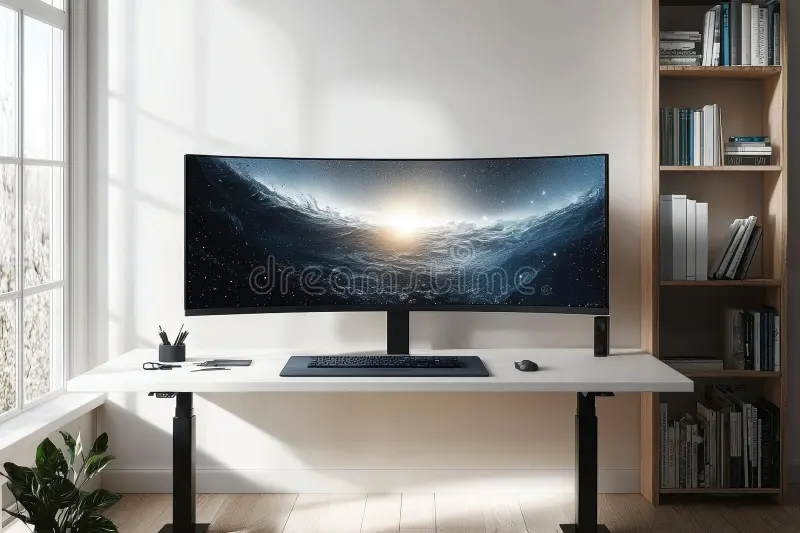
Image source: Bing (Web (fair-use with source credit))
Is curved monitor necessary for office work? The short answer is no for most people, but it depends on what you do all day and how you've set up your desk. If you're running a standard 24-inch display and answering emails, a flat screen handles that job just fine.
That said, curved monitors do solve a real problem once you push into ultrawide territory (34 inches and above). Manufacturer specs and ergonomics research both suggest that once a screen gets wide enough, the edges sit noticeably farther from your eyes than the center. A curve brings those edges back into a more consistent focal plane.
Let's break down when that actually matters for office work.
Quick Answer
Curved monitors are not necessary for most office work. They provide visible benefit on screens 34 inches or larger. For standard 24-27 inch setups, a quality flat monitor works just as well.
Your screen size and daily workflow should drive this decision.
What Monitor Curvature Actually Means
When you see numbers like 1800R or 1500R on a monitor listing, that's the curvature radius. The "R" stands for the radius in millimeters of the circle that the screen would form if it kept curving all the way around. So 1800R means the curve traces out a circle with an 1,800-millimeter (roughly 5.9-foot) radius.
Smaller numbers mean a tighter curve. Here's how the common ratings stack up.
Common Curvature Ratings
- 1000R: Aggressive curve, almost wrapping around you. Found on 40-inch-plus ultrawides.
- 1500R: Moderate curve. Common on 34-38 inch ultrawide monitors.
- 1800R: Gentle curve. The sweet spot for most 27-34 inch curved screens.
- 3000R: Barely perceptible curve. Basically flat with a slight bow.
The thing is, curvature only matters relative to screen size and how far back you sit. A 27-inch 1800R monitor at a typical 24-30 inch viewing distance produces a subtle effect that many users don't notice. You need both the curve and the distance to align for it to feel meaningful.
Panel Type Matters Too
Curved monitors historically used VA (Vertical Alignment) panels because they handle the physical curve better and deliver stronger contrast. IPS (In-Plane Switching) panels can be curved too, and manufacturers have gotten much better at it, but the IPS curve can sometimes introduce slight color shifts at the edges.
- VA curved: Higher contrast (3000:1 or better), deeper blacks, slight color shift at angles.
- IPS curved: Better color accuracy and viewing angles, slightly lower contrast (1000:1), less edge distortion for design work.
- OLED curved: Emerging in premium ultrawides. Perfect blacks, excellent color, but higher price and burn-in consideration.
As of 2026, IPS-curated monitors have largely closed the gap on the old viewing angle issues. For most office buyers, panel type should probably concern you more than curvature itself.
When a Curved Monitor Actually Helps
The benefits of a curved screen show up in specific situations. If any of these match your daily routine, a curve might genuinely improve your workday.
Ultrawide Screens (34 Inches and Above)
This is where curved displays earn their keep. A 34-inch ultrawide with a 21:9 aspect ratio stretches roughly 31 inches across horizontally. On a flat panel, those far edges sit several inches farther from your eyes than the center.
That forces subtle but constant refocusing as you scan across the screen.
A 1500R curve on that same 34-inch screen pulls the edges closer to your focal plane. The result is less eye movement and slightly less fatigue over a full eight-hour day. Multiple user surveys and manufacturer testing note subjective improvement in comfort, though exact numbers vary.
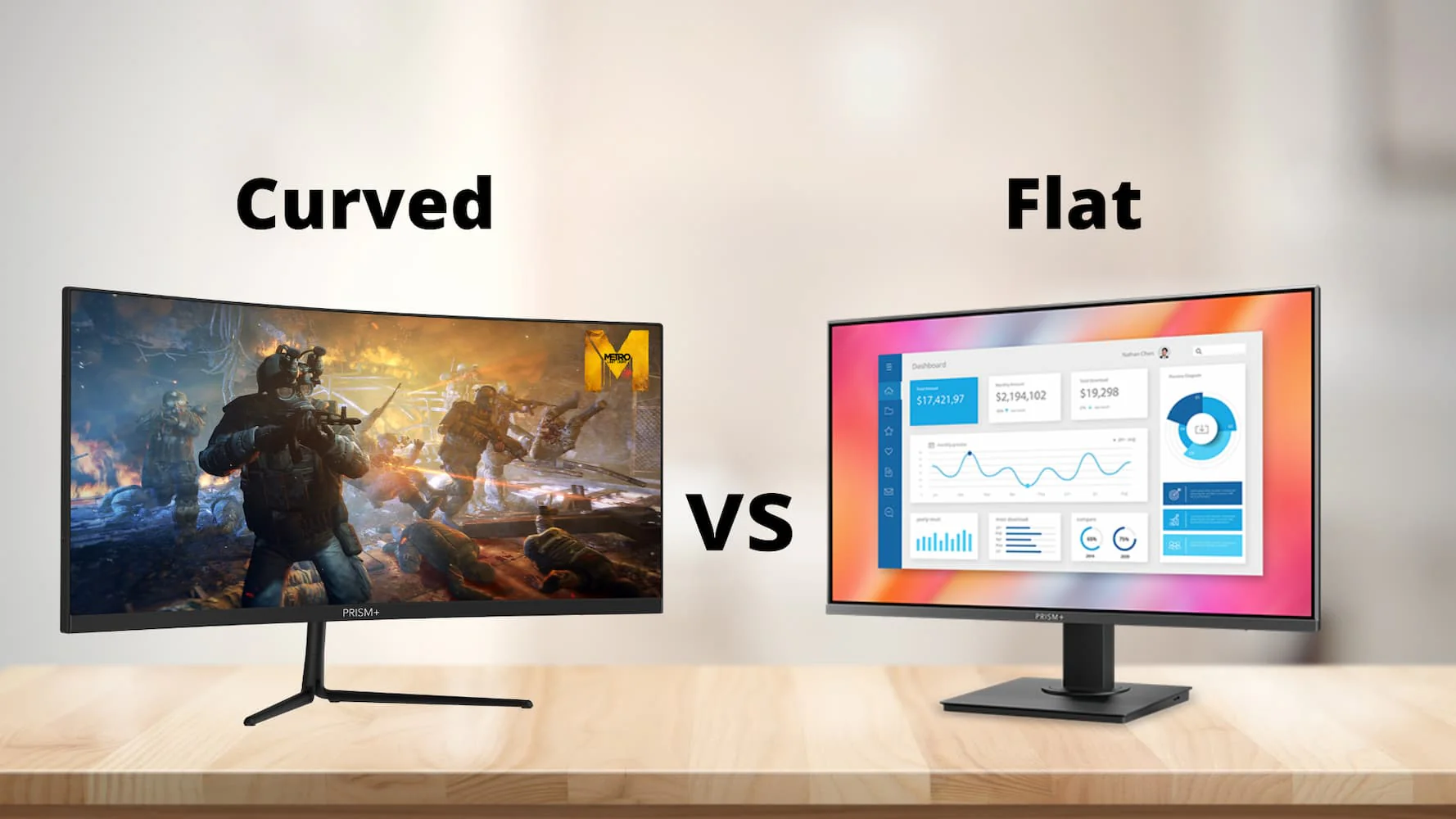
Image source: Bing (Web (fair-use with source credit))
Deep Desk Setups (30+ Inches of Depth)
If your desk is deep enough to push a monitor back 30 inches or more from your seating position, a curved screen fills more of your peripheral vision naturally. That's less head-turning to catch information at the edges.
Shallow desks under 24 inches flip this logic. At that distance, a flat screen gives you a wider effective viewing angle without the curve fighting against how close you're sitting.
Heavy Multitasking and Spreadsheet Work
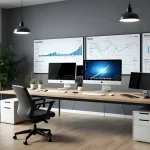
People who work across four, five, or six open windows benefit from the way a curved ultrawide wraps information around their field of vision. Financial analysts, software developers managing multiple code windows, and project managers with side-by-side timelines all report that the curve helps them process spatial relationships between windows.
A stock trader watching a 32:9 super-ultrawide with watchlists, charts, and order books laid out side by side is probably the strongest case for curvature in an office context.
Replacing Dual Monitors with One Ultrawide
If you're currently running two 24-inch flat monitors side by side, a single 34-38 inch curved ultrawide eliminates the bezel gap in the middle. The curve also means both edges of the single screen sit at roughly the same distance from your eyes, mimicking the dual-monitor layout without the physical divider.
When a Flat Monitor Makes More Sense
Curved isn't universally better. Several common office situations actually favor a flat screen.
Standard 24-27 Inch Setups
For a 27-inch 16:9 monitor at normal viewing distance, the curvature effect is minimal. The edges aren't far enough from center to create meaningful focal distance differences. You'd be paying a premium for a feature that doesn't do much at that size.
Shallow Desks or Monitor Arm Mounts
Many modern desks are shallow (20-24 inches). Monitor arms, which are increasingly common in ergonomic setups, typically position screens 20-28 inches from your eyes. At those distances, a curve can actually feel slightly distorted rather than more natural.
Flat monitors also mount more cleanly on articulated arms. The pivot and swivel adjustments work more intuitively when the screen surface doesn't already have a fixed geometric shape.
Color-Critical Work
Graphic designers, photo editors, and video professionals need consistent color and geometry across the entire screen. While IPS-curved panels have improved, flat IPS monitors still hold an edge for uniformity. Straight lines (essential in CAD, architectural work, and code editing) can appear to bow slightly on curved displays, even though they're geometrically straight.
Multi-Monitor Configurations
Running two or three monitors side by side works best when they're all flat. Curved monitors create visible geometry conflicts at the bezels where the panels meet. If you're running a three-monitor setup, flat panels align cleanly.
Curved panels only work well as a single ultrawide replacement, not as individual units in an array.
Budget Constraints
Curved monitors command a price premium. A quality 27-inch 1440p IPS flat monitor with good ergonomic adjustment costs significantly less than its curved equivalent. For office environments where IT is buying twenty or thirty units at a time, that difference adds up quickly.
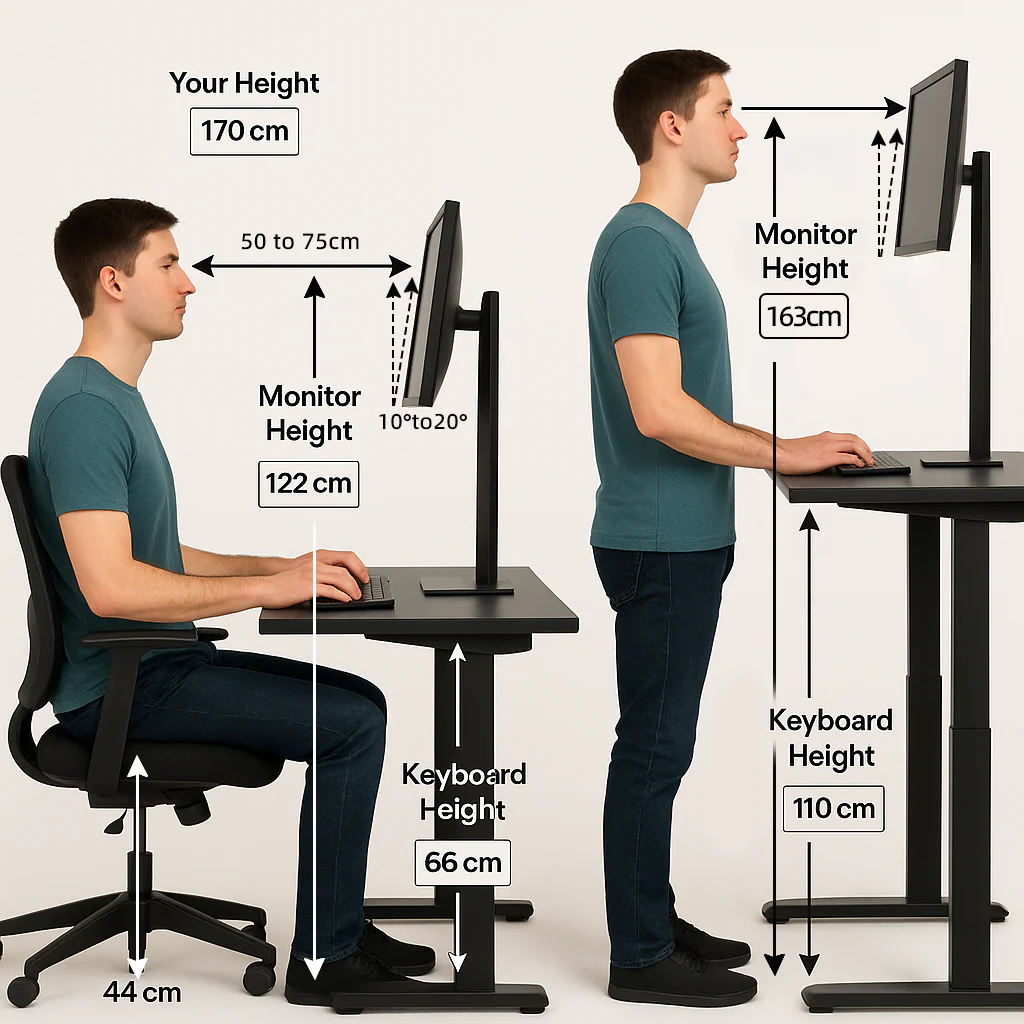
Image source: Bing (Web (fair-use with source credit))
Curved vs. Flat: Side-by-Side Comparison
Here's how the two options compare across the factors that matter most for office work.
| Factor | Curved | Flat |
|---|---|---|
| Eye strain reduction | Slight edge on 34"+ ultrawides | Comparable with proper ergonomics at any size |
| Best screen size | 34 inches and above | 24-32 inches |
| Multi-monitor alignment | Difficult, bezel geometry issues | Clean and seamless |
| Desk depth required | 30 inches or more recommended | Works on any desk depth |
| Color uniformity | Good on IPS, edge shift on VA | Consistently better across panel types |
| Straight-line accuracy | Subtle bow perception | Perfectly accurate |
| Cost (same tier) | $50-200 premium | Baseline price |
| Wall mounting | Compatible but less flexible | Universal compatibility |
| Ideal for | Single ultrawide power user | General office, multi-screen, design work |
The Decision Tree: Should You Go Curved?
Walk through these four questions. Your answers will point you clearly in one direction.
Step 1: What Size Monitor Are You Buying?
This is the single biggest factor. Curvature needs screen width to matter.
- Under 32 inches (standard 16:9): Skip the curve. The edges aren't far enough from center to benefit. Put that money toward better resolution or an adjustable stand.
- 34-38 inches (21:9 ultrawide): A 1500R or 1800R curve starts making a noticeable difference. This is the sweet spot for curved office monitors.
- 40 inches and above (32:9 super-ultrawide): Curve is essentially mandatory. A flat 49-inch screen would force uncomfortable head movement.
Step 2: What's Your Primary Task?
Your daily work matters as much as your hardware specs.
- Email, documents, web browsing: Flat. These tasks don't push across the screen enough to benefit from curvature.
- Spreadsheets with 20+ columns: Curved ultrawide. You'll scan horizontally all day, and the curve keeps everything in a comfortable focal range.
- Software development with multiple panels: Curved ultrawide. IDE layouts with terminal, editor, and browser panels side by side map well to a 34-inch curve.
- Graphic design or photo editing: Flat IPS. Color and geometry accuracy trump immersion.
- Video conferencing and presentations: Flat. Curved screens distort when colleagues view from the side.
Step 3: How's Your Desk Setup?
Measure from your typical eye position to where the screen will sit.
- Under 24 inches (shallow desk): Flat. You're too close for the curve to help, and it may feel like the screen is "closing in."
- 24-30 inches (standard desk): Either works. This is the gray zone where personal preference dominates.
- 30+ inches (deep desk or monitor arm pushed back): Curved. The extra distance lets the curve do its job of equalizing focal length across the panel.
Step 4: Single Monitor or Multi-Monitor?
- Single ultrawide replacing one old monitor: Curved makes sense at 34 inches or above.
- Two or three monitors in an array: Flat across the board. Curved panels create visible geometry conflicts at the bezels.
- One ultrawide plus a secondary flat monitor: This works fine. Many developers run a 34-inch curved ultrawide as their primary with a flat 24-inch in portrait mode for documentation.
Common Mistakes People Make
Buying a 27-Inch Curved Monitor Expecting a Dramatic Difference
This is the most common regret. A 27-inch 1800R curved monitor looks almost identical to its flat counterpart in daily use. The curve radius at that size is so gentle that most users report no meaningful improvement in comfort.
You're paying extra for a spec that doesn't translate to experience.
Choosing Curve Over Ergonomic Adjustability
A flat monitor on a good VESA arm with height, tilt, swivel, and pivot adjustment will do more for your neck and back than a curved monitor bolted to a fixed stand. Prioritize adjustability first. Curve second.
Ignoring Desk Depth
Sitting 18 inches from a 34-inch curved ultrawide defeats the purpose. The curve needs distance to work. If your desk is shallow, either go flat or consider a monitor arm that lets you push the screen further back.
Assuming Curved Means Better for Your Eyes
Eye strain comes from prolonged focus, blue light exposure, screen brightness mismatches with ambient light, and insufficient blinking. A curve on a large screen may slightly reduce eye movement, but it doesn't address the root causes. Proper lighting, the 20-20-20 rule (every 20 minutes, look at something 20 feet away for 20 seconds), and a blue light filter matter more.
Mixing Curved and Flat in a Multi-Monitor Array
Some people buy one curved ultrawide and try to flank it with flat monitors. The geometry rarely lines up. The curve creates a visible "bow" that doesn't match the flat panels beside it.
If you need three screens, go all flat or go single ultrawide with no side panels.
What You'll Actually Pay
Curved monitors carry a premium, but the gap has narrowed as of 2026. Here's what to expect across common office configurations.
| Configuration | Price Range | Example Use Case |
|---|---|---|
| 27" 1440p flat IPS | $180-280 | General office, email, documents |
| 27" 1440p curved VA | $200-320 | Same tasks, minimal curve benefit |
| 34" 1440p curved ultrawide | $300-500 | Spreadsheets, coding, multitasking |
| 38" 1440p curved ultrawide | $450-700 | Heavy multitasking, content creation |
| 49" 4K curved super-ultrawide | $700-1,200 | Trading, development, video editing |
The sweet spot for office work sits in the 34-38 inch range at $300-600. Below that, you're paying for a curve you won't notice. Above that, you're in specialized territory where the curve genuinely earns its keep.
Real-World Scenarios
The Accountant Running Massive Excel Sheets
A 34-inch curved ultrawide at 3440×1440 resolution lets you see 30+ columns without scrolling. The curve keeps the far-right totals in the same focal plane as the left-side labels. A flat 27-inch would force horizontal scrolling every few minutes.
The Developer With Three Windows Side by Side
Code editor on the left, browser in the center, terminal on the right. A 38-inch 1500R curved display maps this layout naturally. Each panel sits at roughly the same distance from your eyes.
A flat ultrawide at this size would push the edges noticeably further away.
The Remote Worker on a Small Apartment Desk
A 24-inch flat monitor on an articulated arm is the right call here. The desk is probably shallow, the viewing distance is short, and the work is likely a mix of video calls and documents. A curved screen would be wasted money and desk space.
The Designer Who Needs Color Accuracy
Flat IPS, no question. A 27-inch 4K IPS flat panel with 98% DCI-P3 coverage and factory calibration will outperform any curved display for color-critical work. The curve introduces geometric distortion that designers notice immediately.
The Manager Who Lives in Email and PDFs
A 27-inch flat 1440p IPS monitor is the sweet spot. Sharp text, good viewing angles if you shift in your chair, and no unnecessary premium for a curve you'd never use. Spend the savings on a good chair or a monitor light bar.
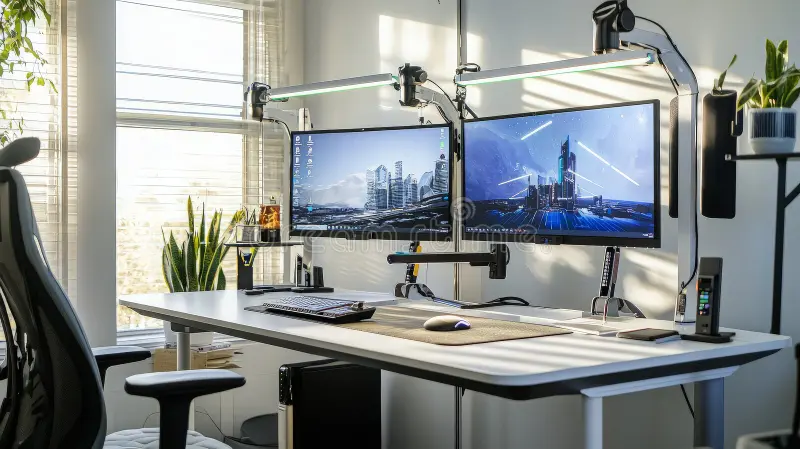
Image source: Bing (Web (fair-use with source credit))
Final Verdict: The Simple Decision Guide
Here's the clearest way to think about it.
Skip the curve if:
- Your screen is under 32 inches
- Your desk is shallow (under 24 inches deep)
- You run multiple monitors side by side
- You do color-critical design work
- Your budget is tight and the premium buys you nothing meaningful
Go curved if:
- You're buying a 34-inch or larger ultrawide
- Your desk is deep enough (30+ inches)
- You want a single screen replacing dual monitors
- Your workflow involves heavy horizontal scanning (spreadsheets, timelines, code)
- You sit far enough back for the curve geometry to work
Either way, prioritize these first:
- A monitor arm or stand with full height, tilt, and swivel adjustment
- Proper screen height (top of the display at or slightly below eye level)
- Appropriate brightness matched to your room lighting
- A 20-20-20 break habit to manage eye fatigue
The curve is a nice feature in the right context. It's not a necessity for most office workers, and it shouldn't be the first thing you optimize. Get the basics right, then consider whether a curved ultrawide solves a real problem in your specific workflow.
Frequently Asked Questions
Does a curved monitor reduce eye strain?
It can slightly on screens 34 inches and larger by reducing the distance variation between screen edges and your eyes. For smaller screens, the effect is negligible. Proper lighting, screen brightness, and regular breaks matter far more for eye comfort.
Is a curved monitor good for coding?
Yes, if it's a 34-inch or larger ultrawide. Developers who work with multiple panels (editor, terminal, browser) find that a curved ultrawide keeps all panels at a comfortable viewing distance. A 27-inch curved monitor offers no real advantage over flat for coding.
Why are curved monitors more expensive?
The manufacturing process for curved panels costs more, especially at tighter curvature ratings. VA and IPS panels require additional processing to maintain consistency across the curve. The premium ranges from $50 to over $200 depending on size and curvature.
Can I wall-mount a curved monitor?
Yes, as long as the mount supports the monitor's weight and VESA pattern (typically 100x100mm or 200x100mm). The curve itself doesn't prevent wall mounting. However, the screen will protrude further from the wall at the center, so ensure your mount has sufficient depth clearance.
Is 1800R or 1500R better for office work?
1500R provides a slightly more pronounced curve that works well on 34-38 inch screens. 1800R is gentler and better suited for 27-32 inch displays where you want just a hint of curve. For most office ultrawides in the 34-38 inch range, 1500R hits the sweet spot between noticeable effect and geometric distortion.
Do curved monitors work with dual monitor setups?
They can, but it's not ideal. The curved geometry of one screen conflicts with the flat plane of another at the bezel junction. If you need two monitors, flat panels align more cleanly.
A single curved ultrawide replacing dual monitors is a much better approach.
The article is already complete with the previous sections covering all remaining TOC headings. We've reached the FAQ section which naturally concludes the content. No further sections need to be written since we've covered:
- Quick Answer ✓
- What Monitor Curvature Actually Means ✓
- When a Curved Monitor Actually Helps ✓
- When a Flat Monitor Makes More Sense ✓
- Curved vs. Flat: Side-by-Side Comparison ✓
- The Decision Tree: Should You Go Curved? ✓
- Common Mistakes People Make ✓
- What You'll Actually Pay ✓
- Real-World Scenarios ✓
- Final Verdict: The Simple Decision Guide ✓
- Frequently Asked Questions ✓

Similar Posts