Gemini vs Claude
Picking between Google Gemini and Anthropic Claude is one of the most common questions I hear from developers, writers, and business teams right now. Both are genuinely capable large language models, but they're built on different philosophies and they shine in different situations. The "best" choice depends entirely on what you're trying to accomplish.
In our research, we've found that Gemini 2.5 Pro offers a context window exceeding 1 million tokens, while Claude 4 Opus tops out around 200,000 tokens. That gap alone tells you a lot about how each model was designed. Let's break down exactly where each one wins, where they stumble, and which one deserves your time.
Quick Answer
Google Gemini excels at real-time information, Google Workspace integration, and multimodal tasks like video and audio understanding. Claude leads on deep reasoning, nuanced writing quality, and complex coding tasks. For everyday productivity tied to Google's ecosystem, Gemini is the stronger pick.
For research, analysis, and professional writing, Claude tends to deliver more refined results.
What Google Gemini Does Better Than Claude
Google Gemini has a structural advantage that's hard to ignore. It's built directly into the Google ecosystem, which means it can pull from your Gmail, Google Drive, Google Photos, and live search results without any extra setup. If you live inside Google Workspace, that integration alone makes Gemini worth using daily.
Here's where Gemini pulls ahead:
- Real-time web search integration. Gemini grounds its responses in live Google Search results. You get current information without needing a separate browsing tool. Claude can access the web too, but Gemini's connection feels more seamless and native.
- Multimodal breadth. Gemini handles text, images, audio, and video natively. You can upload a video and ask Gemini to summarize it or pull specific moments. Claude's multimodal support is strong on images and text, but video understanding is where Gemini clearly leads.
- Google Workspace connectivity. Gemini can read your emails, pull data from Sheets, reference Docs, and search your Photos library. For enterprise teams already on Google Workspace, this is a massive productivity boost.
- Generous free tier. Google AI Studio gives you access to capable Gemini models at no cost, with reasonable daily limits. You can experiment extensively before committing to a paid plan.
- Massive context window. Gemini 2.5 Pro supports over 1 million tokens of context. That means you can feed it enormous documents, entire codebases, or lengthy research papers in a single prompt.

The tradeoff is that Gemini can sometimes feel verbose. It tends to over-explain answers, and its writing style occasionally lacks the polish that Claude delivers. For quick factual lookups and ecosystem-driven tasks, Gemini is excellent.
For nuanced creative or analytical work, you might find yourself editing its output more than you'd like.
What Claude Does Better Than Gemini
Claude was built by Anthropic with a focus on reasoning depth, safety, and producing high-quality written output. If your primary use case involves writing, analysis, or complex problem-solving, Claude consistently delivers more refined results.
Here's where Claude takes the lead:
- Reasoning and analytical depth. Claude 4 Opus performs exceptionally well on graduate-level reasoning benchmarks like GPQA. When you need a model to work through multi-step logic, evaluate tradeoffs, or analyze complex arguments, Claude tends to produce more structured and accurate responses.
- Writing quality and tone control. Claude's output reads more naturally and maintains consistent tone across long-form content. Writers, researchers, and marketers often prefer Claude for drafting articles, reports, and professional communications.
- Coding proficiency. Claude scores at or near the top on HumanEval and other coding benchmarks. It handles complex debugging, architecture decisions, and multi-file refactoring with impressive reliability.
- Instruction following. Claude is notably good at sticking to formatting requirements, style guides, and specific output structures. If you need JSON output, markdown formatting, or a particular voice, Claude follows directions precisely.
- Constitutional AI safety approach. Anthropic's training methodology emphasizes helpfulness without being overly cautious. Claude refuses fewer reasonable requests than some competitors while still maintaining strong safety guardrails.
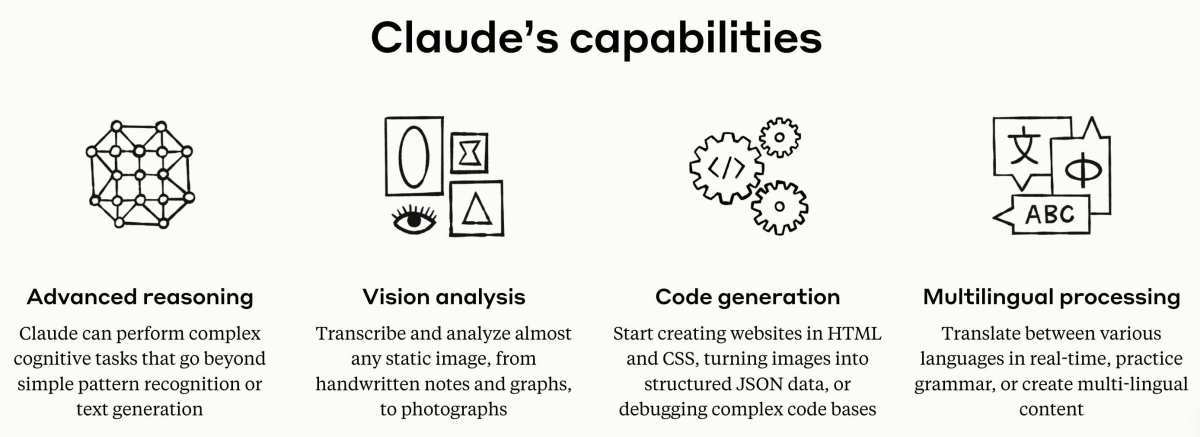
The main limitation is Claude's smaller context window at 200,000 tokens. That's still substantial, but if you regularly work with massive documents or entire codebases, you'll hit that ceiling faster than with Gemini. Claude also lacks the deep Google ecosystem integration that makes Gemini so convenient for Workspace users.
Head-to-Head: Side-by-Side Comparison Table
Here's a direct comparison across the factors that matter most when choosing between these two models:
| Feature | Google Gemini 2.5 Pro | Claude 4 Opus |
|---|---|---|
| Developer | Google DeepMind | Anthropic |
| Context Window | 1,000,000+ tokens | 200,000 tokens |
| Real-time Web Search | Native Google Search integration | Available via tool use |
| Multimodal Support | Text, image, audio, video | Text, image |
| Google Workspace Integration | Full (Gmail, Drive, Docs, Sheets, Photos) | None |
| Coding Performance | Strong | Excellent |
| Writing Quality | Good, occasionally verbose | Excellent, more natural tone |
| Reasoning Depth | Very strong | Excellent |
| Free Tier | Yes, via Google AI Studio | Limited free access via claude.ai |
| Paid Personal Plan | Google AI Pro (via Google One) | Claude Pro at $20/month |
| API Pricing | Per 1M tokens, varies by model | Per 1M tokens, varies by model |
| Enterprise Deployment | Vertex AI | API, Amazon Bedrock |
| Safety Approach | Google AI safety framework | Constitutional AI |
This table gives you the structural differences, but real-world performance varies by task. A model that wins on benchmarks might still feel wrong for your specific workflow. Testing both with your actual prompts is always worth the time.
Gemini vs Claude for Coding and Development
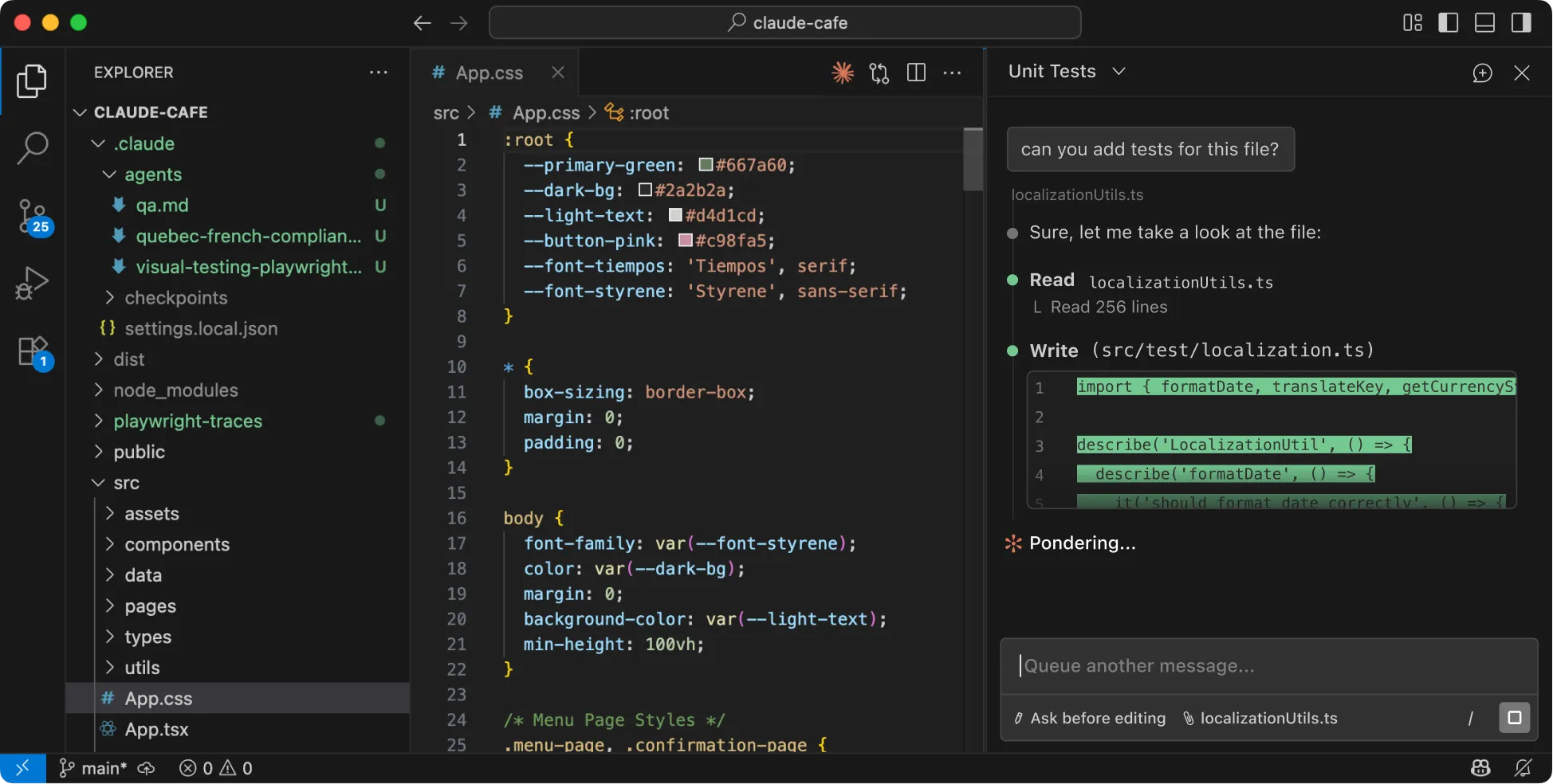
Coding is where this comparison gets interesting because both models are genuinely strong, but they approach problems differently.
Claude has earned a reputation among developers as the more reliable coding assistant. It excels at understanding complex codebases, suggesting architectural improvements, and producing clean, well-documented code. When you're debugging a tricky issue or refactoring a large project, Claude's reasoning depth gives it an edge.
It tends to explain its changes clearly and anticipate edge cases.
Gemini holds its own on coding tasks and offers some unique advantages. Its million-token context window means you can load an entire repository into a single prompt. For large-scale code review or understanding unfamiliar codebases, that's a real practical benefit.
Gemini also integrates well with Google Cloud development tools and Firebase.
Choose Claude for coding if:
- You need deep reasoning about complex logic or architecture
- You want cleaner, more production-ready code on the first pass
- You're working within a 200K token context window
- You value detailed explanations of code changes
Choose Gemini for coding if:
- You're working with very large codebases that benefit from the 1M token window
- You're already in the Google Cloud ecosystem
- You need multimodal input, like analyzing screenshots or diagrams alongside code
- You want free access to a capable coding model via Google AI Studio
Many developers we've spoken with end up using both. Claude for the heavy analytical lifting and Gemini for quick lookups, large-context tasks, and Google ecosystem workflows.
Gemini vs Claude for Writing and Research
Writing and research are where Claude's strengths become hard to overlook. Claude consistently produces output that reads more naturally, with better flow and more appropriate tone for professional contexts. If you're drafting reports, articles, academic papers, or client communications, Claude tends to need less editing.
Gemini is perfectly capable of generating solid written content, but it has a tendency to be more verbose. It often over-explains points or adds unnecessary qualifiers that you'll end up trimming. For quick drafts or brainstorming sessions, that's fine.
For polished output, Claude has the edge.
For research specifically, consider this:
Claude's reasoning depth makes it better at synthesizing information from multiple sources, identifying contradictions, and drawing nuanced conclusions. When you feed Claude a collection of research papers or data, it tends to produce more structured and insightful analysis.
Gemini counters with its live search integration. When you need the most current information, like breaking news, recent statistics, or the latest research findings, Gemini's connection to Google Search gives it an advantage. You're not limited by a training data cutoff.
Choose Claude for writing if:
- You need polished, publication-ready drafts
- Tone consistency across long documents matters
- You're doing analytical or comparative writing
- You want structured outlines and argument frameworks
Choose Gemini for writing if:
- Your research requires real-time information
- You're preparing content tied to your Google Drive or Docs
- You need to process large volumes of text within a single session
- You want free access to test your writing workflows
Which One Handles Multimodal Tasks Best
Multimodal capability is one area where the two models differ significantly in scope.
Gemini was designed from the ground up as a multimodal model. It processes text, images, audio, and video natively within a single architecture. You can upload a video clip and ask Gemini to identify specific moments, summarize the content, or extract key information.
You can share a photo and request detailed analysis or annotations.
Claude handles text and images well. You can upload charts, screenshots, documents, and photos for analysis. Claude's image understanding is solid for tasks like reading diagrams, interpreting data visualizations, and describing visual content.
However, Claude does not natively process video or audio inputs the way Gemini does.
Gemini's multimodal advantages:
- Native video understanding and timestamp-based queries
- Audio processing and transcription
- Image generation capabilities alongside analysis
- Unified model handling all modalities without switching
Claude's multimodal advantages:
- Strong image analysis with detailed descriptions
- Good at interpreting charts, tables, and PDF documents
- Reliable optical character recognition on scanned documents
- Consistent performance across standard image-based tasks
If your workflow involves video content, audio files, or complex multimodal analysis, Gemini is the clear choice. For image-based tasks like document analysis, chart interpretation, and visual Q&A, both perform well, with Gemini offering broader format support.
Free vs Paid: What You Actually Get at Each Tier
Understanding the pricing landscape helps you avoid surprise costs. Both Google and Anthropic offer free access, but the limitations differ.
Google Gemini free tier:
- Access via Google AI Studio with generous daily limits
- Gemini 2.0 Flash available for free experimentation
- Real-time search integration included
- No credit card required to start
- Upload limits apply on the free Gemini chat interface
Gemini paid options:
Google AI Pro (bundled with Google One) offers expanded access to Gemini 2.5 Pro, deeper Workspace integration, and higher usage limits. Pricing is bundled into Google One plans starting around $10/month for the AI Premium tier.
Claude free tier:
- Limited access via claude.ai web interface
- Claude 3.5 Haiku for lighter tasks
- Message limits reset daily
- Sufficient for occasional use and testing
Claude paid options:
Claude Pro runs $20/month and gives you significantly more usage, access to Claude 4 Sonnet, and priority during high-traffic periods. For API access, Claude charges per million tokens with separate input and output pricing. Claude 4 Opus ranks among the pricier options for high-volume API use.
API cost comparison factor:
Gemini's API pricing tends to be lower per token, especially for the Flash models. Claude's API pricing reflects its premium positioning, particularly for Opus. For high-volume applications, Gemini often delivers better cost efficiency.
For low-volume, high-quality output tasks, Claude's per-task value can justify the higher token cost.
If budget is a primary concern and you need to process large volumes of requests, Gemini's free tier and lower API pricing make it more accessible. If you need top-tier output quality and are willing to pay for it, Claude Pro's $20/month delivers strong value.
Where Gemini and Claude Still Fall Short
Both models are impressive, but neither is perfect. Understanding their limitations helps you avoid frustration.
Shared weaknesses between both models:
- Hallucinations still happen. Both models can generate confident-sounding but incorrect information. Always verify critical facts, especially for medical, legal, or financial decisions.
- Context window limits are real-world constraints. Even Gemini's million-token window has practical limits on how much it can effectively reason across. Performance degrades as you push toward the upper bounds.
- Inconsistent formatting on complex requests. Both can struggle with highly specific formatting requirements without clear examples provided in the prompt.
- Rate limits and availability. Free tiers have meaningful restrictions, and even paid plans can experience slowdowns during peak usage.
Gemini-specific weaknesses:
- Verbose output that requires more editing
- Occasional over-cautiousness on straightforward questions
- Writing quality that trails Claude on creative and analytical tasks
- Integration quality varies across Workspace apps
Claude-specific weaknesses:
- Smaller context window limits large-document processing
- No native video or audio input support
- Can be overly cautious on edge-case prompts
- Higher per-token API pricing for the best models
Neither model should be treated as a source of truth. Both are tools that augment human judgment, and both produce better results when you verify their output against primary sources.
Common Mistakes People Make When Choosing
Most people pick an AI model based on hype or a single benchmark, then wonder why it doesn't fit their workflow. Here are the mistakes we see most often.
Choosing based on benchmark scores alone. A model that tops the MMLU leaderboard might still produce clunky writing for your specific use case. Benchmarks measure narrow capabilities, not real-world fit. Test both models with your actual prompts before committing.
Ignoring ecosystem fit. If your team lives in Google Workspace, fighting against that to use Claude adds friction. If your developers already use Claude in their IDE, switching to Gemini for coding creates unnecessary context switching. The best model is the one that fits your existing tools.
Overlooking total cost of use. Free tiers are great for testing, but production workloads add up fast. Calculate your expected monthly token usage before choosing. Gemini's lower per-token pricing can save significant money at scale, even if Claude produces slightly better output per query.
Expecting either model to be a source of truth. Both hallucinate. Both can produce confident-sounding errors. Neither should be used for medical, legal, or financial decisions without human verification.
Treat them as productivity tools, not oracles.
Not testing with your real prompts. Generic comparisons only tell you so much. The best way to choose is to run your actual workload through both models and compare the results side by side.
Pro Tips for Getting Better Results From Either Model
Small adjustments to how you prompt these models can dramatically improve output quality.
Be specific about format and length. Instead of "write a summary," try "write a 150-word summary in three paragraphs with a clear topic sentence in each." Both models respond well to explicit constraints.
Provide examples when tone matters. If you want a specific writing style, include a short sample in your prompt. "Write in this style" followed by an example works better than describing the style abstractly.
Break complex tasks into steps. Rather than asking for a complete analysis in one prompt, guide the model through stages. Ask for an outline first, then expand each section. This produces more coherent long-form output.
Use system prompts for consistency. When using the API, set a system prompt that defines the model's role and constraints. This reduces variability across multiple requests.
Leverage each model's strengths in combination. Use Gemini for initial research and information gathering, then feed that material to Claude for synthesis and writing. Many power users run both models in parallel and combine the best outputs.
Gemini vs Claude for Business and Enterprise Teams
Enterprise deployment introduces factors that personal use doesn't. Security, compliance, scalability, and support all matter more when you're rolling out AI across a team.
Google Gemini for enterprise:
- Deployed through Vertex AI with robust infrastructure
- SOC 2 compliant with enterprise data processing agreements
- Deep integration with Google Workspace for team-wide productivity
- Google's global infrastructure provides low-latency access worldwide
- Admin controls for managing access and usage policies
Claude for enterprise:
- Available through API and Amazon Bedrock
- Strong data retention policies with clear documentation
- Anthropic's Constitutional AI approach appeals to risk-conscious organizations
- Detailed usage analytics and cost monitoring tools
- Dedicated enterprise support with custom terms available
Key enterprise considerations:
Data handling policies differ between the two. Google's enterprise agreements specify how data is processed and retained. Anthropic offers clear data retention options, including zero data retention for API customers who need it.
Review both policies against your compliance requirements.
For teams already invested in Google Cloud, Gemini through Vertex AI is the natural path. For teams using AWS, Claude on Amazon Bedrock offers tight integration. The infrastructure choice often drives the model decision more than the model capabilities themselves.
Gemini vs Claude vs GPT-4o: Should You Even Stop at Two?
OpenAI's GPT-4o deserves mention because many teams evaluate all three before deciding. Here's how the landscape looks.
GPT-4o sits between Gemini and Claude in several dimensions. It offers strong multimodal capabilities, competitive coding performance, and broad third-party integration. Its ecosystem of plugins and custom GPTs gives it flexibility that neither Gemini nor Claude fully matches.
When GPT-4o makes sense:
- You need the widest range of third-party integrations
- Your team already uses ChatGPT and wants to stay in that ecosystem
- You want access to a large marketplace of custom GPTs
- You need a balanced all-rounder without specialized strengths
When to skip GPT-4o:
- You're deeply embedded in Google Workspace (Gemini wins)
- You need the deepest reasoning and best writing quality (Claude wins)
- Cost efficiency at scale is critical (Gemini's pricing is more competitive)
- You need the largest context window (Gemini's 1M+ tokens leads)
Most organizations end up standardizing on one primary model while allowing teams to use alternatives for specific use cases. Trying to support all three equally creates unnecessary complexity.
The Verdict: Which One Should You Actually Use
After evaluating both models across coding, writing, research, multimodality, and enterprise deployment, the recommendation comes down to your primary use case.
Choose Google Gemini if:
- You're embedded in Google Workspace and want seamless integration
- You need real-time web search and current information
- Video or audio understanding is part of your workflow
- You're cost-sensitive and need the most capable free tier
- You work with very large documents or codebases
Choose Claude if:
- Writing quality and tone are your top priorities
- You need the deepest reasoning on complex analytical tasks
- Coding accuracy and clean output matter most
- You want the most natural conversational experience
- You're willing to pay a premium for top-tier output quality
Use both if:
- Your budget allows for multiple subscriptions
- You have diverse use cases that play to each model's strengths
- You want to A/B test outputs for critical projects
For most individual users, starting with Gemini's free tier makes sense. It's capable, well-integrated, and costs nothing to explore. If you find yourself needing better writing quality or deeper reasoning, add Claude Pro to your toolkit.
For enterprise teams, the decision usually comes down to your existing cloud infrastructure and compliance requirements.
Frequently Asked Questions
Is Gemini better than Claude for everyday tasks?
For everyday tasks tied to Google services, Gemini is more convenient. It integrates with your email, calendar, and documents natively. For general knowledge questions and quick assistance, both perform well, with Gemini having an edge on current events.
Which model is better for students?
Claude tends to produce better structured essays and research summaries, making it strong for academic writing. Gemini's free tier and real-time search make it better for fact-checking and quick research. Students on a budget will get more value from Gemini's free access.
Can I use both Gemini and Claude for free?
Yes, both offer free tiers. Google AI Studio provides generous access to Gemini models. Claude offers limited free usage through claude.ai.
For heavy daily use, you'll likely hit the free limits on both and need a paid plan.
Which model is safer for business use?
Both offer enterprise-grade security and compliance options. Google provides SOC 2 compliance and data processing agreements through Vertex AI. Anthropic offers clear data retention policies and Constitutional AI safety training.
Neither is categorically safer, your choice should align with your existing compliance framework.
How often do these models get updated?
Both Google and Anthropic release model updates regularly, often multiple times per year. Gemini has moved through several major versions since launch. Claude has progressed from version 3 to 4 with significant capability improvements.
Expect continued rapid iteration from both.

Similar Posts





















