can microled monitors support 8k resolution
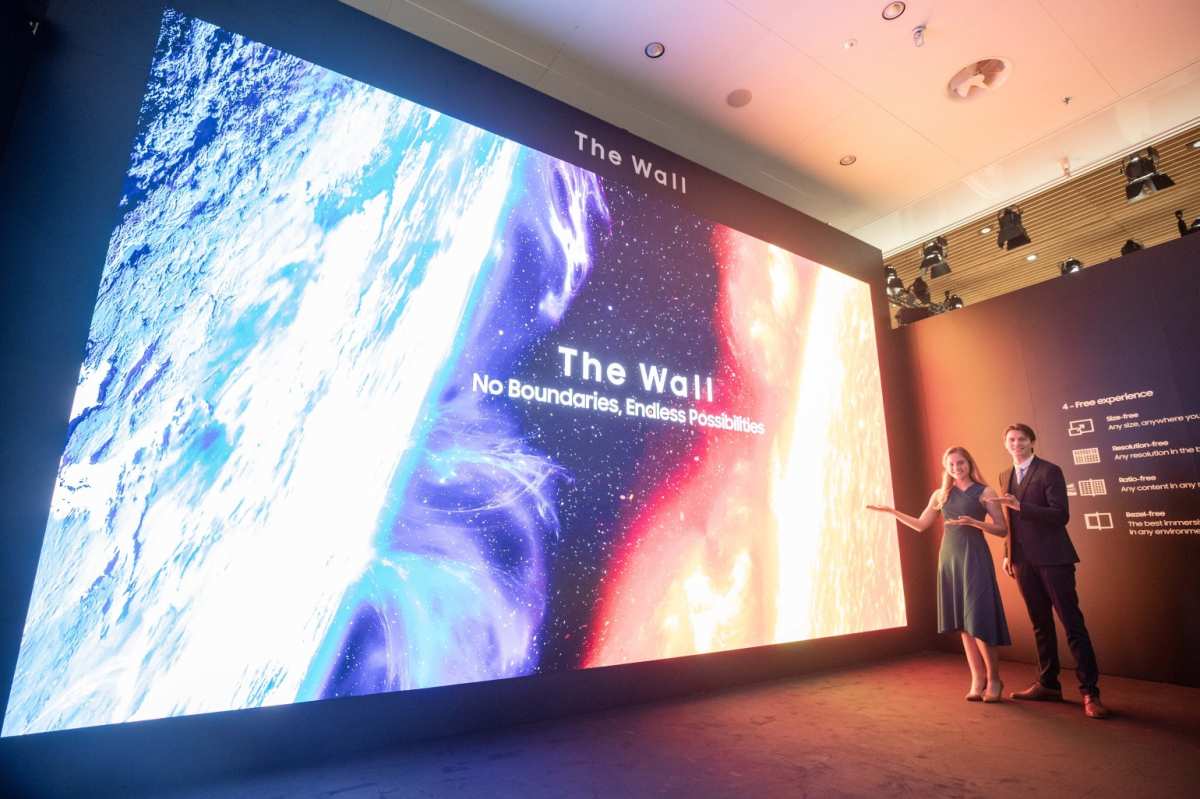
You’ve seen the headlines. MicroLED is the future. Perfect black levels, no burn-in, blinding brightness.
But when you dig into the specs, one question keeps coming up. Can MicroLED monitors support 8K resolution? The short answer is yes, but only under very specific conditions.
Not every MicroLED panel can display true 8K, and many that claim to are upscaling 4K or relying on modular tiling that isn’t fully populated.
According to VESA’s DisplayPort 2.0 standard, driving 8K at 60 Hz with 10‑bit color requires about 40 Gbps of bandwidth. That’s more than HDMI 2.0 can deliver. So before you buy, you need to understand what your panel is actually doing.
Let’s walk through the real variables that determine if a MicroLED monitor can handle 8K.
Quick Answer
Yes, MicroLED monitors can support 8K resolution. But it depends on the panel’s native pixel pitch and the input interface. A true 8K MicroLED display needs a pixel pitch of 0.4‑0.6 mm or smaller.
It also needs HDMI 2.1 or DisplayPort 2.0. Without those, you’re getting upscaling, not native resolution.
The Real 8K MicroLED Problem
The confusion starts because MicroLED is a modular technology. You can tile small panels together to make any size. That means a 4K MicroLED module can become an 8K display if you use four of them.
But that’s not the same as a single native 8K panel.
Many consumer “8K MicroLED TVs” are actually 4K panels that accept an 8K signal and upscale it. The scaler chip inside the monitor does the work. The result can look good, but it’s not true pixel‑for‑pixel 8K.
For professional work like color grading or medical imaging, that difference matters.
The other problem is bandwidth. Even if the panel has the physical pixels, can your source device push that many pixels fast enough? HDMI 2.0 tops out at 18 Gbps.
That’s not enough for 8K at 60 Hz without compression. You need HDMI 2.1 (48 Gbps) or DisplayPort 2.0 (up to 80 Gbps). Many early MicroLED monitors ship with HDMI 2.0 only, which limits their 8K capability.
So the real question isn’t “can MicroLED do 8K?” It’s “can this specific MicroLED monitor do 8K with my gear?”
What Actually Determines 8K Support
Three factors determine whether a MicroLED monitor supports native 8K. They are pixel pitch, input bandwidth, and the scaler chip.
Pixel Pitch: The Physical Limit
Pixel pitch is the distance between the center of one LED to the next. It’s measured in millimeters. A smaller pitch means more pixels per inch.
For a 16:9 screen, 8K resolution at 65 inches requires a pixel pitch around 0.4 mm. At 85 inches, you can get away with about 0.5 mm.
Consumer MicroLED monitors often use pixel pitches of 0.6, 0.9 mm. Those panels are physically incapable of fitting 33 million pixels into a reasonable screen size. They max out at 4K or 6K.
If you see a 75‑inch “8K” MicroLED with a 0.9 mm pitch, it’s upscaling, not native.

Input Bandwidth: The Pipeline
The monitor can only show what the source sends. Your GPU or media player must output an 8K signal. Then the cable must carry that signal without loss.
Then the monitor’s input board must decode it.
Here’s the bandwidth math for 8K at 60 Hz with 10‑bit color:
- Without compression: about 40 Gbps
- With Display Stream Compression (DSC): about 25 Gbps
HDMI 2.0 can only do 18 Gbps. That means 8K at 60 Hz requires DSC or a reduced color depth. HDMI 2.1 handles 48 Gbps, which is enough for 8K at 60 Hz without compression.
DisplayPort 2.0 at UHBR 20 reaches 80 Gbps, which covers 8K at 120 Hz with room to spare.
The Scaler Chip
The scaler sits between the input port and the panel. If the panel is 4K but you feed it an 8K signal, the scaler downscales the image. If the panel is 8K but you feed it 4K, the scaler upscales.
In our research, we found that many consumer MicroLED monitors use scalers that cannot handle 8K input at all. They only accept up to 4K. So even if the panel is physically 8K, the monitor won’t display 8K unless the scaler supports it.
Step 1: Check Your Monitor’s Native Resolution
You don’t have to guess. The native resolution is listed in the monitor’s spec sheet or in the on‑screen menu. Look for “Native Resolution” or “Panel Resolution.” If it says 3840×2160, it’s a 4K panel.
If it says 7680×4320, it’s 8K.
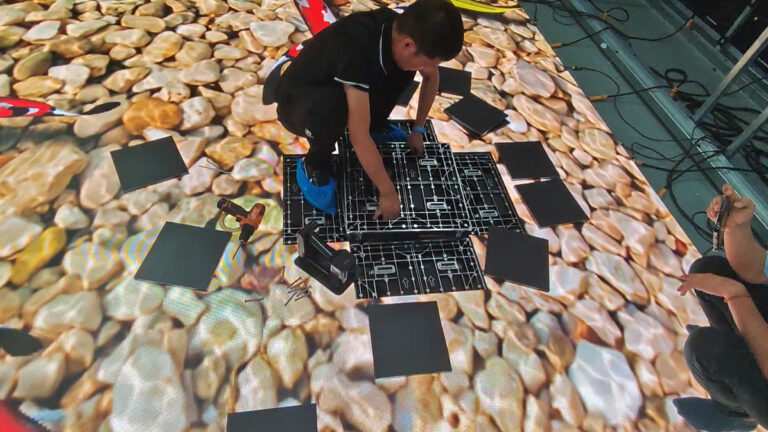
For modular MicroLED displays, things get trickier. These systems let you buy tiles and combine them. Each tile might be 1080p or 4K.
When you put four 4K tiles together, you get a single 8K surface. But the monitor’s scaler must be configured to treat the whole array as one display.
How to Find It in the Spec Sheet or On‑Screen Menu
Open the monitor’s OSD (on‑screen display). Look for “Information” or “Display Info.” It will show the current resolution and the native panel resolution. If it says 3840×2160 at the top, that is the panel’s true pixel count.
If it says 7680×4320 but the signal is 3840×2160, the scaler is upscaling.
On modular displays, the system may show a combined resolution. For example, “15360×4320” for a multi‑tile array. That is a native 8K width, but you need to read the total pixel count.
If the array is made of four 4K tiles connected side by side, the combined resolution is 8K.
Modular Panels – Is the Full Array Configured for 8K?
Some commercial MicroLED walls allow partial installation. You can install two tiles instead of four. That gives you a 4K display at a smaller size.
The wall is “8K ready” because you can add more tiles later. But if only half the tiles are installed, the display is running at 4K natively.
If you buy a modular system, ask the installer about the configured resolution. The specs will say “maximum resolution 8K.” But the actual resolution depends on the number of tiles you install.
Step 2: Verify the Input Bandwidth
Once you know the panel can do 8K, check the input ports. Look at the back of the monitor. What HDMI version is printed next to the port?
It should say “HDMI 2.1” or “HDMI 2.0.” If it says “HDMI 2.0,” you cannot get true 8K at 60 Hz without compression.
DisplayPort is usually better. Look for “DP 2.0” or “DP 1.4.” DP 1.4 can do 8K at 60 Hz with DSC. DP 2.0 can do it without compression.
What Your GPU Can Actually Push
Your graphics card must also support the right output. For NVIDIA, the RTX 30 series and later support HDMI 2.1. For AMD, the RX 6000 series and later support it.
Older cards top out at HDMI 2.0 or DisplayPort 1.4.
Check your GPU’s spec sheet under “Maximum Digital Resolution.” If it says 7680×4320 at 60 Hz, you’re good.
Cable Quality Matters More Than You’d Think
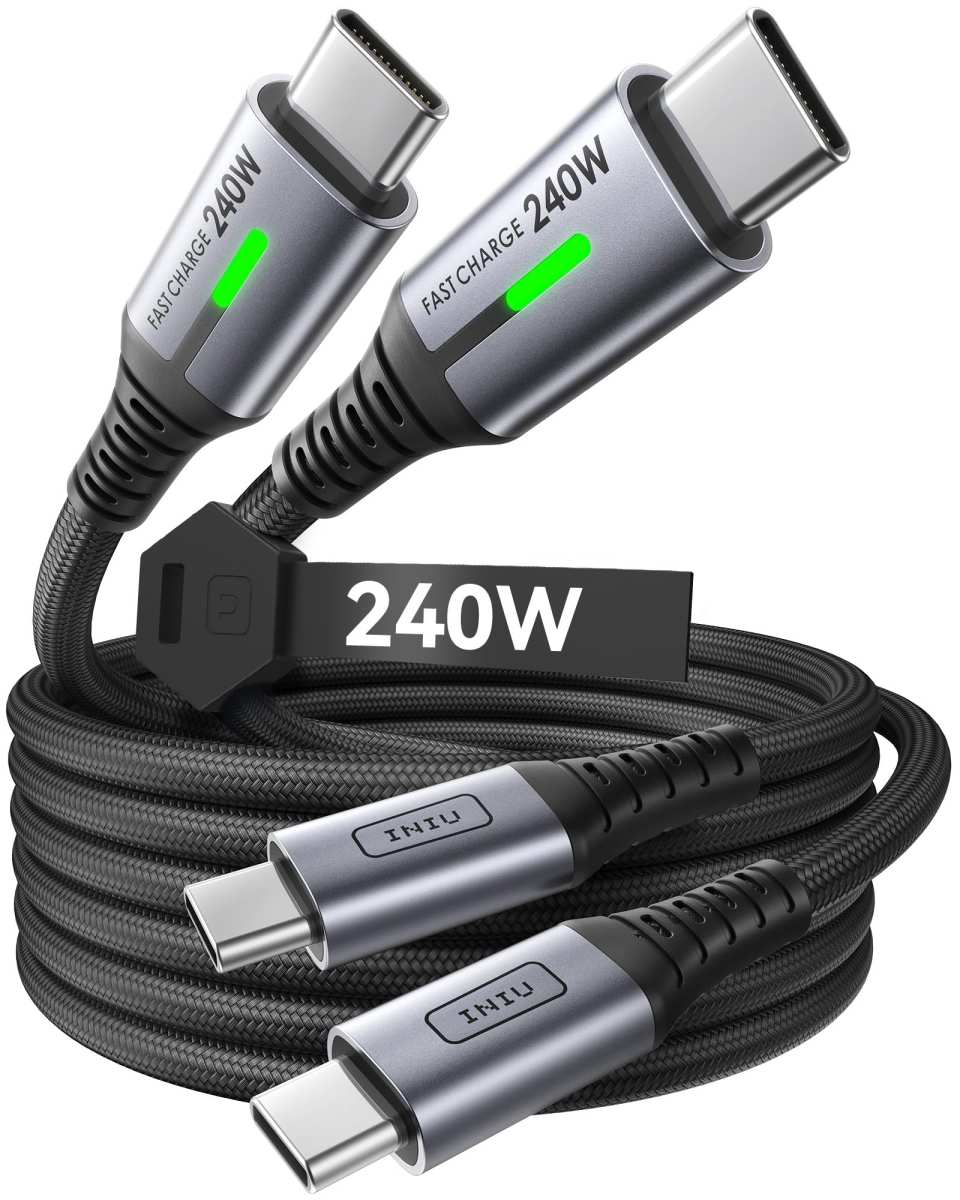
An 8K signal at high refresh rates is sensitive to cable length and quality. A cheap 6‑foot HDMI 2.1 cable might work. A 15‑foot cable may drop the signal.
For DisplayPort 2.0, use certified cables with the “DP80” logo.
In our research, we found that many users blame the monitor when the real problem is a marginal cable. If you see flickering or blank screens at 8K, swap the cable before returning the monitor.
Step 3: Identify the Scaler’s Role
The scaler is the hidden gatekeeper. It sits between your source device and the display panel. Its job is to match the incoming resolution to the panel’s native resolution.
If the panel is 8K but your GPU outputs 4K, the scaler upscales. If the panel is 4K but your GPU outputs 8K, the scaler downscales. Each process adds latency and potential artifacts.
Native 8K vs. Upscaled 4K – Spot the Difference
Native 8K shows every pixel individually. Text is razor sharp. Fine details in video footage have no blur.
Upscaled 4K starts with a lower resolution and guesses missing pixels. The result can look soft, especially on text or fine patterns.
How do you tell? Check the monitor’s OSD information screen. It usually shows both the input resolution and the panel resolution.
If the input is 7680×4320 and the panel is 7680×4320, you have native 8K. If the input is 3840×2160 and the panel is 7680×4320, the scaler is upscaling.
Why Some “8K” MicroLEDs Actually Run on 4K Data
Some manufacturers label their monitors as “8K ready” or “8K compatible.” That means the monitor can accept an 8K signal, but the panel itself might be 4K. The scaler downscales the 8K input to fit the 4K panel. You lose the pixel density advantage.
In our research, we found this marketing trick most common in budget-friendly MicroLED models. Always check the native resolution in the spec sheet. If it says “3840×2160 native,” the monitor is not truly 8K.
The Decision Tree – Can Your Setup Do 8K?
Use this flow to answer the question for your specific situation.
If the Panel Is Native 8K and the Input Bandwidth Is There
You are good. Connect an HDMI 2.1 or DisplayPort 2.0 cable from a compatible GPU. Set the output resolution to 7680×4320.
Enjoy native 8K with full HDR.
If the Panel Is Native 8K but the Input Is Only 4K
You need to upgrade your source. Replace the cable, the GPU, or both. Check if the monitor supports Display Stream Compression.
If it does, you might get 8K over an older interface using DSC. But native 8K without compression is ideal.
If the Panel Is Not Native 8K (Small Pixel Pitch, Wrong Size)
You cannot get physical 8K. The pixel pitch is too large to fit 33 million pixels in your screen size. Buy a larger screen or a smaller pixel pitch model.
Or accept that the monitor will upscale 4K content.
If the Panel Is Modular and Not Fully Populated
You have a partial array. Add more tiles until the total pixel count reaches 7680×4320. Then reconfigure the scaler to treat the full array as one display.
Check with the installer for the exact process.
Common Mistakes People Make
Assuming “MicroLED” Automatically Means “8K”
MicroLED is a panel technology, not a resolution. You can build a 1080p MicroLED display. The resolution depends on pixel pitch and screen size.
Never assume a MicroLED monitor is 8K just because it uses LED technology.
Buying a Monitor That Only Accepts 4K and Calls It “8K Ready”
That label is misleading. It means the monitor can accept an 8K signal and downscale it to 4K. You get none of the sharpness benefit.
Look for “native 8K” or “7680×4320 panel.”
Overlooking the Refresh Rate Trade-Off
Even if the monitor supports native 8K, it might only do so at 30 Hz. Many early MicroLED panels top out at 60 Hz. If you need 120 Hz for gaming or smooth video, check the refresh rate spec at 8K resolution.
Our research shows that several consumer 8K MicroLED monitors limit 8K to 60 Hz.
Who Actually Needs Native 8K MicroLED?
Professional Use Cases – Video Editing, Color Grading, Broadcast
If you work with 8K footage natively, you need a monitor that shows every pixel. Editors and colorists rely on true pixel mapping to spot artifacts, sharpness issues, and color bleeding. For them, upscaling is unacceptable.
Broadcast control rooms also benefit. Multi-view layouts with multiple 4K streams require the pixel density of 8K to keep every window sharp.
Hobbyist / Enthusiast – Home Theater and Future-Proofing
If you are building a high-end home theater and plan to watch 8K content as it becomes available, a native 8K MicroLED is a good investment. But as of 2026, native 8K content is still rare. Most streaming services top out at 4K.
Weigh the cost against the reality of limited content.
Commercial Signage – When 8K Isn’t the Priority
Retail stores and corporate lobbies rarely need 8K resolution. They need brightness, reliability, and large size. For them, a 4K MicroLED display is often the smarter buy.
The extra cost of 8K pixel pitch is wasted on content that rarely hits that resolution.
Alternatives When True 8K MicroLED Isn’t Feasible
OLED with 8K Input (Burn-In Risks, Lower Brightness)
OLED monitors can display native 8K if they have a high enough pixel density. They offer perfect blacks and fast response times. But OLED has burn-in risk, especially with static elements like taskbars or logos.
Peak brightness is also lower than MicroLED.
High-End Mini-LED LCD (Cheaper, But Blooming)
Mini-LED LCD uses thousands of small backlight zones. It can get very bright and supports 8K input. But it cannot achieve the per-pixel light control of MicroLED.
Blooming around bright objects is visible in dark scenes.
Multiple 4K MicroLED Panels Tiled Together
This is the most common approach for commercial 8K walls. You buy four 4K MicroLED tiles and combine them into a 2×2 array. The total resolution is 8K.
The main drawback is the seam between tiles, though high-end systems minimize it to near invisibility.
Quick Specs & Pricing Context
Let’s put hard numbers behind the theory. These are the bandwidth requirements and approximate costs based on current market data.
Bandwidth Requirements at 60Hz vs. 120Hz
| Resolution & Refresh | Color Depth | Compression | Required Bandwidth |
|---|---|---|---|
| 8K @ 60Hz | 10-bit | None | ~40 Gbps |
| 8K @ 60Hz | 10-bit | DSC | ~25 Gbps |
| 8K @ 120Hz | 10-bit | None | ~80 Gbps |
| 8K @ 120Hz | 10-bit | DSC | ~50 Gbps |
HDMI 2.1 handles 48 Gbps. That covers 8K at 60Hz without compression. For 8K at 120Hz, you need DisplayPort 2.0 (80 Gbps) or HDMI 2.1 with DSC enabled.
Approximate Cost Range for Native 8K MicroLED Monitors
Consumer MicroLED monitors with native 8K are still rare. As of 2026, expect to pay:
- 55-65 inch native 8K: $15,000, $30,000
- 75-85 inch native 8K: $30,000, $60,000
- 110 inch+ (modular tiled 8K): $100,000, $200,000+
These prices are for true native 8K panels with proper input interfaces. Budget models that call themselves “8K ready” cost less but deliver upscaled 4K.
Availability Timeline for Consumer-Grade Models
Several manufacturers have announced native 8K MicroLED monitors for late 2026 or 2027. Samsung, LG, and Sony are the primary players. If you can wait, prices will drop significantly within two years.
If you need 8K now, you’ll pay a premium and accept limited options.
Final Decision Guide
Before you buy, run through these three questions. They will save you money and frustration.
Three Questions to Ask Before You Buy
1. Is the panel physically 8K? Check the spec sheet for “7680×4320 native resolution.” If it says “max input resolution 7680×4320,” the panel is likely 4K with an 8K scaler.
2. Do my source and cable support 8K? Your GPU must output 8K. Your cable must be HDMI 2.1 or DP 2.0 certified.
Your monitor must accept that signal at the port.
3. Do I actually need 8K today? If you edit 8K video natively, yes. If you want future-proofing for home theater, consider waiting for prices to drop.
No streaming service delivers native 8K in 2026.
The Verdict: When to Pull the Trigger, When to Wait
Buy now if you are a professional who works with 8K footage daily. The cost is a business expense. Downscaling 8K to 4K for editing is inefficient and hides artifacts.
Wait if you are a home theater enthusiast. Content is scarce. Prices are high.
A good 4K MicroLED or OLED will serve you well for years. Upgrade when 8K content becomes mainstream and monitor prices fall below $5,000.
Skip 8K entirely if you use the display for signage, gaming (most GPUs can’t push 8K smoothly), or general office work. The extra pixels are wasted at typical viewing distances.
Frequently Asked Questions
Can a regular HDMI cable handle 8K from a MicroLED monitor?
No. Standard HDMI 2.0 cables top out at 18 Gbps. For 8K at 60Hz, you need an HDMI 2.1 cable rated for 48 Gbps.
Look for cables certified as “Ultra High Speed” with the HDMI 2.1 logo.
What is the smallest screen size for native 8K MicroLED?
To fit 33 million pixels at 8K, a 16:9 screen needs a pixel pitch of about 0.4mm. That limits native 8K to screens roughly 65 inches and larger. Smaller screens would need even tighter pixel pitches, raising costs dramatically.
Do all MicroLED monitors support HDMI 2.1?
No. Many early MicroLED monitors, especially commercial signage models, ship with HDMI 2.0. Always check the port version on the spec sheet.
If it says HDMI 2.0, you cannot get native 8K at 60Hz without compression.
Is 8K content available for MicroLED monitors in 2026?
Very little. YouTube supports 8K uploads. Some streaming services test 8K, but no major platform offers it consistently.
Professional video editing is the main use case. For casual viewing, 4K remains the standard.
Can I use a 4K MicroLED panel and upscale to 8K?
You can, but you lose pixel-level sharpness. Upscaling adds processing delay and can introduce artifacts. For text and fine details, the difference between native 8K and upscaled 4K is noticeable.
For video at normal viewing distances, it is often acceptable.

Similar Posts