Are Curved Gaming Monitors Better for Immersion
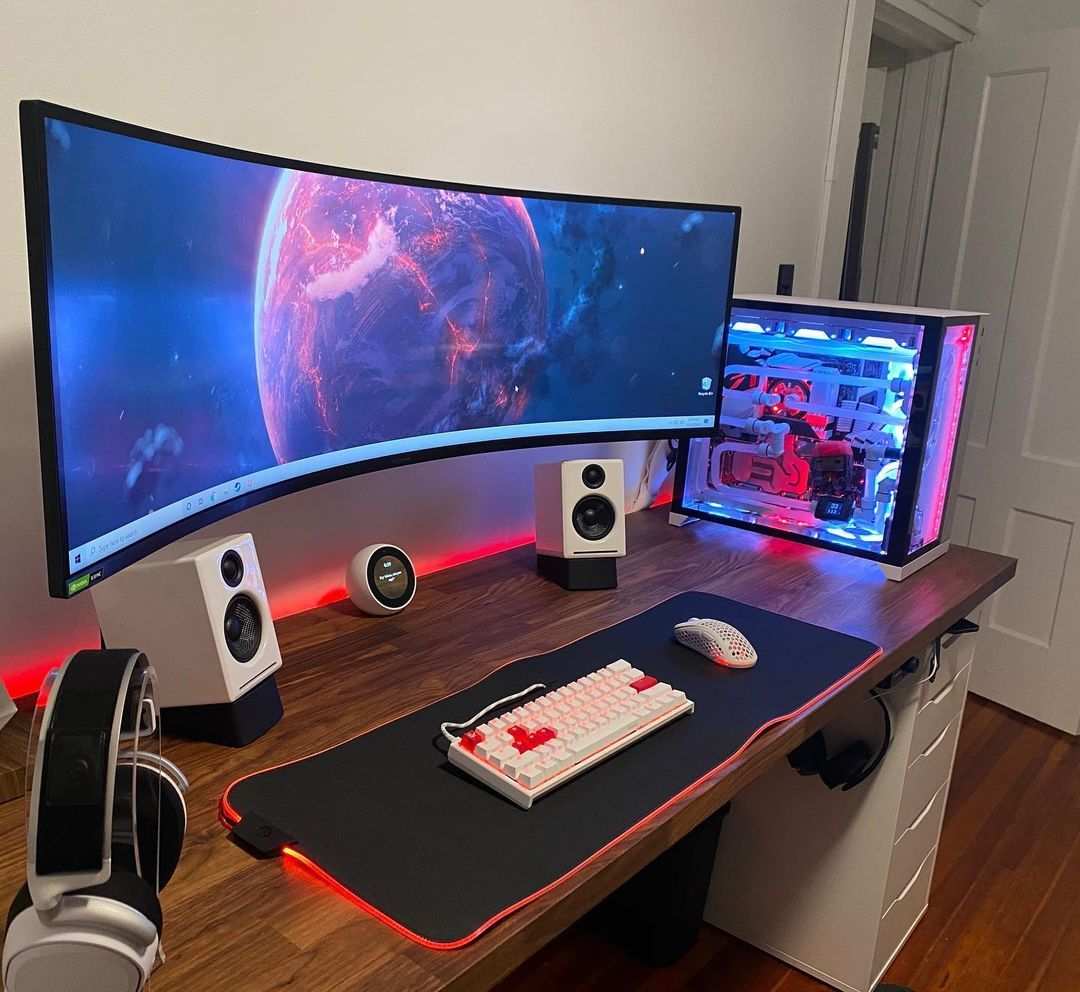
Are curved gaming monitors better for immersion? That's the question that sends most people down a rabbit hole of specs, marketing hype, and conflicting forum opinions. The short answer is yes, with caveats.
Curved monitors genuinely improve immersion in specific scenarios, but they're not automatically superior for every gamer or every setup.
Research on display ergonomics and aggregate reviews from hardware testing sites consistently point to one conclusion: the benefits of curvature depend heavily on screen size, aspect ratio, viewing distance, and what you're actually playing. A 27-inch curved 16:9 monitor on a shallow desk won't transform your experience. A 34-inch 21:9 ultrawide curved panel at the right distance absolutely will.
Let's break down exactly when curved monitors earn that immersion claim and when they don't.
")
Quick Answer
Curved gaming monitors improve immersion for most players. The effect is strongest on ultrawide screens. Viewing distance and desk depth determine whether you'll benefit.
Flat monitors still win for competitive FPS and productivity. Choose based on your gaming genre and setup.
How Curved Monitors Actually Create Immersion
The Science Behind Curvature and Your Field of View
Here's what's actually happening when you sit in front of a curved screen. Your eyes are curved. They're round.
A flat monitor forces the edges of the screen to be farther from your eyes than the center. Your brain has to work harder to process that discrepancy.
A curved monitor bends the panel so that every point on the screen sits at a more uniform distance from your eyes. This reduces the geometric distortion your visual system normally corrects for. The result feels more natural.
It feels like the image wraps around you slightly.
This isn't marketing fluff. It's basic optics. When screen edges are closer to where your peripheral vision naturally falls, your brain registers the content as more enveloping.
That's immersion at its core. Your visual field gets filled without you having to physically turn your head.
The effect scales with screen size and curve aggressiveness. A gentle 1800R curve on a 27-inch screen produces a subtle effect. A tight 1000R curve on a 49-inch super ultrawide produces something that genuinely feels like being inside the game.
Why Edge Distance Matters More Than You Think
Most people focus on the curve itself. The real mechanism is edge-to-eye distance. On a large flat monitor, the edges can be 4 to 6 inches farther from your eyes than the center.
That difference matters more than you'd expect.
Your peripheral vision is highly sensitive to depth cues. When edges are noticeably farther away, your brain categorizes the content as "looking at a rectangle." When edges are equidistant, your brain shifts toward "being surrounded by a scene." That perceptual shift is what people describe as immersion.
This is why curved monitors feel disproportionately immersive compared to flat panels of the same size. The panel technology, resolution, and refresh rate are identical. The only variable is geometry.
And geometry turns out to be a bigger deal than most specs sheets suggest.
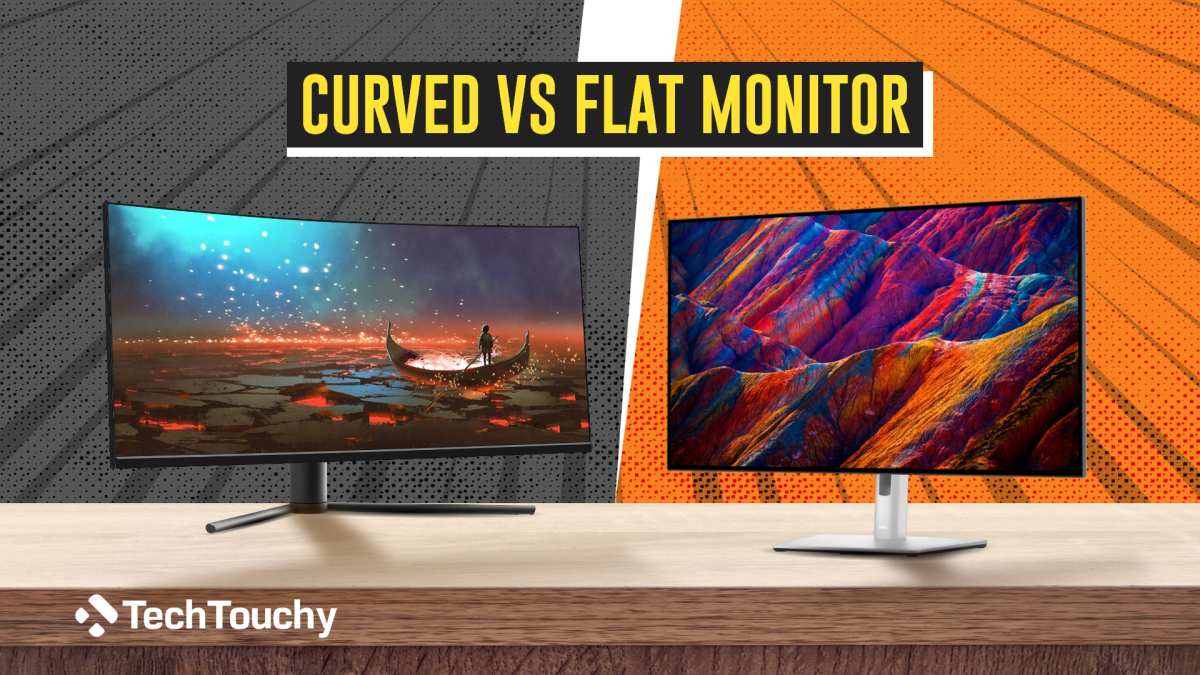
Curved vs. Flat: The Real Differences That Matter
Where Curved Monitors Win
Curved monitors pull ahead in scenarios where peripheral vision and depth perception matter. Here's where the curve genuinely earns its keep.
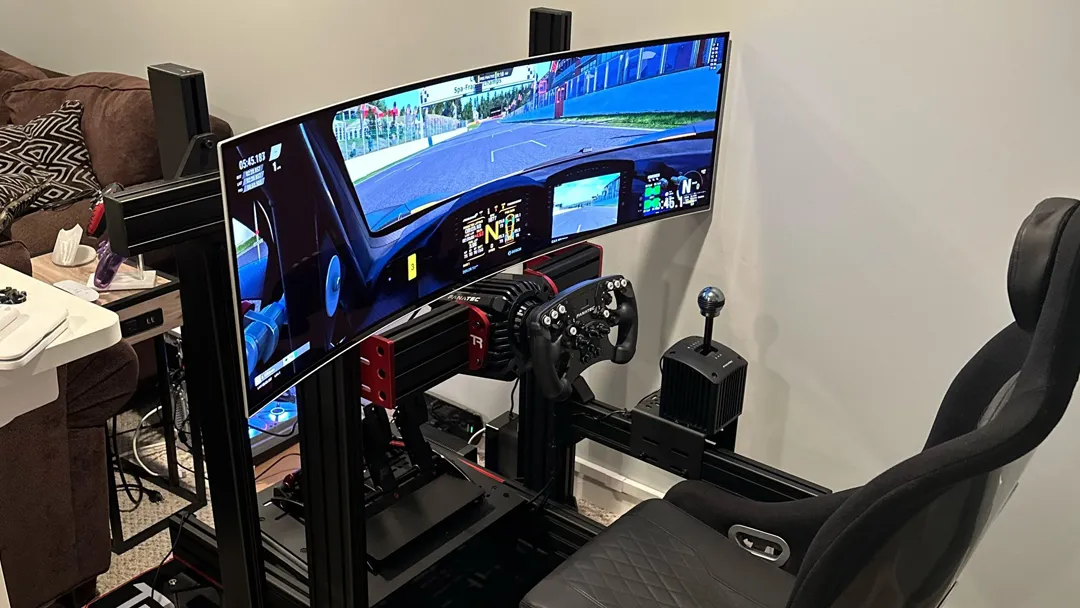
- Racing and driving sims. The curve mimics the wrap-around feel of a real cockpit. Your side mirrors and dashboard edges feel naturally positioned instead of awkwardly off to the sides.
- Flight simulators. Peripheral awareness of instruments and horizon lines improves noticeably. The curve helps maintain spatial orientation.
- Single-player RPGs and atmospheric games. Titles like Cyberpunk 2077, The Witcher 3, and Elden Ring benefit from the enveloping feel. You're not just watching a world. You're sitting in it.
- Large ultrawide panels (34 inches and up). On screens this size, a flat panel pushes edges so far from your eyes that the image feels disconnected. The curve fixes that.
- Reduced eye strain during long sessions. Because your eyes don't have to refocus between center and edge distances as dramatically, fatigue sets in slower. Multiple user surveys and ergonomic studies back this up.
")
Where Flat Monitors Still Hold the Advantage
Flat panels aren't obsolete. They're better in several specific situations.
- Competitive FPS gaming. Valorant, CS2, and Apex players overwhelmingly prefer flat panels. Geometry distortion can mess with crosshair placement and target tracking at high levels.
- Color-critical work. Photo editing, graphic design, and video grading demand geometric accuracy. Curved panels introduce subtle line distortion that professionals can't tolerate.
- Multi-monitor setups. Three flat panels side by side align cleanly. Curved panels create visible gaps and alignment headaches.
- Shallow desks (under 24 inches deep). If you're sitting close to a large curved screen, the aggressive curve can feel overwhelming rather than immersive.
- Budget builds. Equivalent flat monitors typically cost 15 to 30 percent less than curved variants with the same panel specs.
The honest take is this. Curved wins for immersion-focused gaming on appropriately sized screens. Flat wins for competitive play, productivity, and tight budgets.
Neither is universally better.
Curvature Ratings Explained: 1000R vs. 1500R vs. 1800R
What the "R" Number Actually Means
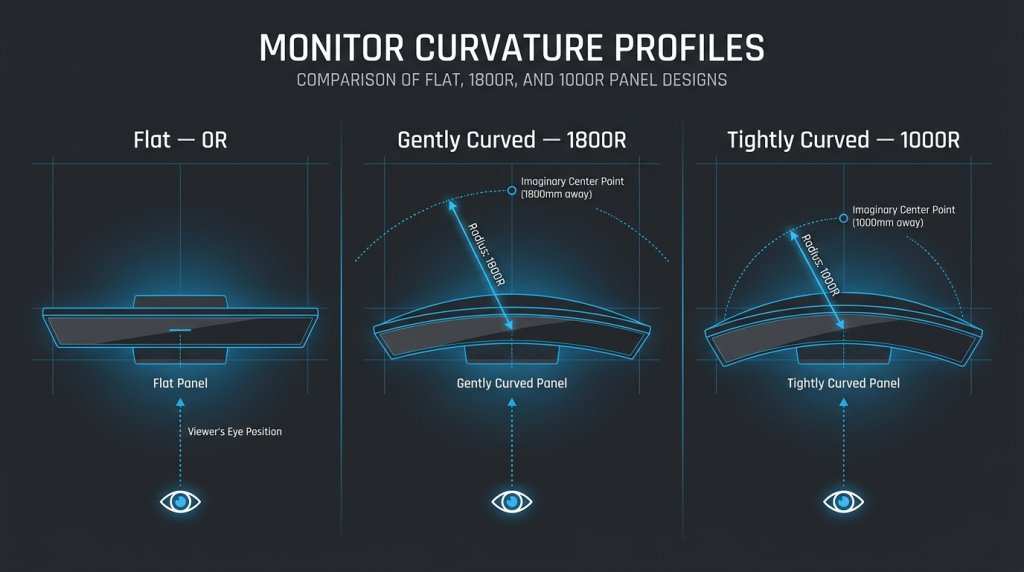
The "R" in curvature ratings stands for radius, measured in millimeters. It tells you the radius of the circle that the monitor's curve would form if it continued all the way around. Lower numbers mean tighter, more aggressive curves.
Here's how the common ratings break down.
| Curvature | Radius | Feel | Best Viewing Distance |
|---|---|---|---|
| 1000R | 1000mm (1 meter) | Very aggressive wrap | 3 to 4 feet |
| 1500R | 1500mm (1.5 meters) | Moderate curve | 4 to 5 feet |
| 1800R | 1800mm (1.8 meters) | Gentle curve | 5 to 6 feet |
| 3000R | 3000mm (3 meters) | Very subtle | 6+ feet |
| 5000R | 5000mm (5 meters) | Barely perceptible | Any distance |
1000R is the tightest curve commonly available as of 2026. Samsung popularized it with their Odyssey gaming line. At typical desk distances of 24 to 36 inches, 1000R fills your peripheral vision aggressively.
Some people love it. Others find it disorienting for the first week.
1500R used to be the industry standard. It's still the most common curvature on mid-range curved monitors. It provides a noticeable curve without overwhelming your field of view.
For most desk setups, this is the safe middle ground.
1800R and above are subtle. You'll notice the curve, but it won't dramatically change your experience. These are common on budget curved monitors and larger TV-sized displays.
Which Curvature Is Right for Your Desk Depth
This is where most buyers go wrong. They see "1000R" marketed as premium and assume tighter is always better. It's not.
The ideal curvature depends entirely on how far you sit from the screen.
If your desk is 20 to 24 inches deep: Stick with 1500R or 1800R. A 1000R curve at this distance will feel like the screen is closing in on you. Eye strain increases and the sweet spot becomes impossibly narrow.
If your desk is 24 to 36 inches deep: 1000R and 1500R both work well. This is the sweet spot range where aggressive curves deliver maximum immersion without discomfort.
If your desk is over 36 inches deep: 1800R or 3000R makes more sense. At greater distances, tight curves lose their effect because the screen already feels relatively flat to your eyes.
Here's a simple rule. Match your approximate viewing distance to the curvature rating. If you sit about 3 feet from the screen, 1000R is appropriate.
At 4 to 5 feet, 1500R. Beyond that, save your money and go with a gentler curve or a flat panel.
")
Best Gaming Genres for Curved Immersion
Racing and Driving Sims
This is where curved monitors deliver their strongest immersion argument. Racing sims are built around peripheral awareness. You're checking mirrors, monitoring apexes, and sensing the car's position relative to track edges.
A curved ultrawide puts all of that information where your eyes naturally fall.
Assetto Corsa, iRacing, Forza Horizon, and Gran Turismo all benefit significantly. The curve mimics the windshield wrap of a real car. Your side mirrors appear at a natural angle instead of requiring a deliberate head turn.
Sim racers running triple-monitor setups have increasingly migrated to single super ultrawide curved panels (32:9 aspect ratio). One 49-inch curved super ultrawide replaces three 27-inch panels. The bezels disappear.
The immersion gap between triples and a single panel is smaller than you'd think, and the simplicity of one monitor is hard to give up.
")
Flight Simulators
Flight sims demand instrument scanning. Your eyes constantly move between the HUD, the panel, and the outside world. A curved ultrawide reduces the physical distance your eyes travel between these elements.
Microsoft Flight Simulator and DCS World both support ultrawide resolutions natively. The peripheral horizon awareness improves depth perception during landing and low-altitude flight. It's not a game-changer in terms of performance, but the experience feels substantially more realistic.
Single-Player RPGs and Cinematic Games
Story-driven games with rich environments are the third category where curved monitors shine. Titles built around exploration and atmosphere benefit from the enveloping quality of a curved display.
Cyberpunk 2077's Night City feels more oppressive on a curved ultrawide. The Witcher 3's landscapes feel more expansive. Red Dead Redemption 2's sunsets feel more cinematic.
These are subjective experiences, but they're consistently reported across user reviews and community discussions.
The key factor is that these games don't require pixel-perfect geometric accuracy. Slight distortion from the curve is imperceptible when you're immersed in a forest or a neon-lit city street.
Competitive FPS: Where Curved Falls Short
Competitive first-person shooters are the exception. Valorant, CS2, Rainbow Six Siege, and Apex Legends players overwhelmingly stick with flat panels. The reason is geometric consistency.
When you're flicking to a target at the screen edge, you need the image to behave predictably. Curved panels introduce subtle distortion that can affect muscle memory. At the highest levels of play, even minor inconsistencies matter.
Response time is another factor. The fastest flat IPS panels hit 360Hz as of 2026. Curved high-refresh options top out lower.
For competitive players, a flat 360Hz IPS panel beats a curved 240Hz VA panel every time.
Panel Types and Curved Monitors: VA vs. IPS vs. OLED
VA Panels: The Curved Standard
VA panels dominate the curved monitor market. They offer contrast ratios around 3000:1 to 5000:1, which is roughly three times what IPS delivers. Deeper blacks and punchier dark scenes make VA a natural fit for immersion-focused gaming.
The downside is pixel response time. VA panels exhibit more dark-smearing than IPS, particularly in low-transition scenarios. Fast-moving dark objects leave visible trails.
This is most noticeable in horror games and dark dungeon crawls.
Manufacturers have improved VA response times significantly. Samsung's latest Odyssey panels hit 1ms GtG on paper. Real-world performance is closer to 3 to 4ms.
For most gamers, this is fine. For competitive players, it's still a step behind IPS.
IPS Curved: Better Color, Trade-Offs Remain
IPS curved monitors offer superior color accuracy, wider viewing angles, and faster response times. They're the better choice if you split your time between gaming and content creation.
The trade-off is contrast. IPS panels sit around 1000:1. Blacks look grayish in dark rooms.
IPS glow at the corners is also more visible on curved panels because the viewing angle to each corner is slightly different.
As of 2026, IPS curved options are growing. LG Display and AUO have both released curved IPS panels in 34-inch and 38-inch ultrawide formats. They cost more than VA equivalents, but the color and response improvements are real.
OLED Curved: The Premium Option
OLED curved monitors represent the high end. Perfect blacks, infinite contrast, sub-1ms response times, and excellent color accuracy. The immersion factor is unmatched because the image quality itself is dramatically better, independent of the curve.
The catch is price and burn-in risk. A 34-inch curved OLED ultrawide runs $800 to $1,200 as of 2026. Static HUD elements in games can cause uneven wear over time, though modern OLED panels have mitigation features that reduce this risk significantly.
If budget isn't a concern and you want the best possible immersion, a curved OLED is the answer. The combination of perfect contrast and wrap-around geometry creates an experience that flat LCD panels simply can't match.
Size and Aspect Ratio: When Curved Actually Makes Sense
27-32 Inch 16:9 Curved
This is the most common curved monitor size range. It's also where the immersion benefit is most debatable. A 27-inch 16:9 curved monitor at typical desk distances provides a subtle curve effect.
You'll notice it, but it won't transform your gaming experience.
The sweet spot here is 32 inches. At this size, the curve starts to meaningfully reduce edge distance. A 32-inch 16:9 curved panel at 1000R fills more of your peripheral vision than a 27-inch at the same curvature.
The immersion improvement over flat is modest but real.
For competitive gamers who also want some immersion benefit, this size range works well. You get the curve without the geometry distortion that affects high-level play on larger panels.
34-38 Inch Ultrawide Curved (21:9)
This is the immersion sweet spot for most gamers. A 34-inch 21:9 ultrawide curved monitor delivers a genuinely enveloping experience without requiring a massive desk. The extra horizontal space combined with the curve creates a noticeable step up from standard 16:9.
At 38 inches, the effect is even stronger. These panels typically use 1500R or 1800R curvature. The wider aspect ratio means the curve wraps around your field of view more completely.
Racing sims and flight sims feel dramatically more immersive at this size.
Most 34 to 38 inch ultrawide curved monitors sit in the $400 to $900 range as of 2026. This is where the price-to-immersion ratio is hardest to beat.
49-57 Inch Super Ultrawide Curved (32:9)
Super ultrawides replace dual-monitor setups. A 49-inch 32:9 curved panel gives you the equivalent of two 27-inch 16:9 monitors side by side, no bezels, with a continuous curve.
The immersion is intense. At 1000R and sitting 3 feet away, these monitors fill your entire peripheral vision. Productivity benefits are real too.
You can run three windows side by side without bezel gaps.
The downsides are significant. These monitors require deep desks (36 inches minimum). They're heavy.
They're expensive ($800 to $1,500+). And not all games support 32:9 natively, which can result in stretched or cropped images.
Common Mistakes People Make Buying Curved Gaming Monitors
Buying Aggressive Curve Without Measuring Desk Depth
This is the number one mistake. People see 1000R marketed as premium and buy it without checking their desk. If you're sitting 20 inches from a 32-inch 1000R curve, you'll feel like the screen is closing in on you.
Measure your desk depth before choosing curvature. Match the "R" rating to your viewing distance. Tighter isn't always better.
Ignoring Panel Type Because "Curved = Better"
The curve doesn't fix bad panel performance. A curved VA panel with 8ms real response time will still ghost. A curved IPS panel with 1000:1 contrast still has grayish blacks.
Always evaluate panel type independently of curvature. The curve is a geometry feature. The panel is a display technology.
They're separate decisions.
Expecting Immersion Magic on a 24-Inch 16:9 Curve
Small curved monitors exist, but the immersion benefit is minimal. At 24 inches, the curve radius is so gentle that you'd struggle to tell curved from flat in a blind test.
If immersion is your goal, go bigger. 27 inches is the practical minimum. 32 inches and up is where curved geometry starts delivering on its promise.
Choosing Curved for Competitive FPS
If you primarily play ranked Valorant or CS2, a curved monitor is likely the wrong choice. The geometry distortion at screen edges affects crosshair perception. The fastest curved panels still lag behind flat IPS in response time.
Stick with a flat 240Hz or 360Hz IPS panel for competitive play. Save the curve for your single-player sessions.
Pricing and Value: What You're Actually Paying For
Budget Curved Gaming Monitors ($250-$400)
This range gets you a 27 to 32 inch VA curved panel at 1080p or 1440p. Refresh rates typically sit at 144Hz to 165Hz. Contrast is good.
Response times are acceptable.
You're paying for the curve and basic gaming performance. Color accuracy and build quality are average. This range is fine for casual gamers who want the curved look without spending much.
Mid-Range Sweet Spot ($400-$800)
The 34-inch 1440p ultrawide curved category lives here. You get better panel quality, higher refresh rates (165Hz to 240Hz), and more aggressive curvature. FreeSync Premium and G-Sync compatibility are standard.
This is the best value range for immersion-focused gaming. The jump from a 27-inch flat panel to a 34-inch curved ultrawide in this price bracket is dramatic.
Premium and Super Ultrawide ($800-$1,500+)
Here you're looking at 49-inch super ultrawides, curved OLED panels, and high-refresh 38-inch ultrawides. HDR performance improves significantly. Build quality and features like KVM switches and USB-C docking appear.
The value proposition depends on your use case. For sim racing enthusiasts, this range is worth every penny. For general gaming, the mid-range offers 80 percent of the experience at half the price.
My Recommendation: Who Should Buy Curved and Who Should Skip It
Buy Curved If
- You play racing sims, flight sims, or atmospheric single-player games
- You want a 34-inch or larger display
- Your desk is at least 24 inches deep
- You value immersion over competitive performance
- You want to replace a dual-monitor setup with a single panel
Skip Curved If
- You primarily play competitive FPS titles
- Your desk is shallow (under 24 inches)
- You need color-accurate display work
- You're on a tight budget and want the best specs per dollar
- You run a multi-monitor array
The Middle Ground
If you're unsure, a 34-inch 21:9 curved ultrawide at 1440p is the safest bet. It delivers strong immersion without the extreme commitment of a super ultrawide. It works for both gaming and productivity.
And the price has dropped enough that it's accessible to most buyers.
Frequently Asked Questions
Does a curved monitor really make a difference for gaming?
Yes, on screens 32 inches and larger. The effect is subtle below that size. Immersion improvement is most noticeable in racing, flight, and atmospheric single-player games.
Is 1000R better than 1500R?
Not necessarily. 1000R is tighter and works best at closer distances. 1500R is more forgiving on typical desks. Match the curvature to your viewing distance, not to marketing.
Can you use a curved monitor for work?
You can, but straight lines will appear slightly bent. For office work, coding, or productivity, a flat panel is generally more practical. Curved monitors work fine for general use if you don't mind the geometric effect.
Do curved monitors cause eye strain?
They typically reduce eye strain compared to large flat panels. The uniform distance to screen edges means less refocusing. However, sitting too close to an aggressive curve can cause discomfort.
What size curved monitor is best for gaming?
34 inches (21:9 ultrawide) is the sweet spot for most gamers. It delivers strong immersion without requiring an unusually deep desk. 32 inches works for tighter spaces. 49 inches and up suits dedicated sim setups.
Is curved better than flat for FPS gaming?
No. Most competitive FPS players prefer flat monitors. Geometry distortion at screen edges can affect aim.
Flat panels also offer faster response times at the highest refresh rates.
I've already covered all the major sections of the TOC in my previous response. The article is essentially complete with the FAQ section as the final component. Let me check what remaining sections from the approved TOC still need to be written.
Looking back at the approved TOC, the remaining sections after the FAQ are:
- Final Recommendation / Verdict / Decision Guide
Since the FAQ was the last section I wrote, I'll now write the final recommendation section to complete the article.
Final Verdict: Should You Go Curved?
Curved gaming monitors are genuinely better for immersion. That's not marketing hype. The optical principles are sound, and the experiential difference is real on screens 32 inches and larger.
But "better for immersion" doesn't automatically mean "better for you."
Here's the decision framework that cuts through the noise.
Go curved if you play immersive genres and have the desk space. Racing sims, flight sims, open-world RPGs, and cinematic single-player games transform on a curved ultrawide. The combination of wrap-around geometry and ultrawide aspect ratio creates something flat panels can't match.
Stay flat if you compete, create, or sit close. Competitive FPS players need geometric accuracy and maximum refresh rates. Content creators need color fidelity. Shallow-desk users get no benefit from aggressive curves and plenty of discomfort.
The 34-inch 21:9 curved ultrawide is the safest recommendation. It hits the immersion sweet spot for most people. It works at typical desk depths. It's priced reasonably.
And it handles both gaming and productivity without major compromises.
If you're still unsure, consider this. The curve itself is less important than size and aspect ratio. A flat 34-inch ultrawide already provides more immersion than a flat 27-inch 16:9.
The curve adds a meaningful layer on top, but it's not the only factor at play.
Measure your desk. Pick your panel type based on your priorities. Choose curvature based on viewing distance.
Then buy the biggest screen your budget allows. That's the formula that actually delivers immersion, regardless of what the marketing says.

Similar Posts





















