What Is the Refresh Rate of Curved Gaming Monitors
If you've been shopping for a curved gaming monitor, you've probably seen "144Hz" or "240Hz" splashed across every box and listing. So what is the refresh rate of curved gaming monitors? It's the number of times per second the screen redraws the image, measured in hertz, and it directly affects how smooth and responsive your games feel.
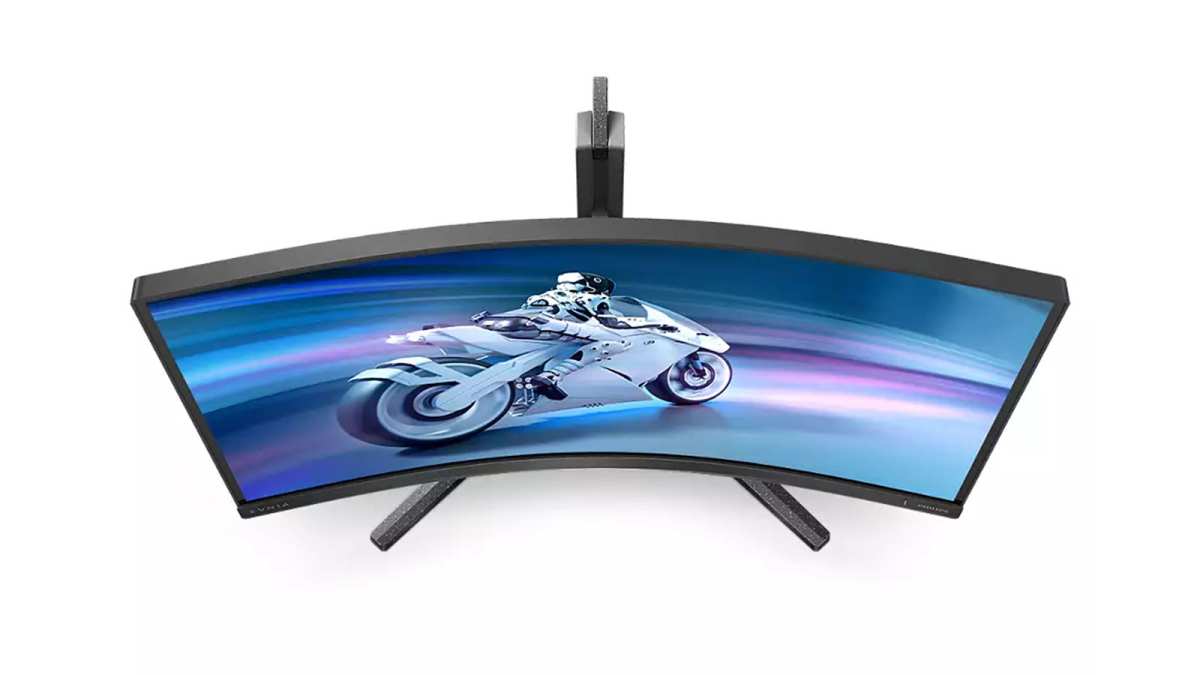
Curved gaming monitors as of 2026 range from basic 60Hz panels all the way up to 480Hz esports-grade displays, with most falling between 144Hz and 240Hz. The curve itself doesn't change the refresh rate, but it does affect immersion and perceived motion clarity. Let's break down what these numbers actually mean for your setup.
Quick Answer
Curved gaming monitors typically offer refresh rates from 60Hz to 480Hz. The most common options are 144Hz, 165Hz, and 240Hz. Higher refresh rates produce smoother motion and lower input lag.
Your ideal choice depends on what games you play and what GPU you own.
What Refresh Rate Actually Means on a Curved Gaming Monitor
Refresh rate is the number of times your display updates with a new image every second. A 144Hz curved gaming monitor redraws the screen 144 times per second. A 60Hz panel does it 60 times.
That difference is immediately noticeable once you've seen it side by side.
Here's the thing most people miss. The curved shape of the monitor has nothing to do with refresh rate technically. The panel behind the curve is the same technology you'd find in a flat display.
What the curve does is bring the edges of the screen closer to your eyes, which creates a more wraparound feel and can make motion across the panel feel more natural to track.
Manufacturer specifications confirm that a curved VA panel running at 144Hz has the same refresh rate as a flat VA panel at 144Hz. The difference is in how your eyes perceive the image, not in how the panel operates.
Where it gets interesting is the interaction between refresh rate and response time. A monitor can refresh at 240Hz but if the pixels take 8ms to change color, you'll see ghosting and smearing that makes that high refresh rate partially wasted. This is especially common on VA panels, which are the most popular choice for curved monitors because they offer the best contrast ratios.
The sweet spot in our research is a curved IPS panel at 144Hz to 240Hz with a true 1ms to 3ms gray-to-gray response time. That combination gives you smooth motion without the smearing that plagues some high-refresh VA panels.
The Curved Monitor Refresh Rate Breakdown — From 60Hz to 480Hz
Not all refresh rates are created equal, and more isn't always better. Let's walk through each tier so you can see where your money goes.
| Refresh Rate | Best For | Typical Resolution | Price Range | Panel Types Available |
|---|---|---|---|---|
| 60Hz | Casual gaming, media, productivity | 1080p to 4K | $150 to $400 | VA, IPS |
| 75Hz to 100Hz | Budget gaming, office use | 1080p to 1440p | $180 to $350 | VA, IPS |
| 144Hz | Most gamers, general use | 1080p to 1440p | $200 to $500 | VA, IPS, OLED |
| 165Hz | Enthusiast gaming, competitive | 1080p to 1440p | $250 to $550 | IPS, OLED |
| 240Hz | Competitive FPS, esports | 1080p to 1440p | $350 to $700 | IPS, TN, OLED |
| 360Hz | Professional esports | 1080p | $500 to $900 | IPS, TN |
| 480Hz | Elite competitive only | 1080p | $800 to $1,200+ | IPS, TN |
The jump from 60Hz to 144Hz is the single biggest improvement you'll ever see in a monitor. Going from 144Hz to 240Hz is noticeable but smaller. Beyond 240Hz, the gains are real but increasingly marginal unless you're playing competitive shooters at the highest level.
Aggregate reviews report that most gamers cannot reliably distinguish between 240Hz and 360Hz in blind tests. The people who can are typically professional esports athletes who've trained their visual perception over thousands of hours.
Refresh Rate vs Response Time — Why Both Numbers Matter
This is where a lot of buyers get tripped up. Manufacturers love to advertise "1ms response time" right next to "240Hz refresh rate" on the box. Those two numbers are related but they measure completely different things.
Refresh rate is how often the screen updates. Response time is how quickly each pixel can change from one color to another. You need both to be good for a clear, smooth image.
Here's a practical example. Say you buy a curved VA gaming monitor with a 240Hz refresh rate and a claimed 1ms response time. In testing, many VA panels actually average 5ms to 8ms gray-to-gray in real-world use.
At 240Hz, a new frame arrives every 4.2ms. If the pixel takes 6ms to change, you're always looking at a partially transitioned frame. That creates ghosting trails behind moving objects.
IPS and OLED panels tend to deliver 1ms to 3ms actual gray-to-gray times, which pairs much better with high refresh rates. This is why competitive gamers tend to favor IPS or OLED curved panels over VA, even though VA has better contrast and deeper blacks.
What to look for when matching refresh rate and response time:
- 144Hz needs at most 6.9ms response time to keep up with each frame
- 240Hz needs at most 4.2ms response time
- 360Hz needs at most 2.8ms response time
- 480Hz needs at most 2.1ms response time
If the response time exceeds the frame duration, you'll see motion artifacts regardless of how high the refresh rate is. Always check independent response time reviews, not just the manufacturer's claimed spec.
Side-by-Side Comparison: Which Refresh Rate Fits Your Gaming Style
Let's match refresh rates to real gaming scenarios so you can skip the specs and find what actually matters for you.
60Hz Curved Monitors — When It's Actually Enough
A 60Hz curved monitor is perfectly fine if you play story-driven games, RPGs, turn-based strategy, or if you're primarily using the monitor for work with some casual gaming on the side. The curve still adds immersion even at 60Hz. You're not getting the silky-smooth motion of higher refresh rates, but you're also spending less money.
Many 60H curved monitors in the 27-inch to 34-inch range use VA panels with excellent contrast ratios. For games like Baldur's Gate 3, Cyberpunk 2077, or Elden Ring where you're exploring and soaking in the world, 60Hz is a completely acceptable experience.
144Hz Curved Monitors — The Sweet Spot Most Gamers Should Target
This is where we land for the majority of gamers. A 144Hz curved monitor delivers a massive improvement over 60Hz without requiring a top-tier GPU. Most mid-range graphics cards can push 144 frames per second at 1080p or 1440p in popular titles.
If you play a mix of game types, from shooters to RPGs to racing games, 144Hz handles all of them well. The price-to-performance ratio is excellent in this tier, and you'll find the widest selection of curved monitors at 144Hz.
165Hz to 240Hz Curved Monitors — The Competitive Tier
If you primarily play competitive shooters like Valorant, Counter-Strike 2, Apex Legends, or Call of Duty, the jump to 165Hz or 240Hz gives you a real edge. Motion clarity improves, input lag drops, and tracking fast-moving targets becomes easier.
You'll need a capable GPU to take advantage of this tier. For 240Hz at 1080p in competitive titles, a mid-to-high-range GPU works. For 240Hz at 1440p, you'll want a high-end card to consistently push those frame rates.
360Hz and 480Hz Curved Monitors — Who Actually Benefits
These are niche products designed for professional or aspiring esports players. At 360Hz, a new frame arrives every 2.8ms. The reduction in input lag and motion blur is real, but only noticeable if you're playing fast-paced competitive games at the highest level and your GPU can sustain those frame rates.
Most gamers will not benefit from going beyond 240Hz. If you're not playing in tournaments or ranked competitive modes, save your money and invest in a better panel type or resolution instead.
Matching Refresh Rate to Your GPU and Resolution
Your monitor's refresh rate is only half the equation. The other half is whether your graphics card can actually push enough frames per second to take advantage of it.
A 240Hz curved gaming monitor is wasted if your GPU only outputs 90fps in the games you play. The monitor will refresh 240 times per second, but 150 of those refreshes will show the same frame. You're not getting the benefit you paid for.
Here's a practical breakdown of what GPU performance you need at common resolutions for each refresh tier.
| Refresh Rate | 1080p (Full HD) | 1440p (QHD) | 4K (UHD) |
|---|---|---|---|
| 60Hz | Any modern GPU | Any modern GPU | Mid-range GPU |
| 144Hz | Mid-range GPU | Mid-to-high GPU | High-end GPU |
| 240Hz | High-end GPU | High-end GPU | Top-tier GPU (rarely sustained) |
| 360Hz+ | Top-tier GPU at low settings | Not practical for most games | Not practical |
At 1080p, even a mid-range card can push 240fps in esports titles like Valorant or CS2. At 1440p, you need a high-end card to sustain those numbers. At 4K, even top-tier cards struggle to hit 240fps in demanding AAA titles.
This is why many competitive gamers intentionally play at 1080p on a 240Hz monitor. It's not about image quality. It's about getting the frame rate high enough to match the refresh rate so you see every single frame the monitor can display.
If you're buying a curved gaming monitor for 1440p gaming and your GPU is mid-range, 144Hz is a smarter choice than 240Hz. You'll actually hit 144fps in more games, and you'll spend less money on both the monitor and the GPU.
Curved vs Flat: Does the Curve Change the Refresh Rate Equation?
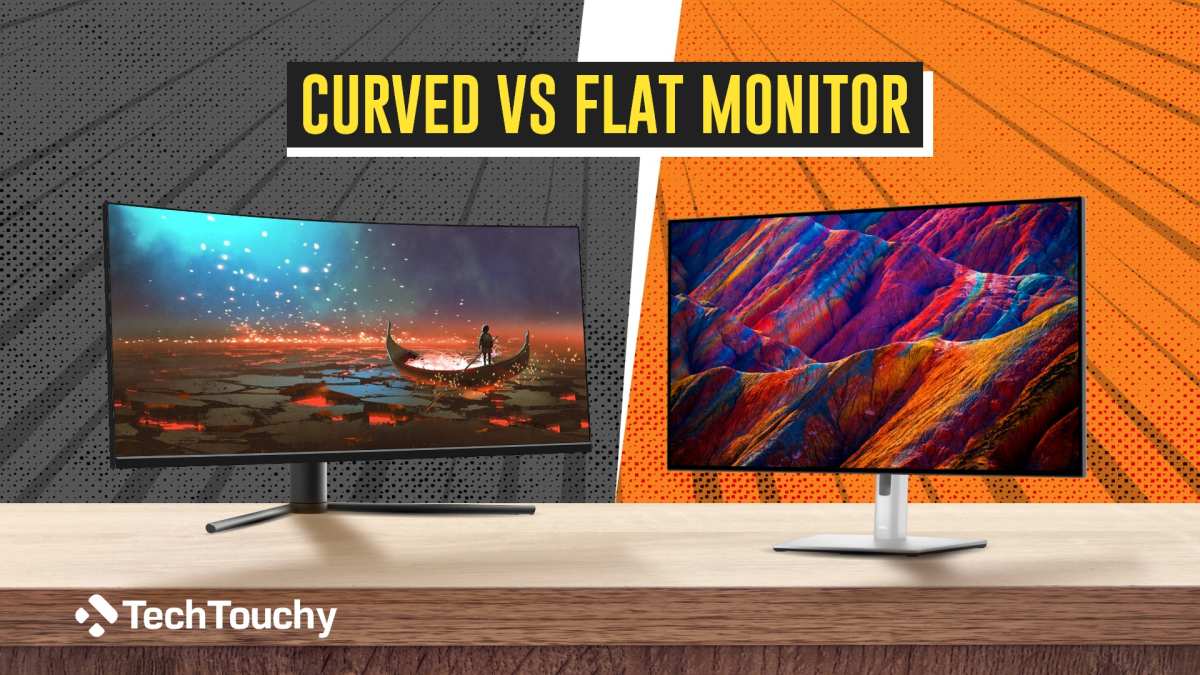
The curve doesn't change the refresh rate at all. A curved panel and a flat panel with the same specs refresh at the same rate. But the curve does change how you perceive motion, and that matters more than most people realize.
With a flat monitor, the screen is equidistant from your eyes only at the center. The edges are farther away, which can make motion near the edges feel slightly less immediate. A curved panel wraps around your field of vision, keeping a more consistent distance from your eyes across the entire display.
This becomes more noticeable at higher refresh rates. At 240Hz, motion is so smooth that your brain becomes more sensitive to any inconsistency. The curve helps maintain that consistency across the full width of the screen.
Competitive gamers tend to prefer flat monitors for a different reason. Flat screens introduce no geometric distortion, which matters when you're making precise aiming decisions. A curved screen can introduce slight warping at the edges that some players find distracting.
If you play fast-paced competitive shooters and every pixel of accuracy matters, a flat high-refresh monitor might serve you better. If you play immersive single-player games, racing titles, or flight sims, a curved high-refresh monitor enhances the experience significantly.
Adaptive Sync — FreeSync and G-Sync on Curved Panels
Adaptive sync technology is what keeps your monitor's refresh rate synchronized with your GPU's frame rate. Without it, you get screen tearing when the GPU sends frames faster than the monitor can display them, or stuttering when it sends fewer.
Both AMD FreeSync and NVIDIA G-Sync work identically on curved monitors. The curve doesn't interfere with the adaptive sync protocol. What matters is the monitor's variable refresh rate range.
FreeSync Premium requires at least 120Hz at full HD and low framerate compensation. LFC kicks in when your frame rate drops below the monitor's minimum refresh range, duplicating frames to keep the display smooth. G-Sync Ultimate adds HDR support and stricter quality certification.
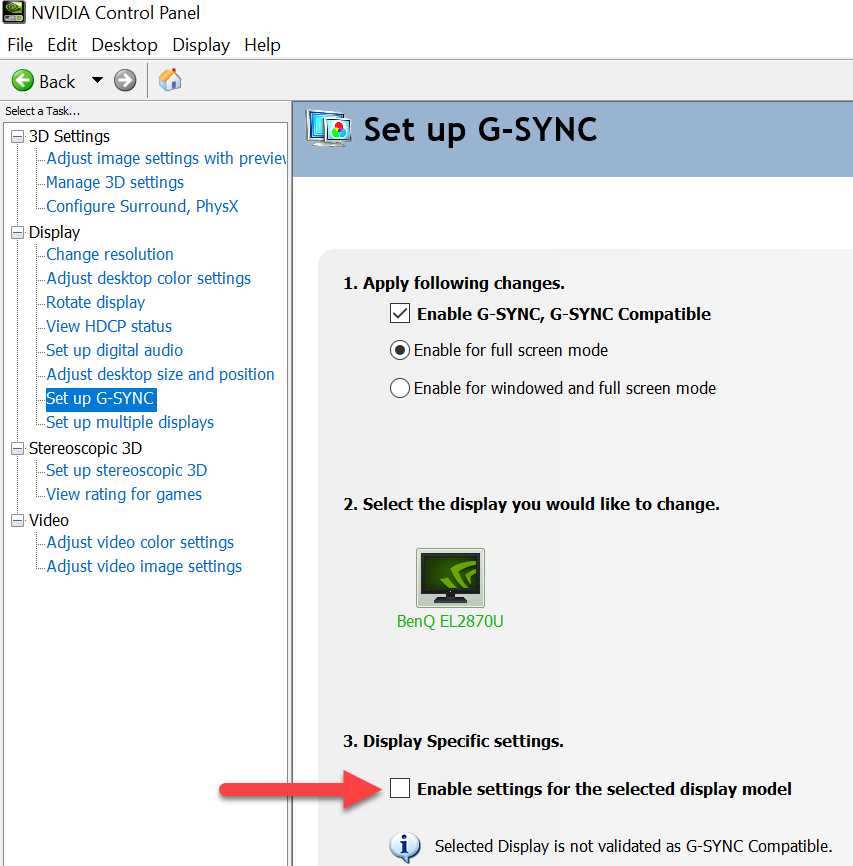
Most curved gaming monitors in 2026 support either FreeSync or G-Sync Compatible. True G-Sync with a dedicated hardware module is rarer and more expensive. For most gamers, FreeSync Premium or G-Sync Compatible delivers a tear-free experience without the premium price.
One thing to watch for on curved VA panels specifically. Some VA monitors exhibit flickering when adaptive sync is active at low frame rates, typically below 50fps. This is a known characteristic of certain VA panels and varies by model.
Checking user reviews for this specific issue before buying can save you a headache.
Common Mistakes Buyers Make With Curved Monitor Refresh Rates
The most common mistake is buying the highest refresh rate you can afford without checking whether your GPU can support it. A 360Hz monitor paired with a GPU that outputs 120fps is an expensive 120Hz monitor.
Another mistake is ignoring response time when chasing high refresh rates. As we covered earlier, a 240Hz VA panel with slow response times can look worse in motion than a 144Hz IPS panel with fast response times. The refresh rate number on the box doesn't tell the whole story.
Some buyers also overlook the cable and port limitations. To run 240Hz at 1440p, you need DisplayPort 1.4 or HDMI 2.1. An older HDMI 2.0 cable will cap you at 144Hz at 1440p or 240Hz at 1080p.
Always check both your monitor's port capabilities and your GPU's output specs.
Finally, many people don't actually configure the refresh rate after buying the monitor. Windows sometimes defaults to 60Hz even on a 240Hz display. You need to go into the display settings and manually select the maximum refresh rate.
If you've bought a high-refresh curved monitor and everything still feels sluggish, check this setting first.
Frequently Asked Questions
Does the curve affect the refresh rate of a gaming monitor?
No, the curved shape has no effect on refresh rate. The panel technology behind the curve determines the refresh rate. The curve only changes viewing geometry and immersion.
Is 60Hz good enough for curved gaming monitors?
It depends on what you play. For single-player games, RPGs, and casual gaming, 60Hz on a curved monitor is perfectly fine. For fast-paced shooters or competitive games, you'll benefit significantly from 144Hz or higher.
Can you run 240Hz on a curved gaming monitor at 1440p?
Yes, most 240Hz curved monitors support 240Hz at 1440p through DisplayPort 1.4 or HDMI 2.1. Check the monitor's spec sheet to confirm the maximum refresh rate at your desired resolution on each input.
Do I need G-Sync on a curved monitor?
G-Sync or FreeSync is recommended to eliminate screen tearing. Either works well on curved monitors. FreeSync Premium or G-Sync Compatible covers the needs of most gamers without requiring a premium hardware module.
Is a curved gaming monitor better than flat for high refresh rates?
Not necessarily. The refresh rate performance is identical. The curve improves immersion and peripheral vision feel, while flat monitors avoid edge distortion.
Choose based on whether you prioritize competitive accuracy or immersive experience.
Real-World Pricing and What You Get at Each Tier
Curved gaming monitor pricing has dropped steadily since 2024. The 144Hz segment is extremely competitive, with solid 27-inch VA curved panels available for under $250. At 240Hz, expect to spend $350 to $500 for a quality curved IPS display.
The 360Hz and 480Hz tiers remain premium territory. These monitors typically use fast IPS or TN panels to achieve the response times needed at those refresh rates. Most buyers don't need to spend this much, but for competitive players chasing every advantage, the price premium exists for a reason.
OLED curved gaming monitors are entering the high-refresh market as well. They offer the best motion clarity thanks to near-instant pixel response times. The tradeoff is higher price and potential burn-in risk with static UI elements over long periods.
My Recommendation Based on How You Actually Game
If you play a mix of game types and your GPU is mid-range, get a 144Hz curved IPS monitor at 1440p. This gives you the best balance of smooth motion, image quality, and value. It's the tier where the experience matches the price for the majority of gamers.
If you're a competitive FPS player with a high-end GPU, go 240Hz curved IPS at 1080p or 1440p. The competitive advantage is real, and the motion clarity at this tier is excellent on a fast IPS panel.
If you play primarily immersive single-player games and value atmosphere over speed, a 60Hz or 144Hz curved VA monitor with deep contrast will serve you better than a high-refresh IPS panel. The deeper blacks and higher contrast ratio make dark scenes look dramatically better.
Skip anything above 240Hz unless you're playing competitively at a high level. The diminishing returns are steep, and your money is better spent on a better panel type or higher resolution instead.

Similar Posts