Do Curved Gaming Monitors Cause Distortion
")
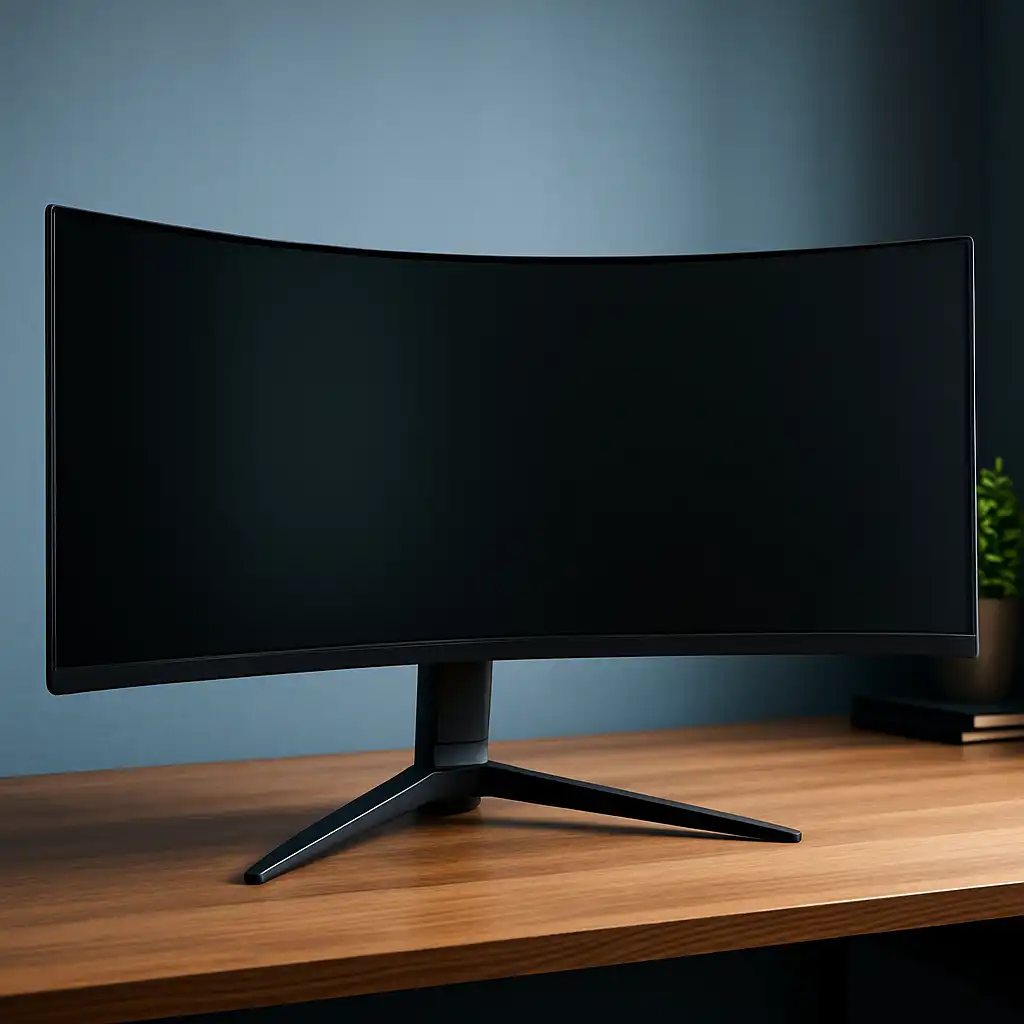
Do curved gaming monitors cause distortion? It's one of the first questions that comes up when you're eyeing that sleek, wrapped-around display. The short answer is yes, there's a slight geometric trade-off, but most gamers barely notice it in practice.
What matters more is whether the curve actually fits your setup and what you play.
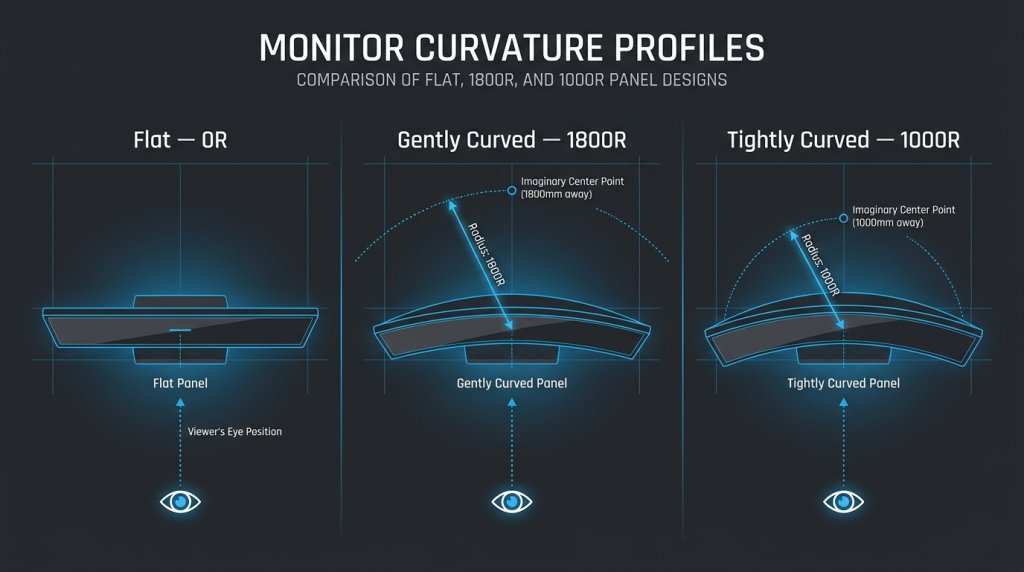
Curved monitors use a bent panel to keep the screen edges closer to your eyes, which reduces the viewing distance across the display. The curvature is measured in "R" (radius in millimeters), with 1000R being the most aggressive curve and 3000R being very subtle. Per VESA and manufacturer specifications, a 1000R curve matches the natural curvature of the human field of view, which is why it's become the gaming standard as of 2026.
Let's break down what you'll actually experience.
Quick Answer
Curved gaming monitors cause minor geometric distortion. Straight lines near screen edges may appear slightly curved. Most gamers don't notice this during gameplay.
The effect is more visible in productivity tasks like spreadsheets or CAD work. Panel type and curvature rating determine how much distortion you'll see.
How Curvature and Panel Technology Actually Work Together
A curved monitor bends the physical panel inward toward you. This changes how light travels from the screen to your eyes compared to a flat display. The key factor is the curvature radius, measured in millimeters.
A 1000R curve means the arc fits inside a circle with a 1-meter radius. A 1500R curve is gentler, fitting a 1.5-meter circle. The tighter the curve, the more the image geometry shifts at the edges.
Panel technology plays a huge role here. VA (Vertical Alignment) panels are the most common choice for curved gaming monitors because they offer high contrast ratios around 3000:1 and handle the physical stress of bending well. IPS (In-Plane Switching) panels can be curved too, but the bending process can introduce slight color shifts at the edges, sometimes called "IPS glow" or color deviation.
TN panels are rarely curved because their already narrow viewing angles get worse when the screen bends.
The resolution and aspect ratio also interact with the curve. A 34-inch 3440×1440 ultrawide with 1800R curvature will show less edge distortion than a 27-inch 2560×1440 display with 1000R. Larger screens with tighter curves concentrate the distortion closer to the periphery.
Smaller screens with aggressive curves spread it across more of your central vision.
The Distortion Question: What You'll Actually Notice
Here's where it gets practical. The distortion from a curved monitor isn't like a funhouse mirror. It's subtle, and your brain compensates for it surprisingly fast.
Most people adapt within a few days of regular use. But certain situations make it more obvious.
Straight Lines and Geometry
If you open a spreadsheet, a grid pattern, or a CAD drawing on a curved monitor, you'll see horizontal lines bow slightly near the left and right edges. This is the most common complaint. The tighter the curve, the more pronounced it becomes.
A 1000R 32-inch display will show more edge bowing than a 1500R 35-inch ultrawide, even though the larger screen is physically bigger.
For gaming, this rarely matters. Most game engines render scenes with perspective projection, so straight lines in the 3D world already converge toward vanishing points. The curve-induced distortion blends into the natural perspective.
You'd have to be playing a game with a lot of architectural geometry or UI elements at the screen edges to notice it.
Color Shift and Viewing Angle Issues
VA panels can exhibit color shifting when viewed off-center. On a curved monitor, the edges are physically angled toward you, which actually helps reduce this shift compared to a flat VA panel viewed from the same distance. But if you sit too close or too far, the edges may look slightly washed out or darker.
IPS curved panels handle color consistency better at the edges, but they can develop a slight purple or white glow in dark scenes near the corners. This isn't caused by the curve itself, it's a characteristic of IPS technology that becomes more visible when the panel is bent. Manufacturer specs typically don't quantify this, but aggregate user reviews on curved IPS monitors mention it more often than flat IPS panels.
Text Readability on Curved Panels
Text rendering on curved monitors is fine for most people. If you're doing long-form writing or coding, you might notice that text at the very edges feels slightly less sharp. This is because the focal plane of your eyes doesn't perfectly match the curved surface.
It's similar to reading the edge of a curved page versus a flat one. Not a dealbreaker, but worth knowing if you spend eight hours a day staring at code or documents.
Curved vs. Flat: Side-by-Side Comparison
")
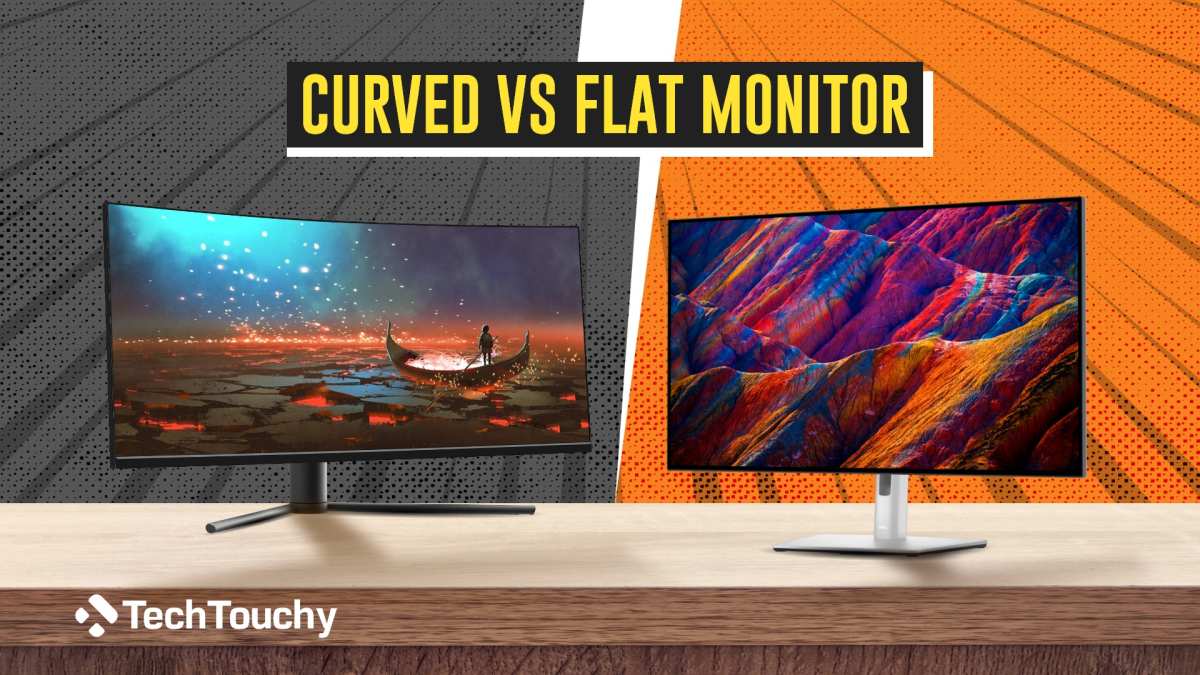
The curved vs. flat debate isn't about one being objectively better. It's about which one fits your use case. Here's how they stack up across the factors that actually matter.
| Factor | Curved Monitor | Flat Monitor |
|---|---|---|
| Immersion in games | High, edges wrap into peripheral vision | Moderate, edges feel more distant |
| Geometric accuracy | Slight edge distortion | Perfectly accurate geometry |
| Color consistency at edges | Varies by panel type, VA can shift | More uniform across screen |
| Multi-monitor alignment | Gaps and angle mismatches at bezels | Seamless alignment possible |
| Desk space needed | Deeper desk recommended | Works on shallower desks |
| Viewing distance sweet spot | Narrower, needs consistent position | More forgiving |
| Price (same specs) | Typically $30-$80 more | Baseline pricing |
| Best for | Single-player, sim, RPG gaming | Competitive FPS, productivity, design work |
Curved monitors win on immersion. That's their whole point. Flat monitors win on geometric accuracy and versatility.
If you're primarily gaming and you sit at a consistent distance from the screen, the curve adds genuine value. If you're switching between gaming and precision work, a flat panel keeps things simpler.
Curvature Ratings Explained: 1000R vs. 1500R vs. 1800R
")
The "R" number tells you how aggressively the monitor curves. Lower numbers mean tighter curves. Here's what each common rating means in practice.
| Curvature | Radius | Best Screen Size | Optimal Viewing Distance | Distortion Level | Immersion Level |
|---|---|---|---|---|---|
| 1000R | 1 meter | 27"-32" | 2.5-3.5 feet | Most noticeable | Highest |
| 1500R | 1.5 meters | 32"-35" | 3-4 feet | Moderate | High |
| 1800R | 1.8 meters | 34"-40" | 3.5-5 feet | Subtle | Moderate |
| 3000R | 3 meters | 40"+ | 5-7 feet | Very subtle | Mild |
1000R is the current sweet spot for gaming. Samsung Display and LG Display both adopted 1000R for their newer gaming panels because it matches the natural curve of human peripheral vision. At the right viewing distance, the screen fills more of your field of view without requiring excessive head turning.
1500R was the previous standard and still works well, especially on 32-inch and 34-inch panels. It's a gentler curve that's more forgiving if your desk setup isn't ideal. You don't have to sit at exactly the right distance for it to look good.
1800R is common on larger ultrawide monitors, 35 inches and up. At that screen size, a tighter curve would push the edges too far into your peripheral vision. The 1800R curve keeps things comfortable while still providing a noticeable wrap-around effect.
3000R and 4000R are barely curved. You'll see these on some professional and productivity monitors. The curve is just enough to reduce edge viewing distance without introducing visible distortion.
If you're worried about geometry issues, a 3000R panel is essentially flat with a slight bonus.
Panel Type Matters More Than You Think
The curve itself isn't the only factor determining distortion. The underlying panel technology has just as much influence on what you'll actually see. VA, IPS, and OLED each behave differently when bent, and understanding this helps you pick the right monitor for your needs.
VA Panels on Curve
VA panels dominate the curved gaming market. They offer deep blacks and high contrast ratios, typically around 3000:1. This makes them great for dark rooms and atmospheric games.
The liquid crystal alignment in VA panels handles the physical stress of curvature well, which is why most budget and mid-range curved gaming monitors use VA technology.
The trade-off is viewing angle dependency. VA panels shift color and contrast when viewed off-center. On a curved monitor, the edges are angled toward you, which partially compensates for this.
But if you sit too close, the far edges may still look slightly washed out compared to the center. Response times on VA panels have improved significantly, but some models still exhibit ghosting in fast-paced scenes.
IPS Panels on Curve
IPS panels offer better color accuracy and wider viewing angles than VA. Colors stay consistent even when you're looking at the screen from an angle. This makes IPS curved monitors popular for people who game and do light creative work on the same display.
The downside is that bending an IPS panel can introduce a phenomenon called "IPS glow." This appears as a slight white or purple sheen near the corners, especially in dark scenes. It's not caused by the curve directly, but the bending process can make it more visible. IPS panels also typically have lower contrast ratios around 1000:1, so blacks look more gray in dark rooms compared to VA.
OLED on Curve
OLED technology is entering the curved gaming monitor market in 2026. Each pixel produces its own light, so you get perfect blacks and infinite contrast. OLED panels can be made thinner than LCD, which allows for more aggressive curves without adding bulk.
The concern with OLED and curvature is burn-in risk over time. Static UI elements like health bars or minimaps could potentially leave persistent images. Manufacturer specifications for OLED gaming monitors typically include pixel-shift and dimming features to mitigate this.
OLED curved monitors currently sit in the premium price range, often $800 to $1,500 for 34-inch to 49-inch models.
Who Benefits Most from a Curved Monitor (and Who Doesn't)
Not every gamer needs a curve. The benefits are real, but they're situational. Here's a breakdown of who gets the most value and who should stick with flat.
Best Use Cases for Curved Gaming Monitors
Sim racing and flight sim gamers benefit the most. The curve mimics your natural peripheral vision, making cockpit environments feel more authentic. A 34-inch 1500R ultrawide or a 49-inch 1800R super ultrawide fills your field of view the way a single flat monitor can't.
Single-player RPG and open-world gamers get a noticeable immersion boost. Exploration feels more enveloping when the screen edges wrap toward you. Games like Cyberpunk 2077 or Elden Ring benefit from the added peripheral presence.
Streamers and content consumers on ultrawide displays enjoy the cinematic feel. Watching 21:9 content on a curved ultrawide fills your vision without the black bars you'd get on a 16:9 screen.
When Flat Is the Smarter Choice
Competitive FPS players often prefer flat monitors. Games like Counter-Strike 2 and Valorant demand precise crosshair placement and consistent geometry. Any edge distortion, however minor, can feel distracting when pixel-perfect accuracy matters.
Content creators doing color-critical work should lean toward flat IPS panels. Photo editing, video color grading, and graphic design all benefit from a geometrically accurate display. A curved monitor introduces variables that make precise color and shape judgments harder.
Multi-monitor users face alignment challenges with curved panels. The bezels don't sit flush against each other, creating visible gaps. Flat monitors stack together cleanly for surround setups.
Common Mistakes People Make Before Buying
Buying a curved monitor without considering your setup leads to regret. Here are the most frequent mistakes we see in aggregate buyer feedback.
Ignoring desk depth. A 32-inch 1000R monitor needs about 3 feet of viewing distance to look its best. If your desk is only 2 feet deep, you'll sit too close and notice more distortion. Measure your available space before choosing a curvature rating.
Assuming all curves are equal. A 1000R curve on a 27-inch monitor feels very different from 1000R on a 32-inch. The larger screen has more surface area bending around you, which changes the viewing experience. Always match the curvature to the screen size and your typical sitting distance.
Overlooking panel type. People focus on the curve and forget that VA vs. IPS vs. OLED determines color quality, response time, and contrast.
The curve is just one piece of the puzzle. A curved VA panel and a curved IPS panel at the same price point will look noticeably different.
Expecting the curve to fix bad viewing habits. A curved monitor won't save you from sitting too close, at the wrong height, or in a room with terrible lighting. The curve enhances the experience when your setup is already solid. It doesn't compensate for a poor ergonomic arrangement.
Buying curved for productivity-heavy workflows. If your day job involves spreadsheets, CAD, or coding for eight hours, a flat monitor will serve you better. The geometric distortion that's invisible in games becomes annoying when you're staring at grid-based interfaces all day.
Desk Setup, Viewing Distance, and Getting the Curve Right
Getting the most out of a curved monitor means setting up your desk correctly. The curve is designed for a specific viewing sweet spot, and sitting outside that range diminishes the benefits.
Optimal viewing distance by curvature:
- 1000R: 2.5 to 3.5 feet (75-105 cm)
- 1500R: 3 to 4 feet (90-120 cm)
- 1800R: 3.5 to 5 feet (105-150 cm)
Monitor height matters too. The top of the screen should sit at or slightly below eye level. With a curved monitor, this ensures the center of the display aligns with your natural gaze. The curve then wraps the edges into your lower peripheral vision, which feels more natural than looking up or down at the screen.
Tilt and angle adjustments on your monitor stand can fine-tune the curve's effect. Slightly tilting the monitor upward by 5 to 10 degrees helps align the curve with your eye level. Most curved gaming monitors come with adjustable stands that support this.
Room lighting interacts with curved displays differently than flat ones. The curve can catch ambient light from wider angles, creating reflections on the side edges. Positioning your monitor perpendicular to windows and using bias lighting behind the screen helps reduce this issue.
Real-World Scenarios: What Gamers Actually Experience
")
Let's look at what actual gamers report after living with curved monitors for extended periods.
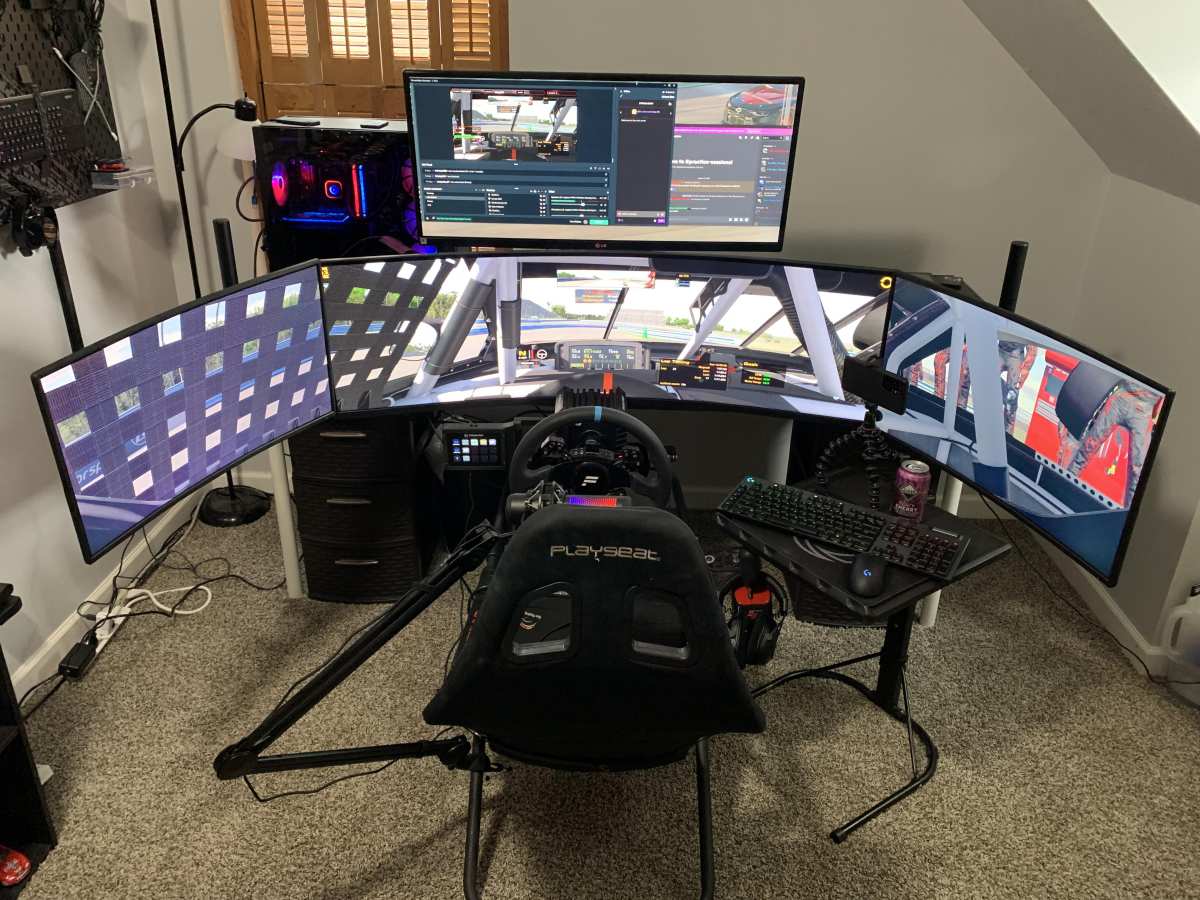
Sim racing enthusiasts consistently report that curved ultrawides improve lap times and spatial awareness. The peripheral vision fill helps with judging corner entry points and car positioning. A 34-inch 1500R or 38-inch 1800R ultrawide is the most popular choice in this community.
Triple-monitor curved setups are also common, though bezel alignment remains a frustration.
MMO and RPG players notice the immersion benefit most during exploration and cutscenes. Combat UI elements are typically centered, so edge distortion doesn't affect gameplay. Players in aggregate reviews frequently mention they "can't go back to flat" after adapting to curved for these genres.
Battle royale and extraction shooter players have mixed opinions. Some appreciate the peripheral awareness advantage. Others report that the slight edge distortion makes spotting distant enemies at the screen periphery slightly harder.
This is the one genre where the curve's benefit is genuinely debatable.
Creative professionals who also game tend to prefer flat IPS for work and a separate curved VA for gaming. Running both side by side is a common setup. It avoids the compromise of trying to make one display serve both masters.
Pricing and What You're Paying For
Curved gaming monitors carry a modest price premium over equivalent flat panels. As of 2026, here's what you can expect across the common categories.
| Category | Size | Panel Type | Curvature | Typical Price Range |
|---|---|---|---|---|
| Budget curved | 27"-32" | VA | 1000R-1500R | $200-$350 |
| Mid-range curved | 32"-34" | VA or IPS | 1000R-1800R | $350-$600 |
| Premium curved | 34"-38" | IPS | 1000R-1500R | $600-$900 |
| Super ultrawide | 43"-49" | VA or OLED | 1800R-2300R | $800-$1,500 |
| OLED curved | 34"-49" | OLED | 1800R-2300R | $900-$1,500 |
The premium over flat monitors is typically $30 to $80 for the same size and specs. You're paying for the manufacturing complexity of bending the panel and, in many cases, the ultrawide aspect ratio that accompanies the curve. The price gap has narrowed significantly since 2023 as production yields have improved.
VA curved monitors offer the best value for pure gaming. IPS curved monitors cost more but deliver better color accuracy. OLED curved monitors are the premium choice if budget allows and you want the best image quality with the curve.
Frequently Asked Questions
Is a curved monitor bad for photo editing?
Yes, for color-critical photo editing, a flat monitor is better. The curve introduces slight geometric distortion that makes precise alignment and straight-line work harder. Flat IPS panels remain the standard for professional photo and video editing.
Does 1000R cause more distortion than 1800R?
Yes, 1000R causes more visible edge distortion than 1800R. The tighter curve bends straight lines more noticeably at the screen edges. However, 1000R also provides stronger immersion.
The trade-off is intentional and depends on your priority.
Can you use a curved monitor for office work?
You can, but it's not ideal for text-heavy tasks. Spreadsheets, documents, and code editors display fine in the center, but text at the edges may feel slightly less sharp. If you split your time between gaming and office work, consider a flat monitor or a gentle 3000R curve.
Do curved monitors work well in multi-monitor setups?
They're challenging in multi-monitor configurations. The curve creates visible gaps at the bezels where two monitors meet. Flat monitors align cleanly side by side.
For surround gaming setups, flat panels or specifically designed curved multi-monitor arrays work better.
How long does it take to adapt to a curved monitor?
Most people adapt within 3 to 7 days of regular use. Your brain compensates for the geometric distortion quickly. Some users report mild eye strain during the first couple of days, but this typically resolves as your visual system adjusts to the new focal plane.
Is curved or flat better for competitive gaming?
Flat monitors are generally preferred for competitive FPS and esports. Geometric accuracy matters more than immersion in competitive scenarios. Professional tournament setups almost exclusively use flat 24-inch or 25-inch monitors for this reason.
Final Verdict: Should You Go Curved or Stay Flat?
The distortion from curved gaming monitors is real but minor. For most gaming scenarios, your brain adapts within a week and you stop noticing it entirely. The immersion benefit is genuine, especially for single-player games, sim racing, and ultrawide setups.
Go curved if you primarily play immersive games, sit at a proper viewing distance, and want the wrap-around feel. A 32-inch 1000R VA or a 34-inch 1500R IPS hits the sweet spot for most gamers in 2026.
Stay flat if you play competitive FPS professionally, do color-critical creative work, or need multi-monitor alignment. A flat IPS panel gives you geometric accuracy and versatility that a curved display can't match.
The curve isn't a gimmick, but it's not for everyone. Match it to your use case and your desk setup, and you'll be happy either way.

Similar Posts