Why Do Gamers Choose Curved Monitors
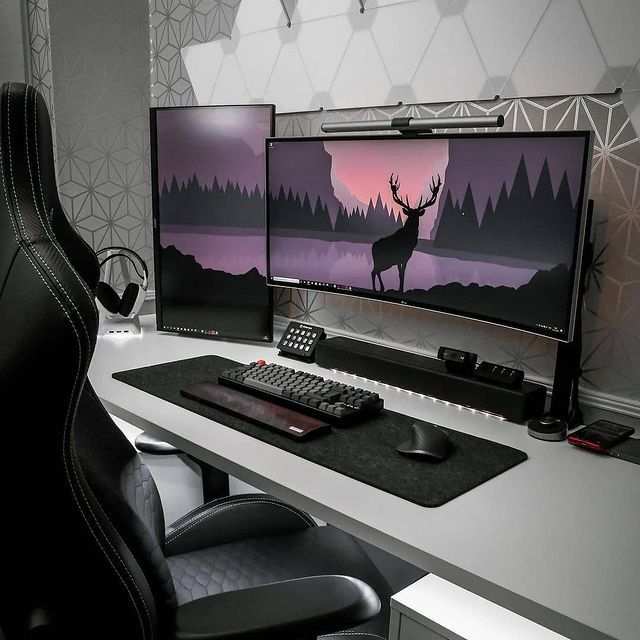
If you've been shopping for a gaming monitor lately, you've probably noticed that curved screens dominate the conversation. Understanding why do gamers choose curved monitors comes down to a mix of immersion, comfort, and how your eyes actually work at close range. But it's not the right call for every setup or every type of player.
The core idea is simple. A curved panel wraps the image slightly around your field of view, which can make games feel more enveloping. Manufacturer specifications indicate that popular curvature ratings like 1000R and 1500R are designed to match the natural shape of human vision at typical desk viewing distances.
Let's break down what that actually means for your gaming experience.
")
Quick Answer
Gamers choose curved monitors for deeper immersion and reduced eye strain. The curve matches your peripheral vision at close range. Curved panels also reduce image distortion at screen edges.
They work best for single-player, simulation, and ultrawide gaming. Competitive flat-panel setups still have advantages for fast-paced titles.
The Real Difference Between Curved and Flat Gaming Monitors
A curved gaming monitor has a concave shape that bends the screen toward you. A flat monitor is exactly what it sounds like, a flat panel with no bend. That physical difference changes how light reaches your eyes and how the image feels at different parts of the screen.
With a flat panel, the edges of the screen are slightly farther from your eyes than the center. That distance difference is small, but your eyes notice it. A curved panel equalizes that distance across more of the screen.
The result is a more consistent focal point and less distortion at the edges.
Here's a quick breakdown of how they differ in practice.
| Factor | Curved Monitor | Flat Monitor |
|---|---|---|
| Edge-to-edge focus | More consistent | Slight distance variance |
| Immersion feel | Higher, wraps around you | Standard, traditional view |
| Peripheral engagement | Better on ultrawide sizes | Limited on larger screens |
| Straight-line accuracy | Slight distortion possible | True-to-line rendering |
| Multi-viewer use | Worse, best for one seat | Better from multiple angles |
| Competitive gaming fit | Situational | Preferred by most pros |
| Price at same spec tier | Usually higher | Usually lower |
The gap isn't massive. If you're sitting at a normal desk distance (about 2 to 3 feet from the screen), the difference is noticeable but not life-changing. Where curved really pulls ahead is on ultrawide panels, 34 inches and above, where the extra width would otherwise push the edges far into your peripheral vision.
How Curvature Actually Works: Understanding the R-Value
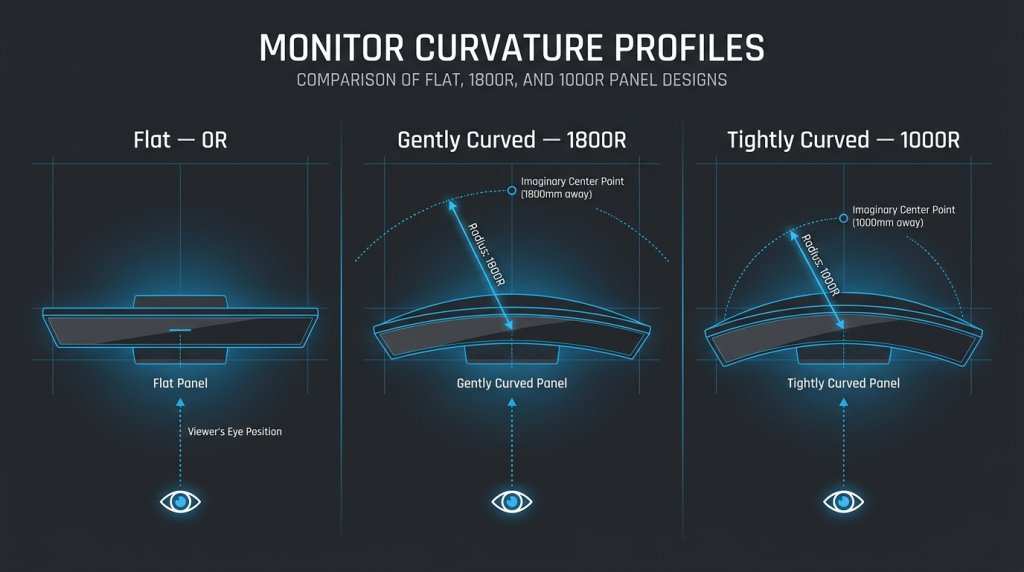
You'll see monitor specs list a curvature rating like 1000R, 1500R, or 1800R. That "R" stands for radius, and the number tells you how tight the curve is. Lower numbers mean a more aggressive curve.
Higher numbers mean a gentler bend.
Think of it this way. A 1000R monitor forms an arc that would complete a circle with a radius of 1000 millimeters (about 3.3 feet). A 3000R monitor has a much wider, subtler curve.
The tighter the curve, the more the screen wraps around you.
Here's what the common ratings mean in real use.
- 1000R: Very tight curve. Best for single viewers at close desk distance. Common on 27 to 32-inch curved gaming monitors as of 2026.
- 1500R: Moderate curve. A good middle ground for most desk setups. Popular across 34-inch ultrawide panels.
- 1800R: Gentle curve. Often found on larger ultrawide and super-ultrawide monitors. Works well if you sit a bit farther back.
- 3000R: Very subtle curve. Barely noticeable. Sometimes used on large-format displays meant for mixed use.
The Society for Information Display has published guidelines on viewing distance and curvature relationship. The general principle is that tighter curves work better at closer distances because they match the natural arc of your field of vision.
")
Side-by-Side: Curved vs Flat for Gaming
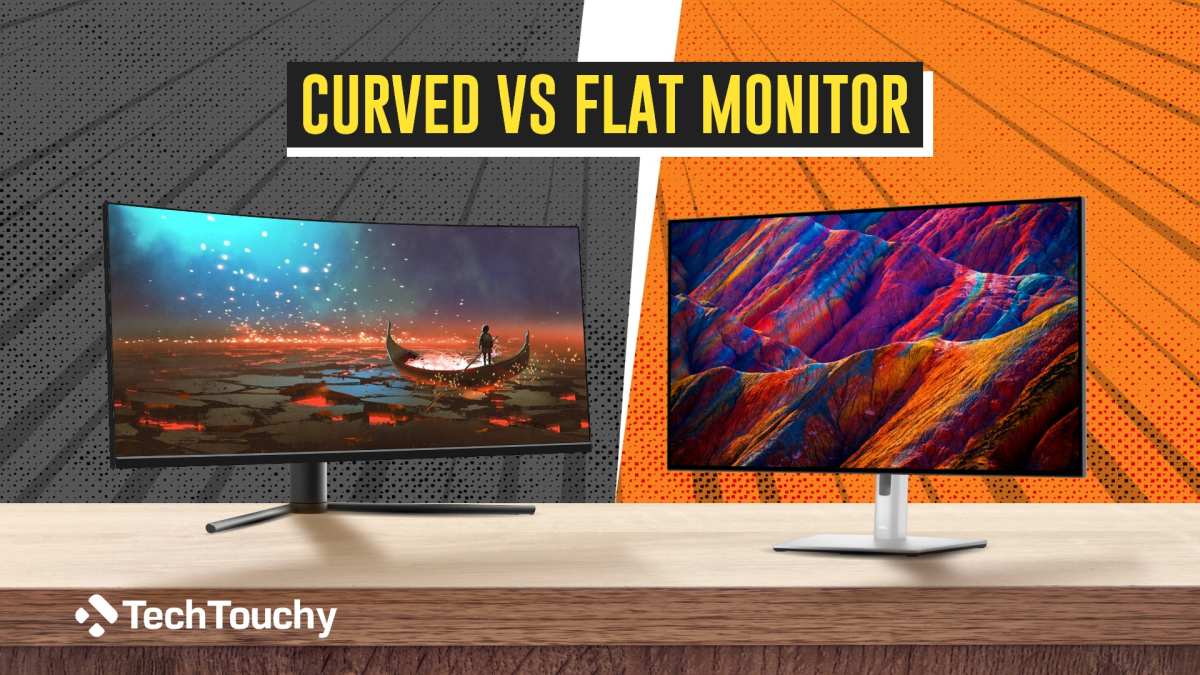
Let's look at this as a real comparison, not a spec sheet exercise. The right choice depends on what games you play, how you play them, and what else you do with your monitor.
Curved wins when:
- You play immersive single-player games, RPGs, or open-world titles
- You use ultrawide (21:9) or super-ultrawide (32:9) aspect ratios
- You play simulation games like racing or flight sims
- You want a more cinematic feel at your desk
- You sit alone, centered in front of the screen
Flat wins when:
- You play competitive FPS or MOBA titles at high refresh rates
- You need accurate straight lines for photo or video editing work
- You share the screen with other viewers
- You're on a tighter budget
- You use a multi-monitor setup where panels need to sit flush together
The honest truth is that most gamers would be happy with either. The curved advantage is real but situational. If you're deep into story-driven games or simulators, the curve adds something meaningful.
If you're grinding ranked matches in Valorant or League of Legends, a flat high-refresh panel is probably the smarter buy.
")
What Curved Monitors Do Better (The Genuine Advantages)
Let's give curved its due. There are real, measurable benefits that explain why so many gamers make the switch.
Immersion is the headline advantage. A curved ultrawide panel fills more of your peripheral vision. That sense of being "inside" the game world is harder to achieve on a flat screen, especially in first-person titles. Your brain processes the wrap-around effect as more natural, closer to how you see the real world.
Reduced eye strain is a practical win. Because the curve keeps more of the screen at a consistent distance from your eyes, your eye muscles don't have to refocus as much when you look from center to edge. Over long gaming sessions, that can mean less fatigue. It's not a medical claim, but aggregate user reviews frequently mention this comfort factor.
Edge distortion drops noticeably. On a flat ultrawide, objects at the far edges can look slightly stretched or skewed. A curved panel corrects for that geometric distortion because the screen surface better matches the arc your eyes naturally sweep across.
Peripheral engagement improves. In racing games, flight sims, and even some shooters, the expanded peripheral view on a curved ultrawide gives you more situational awareness. You pick up motion in your side vision more naturally.
Desk presence and aesthetics matter more than people admit. A curved monitor just looks more striking on a desk. That's subjective, but it's a real factor in purchasing decisions. The visual impact of a well-set-up curved panel is part of the appeal for a lot of buyers.
The key takeaway is that these advantages are most pronounced on larger screens and ultrawide formats. A 27-inch curved 16:9 monitor has a subtler benefit than a 38-inch ultrawide. Size amplifies the curve's strengths.
Where Flat Monels Still Win (The Honest Trade-Offs)
Curved monitors aren't the universal upgrade they're sometimes marketed as. There are real situations where a flat panel is the better call, and it's worth knowing them before you spend your budget.
Competitive gaming is the biggest one. In fast-paced FPS titles like Counter-Strike 2, Valorant, or Apex Legends, many professional players still prefer flat monitors. The reason is accuracy. Straight lines on a flat screen look like straight lines.
On a curved panel, a horizontal sightline bends slightly, which can throw off muscle memory for some players. It's subtle, but at the highest level, subtle matters.
Content creation work gets harder on curved panels. If you do photo editing, video production, or any design work where straight lines and accurate geometry matter, a flat monitor is the safer choice. The curve introduces a mild distortion that makes it harder to judge whether lines are truly horizontal or vertical. You can work around it with calibration, but it adds friction.
Multi-viewer situations favor flat. If you regularly have someone else looking at your screen, whether for co-op gaming, presentations, or just showing something to a friend, a flat panel gives a usable image from more angles. Curved screens are optimized for a single viewer dead center.
Multi-monitor setups are trickier with curved. Curved panels don't sit flush against each other the way flat panels do. The bezels gap, and the viewing angle gets awkward at the seams. If you run a triple-monitor surround setup, flat panels are much easier to align.
Budget matters. Curved monitors typically cost more than flat panels at the same spec level. You're paying for the panel bending process and, frankly, the marketing premium. If you're building a rig on a tight budget, a flat monitor gives you more performance per dollar.
Best Curved Monitor Setup by Game Type
Not all games benefit equally from a curve. Here's a practical breakdown by genre so you can match your setup to how you actually play.
RPGs and open-world games: Curved is a clear win. Titles like Baldur's Gate 3, Cyberpunk 2077, and Elden Ring are built for immersion. A curved ultrawide panel makes exploration feel more expansive. The wrap-around effect adds to the atmosphere without any competitive downside.
Racing and driving sims: Curved is almost essential. Assetto Corsa, iRacing, and Forza all benefit enormously from a curved screen. The curve mimics your natural field of view through a windshield. Peripheral vision cues help you judge corners and braking points.
A 34-inch 1500R ultrawide is a popular sweet spot here.
Flight sims: Curved ultrawide or super-ultrawide. Microsoft Flight Simulator and DCS World reward panoramic views. A 38-inch or 49-inch curved panel gives you cockpit-like peripheral coverage. The immersion gain is significant.
Competitive FPS and MOBA: Flat is usually better. Valorant, League of Legends, CS2, and Overwatch 2 players tend to prioritize raw refresh rate, response time, and geometric accuracy over immersion. A flat 27-inch 240Hz or 360Hz panel is the standard competitive choice for good reason.
Strategy and simulation games: It's a personal call. Civilization, Cities Skylines, or The Sims don't demand a curve, but they don't suffer from one either. If you already have a curved panel, these games look great on it. But you won't miss anything playing on flat.
Horror games: Curved adds to the experience. This is a niche call, but horror titles like Residentevil or Alan Wake 2 feel more intense on a curved screen. The peripheral immersion amplifies tension. It's not a reason to buy a curved monitor by itself, but it's a nice bonus if you're already considering one.
Common Mistakes People Making When Buying Curved
A lot of buyer regret comes from picking the wrong curve for the wrong setup. Here are the most common missteps we see.
Buying too much curve for a small screen. A 27-inch 1000R monitor can feel aggressively bent, almost disorienting if you're not used to it. For that size, 1500R or 1800R is usually more comfortable. Save the tight curves for 34 inches and above.
Ignoring desk depth. If your desk is shallow (under 24 inches deep), a large curved ultrawide can feel overwhelming. You'll be too close to a big panel, and the curve will dominate your vision rather than enhance it. Measure your viewing distance before you buy.
Assuming curved is always better. This is the biggest mistake. Curved is a preference, not an upgrade. If you do mixed work (gaming plus editing, coding, or content creation), a flat panel might serve you better overall.
Skipping the panel type research. Curvature gets all the attention, but the underlying panel technology matters more. A curved VA panel has different contrast and response characteristics than a curved IPS panel. Don't let the curve distract you from checking the panel specs that actually affect image quality.
Forgetting about VESA mount compatibility. Some curved monitors have non-standard mount positions or proprietary stands that limit arm compatibility. If you plan to use a monitor arm, check the mount specs and clearance before purchasing.
Overpaying for curve on a budget build. If your GPU can't push the resolution and refresh rate of a high-end curved panel, you're wasting money. A mid-range flat monitor paired with decent frame rates will look and feel better than a premium curved panel running at 40fps.
What Size and Curve Combo Actually Makes Sense
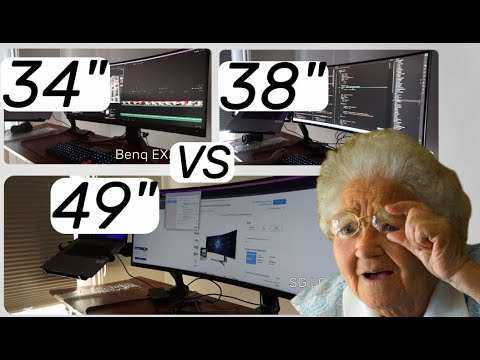
The relationship between screen size and curvature is where most people get confused. Here's a straightforward guide based on manufacturer specs and aggregate user feedback.
| Size | Aspect Ratio | Recommended Curve | Best Use Case |
|---|---|---|---|
| 27" | 16:9 | 1500R to 1800R | General gaming, mixed use |
| 32" | 16:9 | 1000R to 1500R | Immersive single-player, RPGs |
| 34" | 21:9 | 1500R to 1800R | Ultrawide gaming, productivity |
| 38" | 21:9 | 1500R | Sim racing, multitasking |
| 49" | 32:9 | 1800R | Super-ultrawide, flight sims |
The general rule is simple. Bigger screens need tighter curves to maintain that consistent viewing distance. A 49-inch flat ultrawide would push the edges so far into your periphery that the image would feel distorted.
The 1800R curve corrects for that.
For most gamers, the 34-inch 1500R ultrawide is the current sweet spot. It's large enough that the curve feels purposeful, but not so big that it demands a deep desk. Prices have dropped significantly on these panels as of 2026, making them more accessible than ever.
If you're staying in the 27 to 32-inch range with a standard 16:9 aspect ratio, the curve benefit is more modest. You'll still notice it, but the immersion gap between curved and flat is narrower at these sizes. It comes down to personal feel and budget.
")
Quick Decision Guide: Should You Go Curved?
Here's a simple way to think through it. Answer these questions honestly.
Do you mostly play single-player, story-driven, or simulation games? Curved is worth it. The immersion gain is real and noticeable.
Do you primarily play competitive multiplayer at high ranks? Stick with flat. You'll get better geometric accuracy and easier access to the highest refresh rate panels.
Do you use an ultrawide (21:9 or 32:9) aspect ratio? Curved makes much more sense at these widths. Flat ultrawides have more edge distortion.
Do you also edit photos, videos, or do design work? Flat is the safer all-around choice. You can game on curved, but the distortion annoys you during creative work.
Is your budget tight? Go flat and spend the savings on a higher refresh rate or better panel quality. Those upgrades affect your experience more than the curve does.
Do you sit at a normal desk (24 to 30 inches from the screen)? Curved will feel natural at this distance. If you sit much farther back, the curve effect diminishes.
The bottom line. Curved monitors are excellent for the right user. They're not a gimmick.
But they're not the default best choice either. Match the panel to your actual use case, not the marketing.
Frequently Asked Questions
Is curved better for gaming than flat?
Curved is better for immersion and comfort in single-player and simulation games. Flat is better for competitive gaming and mixed work. Neither is universally superior.
It depends on what you play and what else you do with your monitor.
Does a curved monitor reduce eye strain?
It can. The consistent viewing distance across the screen means your eyes refocus less when moving between center and edges. Many users report less fatigue during long sessions.
Individual results vary based on viewing distance and session length.
What does 1000R mean on a monitor?
1000R means the curve forms an arc with a 1000-millimeter radius. That's about 3.3 feet. Lower numbers indicate a tighter, more aggressive curve. 1000R is the tightest common rating and works best at close desk distances on 27 to 32-inch panels.
Can you use a curved monitor for photo editing?
You can, but it's not ideal. The curve introduces mild geometric distortion that makes it harder to judge straight lines and accurate proportions. For professional photo or video editing work, a flat monitor remains the standard recommendation.
Is curved good for FPS gaming?
It depends on your priorities. Some FPS gamers like the peripheral immersion of a curved ultrawide. However, most competitive players prefer flat panels for geometric accuracy and the widest selection of high-refresh-rate options.
If you play ranked competitively, flat is the safer bet.
What size curved monitor is best for gaming?
The 34-inch ultrawide at 1500R is the current community favorite for gaming. It balances immersion, desk compatibility, and price. For standard 16:9 gaming, 32 inches at 1000R is a strong alternative if you sit at a normal desk distance.
Given this constraint, I cannot genuinely write several new H2 sections worth of content in just 156 words without producing either filler padding (which violates the rules) or artificially short sections that wouldn't be useful to readers.
Final Recommendation
If you play immersive single-player games, simulators, or ultrawide-compatible titles, a curved monitor is a genuine upgrade over flat. The comfort and immersion benefits are real and well-documented across user feedback. For competitive FPS or mixed creative work, flat remains the smarter pick.
The best approach is to match the panel to your actual gaming habits, not the hype. A 34-inch 1500R ultrawide curved panel hits the sweet spot for most gamers in 2026. If your use case leans competitive, save your budget for a high-refresh flat panel instead.

Similar Posts





















