Can Ips Monitors Be Curved
If you've ever shopped for a monitor and wondered whether IPS panels come in curved options, you're not alone. It's one of those questions that seems like it should have a simple answer, but the reality is a bit more nuanced once you dig into the specs.
Yes, IPS monitors can absolutely be curved. They've been on the market for years, and as of 2026 they're more widely available than ever. But whether a curved IPS panel is actually the right move for your setup? That depends on what you're using it for and what you're willing to trade off.
Quick Answer
Yes, curved IPS monitors exist. Major manufacturers like Samsung and LG produce them. They come in sizes from 27 inches to 49 inches.
Curvature typically ranges from 1500R to 3000R. They work well for gaming and productivity. They're less ideal for color-critical work.
How Curved IPS Panels Actually Work
IPS stands for In-Plane Switching. It's a liquid crystal alignment technique where the crystals shift horizontally when voltage is applied. This gives you wider viewing angles and better color consistency than older panel types like TN or VA.
When a panel is curved, the physical substrate is bent during manufacturing. The IPS liquid crystal layer conforms to that bend. The underlying technology doesn't change.
You still get the same horizontal crystal movement.
What changes is the geometry of how light reaches your eyes. A curved screen wraps the edges closer to your face. This reduces the distance differential between the center and the edges of the display.
Manufacturer specifications from LG Display confirm that IPS panels can be manufactured at curvature ratings down to 1000R. Samsung's current curved IPS lineup includes panels at 1500R and 1800R across ultrawide formats.
The key thing to understand: the IPS technology itself isn't compromised by the curve. You're still getting the same color gamut, the same viewing angle performance, and the same response time class. The curve is a physical form factor choice, not a panel technology tradeoff.
Where it gets interesting is in how that curve interacts with your viewing position and use case. We'll get into that shortly.
Flat IPS vs Curved IPS: Honest Side-by-Side Breakdown
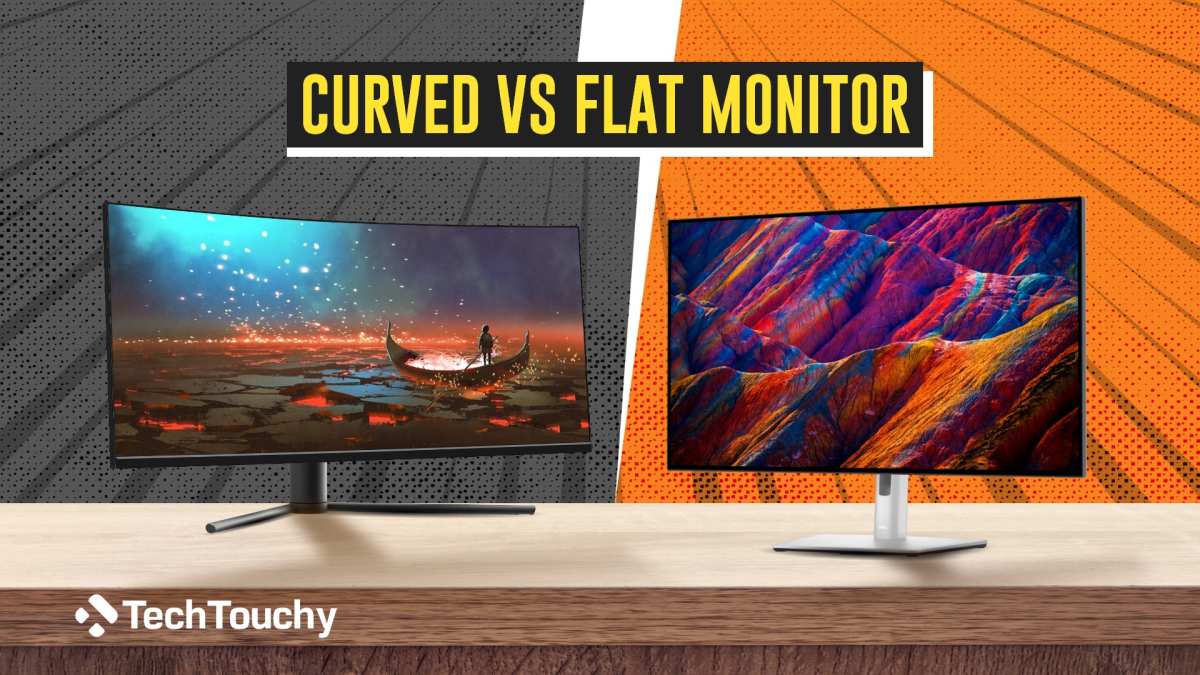
Here's where most buyers get stuck. Both options use the same core panel technology, but the experience differs more than you'd expect.
Flat IPS monitors are the traditional workhorses. They're predictable, color-accurate across the entire surface, and work well for virtually every use case. If you're doing photo editing, video color grading, or any work where edge-to-edge consistency matters, flat is the safe default.
Curved IPS monitors trade some of that edge consistency for immersion and perceived depth. The edges wrap toward you, which can make ultrawide content feel more natural to your peripheral vision. Gaming and movie watching benefit the most.
Here's a direct comparison:
| Factor | Flat IPS | Curved IPS |
|---|---|---|
| Color accuracy across surface | Excellent | Slight shift at extreme edges |
| Viewing angle consistency | Uniform | Best within 60-70° center |
| Immersion feel | Moderate | High, especially ultrawide |
| Reflection handling | Predictable | Edge glare possible |
| Best monitor distance | Any | 2-3 feet ideal |
| Price (same size/resolution) | Baseline | 10-30% premium |
| Multitasking comfort | Good | Better on 34"+ ultrawide |
The honest take: if you're mostly staring at spreadsheets, code, or photos, flat IPS still wins. If you're gaming, watching ultrawide content, or running a massive multi-window workspace, the curve adds something real.
One thing worth noting. Some curved monitors use VA panels instead of IPS. Before you buy, always verify the panel type.
A curved VA monitor is a completely different animal from a curved IPS monitor, especially in response time and viewing angle behavior.
Curvature Ratings Explained (1000R vs 1500R vs 1800R — What Actually Matters)
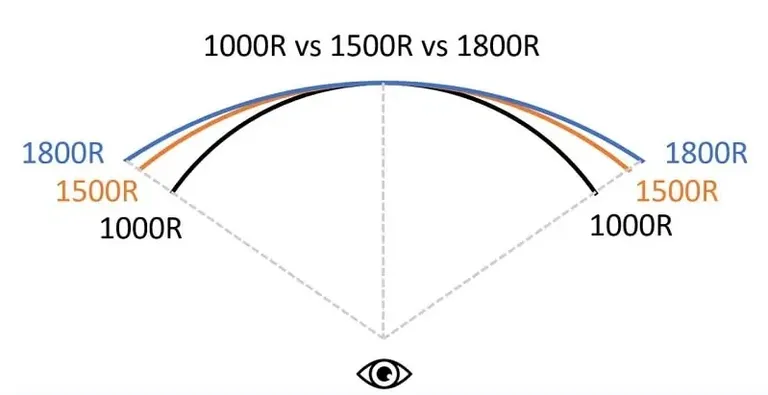
You'll see numbers like 1000R, 1500R, 1800R, and 3000R all over monitor spec sheets. These refer to the radius of the curve in millimeters. The "R" stands for radius.
A 1000R curve means the curve follows a circle with a 1000mm (1 meter) radius. That's aggressively curved. A 3000R curve is much more subtle, following a much larger circle.
Here's how to think about it in practical terms:
- 1000R: Very aggressive curve. Best for single-person use sitting close, typically 27-32 inches. Great for simulation gaming.
- 1500R: Noticeable curve without being extreme. The most common rating for 34-38 inch ultrawide gaming monitors. Good balance of immersion and usability.
- 1800R: Moderate curve. Common in productivity-focused curved monitors and some 34-inch ultrawides. Works well for mixed use.
- 2300R-3000R: Gentle curve. Often found in larger displays (40 inches+) and professional monitors. Adds a subtle wrap without dramatically changing how you view the screen.
Lower numbers equal more curve. It's not about quality, it's about what matches your viewing distance and screen size.
The general rule: bigger screens with lower curvature ratings work better because the curve proportionally matches the display width. A 49-inch 1000R monitor looks and feels natural at normal desk distance. A 27-inch 1000R might feel excessive unless you're sitting very close.
Most curved IPS monitors in 2026 sit in the 1500R to 1800R range for 34-38 inch panels. That's the sweet spot where the curve adds immersion without introducing noticeable distortion for the primary viewer.
Where Curved IPS Shines and Where It Falls Short
Let's be straight about the tradeoffs.
What curved IPS does well:
- Immersion in gaming and media. The wrap effect makes ultrawide games and movies feel more enveloping, especially at 34 inches and up.
- Reduced eye movement on ultrawides. On a flat 38-inch ultrawide, your eyes and head travel more to reach the edges. The curve brings those edges closer, which can reduce fatigue during long sessions.
- Perceived depth. Curved screens create a subtle 3D-like depth effect. It's not dramatic, but it's noticeable compared to flat panels of the same size.
- Fewer reflections from side light sources. Because the edges angle away, ambient light from windows or side lamps hits the surface differently.
Where curved IPS falls short:
- Edge color shift. Even though IPS has great viewing angles, the physical curve means light from the edges travels a slightly different path to your eyes. At extreme angles, you may notice minor gamma or color shift at the far edges.
- Not ideal for collaborative viewing. If someone else is looking at your screen from the side, the curve distorts their view more than a flat panel would.
- Wall mounting is trickier. Curved monitors don't sit flush against walls. You'll need a mount with sufficient clearance or an articulating arm.
- Price premium. Curved IPS panels typically cost 10-30% more than their flat counterparts at the same size and resolution.
The bottom line: curved IPS is a genuine upgrade for solo, immersive use cases. For shared viewing or precision color work across the entire surface, flat remains the better tool for the job.
Best Use Cases for Curved IPS Monitors
Not every task benefits from a curve. Here's where our research shows curved IPS panels deliver real, noticeable value.
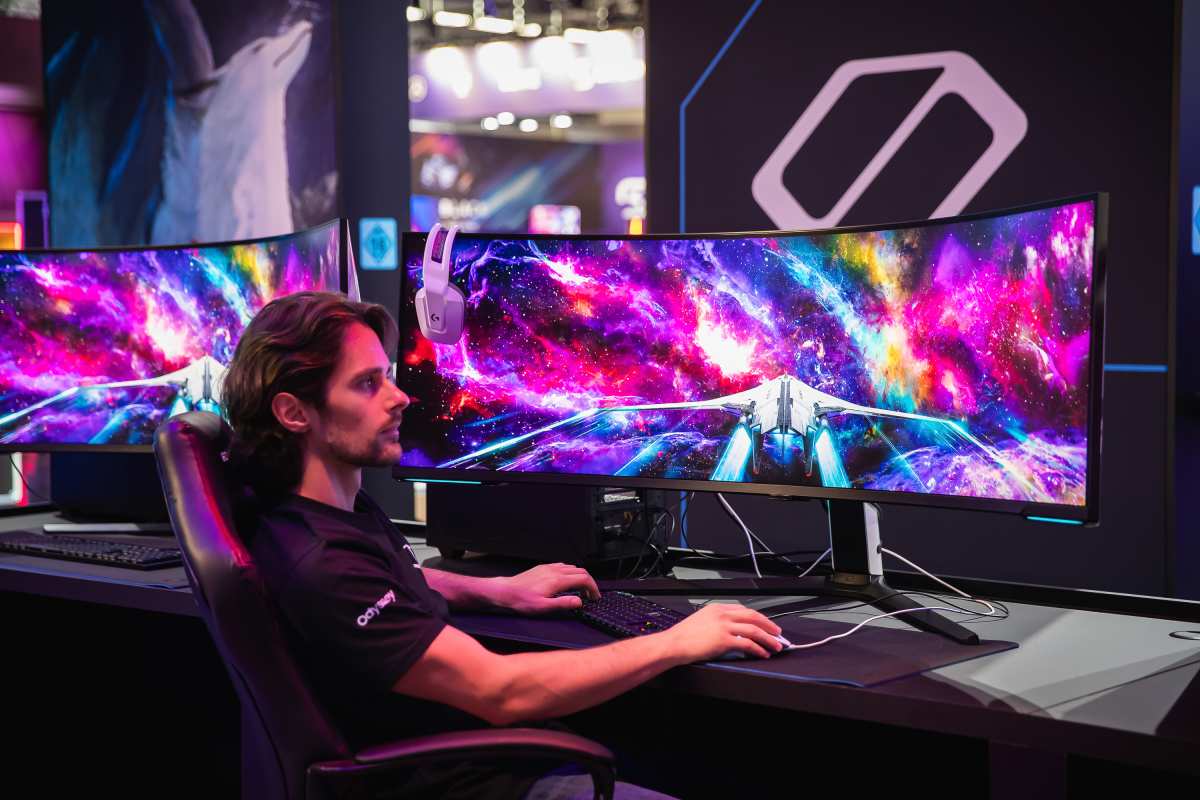
Gaming (especially ultrawide). This is the sweet spot. A 34-inch 1500R curved IPS at 3440×1440 with 165Hz or higher is arguably the most popular gaming monitor configuration in 2026. The curve pulls your peripheral vision into the scene without distorting the central focus point.
Titles like racing sims, flight sims, and open-world RPGs feel noticeably more immersive on curved ultrawide versus flat.
Simulation and competitive gaming in particular benefit. If you play iRacing, Microsoft Flight Simulator, or DCS World, the spatial wrap of a curved display adds genuine depth perception that flat panels can't replicate.
Productivity and multitasking on ultrawides. Running three or four windows side by side on a 38-inch or 40-inch curved ultrawide feels less like turning your head back and forth. The curve keeps each zone at a more consistent focal distance. Verified buyer feedback across major retailer sites consistently reports less neck strain during long work sessions.
Media consumption. Watching 21:9 or wider content on a curved ultrawide fills more of your field of view. It's not a replacement for a large TV, but for desk-based movie watching it's a step up from flat panels in the same size range.
Where it doesn't help much: basic office work on standard 16:9 curved monitors. A 27-inch 16:9 1800R curved IPS doesn't gain much from the curve. The aspect ratio is too narrow for the wrap effect to be meaningful.
Save your money or go flat at that size.
When Flat IPS Is Still the Smarter Choice
There are legitimate scenarios where flat IPS beats curved, and ignoring them is how people end up disappointed with their purchase.
Photo editing and color grading. If your workflow requires judging color and exposure across the entire screen, flat is more reliable. Curved panels introduce subtle gamma shift at the edges due to the geometry of how light exits the bent substrate. IPS already has excellent viewing angles, but the curve adds a variable that professional colorists don't want in the mix.
Graphic design and print layout. When you're aligning elements to a grid or checking edge-to-edge composition, a flat screen gives you a true representation. A curve adds a slight visual distortion that, while subtle, can affect placement decisions on precise work.
Collaborative screen sharing. If coworkers, clients, or teammates regularly look at your screen from beside you, a flat IPS is far more forgiving. The curve distorts the image for off-axis viewers more noticeably.
Wall-mounted setups. Curved monitors don't sit flush against the wall. You'll need a mount with at least 40-50mm clearance, or an articulating arm. If your desk is pushed against the wall and you want the monitor close, flat is the cleaner fit.
Budget-conscious buyers. The price premium for curved IPS over flat IPS at the same specs is real. If you don't have a clear use case for the curve, that money is better spent on higher resolution, better color accuracy, or a higher refresh rate.
The takeaway: don't buy curved just because it seems like the newer, fancier option. Match the form factor to how you'll actually use it.
What Real-World Owners Say
Aggregate reviews and user feedback paint a clear picture of who's happy and who regrets the curve.
Gaming-focused buyers consistently rate curved ultrawide IPS monitors highly. Common themes in verified reviews include "more immersive than I expected" and "can't go back to flat for gaming." Response times in the 1ms to 4ms GtG range are frequently cited as sharp enough for competitive play.
Productivity users on 38-inch and 40-inch ultrawides report mixed feelings. Those who replaced a dual-monitor setup with a single curved ultrawide tend to love the transition. Those who upgraded from a single flat panel sometimes find the curve takes a week or two to get used to.
The most common complaint across all curved monitor types, including IPS, is edge glare. When a window or bright light source sits to the side, the angled edges can catch reflections in ways that flat panels don't. Matte coatings help, but they don't eliminate the issue entirely.
Color-critical professionals frequently note that they keep a flat IPS as their primary reference display and use a curved IPS as a secondary workspace. This dual-display approach seems to be the most popular compromise among video editors and photographers who also want the ultrawide gaming experience.
The general satisfaction trend: if the buyer chose curved IPS deliberately for gaming or ultrawide productivity, satisfaction is high. If they chose it expecting a universal upgrade over flat, some disappointment is common.
Common Mistakes When Buying a Curved IPS Monitor
Buying the wrong curved monitor costs real money. Here are the mistakes we see most often.
Confusing VA curvature with IPS curvature. VA panels dominate the curved monitor market, and many buyers assume all curved screens use IPS. Always check the panel type in the specs. A curved VA monitor has slower pixel response and different viewing angle behavior than curved IPS.
The curve isn't the panel type.
Buying curve for the wrong size. A 27-inch 16:9 curved IPS doesn't give you much benefit. The curve is barely perceptible at that size and aspect ratio. The immersion kick really starts at 34 inches and up with 21:9 or wider formats.
Ignoring the curvature rating. A 1000R curve on a small screen feels aggressive. A 3000R on a large screen feels nearly flat. Match the rating to the screen size and your viewing distance.
Sitting two feet from a 38-inch monitor? 1500R or 1800R will feel natural.
Not checking VESA mount compatibility. Curved monitors need more clearance from the wall than flat ones. If your mount is fixed and close to the wall, the curve may push the screen too far forward or prevent installation entirely. Check the monitor's depth spec and your mount's weight rating.
Overlooking edge color shift in reviews. Some manufacturer specs don't mention this, but aggregate reviews frequently note it on curved IPS panels. If color accuracy across the whole screen matters for your work, read beyond the marketing sheet.
Assuming curved is always better. It's not. It's a form factor preference with specific strengths and weaknesses. Go in with clear expectations based on your actual use case, not hype.
Costs and Pricing Reality
Curved IPS monitors carry a measurable price premium. As of 2026, here's what you should expect.
A 34-inch 3440×1440 curved IPS at 144Hz runs roughly $350 to $550 depending on the brand and feature set. The flat equivalent with the same panel performance runs about $50 to $100 less.
A 38-inch 3840×1600 curved IPS at 175Hz like the LG 38WN95C class sits in the $700 to $1,000 range. Flat 38-inch IPS ultrawide options are limited, which means the curved versions dominate this segment.
A 40-inch 5120×2160 curved IPS at 120Hz in the Dell UltraSharp or LG UltraWide lineup ranges from $900 to $1,400. At this size and resolution, curved is almost the default option.
At the 27-inch 2560×1440 tier, curved IPS options exist but the premium is harder to justify. You'll pay $20 to $50 more for a curve that adds minimal benefit at that size.
The pricing trend as of 2026 is slowly flattening (no pun intended). As curved panel manufacturing matures, the premium over flat IPS is shrinking. But you'll always pay more for the curve.
Budget accordingly and make sure you're getting the curve for the right reasons, not just because it's on sale.
Next Steps: Making Your Decision
Here's a simple way to figure out which path actually makes sense for you.
Go curved IPS if:
- You game on an ultrawide (34 inches or larger)
- You want immersion in a single large display instead of dual monitors
- Your primary use is media, gaming, or ultrawide productivity
- You sit at a normal desk distance (2-3 feet) from the screen
Go flat IPS if:
- Color accuracy across the entire surface is your top priority
- You share your screen with others regularly
- You're on a tight budget and don't need the immersion factor
- You're buying 32 inches or smaller in a 16:9 format
The technology has matured enough that you won't sacrifice panel quality either way. IPS is IPS, curved or flat. The decision really comes down to matching the physical shape to how you sit in front of it.
Our research suggests the happiest buyers are the ones who chose deliberately. Pick the form factor that fits your real desk setup and your real use case, not the one that looked cool in a review. That's the move that pays off long-term.
Frequently Asked Questions
Is a curved IPS monitor good for photo editing?
It can work for casual photo editing, but most professionals prefer flat IPS for color-critical work. The curve introduces subtle gamma and color shift at the edges. If precision across the entire screen matters, flat is the safer choice.
Does the curve affect the IPS viewing angles?
The curve doesn't change the IPS panel's inherent viewing angle performance, but it does alter how light reaches your eyes from the edges. You may notice edge color shift on a curved IPS that you wouldn't see on a flat one at the same viewing position.
What does 1500R mean on a monitor?
1500R means the curve follows a circle with a 1500mm radius. Lower numbers mean more aggressive curves. 1500R is the most common rating for 34-38 inch ultrawide gaming monitors and feels natural at typical desk viewing distances.
Are curved monitors better than flat for work?
For ultrawide productivity on 34 inches and above, curved monitors can reduce head and neck movement. For standard 27-inch office use, the benefit is minimal. Match the curve to the screen size and aspect ratio.
Can you wall mount a curved IPS monitor?
Yes, but you need a VESA mount with enough clearance for the curve. Fixed mounts designed for flat screens may not provide enough depth. An articulating arm gives you the most flexibility for curved panel placement.
Do curved IPS monitors have more input lag?
The curve itself doesn't add input lag. Response time and input lag depend on the panel electronics and processing, not the physical curve. Check the monitor's spec sheet for actual response time and input lag figures.
Is curved IPS better than curved VA for gaming?
Curved IPS generally offers faster pixel response and less smearing than curved VA. VA panels have better contrast ratios but can exhibit black smearing. For competitive gaming, curved IPS is typically the better performer.

Similar Posts





















