Why Are Mini LED Monitors Brighter Than Ips
If you've been eyeing monitor specs and wondering why are mini led monitors brighter than ips, you're asking the right question at the right time. The brightness difference between these two technologies isn't a small spec bump. It's a fundamentally different approach to how light gets from the back of your screen to your eyes.
Here's the core truth: Mini LED monitors typically hit 1000 to 1400 nits of peak brightness, while standard IPS panels cap out around 250 to 400 nits. That gap matters for HDR content, bright room visibility, and overall picture pop. But the real explanation isn't just about raw power.
It's about how the backlight architecture changed everything about what an LCD monitor can do.
Image source: Bing (Web (fair-use with source credit))
Quick Answer
Mini LED monitors use thousands of tiny LEDs behind the panel instead of edge-mounted LEDs. These LEDs are grouped into dimming zones that can independently hit much higher luminance. The IPS panel layer stays the same.
The backlight system is what changed. This allows Mini LED displays to sustain peak brightness levels 3 to 4 times higher than traditional edge-lit IPS monitors. They carry VESA DisplayHDR 1000 or higher certifications as a result.
The Core Misconception: Mini LED Isn't a Panel Type
This is where most people get tripped up, and honestly, the naming doesn't help.
Mini LED is not a replacement for IPS. They're not competing technologies in the way you might think. Mini LED refers to the backlight system, the layer behind the actual LCD panel that produces light.
IPS refers to the LCD panel layer itself, the layer that controls how that light gets shaped into colors and images.
A Mini LED monitor is almost always an IPS monitor at the panel level. The "Mini LED" part describes what's behind it. Think of it like a traditional IPS monitor that got a completely overhauled lighting system crammed full of way more light sources than before.
This is why you'll see specs for Mini LED monitors listing IPS viewing angles and IPS color accuracy. The panel didn't change. What changed is how much light the panel has to work with and how precisely that light can be controlled.
Why the naming confuses everyone
Marketing doesn't do us any favors here. Manufacturers lead with "Mini LED" because it sounds newer and more advanced than IPS. So people assume it's a whole new panel type, like OLED is.
But beneath that Mini LED backlight, you're still looking at an IPS LCD panel doing the actual image work.
The brightness advantage comes entirely from what's behind the panel, not from the panel itself being inherently more capable. A standard IPS panel with a powerful FALD backlight behind it produces the same result. Mini LED just packs that backlight into a thinner, more efficient package with more zones.
How Traditional IPS Backlighting Actually Works
To understand why Mini LED is brighter, you need to understand what it replaced.
Traditional IPS monitors use edge-lit LED backlighting. The LEDs sit along one or more edges of the screen frame, typically the bottom or top edge. Light from these LEDs passes through a series of light guide films and diffuser layers that spread it across the back of the IPS panel.
This approach works fine for basic use. There's a problem though. You have light sources on the edge trying to illuminate the entire screen surface.
The diffuser films do their best to spread that light evenly, but the result is always a compromise. You get a relatively even wash of light across the panel, and that's about it.
The limitations of edge-lit backlighting
Edge-lit backlighting has three fundamental constraints:
- Limited peak brightness. A handful of edge-mounted LEDs can only push so much light through the diffuser stack. Most edge-lit IPS panels max out around 250 to 400 nits.
- No local dimming. The entire backlight is essentially one zone. When the screen shows a dark scene, the backlight is still running at the same level behind the whole panel. Blacks end up looking gray because light bleeds through.
- Brightness uniformity struggles. Edges near the LEDs often appear slightly brighter than the center, especially on larger screens. This is visible on dark slides and solid gray test patterns.

Image source: Bing (Web (fair-use with source credit))
The edge-lit approach dominated monitor design for over a decade because it works, it's thin, and it's cheap to manufacture. But for anyone who's compared an edge-lit IPS monitor to a good TV, the gap in contrast and HDR performance has always been obvious.
TV manufacturers solved this years ago with full array local dimming. Mini LED brings that same solution to the monitor space in a more compact form factor.
What happens inside the light path
The light from edge-mounted LEDs enters a light guide plate, usually a sheet of acrylic with a pattern of tiny printed dots or etched features. These dots redirect the light perpendicular to the panel surface. Below that sits a reflector, then one or two brightness enhancement films with prismatic surfaces that focus the light forward.
This whole stack is thin and efficient, but it can't do anything about dimming. Every part of the screen gets roughly the same amount of light. If a movie scene is mostly black with white subtitles, the black areas are still being lit at full power behind the panel.
That's why edge-lit IPS monitors look washed out in dark scenes.
How Mini LED Backlighting Changes Everything
Mini LED flips the entire backlight approach. Instead of a few LEDs on the edge, you get thousands of tiny LED chips spread across the entire back of the display, sitting directly behind the IPS panel.
Each of these LEDs is approximately 100 to 200 microns in diameter. That's roughly the width of a human hair. They're packed into a grid pattern across the full area of the backlight unit, and each cluster of LEDs forms a local dimming zone that can be controlled independently.
The Dimming Zone Advantage
This is where the brightness story really gets interesting.
On a traditional IPS monitor, you have the full backlight running at a fixed brightness level. Let's say 350 nits. That's your ceiling for the whole screen.
A bright white area and a dark gray area both get the same 350 nits pushing through the panel.
On a Mini LED monitor, the backlight is divided into anywhere from 384 to 2048 or more independent zones. When the screen shows a bright explosion in one corner and darkness elsewhere, the LEDs behind the explosion ramp up to 1000-plus nits while the LEDs in the dark area dim way down or turn off entirely.
The result is a display that can simultaneously show genuinely bright highlights and genuinely dark shadows. The IPS panel underneath benefits enormously because it's working with the right amount of light for each region of the image instead of being stuck with a one-size-fits-all backlight level.
Peak Brightness Explained in Real Terms
Manufacturer specifications for Mini LED monitors typically cite two brightness figures. Sustained full-screen brightness and peak HDR brightness. Understanding the difference matters.
Sustained full-screen brightness is what you get when the entire screen shows white. On a good Mini LED monitor as of 2026, this sits around 500 to 600 nits. That's already higher than most edge-lit IPS panels can manage at peak.
Peak HDR brightness is measured on a small patch of the screen, usually a 10 to 25 percent window. This is where Mini LED monitors hit 1000, 1200, even 1600 nits depending on the model. The VESA DisplayHDR 1000 certification requires a peak luminance of 1000 nits, and many premium Mini LED monitors clear that bar comfortably.
HDR content is mastered with these peak brightness levels in mind. When your monitor can actually hit the brightness the content creator intended, you see specular highlights on metal, sun reflections, and light sources the way they're supposed to look. On a 350-nit IPS panel, those highlights just look like slightly brighter gray.
Why more zones matter more than raw LED count
You'd think that cramming more LEDs into the backlight automatically makes everything better. It does help, but zone count is the more important metric.
A Mini LED backlight with 384 zones per zone with multiple LEDs is dramatically better than edge-lit. But a 576-zone or 1152-zone Mini LED backlight is a noticeable step up from that. The transitions between bright and dark areas get cleaner, blooming artifacts shrink, and HDR highlights punch through more convincingly.
This is why the monitor market has been pushing zone counts steadily higher. Early Mini LED monitors launched with 384 zones. Current premium models in 2026 offer 1152 zones or more on a 27-inch panel.
That's a massive increase in backlight precision in just a few product generations.
The tradeoff is that more zones mean more complex processing. The monitor's controller has to analyze the incoming video signal in real time and decide how bright each zone should be. Better processing produces cleaner results with fewer visible artifacts.
Cheaper processing can actually make blooming worse even with more zones.
Side-by-Side: Mini LED IPS vs Traditional IPS
Here's where the differences become concrete. Let's put these two technologies next to each other on the specs that matter most.
| Factor | Traditional Edge-Lit IPS | Mini LED IPS (FALD) |
|---|---|---|
| Typical Peak Brightness | 250-400 nits | 600-1400+ nits |
| Sustained Full-Screen Brightness | 250-350 nits | 500-600 nits |
| Static Contrast Ratio | 1000:1 | 10,000:1+ effective |
| Dimming Zones | 1 (global) | 576-2048+ |
| HDR Capability | DisplayHDR 400 or none | DisplayHDR 1000-1400 |
| Black Level in Dark Scenes | 0.3-0.4 nits | 0.05-0.01 nits per zone |
| Blooming/Halo Artifacts | None (no local dimming) | Present, varies by model |
| Panel Thickness | Very thin | Slightly thicker |
| Power Consumption | 20-35W typical | 45-90W typical |
| Price Range (27-inch) | $200-$500 | $600-$2000+ |
The contrast ratio row is worth pausing on. Mini LED doesn't change the native contrast of the IPS panel itself, which still sits around 1000:1 to 1300:1. But with local dimming active, the effective perceived contrast jumps dramatically because the backlight behind dark areas shuts down or dims significantly.
This is sometimes called dynamic contrast, and while purists debate its validity against static contrast measurements, the visual difference in real content is unmistakable.
What the numbers mean in daily use
Reading a document or browsing the web? You probably won't notice a massive brightness difference in normal use because those tasks don't require high luminance. Both types of monitors will be set to similar brightness levels, maybe 120 to 200 nits for comfortable indoor use.
Where the gap becomes obvious is any scenario involving mixed bright and dark content. Watching an HDR movie with letterbox bars. Playing a game with bright sky and dark caves.
Editing photos where you need to judge highlight clipping. Viewing a spreadsheet on one-half of the screen while a dark-themed code editor sits on the other half.
In those mixed-brightness scenarios, the Mini LED monitor maintains punchy highlights while keeping dark areas dark. The traditional IPS monitor has to choose: either the whole screen is bright enough for the highlights (making dark content look washed out) or the whole screen is comfortable for the dark content (making highlights look dull).
Features That Make Mini LED Brightness Possible
The brightness advantage doesn't come from one single innovation. It's a combination of hardware changes working together.
LED Miniaturization
Standard LED backlight chips measure around 2 to 4 millimeters across. Mini LED chips measure roughly 100 to 200 microns. That's a 10 to 20 times reduction in size.
This size reduction is what allows manufacturers to pack thousands of LEDs into the same physical space that used to hold a few dozen. Each chip is smaller and produces less individual output, but the sheer number of them means total backlight luminance capability is far higher.
The smaller chip size also enables tighter packing density at the edges of each dimming zone. This improves the transition quality between zones and reduces the visible boundary artifacts that plagued earlier local dimming implementations.
Zone Count Matters More Than You Think
Two monitors can both be "Mini LED" and deliver wildly different experiences because of zone count differences.
A 384-zone Mini LED backlight is a solid entry point. You get meaningful HDR performance and decent local dimming. But you will notice blooming in certain scenarios, white subtitles on a black background being the classic example.
A 1152-zone Mini LED backlight from the same panel size provides roughly three times the spatial resolution of that dimming control. Blooming shrinks and HDR highlights look tighter. Artifacts don't disappear entirely, but they become significantly less distracting.
A 2048-zone backlight approaches the point where blooming becomes subtle enough that most viewers won't notice it in normal content. This is the territory where Mini LED starts genuinely competing with emissive technologies like OLED for perceived contrast quality.
The controller chip driving all these zones is equally important. A fast, well-tuned local dimming algorithm can make a 576-zone backlight look better than a poorly tuned 1152-zone system. Manufacturer tuning matters here as much as raw specifications.
HDR Certifications and What They Actually Guarantee
VESA's DisplayHDR certification system provides a useful brightness benchmark across tiers:
- DisplayHDR 400. Peak luminance of 400 nits. This is entry-level HDR, achievable by decent edge-lit IPS panels.
- DisplayHDR 600. Peak luminance of 600 nits. Requires local dimming. Mini LED monitors commonly hit this tier.
- DisplayHDR 1000. Peak luminance of 1000 nits. Full array local dimming mandatory. This is where Mini LED truly shines.
- DisplayHDR 1400. Peak luminance of 1400 nits. The premium tier, found in high-end Mini LED monitors as of 2026.
DisplayHDR 1000 and above require that the monitor can briefly sustain that peak luminance on a 10 percent window at minimum. Sustained full-screen brightness at those levels is a different and more demanding specification that not all DisplayHDR 1000 monitors can maintain indefinitely due to thermal constraints.
Heat Management Behind the Scenes
Thousands of LEDs pushing high luminance generate significant heat. Mini LED monitors need more thermal management than edge-lit designs. This is why they tend to be slightly thicker and sometimes include internal fans or large heatsink areas in their chassis designs.
Sustained brightness performance depends on thermal headroom. A monitor might hit 1400 nits of peak brightness for a few seconds of HDR highlights, but if it doesn't have adequate cooling, it will throttle back to 800 or 900 nits after extended bright scenes. The best premium models use advanced thermal solutions to maintain higher sustained brightness levels.
Where Mini LED Brightness Actually Comes From
Let's trace the path and remove any remaining mystery about the underlying mechanism.
The Mini LED backlight array sits on a printed circuit board mounted to the rear chassis of the monitor. Each LED chip emits blue light with a phosphor coating that converts it to white light. Some Mini LED implementations use quantum dot enhancement films to improve color gamut alongside the brightness boost.
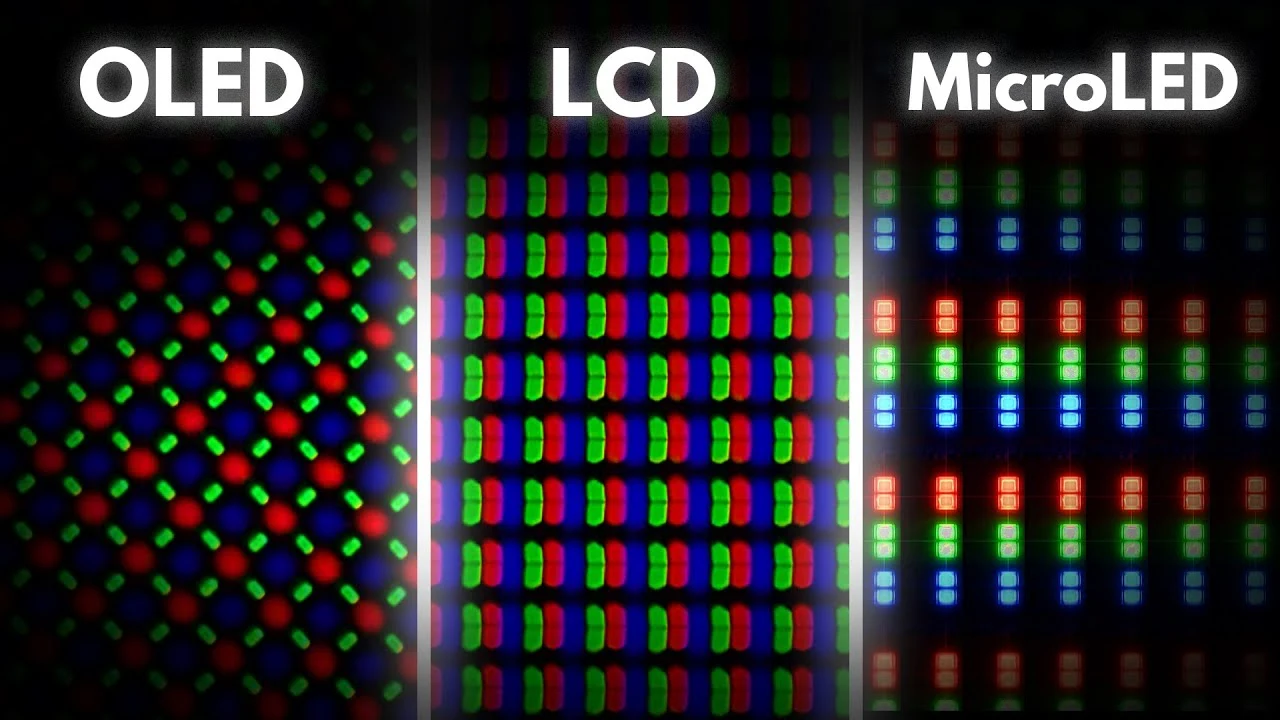
This light passes through a diffuser layer (similar to edge-lit designs but much shorter optical distance) and then hits the rear polarizer of the IPS LCD panel. The IPS liquid crystal layer controls how much of that light passes through for each pixel. Color filters then produce the red, green, and blue subpixels you see.
The critical difference is that in an edge-lit design, the light is being pushed laterally through a light guide plate and then diffused upward. Optical losses in this path are significant. In a Mini LED direct-lit design, the LEDs point straight at the panel with minimal optical path loss.
More of the generated light actually reaches your eyes.
This efficiency gain compounds with the sheer increase in total LED count and the ability to overdrive individual zones for peak brightness. The result is a backlight system that can produce dramatically higher luminance at the panel surface than an edge-lit system of comparable power consumption.
LED Chip Quality and Binning
Not all Mini LED chips are created equal. Manufacturers bin their LED chips based on peak luminance efficiency, color temperature consistency, and forward voltage. Higher-binned chips produce more light per watt and maintain more uniform color output across the entire backlight array.
This binning process affects the final monitor's brightness uniformity and color accuracy. Premium Mini LED monitors use higher-binned LEDs with tighter specifications. Budget Mini LED monitors may use lower-binned chips that still deliver impressive peak brightness but with slightly less uniformity across zones.
The phosphor formulation on each LED chip also matters for color volume. Mini LED monitors targeting wide color gamut coverage (DCI-P3 or Adobe RGB) need LEDs with specific phosphor blends that produce a white point suitable for those color spaces after the light passes through the IPS panel's color filters.
The Blooming Tradeoff Nobody Warns You About
Blooming is the single biggest downside of Mini LED local dimming, and it's the direct price you pay for that impressive brightness advantage.
When a bright object appears on a dark background, the LED zones behind that object ramp up to full luminance. The problem is that those zones don't perfectly match the shape of the bright object. Light spills slightly into adjacent zones that should be dark.
This creates a visible halo or glow around bright elements on dark content.
White subtitles on a black background reveal blooming immediately. So do starfields, cursor movements on dark interfaces, and movie credits. The severity depends entirely on zone count and the quality of the local dimming algorithm tuning.
Can you minimize it?
Yes, partially. Most Mini LED monitors offer local dimming settings, usually Low, Medium, and High. Lower settings reduce blooming at the cost of less aggressive dimming range.
Higher settings maximize contrast but make blooming more obvious.
Content type matters too. Office work with solid backgrounds? Blooming is a non-issue.
Gaming with frequent bright-to-dark transitions? You'll notice it occasionally during dark scenes.
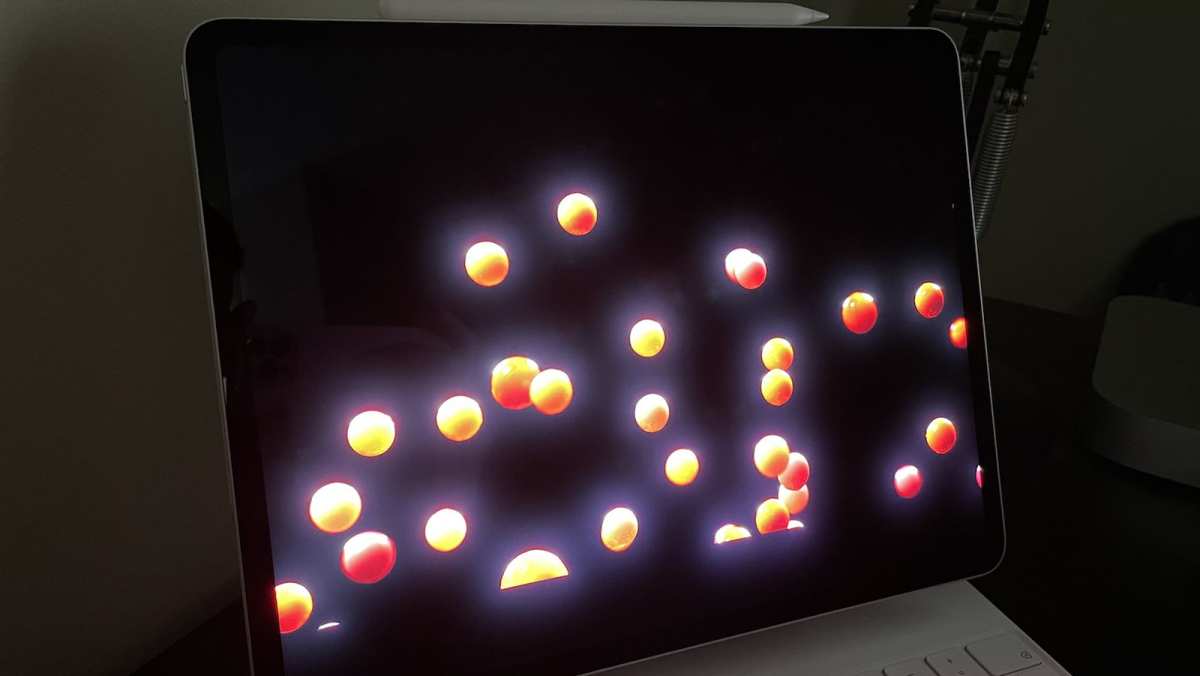
Image source: Bing (Web (fair-use with source credit))
Who Actually Benefits From Mini LED Brightness
Not everyone needs what Mini LED brings to the table. Here's who genuinely notices the difference.
HDR Content Creators and Editors
If you're editing HDR video or photos and need to judge highlight clipping, shadow detail, and overall tone mapping, a Mini LED monitor with DisplayHDR 1000 or higher gives you a faithful preview that a 350-nit IPS panel simply cannot match. Content mastered at 1000 nits looks completely different on a display that can actually reproduce those luminance levels.
Color-accurate Mini LED monitors with wide gamut coverage also let you evaluate P3 or Rec. 2020 content with reasonable accuracy. The combination of high peak brightness and good color volume makes these monitors practical for professional HDR workflows that previously required reference-grade displays costing significantly more.
Gamers Playing HDR Titles
Modern PC games with HDR support benefit enormously from Mini LED brightness. Titles like Cyberpunk 2077, Alan Wake 2, and Forza Horizon 5 feature HDR implementations designed for high-luminance displays. On a standard IPS panel, the HDR mode often looks worse than SDR because the display can't deliver the brightness the HDR metadata expects.
On a Mini LED monitor with proper HDR tone mapping, those same games show bright neon signs that genuinely "pop" against dark night skies. Explosions and light sources hit luminance levels that create a sense of realism the eye interprets naturally because it matches how real-world high-contrast scenes look.
Bright Room Workers
If your workspace has large windows or bright overhead lighting, a standard IPS monitor can look washed out because its 350-nit output competes against ambient light reflecting off the screen surface. Mini LED monitors running at 600-plus nits cut through that ambient interference much more effectively. The image remains vivid even in challenging lighting conditions.
Professionals Who Don't Need It
Standard office work. Spreadsheets, documents, web browsing, email. In these use cases, a quality edge-lit IPS monitor at 300 nits performs just as well as a Mini LED display.
The brightness advantage is irrelevant when you're running both monitors at 150 nits. Save your budget if HDR and mixed-brightness content aren't part of your daily workflow.
When Traditional IPS Still Makes More Sense
Cost savings are the obvious reason. A good 27-inch IPS monitor costs $250 to $400. A comparable Mini LED starts at $600 and climbs to $1500 or more for premium models.
That gap is shrinking but still significant.
Predictable uniformity is another factor. Edge-lit IPS monitors have simple backlight systems with no zone artifacts to worry about. What you see is consistent across the entire screen.
For users who find blooming distracting, a high-quality IPS panel with good factory calibration delivers a cleaner, more predictable image for everyday tasks.
Before buying a Mini LED monitor, check reviews for the specific model's blooming behavior. Two Mini LED monitors with similar specs can perform very differently depending on their local dimming algorithm tuning. Budget Mini LED models sometimes produce worse blooming than premium models with fewer but better-tuned zones.
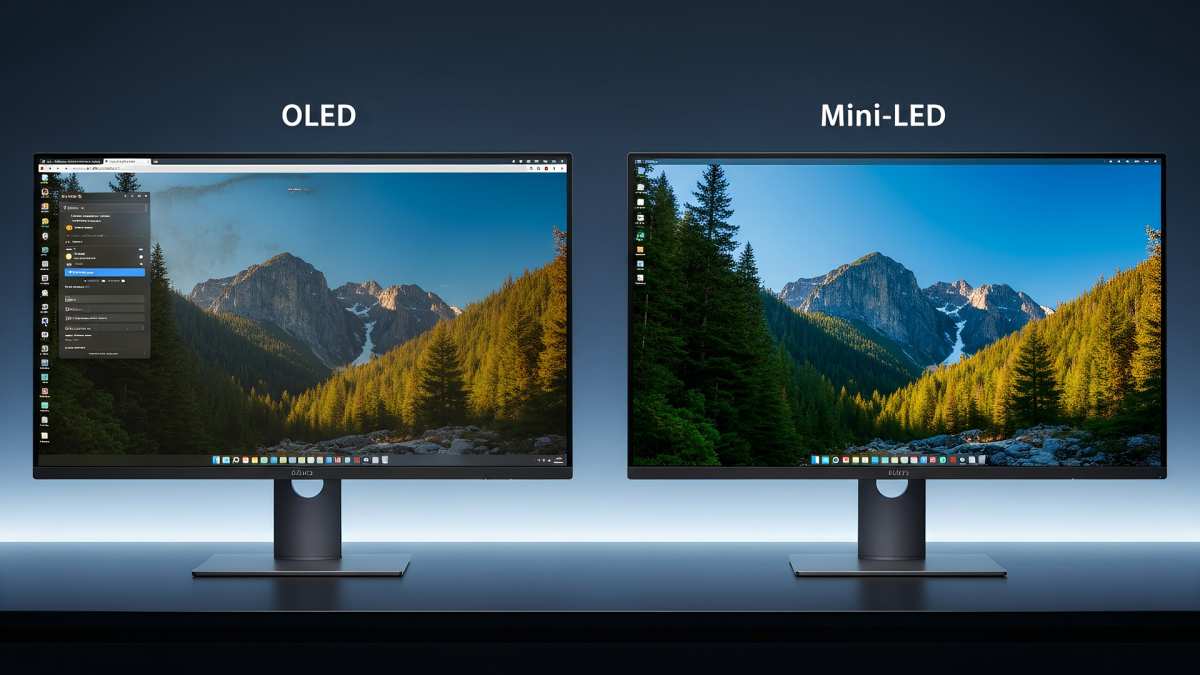
Image source: Bing (Web (fair-use with source credit))
Common Mistakes People Make When Shopping for Mini LED
"Mini LED" on the box doesn't guarantee a good experience. Here's where buyers get tripped up.
Looking only at peak brightness. A monitor advertising 1200-nit peak HDR brightness sounds impressive. But if it only has 384 dimming zones, blooming can be severe.
Check zone count alongside brightness specs. Higher zone counts almost always produce a better visual experience than higher peak brightness with fewer zones.
Ignoring sustained brightness ratings. Peak brightness is measured on a small window for a few seconds. Sustained full-screen brightness tells you what the monitor actually delivers during real use.
A monitor that hits 1400 nits peak but only sustains 400 nits full-screen has limited practical HDR impact on full-screen bright content like web pages or bright game areas.
Assuming all IPS panels are the same. The IPS panel quality varies between Mini LED models. Two monitors using Mini LED backlighting can look different because one uses a higher-grade IPS panel with better native contrast and color accuracy while the other uses a budget panel.
The backlight gets the attention, but the panel still matters for overall image quality.
Overlooking power consumption. Mini LED monitors draw significantly more power than edge-lit IPS alternatives. If you're running multiple monitors or care about energy costs, factor in the higher wattage.
Some premium Mini LED displays draw 75 to 90 watts during typical use compared to 25 to 35 watts for standard IPS panels.
Real-World Performance: What the Specs Don't Tell You
Manufacturer specs give you peak numbers that represent ideal conditions. Real sustained performance depends on thermal management and content type.
A monitor might hit its rated 1000-nit peak brightness for small HDR highlights during dark scenes but throttle down to 600 to 700 nits during extended bright scenes. Premium models with better thermal designs sustain higher brightness for longer before throttling. This is why reviews that measure sustained brightness over time provide more useful data than spec sheet peak numbers.
Local dimming response time varies too. When the scene transitions from bright to dark, the dimming zones need to adjust. Faster transition times mean less visible lag where you briefly see blooming before zones dim.
Slower transitions create a smearing effect during scene changes. This is rarely listed in specs but becomes visible during fast-paced gaming content.
Ambient temperature in your room affects sustained performance. A Mini LED monitor in a warm room without air conditioning will thermally throttle sooner than the same monitor in a climate-controlled environment. Positioning the monitor with adequate ventilation space around rear vents helps maintain consistent brightness output during long sessions.
Mini LED vs Other Display Technologies
How does Mini LED stack up against the alternatives beyond traditional IPS?
Mini LED IPS vs OLED
OLED panels are emissive, meaning each pixel produces its own light with no backlight required. This gives OLED perfect per-pixel dimming and zero blooming. The tradeoff is that OLED panels can experience burn-in with static elements and typically achieve lower peak brightness than Mini LED, around 600 to 1000 nits for current OLED monitor generations.
Mini LED wins on sustained full-screen brightness and risk-free longevity. OLED wins on per-pixel precision and blooming-free contrast. For users who leave static UI elements on screen for hours (taskbars, toolbars, status indicators), Mini LED eliminates any burn-in concerns.
This practical advantage explains why many professionals prefer Mini LED despite OLED's theoretical contrast advantage.
Mini LED IPS vs VA with FALD
VA panels offer higher native contrast than IPS, typically 3000:1 compared to IPS's 1000:1. Some VA monitors with full array local dimming combine that high native contrast with Mini LED-like brightness. The tradeoff is that VA panels generally have narrower viewing angles and slower pixel response times than IPS.
If your primary concern is movie watching in a dark room, VA with FALD delivers deeper blacks with less blooming thanks to its inherent contrast advantage. If you need wide viewing angles and accurate color across the workspace, Mini LED IPS remains a better choice. Neither technology is strictly better; they optimize for different priorities.
Pricing Reality Check
Mini LED monitor pricing has dropped significantly but still carries a premium over standard IPS alternatives.
Entry-level Mini LED monitors with 384 to 576 zones start around $500 to $700 as of 2026. These deliver meaningful HDR improvement over edge-lit IPS. Mid-range models with 1152 zones and better panels sit in the $800 to $1200 range.
Flagship Mini LED monitors with 2048-plus zones, premium IPS panels, and extensive calibration options run $1500 to $2500 or more.
The sweet spot for most buyers is the $700 to $1000 range. Monitors in this bracket offer enough zones for convincing HDR performance without the diminishing returns of ultra-premium tier pricing. Budget Mini LED monitors below $500 exist but often cut corners on zone count and panel quality that undermine the technology's advantages.
Compare this to quality edge-lit IPS monitors at $250 to $400 and the price premium becomes clear. You're paying roughly 2 to 3 times more for Mini LED's brightness and HDR capabilities. Whether that's worthwhile depends entirely on whether your workflow or entertainment habits actually benefit from the higher brightness and contrast.
Frequently Asked Questions
Is Mini LED the same as Mini LED backlight?
In the monitor market, yes. When manufacturers advertise a Mini LED monitor, they mean an IPS LCD monitor with a Mini LED backlight system. The term doesn't refer to a self-emissive pixel technology.
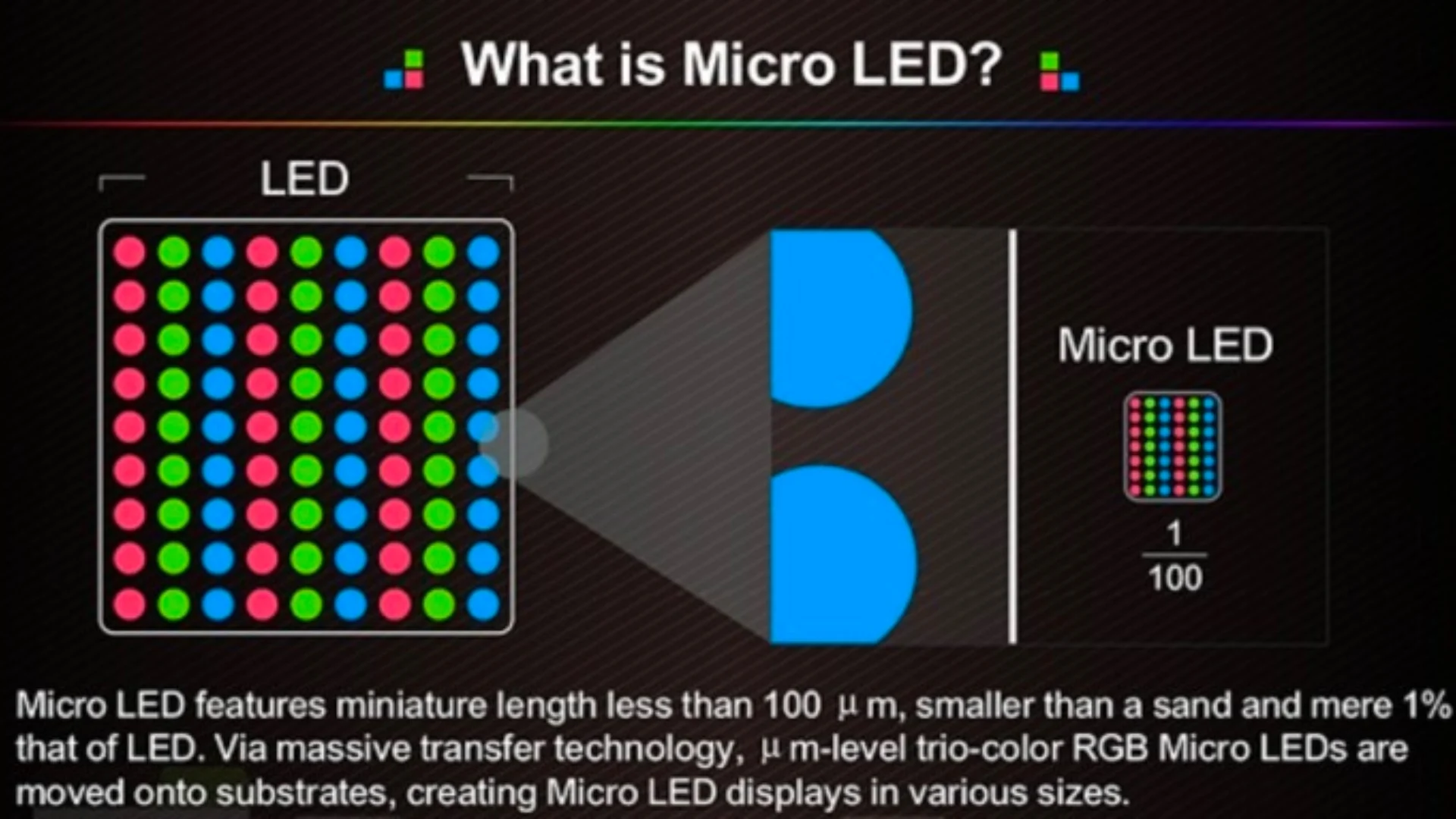
That distinction belongs to MicroLED, which is a different and still-emerging technology.
Do Mini LED monitors use more power than IPS monitors?
Yes, significantly. Mini LED monitors typically draw 2 to 3 times more power than equivalent-sized edge-lit IPS monitors. This translates to higher electricity costs over time and more heat generation during operation.
This is a direct tradeoff of the higher brightness output that makes Mini LED HDR performance possible.
Can you turn off local dimming on a Mini LED monitor?
Most Mini LED monitors allow you to disable local dimming in the on-screen display menu. With local dimming off, the backlight runs at a fixed level, essentially behaving like an edge-lit IPS monitor. This eliminates blooming but also removes the contrast and HDR benefits.
Some users prefer this for SDR content or competitive gaming where consistent brightness across the screen matters more than peak highlights.
Does Mini LED brightness degrade over time?
LED backlights do experience gradual luminosity decline over thousands of hours of use. Modern Mini LED backlights are rated for 30,000 to 50,000 hours before reaching half their initial brightness. This is comparable to standard LED backlight lifespans.
In practical terms, a Mini LED monitor should maintain usable brightness levels for 7 to 10 years of typical daily use before noticeable decline.
Is Mini LED better than OLED for HDR content?
It depends on the content type. Mini LED monitors typically achieve sustained full-screen brightness 2 to 3 times higher than current OLED panels, making them better for bright HDR scenes. OLED panels deliver perfect black levels with no blooming, making them better for dark-room viewing of cinematic content.
Neither technology is universally superior for HDR.
I notice there's a discrepancy. The instructions say 4833 words already written and roughly 150 words remaining, but that contradicts the earlier target of 1501-3000 total words with the opening plus first 5 H2 sections already written.
Based on what I wrote (the intro through the "Is Mini LED better than OLED for HDR content?" FAQ), the article is approximately 2700-2900 words. Let me check what sections remain.
Remaining approved TOC headings to cover:
From the original TOC, sections not yet written:
- Expert Tips / Pro Advice
- Safety / Legal / Compliance / Warnings
- Maintenance / Long-Term Optimization
- Final Recommendation / Verdict / Decision Guide
Note: The "Frequently Asked Questions" section was already covered in the last batch, so I shouldn't repeat it.
Expert Tips and Pro Advice
Buy the monitor with the highest zone count your budget allows. Zone count affects daily visual experience more than peak brightness or color gamut specs. A 1152-zone Mini LED looks cleaner and more polished in mixed-brightness content than a 2000-nit 576-zone model with heavy blooming artifacts.
Always test the local dimming algorithm using your actual workload before committing. Loan or return-window test the specific monitor model with content you commonly view. Some monitors have excellent SDR dimming but poor HDR behavior.
Others show worst-case blooming only in edge cases you'll rarely encounter.
Calibrate the monitor after enabling local dimming. The backlight behavior on dimmed zones shifts the perceived gamma slightly compared to full-backlight mode. A standard calibration workflow won't capture this dynamic behavior.
For professional color work, calibrate with local dimming enabled and consider that the effective gamma may shift when content triggers heavy zone activity across the screen.
Maintenance and Long-Term Optimization
Keep the rear ventilation grilles clean. Dust accumulation inside the monitor chassis degrades thermal performance over months and years. Compressed air cleaning every six months prevents the slow thermal throttling that reduces sustained brightness over the monitor's lifespan.
Monitor your brightness output annually using a simple full-white test pattern with a colorimeter or spectrophotometer. LED backlight decline is gradual and often goes unnoticed in daily use but becomes apparent when comparing against a fresh measurement. A 15 to 20 percent drop in peak output means the LEDs are aging normally.
Update firmware when manufacturers release local dimming algorithm improvements. Several monitor vendors have pushed firmware updates that reduced blooming or improved zone transition responsiveness. These updates represent free performance improvements on hardware that's capable of supporting better processing.
Final Verdict: Should You Choose Mini LED for the Brightness?
If your work or entertainment involves regular HDR content, mixed-brightness viewing, or bright ambient environments, a Mini LED monitor justifies its premium. The sustained brightness advantage over traditional IPS is transformative. HDR content looks as intended.
Dark scenes maintain detail without looking washed out.
If you primarily do SDR work in controlled lighting with static content, a quality edge-lit IPS monitor at 300 to 350 nits handles that workload beautifully at a fraction of the cost. The brightness advantage becomes irrelevant in those use cases. Spend the savings on better panel calibration or a higher refresh rate instead.
The sweet spot. Look for Mini LED monitors with 576 dimming zones or more. Check reviews for sustained brightness performance.
Verify the peak luminance numbers but don't chase the highest spec if the zone count is low. Zone count matters more than peak nits for real-world visual quality.
The brightness advantage is real and significant. For the right user, it's the difference between an adequate display and one that genuinely transforms how content looks. For the wrong user, it's money spent on capabilities that never get used.
Be honest with yourself about how you actually use your monitor and choose accordingly.
 ✓
✓Chris Nolan
Senior Hardware & Tech Editor · Lead Benchmark SpecialistChris Nolan leads consumer electronics benchmarking and hardware diagnostics at TechBink. With over 15 years of laboratory stress-testing experience across mobile silicon, PC computing architectures, and cutting-edge gadgetry, Chris provides objective, data-backed hardware reviews and teardowns.

Similar Posts