Gemini for Bloggers
If you've ever stared at a blinking cursor wondering how to make Google's AI actually useful for your blog, you're not alone. Gemini for bloggers has become a legit workflow shift, but most people use it wrong and wonder why their content still feels flat.
Here's the good news: when you set it up properly and understand what Gemini can (and can't) do, it becomes the most powerful free or low-cost tool in your content stack. We're going to walk through exactly how to make that happen.
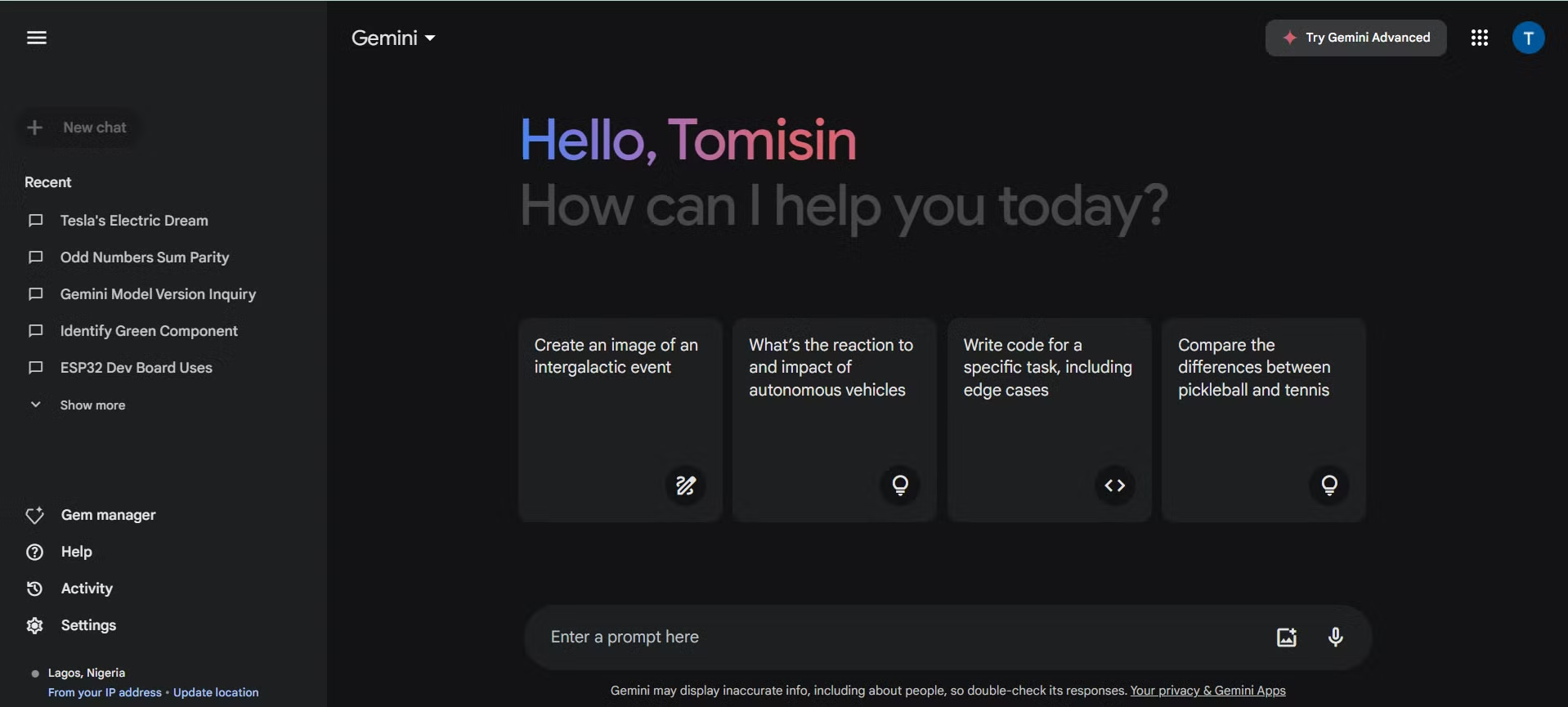
Google's built a serious edge here. Gemini Advanced gives you access to the Ultra 1.0 model with a context window of up to 1 million tokens. That's roughly 700,000 words it can hold in a single conversation.
For bloggers, that means feeding entire competitor posts, style guides, and research documents directly into the chat. Let's break down the workflow that actually delivers results.
Quick Answer
Gemini helps bloggers draft, research, and repurpose content faster. It works best as a drafting assistant, not a replacement for your voice. The real power comes from multimodal inputs.
You can upload PDFs, videos, and competitor posts directly. Pair it with Google Workspace for the smoothest workflow. For serious bloggers, Gemini Advanced at $19.99 per month is worth every cent.
Why Most Bloggers Use Gemini Wrong
Here's the pattern we see over and over. A blogger signs into Gemini, types "write me a blog post about best running shoes," hits enter, and then publishes whatever comes out. The result reads like every other AI-generated listicle on the internet.
Google's algorithms notice. Readers bounce.
The mistake isn't using AI. The mistake is skipping the setup and treating Gemini like a magic content vending machine.
Google's Helpful Content System, updated throughout 2024, doesn't penalize AI use directly. What it does penalize is content that shows low original value, thin expertise, or templated sameness. Publishing raw Gemini output without human layers is a fast track to those penalty signals.
Here's what good looks like:
- You feed Gemini your unique angle, audience details, and personal experience before it writes a single word.
- You use it for structure and speed, not final copy.
- You verify every factual claim through Google's built-in Double-Check feature.
The bloggers getting the best results treat Gemini as a junior researcher and first-draft machine. They handle the final 20 percent themselves, the part that adds real voice and insight. According to aggregate user reports across major AI writing communities, bloggers who use this hybrid approach can cut their initial drafting time significantly while still maintaining the editorial standards that ranking well requires.
The Gemini Blogging Workflow That Actually Works
Let's build a repeatable system you can use every time you publish.

Step 1: Set Up Gemini for Your Blog Niche
Before you write a single prompt, spend 15 minutes configuring Gemini properly. This upfront investment pays off on every future piece.
Connect your Google ecosystem first. Gemini integrates natively with Google Docs, Gmail, Search Console, and Analytics. If you're on Gemini Advanced, you can also access Google One storage and bundle services.
This matters because your best blogging prompts pull from your own data.
Next, create a custom Gem. Gems are saved persona profiles where you lock in your settings. Set yours up with:
- Your brand voice description (example: "conversational expert who explains things like a knowledgeable friend")
- Your target audience details (example: "beginner home cooks with limited tools")
- Your content format preferences (example: "H2 and H3 headers, 3-4 sentence paragraphs, bullet points for lists")
- Your common instructions (example: "always include practical examples, never use jargon without explaining it")
Save this as your default Gem. Now every new conversation starts with your voice already dialed in.
Step 2: Research and Outline With Multimodal Inputs
This is where Gemini pulls ahead of most competitors. You can upload files directly into the chat window. PDFs, images, videos, audio files, and YouTube links all work.
Here's a real workflow for a competitive analysis:
- Drop three top-ranking competitor posts into a single prompt.
- Ask Gemini to identify content gaps you could fill.
- Request an outline that covers those gaps while hitting the same core topic.
Gemini Ultra 1.0 handles this kind of multi-document analysis well. The 1-million-token context window means you can feed in 5,000 to 10,000 words of reference material without hitting limits.
For visual research, upload screenshots of SERP features, Google Discover layouts, or even competitor infographics. Gemini can analyze what's working visually and suggest how your content could stand out.
Step 3: Draft, Polish, and Fact-Check in One Window
Don't try to get Gemini to write your entire post in one prompt. Section-by-section drafting produces better results and gives you more control.
Follow this pattern:
- Feed Gemini your outline section by one section.
- Include context like word count targets, tone notes, and key points to hit.
- After each section, run a fact-check pass using Google's Double-Check feature (the "G" icon in responses).
The Double-Check feature is free with both Gemini Free and Advanced tiers. It lets you verify particular claims against Google Search results without leaving the chat window.
Here's what a solid section prompt looks like:
"You're writing section 3 of a guide to sourdough bread for beginners. The section covers hydration levels in dough. Target 300 words.
Use one practical example. Keep the tone warm and encouraging. End with a transition to the next section about shaping."
Specific prompts beat vague ones every time. The more context you give Gemini, the less generic your output will be.
Step 4: Turn One Post Into 10 Pieces of Content
Once your blog post is drafted and polished, Gemini becomes a repurposing machine. One well-structured 2,000-word post can become:
- Five social media captions (LinkedIn, Twitter/X, Instagram, Threads, Facebook)
- A newsletter edition
- A YouTube script outline
- A Pinterest pin description
- A Quora answer
- A LinkedIn carousel outline
- An email sequence
Feed your finished post into Gemini and ask for specific repurposing outputs. For example: "Turn this blog post into a LinkedIn carousel outline with 8 slides. Keep each slide under 50 words.
Use conversational tone."
This is where the real time savings compound. Logging the core ideas and structure once, then repurposing across platforms, can strip hours from your total content workflow.
Step 5: Slash Manual Writing Time
After a month of consistent workflow use, bloggers report dropping their overall content creation time dramatically. Drafting that previously consumed four hours now runs closer to 40 minutes. Research that required opening fifteen different tabs collapses into one Gemini session.
The key principle holds across every blogging niche and workflow style. Gemini handles structure, research, and first drafts. You handle voice, experience, and final judgment.
Which Gemini Plan Makes Sense for Your Blog?
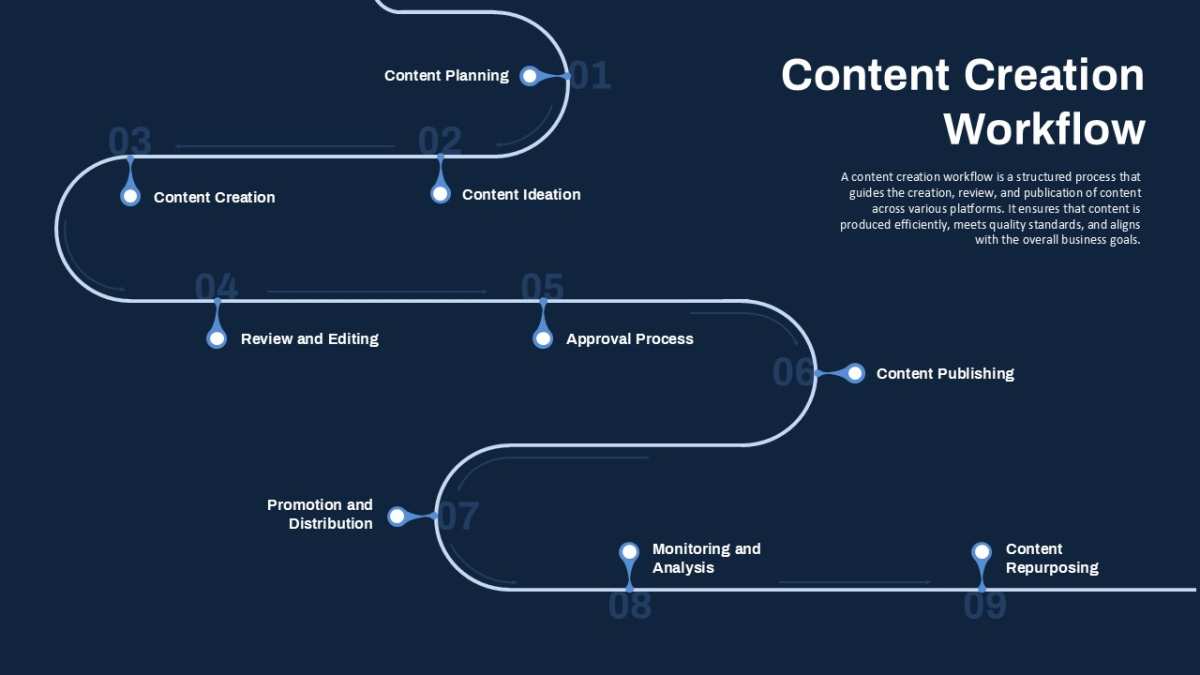
Not every blogger needs the paid tier. Your decision depends on where you are in your blogging journey and how much content you produce.
Decision Branch: What's Your Blogging Situation?
You're just testing AI and blogging casually (1-2 posts per month).
Gemini Free covers basic drafting and light research. You won't get the best model, but you'll get a feel for whether the workflow fits your process.
You're running a niche site or monetized blog with 4+ posts per month.
Gemini Advanced pays for itself quickly. Time saved per month generally recoups the $19.99 fee. Ultra 1.0 handles complex outlines and multi-document analysis.
Research feature speeds up competitive analysis.
You manage multiple writers or brands.
Gemini Business gives you admin controls and team-level access. It functions like a shared AI workspace with proper data separation.
You're building a content-heavy course or media business.
AI Ultra unlocks the highest capability ceiling and maximum daily usage limits. For large-scale content operations with significant resource needs, it offers the most power under the hood.
Quick Plan Comparison
| Plan | Price | Best For | Key Limits |
|---|---|---|---|
| Gemini Free | $0 | Casual testing, basic drafting | Older model, limited advanced features |
| Gemini Advanced | $19.99/mo | Power bloggers, SEO work | Ultra 1.0, 2TB Google One, max context |
| Gemini Business | $20/user/mo | Small teams, multi-brand | Admin controls, team rollout |
| AI Ultra | $100/mo | High-volume content businesses | Highest limits, peak AI performance |
Google bundles Google One storage with Advanced and Business tiers. If you're already paying for cloud storage, that offset often makes the $19.99 monthly fee feel like a net zero upgrade.
Prompt Frameworks That Produce Quality Blog Content
Generic prompts produce generic content. If you want Gemini to write something that doesn't sound like every other AI blog post, you need to structure your inputs with intention.
Here are four prompt frameworks that work exceptionally well for bloggers.
The Full Draft Prompt
This works best when you want Gemini to produce a complete first draft you'll heavily edit. Structure it like this:
"You're a [type of expert] blogger writing for [audience description]. Write a [word count] post about [specific topic]. Cover these points: [list 3-5 key angles].
Use [ tone: conversational/technical/humorous]. Include a hook intro, practical examples, and a conclusion with next steps. Format with H2 headers for main sections and H3 for subsections."
Why this works: You're giving Gemini a complete job description before it writes a single word. The role, audience, and structure constraints prevent the generic output problem.
The Outline-First Prompt
Use this when you want control over structure before any writing happens.
"I'm writing a post about [topic] for [audience]. Generate a detailed outline with H2 and H3 headers. Include suggested word counts for each section.
Highlight 2-3 content gaps competitors are missing on this topic. Keep the outline actionable and specific, not generic."
Run this first, edit the outline yourself, then feed each section back to Gemini one at a time for drafting. This two-step approach consistently produces better results than asking for everything at once.
The Repurpose Prompt
Once you have a finished post, this framework extracts maximum value from it.
"Here's a blog post I wrote about [topic]. Repurpose it into:
- A LinkedIn post (under 170 words)
- An Instagram carousel outline (6 slides, 40 words each)
- A Twitter/X thread (8 tweets)
- A newsletter intro (100 words)
Keep the core message intact but adapt the tone and format for each platform."
Batch your repurposing this way and you'll turn one writing session into a full week of multi-platform content.
The SEO Assist Prompt
Let Gemini handle the tedious SEO tasks that eat into your writing time.
"Here's my blog post draft. Generate:
- 5 title tag options (under 60 characters each)
- 3 meta descriptions (under 155 characters, include primary keyword)
- 4 internal link suggestions with anchor text
- An FAQ schema-friendly section answering 3 common questions about this topic"
This is one of the highest-value Gemini use cases for bloggers. SEO optimization that used to take 30 minutes of manual work now takes 3 minutes.
Real Blogging Scenarios Where Gemini Shines
Let's get specific. Here are five situations where Gemini delivers measurable value.
Writing product reviews at scale. Feed Gemini the product specs, your experience notes, and 2-3 competitor review links. It structures a detailed comparison framework you can fill in with your personal take.
Generating comparison tables. Request "a comparison table of [product category] with columns for price, key features, best for, and limitations." Format as markdown and paste it directly into WordPress or Ghost.
Turning YouTube transcripts into blog posts. Paste your video transcript (YouTube auto-generates these). Ask Gemini to restructure it as a readable blog post. Trim the verbal filler.
Add headers where the topic shifts.
Local business service pages. Provide your service details, service area, and 2-3 local competitors. Gemini drafts location-specific pages with structured data suggestions baked in.
Weekly newsletter content. Feed it your blog posts from the month. Ask for a roundup newsletter with short summaries, pull quotes, and a personal intro. Most bloggers report cutting newsletter production time substantially with this approach.
Mistakes That Tank Gemini Blogging Results
Learn from others' failures. These are the most common ways bloggers sabotage their own Gemini workflow.

Publishing raw AI output. This is the big one. Unedited AI drafts read like encyclopedia entries. Google's algorithms can identify low originality signals, and readers bounce from generic content in seconds.
Skipping fact-checking. Gemini hallucinates sometimes. It invents statistics, misattributes quotes, and gets dates wrong. Every factual claim needs verification before publishing.
Use the Double-Check feature relentlessly.
Using generic prompts. "Write a blog post about coffee" produces the most generic content imaginable. Specific prompts with audience, angle, and structure details produce usable drafts.
Ignoring Google's Helpful Content guidelines. Google doesn't ban AI content. It does demote content created primarily for search engines rather than humans. If your entire publishing pipeline is "prompt Gemini, copy, paste, publish," you're building on shaky ground until you add meaningful human editing.
Letting your writing muscle atrophy. If you use Gemini to write 95% of your content, your own writing degrades over time. Keep writing some posts completely on your own to maintain that skill.
How Gemini Compares to Other AI Writing Tools
Gemini sits in a competitive field. Here's how it stacks up for blogging specifically.
| Tool | Best At | Weakness for Bloggers |
|---|---|---|
| Gemini Advanced | Google integration, multimodal research | Requires strong prompting skills |
| Claude | Nuanced prose, large context | No native Google integration |
| ChatGPT | General flexibility, plugins | Less real-time data |
| Jasper | Marketing templates, team features | Less flexible for long-form creative writing |
| SurferSEO | Built-in keyword optimization | Narrow SEO focus, limited general use |
| Perplexity | Strong citations and sourcing | Weaker creative drafting |
The Verdict by Blogging Type
If you live inside Google Workspace, Gemini Advanced offers the most seamless integration. Your Search Console data, Docs drafts, and Analytics insights all connect directly.
If you prioritize prose quality and don't need Google integration, Claude's outputs tend toward more natural sentence flow according to comparative reviews.
If you want an all-in-one SEO writing tool, SurferSEO or similar purpose-built tools offer tighter keyword optimization than Gemini provides natively.
Most experienced bloggers use a combination. Gemini for research, drafts, and repurposing. A dedicated SEO tool for final optimization.
Their own expertise for the human layer no AI can replicate.
Frequently Asked Questions
Can Google detect AI content from Gemini?
Google doesn't penalize AI content directly. It demotes low-value content regardless of how it was produced. The question isn't whether Google can detect AI.
It's whether your content offers unique value that justifies its existence in search results.
Is Gemini Advanced worth it for a new blogger?
If you're publishing more than twice per month, yes. The time savings from Ultra 1.0 and integrated Google tools typically pay for the subscription quickly. Start with the free tier to learn prompting, then upgrade when you've outgrown it.
Does Gemini work for non-English blogging?
Gemini supports over 40 languages. Multilingual output quality varies by language, but for major languages like Spanish, French, Portuguese, German, and Japanese, it performs well. Always have a native speaker review output for nuance and cultural accuracy.
How do I keep my blog from sounding like AI?
Three rules: write your own intro and conclusion, inject personal stories and specific examples, and edit every paragraph in your own voice. AI drafts a skeleton. You add the flesh.
What should I never ask Gemini to write?
Avoid asking Gemini to produce medical, legal, or financial advice content for publication. Its outputs in high-stakes topic areas require expert review, and publishing unverified claims in YMYL categories carries serious trust and liability risks.
Can I use Gemini for SEO content at scale?
Technically yes, but proceed with caution. Google's March 2024 update specifically targeted scaled content abuse. If you're using Gemini to produce dozens of posts without meaningful human review and original insight, you risk algorithmic demotion.
Quality beats quantity, always.

Similar Posts





















