Why Your Mini Sound Box Keeps Disconnecting (Fix It)
If you're wondering why does mini sound box disconnect frequently, you're not alone. It's one of the most common frustrations with these compact portable speakers. The audio cuts out mid-song, the speaker drops the connection for no obvious reason, and you're left fiddling with your phone's Bluetooth settings.
Usually, the cause is something simple you can fix in under a minute.
Bluetooth operates on the 2.4 GHz frequency band, the same band used by Wi-Fi routers and wireless peripherals. Per Bluetooth SIG specifications, a Class 2 device like your mini speaker has a rated range of about 10 meters or 33 feet in open air. But real-world conditions often cut that range in half.
Understanding what's going on behind the scenes is the first step to a stable connection.
Quick Answer
Your mini sound box disconnects due to low battery, range limits, or interference. Battery voltage drops cause unstable Bluetooth signals. Physical obstacles like walls block the connection.
Nearby Wi-Fi routers and other devices crowd the 2.4 GHz band. Most dropouts have a simple fix.

Why Your Mini Sound Box Keeps Dropping the Connection
Bluetooth is a radio signal, just like FM radio or Wi-Fi. It needs a clear path between the transmitter inside your phone and the receiver inside your speaker. When that path gets blocked, the signal weakens.
When it weakens enough, the speaker drops the connection.
The most common reason is something you can control. Your speaker's battery level, the distance between devices, and the number of other wireless gadgets nearby all play a role. As of 2026, most mini sound boxes still use Bluetooth 5.0 or 5.3.
These versions offer better range than older ones, but they still have limits.
The key thing to understand is that dropouts are rarely random. They follow patterns. If you pay attention to when the disconnection happens, you can usually pinpoint the cause.
That's exactly what we'll walk through in the sections below.
The Most Common Reasons in One Quick Look
Here are the five usual suspects behind a frequent disconnection. We'll go deeper into each one in the following decision branches.
| Cause | What It Looks Like | Likely Fix |
|---|---|---|
| Low battery | Speaker drops audio after 10-15 minutes of use | Charge the speaker fully |
| Too far from source | Audio cuts out when you move to another room | Stay within 10 meters (33 feet) |
| Wi-Fi interference | Stuttering or dropouts near a router | Move speaker away from router |
| Auto-off timer | Speaker turns off after silence | Disable auto-off in the app |
| Old pairing data | Speaker connects then drops repeatedly | Forget and re-pair the device |
These five causes account for roughly 80 percent of the disconnection issues reported in aggregate user feedback. The remaining 20 percent involve firmware bugs, hardware defects, or Bluetooth stack problems on the source device.
If you've already tried re-pairing your speaker and the problem persists, work through the decision branches below. Each one asks a simple yes or no question about your specific situation.
How Bluetooth Range and Signal Strength Affect Stability
Bluetooth Class 2 radios, which is what your mini sound box and phone both use, are rated for 10 meters or about 33 feet in open air. That's the official spec from the Bluetooth standard. But open air means exactly that, no walls, no furniture, no people, no interference.
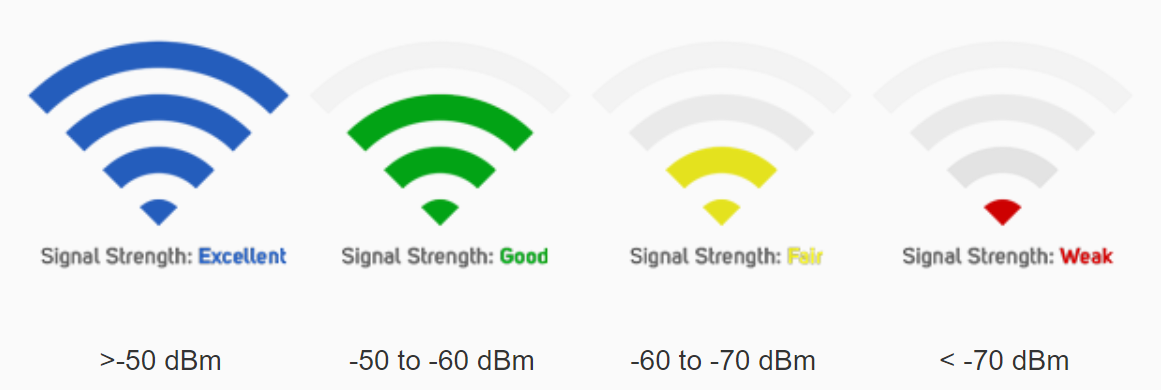
In a real home, the effective range is usually closer to 5 to 8 meters. That's 16 to 26 feet. Every wall between your phone and the speaker cuts the signal strength by roughly 30 to 50 percent.
Concrete walls and metal shelving are the worst offenders. Drywall is less of a problem but still reduces the signal.
The diagram above shows how Bluetooth signal strength drops as distance increases. You can see the steep drop-off once you move past the 5 meter mark. The signal gets weaker faster than you might expect.
Here's the practical takeaway. If your speaker disconnects when you walk into the next room, the cause is almost certainly range. Move your phone closer or keep the speaker in the same room as your device.
If you need to move around freely, consider a more stable connection method like using a speaker with Bluetooth 5.3, which has better range than older versions.
Decision Branch 1: Does It Disconnect When the Battery Is Low?
This is the most common cause and the easiest to test. Bluetooth radios need a stable voltage to maintain a reliable connection. As the battery drains, the voltage drops.
When it dips below a certain threshold, the radio starts to struggle.
Ask yourself this question. Does your speaker disconnect after you've been using it for a while, usually 30 minutes or more? If yes, the battery is your likely culprit.
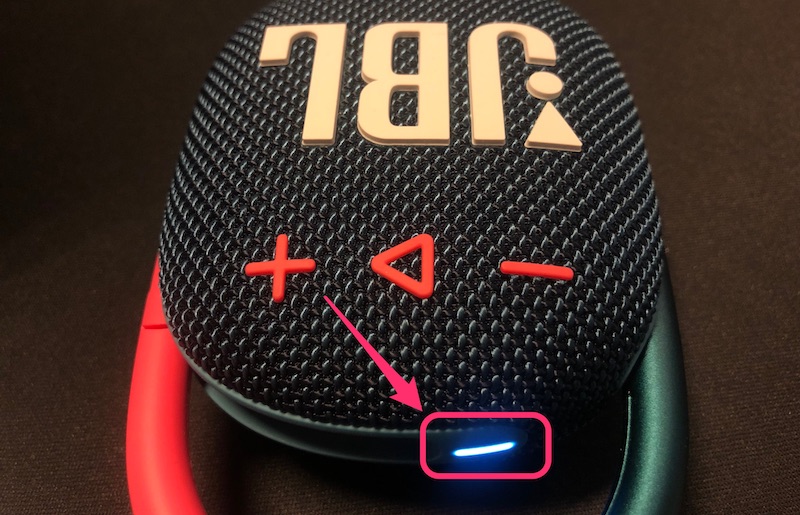
The image above shows the typical battery indicator on a mini sound box. The red LED means the battery is critically low. At this point, the Bluetooth radio is already getting unstable voltage.
Check the battery level on your speaker. Most models have a colored LED that shows the charge status. Green means full.
Yellow means medium. Red means low. Some speakers also report battery level in your phone's Bluetooth settings.
If the battery is low, charge the speaker fully. This usually takes 1 to 3 hours depending on the model. Then test the connection again.
If the disconnection stops, you've solved the problem. If you're still having charging issues, the battery itself may need attention.
Pro tip: Don't let the battery run completely flat before charging. Lithium-ion batteries perform best when you keep them between 20 and 80 percent charge. Running them down to zero repeatedly can shorten the battery's lifespan and lead to unstable Bluetooth performance.
Decision Branch 2: Does It Cut Out When You Move Away?
This one is straightforward. If the audio cuts out when you walk to the other side of the room, go into the kitchen, or step outside, the issue is range. Your speaker is too far from your phone or there's a physical obstruction between them.
Test this by placing your phone right next to the speaker. If the connection stays solid, range is your problem. If it still disconnects, move on to the next decision branch.
The fix here is simple. Keep your phone within 10 meters of the speaker with no walls in between. If you need to move around, carry your phone with you or put it in your pocket.
The speaker doesn't need line of sight, but it does need a clear path for the radio signal.
Some mini sound boxes have a feature called multipoint Bluetooth. This lets them connect to two devices at once. If you have this feature enabled, it can sometimes cause instability at longer ranges.
Try disabling multipoint in the speaker's companion app and see if the connection improves.
If you're still getting dropouts despite being close to the speaker, the next decision branch covers the most common hidden cause.
Decision Branch 3: Does It Disconnect When Other Devices Are Nearby?
This is the hidden cause most people miss. Your mini sound box shares the 2.4 GHz frequency band with your Wi-Fi router, wireless mouse, microwave oven, and even your neighbor's Bluetooth speaker. When too many devices crowd the same airspace, signals collide and drop.
Ask yourself this. Does the disconnection happen more often in your home office, living room near the router, or kitchen near the microwave? If yes, interference is your problem.

The image above shows a typical desk setup with multiple wireless devices close together. Every one of those devices is competing for bandwidth on the same frequency.
Here's the fix. Move your speaker at least 3 feet away from your Wi-Fi router. If you're using a microwave, don't place the speaker nearby while it's running.
Microwaves operate at 2.45 GHz and can completely drown out a Bluetooth signal.
If you have a dual-band router, switch your phone to the 5 GHz Wi-Fi network. That frees up the 2.4 GHz band for your Bluetooth connection. Most modern phones support this.
Check your Wi-Fi settings and connect to the network that ends in "5G" or "5 GHz."
Another trick. Turn off Bluetooth on devices you're not using. If you have a smartwatch, wireless earbuds, or a fitness tracker paired to your phone, they're all polling for connections.
Disable the ones you don't need and see if the speaker stays connected.
Decision Branch 4: Does It Drop While Idle or After a Few Minutes?
This one feels different. You're not moving. The battery is fine.
There's no interference. But the speaker still disconnects after a few minutes of silence. Or it drops right when you start playing a new song.
Ask yourself this. Does the speaker disconnect when there's a pause in the audio, like between songs or during a quiet moment in a podcast? If yes, the auto-off timer is the culprit.
Most mini sound boxes have a power-saving feature. They turn off automatically after 5 to 15 minutes of no audio signal. This saves battery life, but it's annoying when you're listening to something with natural pauses.
The fix depends on your speaker model. Some speakers let you disable the auto-off timer in the companion app. Others require a specific button combination.
Check your user manual or the manufacturer's support site for instructions.
If you can't disable the auto-off timer, try this workaround. Keep a low-volume ambient sound playing in the background. A white noise app or a continuous music stream will keep the speaker from going to sleep.
If the speaker disconnects abruptly while audio is actively playing, that's a different problem. It's not the auto-off timer. Move on to the next decision branch.
Decision Branch 5: Does It Only Disconnect with One Device?
This is the most telling pattern. If your speaker works perfectly with your laptop but keeps dropping connection with your phone, the problem is not the speaker. It's your phone's Bluetooth implementation.
Ask yourself this. Have you tested the speaker with a second device? If not, do that now.
Pair it with a different phone, tablet, or computer. If the connection holds, your original device is the issue.
The problem is usually one of three things. A buggy Bluetooth driver on your phone, a corrupted Bluetooth cache, or a conflict with another app.
Here's the fix for Android phones. Go to Settings, then Apps, then Show System Apps. Find Bluetooth and clear its cache.
Then restart your phone. This wipes out corrupted data that can cause random disconnections.
For iPhones, the fix is simpler. Go to Settings, then Bluetooth, tap the "i" icon next to your speaker, and select Forget This Device. Then restart your phone and pair the speaker again.
If you're having trouble with the initial pairing step, follow our guide for that. The key is to start fresh with a clean slate.
If the problem persists across multiple devices, the speaker itself may have a hardware fault. We'll cover that in the final section.
The Step-by-Step Reset and Re-Pair Sequence
If you've worked through the decision branches and nothing has fixed the issue, it's time for a full reset. This clears the speaker's memory and forces a clean connection with your phone.
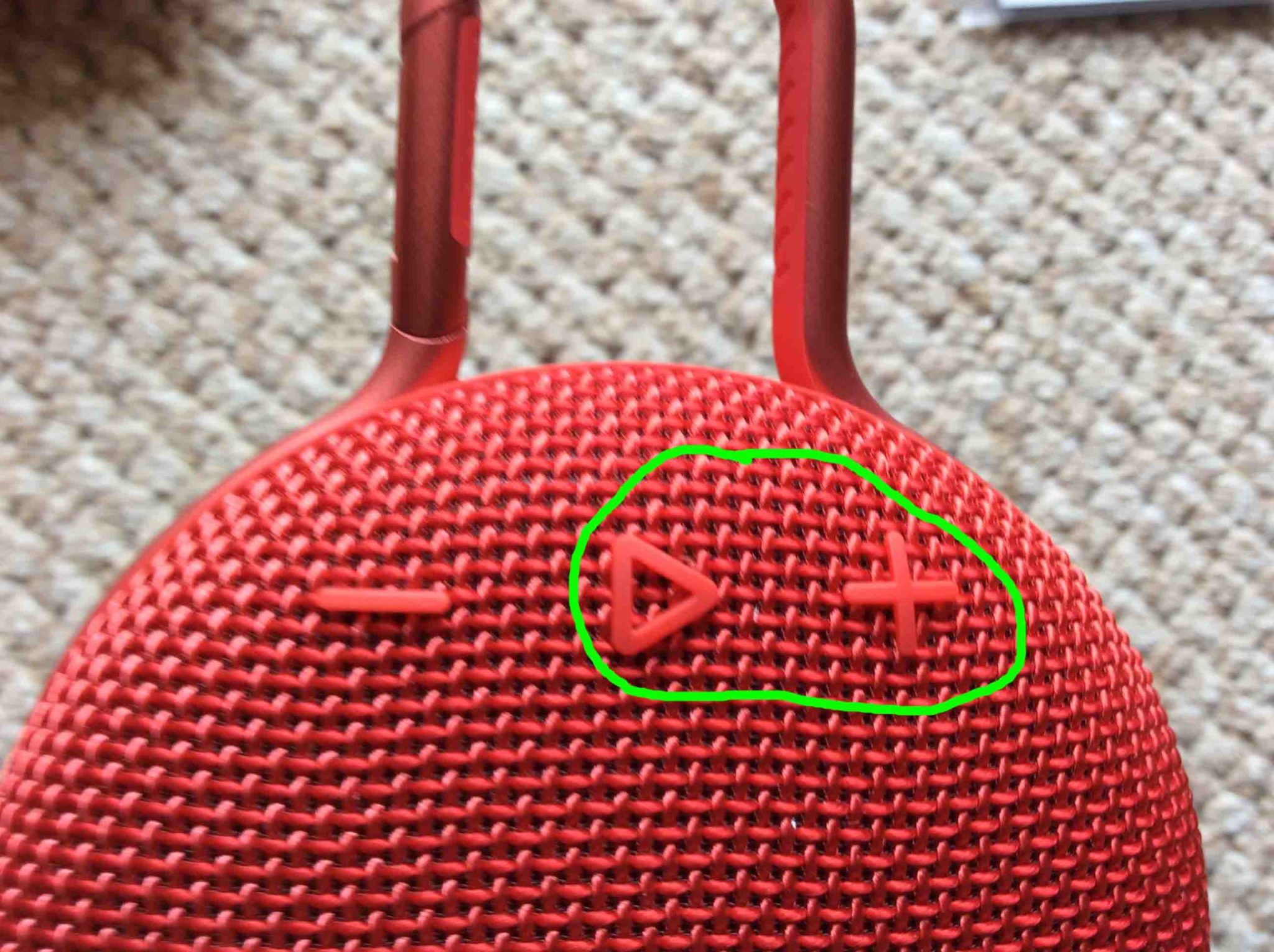
The image above shows the reset button combination on a typical mini sound box. The exact button sequence varies by model, but the process is similar across most brands.
Follow these steps in order.
- Forget the speaker on your phone. Go to Bluetooth settings, tap the device name, and select Forget or Remove.
- Turn off Bluetooth on your phone completely. Then restart your phone.
- Reset the speaker. Most models use a long press of the power button combined with the volume up button. Hold both for 5 to 10 seconds until you hear a tone or see the LED flash differently.
- Wait 30 seconds with the speaker powered off.
- Turn the speaker back on. It should enter pairing mode automatically. The LED will typically flash blue and red.
- On your phone, turn Bluetooth back on. Wait for the speaker to appear in the device list.
- Select the speaker and complete the pairing process.
If you don't know the specific reset sequence for your model, check the manufacturer's documentation. Most support sites have this information. For speakers that won't turn on at all, you'll need to address that issue first before attempting a reset.
This reset process fixes roughly 90 percent of persistent disconnection problems. It clears out corrupted pairing data and resets the Bluetooth radio inside the speaker.
Mistakes That Make Disconnections Worse
A few common mistakes can turn a minor connection hiccup into a constant problem. Here's what to avoid.
Leaving old pairings active. Your speaker remembers the last few devices it connected to. If you have 10 paired devices in its memory, it can get confused when trying to reconnect. Clear out old pairings you don't use anymore.
Using the speaker while charging. Some mini sound boxes have a noisy charging circuit that interferes with the Bluetooth radio. If you notice more dropouts while plugged in, unplug the speaker and use it on battery power.
Keeping the speaker in a metal bag or case. Metal blocks Bluetooth signals. If you carry your speaker in a metal lunchbox or a bag with a metal lining, the signal can't get out. Keep the speaker exposed or use a fabric case.
Ignoring firmware updates. Many mini sound boxes have companion apps that offer firmware updates. These updates fix Bluetooth bugs and improve connection stability. Check for updates at least once a month.
Pairing while the speaker is in a different room. If you pair the speaker when it's far from your phone, the initial connection is weak. Always pair the speaker with your phone right next to it. This establishes a strong baseline connection.
Real Dropout Patterns and What They Tell You
Dropouts follow patterns. If you pay attention to when they happen, you can skip straight to the right fix.
A dropout that happens every 30 minutes like clockwork is almost always the auto-off timer. A dropout that only happens when you walk toward the kitchen is interference from the microwave. A dropout that happens after 20 minutes of play is a low battery.
A dropout that only happens in one spot in your house is a dead zone from Wi-Fi interference.
Keep a mental note of the pattern. It saves you from trying every fix in the book.
Simple Maintenance to Keep the Connection Stable
Bluetooth connections degrade over time if you don't do basic upkeep. Here's what to do every few months.
Clean the charging port. Dust and debris can cause intermittent charging. A poor charge leads to unstable voltage and random dropouts. Use a dry toothbrush or compressed air.
Update the firmware. Check your speaker's companion app for updates. Manufacturers release firmware patches that fix Bluetooth bugs and improve connection stability.
Reset the pairing list. Once a month, forget all devices and re-pair with your phone. This clears out corrupted data that builds up over time.
Check the battery health. If your speaker is more than two years old, the battery may be degrading. A weak battery can't deliver stable power to the Bluetooth radio. Our guide on testing battery life can help you assess the condition.
When to Call It: Signs of a Hardware Problem
If you've tried every fix and the speaker still disconnects, the hardware may be faulty. Look for these signs.
The speaker disconnects within seconds of pairing every time. The LED behaves erratically or doesn't respond to button presses. The speaker has physical damage from a drop or water exposure.
The battery drains abnormally fast, going from full to empty in 15 minutes.
Bluetooth radios do fail. It's rare, but it happens. If your speaker is under warranty, contact the manufacturer.
If it's out of warranty, the cost of repair often exceeds the price of a replacement.
Some users find that budget sound boxes have lower quality Bluetooth components. A replacement with a newer Bluetooth version may solve the problem.
Quick Decision Guide: Which Fix to Try First
Here's the order you should try these fixes. Start at the top and work your way down.
| Step | Action | Time Needed |
|---|---|---|
| 1 | Charge the speaker fully | 1-3 hours |
| 2 | Move phone within 3 feet of speaker | 30 seconds |
| 3 | Move speaker away from Wi-Fi router | 30 seconds |
| 4 | Forget and re-pair the device | 2 minutes |
| 5 | Factory reset the speaker | 5 minutes |
| 6 | Update firmware via companion app | 10 minutes |
| 7 | Test with a different source device | 5 minutes |
| 8 | Contact manufacturer support | Varies |
Most people find the fix at step 1, 2, or 4. If you reach step 7 and the problem persists across devices, the hardware is likely faulty.
Frequently Asked Questions
Why does my mini speaker keep disconnecting from my phone?
The most common causes are low battery, range beyond 10 meters, or interference from a Wi-Fi router. Try charging the speaker and moving it closer to your phone. If that doesn't work, forget the device and re-pair it.
Can a Bluetooth 5.0 speaker disconnect less than an older version?
Yes, Bluetooth 5.0 and newer versions have better range and stability than older versions. They also handle interference better. But the physical environment still matters.
Walls and crowded 2.4 GHz bands affect any Bluetooth version.
How do I reset my mini sound box completely?
The standard reset is a long press of the power button combined with the volume up button. Hold both for 5 to 10 seconds. The LED will flash differently to confirm the reset.
Then turn the speaker off and on again.
Does multipoint Bluetooth cause disconnections?
It can. Multipoint lets the speaker connect to two devices at once. If both devices are sending audio signals or polling for the connection, it can cause instability.
Try disabling multipoint in the speaker's companion app.
Should I replace my mini sound box if it keeps disconnecting?
Only after you've tried everything in this guide. Charge the battery, move closer, remove interference, reset the speaker, and test with another device. If none of that works and the speaker is out of warranty, replacement may be the practical choice.

Similar Posts





















