Which Is Better Windows 10 Or 11 A Clear Comparison

Which is better, Windows 10 or 11?
Introduction to Windows 10 and Windows 11
Windows 10 has been a popular operating system for years, offering a familiar experience to millions. Windows 11, on the other hand, is the newest version introduced by Microsoft. It promises fresh features and a modern look, but is it better than Windows 10? To figure that out, let’s compare both systems in detail.Design and User Interface
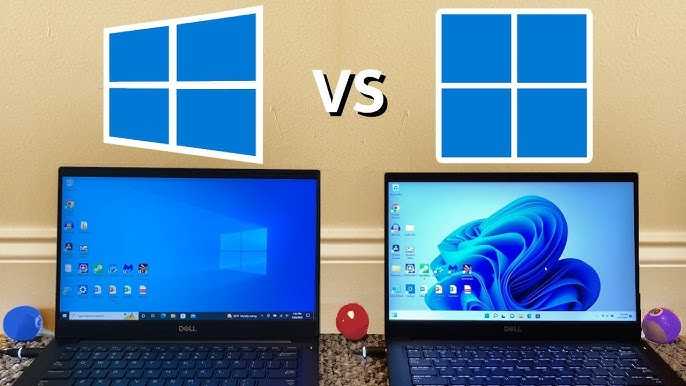
Windows 11 features a redesigned, sleek interface with centered taskbars and rounded corners. The interface looks more modern and clean, making it easier to navigate. Windows 10 has a traditional layout with a left-aligned taskbar and sharp edges, which many users find familiar. The overall aesthetic of Windows 11 appeals more to users who want a fresh look.Start Menu and Taskbar
In Windows 11, the Start menu appears centered on the screen, showing a simplified layout and pinned apps. The taskbar is also centered, giving a balanced feel. Windows 10 retains the left-aligned Start menu and taskbar, which has been standard for many years. Users might prefer the classic setup or find the new layout more engaging.Performance and Speed
Windows 11 is designed to work efficiently on newer hardware, offering faster startup times and smoother performance in many cases. It can better handle multitasking with improvements in memory management. Windows 10 remains reliable on a wide range of hardware, including older systems.Compatibility with Hardware
Windows 11 requires newer hardware specifications, such as TPM 2.0 and secure boot, making it incompatible with some older devices. Windows 10 works well with older hardware and continues to support a broad range of devices. For users with older computers, Windows 10 might be the better choice.Features and Functionality
Windows 11 introduces several features that enhance user experience. These include Snap Layouts for better window management, integrated Teams for easier communication, and a redesigned Microsoft Store. Windows 10 has features like Live Tiles and more extensive support for legacy applications.Multitasking and Productivity Tools
With Windows 11, multitasking becomes easier thanks to Snap Layouts and Snap Groups, allowing quick organization of open windows. Windows 10 offers similar features but with fewer enhancements. Productivity is boosted in Windows 11, especially on larger screens.Gaming Capabilities
Windows 11 offers improved gaming with features like Auto HDR that makes games look better. It also supports DirectStorage, which reduces load times in games. Windows 10 supports gaming well but lacks some of these newer enhancements for a more modern gaming experience.Compatibility with Gaming Hardware
Windows 11’s gaming enhancements are optimized for newer graphics cards and hardware, providing smoother gameplay. Windows 10 remains compatible with most gaming hardware, but it may not benefit from the latest features.Security and Updates
Windows 11 emphasizes security with features like hardware-based isolation and secure boot improvements. It also receives regular updates that enhance security and fix bugs. Windows 10 continues to get security updates but may not include the latest security features found in Windows 11.Automatic Updates and Support
Windows 11 is set to receive updates for a longer period, with support running into 2025 and beyond. Windows 10’s support will gradually phase out, requiring users to upgrade eventually. Staying updated ensures stronger security protections for users.Compatibility with Applications and Software
Most applications work seamlessly on both Windows 10 and 11. However, some legacy software may encounter compatibility issues on Windows 11 due to stricter hardware requirements. For most users, software compatibility is not a significant concern.Business and Enterprise Use
Businesses may prefer Windows 10 for its proven stability and compatibility with older systems. Windows 11 offers additional management tools and security features, making it suitable for forward-looking organizations. The decision depends on the specific needs of the business.System Requirements and Upgrade Process
Windows 11’s hardware requirements are stricter, requiring a compatible 64-bit processor, TPM 2.0 chip, and Secure Boot. Upgrading from Windows 10 to 11 can be straightforward if your device meets these specs. Many users with compatible hardware can upgrade for free through Windows Update.Ease of Upgrade
The upgrade process from Windows 10 to 11 is relatively simple for compatible devices. Microsoft provides tools like PC Health Check to assess readiness. For older devices, upgrading might not be possible or practical.Cost Implications
Both Windows 10 and Windows 11 are available as free upgrades for eligible users. However, new devices often come pre-installed with Windows 11. If you need to purchase a new PC, the choice may influence your decision based on system costs and available hardware.Final Thoughts: Which is Better for You?
Choosing between Windows 10 and 11 depends heavily on your hardware, needs, and preferences. If you have an older device, sticking with Windows 10 might be more practical. For newer hardware users, Windows 11 offers a fresh experience with improved features. Ultimately, consider your device compatibility, the importance of new features, and your comfort with upgrading to make the right choice.Windows 10 vs 11 | Features & Changes
Frequently Asked Questions
What are the main differences in performance between Windows 10 and Windows 11?
Windows 11 introduces several improvements in performance, such as faster wake times, smoother multitasking, and enhanced graphics capabilities with DirectX 12 Ultimate support. These updates help the system run more efficiently on compatible hardware, resulting in a more responsive computing experience compared to Windows 10.
How does the user interface differ between Windows 10 and Windows 11?
Windows 11 offers a more modern and streamlined user interface with a centered Start menu, rounded corners, and simplified taskbar. These design changes make navigation more intuitive and visually appealing, providing a cleaner look compared to the more traditional layout of Windows 10.
What hardware requirements should I consider when choosing between Windows 10 and 11?
Windows 11 requires newer hardware, including a compatible 64-bit processor, 4GB of RAM, and TPM 2.0 support. If your device doesn’t meet these specifications, Windows 10 remains a better option, as it supports a wider range of hardware and older systems.
Are there any notable security improvements in Windows 11 over Windows 10?
Yes, Windows 11 emphasizes security by integrating hardware-based features like TPM 2.0 and secure boot, which help protect against modern threats. These enhancements provide a more secure environment, especially for corporate users, compared to Windows 10.
Which version offers better support for gaming and multimedia tasks?
Windows 11 provides improved support for gaming with features like Auto HDR and DirectStorage, which reduce load times and enhance visuals. For multimedia editing and high-performance gaming, Windows 11 generally offers a more optimized experience than Windows 10.
Final Thoughts
Windows 10 offers stability and familiarity, making it ideal for users who prefer a proven platform. Windows 11 introduces new features and a modern design, appealing to those seeking enhanced productivity. Choosing between them depends on your needs and hardware compatibility. Which is better, Windows 10 or 11? For most users, Windows 10 remains reliable, but Windows 11 provides a more refreshed experience.
Similar Posts