Is 144Hz Monitor Better Than Ultrawide
"Is 144Hz monitor better than ultrawide" is one of those questions that sounds simple but really depends on what you're actually doing with your screen. The short answer is that neither option is universally better. They solve different problems.
A 144Hz monitor prioritizes motion clarity and responsiveness, while an ultrawide gives you more horizontal screen real estate and immersion. As of 2026, both categories have matured enough that you're not making a bad choice either way. You're just choosing which trade-offs matter more to you.
Let's break down what each one actually delivers so you can figure out which fits your setup.
The Quick Answer
Neither is categorically better. A 144Hz monitor wins for competitive gaming. An ultrawide wins for immersion and multitasking.
Your use case decides which one deserves your money.
What 144Hz Actually Gets You
A 144Hz monitor refreshes the image 144 times per second. That's 2.4 times more than a standard 60Hz panel. The result is noticeably smoother motion, especially in fast-paced content.
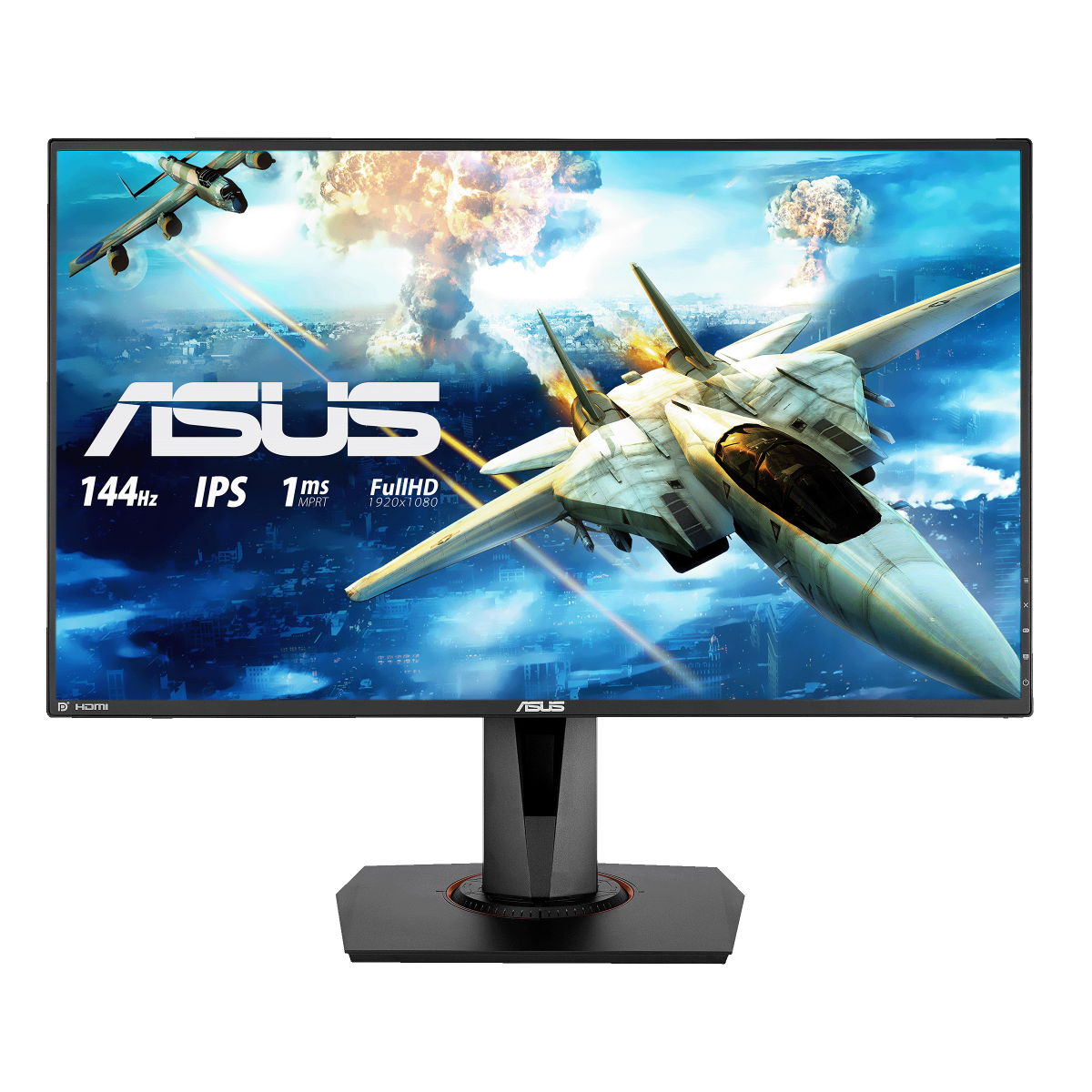
The practical benefit comes down to frame time. At 60Hz, each frame stays on screen for about 16.67 milliseconds. At 144Hz, that drops to roughly 6.94 milliseconds.
Your eyes perceive motion blur based on how long each frame lingers, so shorter frame times mean cleaner visuals when things move fast.
Here's what you're actually paying for with a 144Hz panel:
- Smoared motion clarity. Fast camera pans and quick movements look sharper. This matters most in games where you're constantly turning or tracking moving targets.
- Lower input lag. The time between your mouse click and the action appearing on screen shrinks. Most 144Hz gaming monitors deliver input lag between 2 and 5 milliseconds.
- More responsive feel. Everything from scrolling web pages to dragging windows feels snappier. Once you've used 144Hz for a week, 60Hz feels sluggish.
- Better competitive advantage. In games like CS2, Valorant, and Apex Legends, smoother tracking gives you a genuine edge.
Most 144Hz monitors use 16:9 aspect ratios at 2560×1440 resolution. That's the sweet spot for gaming right now. Your GPU doesn't have to work as hard as it would pushing ultrawide resolutions, and virtually every game supports 16:9 natively without any fuss.
The downsides? You're stuck with a standard field of view. No extra peripheral vision in games.
No expanded workspace for multitasking. If you edit video or code, you'll miss the extra horizontal space an ultrawide provides.
What Ultrawide Actually Gets You
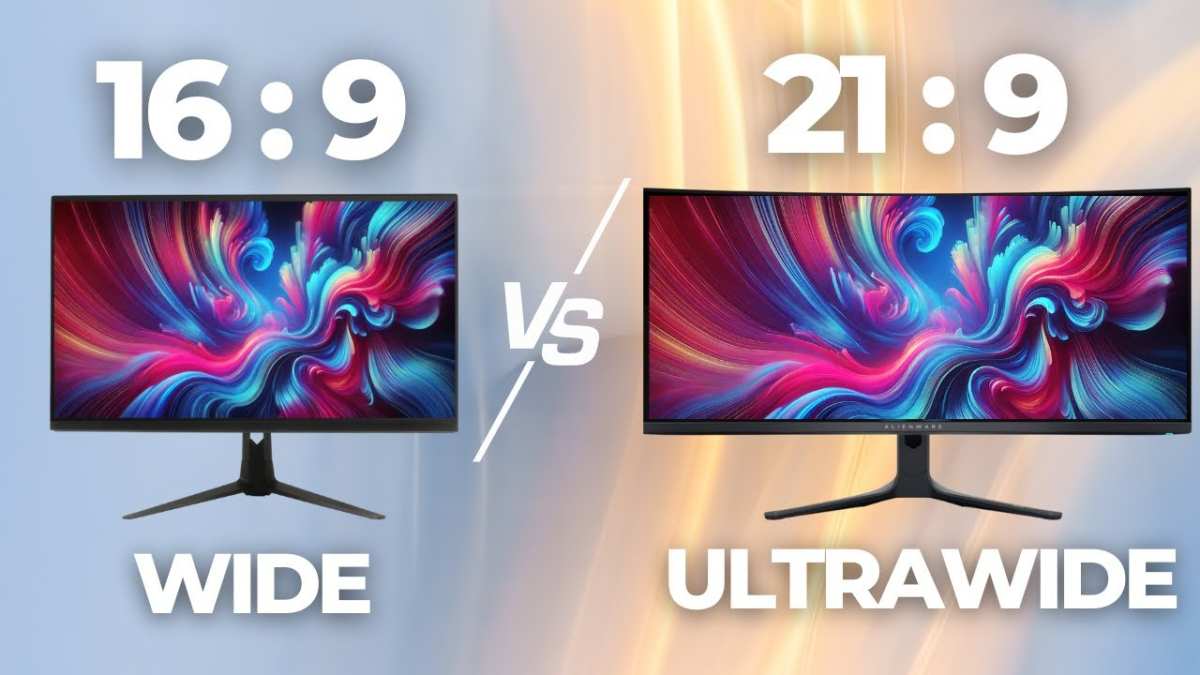
An ultrawide monitor uses a 21:9 or 32:9 aspect ratio instead of the standard 16:9. The most common size is 34 inches at 3440×1440 resolution, which gives you about 34% more screen area than a regular 2560×1440 display.
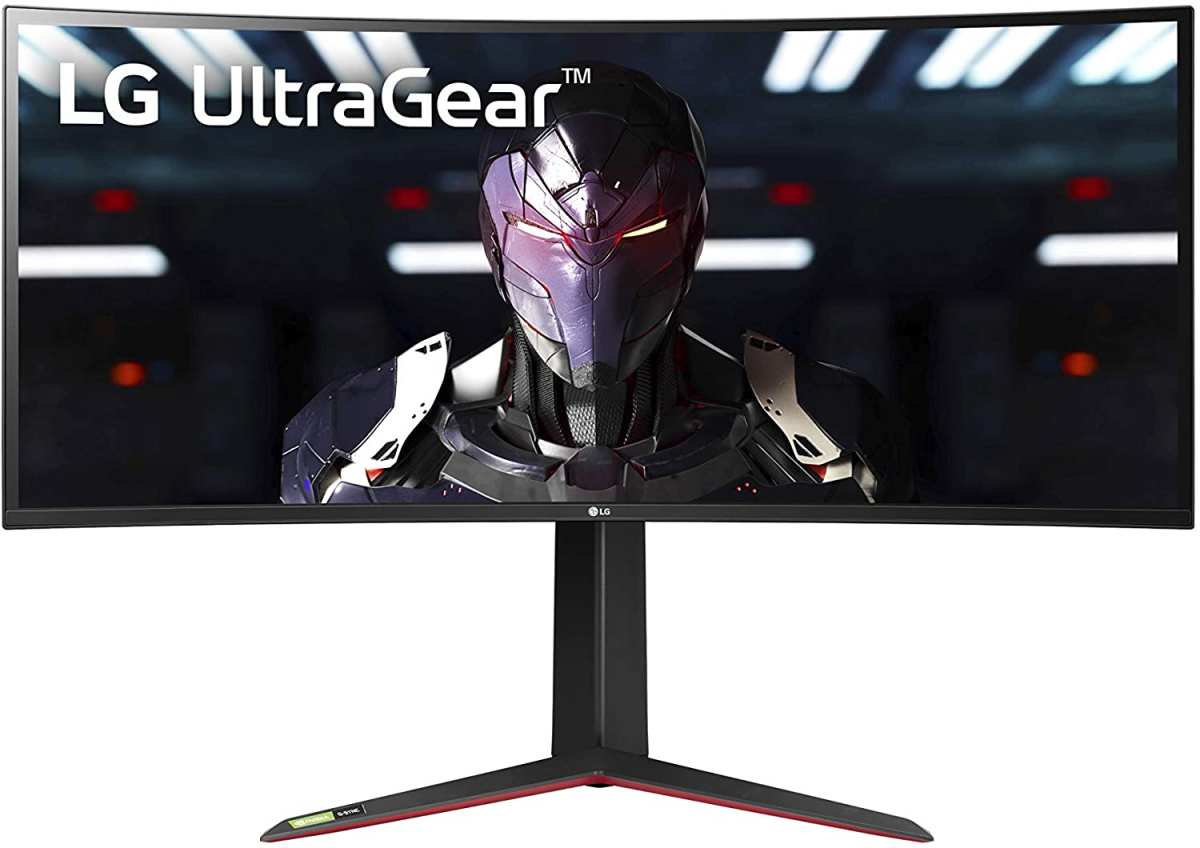
That extra width changes how you use your computer in a few meaningful ways:
- Wider field of view in supported games. Racing games, flight sims, and many single-player titles let you see more of the world to your left and right. It's genuinely more immersive.
- Better multitasking. You can comfortably have two full-sized windows side by side. That replaces a dual-monitor setup with a single panel and no bezel in the middle.
- Expanded creative workspace. Video editors get longer timelines. Coders see more lines of code. Spreadsheets show more columns without scrolling.
- Cinematic feel. Most movies are shot in widescreen formats. An ultrawide displays them with fewer black bars.
The catch is refresh rate availability. As of 2026, ultrawide monitors that hit 144Hz or higher exist but cost significantly more than their 16:9 equivalents. Plenty of ultrawide panels are still capped at 60Hz or 75Hz.
The ones that reach 120Hz to 165Hz tend to sit in a higher price bracket.
There's also the compatibility issue. Some competitive games don't support 21:9 natively. You'll get black bars on the sides or a stretched image.
Certain competitive titles with anti-cheat software force a 16:9 crop anyway, which defeats the purpose of having the extra width.
GPU demand is another factor. Pushing 3440×1440 means your graphics card renders 34% more pixels than standard 1440p. That's roughly equivalent to the jump from 1080p to 1440p in terms of workload.
If your GPU is already struggling, an ultrawide will make it worse.
Side-by-Side: Where They Win and Where They Fall Short
Let's put them next to each other so the trade-offs are clear.
| Factor | 144Hz (16:9) | Ultrawide (21:9) |
|---|---|---|
| Refresh rate availability | Widely available at 144Hz, 165Hz, 240Hz+ | 144Hz+ models exist but are pricier; many cap at 60Hz–120Hz |
| Motion clarity | Excellent at 144Hz and above | Good on high-refresh models; mediocre on 60Hz panels |
| Game compatibility | Universal. Every game supports 16:9 | Mixed. Some games don't support 21:9; competitive titles may crop to 16:9 |
| Field of view | Standard | Wider in supported games |
| Multitasking | Limited to one full window | Two full windows comfortably side by side |
| GPU demand at 1440p | ~3.7 million pixels | ~4.95 million pixels (34% more) |
| Price at equivalent panel quality | $250–$450 typical | $350–$700+ for high-refresh models |
| Competitive gaming | Ideal | Often forced to 16:9 anyway |
| Immersion | Good | Significantly better |
| Desk space required | Moderate | Larger footprint, especially at 34"+ |
The pattern here is pretty straightforward. If your priority is competitive performance and you want the smoothest experience for the least money, 144Hz 16:9 wins. If you value immersion, workspace width, and don't mind paying a premium for high refresh rates, ultrawide wins.
Best for Competitive FPS Gaming
If you're playing CS2, Valorant, Rainbow Six Siege, or Apex Legends seriously, a 144Hz or higher 16:9 monitor is the better choice. Here's why it's not even close.
Competitive shooters demand fast reaction times and precise tracking. A 144Hz panel gives you smoother motion clarity than a 60Hz or 75Hz ultrawide. That means you can track enemy movement more accurately and react faster.
When you're flicking to a target, every millisecond of motion clarity matters.
Most competitive titles either don't support ultrawide or actively block it. Games like Valorant enforce a 16:9 aspect ratio regardless of your monitor. You'd be paying for screen real estate you literally can't use in the games that matter most.
The 16:9 format also keeps your crosshair centered and your focus concentrated. Some players find that ultrawides spread their attention too thin in fast-paced scenarios. Everything you need to see is right in front of you.
For competitive play, look for:
- 144Hz minimum, 165Hz or 240Hz if your GPU can push those frame rates
- 2560×1440 resolution (27" is the sweet spot)
- 1ms response time (gray-to-gray)
- G-Sync or FreeSync support to eliminate tearing
- IPS panel for good color accuracy and viewing angles
A solid 27" 144Hz IPS panel in 16:9 gives you everything you need for competitive gaming without any compromises. You're not missing out on anything that would make you better at these games.
Best for Immersive and Single-Player Gaming
If you're playing Cyberpunk 2077, Elden Ring, or Forza Horizon for the experience, an ultrawide monitor transforms the experience in ways a standard 16:9 panel simply can't match.
The wider field of view pulls you into the game world. You see more of the landscape racing past you in driving games. You notice enemies approaching from the periphery in open-world titles.
It's not a competitive advantage here. It's a presence advantage. You feel like you're actually in the scene.
Many modern single-player games support 21:9 natively. Titles like Red Dead Redemption 2, Baldur's Gate 3, and Horizon Zero Dawn fill the entire screen without stretching or black bars. The experience is genuinely cinematic.
That said, you need to pay attention to refresh rate when shopping for an ultrawide for gaming. A 60Hz ultrawide will feel noticeably less smooth than a 144Hz 16:9 panel in fast-paced moments. If you're coming from a high-refresh display, the drop to 60Hz will bother you.
Look for ultrawide models that hit at least 120Hz, ideally 144Hz or 165Hz. These exist but they cost more. You're typically looking at $500 to $800 for a quality 34" 3440×1440 panel at 144Hz or above.
The LG 34GN850 and Samsung Odyssey G5 are popular options in this space.
Best for Productivity and Multitasking
This is where the ultrawide pulls decisively ahead for a lot of people. If your computer is primarily a work machine, the extra horizontal space is a genuine productivity upgrade.
A 34" ultrawide at 3440×1440 gives you the equivalent of roughly one and a half standard monitors. You can have your main work window front and center with reference material, chat, or email open to the side. No bezel splitting your attention down the middle.
This setup replaces a dual-monitor arrangement with a single panel. That means one cable, one power connection, and a cleaner desk. For people who travel or work in shared spaces, that simplicity matters.
Tasks that benefit most from ultrawide:
- Software development. Code editor on one side, documentation or terminal on the other. No alt-tabbing constantly.
- Video editing. The timeline stretches across the full width. You see more of your edit at once without zooming out.
- Spreadsheets and data work. More columns visible without horizontal scrolling. Financial analysts and accountants tend to love ultrawides.
- Writing and research. Document in the center, browser or notes on the side. It mirrors a physical desk layout.
For productivity, refresh rate matters less. A 60Hz or 75Hz ultrawide handles office work perfectly fine. You don't need 144Hz for scrolling through spreadsheets.
This is where you can save money by not chasing high refresh rates.
Best for Content Creation and Creative Work
Content creators have a split decision here. It depends on what you're creating and how you're consuming your work.
If you edit video, an ultrawide gives you a longer timeline and more room for panels. DaVinci Resolve and Premiere Pro both benefit from the extra width. You can see your preview, timeline, and effects panel all at once without everything feeling cramped.
If you stream or create YouTube content, consider this: your audience mostly watches on 16:9 screens. Editing in ultrawide gives you more workspace, but you need to make sure your final output looks right in standard aspect ratio. Most editing software handles this fine, but it's something to keep in mind.
Photographers tend to prefer color-accurate 16:9 panels. Many professional-grade monitors in this category prioritize color accuracy and calibration over ultrawide real estate. If color fidelity is your top priority, a high-quality 27" 1440p or 4K 16:9 display might serve you better.
For music production and audio work, ultrawides shine again. Long mixer timelines and plugin windows benefit from the extra horizontal space. Ableton and Logic Pro users often prefer the expanded layout.
The GPU Reality Check
Before you buy either option, make sure your graphics card can actually handle it. This catches people off guard more often than you'd think.
A standard 2560×1440 display pushes about 3.7 million pixels. A 3440×1440 ultrawide pushes about 4.95 million pixels. That's 34% more work for your GPU.
In practical terms, if you're getting 144 FPS at 1440p on a 16:9 panel, expect roughly 107 to 115 FPS on the same settings with an ultrawide.
Here's a rough guide for what you'll need:
| GPU | 1440p 16:9 (144Hz target) | 3440×1440 Ultrawide (144Hz target) |
|---|---|---|
| RTX 4060 / RX 7600 | Esports titles only | Esports titles at reduced settings |
| RTX 4070 / RX 7800 XT | Most games at high settings | Most games at medium to high settings |
| RTX 4080 / RX 7900 XT | Comfortable at high to ultra | Comfortable at high settings |
| RTX 4090 / RTX 5090 | Maxed out easily | Maxed out in most titles |
If your GPU is below the RTX 4070 tier, you'll struggle to push high frame rates at ultrawide resolution. In that case, a standard 1440p 144Hz monitor is the smarter buy. You'll actually hit those refresh rates without turning your game into a slideshow.
Common Mistakes People Make When Choosing
A few patterns show up repeatedly when people regret their monitor purchase.
Buying an ultrawide for competitive gaming without checking game support. Not every title supports 21:9. Some force 16:9. Some stretch the image awkwardly.
Research your specific game library before committing.
Buying a 60Hz ultrawide and expecting it to feel smooth. If you're coming from a 144Hz panel, 60Hz will feel sluggish. The extra screen space doesn't compensate for the drop in motion clarity. Always check the refresh rate spec before buying.
Ignoring desk depth. A 34" ultrawide sits close to your face. If your desk is shallow, you'll feel like the monitor wraps around you in a bad way. You want at least 24 inches of depth for comfortable viewing.
Curved panels help with this, but depth still matters.
Assuming all ultrawides are expensive. They're not. You can find 34" 3440×1440 panels at 60Hz for under $300. They're perfectly fine for productivity and casual gaming.
You don't need to spend $700+ unless you want high refresh rates and premium panel tech.
Forgetting about cable bandwidth. To run 3440×1440 at 144Hz, you need DisplayPort 1.4 or HDMI 2.1. Older HDMI versions cap you at lower refresh rates at that resolution. Check your GPU outputs and your cable specs before setup day.
What You'll Actually Spend
Pricing has shifted over the last couple of years. The gap between 144Hz 16:9 and high-refresh ultrawide has narrowed, but it's still there.
Here's what you're looking at in 2026:
| Category | Typical Price Range | Examples |
|---|---|---|
| 27" 1440p 144Hz 16:9 | $220–$350 | Gigabyte M27Q, ASUS VG27AQ |
| 27" 1440p 240Hz 16:9 | $300–$450 | Samsung Odyssey G7, LG 27GP850 |
| 34" 3440×1440 60Hz–75Hz ultrawide | $250–$400 | LG 34WN650, Dell U3423WE |
| 34" 3440×1440 144Hz–165Hz ultrawide | $450–$700 | LG 34GN850, Samsung G55C |
| 34" 3440×1440 240Hz+ ultrawide | $700–$1,000+ | Samsung Odyssey OLED G8 |
| 49" 5120×1440 super ultrawide 144Hz+ | $800–$1,400 | Samsung Odyssey Neo G9 |
The sweet spot for most people sits around $300 to $400. That gets you a solid 27" 144Hz 16:9 panel or a budget 34" ultrawide at 60Hz to 75Hz. You need to decide which matters more to you at that price point.
If you're spending above $500, you're in premium territory. At that point, you should be getting high refresh rates, good HDR, and solid panel quality regardless of which form factor you choose.
The "Best of Both Worlds" Sweet Spots
Some monitors try to give you both. They combine ultrawide resolution with high refresh rates. These exist, but they come with trade-offs.
A 34" 3440×1440 165Hz IPS panel is the most common "both worlds" option. You get the extra screen width and a refresh rate that feels smooth for gaming. The price typically sits between $450 and $650.
The downside is that you're pushing more pixels than a standard 1440p panel. Your GPU works harder. You also pay a premium compared to a 16:9 144Hz panel with the same panel quality.
Super ultrawide 32:9 monitors like the Samsung Odyssey Neo G9 take this further. You get the equivalent of two 27" monitors side by side. These are incredible for productivity and sim gaming.
They're also expensive, demanding on your GPU, and overkill for most people.
For most buyers, the practical choice is picking one priority. Either go 144Hz 16:9 for performance or ultrawide for space and immersion. Trying to max out both specs at once gets expensive fast.
Final Decision Guide: Which One Should You Buy?
Here's a straightforward way to think about it.
Choose a 144Hz 16:9 monitor if:
- You play competitive FPS or esports titles regularly
- You want the smoothest motion clarity for the least money
- Your GPU is mid-range (RTX 4060 to RTX 4070 tier)
- You don't need extra screen space for work
- You want universal compatibility with every game
Choose an ultrawide monitor if:
- You primarily play single-player, racing, or sim games
- You need screen real estate for productivity or creative work
- You want to replace a dual-monitor setup
- Your GPU is strong enough to push the extra pixels (RTX 4070 or above)
- You're okay paying more for high-refresh ultrawide models
Choose a high-refresh ultrawide if:
- You want both immersion and smooth gaming
- Your budget allows $500+
- You have a GPU that can handle 3440×1440 at high frame rates
- You do a mix of gaming and productivity on the same machine
There's no wrong answer here. Both options are mature, well-supported, and deliver great experiences. The right pick depends entirely on what you do with your computer and how much you're willing to spend.
Frequently Asked Questions
Can I get an ultrawide with 144Hz?
Yes. Multiple 34" ultrawide models offer 144Hz, 165Hz, and even 240Hz refresh rates. They cost more than 60Hz or 75Hz ultrawides, but the selection has grown significantly.
Expect to pay $450 to $700 for a quality high-refresh ultrawide as of 2026.
Is 144Hz good enough for casual gaming?
Absolutely. 144Hz looks noticeably smoother than 60Hz in any game. You don't need to be a competitive player to appreciate the difference. Once you use 144Hz, going back to 60Hz feels choppy.
Do ultrawide monitors work with PS5 and Xbox?
Partially. The PS5 supports ultrawide but only at the resolution and refresh rate the specific monitor supports. Xbox Series X has limited ultrawide support.
Most console gamers still get a better experience on a standard 16:9 display. Check your console's current compatibility before buying.
How important is the curve on an ultrawide?
The curve helps reduce edge distortion on larger panels. A 1500R or 1800R curve on a 34" ultrawide makes viewing more comfortable. Flat ultrawides exist but feel less immersive.
For 21:9 panels 34" and under, curvature is a preference, not a necessity.
Will an ultrawide hurt my competitive gaming performance?
It can. Some competitive games don't support 21:9 and force 16:9 with black bars. Others stretch the image.
If you play ranked or tournament-level competitive games, check whether your main titles support ultrawide before committing.

Similar Posts





















