Does Gemini Use Google Search
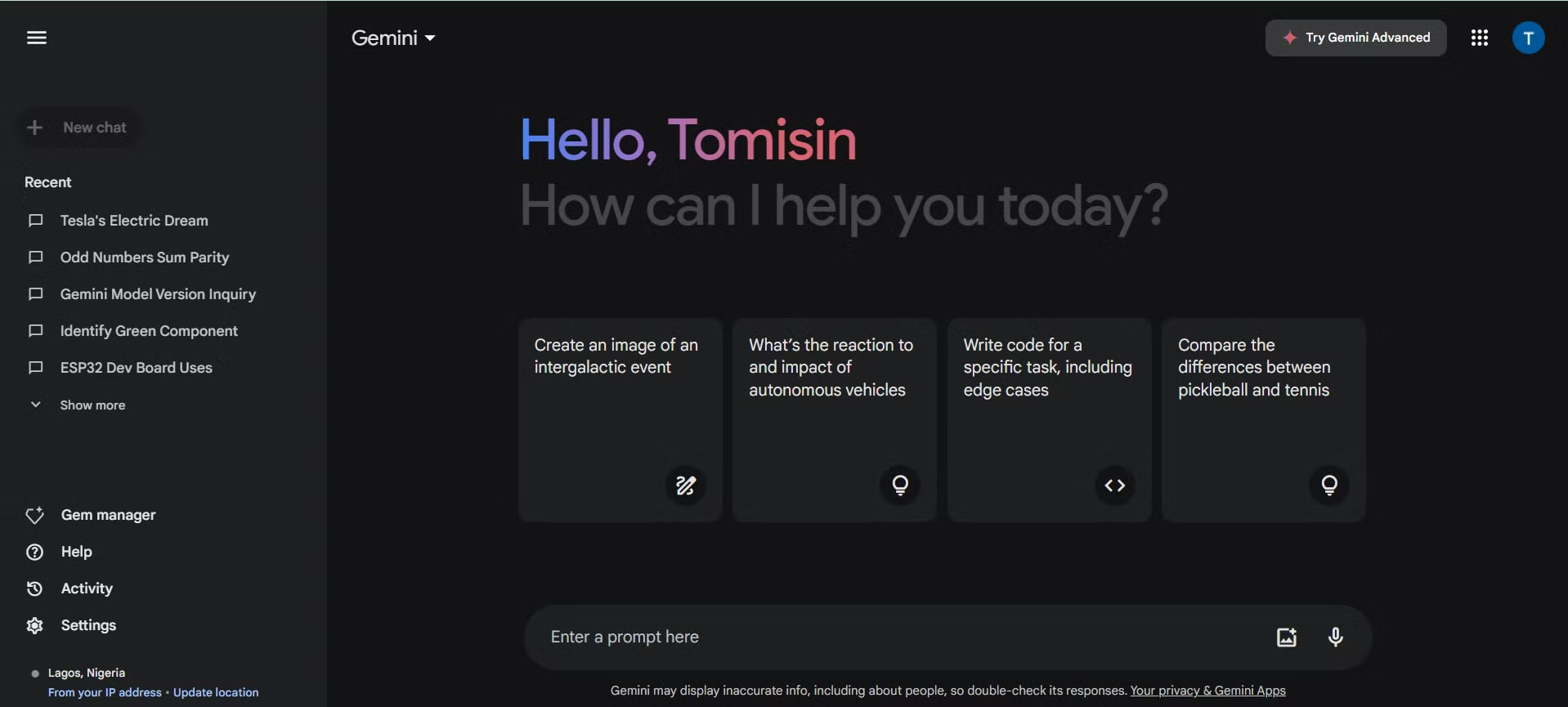
Does Gemini use Google search? It's one of the most common questions people ask about Google's AI assistant, and the answer isn't as straightforward as you'd expect. The truth is that Gemini's connection to Google Search depends entirely on which version you're using, what settings are turned on, and what you're asking it to do.
Google's own documentation confirms that Gemini can ground responses in Google Search results, but this feature isn't universal across every product or tier. As of 2026, the behavior varies significantly between the free Gemini app, Gemini Advanced, and the AI Overviews you see directly in Google Search. Let's break down exactly how it works so you know what to expect.
Quick Answer
Yes, Gemini can use Google Search, but only in certain contexts. The standalone Gemini app has a web search toggle you can turn on or off. Gemini Advanced includes deeper search integration through the Google One AI Premium Plan.
AI Overviews in Google Search use a separate system that always pulls live results. The behavior changes depending on which product you're using.
What "Using Google Search" Actually Means Inside Gemini
When people ask whether Gemini uses Google Search, they're usually trying to figure out if the AI can pull up current information or if it's working from old training data. The distinction matters more than you might think.
Gemini, at its core, is a large language model trained on a massive dataset with a specific cutoff date. Without web access, it can only work from what it learned during training. That means anything that happened after its training cutoff could be wrong or missing entirely.
"Grounding with Google Search" is Google's term for connecting the model to live web results. When grounding is active, Gemini sends your query to Google Search, retrieves current results, and uses them to build its response. You'll typically see citation links at the bottom of the answer pointing to the sources it pulled from.
Here's where it gets tricky. Not every Gemini product does this by default, and not every query triggers a web search even when the feature is enabled. Google's system decides in real time whether your question needs fresh information or can be answered from the model's training data alone.
The Three Ways Gemini Connects to Google Search
Gemini isn't one single product. It's a family of tools, and each one handles web search differently. Understanding these differences clears up most of the confusion.
Gemini App (Free and Advanced)
The standalone Gemini app, available at gemini.google.com, is what most people think of when they ask about Gemini and Google Search. In this app, web search isn't always on by default in every region and for every model variant.
You'll find a toggle in the settings that controls whether Gemini can access the web. When it's on, Gemini will search Google for queries that need current information. When it's off, you get answers based purely on the model's training data.
Gemini Advanced, which comes with the Google One AI Premium Plan at $19.99 per month in the US, uses more capable models like Gemini 2.5 Pro. These models have larger context windows and more sophisticated reasoning, which means they're better at deciding when a web search is actually necessary.
Gemini in Google Search (AI Overviews and AI Mode)
This is a completely different experience from the Gemini app. When you search on google.com and see an AI-generated summary at the top of the results page, that's an AI Overview. Google's AI Mode takes this further by making the entire search results page conversational.
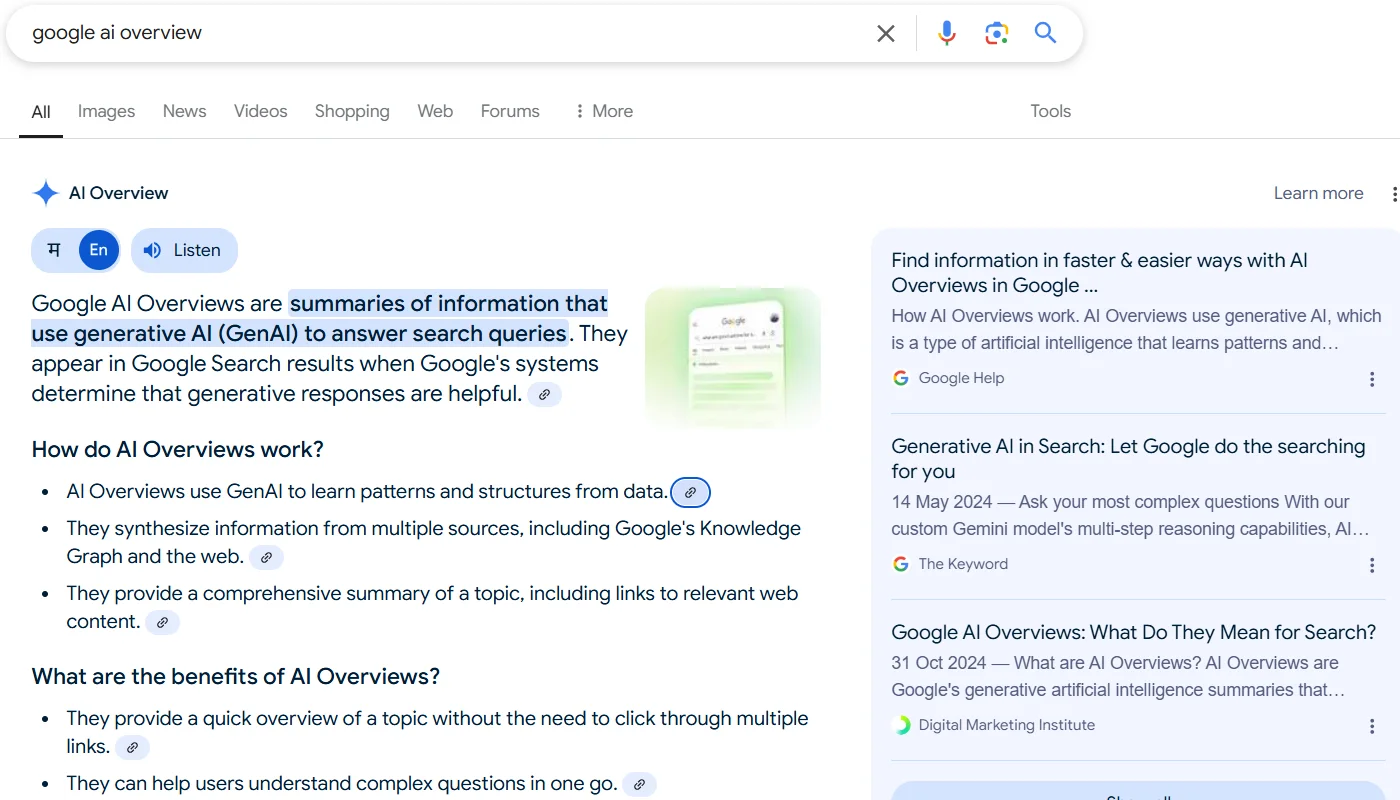
AI Overviews always use live Google Search data. There's no toggle to turn this off because the entire feature is built on pulling current information from the web. The model generates a summary, and you can click through to the original sources.
AI Mode, which Google has been expanding throughout 2025 and into 2026, lets you have a back-and-forth conversation directly within Google Search. It's powered by Gemini models but operates as a search feature rather than a standalone chatbot.
Gemini for Google Workspace
If you use Gemini through Google Workspace, the web search situation changes again. Workspace admins can control whether Gemini has access to web search at all.
For business and enterprise accounts, administrators can enable or disable web search grounding through the Google Admin console. Many organizations turn this off for data governance reasons, especially in regulated industries like healthcare and finance.
When web search is disabled in Workspace, Gemini can still help you work with your own documents, emails, and files. It just can't pull in information from the public internet.
When Gemini Searches the Web vs. When It Doesn't
This is where most of the confusion lives. Even with web search enabled, Gemini doesn't search the web for every single query. The system makes a judgment call based on what you're asking.
Gemini will typically search the web when you ask about:
- Current events and recent news
- Real-time data like stock prices or sports scores
- Weather forecasts and current conditions
- Product availability and pricing
- Information that changes frequently
Gemini will typically NOT search the web when you ask about:
- General knowledge questions with stable answers
- Creative writing or brainstorming
- Math problems and coding tasks
- Summarizing a document you've uploaded
- Questions the model is confident it can answer from training data
This selective approach is intentional. Searching the web takes time and computing resources, so Google's system tries to reserve it for queries that genuinely need fresh information. The downside is that sometimes you'll get an outdated answer when you expected a current one, simply because the system decided a search wasn't necessary.
If you want to force a web search in the Gemini app, try phrasing your query to signal that you need current information. Phrases like "search for," "look up," or "what's the latest on" tend to trigger web grounding more reliably than open-ended questions.
How to Check If Gemini Is Searching the Web Right Now
You don't have to guess whether Gemini pulled from the web or from its training data. Google builds in visual cues that tell you exactly what happened.
When Gemini uses Google Search grounding, you'll see a green double-check icon or highlighted text in the response. Clicking on this shows you which parts of the answer were verified against web sources and which sources were used.
You'll also see citation links at the bottom of grounded responses. These look like standard search result links and take you directly to the web pages Gemini referenced. If you don't see these citations, the answer came from the model's training data, not a live search.
Some responses include a "Google it" button or a search suggestion chip. This appears when Gemini thinks you might want to see full search results rather than just the AI-generated answer. It's a helpful fallback when the AI summary doesn't quite cover what you need.
One thing to watch for: Gemini sometimes cites sources that look legitimate but lead to low-quality pages. The model doesn't always distinguish between a reputable news site and a content farm. Always click through and verify the source yourself if the information matters.
How to Turn Web Search On or Off in Gemini
You have direct control over whether Gemini searches the web, at least in the standalone app. The toggle is easy to find once you know where to look.
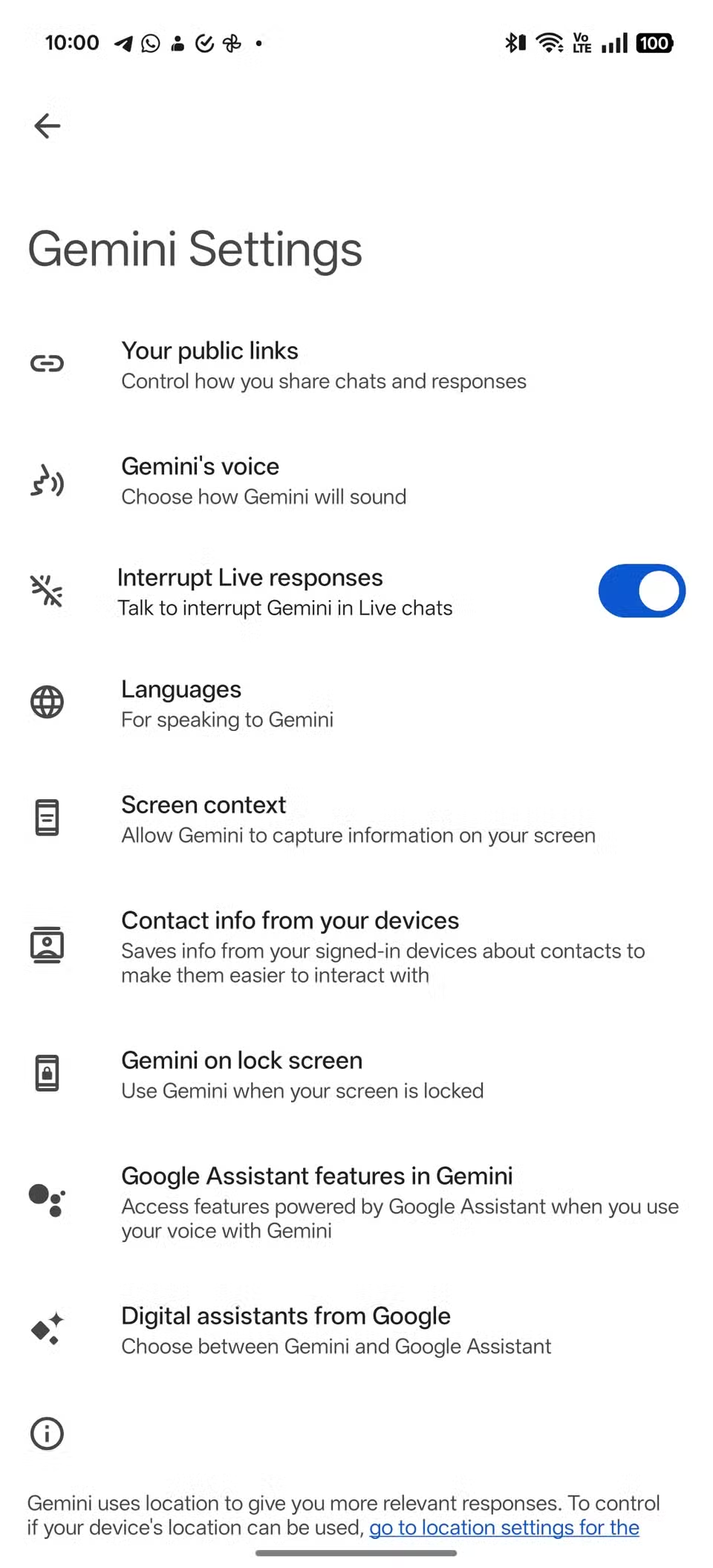
Here's how to check and change the setting:
- Open the Gemini app at gemini.google.com or launch it on your phone.
- Tap your profile icon or the settings gear in the bottom left corner.
- Look for "Extensions" or "Google Search" in the menu.
- Toggle the switch to enable or disable web search grounding.
When the toggle is on, Gemini will search Google for queries that need current information. When it's off, you get answers based purely on the model's training data.
The exact location of this setting has moved around a bit as Google updates the interface. If you can't find it under Extensions, try looking under "Settings" or "Data preferences." Google has been reorganizing these menus throughout 2025 and into 2026.
On mobile, the process is similar. Open the Gemini app, tap your profile picture, and look for the Extensions or Search settings. The toggle works the same way across Android and iOS.
One important note: turning off web search doesn't make Gemini completely offline. The model still runs on Google's servers, and your queries are still processed through their infrastructure. It just means the AI won't pull in live results from the public web when crafting its response.
What Happens When Web Search Is Disabled
Turning off web search changes Gemini's behavior in ways that aren't always obvious. Understanding these changes helps you decide whether to leave it on or off.
Without web search, Gemini will:
- Answer based on its training data, which has a cutoff date
- Be more likely to say it doesn't know about recent events
- Generate creative content without worrying about factual accuracy
- Respond slightly faster since it's not waiting for search results
- Work more like a traditional chatbot than a research assistant
The biggest drawback is staleness. If you ask about something that happened after the model's training cutoff, you'll either get an outdated answer or a refusal to answer at all. For general knowledge questions, this rarely matters. For anything time-sensitive, it's a real problem.
Some users prefer to keep web search off for privacy reasons. When the toggle is disabled, your queries aren't being sent to Google Search in real time. Your conversations are still stored in your Google Account if you have history enabled, but the specific queries aren't being used to generate search results that could be tied to your search profile.
For Workspace users whose admins have disabled web search, the experience is similar. Gemini becomes a tool for working with your own data rather than pulling in outside information. This is actually preferred in many enterprise environments where data leakage is a concern.
Free Gemini vs. Gemini Advanced: Does Web Search Work Differently?
Both free and paid tiers can access Google Search, but the experience isn't identical. The differences come down to model capability and feature access.
| Feature | Free Gemini | Gemini Advanced |
|---|---|---|
| Web search toggle | Yes | Yes |
| Default model | Gemini 2.5 Flash | Gemini 2.5 Pro |
| Context window | Smaller | Up to 1 million tokens |
| Extensions access | Limited | Full (Flights, Hotels, Maps, YouTube, Workspace) |
| Citation quality | Basic | More detailed |
| AI Overviews integration | Separate | Deeper integration |
Gemini Advanced's larger context window means it can process more search results at once and synthesize information from multiple sources more effectively. You'll notice this most when asking complex questions that require pulling together information from several web pages.
The Extensions available with Gemini Advanced also change how web search works in practice. With Google Flights and Hotels extensions enabled, Gemini can search for real-time pricing and availability directly. The YouTube extension lets it pull information from video content.
These go beyond simple web search and tap into Google's specialized data sources.
For most casual users, the free tier's web search is perfectly adequate. You'll get current information with citations when it matters. Gemini Advanced shines when you need deeper research, more sophisticated synthesis, or integration with other Google services.
Common Mistakes People Make About Gemini and Google Search
The confusion around Gemini and Google Search leads to some persistent misconceptions. Here are the ones that come up most often.
Assuming Gemini always searches the web. It doesn't. Even with the toggle on, Gemini decides query by query whether a search is necessary. You might get a training-data answer to a question that clearly needs current information.
Confusing Gemini with AI Overviews. These are related but separate products. AI Overviews always use live search results. The Gemini app might not.
People see an AI-generated answer somewhere in Google's ecosystem and assume it all works the same way.
Thinking citations guarantee accuracy. Gemini can cite a source and still misinterpret what that source says. The citation tells you where the information came from, not whether Gemini understood it correctly. Always click through and verify.
Expecting real-time data without prompting. If you ask "what's the weather," Gemini might search for it. If you ask "tell me about the weather," it might give you a general answer from training data. The phrasing matters more than people realize.
Not checking the training cutoff. Every Gemini model has a training data cutoff. If you don't know what it is, you can't know whether an answer might be outdated. Google doesn't always make these cutoff dates easy to find, but they're documented in the model cards on ai.google.dev.
Assuming Workspace Gemini works the same as the consumer app. It doesn't. Admin controls can disable web search entirely, and the available features depend on your organization's plan and settings.
How Gemini's Web Search Compares to ChatGPT, Perplexity, and Copilot
Gemini isn't the only AI assistant that can search the web. Understanding how it stacks up against the competition helps you choose the right tool for your needs.
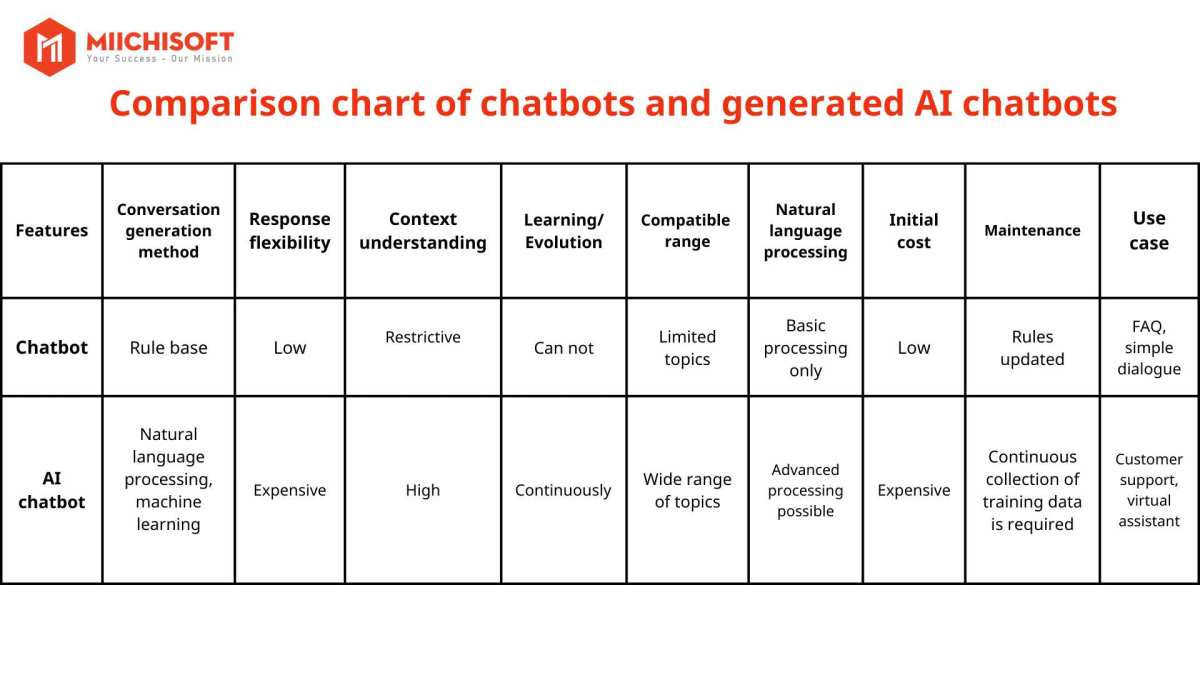
ChatGPT with Bing search uses Microsoft's Bing search engine rather than Google. The web search is generally reliable, and ChatGPT will show you the sources it used. The integration feels smooth, but you're limited to Bing's index of the web, which is smaller than Google's.
Perplexity AI is built around web search from the ground up. Every query triggers a search, and citations are front and center. It's more transparent about its sources than any other option, but it's less capable as a general-purpose chatbot.
Perplexity is a research tool first and a conversational AI second.
Microsoft Copilot uses Bing search and is deeply integrated into Windows and Microsoft 365. If you're already in the Microsoft ecosystem, it's convenient. The search results are solid, but the conversational abilities lag behind Gemini and ChatGPT for complex tasks.
Gemini's advantage is its integration with the broader Google ecosystem. When Extensions are enabled, it can pull from Google Maps, Flights, Hotels, and YouTube in addition to standard web results. No other AI assistant has this depth of integration with a single company's services.
Where Gemini falls short is in consistency. The selective web search approach means you sometimes get a training-data answer when you expected a live result. Perplexity and ChatGPT with browsing are more predictable in this regard.
For pure research tasks, Perplexity is hard to beat. For general-purpose assistance with occasional web lookups, Gemini and ChatGPT are both strong choices. Your preference will likely come down to which ecosystem you're already invested in.
When to Trust Gemini's Search Results (and When to Double-Check)
Gemini's web search is a powerful tool, but it's not infallible. Knowing when to trust the output and when to verify separately will save you from acting on bad information.
You can generally trust Gemini's search results when:
- The response includes citations to reputable sources
- The information is straightforward and factual
- Multiple sources agree on the answer
- The topic is well-covered by mainstream publications
You should double-check when:
- The answer involves medical, legal, or financial advice
- The cited sources are unfamiliar or low-quality
- The information seems surprising or counterintuitive
- You're making an important decision based on the answer
The double-check feature exists for a reason. Google built it specifically because AI-generated summaries can misinterpret source material. A citation doesn't mean Gemini read the source correctly.
It just means the source was in the results.
For high-stakes queries, treat Gemini as a starting point, not a final answer. Use it to find sources, then read those sources yourself. This is especially important for health information, legal questions, and financial decisions where errors can have real consequences.
The Decision Guide: Which Gemini Setup Do You Actually Need?
Your ideal setup depends on what you need Gemini to do. Here's a straightforward breakdown.
Choose the free Gemini app if you:
- Want a general-purpose AI assistant
- Occasionally need current information
- Don't want to pay for AI features
- Are comfortable verifying important answers yourself
Choose Gemini Advanced if you:
- Need deeper research capabilities
- Want access to Extensions like Flights and Hotels
- Prefer more sophisticated reasoning and synthesis
- Use other Google One benefits like cloud storage
Use AI Overviews in Google Search if you:
- Want quick summaries without opening a chat interface
- Are already searching on google.com
- Need fast answers to straightforward questions
Use Gemini for Workspace if you:
- Need AI help with documents, emails, and spreadsheets
- Work in an organization with admin-controlled settings
- Want AI integrated into your existing workflow
There's no single best option. Many people use a combination, depending on the task at hand.
Frequently Asked Questions
Does Gemini search the internet by default?
Not always. The standalone Gemini app has a web search toggle that may or may not be on by default depending on your region and account. AI Overviews in Google Search always use live results.
Check your settings to confirm your current configuration.
Can Gemini access real-time information?
Yes, when web search grounding is enabled and the system determines your query needs current data. Gemini can pull real-time information for things like news, weather, pricing, and availability. Not every query triggers a search, so phrasing matters.
Is Gemini the same as Google AI Overviews?
No. Gemini is a standalone AI assistant available through its own app and interface. AI Overviews are generated summaries that appear within Google Search results.
They use related technology but operate as separate products with different behaviors.
Does Gemini Advanced search the web better than free Gemini?
Gemini Advanced uses more capable models with larger context windows, which means it can process more search results and synthesize information more effectively. Both tiers can access Google Search, but Advanced handles complex research tasks more reliably.
Can I use Gemini without it searching the web?
Yes. The web search toggle in the Gemini app lets you disable web access entirely. When turned off, Gemini answers based on its training data alone.
This is useful for creative tasks or when you want to minimize data sharing.
Does Gemini cite its sources when it searches the web?
When web search grounding is active, Gemini typically includes citation links at the bottom of its response. These point to the web sources it used. Not every response includes citations, especially when the answer comes from training data rather than a live search.

Similar Posts





















