Claude for Students
If you're staring at an empty Word doc at 11 PM or trying to wrap your head around a dense research paper, you've probably wondered if there's a smarter way to power through. Claude for students has become a real contender in the AI assistant space, and for good reason. It's not magic, but when used right, it can genuinely change how you study, write, and learn.
Claude, built by Anthropic, offers a generous free tier and a massive 200K context window, meaning it can "read" the equivalent of a 500-page book in one go. That's a big deal whether you're a college first-year or grinding through a master's thesis. But knowing whether to use it for a given task, and how to use it without crossing academic lines, is where things get tricky.
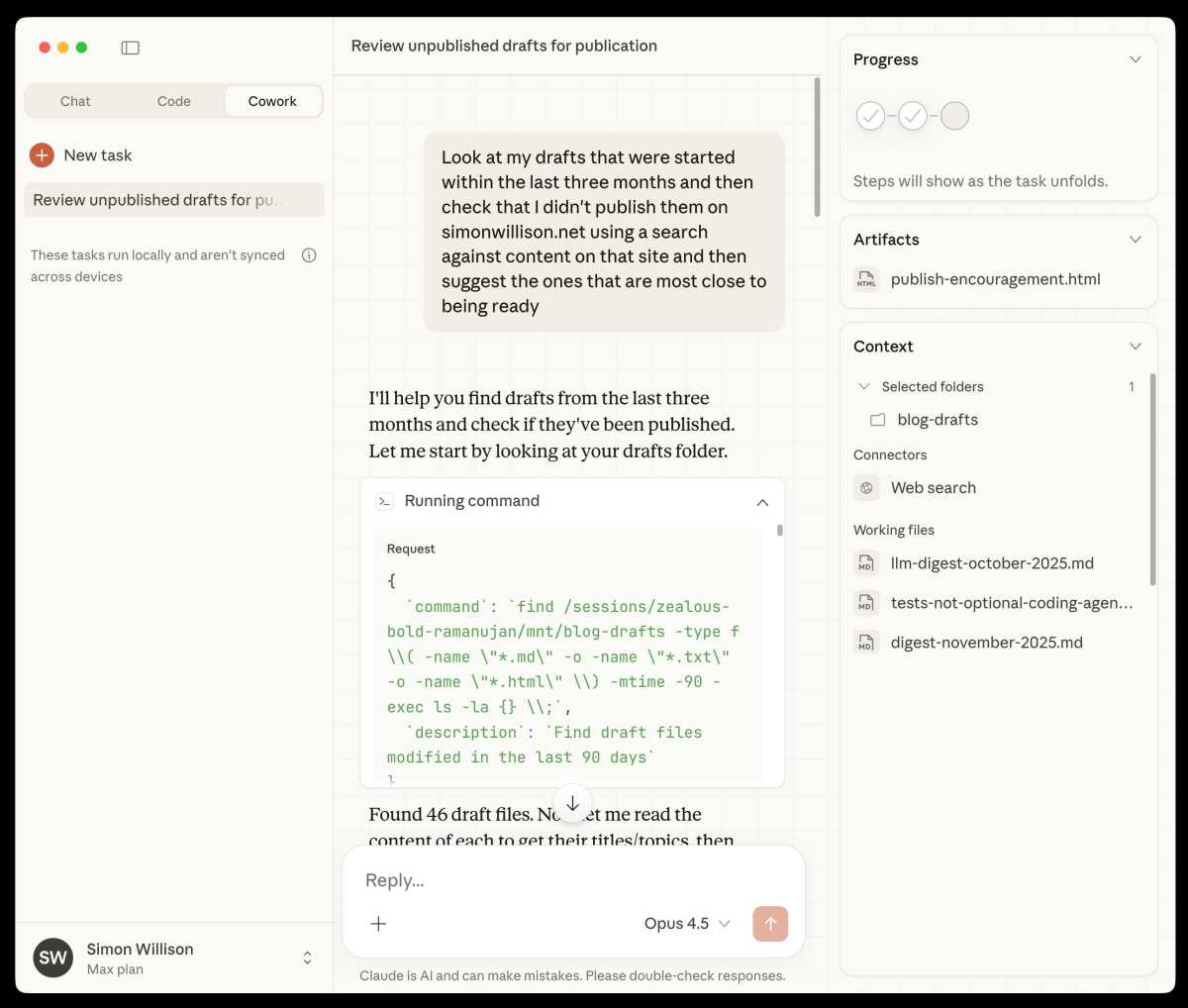
Image source: Bing (Web (fair-use with source credit))
Quick Answer: What Students Need to Know About Claude
Claude is an AI assistant by Anthropic that helps with writing, research, coding, and studying. It offers a free tier with a 200K context window for processing long documents. Students should always check their institution's AI policy before using Claude on assignments.
It excels at summarizing, brainstorming, and explaining complex concepts step-by-step. It is not a replacement for learning the material itself.
Is Claude Actually Free for Students?
Here's the good news: Claude has one of the more generous free tiers among major AI assistants. You can head to claude.ai right now, sign up with a Google account or email, and start using it immediately without pulling out a credit card.
But "free" comes with limits. The free tier gives you a set number of messages per session before you hit a cap. During finals week?
You might run out mid-study session and have to wait for the limit to reset. That's annoying when you're on a deadline.
If you need more, Claude Pro costs $20 per month. For most students, the free tier is enough if you're using Claude for specific tasks rather than hourly off-the-cuff conversations. For heavier research or coding projects, it might be worth the upgrade.
Claude pricing breakdown (as of 2025, 2026):
| Plan | Price | Best For |
|---|---|---|
| Free | $0 | Light use, occasional help with essays or coding |
| Pro | $20/month | Heavy research, document analysis, longer projects |
| Team | Higher tier | Student groups or collaborative projects |
| API pay-as-you-go | Per token | Students building apps with Claude |
There's no official student-specific free program from Anthropic at this time, which is worth noting. You might see student discounts pop up occasionally through university partnerships. Don't count on it unless your school specifically advertises one.
Key practical points about the free tier:
- Message limits reset on a rolling basis, not tied to a calendar day.
- Document uploads (PDFs, Word files) count against your usage but let you do a lot in one message.
- The free tier currently uses Claude 3.5 Sonnet, not the most powerful Opus model. You still get a very capable assistant.
- Claude's web search feature (via Brave Search) is available on the free tier, so it can pull in current information unlike earlier versions.
One more thing worth noting. Some universities bundle access to Microsoft Copilot or other AI tools through their Microsoft 365 education licenses. That's technically free as a student perk, though it's not the same product.
Check what your school already covers before you pay for anything out of pocket.
What Claude Does Well (and Where It Falls Short)
Let's be honest about what Claude is actually good at. Marketing fluff won't help you during crunch time.
What Claude genuinely excels at:
- Long document analysis. That 200K context window is a game-changer. You can upload an entire research paper, a textbook chapter, or multiple documents at once and ask Claude to summarize, compare, or extract key arguments.
- Coding help. Whether you're debugging Python, trying to understand a JavaScript function, or building a project, Claude walks through code logic step-by-step. It's particularly strong at explaining why something doesn't work.
- Writing feedback and editing. Paste your essay and ask Claude for structural feedback, grammar checks, or suggestions for stronger arguments. It won't write your paper for you, but it can sharpen what you've already drafted.
- Research summarization. Feeding Claude a dense academic article and asking for a plain-language summary saves real time.
- Study guide generation. Paste ask Claude to generate quiz questions, flashcards condensed review sheet.
Where Claude falls short or needs caution:
- Citation fabrication. This is the big one. Claude can hallucinate sources. It might generate a realistic-sounding citation to a paper that doesn't exist. Always verify every source independently if Claude gives you references.
- Math errors. Claude is better than it used to be at math, but it still makes confident mistakes on complex calculations. For anything that needs to be numerically accurate, double-check.
- Internet search inconsistency. When Claude uses web search, results vary. Sometimes it nails it. Sometimes it returns outdated or tangentially related information.
- Session memory doesn't persist. Once you close a conversation, Claude forgets everything from that session. You can't build a persistent "tutor" relationship across weeks without re-uploading context.
- Conservative response style. Claude sometimes over-refuses or gives vague answers when it detects something outside its comfort range. This can be frustrating if you're exploring edge cases in a philosophy or political science essay.
The bottom line: Claude is strongest when you treat it as a thinking partner that works with your material, not as an oracle that spits out answers.
The Decision Guide: Should You Use Claude for That Assignment?
This is where most students either get value or get in trouble. The right use depends entirely on what you're trying to accomplish, and what your professor allows.
Here's a simple decision framework to run through before you paste anything into Claude:
Use Claude freely:
- Brainstorming topics for an essay you'll write yourself
- Explaining concepts you didn't understand from lecture
- Getting feedback on the structure or clarity of your own draft
- Generating practice quiz questions from your own notes
- Debugging code with guidance, not having it code for you
- Summarizing research papers you've already read
Use Claude cautiously (check your syllabus first):
- Grammar and line editing on your assignments
- Generating an outline you then fill in with your own writing
- Language practice and translation help
- Getting a second explanation of a topic from your coursework
Don't use Claude (unless explicitly permitted):
- Generating full essays or papers to submit as your own work
- Answering quiz or exam questions in real time
- Inputting unpublished research data or anything covered by FERPA or your IRB
- Doing anything your course AI policy prohibits

Image source: Wikimedia Commons / BabyBen98 (CC BY-SA)
How to check your institution's AI policy:
- Start with your course syllabus, many professors now include an AI use statement.
- Check your university's academic integrity or provost office webpage.
- If the policy is unclear, ask your professor directly. It takes 30 seconds and saves a lot of anxiety.
- Save any email permission you get in writing. It protects you if a plagiarism detector flags your work later.
AI detection tools like Turnitin and GPTZero are unreliable. They flag false positives constantly, and they struggle to detect AI-assisted writing that's been substantially reworked by a human. The safest path is transparency with your instructor.
Using Claude for Essays and Writing Assignments
Let's talk about the most common way students use Claude. Writing help, used well, can genuinely improve your skills. Used poorly, it's a shortcut that catches up with you.
The right way to use Claude for essays:
Start with your own ideas. Brainstorm in a blank Claude chat. Throw out rough ideas, half-formed arguments, questions you're stuck on. Ask Claude to help you organize them into a coherent outline.
Paste your own draft, not a blank page. Once you've written a draft, ask Claude specific questions: "Is my argument logically structured?" "Are there gaps in my evidence?" "Can you suggest counterarguments I haven't addressed?"
Use targeted prompts. Vague prompts get vague answers. Compare these: , Bad: "Help me with my essay." (Claude has no idea what you need.)
, Good: "Here's my thesis statement. Can you suggest two or three counter arguments I should address?"
Edit line by line through conversation. Paste a paragraph and ask Claude to flag unclear sentences, suggest tighter phrasing, or identify passive voice. This teaches you to recognize patterns in your own writing.
Never copy-paste Claude's generated text directly. Rephrase it. Make it your own. If you can't explain a sentence in your own words, you don't understand it well enough to submit it.
A practical example workflow:
You're writing a 2,000-word paper on media representation. You've done the reading and have rough notes. You open Claude and paste your notes with this prompt: "Here are my rough notes for an essay on media representation.
Can you help me organize these into a clear outline with a strong thesis statement?"
Claude gives you a structure. You tweak it. You write the first draft yourself.
Then you paste the draft back and ask: "Where does my argument feel weakest? What evidence am I missing?"
That's a legitimate learning process. You're engaging with the material, making decisions, and using Claude as a sounding board. That's very different from asking it to write the essay and submitting the output.
Red flags to watch for:
- If you find yourself unable to write without Claude, that's a sign you need to step back and build that skill independently.
- If Claude's suggestions sound better than anything you'd write, you're probably leaning on it too hard.
- If you can't explain every claim in your submitted paper, you've crossed a line.
The goal is to use Claude to become a better writer, not to avoid writing altogether.
Using Claude for Coding and Coding Assignments
STEM students often get the most mileage out of Claude. Its ability to explain code logic, debug errors, and walk through programming concepts makes it a genuinely useful study companion.
What Claude handles well with code:
- Debugging error messages by explaining what went wrong and suggesting fixes
- Explaining programming concepts like recursion, object-oriented design, or API calls in plain language
- Writing boilerplate code snippets you can learn from and modify
- Walking through existing code line by line so you understand how it works
- Translating between languages, like converting a Python script to JavaScript
Practical workflow for a coding assignment:
Say you're stuck on a data structures assignment. You paste your code into Claude and ask: "Can you explain what this function is doing line by line?" or "Why am I getting a null pointer error here?" Claude will break it down for you.
That's a strong learning pattern. You're not asking Claude to solve the assignment. You're asking it to help you understand the problem well enough to solve it yourself.
Where to be careful:
- Claude writes code that looks right but sometimes contains subtle logic errors. Always test everything.
- Don't paste your entire assignment prompt and ask Claude to write the solution. That's academic dishonesty in most institutions.
- If your course uses automated code similarity detectors (common in CS departments), AI-generated code structure can trigger flags even if you modify it afterward.
A good rule of thumb: if Claude writes code you can't explain to your professor in a verbal walkthrough, you're relying on it too heavily.
Using Claude for Research, Studying, and Exam Prep
This is where Claude's long context window really shines. You can feed it dozens of pages of source material and get coherent, structured responses.
Study guides and flashcards from your notes:
Paste your lecture notes, textbook chapters, or slides into Claude and ask it to generate:
- A condensed one-page study guide
- Ten quiz questions with answers
- A list of key terms and their definitions
- Fill-in-the-blank practice questions
The quality of what Claude produces depends heavily on the quality of what you feed it. Scanned, garbled, or incomplete notes will give you garbled output.
Literature review help for grad students:
If you're drowning in papers for a thesis literature review, Claude can help you process faster. Upload PDFs of journal articles and ask Claude to summarize each one's methodology, findings, and limitations. Then ask it to compare themes across multiple papers.
That said, Claude should speed up your review, not replace it. You still need to read the key papers yourself. AI summaries miss nuance, especially around methodology and statistical claims.
Language learning and practice:
Claude works well as a language practice partner. You can hold conversations in Spanish, French, German, or dozens of other languages. Ask it to correct your grammar or explain why a particular verb conjugation is used.
It's not perfect at every language. Its strongest performance is in widely spoken European languages. Less common languages may produce errors.
One useful trick: ask Claude to explain a grammar rule in English while providing examples in your target language. That combo approach reinforces both the concept and the vocabulary.
Common Mistakes Students Make With Claude
We've seen these come up again and again. Here's what to watch out for.
Mistake 1: Trusting Claude's citations
Claude will generate citations that look completely real. Journal names, page numbers, DOIs. They might not exist.
Fabricated sources are one of the most well-documented issues with large language models.
If Claude gives you a citation, treat it as a lead, not a fact. Verify it in Google Scholar, your university library database, or the journal's actual website. Assume it's fake until you confirm otherwise.
Mistake 2: Not checking math and logic
It's tempting to treat Claude's step-by-step math solutions as correct. They often are. But Claude makes arithmetic and algebraic errors, especially with multi-step problems.
It can also "prove" something logically that falls apart under scrutiny.
For any math or statistics problem, work through the solution yourself after Claude lays it out. If the steps don't make sense, that's useful information. It means you've found a gap in your understanding.
That's the whole point of studying.
Mistake 3: Inputting sensitive or personal data
Never paste unpublished research data, student records, HIPAA-protected information, or anything governed by your institution's IRB into Claude. The free tier may use conversation data for model training. Even on paid tiers, you shouldn't treat a third-party AI tool as a secure data environment.
If your work involves sensitive data, check whether your university provides an institutional AI tool with proper data protections. Some schools are starting to deploy privacy-compliant AI environments for exactly this reason.
Mistake 4: Using Claude as a crutch instead of a tool
The biggest long-term risk isn't plagiarism. It's deskilling. If you use Claude every time you face a difficult problem, you never develop the ability to work through difficulty on your own.
The best approach: try the problem first. Get stuck. Then use Claude to unstuck yourself, not to do the work.
The struggle is where learning happens. Skip it and you'll struggle on the exam when Claude isn't in the room.

Image source: Bing (Web (fair-use with source credit))
Claude vs. ChatGPT vs. Other AI Tools: What's Actually Different?
This is probably the question students ask most. Let's cut through the noise.
Claude vs. ChatGPT (GPT-4o):
Both are excellent. The differences are real but won't make or break your student experience.
| Feature | Claude 3.5 Sonnet | ChatGPT (GPT-4o) |
|---|---|---|
| Context window | 200K tokens | 128K tokens |
| Free tier capability | Strong, near-pro level | Good, but GPT-4o access can be limited on free tier |
| Document upload | Yes, multiple formats | Yes |
| Web search | Yes (Brave Search) | Yes (Bing) |
| Code quality | Excellent, strong at explanation | Excellent, strong at execution |
| Writing tone | Nuanced and detailed | More concise by default |
| Image generation | No | Yes (via DALL-E integration) |
| Conversation style | Thorough, tends toward depth | Balanced, tends toward brevity |
Claude tends to give more thorough, nuanced responses when you're working with complex written material. ChatGPT tends to be snappier and is better if you need image generation alongside text.
For most student use cases, either one works. Pick whichever interface you prefer, then learn its strengths rather than splitting time between both.
When Perplexity makes more sense:
Perplexity AI is built around source-grounded responses. It pulls from web sources and shows you exactly where its information comes from. If you're doing research and need verifiable citations, Perplexity is often more reliable than either Claude or ChatGPT.
When Microsoft Copilot fits:
If your university provides Microsoft Copilot for free through your Microsoft 365 education account, it's worth using for quick tasks. It's powered by GPT-4 and integrates with Word and OneNote, which some students find convenient.
When specialized tools beat general AI:
- Grammar and line editing: Grammarly is more targeted.
- Coding help integrated with your IDE: GitHub Copilot (free for students via the GitHub Student Developer Pack) works right inside VS Code or JetBrains.
- Paraphrasing: Quillbot exists but is frequently flagged by AI detection tools, so use with caution.
- Math-specific problems: Wolfram Alpha handles computation that language models can't guarantee.
No single tool does everything well. The smartest setup for most students is Claude or ChatGPT as a primary assistant, plus one or two specialized tools for specific needs.
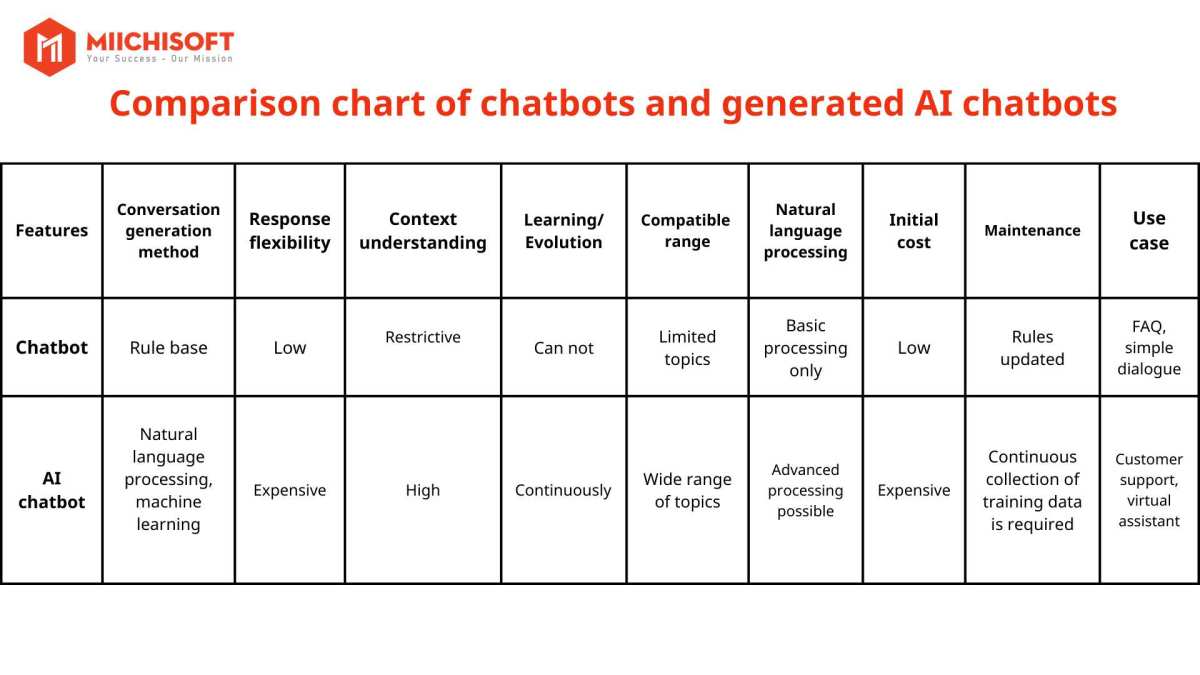
Image source: Bing (Web (fair-use with source credit))
Staying Safe and Compliant: Privacy, Policy, and Integrity
This section matters more than any productivity tip. Getting this wrong can have real academic consequences.
Check your institution's AI policy before anything else.
Policies vary wildly. Some universities ban AI use entirely for certain courses. Others allow it with disclosure.
Many have department-level rules that differ from the overall university policy.
If your course syllabus doesn't mention AI, that doesn't mean it's fine to use. Ask your professor. A quick email takes two minutes and protects you from an academic integrity hearing later.
Understanding FERPA and data privacy:
In the United States, FERPA protects student educational records. That includes grades, enrollment data, and any personally identifiable academic information. If you paste student records, your own academic transcript details, or anything that falls under FERPA into Claude, you may be violating federal law.
The same principle applies internationally. If you're in the UK, GDPR governs how personal data can be processed. Other countries have their own equivalents.
Practical privacy rules:
- Don't input your student ID number, grades, or enrollment records into Claude.
- Don't paste classmates' work or personal information.
- Don't share unpublished research data that belongs to your advisor or lab.
- Assume free-tier conversations could be reviewed for training purposes.
- If your research involves human subjects data, your IRB almost certainly prohibits entering it into a third-party AI tool.
Plagiarism and AI detection:
AI detection tools exist but are unreliable. They produce false positives. They miss heavily edited AI text.
Some institutions have stopped using them for this reason. Others still rely on them.
The safest approach: be transparent. If you used Claude for brainstorming, outline generation, or editing feedback, say so if your professor asks or if the assignment guidelines require disclosure.
Document your process. Save your draft versions. If anyone questions your work, showing a progression from notes to rough draft to final version is solid evidence of original effort.
Pro Tips for Getting the Most Out of Claude as a Student
Once you've got the basics down, these strategies will help you get real value.
Write better prompts:
Vague prompts waste your message limit. Be specific. Instead of "Help me with my history essay," try: "I'm writing about the economic causes of the French Revolution.
Here's my thesis. Can you suggest two counterarguments I should address and types of primary sources that would strengthen my case?"
The more context you give Claude, the more useful its responses will be.
Upload documents strategically:
Claude's document analysis is its killer feature for students. Don't just paste text. Upload the actual PDF of the article you need to summarize.
Upload your own notes for Claude to organize. Upload the assignment rubric and ask Claude to check your draft against the grading criteria.
You can chain this. Upload two or three related articles and ask Claude to compare their arguments. That's a research shortcut that actually saves hours.
Use Claude as a Socratic tutor:
Instead of asking Claude for answers, ask it to quiz you. Try: "I'm studying macroeconomics. Ask me questions about fiscal policy until I get one wrong, then explain what I got wrong."
This active recall approach is far more effective for learning than passively reading a summary.
Manage your free tier wisely:
If you're on the free tier, don't burn through messages on casual chat. Save Claude for specific tasks: document analysis, coding help, essay editing, or study guide generation. Each message should have a purpose.
If you know you'll need heavy usage during finals, consider a one-month Pro subscription. Twenty dollars is cheap compared to the time you'll save.
Combine Claude with other free student tools:
- Google Scholar for verifying citations Claude mentions.
- Zotero or Mendeley for organizing sources.
- GitHub Student Developer Pack for free Copilot access alongside Claude.
- Notion for organizing your Claude outputs into study materials.
Claude is one tool in a larger toolkit. It works best alongside good study habits, not as a replacement for them.
Frequently Asked Questions
Can my professor detect if I used Claude?
It depends. If you submit AI-generated text unchanged, detection tools might flag it. But these tools produce false positives.
The bigger risk isn't detection. It's submitting work that doesn't reflect your actual understanding. That catches up on exams.
Is Claude better than ChatGPT for academic writing?
Claude tends to give more detailed and nuanced responses with academic source material. ChatGPT is faster and more concise. For long-form research and essay work, many students prefer Claude.
For quick tasks, either works fine.
How much does Claude cost for students?
Claude has a free tier with daily message limits. Claude Pro costs $20 per month. There's currently no official student discount from Anthropic, though some universities have institutional agreements worth checking.
Can Claude help me pass my coding class?
It can help you understand code, debug errors, and learn concepts. But if you never write code yourself, you won't pass the exams. Claude works best when you use it to learn, not to bypass learning.
Is it ethical to use Claude for homework?
It depends on your institution's policy and how you use it. Using Claude to explain concepts, check your work, or help you learn is generally acceptable. Submitting Claude-generated work as your own without permission crosses the line at almost every school.
What happens if I hit Claude's free tier limit early?
You'll need to wait for the limit to reset, usually on a rolling basis. During crunch periods, consider upgrading to Pro for a month or rationing your messages for high-value tasks.
Final Verdict
Claude is one of the most capable AI tools available to students right now. Its long document handling, nuanced writing support, and strong coding assistance set it apart. But no AI tool replaces showing up, doing the reading, and wrestling with hard problems on your own.
The students who benefit most from Claude are those who use it as a thinking partner, not a shortcut machine. Feed it your notes and ask for explanations. Upload papers and ask for summaries.
Paste your code and ask why it broke. Those use cases build real skills.
Submitting AI-generated essays, copying code you don't understand, and trusting unverified citations. Those use cases create real problems.
Check your institution's policy, be honest about how you use the tool, and remember that the goal of college is learning, not just submitting. Claude can help you learn faster. It can't learn for you.

Similar Posts