Is Ultrawide Monitor Better for Racing Games
Dive into the world of sim racing with an ultrawide monitor! This guide explores whether an ultrawide monitor is truly better for racing games, detailing the significant immersion and visual advantages it offers. We’ll cover everything from the enhanced field of view to potential performance impacts and how to get the most out of your setup for a more engaging racing experience. 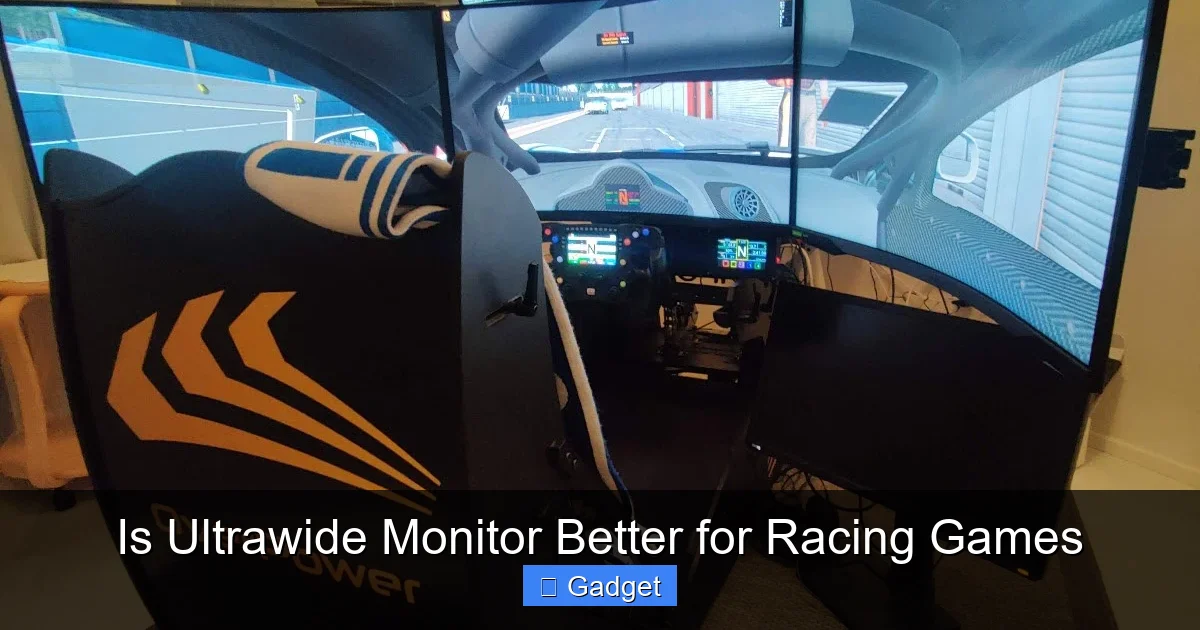 The primary reason sim racers flock to ultrawide monitors is the dramatic increase in immersion and the associated gameplay advantages. Let’s break down these key benefits.
  While the benefits are compelling, switching to an ultrawide monitor isn’t without its challenges. One important factor to consider is what is the best monitor size for gaming, as ultrawide displays come in various dimensions that affect both immersion and desk space.
  Once you’ve decided an ultrawide is for you and you’ve got one, proper setup is crucial to unlock its full potential. If you’re using a laptop for sim racing, learn more about connectivity in our article on can ultrawide monitors connect to laptop.
Is Ultrawide Monitor Better for Racing Games?
So, you’re passionate about racing games. You’ve got the wheel, the pedals, maybe even a dedicated rig. But now you’re eyeing your monitor. You’ve seen those stunning screenshots and videos of people playing with incredibly wide screens, and you’re wondering: is an ultrawide monitor actually better for racing games? The short answer is: for many sim racing enthusiasts, yes, it absolutely is. But it’s not a simple “plug and play” upgrade without its own considerations. In this comprehensive guide, we’ll dive deep into what makes ultrawide monitors so appealing for racing simulators. We’ll explore the benefits of that expansive field of view, how it impacts your gameplay, and what you need to consider before making the switch. By the end, you’ll have a clear understanding of whether an ultrawide monitor is the right choice to elevate your sim racing experience.Key Takeaways
- Enhanced Immersion: Ultrawide monitors provide a significantly wider field of view, pulling you deeper into the racing environment and increasing the sense of speed.
- Improved Situational Awareness: The expanded peripheral vision allows you to see more of the track, other cars, and trackside elements, leading to better decision-making and fewer accidents.
- Greater Sense of Speed: The wider aspect ratio can trick your brain into perceiving higher speeds, making the racing feel more intense and exciting.
- Potential Performance Impact: Driving more pixels on an ultrawide monitor requires a more powerful graphics card to maintain smooth frame rates compared to a standard aspect ratio.
- Compatibility and UI Considerations: While most modern racing games support ultrawide resolutions, some older titles or specific UI elements might not scale perfectly, requiring minor adjustments.
- Cost and Space Requirements: Ultrawide monitors are generally more expensive and require more desk space than their 16:9 counterparts.
- Setup and Calibration are Key: Proper monitor positioning and in-game settings are crucial to fully leverage the benefits of an ultrawide display for racing games.
Understanding Ultrawide Monitors
Before we get into the “why,” let’s quickly define what we mean by “ultrawide.” Standard monitors typically have an aspect ratio of 16:9, meaning for every 16 units of width, there are 9 units of height. Ultrawide monitors, on the other hand, commonly come in 21:9 or even 32:9 aspect ratios. This extra width is where the magic for racing games happens. Think of it like opening a panoramic photograph; you get to see so much more of the scene.The Core Benefits of Ultrawide for Racing Games
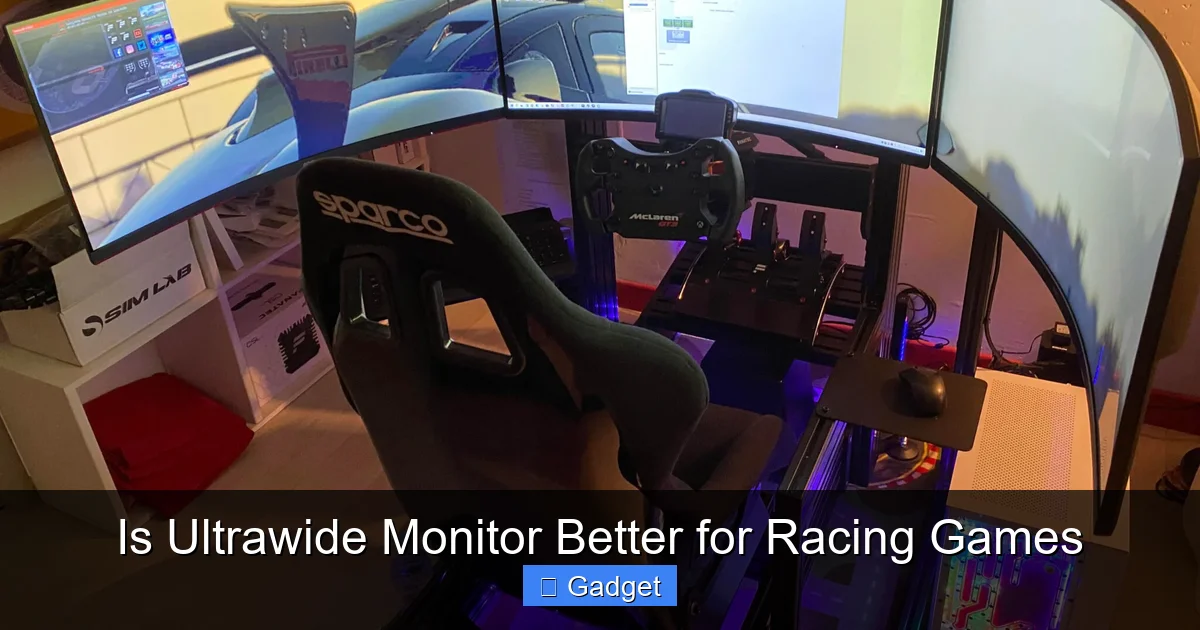
Visual guide about Is Ultrawide Monitor Better for Racing Games
Image source: simracingcockpit.com
1. Unparalleled Immersion: Stepping into the Cockpit
This is the big one. When you’re racing, you want to feel like you’re *in* the car, not just looking at a screen. An ultrawide monitor achieves this by extending your field of view far beyond what a standard 16:9 display can offer.- Expanded Peripheral Vision: Imagine sitting in a real race car. You can see the door panels, the side mirrors, and a much wider view of the track ahead and to your sides. An ultrawide monitor mimics this by showing you more of the virtual environment. This expanded view makes the game world feel much larger and more convincing.
- Reduced “Tunnel Vision”: With a standard monitor, you’re effectively looking through a relatively narrow window. This can sometimes lead to a feeling of being “boxed in.” Ultrawide monitors eliminate this by opening up your view, making the entire track and its surroundings feel more natural and less constrained.
- Deeper Sense of Presence: The feeling of being physically present in the virtual racing environment is significantly amplified. This enhanced presence can lead to more engaging and enjoyable gameplay sessions.
2. Superior Situational Awareness: Knowing What’s Around You
In any race, knowing where your competitors are is crucial. An ultrawide monitor gives you a significant advantage in this regard.- Seeing More Competitors: You can spot cars approaching from the sides or even briefly glimpse cars behind you in your mirrors (if they are integrated well into the UI) much sooner. This allows for more proactive defensive driving and better offensive overtaking opportunities.
- Better Track Comprehension: You can see more of the upcoming track, including turns, braking zones, and potential hazards, further ahead. This gives you more time to react and plan your line, especially at high speeds.
- Awareness of Trackside Elements: Seeing more of the environment can also mean noticing subtle track changes, debris, or even marshal posts that might be important for strategy or safety.
3. Amplified Sense of Speed: Feeling the G-Forces
This is a fascinating psychological effect. Because an ultrawide monitor fills more of your peripheral vision, your brain interprets this as a faster-moving world.- Peripheral Motion Cues: Our peripheral vision is highly sensitive to motion. When the scenery on either side of the screen is whizzing by at a faster rate due to the wider view, it creates a stronger sensation of speed.
- More Dynamic Experience: This heightened sense of speed makes braking, accelerating, and cornering feel more intense and thrilling, closely mirroring the sensations felt in real-life motorsports.
4. Improved Ergonomics and Focus (for some)
While it might seem counterintuitive, for some users, an ultrawide monitor can actually lead to better focus.- Reduced Eye Movement: With a single, expansive screen, your eyes don’t have to dart back and forth between different parts of the screen as much as they might with multiple monitors or a very wide but short display. This can lead to less fatigue over long racing sessions.
- Centralized Information: Key information like your car’s telemetry and lap times can often be positioned in a way that is easily visible within your primary field of view without requiring significant head or eye movement.
Potential Downsides and Considerations
Visual guide about Is Ultrawide Monitor Better for Racing Games
Image source: simracingsetup.com
1. Performance Demands: The Pixel Count Conundrum
This is perhaps the most significant technical hurdle. An ultrawide monitor, by its very nature, displays more pixels than a standard 16:9 monitor.- Higher GPU Load: A 34-inch 21:9 ultrawide monitor (like 3440×1440 resolution) has about 33% more pixels than a 27-inch 16:9 monitor (like 2560×1440 resolution). A 49-inch 32:9 monitor (like 5120×1440 resolution) has more than double the pixels of a 16:9 1440p monitor. This means your graphics card (GPU) has to work harder to render all those extra pixels.
- Framerate Impact: To maintain a smooth and enjoyable racing experience, you need a consistent and high frame rate (FPS). If your GPU isn’t powerful enough, you’ll experience stuttering and lag, which can ruin the immersion and even hinder your performance.
- Recommendation: If you’re considering an ultrawide, ensure your PC’s GPU is up to the task. You might need to reduce in-game graphics settings or consider a GPU upgrade to achieve the desired performance.
2. Game Compatibility and UI Scaling
While most modern racing games are designed with ultrawide support in mind, you might still encounter some issues.- Older Titles: Some older racing games may not natively support ultrawide resolutions. This can result in stretched images, black bars on the sides, or incorrect aspect ratios. While workarounds sometimes exist, they can be hit-or-miss.
- UI Elements: Even in games with good ultrawide support, user interface (UI) elements like speedometers, gear indicators, or menus might not always scale perfectly. They might appear stretched, oddly placed, or too small/large. Some games offer UI scaling options, but this isn’t always the case.
- Cutscenes and Non-Gameplay Sequences: Occasionally, cutscenes or pre-race animations might still be presented in a 16:9 format, with black bars on the sides, even if the gameplay itself is ultrawide.
3. Cost and Desk Space
Ultrawide monitors are generally more expensive than their 16:9 counterparts with similar specifications. For insights on balancing cost and performance, check out our guide on what is the best budget ultrawide monitor.- Price Point: You’re paying for the extra panel real estate. Expect to spend more for an ultrawide, especially for higher resolutions, refresh rates, and panel technologies.
- Physical Footprint: Ultrawide monitors are physically wider. Ensure you have enough desk space to accommodate one comfortably, especially if you plan on using a monitor arm. They also require you to sit closer to get the full effect, so consider your desk depth.
4. Potential for Eye Strain (If Not Configured Correctly)
The expansive view, while immersive, can also be demanding on your eyes if not set up properly.- Viewing Distance: You need to position yourself at the correct distance. Too close, and you’ll be moving your head a lot; too far, and you lose the immersive effect. Finding that sweet spot is key.
- Eye Fatigue: The increased visual information can sometimes lead to quicker eye fatigue for some users, particularly if they are not used to such a wide field of view.
Setting Up Your Ultrawide for Racing Games
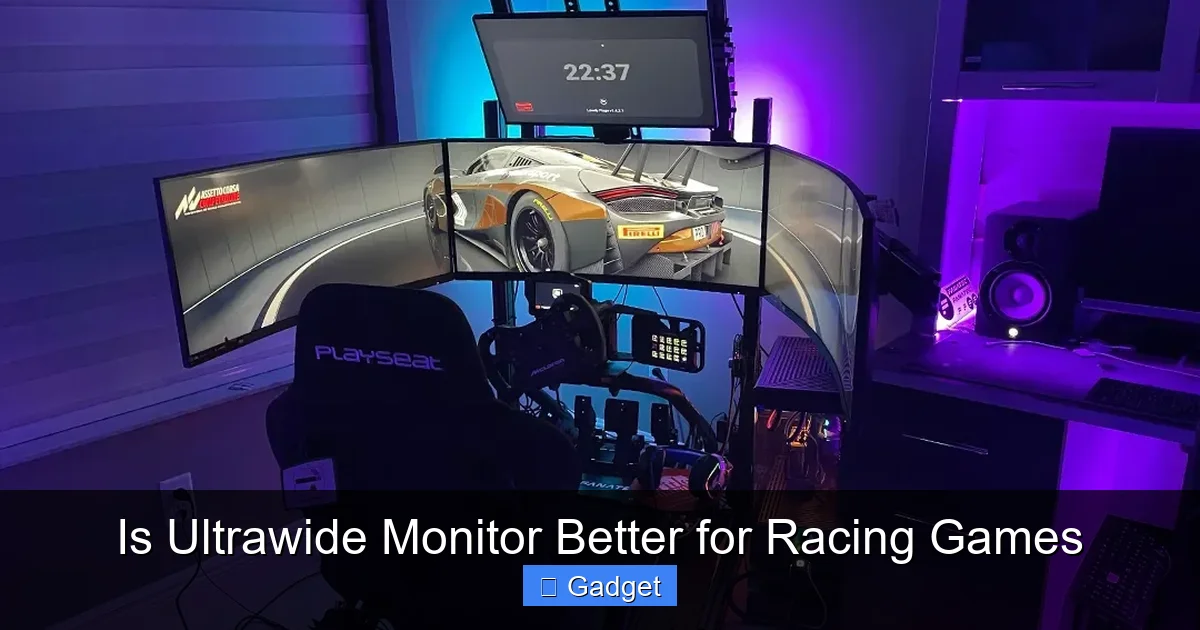
Visual guide about Is Ultrawide Monitor Better for Racing Games
Image source: simracingsetup.com
1. Physical Placement
This is more important than you might think.- Positioning for Immersion: You want the monitor to fill your natural field of vision as much as possible. Ideally, the edges of the monitor should be roughly in your peripheral vision, not directly in front of you. This is where monitor arms shine, as they offer more flexibility.
- Adjusting Distance: Experiment with moving the monitor closer or further away. You’re aiming for a sweet spot where you can see the entire screen without excessive head movement, and the immersion feels natural.
2. In-Game Settings
This is where you tailor the experience to your specific monitor and game.- Resolution: Ensure the game is set to your monitor’s native resolution (e.g., 3440×1440 for a 1440p ultrawide). This is paramount for a clear and sharp image.
- Aspect Ratio: Confirm the game is set to “Ultrawide” or the correct aspect ratio (e.g., 21:9 or 32:9). Most games will detect this automatically, but it’s good to check.
- Field of View (FOV) Settings: This is critical for ultrawide. Many racing games offer an FOV slider.
- Finding Your Ideal FOV: The goal is to match the in-game FOV to your physical viewing angle. A common rule of thumb is the “180-degree rule,” where the in-game FOV should roughly match the horizontal angle your monitor covers from your seating position. Many online calculators and guides can help you determine the optimal FOV based on your monitor size, resolution, and viewing distance.
- Experimentation is Key: Don’t be afraid to play around with the FOV settings. Some people prefer a slightly more zoomed-in view, while others want the widest possible perspective.
- UI Scaling: If the game allows, adjust UI elements to be comfortably visible without being too intrusive or too small.
3. Monitor Calibration
While not strictly racing-game specific, calibrating your monitor for accurate colors and brightness will enhance the visual fidelity of any racing game.- Color Accuracy: Racing games often have detailed environments. Proper color calibration ensures you see them as intended, from track textures to car paint.
- Brightness and Contrast: Adjusting these can help with visibility in different lighting conditions within the game, such as spotting braking points in a sunset or driving at night.
Troubleshooting Common Ultrawide Issues
Even with careful setup, you might run into a few hiccups.Problem: Stretched or Distorted Image
- Solution: Double-check that the game’s resolution and aspect ratio are set correctly to your monitor’s native settings. Sometimes, driver issues or specific game engine quirks can cause this. Ensure your graphics drivers are up to date.
Problem: Black Bars on the Sides
- Solution: This usually means the game doesn’t natively support your ultrawide aspect ratio. Look for patches or community mods for the specific game. Alternatively, some graphics driver settings (like NVIDIA’s “Aspect Ratio” scaling in the control panel) can force a stretch, but this often looks worse than black bars.
Problem: Poor Performance (Low FPS, Stuttering)
- Solution: This is almost always a GPU limitation. Lower your in-game graphics settings, starting with demanding features like anti-aliasing, shadows, and texture quality. You might need to consider a more powerful GPU if you can’t achieve playable frame rates.
Problem: UI Elements are Too Small or Too Large
- Solution: Check the game’s display or UI settings for scaling options. If none exist, you might have to live with it or look for community-made UI mods for that specific game.
Is an Ultrawide Monitor Worth It for You?
The question of whether an ultrawide monitor is “better” for racing games ultimately boils down to your personal priorities and budget. If you are a serious sim racer looking for the most immersive and engaging experience possible, and you have the budget and PC hardware to support it, then an ultrawide monitor is an exceptional upgrade. The enhanced field of view, improved situational awareness, and the sheer thrill of feeling more present in the virtual cockpit are transformative. However, if you’re on a tighter budget, have an older PC, or prioritize simplicity and wide game compatibility above all else, a high-quality 16:9 monitor might still be a fantastic choice. Ultimately, if you get the chance to try out an ultrawide monitor for racing games, do it. You might find that the extra width makes all the difference in your enjoyment and performance. The feeling of being truly “in the race” is something many sim racers find indispensable once they’ve experienced it.Conclusion
For racing game enthusiasts, particularly those who delve into sim racing, an ultrawide monitor offers a compelling leap forward in immersion and gameplay. The expanded field of view provides critical situational awareness, a heightened sense of speed, and a feeling of presence that standard monitors simply can’t match. While you’ll need to ensure your PC hardware can handle the increased pixel count and be mindful of potential game compatibility nuances, the rewards of a properly set up ultrawide display are substantial. If your goal is to get as close as possible to the feeling of being behind the wheel of a real race car, an ultrawide monitor is a significant step in that direction and is often considered a superior choice for the ultimate racing game experience.
Similar Posts