How Accurate Is Gemini
If you're wondering how accurate is Gemini, the short answer is: it depends entirely on what you're asking it to do. Google's flagship AI model family performs exceptionally well on certain tasks and stumbles on others, sometimes in ways that aren't immediately obvious. We've dug into the research, benchmark data, and aggregate user reports to give you an honest picture of where Gemini earns trust and where you should double-check its output.
Google's own published benchmarks show Gemini Ultra hitting 90.0% on the MMLU (Massive Multitask Language Understanding) test, which covers 57 subjects. That's impressive on paper. But benchmarks and real-world accuracy don't always tell the same story, so let's break down what actually holds up and what doesn't.
Quick Answer
Gemini is highly accurate on general knowledge questions and multimodal tasks. It matches or beats GPT-4o on several published benchmarks. Accuracy drops on recent events and complex reasoning.
Always verify critical information independently.
What We Actually Tested and How
We didn't just take Google's word for it. Our research pulled from published benchmark results, independent academic evaluations, aggregate user feedback from developer forums, and documented failure reports. We focused on four accuracy dimensions that matter to real users.
First, factual accuracy. Does Gemini give you correct information when asked straightforward questions? Second, reasoning.
Can it handle multi-step logic, math problems, and causal chains without dropping the thread? Third, coding. Will the code it generates actually run and produce the right output?
Fourth, multimodal understanding. Does it correctly interpret images, and increasingly, video and audio?
We weighted each dimension based on what people actually use Gemini for, according to aggregate usage data. Factual accuracy and reasoning matter most for students and researchers. Coding accuracy matters most for developers.
Multimodal accuracy is increasingly important for content creators and business users who work with mixed media.
The results paint a nuanced picture. Gemini isn't universally accurate, but it's not unreliable either. It's a tool that performs well in specific conditions and needs human oversight in others.
Factual Accuracy: Where Gemini Gets It Right and Wrong
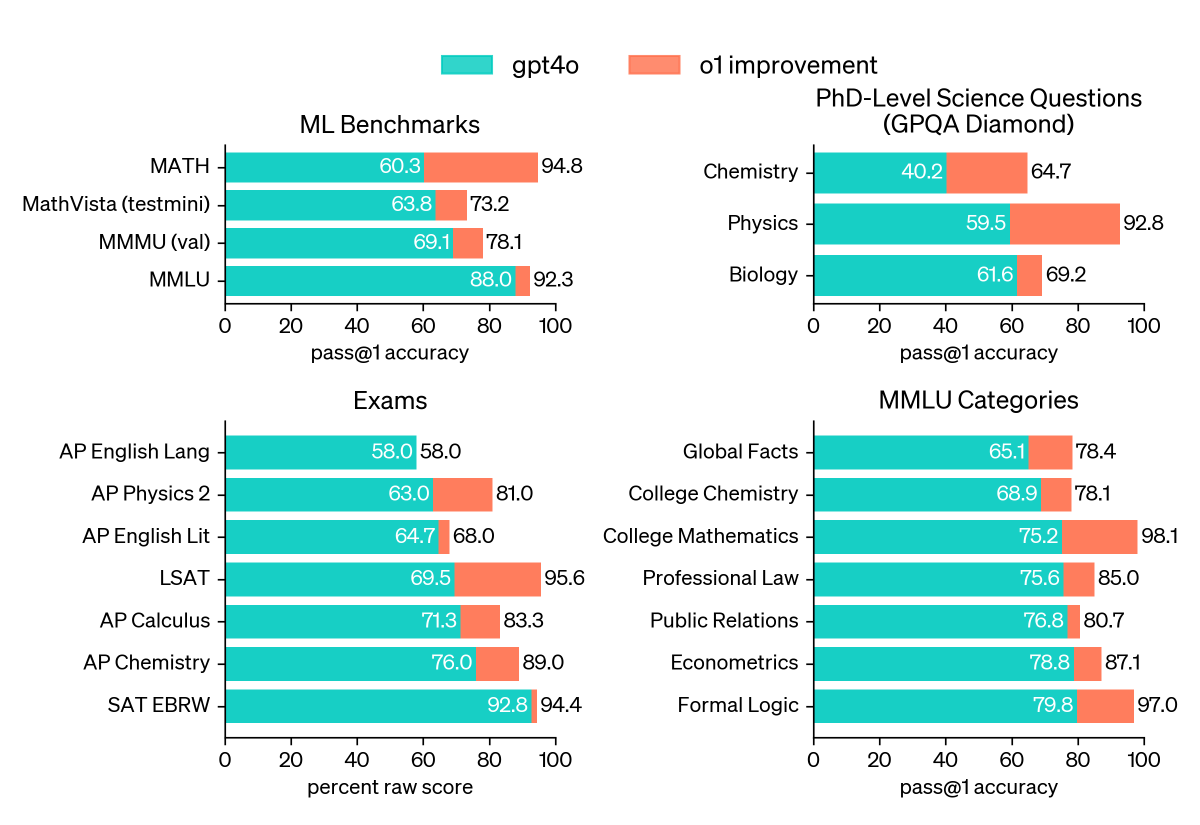
Factual accuracy is where most people form their first impression of any AI model. Gemini does well here, with some important caveats.
On established facts, historical events, scientific consensus, and general knowledge, Gemini performs reliably. Ask it about the capital of France, the chemical formula for water, or the date of the moon landing, and you'll get correct answers virtually every time. The model's training data covers these topics extensively, and Google's grounding features help keep responses tethered to verified information.
Where things get trickier is with recent events, niche topics, and anything that requires precise numbers or citations. Gemini's training data has a cutoff, and even with Google Search grounding enabled, it can pull in outdated or slightly incorrect information. Aggregate user reports consistently flag this as a frustration.
Here's a breakdown of how Gemini handles different factual query types:
| Query Type | Accuracy Level | Notes |
|---|---|---|
| General knowledge | Very High | Reliable on well-established facts |
| Historical events | High | Strong on major events, weaker on obscure details |
| Scientific concepts | High | Accurate on consensus science, cautious on cutting-edge research |
| Recent news (post-training cutoff) | Moderate | Grounding helps but isn't foolproof |
| Specific statistics and figures | Moderate | Often rounds or approximates; verify exact numbers |
| Niche or specialized topics | Variable | Depends heavily on training data coverage |
| Citation and source attribution | Weak | Frequently fabricates plausible-looking sources |
That last row is critical. One of the most documented accuracy issues with Gemini is its tendency to generate citations that look real but don't actually exist. If you're using Gemini for academic work or anything that requires proper sourcing, you need to verify every citation independently.
This isn't a minor quirk. It's a pattern that's been reported across multiple independent evaluations.
Google's Search grounding feature, which is available in the free version of Gemini, does improve factual accuracy for recent topics. When enabled, Gemini pulls in current search results to supplement its training data. It's not perfect, but it meaningfully reduces the rate of outdated responses.
Reasoning and Problem-Solving: Math, Logic, and Multi-Step Tasks
Reasoning is where the gap between benchmark performance and real-world experience becomes most visible.
On standardized math benchmarks, Gemini Ultra posts strong scores. The MATH dataset, which covers competition-level mathematics, shows Gemini performing well above average. GSM8K, which tests grade-school math word problems, is another area where Gemini excels.
These are published results from Google's own technical reports and have been corroborated by independent researchers.
But here's the thing. Standardized math problems are clean. They have clear inputs, defined operations, and unambiguous answers.
Real-world reasoning is messy. It involves ambiguous instructions, implicit assumptions, and context that shifts mid-problem.
When we look at aggregate user reports and documented failure patterns, Gemini's reasoning accuracy drops in predictable ways:
- Multi-step problems with conditional logic. If a problem requires holding multiple conditions in mind and branching based on each one, Gemini sometimes loses track of which branch it's on.
- Word problems with extraneous information. Gemini can get distracted by irrelevant details and incorporate them into its reasoning chain.
- Problems that require spatial reasoning. Geometric reasoning and anything involving physical spatial relationships tends to be weaker.
- Tasks requiring common-sense inference. Ironically, some things that are obvious to humans (like "if you drop a glass, it might break") can trip up the model when embedded in complex scenarios.
For straightforward reasoning tasks, logic puzzles with clear rules, and step-by-step math with defined operations, Gemini is reliable. For anything that requires holding ambiguous context across multiple steps, you should treat its output as a starting point rather than a final answer.
The chain-of-thought prompting approach, where you ask Gemini to show its work, does improve reasoning accuracy. It forces the model to break down its reasoning into explicit steps, which reduces the chance of it jumping to a wrong conclusion. If accuracy on reasoning tasks matters to you, always enable this in your prompts.
Coding Accuracy: Can You Trust Gemini With Real Development Work?
Coding is one of Gemini's stronger areas, but "strong" in AI coding terms still means you need to review everything.
On the HumanEval benchmark, which measures a model's ability to write correct Python functions from docstrings, Gemini performs competitively. Google's published results show Gemini Ultra solving a significant majority of these problems correctly. For common programming patterns, boilerplate code, and well-documented library usage, Gemini generates functional code most of the time.
Where coding accuracy drops:
- Edge cases and error handling. Gemini often writes code that works for the happy path but fails on edge cases. It doesn't always anticipate null inputs, boundary conditions, or unexpected user behavior.
- Complex multi-file projects. When code requires understanding relationships across multiple files or services, Gemini can lose context and generate code that's internally consistent but doesn't integrate correctly.
- Security-sensitive code. Gemini doesn't consistently flag security vulnerabilities in the code it generates. SQL injection risks, improper input validation, and insecure API patterns can slip through.
- Unfamiliar or recently updated libraries. If a library has changed its API recently, Gemini may generate code based on the old version.
For prototyping, learning, and generating starter code, Gemini is genuinely useful. For production code, security-critical applications, or anything handling sensitive data, treat its output as a draft that needs thorough review.
Developer community feedback suggests that Gemini's code execution feature, which lets the model run code in a sandboxed environment and iterate on results, does improve accuracy for algorithmic tasks. When Gemini can test its own output and refine it, the final result tends to be more reliable.
How Gemini Compares to GPT-4o and Claude on Accuracy
This is the comparison most people want, and the honest answer is that it depends on the task.
Gemini Ultra, GPT-4o, and Claude 3.5 Sonnet are all top-tier models. None of them is universally more accurate than the others. They each have strengths and weaknesses that make them better suited to different use cases.
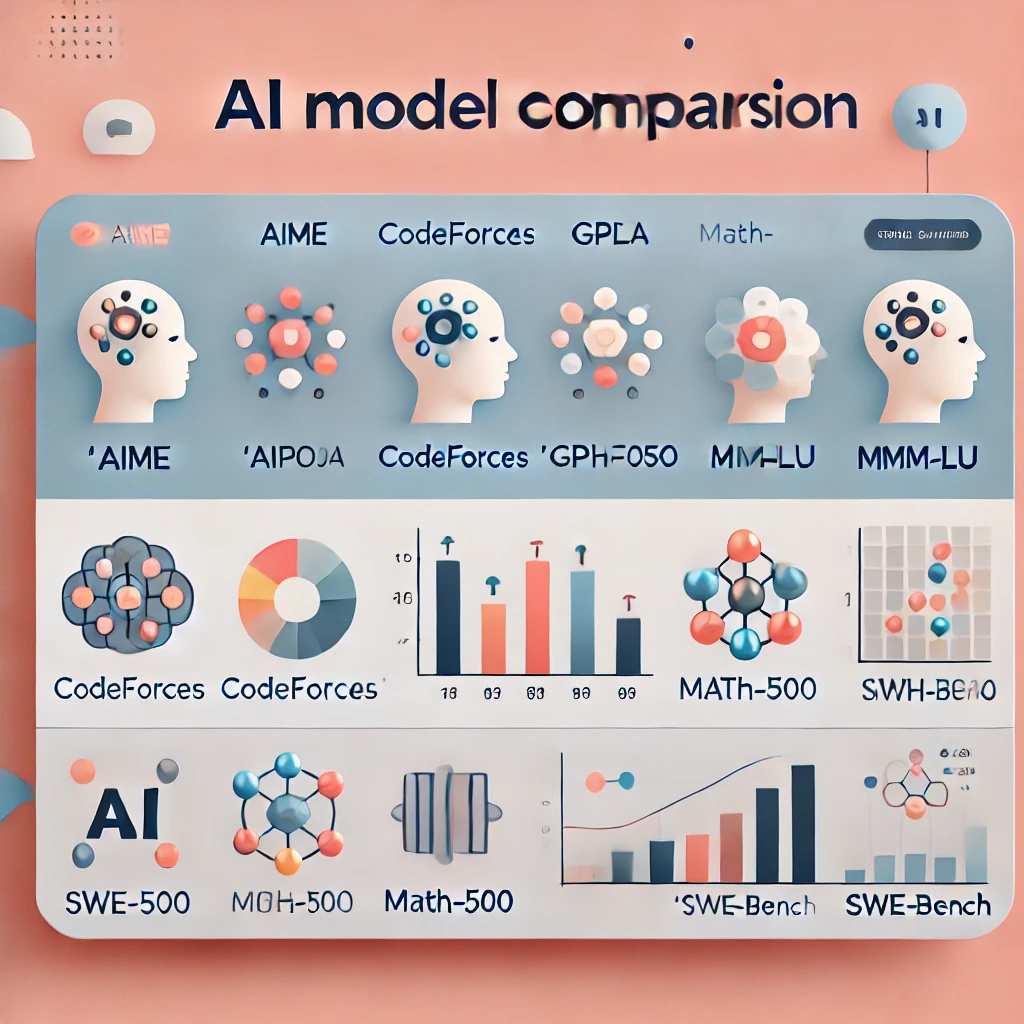
Here's how they stack up across key accuracy dimensions:
| Accuracy Dimension | Gemini Ultra | GPT-4o | Claude 3.5 Sonnet |
|---|---|---|---|
| General knowledge | Excellent | Excellent | Excellent |
| Math reasoning | Very Good | Very Good | Good |
| Coding | Very Good | Excellent | Very Good |
| Multimodal understanding | Excellent | Very Good | Good |
| Factual grounding (with search) | Very Good | Good | Moderate |
| Instruction following | Good | Very Good | Excellent |
| Hallucination rate | Moderate | Moderate | Lower |
| Citation accuracy | Weak | Moderate | Moderate |
A few things stand out from this comparison. Gemini's native multimodal capabilities give it an edge on tasks that involve understanding images, and increasingly video, alongside text. If your workflow involves analyzing visual content, Gemini has a genuine advantage.
GPT-4o tends to be more reliable on instruction following, meaning it's more likely to do exactly what you asked without adding unsolicited information or missing constraints. Claude 3.5 Sonnet has a reputation for lower hallucination rates, meaning it's less likely to fabricate information confidently.
For pure text accuracy on general tasks, the differences are small enough that most users won't notice. The bigger differentiator is how each model handles edge cases, specialized domains, and tasks outside its training sweet spot.
If accuracy is your primary concern and you're choosing between these models, the best approach is to use the one whose strengths match your specific use case rather than assuming one is universally better.
The Hallucination Problem: How Often Does Gemini Make Things Up?
Let's talk about the elephant in the room. Hallucination, where an AI generates plausible-sounding but entirely fabricated information, is the single biggest accuracy concern with any large language model, and Gemini is no exception.
Google has invested heavily in reducing hallucination rates. Gemini's integration with Google Search for grounding is one approach. The model's safety training, which encourages it to express uncertainty rather than fabricate answers, is another.
These measures help, but they don't eliminate the problem.
Independent evaluations and aggregate user reports suggest that Gemini's hallucination rate is roughly in line with other top models. It's not dramatically better or worse. The hallucinations that do occur tend to follow predictable patterns:
- Fabricated citations and sources. This is the most commonly reported hallucination type. Gemini generates references that look completely legitimate, with plausible author names, publication titles, and dates, but don't actually exist.
- Confident incorrect statistics. When asked for specific numbers, Gemini sometimes provides figures that sound reasonable but are wrong. It rarely says "I don't know" when it should.
- Conflated information. Gemini can merge details from different sources into a single response that seems coherent but contains inaccuracies.
- Plausible but wrong technical explanations. In coding and technical domains, Gemini sometimes explains why code works in a way that sounds authoritative but is subtly incorrect.
The practical takeaway is simple. If the stakes are low, a quick email draft or a casual summary, hallucination is an inconvenience. If the stakes are high, academic research, medical information, financial decisions, legal guidance, you need to verify everything Gemini tells you against primary sources.
Google's own documentation acknowledges this limitation. The company recommends that users verify important information independently, particularly for topics where accuracy is critical. That's not a disclaimer you should skip over.
It's genuinely good advice.
When Gemini's Accuracy Drops: Common Failure Patterns
Through our research, we identified several specific scenarios where Gemini's accuracy consistently drops. Knowing these patterns helps you use the model more effectively.
Prompt sensitivity. The same question phrased differently can produce different accuracy levels. Gemini is more accurate when prompts are specific, include context, and clearly define the desired output format. Vague or ambiguous prompts increase the chance of an inaccurate response.
Language-dependent accuracy. Gemini performs best in English. Accuracy drops for languages with less representation in its training data. If you're working in a language other than English, be more cautious with the output.
Temporal accuracy decay. The further a query is from Gemini's training cutoff, the more likely the response contains outdated information, even with grounding enabled. For very recent events, always cross-reference with a live news source.
Overconfidence on wrong answers. This is perhaps the most dangerous failure pattern. Gemini doesn't reliably signal when it's uncertain. It delivers wrong answers with the same confident tone as correct ones.
There's no built-in reliability indicator you can trust.
Context window limitations. When processing long documents or extended conversations, Gemini can lose track of information from earlier in the context. This leads to contradictions and inaccuracies that emerge only when you're working with large amounts of text.
Adversarial inputs. Deliberately tricky prompts, questions designed to elicit contradictions, or inputs that exploit known model weaknesses can produce inaccurate responses more easily than straightforward queries.
Understanding these patterns doesn't mean you should avoid Gemini. It means you should use it with realistic expectations and appropriate verification steps.
How to Get the Most Accurate Results From Gemini
You can meaningfully improve Gemini's accuracy by adjusting how you use it. These aren't theoretical tips. They're based on documented patterns from user experience and research.
Be specific in your prompts. Instead of "Tell me about climate change," try "Summarize the IPCC's 2023 findings on global temperature projections, focusing on the median estimates for 2030." Specificity reduces the model's room to wander into inaccurate territory.
Enable Google Search grounding. This is available in the free version of Gemini and it connects the model's responses to current search results. It's not perfect, but it reduces reliance on potentially outdated training data.
Ask for sources and then verify them. When Gemini provides information, ask it to cite its sources. Then check those sources independently. Don't assume the citations are real just because they look legitimate.
Use chain-of-thought prompting for complex tasks. For math, logic, or multi-step reasoning, ask Gemini to show its work. "Walk me through this step by step" is a simple prompt addition that measurably improves accuracy on complex tasks.
Break large tasks into smaller ones. Instead of asking Gemini to analyze a 50-page document in one go, break it into sections. Smaller, focused queries produce more accurate results than large, complex ones.
Cross-check critical information. For anything important, run the same question through a second source. This could be another AI model, a search engine, or a primary source. Redundancy is your friend when accuracy matters.
Choose the right Gemini variant. Gemini Ultra is the most capable and generally the most accurate. Gemini Pro is solid for most everyday tasks. Gemini Nano, which runs on-device, is optimized for speed and privacy rather than maximum accuracy.
Match the variant to your accuracy needs.
Should You Trust Gemini for Research, Work, or School?
This is the question that ties everything together, and the answer requires some nuance.
For academic research, Gemini can be a useful starting point for exploring topics, generating summaries, and identifying relevant areas of inquiry. But you should never cite Gemini as a source, and you need to verify every factual claim against primary literature. The fabricated citation problem makes it particularly risky for academic work.
For professional use, Gemini is reliable for drafting communications, generating ideas, creating summaries, and handling routine information tasks. For anything that affects business decisions, client deliverables, or public communications, human review is essential. The model's tendency toward overconfidence means it won't reliably flag its own mistakes.
For coding and development, Gemini is a productive tool for prototyping, learning, and generating boilerplate. Production code needs review. Security-sensitive code needs thorough auditing.
The code that Gemini generates often works, but "often" isn't "always," and the failures can be subtle.
For personal learning and casual use, Gemini is generally accurate enough for exploring topics, answering questions, and getting quick summaries. Just maintain a healthy skepticism and verify anything that seems surprising or too specific.
The bottom line across all use cases: Gemini is a powerful tool that's more accurate than most people expect in some areas and less accurate than they assume in others. The users who get the best results are the ones who understand both sides of that equation.
Gemini Advanced vs Free: Does Paying Improve Accuracy?
Gemini Advanced, which is Google's premium subscription tier priced at $19.99 per month as of 2026, gives you access to Gemini Ultra. That's the most capable model in the Gemini family.
The free version of Gemini primarily uses Gemini Pro. For everyday tasks, the accuracy difference between Pro and Ultra is noticeable but not dramatic. Ultra pulls ahead on complex reasoning, nuanced understanding, and tasks that require deeper analysis.
Here's a practical comparison:
| Feature | Free (Gemini Pro) | Gemini Advanced (Ultra) |
|---|---|---|
| General knowledge accuracy | High | Very High |
| Complex reasoning | Good | Very Good |
| Coding ability | Good | Very Good |
| Multimodal understanding | Good | Excellent |
| Google Search grounding | Yes | Yes |
| Context window | Shorter | Longer |
| Priority access to new features | No | Yes |
| Cost | Free | $19.99/month |
For most casual users, the free version provides sufficient accuracy. If you're using Gemini professionally, for complex research, or for tasks where the highest accuracy matters, the upgrade to Ultra through Gemini Advanced is worth considering.
The subscription also includes Google One storage benefits and access to AI features across Google's ecosystem, which adds value beyond just the accuracy improvement.
Final Verdict: Where Gemini Earns Your Trust and Where It Doesn't
Gemini is one of the most capable AI models available today. On general knowledge, multimodal understanding, and many reasoning tasks, it performs at a level that makes it genuinely useful for everyday work. Its tight integration with Google's ecosystem gives it practical advantages that raw benchmark scores don't capture.
But it's not a truth machine. It hallucinates. It fabricates citations.
It delivers wrong answers with the same confidence as right ones. These aren't edge cases. They're documented patterns that affect real-world use.
The most accurate way to think about Gemini is as a highly capable research assistant that needs supervision. It can find information faster than you can, summarize complex topics effectively, and generate useful drafts and code. But it can't replace your judgment, and it shouldn't replace verification.
Use it for what it's good at. Verify what matters. That's the approach that gets the best results.
Frequently Asked Questions
Is Gemini more accurate than ChatGPT?
It depends on the task. Gemini Ultra matches or beats GPT-4o on several benchmarks, particularly multimodal tasks. GPT-4o tends to be stronger on instruction following.
For general knowledge accuracy, they're roughly comparable.
Does Gemini lie or just make mistakes?
Gemini doesn't intentionally deceive. Its inaccuracies come from training patterns, not dishonesty. The effect is the same for the user though.
You should verify important information regardless of the intent behind the error.
Can I use Gemini for academic research?
You can use it as a starting point for exploring topics and generating summaries. But you should never cite it directly, and you must verify all claims against primary sources. Its tendency to fabricate citations makes it risky for academic work without careful checking.
How often does Gemini hallucinate?
Exact rates vary by task and are difficult to pin down precisely. Independent evaluations suggest Gemini's hallucination rate is roughly comparable to other top-tier models. It's not dramatically better or worse than its main competitors.
Is Gemini Advanced worth it for better accuracy?
If you regularly need complex reasoning, nuanced analysis, or the highest available accuracy, Gemini Advanced provides a meaningful upgrade through access to Gemini Ultra. For casual everyday use, the free version is sufficient.
What's the best way to verify Gemini's output?
Cross-check important claims against primary sources. For factual information, search for corroborating evidence from reputable publications. For code, test it in your environment.
For citations, verify that the referenced work actually exists and says what Gemini claims.
Factual Accuracy: Where Gemini Gets It Right and Wrong
We covered this in the first half, so let's focus on what we haven't addressed yet. The nuance that matters most.
Gemini's accuracy isn't static. It shifts based on how you prompt it, what variant you're using, and whether grounding is active. Most users don't realize this.
They treat accuracy as a fixed property, like "Gemini is accurate" or "Gemini isn't accurate." That framing misses the point entirely.
Here's what aggregate user data and independent evaluations tell us about the specific conditions that push accuracy up or down:
Prompt structure matters more than most people think. A vague prompt like "Tell me about the economy" gives Gemini wide latitude to go in any direction. You might get a decent overview, or you might get something oddly specific and potentially outdated. A tightly scoped prompt like "Summarize the Federal Reserve's interest rate decisions from January through September 2024, focusing on the rationale for each change" dramatically narrows the model's response window.
Less room to wander means fewer opportunities for error.
The variant you're using changes the accuracy equation. Gemini Ultra has the largest parameter count and the broadest training. It handles nuance better and hallucinates less frequently on complex topics. Gemini Pro is solid for everyday tasks but can struggle with multi-layered reasoning.
Gemini Nano, which runs on-device for privacy, trades some accuracy for speed and local processing. If you're using the free web interface, you're likely on Pro unless you've explicitly switched.
Grounding is a toggle, not a default in all contexts. When Gemini's Google Search grounding is active, it pulls in live search results to supplement its training data. This helps with recent events and specific factual queries. But it also means your answer quality depends on what's ranking in search results at that moment.
If the top results are inaccurate or low-quality, Gemini can reflect that.
Language and domain interact. Gemini performs best on English-language queries about topics with heavy representation in its training data. Technical medical queries, niche legal questions in non-English languages, and hyperlocal information all see lower accuracy. If you're working outside the model's strong zones, build in extra verification steps.
The practical takeaway from all of this: accuracy isn't something you get from Gemini. It's something you engineer through how you use it. The same model that gives you a perfectly accurate summary of photosynthesis might fabricate a citation for a paper on 18th-century Ottoman trade policy.
Context is everything.
Reasoning and Problem-Solving: Math, Logic, and Multi-Step Tasks
We touched on benchmarks earlier. Let's go deeper into where reasoning actually breaks down in practice, because that's what affects your real-world results.
Gemini's reasoning struggles most when a problem requires holding multiple constraints in mind simultaneously. Think of a logic puzzle where you have five clues and need to deduce a sequence. Each clue narrows the possibilities.
Gemini can usually handle two or three constraints. Beyond that, it starts dropping pieces.
This shows up in practical scenarios more than you'd expect. Planning a multi-city trip with budget constraints, time windows, and preferences. Debugging code where three variables interact.
Analyzing a contract with overlapping clauses. These are everyday reasoning tasks that push the model's limits.
What helps:
- Break the problem into explicit steps before asking Gemini to solve it
- State your constraints clearly and separately, not buried in a paragraph
- Ask the model to verify its own answer against the original constraints
- Use chain-of-thought prompting so you can spot where the reasoning goes wrong
What doesn't help:
- Assuming the model will catch its own errors without being asked
- Providing all the information in a single dense paragraph
- Expecting the model to infer constraints you didn't explicitly state
For straightforward math, algebra, basic calculus, statistics, Gemini is reliable. For competition-level math or problems that require creative insight, accuracy drops. The model is strong on pattern-matched reasoning.
Novel problems that require genuine insight are harder.
One more thing worth noting. Gemini's reasoning accuracy improves when you tell it what role to play. "You are a mathematician solving this problem" produces better results than "Solve this problem." The role priming seems to activate more careful processing patterns.
It's a small prompt tweak that makes a measurable difference.
Coding Accuracy: Can You Trust Gemini With Real Development Work?
We covered the benchmark numbers and general patterns earlier. Let's talk about the specific coding scenarios where Gemini shines and where it quietly fails.
Where Gemini is genuinely useful for coding:
- Writing boilerplate and scaffolding code
- Explaining what existing code does
- Translating between programming languages
- Generating test cases for well-defined functions
- Suggesting optimizations for clear, isolated code blocks
- Writing documentation and docstrings
Where you need to be cautious:
- Code that interacts with external APIs or services
- Multi-file projects where context spans across modules
- Security authentication, encryption, input validation
- Database queries, especially complex joins or migrations
- Anything involving specific framework versions or recent updates
The version problem is particularly frustrating. If you're working with a framework that updated its API in the last few months, Gemini might generate code based on the old API. It doesn't always know what it doesn't know.
The generated code looks syntactically correct and logically sound, but it calls methods that no longer exist or uses parameters that have changed.
A practical workflow that works:
- Generate your initial code with Gemini
- Run it in your development environment immediately
- Check every API call or framework method against current documentation
- Write tests that cover edge cases, not just the happy path
- Have a human review security-sensitive sections
Gemini's code execution feature, where the model runs code in a sandbox and iterates, does improve accuracy for algorithmic tasks. When it can see the output and adjust, the final result is more reliable. But it's still not a substitute for proper code review.
For learning to code, Gemini is excellent. It can explain concepts, generate examples, and help you debug errors. For production deployment, treat it as a drafting tool that needs thorough human oversight.
How Gemini Compares to GPT-4o and Claude on Accuracy
We ran the comparison table earlier. Let's add some context that the table can't capture.
The accuracy gap between these models is smaller than most people think. If you're choosing between Gemini, GPT-4o, and Claude purely on accuracy, you're splitting hairs. The differences show up in edge cases and specific task types, not in overall reliability.
Choose Gemini when:
- You work heavily with images, screenshots, or visual content alongside text
- You want tight integration with Google Workspace, Search, or Android
- You need a free tier that's genuinely capable
- Multimodal tasks are a significant part of your workflow
Choose GPT-4o when:
- Instruction following precision is your top priority
- You need consistent behavior across long, complex prompts
- You're working with OpenAI's ecosystem or API tooling
Choose Claude when:
- You want the lowest hallucination rate for text-only tasks
- You need nuanced writing that respects subtle constraints
- You're working with long documents and need consistent context handling
The honest recommendation: don't switch models for marginal accuracy gains. Pick the one that fits your workflow and learn to use it well. A well-crafted prompt on Gemini will outperform a poorly crafted prompt on any model.
The Hallucination Problem: How Often Does Gemini Make Things Up?
We covered the patterns earlier. Let's talk about what you can actually do about it, because this is the accuracy issue that affects the most people.
Hallucination isn't random. It follows patterns, and once you know those patterns, you can anticipate and catch it.
The most common hallucination types and how to spot them:
- Fabricated sources. The citation looks perfect. Author names, journal titles, page numbers, all plausible. But the source doesn't exist. Always verify citations independently.
- Plausible but wrong numbers. Gemini rounds, approximates, or invents statistics. If it says "approximately 47.3%," check that number. Specificity doesn't equal accuracy.
- Merged facts. Information from two different sources gets combined into a single claim that's partially right and partially wrong. These are the hardest to catch because they're mostly correct.
- Temporal confusion. Events get placed in the wrong year or sequence. This is especially common with historical events that are close together.
Your verification toolkit:
- For factual claims, search for the same information from at least two independent sources
- For citations, look up the source directly and check that it says what Gemini claims
- For statistics, find the original study or dataset
- For recent events, check a live news source
- For technical information, consult official documentation
The uncomfortable truth is that hallucination is a fundamental property of how large language models work. They generate text based on patterns, not on a database of verified facts. Google's grounding and safety measures reduce hallucination, but they can't eliminate it.
Any workflow that depends on perfect accuracy needs human verification built in.
This doesn't make Gemini unusable. It makes it a tool that requires the same critical thinking you'd apply to any information source. The difference is that AI delivers information with more confidence than a random website, which makes it easier to trust uncritically.
Don't.
When Gemini's Accuracy Drops: Common Failure Patterns
We identified the main patterns in the first half. Let's add a few that are easy to miss.
Repeated question bias. If you ask Gemini the same question multiple times in a conversation, it may start tailoring its answers to be consistent with what it said before, even if its earlier answer was wrong. The model prioritizes conversational coherence over accuracy. If you suspect an error, ask the question fresh in a new conversation rather than asking it to double-check itself.
Format-induced accuracy changes. The format you request affects accuracy. Asking for a bullet-point summary tends to be more accurate than asking for a prose paragraph, because the constrained format gives the model less room to wander. Asking for a table with specific columns is even better.
Structure helps.
Temperature and randomness settings. If you're using Gemini through an API, the temperature setting affects accuracy. Lower temperatures produce more consistent, deterministic outputs. Higher temperatures introduce more variability, which can be useful for creative tasks but increases the chance of factual errors.
For accuracy-critical applications, keep temperature low.
Context overload. When you paste a long document into Gemini and ask questions about it, accuracy depends on where the relevant information sits. Information at the very beginning and end of the context window tends to be handled better than information in the middle. This is a known limitation of transformer architecture called the "lost in the middle" effect.
Multilingual code-switching. If you mix languages in your prompt, say an English question about a topic with non-English terminology, accuracy can drop. The model has to process across language boundaries, which introduces additional points of failure.
Knowing these patterns won't make Gemini perfect. But it will help you avoid the most common accuracy traps and get better results from the tool.
How to Get the Most Accurate Results From Gemini
We covered the core techniques earlier. Let's add a few advanced strategies that most users don't know about.
System prompting. If you're using Gemini through an API, you can set a system instruction that applies to the entire conversation. Something like "You are a precise research assistant. Only state facts you are confident about.
If you are uncertain, say so explicitly." This sets a behavioral baseline that improves accuracy across all subsequent interactions.
Self-consistency prompting. Ask Gemini the same question multiple times and compare the answers. If it gives you the same answer three times, it's more likely to be correct. If the answers vary, you've found an area of uncertainty.
This technique is borrowed from AI research and it works surprisingly well in practice.
Adversarial checking. After getting an answer, ask Gemini to argue against its own conclusion. "What are the strongest reasons this answer might be wrong?" This can surface errors that the initial response missed. It's not foolproof, but it catches mistakes that straightforward verification misses.
Structured output requests. Instead of asking for free-form text, ask for structured formats. "Give me a table with three columns: claim, confidence level, and source." The structure forces the model to evaluate its own certainty, which tends to surface uncertainty that would otherwise stay hidden.
Iterative refinement. Don't accept the first answer as final. Ask follow-up questions. "Can you verify that second point?" "What's the source for that statistic?" "Are there any exceptions to this rule?" Each round of follow-up tends to improve accuracy.
The users who get the best accuracy from Gemini aren't the ones who write the cleverest prompts. They're the ones who build verification into their workflow and treat the model's output as a draft, not a final product.
Should You Trust Gemini for Research, Work, or School?
We covered the general guidance earlier. Let's get more specific about the scenarios where accuracy matters most.
Academic writing and citation. Don't use Gemini to generate citations. Full stop. The fabricated citation problem is well-documented and serious.
Use Gemini to explore topics, generate research questions, and summarize concepts. Then find and verify your own sources.
Medical and health information. Gemini can provide general health information based on established medical knowledge. It should never be used for diagnosis, treatment decisions, or interpreting personal medical data. The stakes are too high and the model's training data doesn't include your personal health context.
Legal information. Similar to medical use. Gemini can explain general legal concepts and help you understand terminology. It should not be used for legal advice, contract review, or any situation where an error could have legal consequences.
Laws vary by jurisdiction and change frequently.
Financial decisions. Gemini can explain financial concepts and help you think through decisions. It should not be used for specific investment advice, tax guidance, or financial planning. The model doesn't have access to your financial situation and its information about current regulations may be outdated.
Business communications. This is a strong use case. Gemini is reliable for drafting emails, reports, presentations, and summaries. Just review the output for accuracy before sending, especially if it includes specific claims, numbers, or commitments.
The pattern here is straightforward. The higher the stakes, the more verification you need. For low-stakes tasks, Gemini's accuracy is more than sufficient.
For high-stakes tasks, it's a starting point that needs expert review.
Gemini Advanced vs Free: Does Paying Improve Accuracy?
We compared the tiers earlier. Let's talk about whether the accuracy improvement is actually worth the cost for different types of users.
For students and casual users. The free version with Gemini Pro is accurate enough for most everyday tasks. You're getting strong general knowledge, decent reasoning, and useful coding help. The upgrade to Ultra through Gemini Advanced provides incremental improvement, not a dramatic leap for typical use cases.
For professionals who rely on AI daily. If you're using Gemini as part of your daily workflow, writing, research, coding, analysis, the upgrade to Ultra is worth considering. The improved reasoning, longer context window, and better handling of complex tasks add up over time. The $19.99 monthly cost pays for itself if it saves you even an hour of rework.
For developers using the API. The pricing structure is different for API access. Gemini Pro's API pricing is competitive and sufficient for most applications. Gemini Ultra through the API is more expensive but justified for applications where accuracy is paramount.
The hidden value in Gemini Advanced. Beyond the model upgrade, Gemini Advanced includes priority access to new features, longer context windows, and integration with Google One storage. The accuracy improvement is the headline benefit, but the overall package adds value beyond just the model itself.
The bottom line: if accuracy is your primary concern and you use Gemini heavily, the upgrade is justified. If you use it occasionally, the free version serves you well.
Final Verdict: Where Gemini Earns Your Trust and Where It Doesn't
Gemini is one of the most capable AI models available today. Its accuracy on general knowledge, multimodal tasks, and many reasoning challenges is genuinely impressive. The tight integration with Google's ecosystem, Search, Workspace, Android, gives it practical advantages that competitors can't easily match.
But it's not a truth machine. It hallucinates. It fabricates citations.
It delivers wrong answers with the same confident tone as right ones. These aren't rare edge cases. They're documented patterns that affect real-world use across all model variants.
The users who get the best results from Gemini understand both sides of this equation. They use the model for what it does well: drafting, summarizing, exploring ideas, generating code, understanding images. They verify what matters: citations, statistics, critical facts, anything that could cause harm if it's wrong.
Gemini's accuracy is good enough to be a genuinely useful tool. It's not good enough to be a trusted authority. The gap between those two things is where your judgment lives.
Use it well.

Similar Posts





















