Gemini vs ChatGPT
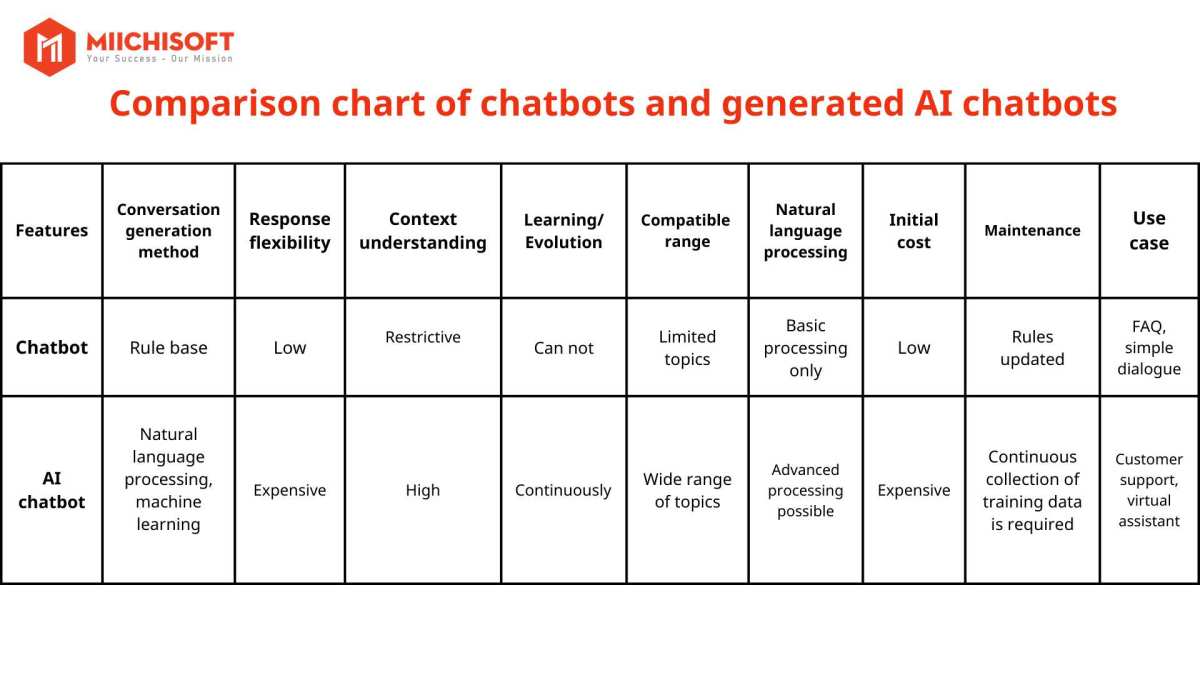
When you're trying to figure out the Gemini vs ChatGPT question, the honest answer is that neither tool wins across the board. Both are powerful AI assistants built on large language models, but they're designed with different strengths, ecosystems, and trade-offs that matter depending on what you actually need them for.
ChatGPT, built by OpenAI on the GPT-4o architecture, has been the dominant player since late 2022 and currently serves over 200 million weekly active users. Google Gemini, developed by Google DeepMind and running on the Gemini 1.5 and 2.0 models, has caught up fast by leaning hard into Google's ecosystem and multimodal capabilities. As of 2026, both tools are genuinely excellent, and the right choice comes down to your specific workflow.
Quick Answer
Gemini vs ChatGPT comes down to ecosystem and use case. ChatGPT excels at creative writing, coding, and custom assistant creation through its GPT Store. Gemini integrates directly with Google Workspace and offers a larger context window for processing long documents.
Both have free tiers and paid plans around $20/month. Choose ChatGPT for standalone versatility. Choose Gemini if you live inside Google's ecosystem.
Why This Comparison Actually Matters Right Now
The AI assistant space has moved past the novelty phase. People aren't just curious anymore. They're choosing a daily tool for work, study, or business, and switching costs add up once you've built workflows around one platform.
What makes this comparison timely is that both tools have matured significantly. Early ChatGPT had a clear lead in reasoning quality. Early Gemini (then called Bard) struggled with basic accuracy.
That gap has narrowed considerably, and in some areas, Gemini has pulled ahead.
The real question isn't which AI is smarter in a vacuum. It's which one fits how you actually work.
The Quick Answer: Which One Should You Pick?
If you need a fast rule of thumb, here's how most people should think about it.
Pick ChatGPT if you:
- Want the most polished creative writing and brainstorming tool
- Rely on custom GPTs for specialized tasks
- Need strong coding assistance with a mature plugin ecosystem
- Prefer a standalone tool that doesn't tie into a specific ecosystem
Pick Gemini if you:
- Use Gmail, Google Docs, Sheets, and Drive daily
- Need to process very long documents or large files
- Want real-time web search baked into every response
- Prefer Google's approach to data privacy and transparency
Both free tiers are genuinely usable for casual tasks. Both paid tiers cost roughly the same. The decision really comes down to which ecosystem you're already invested in and what type of work you do most often.
What Is ChatGPT? What Is Gemini?
Before we get into the head-to-head breakdown, let's make sure we're clear on what each tool actually is.
ChatGPT is OpenAI's conversational AI assistant, built on the GPT family of large language models. The current default model is GPT-4o, which handles text, image input, and voice conversations. OpenAI offers a free tier with limited access to the latest models and a Plus subscription at $20/month that unlocks full capabilities, faster response times, and access to the GPT Store, where you can create and share custom AI assistants.
Google Gemini is Google's conversational AI, developed by Google DeepMind. It runs on the Gemini family of models, with Gemini 1.5 Pro and Gemini 2.0 being the current flagship versions. Gemini comes in three tiers: a free version, Gemini Advanced at $19.99/month (bundled with Google One's 2TB storage), and enterprise plans through Google Cloud.
Its standout feature is native integration with Google Workspace apps.
Both are large language models at their core. Both generate responses by predicting the most likely next token based on patterns learned during training. The differences show up in how they're trained, what data they can access in real time, and how they connect to the tools around them.
Side-by-Side: Core Features Compared
Here's where things get practical. Let's look at how these two stack up on the features that actually matter day to day.
| Feature | ChatGPT (GPT-4o) | Gemini (1.5 Pro / 2.0) |
|---|---|---|
| Context Window | 128K tokens | 1M+ tokens |
| Real-time Web Search | Yes (with limitations) | Yes (native, always on) |
| Image Generation | DALL-E 3 integration | Native image generation |
| Voice Mode | Advanced voice available | Conversational voice mode |
| File Uploads | PDFs, images, code files | PDFs, images, Google files |
| Custom Assistants | GPT Store (thousands available) | Gems (custom prompts, fewer) |
| Workspace Integration | Limited (API-based) | Native Google Workspace |
| Free Tier | Yes (GPT-4o mini default) | Yes (standard Gemini) |
| Paid Tier | $20/month (Plus) | $19.99/month (Advanced) |
| API Access | Yes (per-token pricing) | Yes (per-token pricing) |
The context window difference is significant. Gemini's 1M+ token window means you can feed it an entire book, a massive codebase, or hours of meeting transcripts and ask it to analyze everything at once. ChatGPT's 128K token window is still generous (roughly equivalent to a 300-page novel), but Gemini handles truly massive inputs more comfortably.
On the custom assistant side, ChatGPT's GPT Store has a clear advantage in breadth. Thousands of community-built assistants exist for everything from resume review to meal planning. Gemini's Gems feature is similar in concept but has fewer options and less community momentum.
Where Gemini pulls ahead on integration is hard to overstate. If you work in Google Docs, Gemini can read your draft, suggest edits, and pull in data from your Sheets and Drive without you copying and pasting anything. That's a genuine workflow advantage that ChatGPT can't match without third-party connectors.
How They Handle Real Tasks (Writing, Coding, Research)
Specs on paper only tell you so much. Let's look at how these tools perform on the tasks people actually use them for.
Writing and Content Creation
ChatGPT has a slight edge in creative writing and tone adaptation. Its responses tend to feel more natural and varied in style, which matters for blog posts, marketing copy, and storytelling. The GPT-4o model handles nuance and voice well, and the GPT Store has specialized writing assistants for specific formats.
Gemini produces solid writing but can feel more formal and structured. It's excellent for technical writing, reports, and anything that benefits from clear organization. If you're drafting a research summary or a business proposal, Gemini's output often needs less editing.
Coding and Development
Both tools are strong here, but in different ways. ChatGPT has been the go-to for developers longer, and its code generation, debugging, and explanation capabilities are well-refined. The ability to upload code files, run Python scripts in the chat interface, and iterate quickly makes it a practical coding partner.
Gemini handles code well too, and its larger context window is a real advantage when working with large codebases. You can paste in thousands of lines of code and ask it to find bugs or suggest refactors across the entire project. For developers working in Google Cloud environments, the native integration is another plus.
Research and Information Synthesis
This is where Gemini's real-time web access gives it a meaningful advantage. Every Gemini response can pull in current information from the web by default. ChatGPT can search the web too, but it's not as seamless, and the free tier has more restrictions on search access.
For academic research, both tools can summarize papers and explain complex concepts. Gemini's ability to process longer documents in a single prompt makes it better for analyzing full research papers or lengthy reports. ChatGPT tends to do better at synthesizing information from multiple sources into a coherent narrative.

Data Analysis
Gemini has a clear advantage if you work with spreadsheets. It can read Google Sheets directly, analyze data, and generate charts or summaries without you leaving the Google ecosystem. ChatGPT can handle CSV uploads and perform analysis, but the experience is less integrated.
For anyone who lives in spreadsheets, analysts, marketers tracking campaign data, small business owners reviewing financials, Gemini's native Google Sheets integration saves real time.
Multimodal Abilities: Images, Audio, Video, and Files
Both tools have moved well beyond text-only interactions. Here's how their multimodal capabilities compare.
Image Understanding
Both ChatGPT and Gemini can analyze images you upload. You can snap a photo of a whiteboard, a chart, or a document and ask either tool to interpret it. In practice, both handle this well for common tasks like reading text from images, describing visual content, and extracting data from charts.
Gemini has a slight edge with native image generation built directly into the chat interface. ChatGPT uses DALL-E 3 for image generation, which produces high-quality results but feels like a separate feature rather than a seamless part of the conversation.
Audio and Voice
ChatGPT's advanced voice mode is one of its standout features. The conversation feels natural, with appropriate pacing, tone variation, and the ability to interrupt and redirect mid-response. It's genuinely useful for hands-free brainstorming or practicing conversations.
Gemini offers voice interaction too, and it works well for straightforward queries and dictation. ChatGPT's voice mode feels more polished and conversational, while Gemini's is more functional.
Video and Screen Analysis
Gemini can analyze video content, which is a meaningful differentiator. You can upload a video or share a YouTube link and ask Gemini to summarize, transcribe, or analyze what's happening. ChatGPT's video capabilities are more limited as of early 2026.
For educators, content creators, or anyone who works with video regularly, Gemini's video analysis is a practical advantage.
File Handling
Both tools accept PDF uploads, and both can read and analyze document content. Gemini's larger context window means it can handle longer documents more effectively. ChatGPT's file handling is solid but constrained by its smaller context window for very large files.
If your workflow involves regularly processing lengthy contracts, reports, or research papers, Gemini's ability to ingest and analyze more content in a single session is worth considering.
Context Window and Memory: Who Remembers More?
The context window is one of the most practical differences between these two tools, and it affects how you use them more than you might expect.
Gemini 1.5 Pro offers a context window of over 1 million tokens. That's roughly equivalent to 700,000 words, or about 10 to 15 novels worth of text. You can upload an entire codebase, a full year of meeting notes, or dozens of research papers and ask Gemini to analyze everything in a single conversation.
ChatGPT's context window sits at 128K tokens with GPT-4o. That's still generous. You can comfortably paste in a 300-page book or a lengthy legal document.
But once you start working with truly massive inputs, you'll hit the limit faster than you would with Gemini.
Memory across sessions is a different story. ChatGPT has a memory feature that remembers details about you across conversations, your preferences, your name, what you're working on. It builds a profile over time that makes responses more personalized.
Gemini has similar personalization through Google's ecosystem, pulling context from your Google account with your permission.
For long, complex projects where you need the AI to hold a massive amount of information in a single session, Gemini wins. For ongoing personalization across weeks and months of use, both tools are competitive, just approaching the problem from different angles.
Pricing Breakdown: Free Tiers vs Paid Plans
Let's talk money, because the pricing structures are similar but not identical.
ChatGPT Pricing:
- Free tier: Access to GPT-4o mini with limited GPT-4o usage, basic web browsing, and file uploads
- ChatGPT Plus: $20/month for full GPT-4o access, faster responses, DALL-E image generation, and GPT Store access
- ChatGPT Pro: $200/month for unlimited access to the most advanced models including o1 and o3 reasoning models
- Team and Enterprise plans available for organizations
Gemini Pricing:
- Free tier: Standard Gemini with basic capabilities and limited advanced model access
- Gemini Advanced: $19.99/month through Google One AI Premium, includes 2TB storage, full Gemini 2.0 access, and Google Workspace integration
- Enterprise plans through Google Cloud with additional security and compliance features
The interesting angle with Gemini Advanced is the bundling. You're not just paying for the AI. You're getting 2TB of Google One storage, which alone would cost $9.99/month.
If you already pay for Google storage, Gemini Advanced effectively costs you $10/month for the AI capabilities.
ChatGPT's free tier is more restrictive than it used to be. You'll get slower responses during peak times and limited access to the most capable model. Gemini's free tier is similarly limited but tends to offer more generous access to web search features.
For most individual users, the paid tiers from both providers deliver comparable value. The deciding factor is whether you value Google's storage bundle or OpenAI's GPT Store ecosystem more.
Where Each One Falls Short
Being honest about weaknesses matters here, because neither tool is perfect.
ChatGPT's Weaknesses:
- The free tier has become noticeably more restrictive over time
- Web search isn't as seamless or reliable as Gemini's native integration
- No native productivity suite integration, you're copying and pasting between tools
- Custom GPTs vary wildly in quality since anyone can publish them
- Occasional tendency to be overly verbose or hedge responses with unnecessary caveats
- Image generation through DALL-E 3 is good but feels disconnected from the chat experience
Gemini's Weaknesses:
- Creative writing can feel more formulaic and less natural than ChatGPT's output
- The GPT Store equivalent (Gems) has far fewer high-quality options
- Voice mode, while functional, isn't as polished as ChatGPT's advanced voice
- Some users report more frequent factual errors on niche or specialized topics
- The interface can feel cluttered since it's tied to Google's broader ecosystem
- Custom assistant creation is less intuitive and less widely adopted
Both tools still hallucinate. Both will confidently state incorrect information occasionally. Neither should be trusted as a sole source for critical decisions without verification.
That hasn't changed despite all the improvements.
The biggest frustration users report with both tools is inconsistency. You can ask the same question twice and get meaningfully different answers. That's an inherent limitation of how large language models work, not a bug either company has solved.
Best Use Cases: Which Tool Fits Your Workflow
Here's where we get specific about who should use what.
ChatGPT is the better choice for:
- Writers and content creators who need nuanced, stylistically varied output
- Developers who want a mature coding assistant with a large community ecosystem
- People who want to build or use custom AI assistants for specialized tasks
- Anyone who needs strong brainstorming and ideation support
- Users who prefer a standalone tool without ecosystem lock-in
Gemini is the better choice for:
- Google Workspace power users who want AI embedded in their existing workflow
- Researchers and analysts who need to process very long documents
- Teams that collaborate in Google Docs, Sheets, and Drive regularly
- Anyone who wants real-time web search as a default, not an add-on
- Users who value getting cloud storage bundled with their AI subscription

If you're a student writing essays, ChatGPT's creative edge might serve you better. If you're a business analyst working with spreadsheets and reports all day, Gemini's integration with Google Sheets and its massive context window will save you hours.
For developers, it's a closer call. ChatGPT has the larger community and more mature tooling. But Gemini's ability to process entire codebases in one session is genuinely useful for large projects.
Many serious users end up subscribing to both. The combined cost of roughly $40/month is comparable to a single professional software subscription, and having both tools available means you can pick the right one for each task.
Common Mistakes People Make When Choosing
A few patterns show up repeatedly when people pick an AI assistant and then wonder if they chose wrong.
Mistake 1: Choosing based on benchmark scores alone. Both tools score well on standardized tests like MMLU and HumanEval. Those benchmarks measure specific capabilities but don't reflect how the tool feels to use daily. Real-world workflow fit matters more than a percentage point difference on a reasoning test.
Mistake 2: Ignoring ecosystem fit. If your entire work life runs on Google Workspace, fighting against that ecosystem by choosing ChatGPT means constant copying, pasting, and context switching. The best tool is the one that fits into how you already work.
Mistake 3: Expecting perfection from the free tier. Both free tiers are useful for casual tasks. But if you're doing serious work, the paid tiers are worth it. The free versions have real limitations on speed, model access, and features that become frustrating under regular use.
Mistake 4: Not trying both before committing. Both tools have free tiers. Spend a week using each one for your actual work before deciding which paid plan to subscribe to. Your personal experience will tell you more than any comparison article.
Mistake 5: Treating the AI as a source of truth. Both tools make mistakes. Both hallucinate. Using either one without verifying critical information is a recipe for errors.
They're assistants, not authorities.
Expert Tips for Getting More Out of Either Tool
Whichever tool you choose, a few practices will noticeably improve your results.
Be specific with your prompts. Vague questions get vague answers. Instead of "help me write an email," try "write a professional follow-up email to a client who hasn't responded in a week, keeping it friendly but direct, under 100 words." The more context you give, the better the output.
Use system-level instructions. Both tools let you set custom instructions that apply to every conversation. Use this to specify your preferred tone, format, and level of detail. It saves you from repeating the same preferences every session.
Break complex tasks into steps. Asking the AI to "write a research report on renewable energy trends" all at once produces mediocre results. Ask it to outline first, then draft each section, then refine. Each step gets better output than trying to do everything in one prompt.
Verify critical information. Always double-check facts, citations, and numerical outputs, especially for professional or academic work. Both tools can and do generate plausible-sounding but incorrect information.
Iterate, don't accept the first response. If the first answer isn't quite right, tell the AI what to change. "Make it shorter," "use simpler language," "add more specific examples." Iteration produces dramatically better results than accepting the initial output.
Frequently Asked Questions
Is Gemini better than ChatGPT?
Neither is universally better. Gemini excels at Google Workspace integration and processing long documents. ChatGPT leads in creative writing and custom assistant ecosystem.
The best choice depends on your specific workflow.
Which AI chatbot is best for coding?
Both handle coding well. ChatGPT has a larger developer community and more mature tooling. Gemini offers a larger context window for analyzing big codebooks.
Many developers use both.
Can I use both ChatGPT and Gemini for free?
Yes. Both offer free tiers with meaningful functionality. ChatGPT's free tier uses GPT-4o mini with limited access to full GPT-4o.
Gemini's free tier provides basic access with some limitations on the most advanced models.
Is Gemini Advanced worth the subscription?
If you already use Google Workspace and need cloud storage, Gemini Advanced offers strong value at $19.99/month with 2TB included. The AI capabilities alone compete with ChatGPT Plus, and the storage bundle makes it cost-effective.
Which AI is better for students?
ChatGPT tends to be better for essay writing and creative assignments. Gemini works well for research tasks and analyzing long readings. Students on a budget can accomplish most tasks with either free tier.
How do the privacy policies compare?
Both companies allow you to opt out of using your conversations for model training. Google's free tier historically used more data for advertising purposes, though policies have tightened. OpenAI's enterprise plans offer stronger data governance guarantees.
Final Verdict: The Decision Guide
After looking at features, pricing, use cases, and real-world performance, the recommendation is straightforward.
If you live in Google Workspace, work with large documents, or want web search baked into every interaction, go with Gemini Advanced. The ecosystem integration alone justifies the subscription for Google-heavy users.
If you prioritize creative quality, want access to thousands of custom assistants, or prefer a standalone AI tool without ecosystem ties, ChatGPT Plus is the stronger choice.
For most people, the free tiers are enough to start. Try both for your actual work before spending money. If you find yourself relying on AI daily, the $20/month investment in either paid tier pays for itself quickly in time saved.
Power users who do serious AI-assisted work will eventually want both. The combined cost is reasonable, and having the right tool for each task beats forcing one tool to do everything.

Similar Posts





















