Do Curved Monitors Work Well with Consoles
Curious if curved monitors enhance your console gaming experience? This guide dives deep into the pros and cons, helping you decide if a curved display is a worthwhile upgrade for your PlayStation, Xbox, or Nintendo Switch. We cover everything from visual immersion and eye comfort to potential compatibility issues and optimal setup, ensuring you make an informed choice for your next gaming setup. Get ready to unlock a more engaging way to play.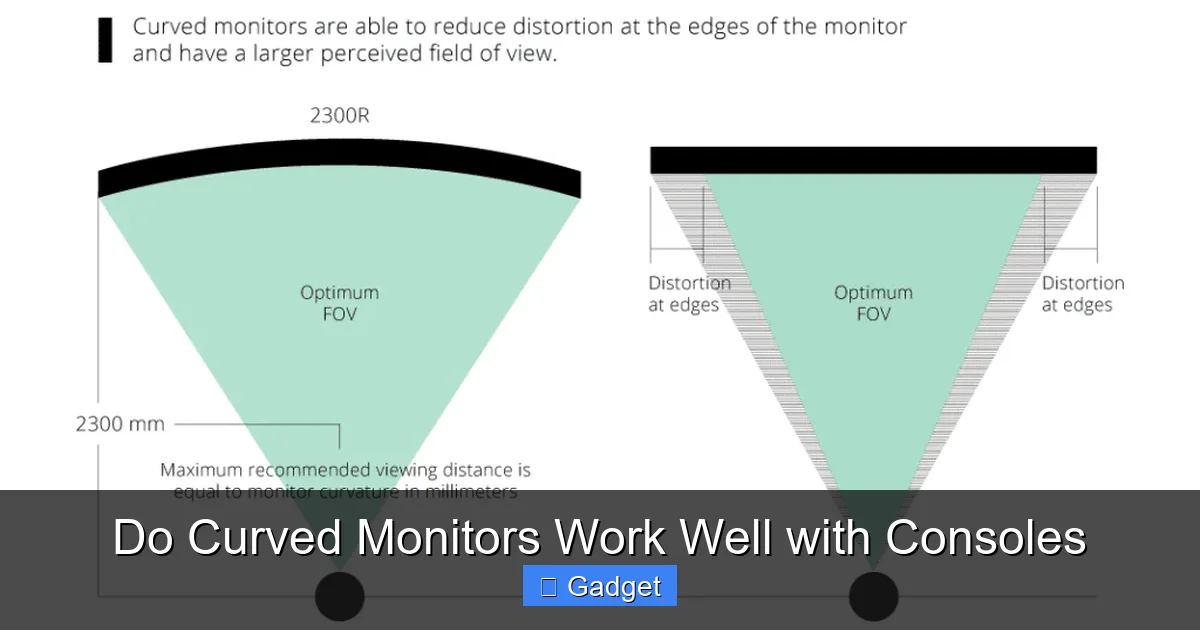 The short answer is: yes, curved monitors generally work very well with consoles. The technology is quite compatible. Most modern consoles output standard video signals that any monitor, curved or flat, can interpret. The real question is *how well* they enhance your gaming experience. Let’s break down the benefits and drawbacks.
 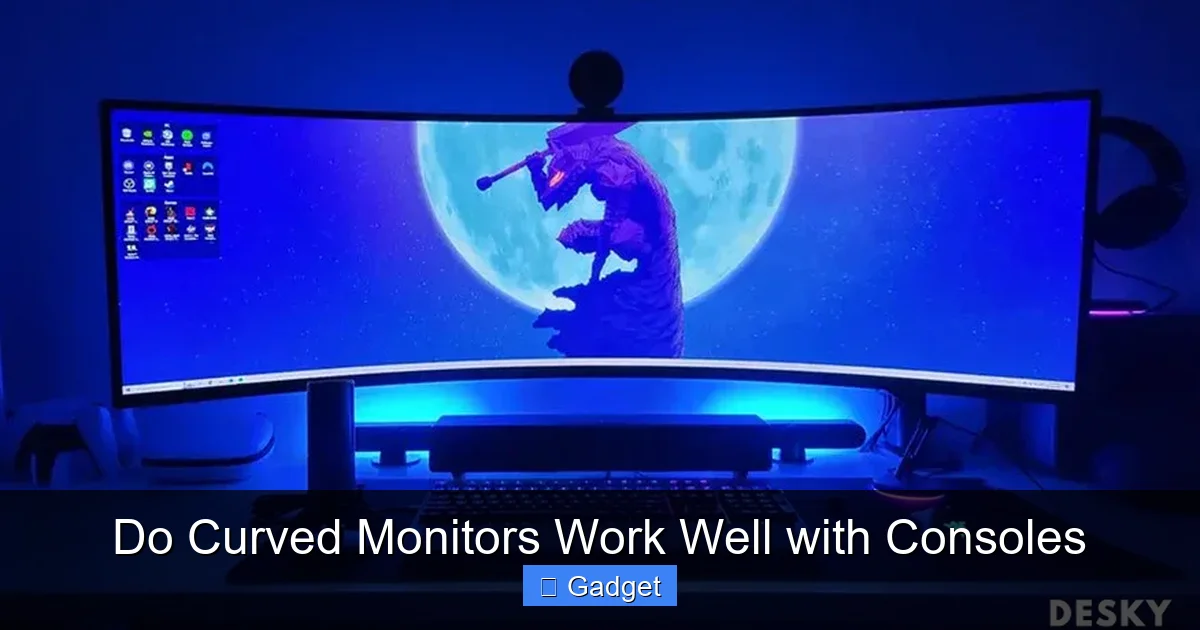 Curved monitors offer several compelling advantages that can significantly enhance your console gaming sessions.
 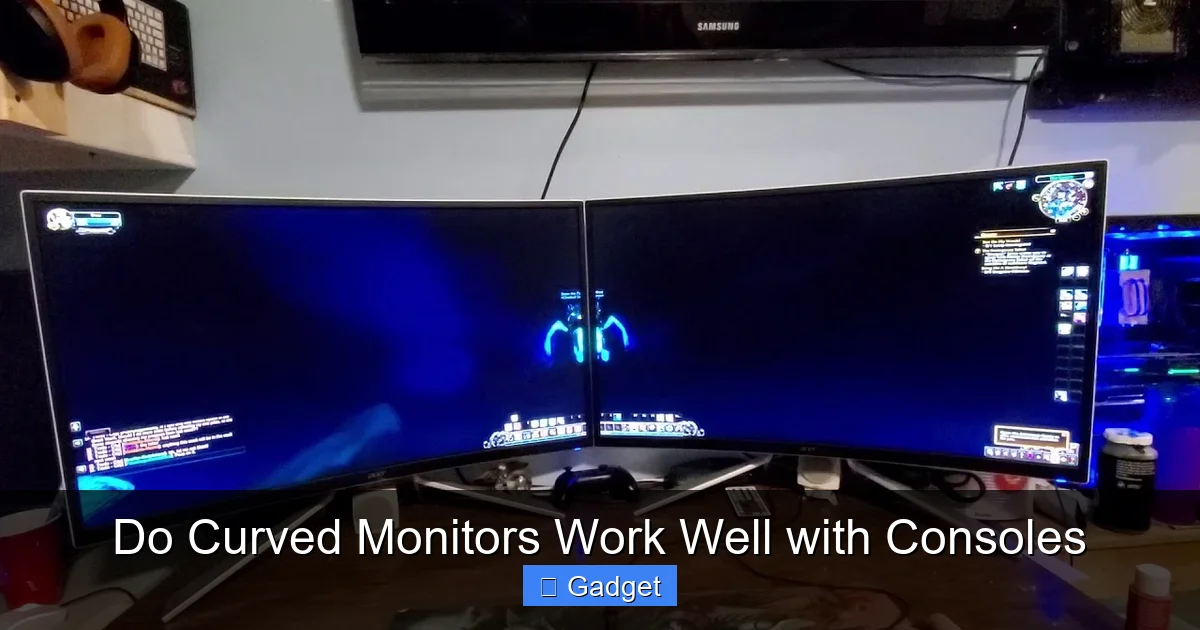 While curved monitors offer many benefits, they aren’t without their potential downsides.
Do Curved Monitors Work Well with Consoles
So, you’re thinking about upgrading your console gaming setup. Maybe you’re eyeing a new PlayStation 5 or an Xbox Series X, and you’re wondering if a curved monitor is the way to go. It’s a common question, and for good reason. Curved monitors have become increasingly popular, promising a more immersive and comfortable viewing experience. But do they actually deliver when it comes to console gaming? Let’s dive in and find out. In this comprehensive guide, we’ll explore the world of curved monitors and their compatibility with your favorite gaming consoles. We’ll break down the advantages, the potential drawbacks, and what you need to consider before making the switch. By the end, you’ll have a clear understanding of whether a curved monitor is the right choice for your gaming adventures.Key Takeaways
- Curved monitors offer increased immersion by wrapping the image around your field of view, pulling you deeper into the game.
- Eye comfort can be improved due to the reduced need for eye movement and a more natural viewing angle, especially during long gaming sessions.
- Picture distortion is minimized on curved screens, particularly on ultrawide or larger displays, as the edges are angled towards the viewer.
- Compatibility with consoles is generally excellent, with most modern consoles supporting common resolutions and refresh rates needed for curved displays.
- Setup is straightforward, typically involving standard HDMI or DisplayPort connections, just like with flat monitors.
- The primary considerations are personal preference and budget, as the benefits are subjective and curved monitors can sometimes be pricier.
- Game design can influence the experience; games with wide field-of-view options or ultrawide support often benefit more from curved displays.
Understanding Curved Monitors
Before we talk about consoles, let’s quickly understand what makes a monitor curved. Unlike traditional flat screens, curved monitors have a subtle arc. This curvature is designed to mimic the natural curve of the human eye. The idea is to bring the edges of the screen closer to you, creating a more encompassing visual experience.The Science Behind the Curve
Think about how your eyes naturally perceive the world. They see in a curve, not a straight line. A curved monitor attempts to replicate this by drawing you into the center of the screen. This can make the game world feel larger and more engaging. It’s all about filling your peripheral vision a bit more.Common Curve Radii
You’ll see different numbers associated with curves, like 1800R, 1500R, or 1000R. These numbers indicate the radius of the curve in millimeters. A smaller number, like 1000R, means a tighter, more aggressive curve. A larger number, like 1800R, means a gentler, wider curve. Generally, tighter curves are more noticeable and immersive, especially on larger or ultrawide monitors.Do Curved Monitors Work Well with Consoles? The Big Question
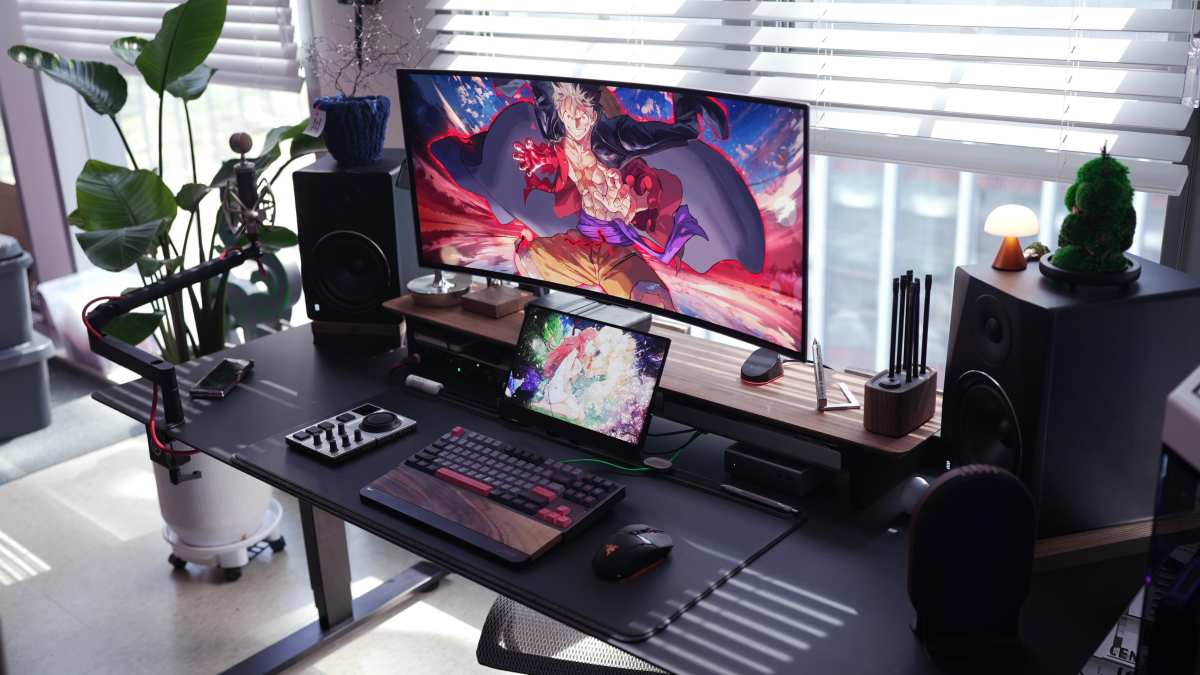
Visual guide about Do Curved Monitors Work Well with Consoles
Advantages of Using Curved Monitors with Consoles
Visual guide about Do Curved Monitors Work Well with Consoles
1. Enhanced Immersion
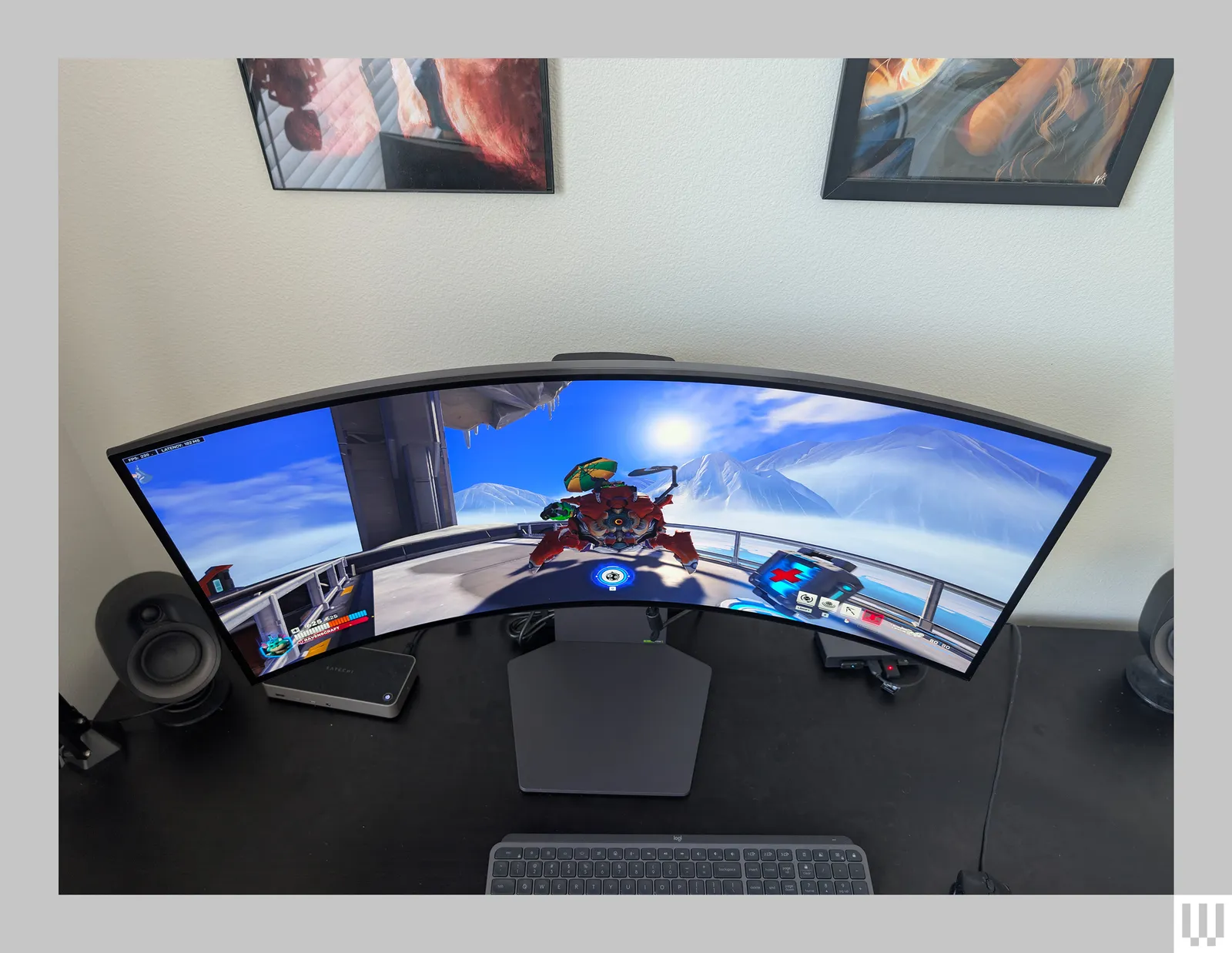
This is the main selling point of curved monitors, and it’s definitely true for console gaming. When you’re playing a game, especially one with a wide field of view, the curve pulls the action into your peripheral vision. It feels like you’re more “in” the game world. Driving games, space sims, or even open-world adventures can feel much more engaging. * Example: Imagine playing a racing game. With a curved monitor, the track seems to wrap around you, making you feel like you’re actually in the cockpit. The sense of speed and presence is amplified. For more insights on how display shape impacts racing titles, check out our article on whether ultrawide monitors are better for racing games.2. Improved Eye Comfort
Long gaming sessions can lead to eye strain. Curved monitors can help alleviate this. Because the edges of the screen are closer to your eyes and angled inwards, your eyes don’t have to work as hard to focus on different parts of the screen. The distance between your eyes and different points on the screen is more consistent. * Benefit: This means less “panning” your eyes from side to side and reduced eye fatigue, allowing you to play for longer periods without discomfort.3. Reduced Visual Distortion
On larger or ultrawide flat monitors, the edges can sometimes appear distorted or stretched because they are further away from your direct line of sight. A curved monitor mitigates this. The inward curve brings those edges closer and angles them correctly, presenting a more uniform and natural image across the entire screen. * Consideration: This is particularly noticeable on ultrawide (21:9 aspect ratio) curved monitors, which are becoming popular for gaming. If you’re considering an ultrawide, learn more about whether ultrawide monitors support 4K resolution and other key specs.4. Aesthetic Appeal
Let’s be honest, curved monitors often look sleek and modern. They can add a touch of sophistication to your gaming setup. The curve itself can be a conversation starter and contribute to a more unified desk or entertainment center look.Potential Drawbacks and Considerations
Visual guide about Do Curved Monitors Work Well with Consoles
1. Viewing Angles
While generally good for a single user, the optimal viewing experience on a curved monitor is from a direct, central position. If you often have friends over to play on the same screen, or if you sit at an angle, the image quality might degrade for those off-center viewers. The curve can make the image appear skewed from extreme side angles. * Tip: If couch co-op is a frequent activity, a larger flat monitor might be a better shared viewing experience.2. Glare and Reflections
Depending on your room’s lighting, curved monitors can sometimes be more susceptible to glare. The curve can reflect light sources from different angles, potentially creating distracting reflections on the screen. * Solution: Proper room lighting management, using blinds or curtains, and potentially positioning the monitor away from direct light sources can help minimize this. Anti-glare coatings on some monitors also help.3. Cost
Historically, curved monitors have been more expensive than their flat counterparts with similar specifications. While this gap is narrowing, you might find that a curved monitor with the same resolution, refresh rate, and size as a flat one carries a slightly higher price tag. * Budgeting: Consider your budget and prioritize features. Sometimes, a slightly smaller curved monitor might be more affordable than a larger flat one.4. Game Support and Aspect Ratios
Most modern consoles output standard 16:9 aspect ratios, which work perfectly with most curved monitors. However, if you’re considering an ultrawide (21:9) curved monitor for its extra immersive field of view, be aware that not all games will natively support this aspect ratio. * Console Specifics: PlayStation and Xbox generally handle ultrawide content better than older consoles. When a game doesn’t support ultrawide, you might see black bars on the sides, or the game might stretch the image. Nintendo Switch is typically 16:9.Setting Up Your Curved Monitor with Your Console
Setting up a curved monitor with your console is usually as simple as setting up a flat monitor. The curvature doesn’t change the fundamental connection process.Step 1: Connect Your Console to the Monitor
* HDMI Cable: This is the most common connection method for modern consoles like the PlayStation 4/5 and Xbox One/Series X/S. Connect one end of the HDMI cable to your console and the other end to an available HDMI port on your curved monitor. * DisplayPort (Less Common for Consoles): While most consoles primarily use HDMI, some PC gaming monitors might offer DisplayPort. However, for console gaming, HDMI is almost always your port of choice.Step 2: Power On and Select Input
* Turn on your console. * Turn on your curved monitor. * Use the monitor’s on-screen display (OSD) menu or dedicated buttons to select the correct input source (e.g., HDMI 1, HDMI 2) that your console is connected to.Step 3: Configure Display Settings on Your Console
Once your console detects the monitor, you’ll want to configure the display settings for the best performance. * Resolution: Your console will usually automatically detect the monitor’s native resolution (e.g., 1080p, 1440p, 4K). You can often manually set this in your console’s display settings if needed. * Refresh Rate: Modern consoles can support higher refresh rates (60Hz, 120Hz). Ensure your monitor and the console’s settings are aligned to take advantage of this for smoother gameplay. Check your monitor’s specifications for its maximum refresh rate and ensure your console is set to match or below it. * HDR (High Dynamic Range): If both your monitor and console support HDR, make sure this is enabled in both your console’s and monitor’s settings for richer colors and contrast. * **Game Mode:** Many gaming monitors have a “Game Mode” that reduces input lag and optimizes picture settings for gaming. Look for this in your monitor’s OSD and enable it.Step 4: Adjust Your Seating Position
For the best experience, position yourself directly in front of the center of the curved monitor. Experiment with the distance to find what feels most comfortable and immersive for you. You generally want to be close enough to appreciate the curve without having to move your head excessively.Troubleshooting Common Issues
While setup is usually smooth, you might encounter a few minor hiccups.Issue: No Picture or Flickering
* Check Cables: Ensure your HDMI cable is securely connected at both ends and is not damaged. Try a different HDMI cable if possible. * Correct Input: Double-check that you have selected the correct input source on your monitor. * Console Restart: Sometimes, a simple restart of your console can resolve display detection issues. * Monitor Firmware: Though rare for consoles, ensure your monitor’s firmware is up to date (this is more common for PC users).Issue: Image is Stretched or Distorted
* Aspect Ratio Settings: On your console’s display settings, ensure the aspect ratio is set to “Auto” or “16:9” (unless you are intentionally using an ultrawide monitor and the game supports it). * Monitor’s Aspect Ratio Setting: Some monitors have their own aspect ratio settings in their OSD. Ensure this is set to “Auto” or “16:9” to avoid stretching. * Game Specific Issues: If this happens in only one game, it might be an issue with that game’s support for your monitor’s resolution or aspect ratio.Issue: Input Lag is Noticeable
* Enable Game Mode: As mentioned, this is crucial. * **Disable Post-Processing:** Turn off any image enhancements or motion smoothing features on your monitor, as these can increase input lag. * Check Refresh Rate: Ensure your console is set to the highest stable refresh rate your monitor supports and that the monitor is actually running at that rate. * Cable Quality: While less common, a very old or low-quality HDMI cable could theoretically introduce lag, though this is rare for modern HDMI standards.Which Curved Monitor is Right for Your Console?
When choosing a curved monitor for your console, consider these factors: * **Size:** Larger monitors (27 inches and above) tend to benefit more from curvature, as the edges are further away on a flat screen. For guidance on selecting the ideal display dimensions, read our guide on what is the best monitor size for gaming. * **Resolution:** For modern consoles, 1440p (QHD) or 4K (UHD) are excellent choices, offering sharp visuals. Ensure your console can output at these resolutions at a good frame rate. * **Refresh Rate:** If you have a PlayStation 5 or Xbox Series X/S, aim for a monitor with at least a 120Hz refresh rate for the smoothest possible experience, especially in games that support it. * **Response Time:** Look for monitors with a low response time (e.g., 1ms or 4ms GtG) to minimize motion blur during fast-paced action. To understand why this matters, see our deep dive on whether monitor response time matters for gaming. * **Curve Radius (R):** For a more noticeable immersive effect, consider a tighter curve (e.g., 1500R or 1000R). For a gentler, less pronounced curve, 1800R is a good choice.Conclusion: A Worthy Upgrade for Many
So, do curved monitors work well with consoles? Absolutely. They can offer a more immersive, comfortable, and visually pleasing gaming experience, especially for single-player games where you’re focused on the screen. The technology is mature, setup is straightforward, and most modern consoles are fully compatible. While there are a few minor considerations like viewing angles and potential glare, these are often manageable and don’t detract from the core benefits for the primary user. If you’re looking to take your console gaming to the next level and you primarily game alone, a curved monitor is definitely worth considering. It’s not just a gimmick; it’s a technology that can genuinely enhance your connection to the games you love.
Similar Posts