Does Monitor Response Time Matter for Gaming
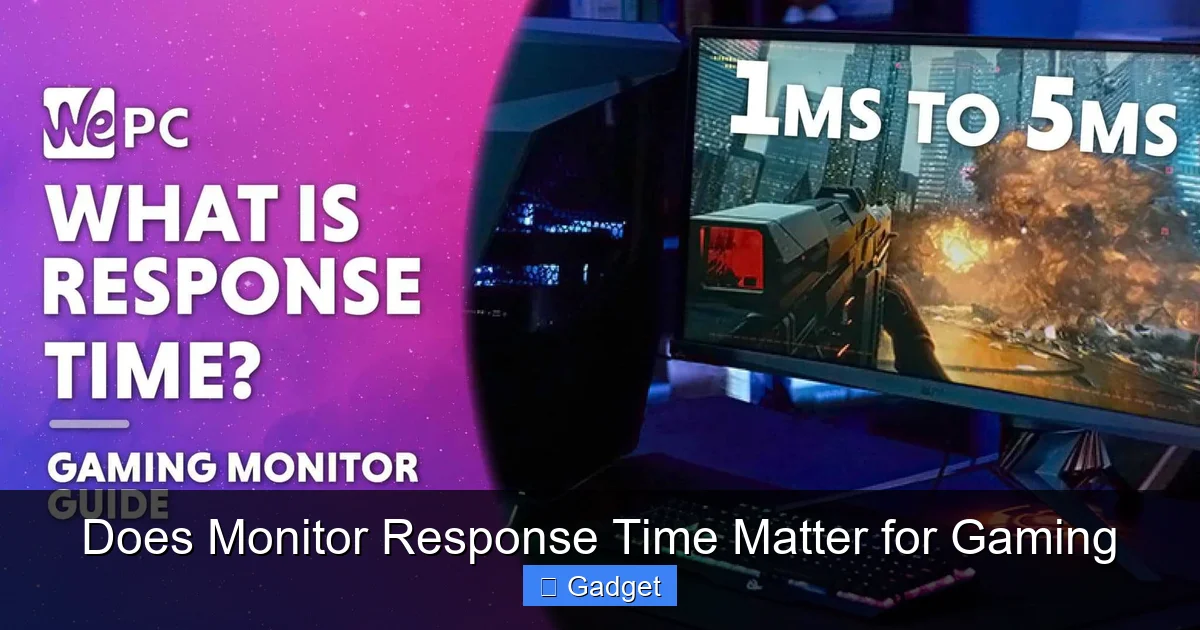
This guide dives deep into the importance of monitor response time for gamers. We’ll explain what response time is, how it directly impacts your gaming experience, and provide actionable advice on choosing a monitor that minimizes motion blur and ghosting. Understanding response time is crucial for competitive and immersive gaming.
Does Monitor Response Time Matter for Gaming? A Deep Dive
Ever found yourself squinting at a blurry mess during a fast-paced gaming session? Or perhaps you’ve noticed faint trails behind moving objects on your screen? If so, you might be experiencing the effects of monitor response time. But does it *really* matter for your gaming adventures? The short answer is: yes, it often does, especially for certain types of games. However, understanding what response time is and how it impacts your gameplay is key to making an informed decision when buying your next gaming monitor. In this comprehensive guide, we’ll break down everything you need to know about monitor response time. We’ll explain what it means in simple terms, how it affects your gaming experience, and the different metrics you’ll encounter. You’ll learn how to identify the ideal response time for your gaming needs and how to make the most of your monitor’s settings. By the end of this guide, you’ll be equipped to choose a monitor that delivers a crisp, smooth, and truly immersive gaming experience.Key Takeaways
- Understanding Response Time: Response time measures how quickly a pixel on your monitor can change from one color to another, typically measured in milliseconds (ms).
- Impact on Motion Blur: A lower response time reduces motion blur and ghosting, making fast-paced on-screen action appear clearer and smoother.
- GtG vs. MPRT: Grey-to-Grey (GtG) and Moving Picture Response Time (MPRT) are common metrics, with GtG being the more widely used and generally accepted measure.
- Is it Essential for All Games?: While vital for competitive shooters and racing games, a slightly higher response time might be acceptable for slower-paced RPGs or strategy games.
- Overdrive Settings: Most gaming monitors offer “Overdrive” settings to further reduce response times, but setting it too high can lead to “overshoot” or inverse ghosting.
- Beyond Response Time: Refresh rate and input lag are also critical for a smooth gaming experience and should be considered alongside response time.
- Finding the Sweet Spot: Aim for a response time of 1ms or less for competitive gaming, while 4ms can be sufficient for most gamers and casual play.
What is Monitor Response Time?
Let’s start with the basics. Monitor response time is a technical specification that tells you how quickly a pixel on your screen can change from one color to another. Think of it like this: when a pixel on your monitor needs to display a new image, it has to switch from its current color to a different one. Response time measures the time it takes for this color transition to happen. This measurement is typically expressed in milliseconds (ms). The lower the number, the faster the pixel can change color. For example, a monitor with a 1ms response time is much faster than a monitor with a 5ms response time.Why Does This Matter for Gaming?
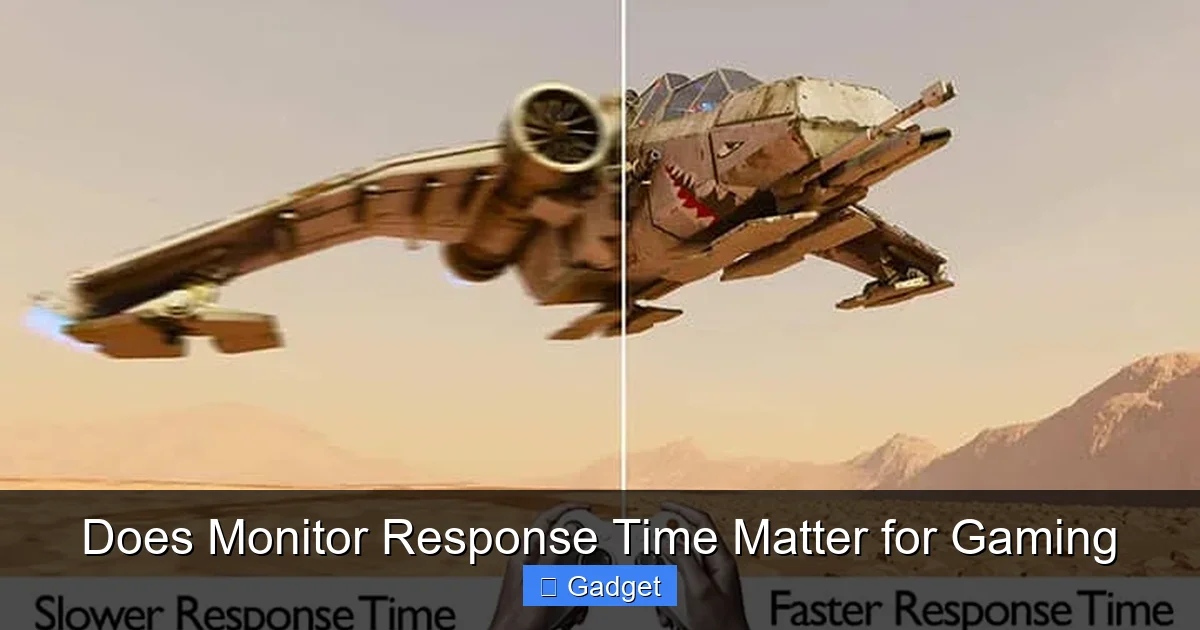
In gaming, especially in fast-paced action games, your screen is constantly updating with new information. Characters run, bullets fly, and environments shift rapidly. If your monitor’s pixels can’t keep up with these rapid changes, you’ll experience visual artifacts that can detract from your gaming experience. These artifacts include:- Motion Blur: This is when moving objects on screen appear smeared or indistinct, making it difficult to track them clearly.
- Ghosting: Ghosting, or smearing, occurs when a faint trail or “ghost” of a previous image lingers on the screen as new images are displayed. This is particularly noticeable with dark objects moving against a light background, or vice-versa.
- Image Persistence: Similar to ghosting, this is when a faint image remains visible for a short period after it should have disappeared.
Understanding the Different Response Time Metrics
You’ll often see two main types of response time measurements when looking at monitor specifications: Grey-to-Grey (GtG) and Moving Picture Response Time (MPRT).Visual guide about Does Monitor Response Time Matter for Gaming
Image source: displayninja.com
Grey-to-Grey (GtG)
Grey-to-Grey (GtG) is the most common and widely accepted metric for response time. It measures how long it takes for a pixel to transition from one shade of grey to another. This is generally considered a good indicator of a monitor’s ability to handle motion. What to look for: For competitive gaming, aiming for GtG response times of 1ms or 2ms is ideal. For general gaming and most users, 4ms is usually sufficient and offers a great balance of performance and price.Moving Picture Response Time (MPRT)
Moving Picture Response Time (MPRT) is another metric that aims to measure motion clarity. It’s calculated by turning the backlight on and off rapidly to reduce perceived motion blur. While MPRT can sometimes lead to impressive-looking motion blur reduction in marketing materials, it often comes with other trade-offs. Potential Downsides of MPRT:- Flicker: The rapid on/off cycling of the backlight can cause noticeable flicker, which can lead to eye strain and headaches for some users.
- Reduced Brightness: When the backlight is off, the screen appears darker, which can impact overall brightness and contrast.
- Less Standardized: MPRT measurements can be more subjective and vary between manufacturers, making direct comparisons less reliable than GtG.
Does Response Time Matter for Every Game?
The short answer is no, not equally. The importance of a fast response time is heavily dependent on the genre of game you play.Visual guide about Does Monitor Response Time Matter for Gaming
Image source: displayninja.com
High Importance: Competitive & Fast-Paced Games
If you’re a serious gamer who plays titles like:- First-Person Shooters (FPS) like Call of Duty, Valorant, CS:GO
- Racing games like Forza Horizon, Gran Turismo
- Fighting games like Street Fighter, Mortal Kombat
- Real-time Strategy (RTS) games that demand quick reactions
Moderate Importance: Action-Adventure & Platformers
For games that involve a lot of movement but aren’t as intensely competitive, response time still plays a role, but it’s less critical than in FPS titles.- Action-adventure games with dynamic combat
- Fast-paced platformers
- Sports games
Lower Importance: RPGs, Strategy Games, Puzzles
If your gaming library consists primarily of slower-paced genres, then response time takes a backseat to other factors.- Role-Playing Games (RPGs) like The Witcher, Skyrim
- Turn-based strategy games
- Puzzle games
- Visual novels
- Indie games with deliberate pacing
The Role of Overdrive Settings
Many gaming monitors come with “Overdrive” settings. This feature is designed to speed up pixel response times by applying a higher voltage to the pixels, forcing them to change color faster. You’ll often see options like “Off,” “Normal,” “Fast,” “Faster,” or “Extreme.”Visual guide about Does Monitor Response Time Matter for Gaming
Image source: displayninja.com
How to Use Overdrive
The goal is to find the sweet spot where response times are significantly improved without introducing new visual issues.- Start with the default or a moderate setting: Begin with the “Normal” or “Fast” setting.
- Test in-game: Play games that feature fast motion. Look for improvements in motion blur and ghosting.
- Increase gradually: If you still see ghosting, try a higher setting (“Faster,” “Extreme”).
- Watch out for “Overshoot”: The main problem with setting Overdrive too high is “overshoot” or inverse ghosting. This is when pixels change color *too* quickly, causing a bright or dark halo to appear around moving objects. This can be just as distracting as ghosting.
- Find the balance: If you notice overshoot, dial back the Overdrive setting until it disappears. The best setting is usually the highest one that doesn’t introduce visible overshoot.
Beyond Response Time: Other Crucial Factors
While response time is important, it’s not the only factor that contributes to a smooth and enjoyable gaming experience. You should also consider:Refresh Rate
Refresh rate, measured in Hertz (Hz), indicates how many times per second your monitor updates the image on the screen. A higher refresh rate means more frames are displayed per second, resulting in a smoother and more fluid visual experience.- Standard: 60Hz
- Good for Gaming: 120Hz, 144Hz
- Excellent for Gaming: 240Hz and above
Input Lag
Input lag is the delay between when you press a button on your controller or mouse and when that action appears on screen. This is often a combination of your system’s processing, your input device’s polling rate, and, importantly, the monitor’s processing time. A monitor with high input lag can make your game feel sluggish and unresponsive, even if it has a fast response time and refresh rate. Most gaming monitors aim to keep input lag to a minimum, often below 16ms (which is roughly one frame at 60Hz).Resolution
Resolution refers to the number of pixels on your screen (e.g., 1920×1080 for Full HD, 2560×1440 for QHD, 3840×2160 for 4K). Higher resolutions offer sharper, more detailed images. However, they also require more processing power from your graphics card. For competitive gaming, a higher refresh rate at a lower resolution (like 1080p at 240Hz) is often preferred over a high resolution at a lower refresh rate (like 4K at 60Hz).Panel Type (TN, IPS, VA)
The type of panel your monitor uses also influences response time, color reproduction, and viewing angles.- TN (Twisted Nematic): Generally the fastest response times (often 1ms GtG), but with poorer color accuracy and viewing angles. Historically the go-to for competitive esports.
- IPS (In-Plane Switching): Offers excellent color accuracy and wide viewing angles, with modern IPS panels achieving very good response times (often 1ms GtG with Overdrive). A great all-rounder.
- VA (Vertical Alignment): Provides the best contrast ratios and deep blacks, but historically had slower response times and potential for black smearing. Newer VA panels are improving rapidly.
Troubleshooting Common Response Time Issues
Even with a monitor that boasts a low response time, you might encounter issues. Here’s how to troubleshoot:Issue: Persistent Ghosting or Smearing
Possible Causes:- Response time is still too slow for the content.
- Overdrive setting is too low.
- Specific color transitions are slower than others (e.g., dark to light).
- Ensure Overdrive is enabled and try a higher setting (but watch for overshoot).
- If possible, check if your monitor has specific color transition settings.
- Consider if the game itself or your GPU settings are introducing blur.
Issue: Noticeable Overshoot or Inverse Ghosting
Possible Causes:- Overdrive setting is too high.
- Lower the Overdrive setting until the overshoot disappears. You may need to experiment to find the best balance between reducing ghosting and avoiding overshoot.
Issue: No Difference Perceived with Low Response Time Specs
Possible Causes:- Your graphics card isn’t outputting a high enough frame rate to fully benefit from the low response time.
- You are playing a slow-paced game where motion blur is less of an issue.
- Your expectations were set too high by marketing materials; real-world differences can be subtle for some users.
- Try playing a faster-paced game or adjust graphics settings to achieve a higher FPS.
- Compare your current monitor to one with a significantly higher response time (e.g., 8ms vs 1ms) in a fast-paced game to see the difference more clearly.
- Focus on the overall experience: a good refresh rate, low input lag, and a good response time all work together.
Conclusion: Does Response Time Matter? Yes, But It Depends!
So, to circle back to our initial question: does monitor response time matter for gaming? The definitive answer is yes, it absolutely can, and for many gamers, it’s a critical component of their setup. However, its importance is directly tied to the types of games you play and your personal sensitivity to visual artifacts like motion blur and ghosting. For competitive players in fast-paced genres, a low response time (1ms GtG) is almost a necessity to maintain peak performance and gain an edge. For the majority of gamers playing a variety of titles, a response time of 4ms GtG or lower will provide a significant improvement over older or non-gaming monitors, offering a much smoother and more enjoyable experience without breaking the bank. Ultimately, when choosing a gaming monitor, consider response time as one piece of the puzzle, alongside refresh rate, input lag, resolution, and panel type. By understanding these specifications and how they relate to your gaming habits, you can make an informed decision that leads to clearer visuals, faster reactions, and ultimately, more fun. Happy gaming!
Similar Posts