Is Ips Monitor Better Than Tn for Gaming
Key Takeaways
- IPS panels offer superior color accuracy and wider viewing angles compared to TN panels, making them ideal for games with vibrant visuals and for situations where you’re not directly in front of the screen.
- TN panels historically boast faster response times and higher refresh rates at a lower cost, which can be advantageous in fast-paced competitive gaming where every millisecond counts.
- The gap in response times between IPS and TN panels has narrowed significantly, with many modern IPS monitors now offering excellent speed suitable for most gamers.
- For immersive single-player experiences or games requiring precise color representation, IPS is generally the preferred choice.
- For esports professionals or budget-conscious gamers prioritizing raw speed above all else, TN can still be a viable option, though its drawbacks in visual quality are noticeable.
- Ultimately, the “better” panel depends on your individual gaming habits and priorities: visual fidelity versus absolute speed.
Is IPS Monitor Better Than TN for Gaming
Hey gamers! So, you’re looking to upgrade your gaming setup, and you’ve probably stumbled across terms like “IPS” and “TN” when researching monitors. It can feel like deciphering a secret code, right? But understanding these panel types is key to getting the best gaming experience. Today, we’re diving deep into the question that’s on many gamers’ minds: **Is IPS monitor better than TN for gaming?** We’ll explore everything you need to know to make an informed decision. By the end of this guide, you’ll have a clear understanding of the strengths and weaknesses of each panel type and know which one is the right fit for your gaming adventures.Understanding Monitor Panel Technologies
Before we get into the nitty-gritty, let’s quickly define what IPS and TN mean in the context of monitors. These acronyms refer to the underlying technology used to display images on your screen.What is TN?
TN stands for Twisted Nematic. It’s one of the oldest and most common LCD panel technologies. TN panels are known for their ability to achieve very fast pixel response times and high refresh rates, often at a lower manufacturing cost.
What is IPS?
IPS stands for In-Plane Switching. This technology was developed to improve upon the color reproduction and viewing angles of TN panels. IPS panels offer more vibrant and accurate colors, and their viewing angles are significantly better.
The Core Differences: How They Impact Your Gaming
Now, let’s break down the key differences between IPS and TN panels and how they directly affect your gaming sessions.Image Quality: Colors and Contrast
This is often where the most noticeable difference lies.Color Accuracy
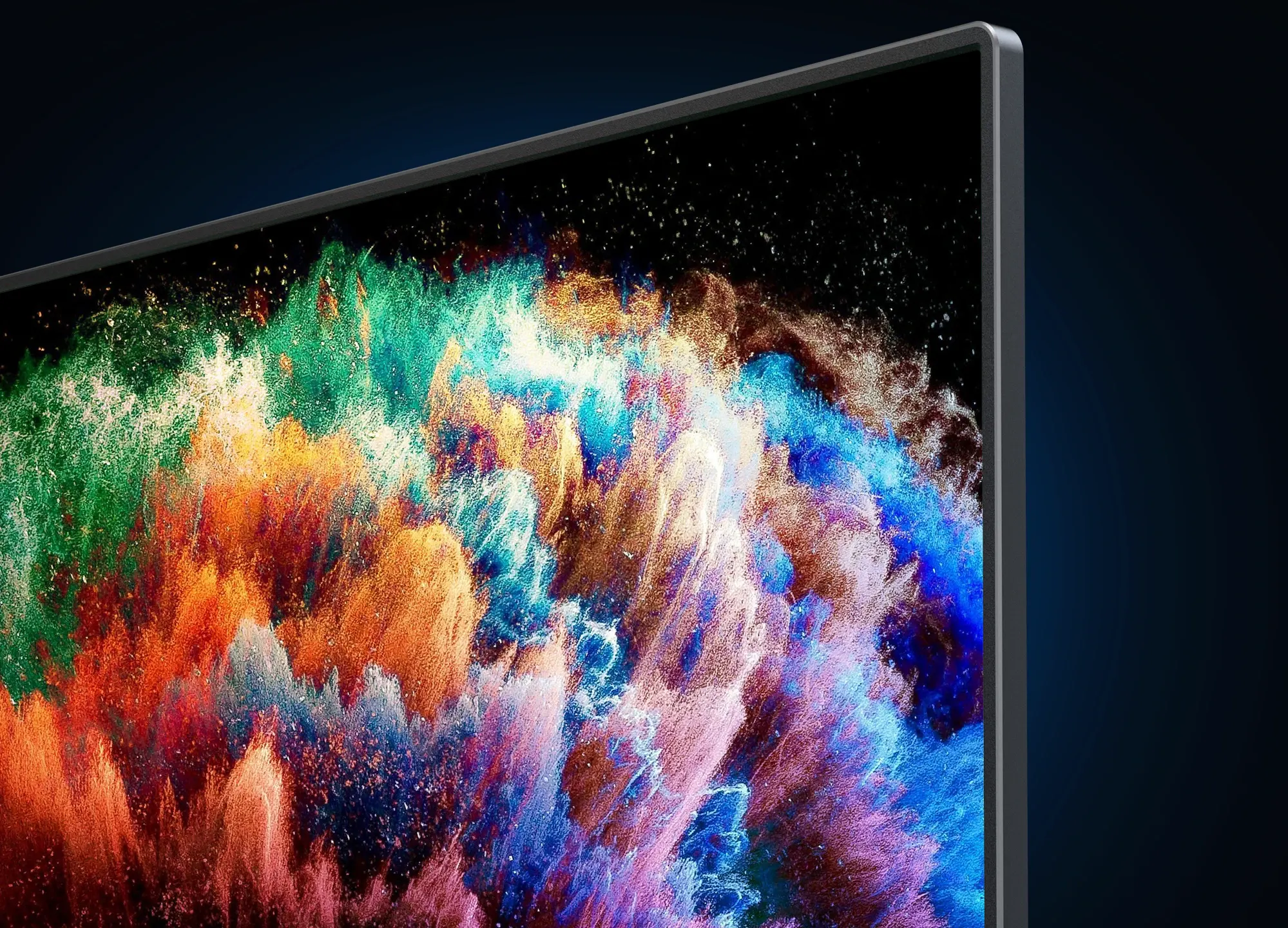
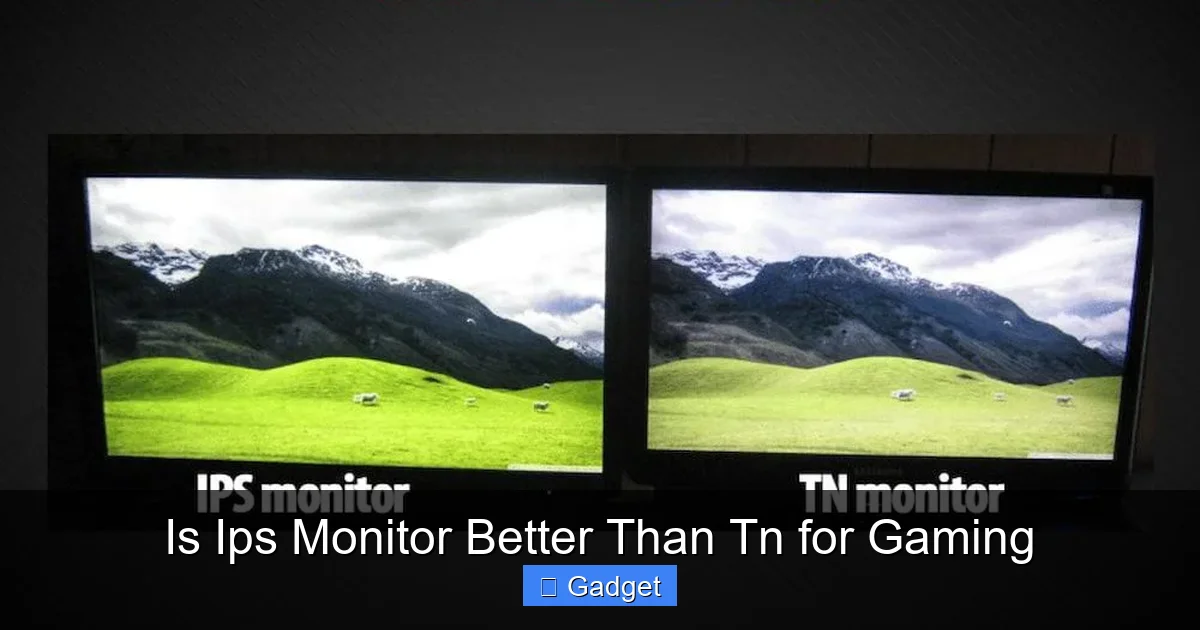
IPS panels are the undisputed champions when it comes to color accuracy. The way light passes through an IPS panel allows for a wider spectrum of colors to be displayed, and these colors are more consistent and vibrant. This means that the reds in an explosion will look truly red, the greens of a forest will be rich and lifelike, and the blues of the sky will be deep and clear. For games where visual fidelity is paramount – think stunning open-world adventures or visually rich RPGs – an IPS monitor will make your games look significantly better.
TN panels, on the other hand, tend to have more muted colors. While they are perfectly adequate for displaying gameplay, they can’t match the richness and depth that an IPS panel provides. If you’re playing a game like “Cyberpunk 2077” with its neon-drenched cityscapes, the difference will be striking. The colors on an IPS will pop, drawing you further into the immersive world.
Contrast Ratio
Contrast ratio refers to the difference between the brightest white and the darkest black a monitor can display. Generally speaking, TN panels have a lower native contrast ratio compared to IPS panels. This can sometimes lead to blacks appearing more like dark grays, especially in darker scenes. While some IPS monitors might suffer from “IPS glow” (a slight glow that emanates from the corners, most noticeable on black screens), their overall ability to produce deeper blacks and brighter whites often results in a more dynamic image.
For games with a lot of dark environments, like horror titles or stealth games, the superior contrast of an IPS panel can be a huge advantage. You’ll be able to discern details in the shadows more easily, adding to the atmosphere and potentially even giving you a tactical edge.
Viewing Angles
Imagine you’re playing a game with friends, and they’re leaning in to watch, or perhaps you just like to shift around in your chair. This is where viewing angles become important.
IPS panels excel in this area. Their in-plane switching technology allows the liquid crystals to move in a way that maintains color and brightness consistency even when viewed from off-center angles. You can lean back, look from the side, or even have someone standing behind you observe the screen, and the image will remain largely the same. This is a significant advantage for social gaming or simply for comfortable viewing.
TN panels, unfortunately, are quite limited in their viewing angles. If you move even slightly off-center, you’ll notice that the colors can shift, and the image can become washed out or darkened. This is one of the main reasons why TN panels are often not recommended for content creation or professional work where color accuracy is critical from all angles.
Response Time and Motion Handling
This is where the debate gets heated, especially for competitive gamers. Response time measures how quickly a pixel can change from one color to another.Pixel Response Time
Historically, TN panels have been the go-to for gamers who demand the absolute fastest response times. They could achieve 1ms (millisecond) response times relatively easily, which meant less motion blur and ghosting in fast-paced games. Ghosting is when a faint trail is left behind moving objects, and it can be very distracting.
For a long time, IPS panels lagged behind in this regard, often having response times of 4ms or higher. However, technology marches on! Modern IPS panels have made incredible strides. Many high-end IPS monitors now also boast 1ms response times (often advertised as GtG – Gray-to-Gray), effectively closing the gap with TN panels. So, while TN might have held the crown for years, the advantage isn’t as clear-cut as it used to be.
Refresh Rate
Refresh rate, measured in Hertz (Hz), indicates how many times per second the monitor updates the image on the screen. Higher refresh rates mean smoother motion. Both IPS and TN panels can achieve high refresh rates, with 144Hz, 240Hz, and even 360Hz being common.
While both technologies can deliver high refresh rates, it’s worth noting that achieving extremely high refresh rates (like 240Hz and above) on IPS panels can sometimes come with a slightly higher price premium or a compromise in other areas. However, for most gamers, a 144Hz or 165Hz IPS monitor will provide a wonderfully smooth experience.
Input Lag
Input lag is the delay between your input (like pressing a button on your mouse or controller) and the action appearing on the screen. While panel technology can have a minor influence, input lag is more heavily influenced by the monitor’s internal processing and the overall system performance.
Both IPS and TN monitors can have low input lag. It’s more about the specific monitor’s design and features rather than being inherently tied to the panel type. Look for monitors marketed as having low input lag for the best results.
Cost and Value
When you’re on a budget, price is always a consideration.Budget-Friendly Options
Generally speaking, TN panels tend to be more affordable to manufacture. This often translates to lower prices for monitors with TN panels, especially at lower refresh rates and resolutions. If you’re looking for a gaming monitor that prioritizes speed and high refresh rates without breaking the bank, a TN panel might seem like the obvious choice.
The Rising Value of IPS
However, as IPS technology has matured and production costs have decreased, the price difference between IPS and TN monitors has shrunk considerably. You can now find excellent IPS gaming monitors at very competitive prices. The added benefits of superior image quality and viewing angles often make the slight increase in cost (if any) well worth it for many gamers.
Which Panel is Right for You? A Gaming Persona Breakdown
To help you decide, let’s look at different types of gamers and which panel might suit them best.The Competitive Esports Enthusiast
If you’re playing fast-paced competitive games like “Counter-Strike 2,” “Valorant,” “Overwatch 2,” or “Apex Legends,” where split-second reactions are critical, you might lean towards speed. Historically, this meant TN. However, with modern IPS panels offering 1ms response times and high refresh rates (144Hz+), an IPS monitor can absolutely deliver the performance you need without sacrificing visual quality. If you can afford a high-end IPS with excellent speed, it’s often the better all-around choice.
Considerations: Look for monitors with very low GtG response times (1ms is ideal) and high refresh rates (240Hz+ if possible). Adaptive sync technologies like G-Sync or FreeSync are also crucial to prevent screen tearing.
The Immersive Story-Driven Gamer
For those who love diving into beautifully crafted worlds like “The Witcher 3,” “Red Dead Redemption 2,” or “Elden Ring,” visual fidelity is key. You want to see every detail, experience the rich colors, and get lost in the atmosphere. In this case, an IPS monitor is almost always the better choice.
The superior color reproduction and contrast of an IPS panel will make these games look absolutely stunning. The wider viewing angles also mean you can get comfortable without worrying about the image degrading. While high refresh rates are still nice for smoothness, they might not be the absolute top priority compared to visual richness.
Considerations: Prioritize excellent color accuracy, good contrast, and a decent refresh rate (144Hz is a sweet spot). Resolution (1440p or 4K) can also enhance the immersive experience.
The All-Around Gamer
Most gamers fall into this category. You play a variety of games, from fast-paced shooters to slower RPGs. You appreciate good visuals but also don’t want to feel at a disadvantage in competitive titles.
For you, a modern IPS monitor with a fast response time (1ms GtG) and a high refresh rate (144Hz or 165Hz) is likely the sweet spot. It offers a fantastic balance between visual quality and performance, making it a versatile choice that will serve you well across all your gaming genres.
Considerations: Look for a good balance of refresh rate (144Hz+), response time (1ms GtG), and excellent color reproduction. A good warranty is also a plus.
The Budget-Conscious Gamer
If your budget is tight, you might find yourself drawn to TN panels because they are often cheaper. And indeed, you can get a very fast, high-refresh-rate TN monitor for less money. However, before you dismiss IPS entirely, check the prices of entry-level IPS monitors. The gap is shrinking!
A budget IPS monitor might offer slightly slower response times than its TN counterpart, but the improvement in color and viewing angles might be worth the small price increase. It’s a trade-off you’ll need to weigh based on your specific budget and priorities.
Considerations: Compare the absolute lowest prices for both TN and IPS monitors within your budget. Read reviews to see if the performance compromises of a budget IPS are acceptable for your gaming style.
Practical Tips for Choosing Your Gaming Monitor
Regardless of panel type, here are some crucial factors to keep in mind when selecting your next gaming monitor:1. Resolution
This refers to the number of pixels on the screen. Common resolutions include 1080p (Full HD), 1440p (QHD), and 4K (UHD). Higher resolutions mean sharper images, but they also require a more powerful graphics card to run games smoothly.
- 1080p: Great for lower-end systems and high refresh rates (240Hz+).
- 1440p: A popular sweet spot, offering sharper images than 1080p without being as demanding as 4K.
- 4K: The sharpest images, but requires a very powerful GPU for gaming.
2. Refresh Rate
As discussed, higher refresh rates lead to smoother motion. For gaming, 144Hz is a good starting point, with 240Hz and above being the enthusiast choice.
3. Response Time
Look for 1ms GtG for the best motion clarity. While advertised response times can sometimes be optimistic, 1ms is generally a good indicator of a fast panel.
4. Adaptive Sync Technologies (G-Sync/FreeSync)
These technologies synchronize your monitor’s refresh rate with your graphics card’s frame rate, eliminating screen tearing and reducing stutter. Make sure your monitor supports the technology compatible with your GPU (NVIDIA uses G-Sync, AMD uses FreeSync, though many monitors are now “G-Sync Compatible” with AMD cards and vice-versa).
5. Screen Size and Aspect Ratio
Consider how much desk space you have and what size screen feels comfortable for your gaming setup. Common sizes range from 24 inches to 32 inches. Ultrawide monitors (21:9 aspect ratio) can offer a more immersive experience but are not supported by all games.
6. Connectivity
Ensure the monitor has the ports you need (HDMI, DisplayPort) and that they support the features you require (e.g., DisplayPort 1.4 for high refresh rates at high resolutions).
Troubleshooting Common Monitor Issues
Even with the best panels, you might encounter minor issues.IPS Glow
This is a characteristic of IPS panels where a slight glow is visible from the corners, especially on dark backgrounds. It’s generally not noticeable during gameplay. If it’s excessive and bothersome, check monitor settings or consider exchanging it if it’s within the return period. Ensure your room lighting is also optimized, as this can exacerbate the effect.
Ghosting or Smearing on TN Panels
If you notice significant ghosting on a TN panel, it might be that the overdrive settings are too aggressive. Try reducing or disabling overdrive in the monitor’s OSD (On-Screen Display) menu. Sometimes, a panel might just be faulty.
Color Shift on TN Panels
If colors look off when you’re not looking directly at the screen, this is a limitation of TN viewing angles. There’s no real fix for this other than repositioning yourself or the monitor to face it directly.
Conclusion: Is IPS Monitor Better Than TN for Gaming?
So, to answer the burning question: **Is IPS monitor better than TN for gaming?** For the vast majority of gamers in 2024 and beyond, **yes, an IPS monitor is generally better than a TN monitor for gaming.** The technological advancements in IPS panels have largely negated the historical advantage TN held in response times. Modern IPS monitors offer the speed you need for competitive gaming, combined with vastly superior color accuracy, better contrast, and wider viewing angles. This makes them ideal for immersive single-player experiences, visually rich titles, and even fast-paced multiplayer games. The compromise on image quality with TN panels is becoming increasingly hard to justify when IPS options are so readily available and competitively priced. While TN panels can still offer a compelling value proposition for extreme budget builds or for those who absolutely prioritize every single millisecond of theoretical advantage in the most niche competitive scenarios, the overall package offered by IPS is simply superior for most people. Ultimately, the “best” monitor depends on your personal priorities and budget. However, if you’re looking for a monitor that will make your games look fantastic and perform admirably across the board, **an IPS panel is the way to go.** Happy gaming!
Similar Posts