Are Curved Gaming Monitors Good for Consoles
Are curved gaming monitors good for consoles? The honest answer is: it depends entirely on how you play, where you sit, and what you're actually hoping to get out of the curve. There's no universal yes or no here.
Curved monitors work best at close viewing distances, typically within 2 to 4 feet of the screen. Most console gamers sit much farther away than that, which changes whether the curve adds anything meaningful. As of 2026, the PS5 and Xbox Series X both support 4K output at up to 120Hz over HDMI 2.1, but that doesn't automatically make a curved panel the right choice for your setup.
Quick Answer
Curved gaming monitors can work well for consoles, but only in specific conditions. They suit desk-based setups where you sit close to the screen. They offer limited benefit for couch gaming at distances beyond 6 feet.
Your console model, game genre, and viewing distance determine whether the curve is worth the extra cost.
Why This Isn't a Simple Yes or No
The curve on a gaming monitor isn't just an aesthetic gimmick. It changes how light reaches your eyes across the panel, and whether that's a benefit or a drawback depends on your physical setup. Let's break down the three conditions that actually determine your answer.
Condition #1: Where You're Sitting
Your single most important factor is the distance between your eyes and the screen. Curved panels are engineered to match the natural curvature of human peripheral vision, but that engineering only works within a specific range.
- Desk setup (2, 4 feet from screen): This is the sweet spot. A curved monitor at this distance reduces the difference in focal length between the center and edges of the screen. Your eyes don't have to refocus as much when scanning across the display. A 1500R or 1800R curve feels natural here.
- Mid-range setup (4, 6 feet from screen): The benefit starts to diminish. You'll still notice the curve, but the immersion advantage shrinks. A gentler curve like 1800R or 3000R works better at this range because aggressive curves can actually distort the image when you're not in the optimal position.
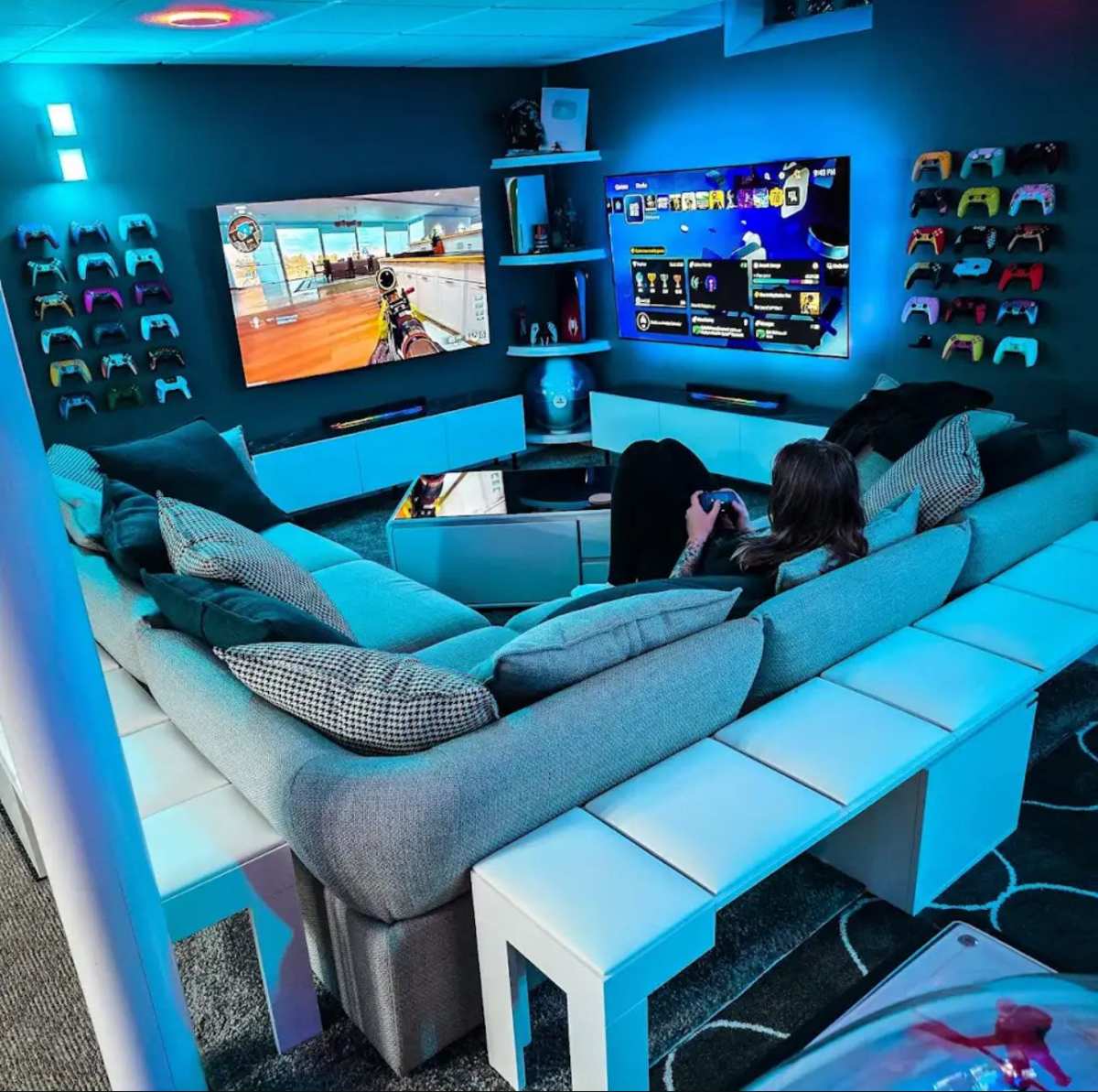
- Couch setup (6+ feet from screen): Curves offer almost no perceptible benefit at this distance. The geometry that makes curves work at close range simply doesn't apply. You're paying a premium for a feature you won't meaningfully experience.
If you're gaming from a couch with the monitor on a stand across the room, a flat panel is almost certainly the smarter buy.
Condition #2: What Console You're Using
Not all consoles can take advantage of what a curved gaming monitor offers. The hardware capabilities matter here more than most people realize.
- PS5 and Xbox Series X: Both support 4K at 120Hz over HDMI 2.1, which pairs well with higher-end curved monitors. They also support Variable Refresh Rate (VRR), though the PS5's VRR range is limited to 48, 120Hz as of recent system updates. If you want 120Hz output, you need a monitor with HDMI 2.1, not just HDMI 2.0.
- Xbox Series S: This console maxes out at 1440p output. Many curved gaming monitors are 4K panels, which means you're paying for pixels the console can't actually push. A 1440p curved monitor exists but is less common, and the value proposition gets murkier.
- Nintendo Switch (docked): The Switch outputs a maximum of 1080p. A curved 4K monitor is wasted on it. Even a curved 1080p monitor is overkill for most Switch gaming.
- Older consoles (base PS4, Xbox One): These top out at 1080p and 60Hz in most games. A curved monitor adds nothing meaningful to the experience at these specs.
Condition #3: What You're Playing
The game genre you spend most time with should heavily influence your decision. Curved monitors don't benefit all types of games equally.
- Single-player narrative and exploration games: This is where curved monitors shine on consoles. Games like Horizon Forbidden West, God of War Ragnarök, or Elden Ring feel more enveloping on a curved panel at desk distance. The edges of the screen wrap slightly into your peripheral vision, which adds to the sense of presence.
- Racing and flight simulators: The curve mimics the wraparound feel of a cockpit or driver's seat. If you play a lot of Forza Horizon or Microsoft Flight Simulator on your console, a curved monitor genuinely enhances the experience.
- Competitive multiplayer (FPS, fighting, sports): The curve offers no competitive advantage here. Some players even find that the slight geometric distortion at the edges makes target tracking less consistent. Flat panels are the standard in competitive gaming for good reason.
- Strategy and text-heavy games: Curved panels can distort small text and UI elements at the edges. If you play a lot of strategy games or RPGs with dense menus, a flat screen keeps everything crisp and readable.
How Curved Monitors Actually Work (And Why Consoles Are Different)
The "R" rating on a curved monitor refers to the radius of the curve in millimeters. A 1000R curve means the screen follows the arc of a circle with a 1000mm (1-meter) radius. Lower numbers mean a more aggressive curve.
A 1500R curve is gentler, and a 3000R curve is very subtle.
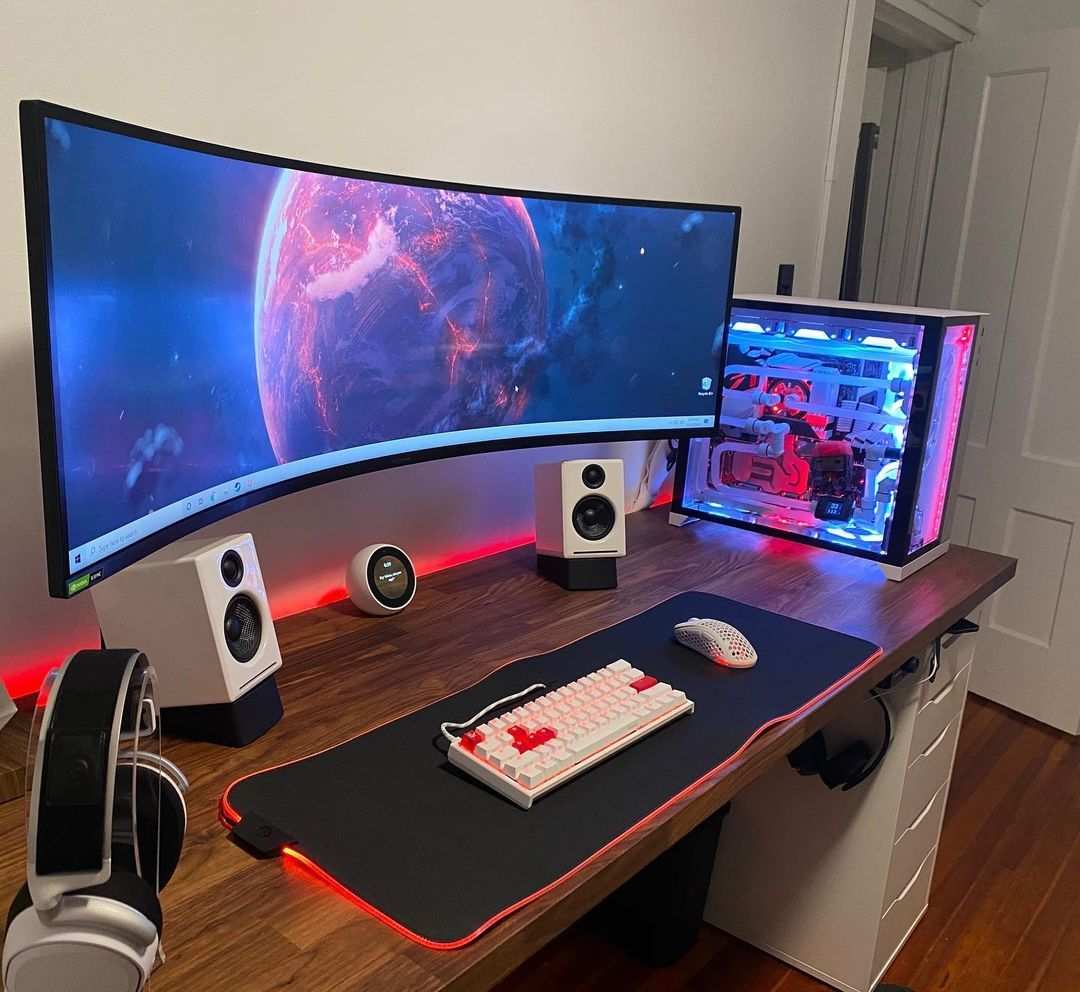
The principle behind curved panels is straightforward. On a flat screen, the edges are physically farther from your eyes than the center. On a curved panel, the entire surface sits at a more consistent distance from your eyes.
This reduces the micro-adjustments your eye muscles make when looking across the display, which can reduce eye fatigue during long sessions.
Here's where consoles complicate things. PC gamers typically sit 2 to 3 feet from their monitors, which puts them right in the optimal zone for aggressive curves like 1000R or 1500R. Console gamers often sit much farther away.
The geometry that makes curves beneficial at close range simply doesn't scale to couch distances.
Frame rate also plays a role. At 120fps, the smooth motion combined with the curved edges creates a stronger sense of immersion. At 30fps or 60fps, which is where many console games live, the effect is less pronounced.
The curve doesn't compensate for lower frame rates, and it can sometimes make motion judder more noticeable at the periphery.
Another factor most people overlook: console games are designed for TV viewing. Developers optimize UI elements, text sizing, and HUD placement assuming a flat display viewed from several feet away. A curved monitor at desk distance can reveal design choices that weren't meant to be seen up close.
The Real Drawbacks Nobody Talks About
Curved monitors have legitimate downsides for console use, and most product reviews skip right past them. Here's what you need to know before spending your money.
- Ultrawide curved monitors and console incompatibility: This is the big one. PS5 and Xbox Series X do not output in 21:9 ultrawide resolution. If you buy a 34" or 49" ultrawide curved monitor, your console will either letterbox the image with black bars on the sides or stretch a 16:9 image to fill the panel. Neither option looks good. As of 2026, console support for ultrawide resolutions remains nonexistent.
- Distortion in text, UI, and HUD elements: Curved panels bend straight lines at the edges. Health bars, minimaps, and menu text can appear slightly warped. This is subtle on gentle curves but very noticeable on aggressive 1000R panels.
- VRR limitations on consoles: The PS5 supports VRR only within a 48, 120Hz range. Many curved monitors have FreeSync ranges that start lower, but the console won't use that full range. You need to verify that the monitor's VRR works properly within the console's specific window.
- The spectator problem: If someone else watches you play from beside you or behind you, the curve distorts the image from off-angles. Flat screens look consistent from any position. Curved screens have a defined "sweet spot" and everything outside it looks wrong.
- Price premium for no added performance: Curved monitors typically cost 15, 30% more than equivalent flat panels with the same specs. You're paying for the physical bend, not for better color accuracy, faster response times, or higher refresh rates.
The ultrawide issue alone eliminates an entire category of curved monitors from consideration for console use. Always check that the monitor's native aspect ratio is 16:9 before buying for a console.
Flat vs. Curved: A Console Gamer's Comparison
Let's put the two options side by side so you can see exactly where each one wins and loses for console gaming.
| Factor | Flat Panel | Curved Panel |
|---|---|---|
| Best viewing distance | Any distance | Close (desk, 2–4 ft) |
| Text and UI clarity | Consistently sharp | Can distort at edges |
| Console game immersion | Standard | Enhanced at close range |
| Price for equivalent specs | Lower | 15–30% higher |
| Multiplayer spectator friendly | Yes | Limited to sweet spot |
| Competitive advantage | Neutral | Minimal to none |
| Ultrawide console support | N/A (no console supports ultrawide) | N/A (same limitation) |
| Eye strain at long sessions | Slight edge at far distances | Slight edge at close distances |
| HDR performance | Depends on panel type | Depends on panel type |
| Availability of HDMI 2.1 models | Widely available | Available but fewer options |
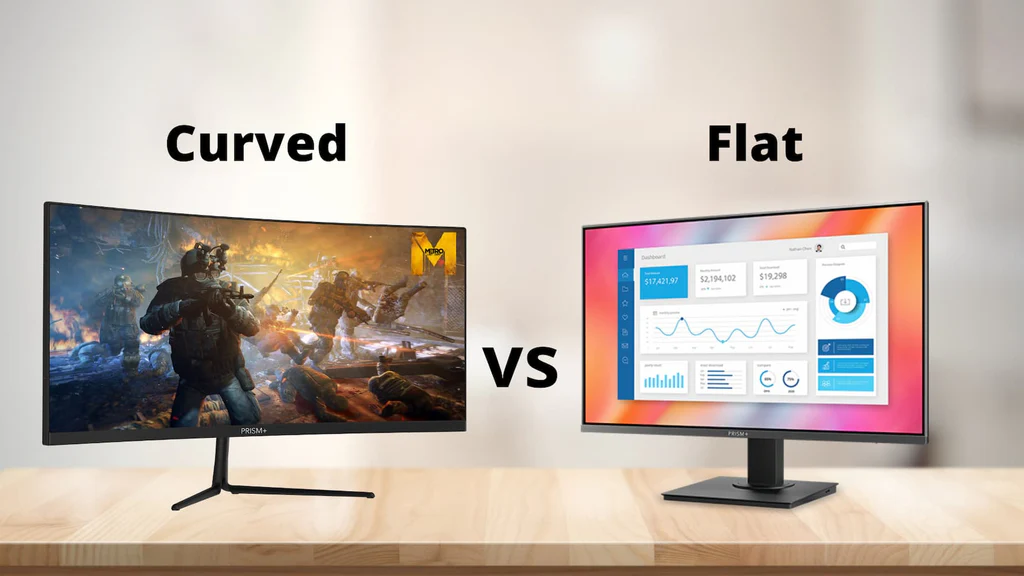
The table tells a clear story. Curved panels only win in one specific scenario: close-range, single-player, immersion-focused gaming. Every other use case either favors flat panels or shows no meaningful difference.
Who Should Actually Buy a Curved Monitor for Their Console
After looking at all the conditions, curved monitors make sense for console gamers in a fairly narrow set of circumstances. Here's who gets real value from the curve.
- The desk-based immersion seeker: If you play at a desk, sit within 3 feet of the screen, and primarily play single-player story games or open-world titles, a curved monitor adds genuine immersion. A 32" 4K curved panel at 1500R or 1800R hits the sweet spot for PS5 and Xbox Series X gaming at desk distance.
- The racing and flight sim enthusiast: Games like Forza Horizon 5, Gran Turismo 7 (via PSVR2 or standard), and Microsoft Flight Simulator benefit noticeably from the wraparound feel of a curved display. The curve mimics the natural field of view inside a cockpit or driver's seat.
- The single-player narrative gamer at close range: If your console gaming happens at a desk or small table rather than a couch, and you value atmosphere over competitive performance, the curve adds something flat panels can't replicate.
For these players, a 32" 1500R or 1800R curved monitor with HDMI 2.1 support and 4K resolution at 120Hz is the ideal target. That combination matches what the PS5 and Xbox Series X can actually output.
Who Should Skip It
Just as important as knowing who benefits is knowing who doesn't. A curved monitor is the wrong choice in these situations.
- The couch gamer: If you sit 6 or more feet from your screen, the curve does nothing for you. You're paying extra for a feature that only works up close. A flat panel or even a gaming TV is a better investment.
- The competitive multiplayer player: If you mainly play Call of Duty, Fortnite, Apex Legends, or fighting games on your console, the curve offers no advantage and may introduce slight geometric distortion that affects target tracking. Flat panels are the competitive standard for a reason.
- The ultrawide hopeful: If you're drawn to curved monitors because you want an ultrawide screen, stop right there. Consoles don't support 21:9 output. You'll get black bars or a stretched image. Stick with 16:9.
- The budget-conscious buyer: If you're trying to get the best specs for your money, a flat monitor always gives you more for the same price. The curve premium buys you a shape, not performance.
How to Set Up a Curved Monitor With Your Console (If You Go for It)
If you've determined that a curved monitor fits your setup, getting the configuration right matters. A few wrong settings can negate any benefit the curve provides.
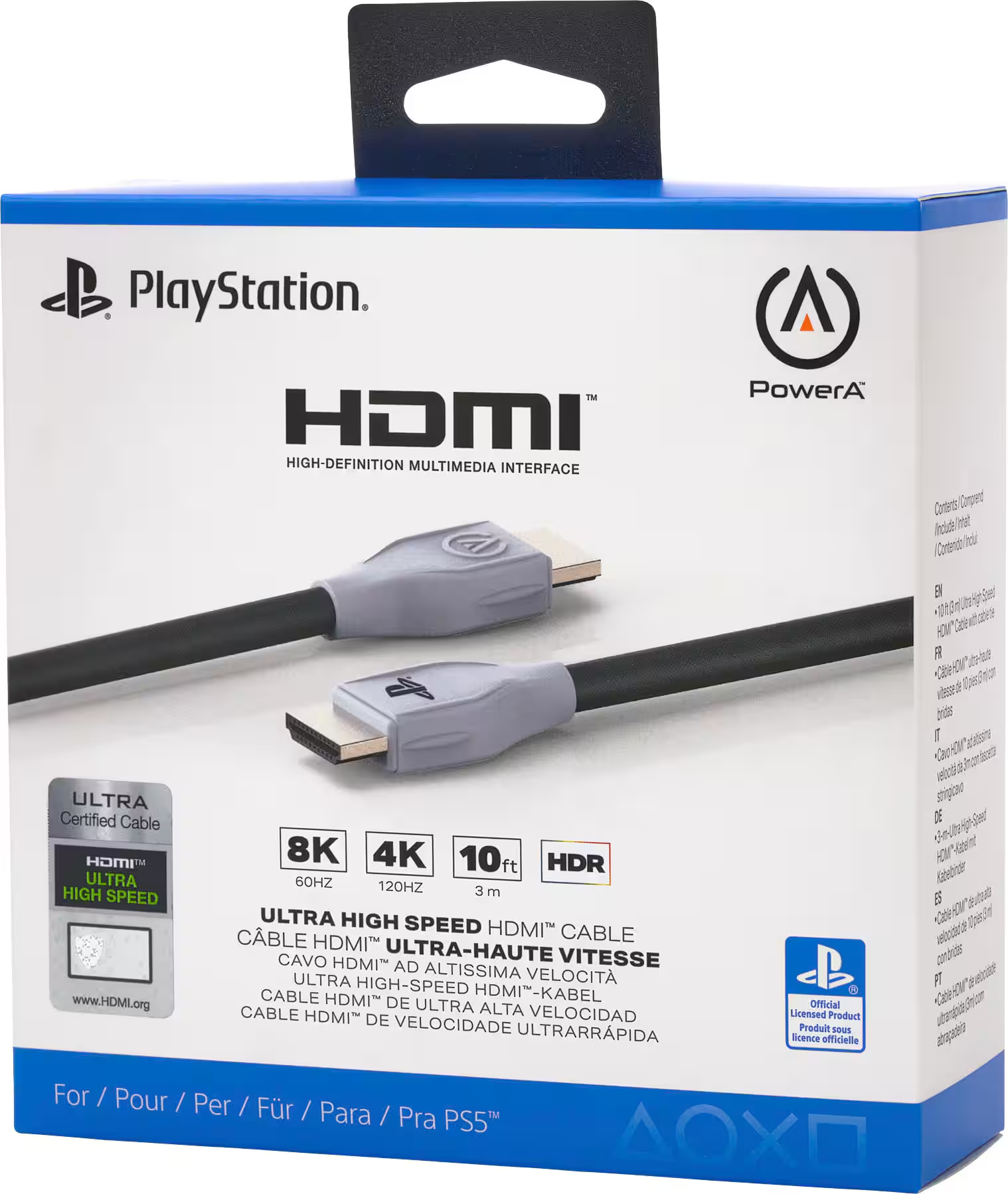
- Choosing the right HDMI cable: For 4K at 120Hz on PS5 or Xbox Series X, you need an Ultra High Speed HDMI cable (HDMI 2.1). The cable that ships with the PS5 is HDMI 2.1 certified. If you're buying a replacement, look for the "Ultra High Speed" certification label. HDMI 2.0 cables max out at 4K 60Hz, which means you lose the high refresh rate that makes curved gaming feel smooth.
- Console display output settings: On PS5, go to Settings > Screen and Video > Video Output and set resolution to automatic, enable HDR, and set 120Hz output to automatic. On Xbox Series X, go to Settings > General > TV & Display Options > Refresh Rate and select 120Hz. Both consoles should detect the monitor's native resolution automatically.
- Enabling VRR correctly: On PS5, VRR is found under Settings > Screen and Video > Video Output > VRR. On Xbox, it's under Settings > General > TV & Display Options > Allow Variable Refresh Rate. Make sure the monitor's FreeSync or Adaptive Sync is also enabled in its on-screen display menu.
- HDR calibration on console: Both PS5 and Xbox have built-in HDR calibration tools. Run them. Curved VA panels often have different peak brightness at the center versus the edges, so proper calibration ensures consistent image quality across the curve.
- Monitor OSD settings for console use: Set the monitor to its "Game" or "Console" picture mode if available. Disable any frame interpolation or motion smoothing features, as these add input lag. Set the response time to the fastest option that doesn't introduce inverse ghosting.
- Finding your personal curvature sweet spot: Sit at your normal gaming position and adjust the monitor height so the center of the screen is at or slightly below eye level. Move closer or farther until the curve feels natural rather than disorienting. If the edges of the screen feel "pulled toward you," you're sitting too close for that curve's radius.
Common Mistakes People Make
Even after deciding a curved monitor is right for them, buyers frequently make avoidable errors that ruin the experience.
- Buying an ultrawide curved monitor without checking console support: This is the single most expensive mistake. Consoles output 16:9. Ultrawide monitors are 21:9 or 32:9. The mismatch results in black bars or a stretched, distorted image. No console currently supports ultrawide output.
- Sitting too far from an aggressive curve: A 1000R curve is designed for sitting roughly 1 meter from the screen. If you sit 5 feet away, the curve looks and feels wrong. Match the curve radius to your actual viewing distance.
- Ignoring HDMI version and missing out on 120Hz: Many curved monitors still ship with HDMI 2.0 ports. If you plug a PS5 or Xbox Series X into HDMI 2.0, you're locked at 60Hz for 4K content. Always verify the monitor has at least one HDMI 2.1 port.
- Assuming curved means better for every game type: The curve is a feature, not a universal upgrade. It helps immersion in some games and does nothing or actively hurts performance in others. Know what you play before you buy.
- Overpaying for curve when flat would serve better: If your primary use case doesn't benefit from the curve, you're wasting money. A flat IPS panel with the same refresh rate, resolution, and response time will always cost less and perform identically in tasks where the curve doesn't matter.
Frequently Asked Questions
Does PS5 work well with curved monitors?
Yes, the PS5 works with curved monitors as long as the monitor has HDMI 2.1 for 4K 120Hz output. The curve itself is purely a display characteristic and doesn't affect console compatibility. Just make sure you're sitting close enough to benefit from it.
Is a curved monitor good for Xbox Series X?
A curved monitor suits Xbox Series X gaming at desk distance. The console supports 4K 120Hz and VRR, which pairs well with curved gaming monitors that have HDMI 2.1. For couch gaming, a flat panel or TV is the better choice.
What size curved monitor is best for console gaming?
32 inches is the sweet spot for console gaming on a curved monitor. At this size, a 1500R or 1800R curve feels natural at typical desk viewing distances. Smaller panels don't benefit as much from the curve, and larger panels require you to sit farther away.
Do curved monitors cause input lag on consoles?
The curve itself doesn't add input lag. Input lag comes from the monitor's processing hardware and panel response time, not from the physical shape. Check the monitor's input lag specification independently of whether it's curved or flat.
Can I use a curved ultrawide monitor with my PS5?
Technically yes, but the PS5 doesn't output in ultrawide resolution. You'll get a 16:9 image with black bars on the sides of the 21:9 panel, or a stretched image if you force it to fill the screen. Neither option is ideal.
Is curved or flat better for FPS games on console?
Flat panels are generally preferred for FPS games on console. The curve can introduce slight geometric distortion at the edges, which may affect target tracking. Competitive players overwhelmingly use flat monitors for this reason.
The Bottom Line: Your Personal Decision Guide
Here's a simple framework to make your decision. Walk through these questions in order.
Are you gaming at a desk within 4 feet of the screen?
If yes, a curved monitor can add real immersion. If no, go flat.
Do you primarily play single-player, racing, or exploration games?
If yes, the curve enhances those experiences. If you mainly play competitive multiplayer, go flat.
Is the monitor 16:9 aspect ratio?
If yes, it's compatible with your console. If it's ultrawide, don't buy it for console use.
Does it have HDMI 2.1?
If yes, you'll get full 4K 120Hz from PS5 and Xbox Series X. If it only has HDMI 2.0, you're leaving performance on the table.
Is the curve radius appropriate for your viewing distance?
1500R or 1800R works for most desk setups. 1000R is aggressive and only ideal if you're sitting very close.
If you answered yes to all five questions, a curved gaming monitor is a solid choice for your console setup. If you answered no to any of them, a flat panel will serve you better for less money. The curve is a nice feature when the conditions are right, but it's not a universal upgrade.
Know your setup, know your games, and buy accordingly.
Costs, Pricing, and Data
Curved gaming monitors typically cost 15, 30% more than flat panels with identical specs. A 32" 4K 120Hz flat IPS monitor from major brands like LG or ASUS runs roughly $350, $500 as of 2026. The same spec in a curved VA panel usually lands between $450, $650.
Ultrawide curved monitors push the price even higher. A 34" 3440×1440 curved ultrawide runs $400, $700, but remember that consoles can't use the ultrawide aspect ratio. That money buys you a feature that's wasted on console HDMI output.
The sweet spot for console gaming value is a 27" to 32" curved 4K monitor with HDMI 2.1. Models in the $400, $550 range offer the best balance of price, performance, and console compatibility. Going above $700 for a curved monitor paired with a console means you're paying for specs the console likely can't fully utilize.
Refresh rate matters more than curve. A flat 144Hz monitor will serve competitive console players better than a curved 60Hz panel worth twice as much. Prioritize response time and input lag specs over curvature when budgeting.
Expert Tips and Pro Advice
- Check VRR compatibility specifically for your console. The PS5's VRR range is limited to 48, 120Hz. If a monitor's FreeSync range starts at 30Hz, the console won't use the lower end. Verify that the monitor's VRR kicks in properly above 48Hz.
- Consider panel type alongside curve. Most curved gaming monitors use VA panels for the contrast ratio, but VA panels have slower pixel response times than IPS panels. Some motion blur at 60Hz is more noticeable on curved VA panels. If motion clarity matters, look for curved IPS options, which are rarer but exist.
- Test your actual viewing distance before buying. Measure from your gaming position to where the monitor will sit. Divide that distance in millimeters by 1000 to see what curve radius matches your setup. Sitting 90cm from a 1000R monitor is ideal. Sitting 150cm away means 1500R or 1800R is a better match.
- Disable motion smoothing in the monitor OSD. Many curved monitors ship with frame interpolation enabled by default. This adds significant input lag, which kills responsiveness in any game. Always turn it off for console gaming.
- HDR on curved monitors requires extra attention. VA panels often show brightness inconsistency across the curved surface. If HDR is important, look for monitors with local dimming zones. Without them, HDR content can look uneven from center to edges.
Final Recommendation and Verdict
A curved gaming monitor is a good choice for console gaming when three conditions align. You sit at a desk within 4 feet of the screen. You play primarily single-player, racing, or exploration games.
The monitor is 16:9 with HDMI 2.1 support.
If any of those conditions doesn't match your setup, a flat panel is the smarter purchase. You'll spend less money and get the same gaming performance. The curve is a nice-to-have feature, not a necessity.
For desk-based console gamers who want deeper immersion, a 32" 1500R curved 4K monitor with HDMI 2.1 is the ideal pairing for PS5 and Xbox Series X. For everyone else, save the curve premium and invest in a quality flat display with low input lag and high refresh rate support.

Similar Posts





















