Is Curved Monitor Bad for Competitive Gaming
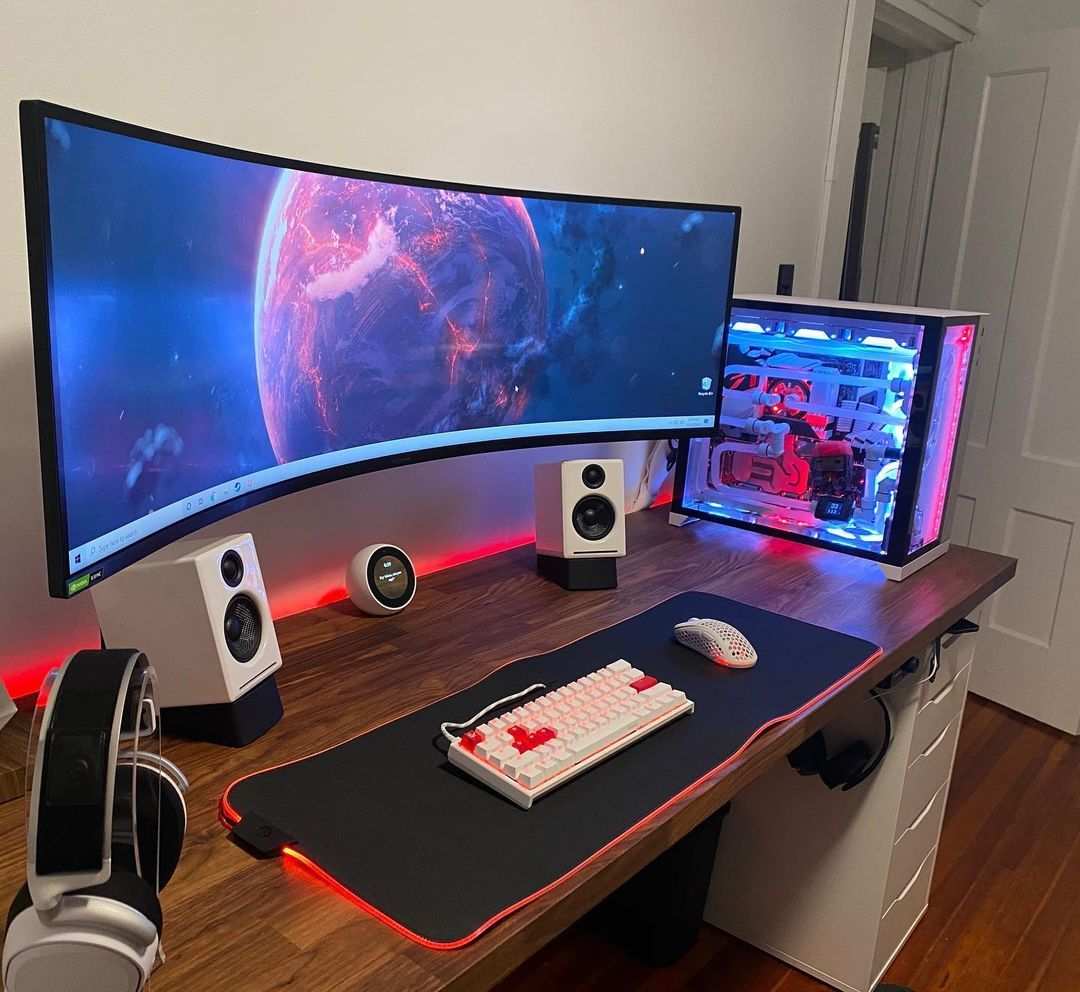
The Quick Answer: It Depends (But Mostly Yes for Pure Competitive Gaming)
Curved monitors are not inherently bad for competitive gaming. They introduce geometry distortion and limited high-refresh options. Most professional esports players use pure flat panels.
The right answer depends on what games you play and how you prioritize performance versus immersion.
")
Why This Question Actually Matters for Competitive Gamers
If you're grinding ranked in CS2 or Valorant, every pixel and millisecond matters. You're probably wondering whether that sleek curved monitor on display at the store will actually help your aim or quietly wreck it. It's a fair question, and the answer splits opinion even among experienced players.
The core issue comes down to a tradeoff. You're choosing between visual immersion and geometric accuracy. Curved screens wrap around your field of view, which feels incredible.
But they also bend straight lines, which creates real problems when precision matters most.
Let me be direct. As of 2025, under 5% of professional esports competitors use curved monitors at major tournaments like ESL Pro League or VCT. That stat alone tells you something.
But before you write off curved panels entirely, you need to understand where they work, where they don't, and what specific tradeoffs you're making. Not all curved monitors are the same either. A 27-inch 1000R VA panel behaves very differently from a 34-inch 1800R IPS ultrawide.
The curvature radius, panel type, screen size, and even your viewing distance all change the equation. We'll break down every variable so you can make the right call for your specific situation.
How Curved Panels Work and Why It Changes the Game
The Physics of Curvature (1000R, 1500R, 1800R Explained)
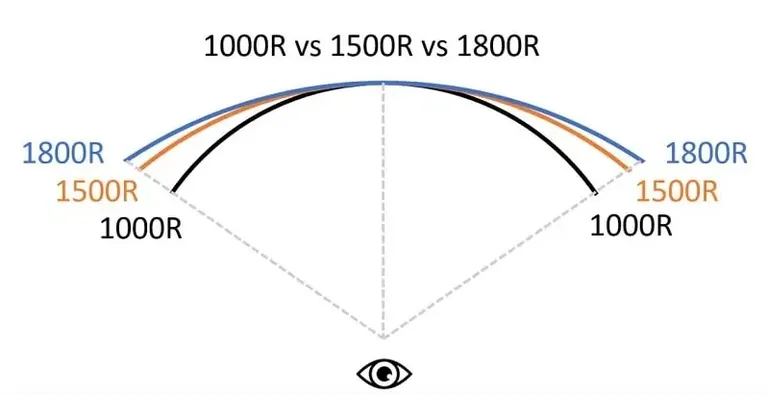
The "R" number you see in monitor specs stands for the radius of the circle that the curve would form if it continued all the way around. Lower numbers mean more aggressive curves. 1000R means the curve follows a circle with a 1-meter radius. 1500R is 1.5 meters. 1800R is 1.8 meters, which is much gentler. The intended idea is that your eyes sit at the center of that imaginary circle, so every point on the screen is roughly the same distance from your eyes.
This reduces the disparity between center and edge viewing distances. On a flat screen, the edges are farther away than the center, especially on larger displays. Your eyes constantly refocus as they scan across the display.
The practical effect? At the right distance with the right curve, your eyes do less work. The image feels more uniform.
Edges appear slightly closer and more natural. This is why 1000R became popular around 2020 and 2021. Monitor manufacturers like Samsung and MSI pushed it aggressively because it's the curve that matches typical desk viewing distances of roughly one meter.
But here's where competitive gamers need to pay attention. That same curve that reduces eye strain also bends every straight line in your game. A flat horizon becomes slightly arched.
A crosshair reticle can distort near the screen edges. UI elements and HUD positioning shift in subtle but measurable ways.
")
Where Curved Panels Come From: VA vs IPS vs OLED
Most curved gaming monitors use VA (Vertical Alignment) panels. VA panels offer high contrast ratios, typically 3000:1 or better, which makes blacks look deep and colors feel punchy. They're also cheaper to manufacture in curved form.
The downside? VA panels generally have slower pixel response times than IPS panels, especially in dark transitions. This can cause smearing or ghosting in fast-paced games, which is a serious problem for competitive play.
IPS (In-Plane Switching) curved monitors exist but are less common. They offer better viewing angles and typically faster response times. Colors remain consistent even near the edges.
The tradeoff is lower contrast (usually 1000:1) and a phenomenon called IPS glow, where corners of the screen appear slightly brighter in dark scenes. Samsung Display and LG Display both produce IPS curved panels, and improving response times on curved IPS has been a focus in recent years. OLED curved panels are entering the market too.
They combine the fast response times of OLED with the curve factor. Panels like those in the Alienware AW3225QF show what's possible. The contrast is essentially infinite, and response times are under 0.1ms.
The Real Problems Competitive Gamers Face with Curved Screens
Let's talk about the specific issues that matter when you're playing to win. These aren't theoretical concerns. They affect real gameplay in measurable ways.
Crosshair Distortion and Aim Accuracy
This is the big one. In games like CS2 and Valorant, your crosshair is fixed at screen center, so it won't appear curved. But everything around it will.
Enemy models near screen edges appear slightly warped. Your brain has to compensate for that distortion when you're flicking to targets or tracking movement. Most players adapt within a week or two and report that the effect becomes unnoticeable.
However, some players report persistent difficulty with peripheral target acquisition on curved screens. Competitive players often claim flat monitors feel more precise, even if they can't articulate exactly why. The lack of visual reference lines might be affecting their aim more than they realize.
Geometry Distortion in UI Elements
Strategy games and MOBAs rely heavily on precise UI interaction. Minimap position, ability cooldowns, and inventory management all depend on you clicking exact spots quickly. On a curved screen, those UI elements physically sit on a curved surface.
Your muscle memory for where things are can be slightly off. In the middle of a chaotic League of Legends teamfight, that half-second delay in hitting the right button matters. Players coming to competitive MOBAs from flat panels may experience a noticeable adjustment period.
This issue is less pronounced in games with minimal HUD elements, but it's real for anything interface-heavy.
The Refresh Rate and Response Time Gap
Here's a hard truth. As of 2025, the fastest curved gaming monitors top out at around 360Hz. Flat monitors have reached 500Hz from manufacturers like Zowie.
Both are using fast IPS panels, but the curved implementation hasn't reached parity. For casual or mid-tier competitive play, 240Hz or 360Hz is more than enough. But if you're pushing for every possible advantage and your hardware can push 500+ frames per second, flat gives you more headroom.
Curved VA panels with 1ms response time claims frequently measure 3-4ms gray-to-gray in independent testing. Some IPS-curved options perform closer to 2ms. Still, pure tournament-grade speed remains a flat-panel advantage right now.
Input Lag from Panel Processing
Curved monitors require additional manufacturing steps that in rare cases can add a trivial amount of processing to the signal. Most modern curved gaming monitors quote less than 5ms total input lag, which is acceptable for competitive play. If a spec sheet doesn't list a response time or the response time figure is vague, that's a red flag to watch for.
Where Curved Monitors Actually Shine
Before you think I'm fully on the flat-screen bandwagon, let me give curved monitors their due. In certain scenarios, they're genuinely the better choice.
Immersion and Peripheral Vision
If you play single-player games, RPGs, or atmospheric titles, curved monitors are fantastic. The curve fills more of your peripheral vision. Your brain engages with the image more naturally.
Horror games are scarier. Beautiful games are more breathtaking. Racing games benefit from the way the curve mimics your natural field of view through a windshield.
The same property that makes them slightly problematic for precise competitive aim also makes them more immersive for everything else. This isn't just marketing speak. Vision science research supports the idea that curved displays reduce perceived distortion at screen edges compared to flat panels of the same size.
Reduced Eye Strain During Long Sessions
This is the practical benefit that keeps curved monitors in the game for competitive players. Less eye strain means better focus over multi-hour sessions. Competitive grinds routinely stretch past the two-hour mark.
Players who experience eye fatigue on flat panels report noticeable improvement after switching to curved. Individual sensitivity varies. If you're someone who gets headaches or dry eyes during intense sessions, the curve genuinely helps.
Ultrawide Real Estate and Curve Synergy
Here's where things get nuanced. The curve on an ultrawide 21:9 or super-ultrawide 32:9 monitor isn't just a gimmick. It's functionally necessary at that width.
A flat 34-inch ultrawide puts the edges so far off-axis that colors and brightness shift noticeably. The curve brings those edges back into a reasonable viewing angle. This is why virtually all ultrawide gaming monitors are curved.
The question isn't really curved versus flat for ultrawides, it's whether the ultrawide format itself is right for competitive gaming. Many pros stick with 16:9 because it's what they've always used and tournament setups standardize on that format. But if you want ultrawide, curved is the only sensible way to go.
")
Side-by-Side: Curved vs Flat for Every Game Genre
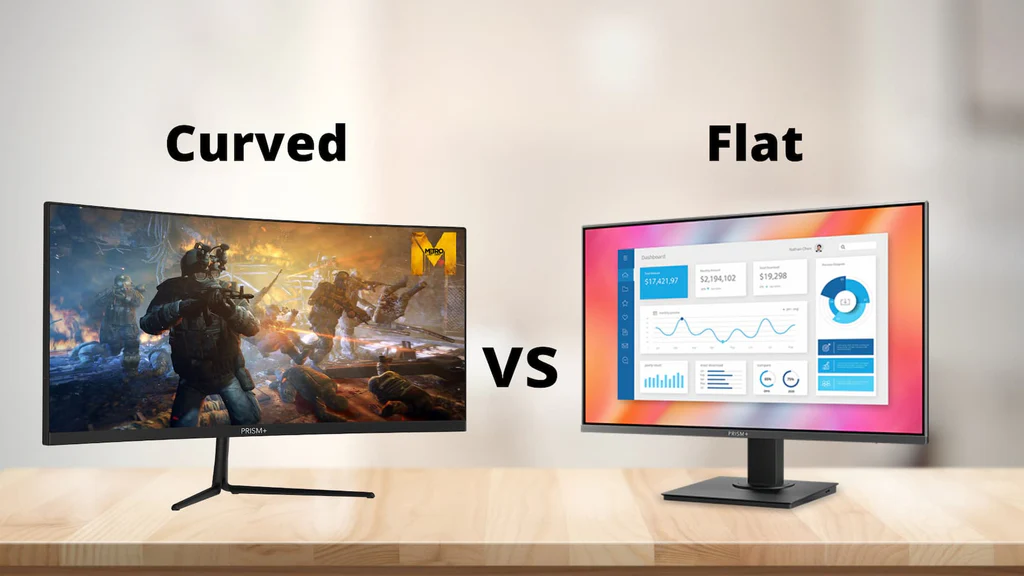
Different games stress different visual demands. What works for a racing sim can tank your CS2 performance. Let's break it down genre by genre.
Esports FPS (CS2, Valorant, Rainbow Six)
Verdict: Go flat. Every competitive FPS player I've talked to, researched, or watched at tournaments uses flat screens. The reasons stack up fast.
Crosshair consistency matters more than immersion when you're holding angles. Geometry distortion messes with your peripheral tracking. And the fastest panels (500Hz) are only available flat as of 2025.
If your primary game is a tactical shooter, a 24-inch or 27-inch flat IPS at 240Hz or higher is the proven choice. Players grinding ranked CS2 often gravitate toward Zowie and BenQ models specifically for input clarity, not just speed.
Battle Royale and Mid-Tier Competitive (Apex, Warzone)
Verdict: Either works for most players. Battle royale games blend long-range precision with close-quarters chaos. The immersion factor of a curved panel actually helps with situational awareness when you're scanning the horizon for enemies.
At 240Hz on a curved IPS panel, you're not giving up much speed either. Competitive players should stick with 16:9 of any type they prefer. Stretches tend to introduce stretching artifacts.
MOBA and Strategy Games (League, Dota, StarCraft)
Verdict: Flat preferred, curved acceptable. These games are UI-heavy and information-dense. You're reading minimaps, managing cooldowns, and clicking precise screen locations hundreds of times per match.
Geometry distortion can slow down your click accuracy during critical moments. The gentle immersion boost from a curve won't compensate for that micro-delay in high-pressure scenarios. If strategy games are your main focus, a flat 27-inch 1440p IPS hits the sweet spot between clarity and screen real estate.
Racing and Flight Simulators
Verdict: Curved is the clear winner here. These genres are literally designed for immersion. The curve mimics your natural field of view through a cockpit or windshield.
Peripheral vision engagement makes you more aware of cars beside you or aircraft approaching from the flank. Sim racers highly recommend curved monitors for immersion. The precision tradeoffs don't matter because you're not clicking pixel-perfect UI elements.
You're reading gauges in the center of the screen and using peripheral vision for spatial awareness.
| Game Genre | Recommended Panel | Ideal Refresh Rate | Size Sweet Spot | Curved OK? |
|---|---|---|---|---|
| Tactical FPS | Flat IPS | 360Hz+ | 24"-27" | No |
| Battle Royale | Either IPS | 240-360Hz | 27"-32" | Yes |
| MOBA | Flat IPS | 144-240Hz | 27" | If you prefer it |
| Racing Sim | Curved VA/IPS | 144-240Hz | 34"-49" ultrawide | Strongly preferred |
What Pro Players Actually Use (and Why)
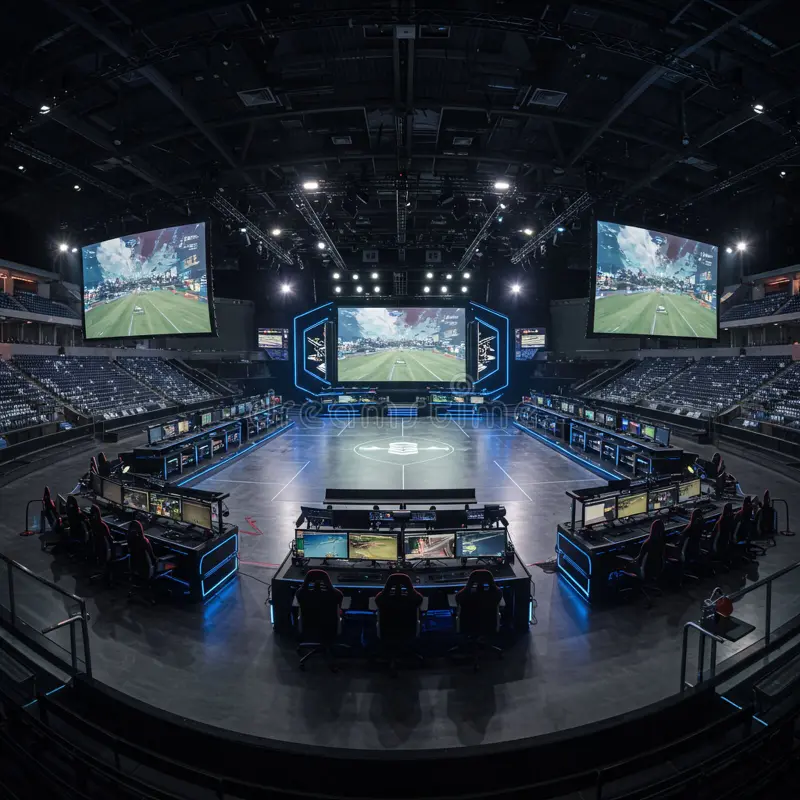
The professional esports community has already voted with their setups. And the results aren't close. At major tournaments for CS2, Valorant, and League of Legends, the overwhelming majority of players use flat monitors, typically 24-inch or 27-inch, with 240Hz or higher refresh rates.
Tournament organizers provide standardized equipment, and flat panels are the default choice for league-operated events.
")
Why? Consistency and predictability. Players practice at home on the same equipment they'll use at events.
They don't want to adjust to a different visual experience when the stakes are highest. Flat screens also eliminate variables. There's no curve radius to adapt to, no geometry distortion to compensate for, and no question about whether the monitor is giving you accurate visual information.
When you're playing for prize pools in the millions, you remove every possible variable.
Some pros do use curved monitors for streaming, content creation, or casual play at home. The immersion factor makes their streams more visually appealing and their off-hours more enjoyable. But when it's time to compete seriously, they switch to flat.
This pattern holds across multiple esports titles and regions. It's not a fluke or a legacy habit. It's a deliberate choice based on competitive reality.
The Decision Framework: Should You Go Curved or Flat?
Rather than giving you a one-size-fits-all answer, let's walk through the three questions that actually determine the right choice for you.
Your Game Genre
What you play matters more than any spec sheet. If your primary games are competitive FPS titles where you're grinding ranked and care about your SR, flat is the safer bet. If you play a mix of single-player and competitive games, or if your competitive games are MOBAs or battle royales, curved becomes much more viable.
Sim players should go curved without hesitation. The genre you spend 80% of your time in should drive this decision.
Your Screen Size and Viewing Distance
This is where the math gets practical. If you're using a 27-inch monitor at a typical desk distance of 2 to 3 feet, a 1000R or 1500R curve is noticeable but manageable. If you're sitting closer, the curve feels more aggressive and distortion increases.
If you're using 32 inches or larger, the curve becomes almost necessary to maintain consistent viewing angles across the display. For screens under 27 inches, the curve adds minimal benefit and maximum distortion. Smaller screens don't need the curve to achieve uniform viewing distances.
Your Priority: Performance vs Immersion
Be honest with yourself. Are you trying to climb to Radiant or Immortal? Or are you trying to enjoy the game and look good doing it while you play casually?
Both are valid. But they lead to different choices. Pure competitive performance favors flat.
A mix of competitive play and enjoyment favors curved, especially at 27 inches or larger with an IPS panel. If you're streaming or creating content, the visual appeal of a curved setup also looks better on camera.
Common Mistakes People Make When Buying for Competitive Gaming
The most common mistake is buying based on looks and marketing rather than specs and use case. Curved monitors photograph well and look impressive on store shelves. That doesn't mean they're right for your specific needs.
Another mistake is assuming all curved monitors are the same. A 27-inch 1000R VA panel at 165Hz is a completely different experience from a 34-inch 1500R IPS at 240Hz. The panel type, curvature, size, and refresh rate all interact.
You need to evaluate the whole package, not just the curve.
People also overlook desk depth. If your desk is shallow and you're sitting 18 inches from the screen, an aggressive 1000R curve will feel overwhelming. The distortion will be more pronounced and eye strain could actually increase.
You need at least 24 to 30 inches of clearance for a 1000R curve to feel natural. Ignoring adaptive sync compatibility is another pitfall. Not all curved monitors play nicely with G-Sync or FreeSync at their rated refresh rates.
Check manufacturer compatibility lists before you buy.
Finally, don't ignore the stand and ergonomics. Many curved monitors have fixed-height stands that don't adjust well. You might need a monitor arm to get the right positioning.
Factor that into your budget. A $400 curved monitor with a bad stand plus a $50 monitor arm is a $450 investment. Make sure the total package works for your setup.
Final Verdict: Who Should Buy Curved and Who Should Stay Flat
Here's the bottom line. If you're a competitive FPS player who cares about ranked performance, stay flat. The speed advantage, geometric accuracy, and tournament-standard setup make flat panels the clear choice.
If you play a variety of genres, value immersion alongside competition, and use a 27-inch or larger display, a curved IPS monitor at 240Hz is a solid option. Sim players and ultrawide users should go curved without question.
The curved monitor market has improved significantly. Panel response times are faster, refresh rates are higher, and the best curved IPS panels now perform close to their flat counterparts. The gap is narrowing.
But as of 2025, flat still holds the edge for pure competitive gaming. Choose based on what you actually play, not what looks coolest on your desk. Your rank will thank you.
Frequently Asked Questions
Does a curved monitor affect aim in FPS games?
Yes, it can. The curve introduces subtle geometry distortion near screen edges. Your peripheral vision processes warped images, which may impact target tracking.
Most players adapt within one to two weeks. Competitive players often prefer flat for maximum precision.
What curvature radius is best for gaming?
1000R matches typical desk viewing distances around one meter. It offers the most immersive wrap-around feel. 1500R is a gentler curve that reduces distortion while still providing benefit. 1800R is subtle, almost flat, and works well if you want minimal distortion with slight ergonomic improvement.
Do any pro esports players use curved monitors?
Very few. Under 5% of professionals at major tournaments use curved panels. Most switch to flat for competition even if they use curved at home for streaming or casual play.
The consistency and accuracy of flat screens remain the competitive standard.
Is a curved ultrawide worth it for gaming?
For immersion-focused games, absolutely. The curve is functionally necessary on ultrawide panels to maintain consistent edge viewing angles. For competitive FPS, most players stick with 16:9.
Tournament setups standardize on that format, and familiarity matters at the highest level.
Are curved monitors worse for your eyes?
No. Curved monitors typically reduce eye strain. The consistent viewing distance means your eyes refocus less when scanning across the screen.
This benefit is most noticeable during sessions lasting over two hours. Individual sensitivity varies, but most users report less fatigue on curved displays.
Can you use a curved monitor for competitive gaming at a tournament?
Most tournaments provide their own standardized equipment, typically flat monitors. If you're competing, you'll almost certainly use what's provided. Practicing on a curved monitor at home then switching to flat at events creates an inconsistent experience.
Serious competitors often practice on flat to match tournament conditions.

Similar Posts





















