Is 240Hz Curved Monitor Good for Gaming
You're asking whether a 240Hz curved monitor is good for gaming, and the honest answer is: it depends entirely on what kind of games you play. The combination of high refresh rate and screen curvature can be fantastic for some gamers and completely wrong for others.
A 240Hz refresh rate means the screen redraws 240 times per second, delivering frame times of just 4.17ms. That's incredibly smooth. But the curved panel adds a layer of complexity that flat screens don't have, especially when you're trying to judge straight lines in competitive shooters.
Let's break down exactly when this setup shines and when it doesn't.
Quick Answer
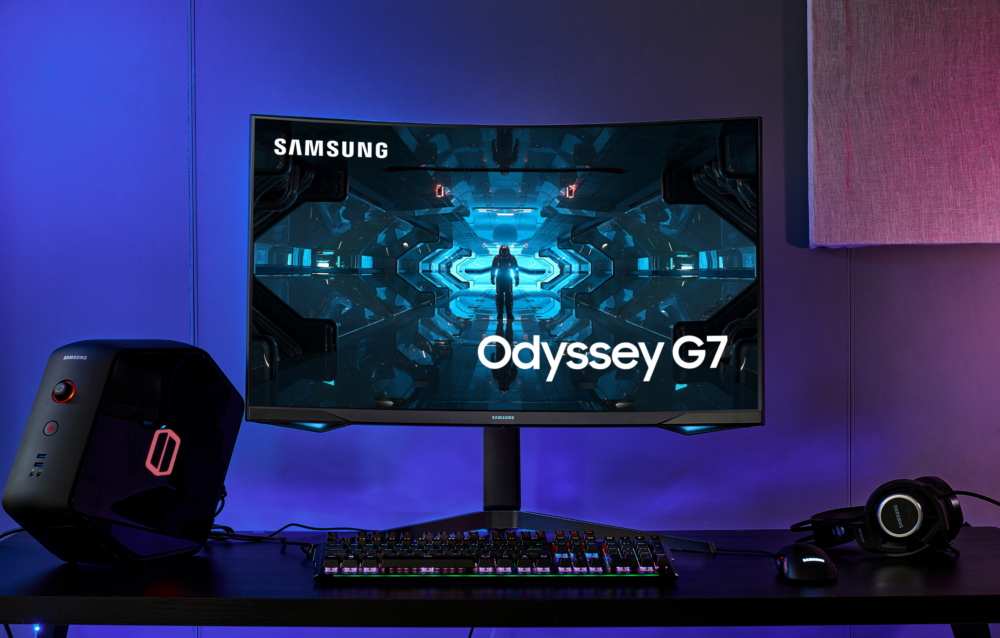
A 240Hz curved monitor is excellent for immersive gaming. It works well for single-player and sim racing titles. Competitive FPS players often prefer flat screens instead.
VA panel ghosting can undermine the high refresh rate. Match the monitor to your primary game genre.
Why This Comparison Actually Matters
Most reviews treat refresh rate and curvature as separate specs. They're not. The panel type behind the curve, usually VA or IPS, determines whether you actually benefit from that 240Hz or just pay for it.
A flat 240Hz IPS panel and a curved 240Hz VA panel look similar on paper. In practice, they perform very differently in dark scenes, fast motion, and competitive scenarios. Understanding this distinction saves you from an expensive mistake.
How 240Hz Curved Monitors Work
Refresh Rate vs. Curvature: Two Different Features
Refresh rate controls how many frames the display shows per second. Curvature controls how the screen wraps around your field of vision. They solve completely different problems.
A 240Hz panel reduces motion blur and input lag. You see enemy movement sooner. Your aim feels more responsive.
But the curve doesn't improve any of that. It only changes how the image feels spatially.
Think of it this way: refresh rate is about time, curvature is about space. You need high refresh for competitive speed. You want curvature for immersion.
They complement each other but neither replaces the other.
Panel Types Behind the Curve (VA vs. IPS)
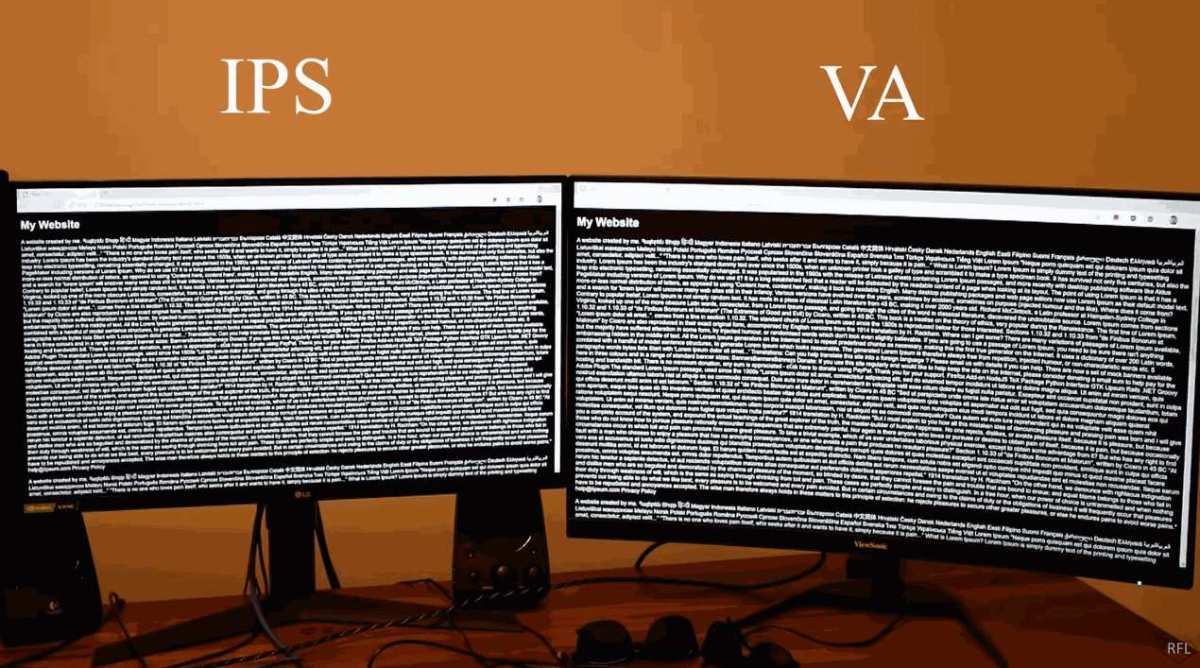
Most curved gaming monitors use VA panels because they offer higher contrast ratios, typically 3000:1 compared to IPS at 1000:1. That deeper contrast looks stunning in dark game environments. The tradeoff is slower pixel transitions, which causes black smearing during fast movement.
Curved IPS panels exist but cost more and are less common. They deliver faster response times and better viewing angles. You sacrifice some contrast and pay a premium.
| Panel Type | Contrast Ratio | Response Time | Black Smearing | Price Range |
|---|---|---|---|---|
| Curved VA | 3000:1 to 5000:1 | 4ms to 8ms | Noticeable | $200 to $450 |
| Curved IPS | 1000:1 | 1ms to 3ms | Minimal | $350 to $700 |
| Flat IPS (reference) | 1000:1 | 1ms | Minimal | $200 to $500 |
Manufacturer specifications indicate that VA panels dominate the curved 240Hz market as of 2026. If you're buying curved at this refresh rate, you're almost certainly getting VA technology. Plan accordingly.
Side-by-Side: 240Hz Curved vs. Flat vs. Alternatives
This is where the real decision happens. Let's compare the most common configurations you're likely considering.
240Hz Curved vs. 240Hz Flat
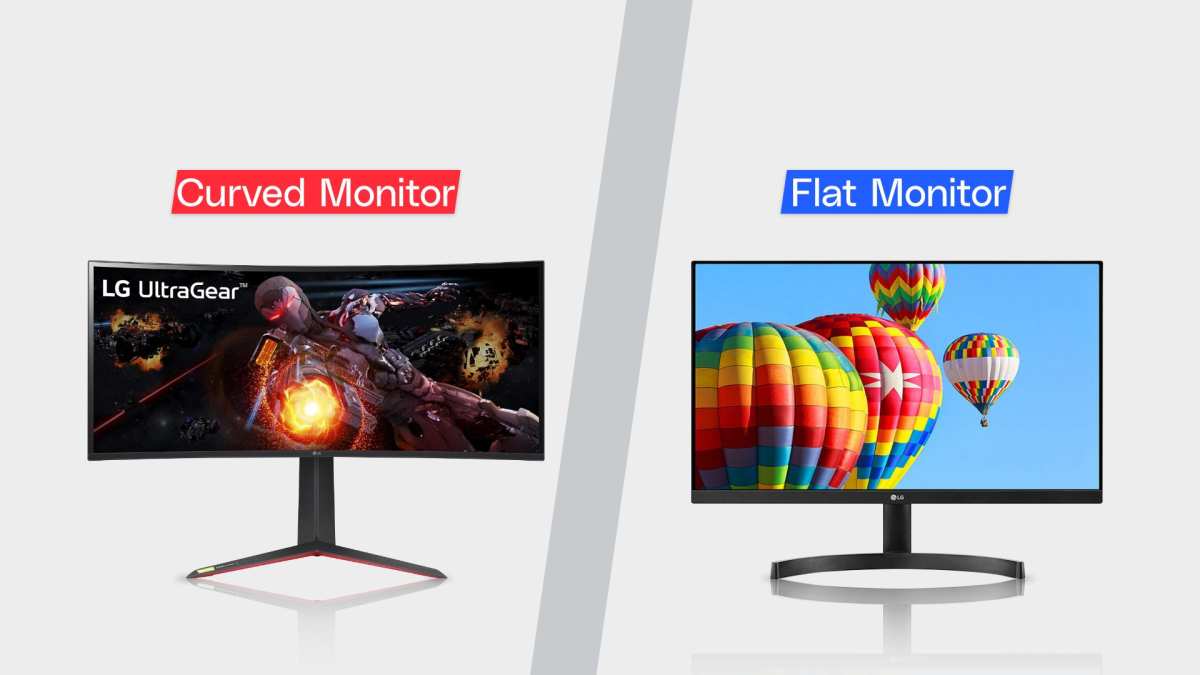
Same refresh rate, different experience. The curved version pulls you into the game world more effectively. Peripheral vision feels filled without turning your head.
But straight lines near screen edges appear slightly bent, which distorts crosshair placement in shooters.
Flat screens keep geometry accurate across the entire display. Competitive players prefer this consistency. You lose some immersion but gain precision.
Choose curved if: you play atmospheric games, sims, or RPGs.
Choose flat if: you play competitive FPS titles seriously.
240Hz Curved vs. 144Hz Curved
The jump from 144Hz to 240Hz is real but smaller than 60Hz to 144Hz. You'll notice smoother motion in fast scenes. The difference matters most if your GPU can actually push 240 FPS consistently.
If your system averages 150 to 180 FPS in your favorite games, a 144Hz panel serves you fine. You need a strong GPU, something like an RTX 4070 or RX 7800 XT and above, to justify 240Hz at 1440p.
240Hz Curved vs. 360Hz Flat (Competitive)
For ranked Valorant or CS2 play, 360Hz flat beats 240Hz curved every time. The higher refresh reduces input lag further. The flat panel keeps crosshair geometry true.
Competitive FPS players prioritize performance over immersion.
A 360Hz flat monitor is the better tournament choice. A 240Hz curved monitor is the better "I want to enjoy my games" choice.
240Hz Curved vs. Ultrawide 144Hz
An ultrawide at 3440×1440 and 144Hz offers more horizontal screen space. You see more of the game world without needing a multi-monitor setup. The tradeoff is lower refresh rate and some competitive titles don't support 21:9 aspect ratio properly.
This comparison comes down to width versus speed. Ultrawide wins for immersion and productivity. 240Hz curved wins for fast motion clarity.
Best Fit by Use Case
Not every gamer needs the same thing. Here's how 240Hz curved monitors perform across different gaming styles.
Competitive FPS Gamers
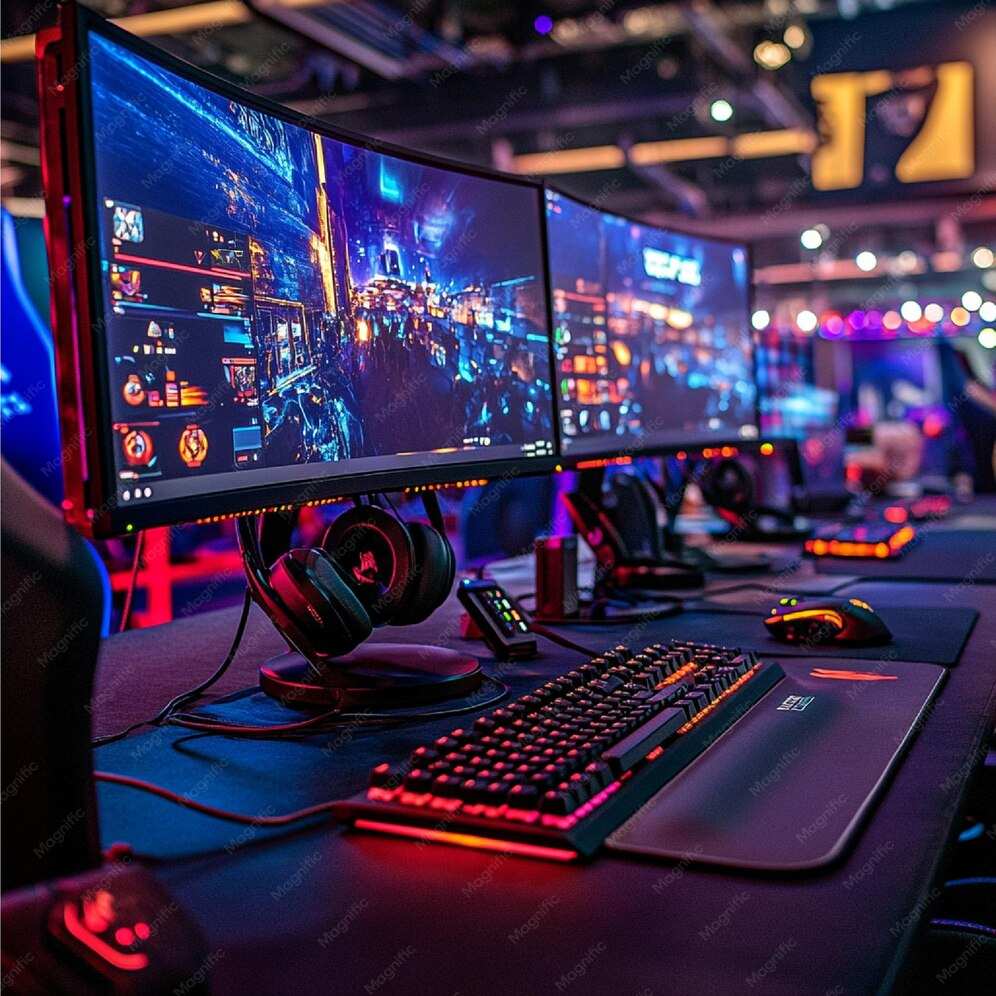
If you grind ranked lobbies in Valorant, CS2, or Apex Legends, a flat 240Hz or 360Hz IPS monitor serves you better. The curve introduces slight geometric distortion that affects muscle memory. VA panel ghosting on curved models adds motion blur that undermines the high refresh rate.
Competitive players should prioritize response time and flat geometry over curvature. Save the curve for your next monitor when you want something for casual play.
Immersive Single-Player Gamers
This is where 240Hz curved monitors shine brightest. Games like Cyberpunk 2077, Baldur's Gate 3, and Elden Ring benefit enormously from the wraparound feel. The curve makes you feel present in the game world.
The high refresh rate keeps motion smooth during fast action sequences. Combined with VA panel contrast, dark scenes look deep and atmospheric. This is the ideal use case for this monitor type.
Sim Racing and Flight Sims
Curved monitors approximate the wraparound feel of triple-screen setups. A 1000R or 1500R curve at 240Hz delivers smooth visuals during high-speed racing. The immersion factor is significant.
Flight sim players also benefit from the peripheral fill. Check that your sim supports the monitor's native resolution without stretching or UI issues.
Casual and Mixed-Use Gamers
If you game a few hours a week and also browse, watch videos, or do light work, a 240Hz curved monitor is a solid all-rounder. You get the gaming benefits without needing a dedicated competitive display.
Just be aware that the curve makes text documents and spreadsheets look slightly bent at edges. If productivity matters, consider a flat high-refresh alternative or a gentle 1800R curve.
Common Mistakes When Buying a 240Hz Curved Monitor
People get burned by this purchase more often than you'd think. Here are the mistakes we see repeated across buyer reviews and forum threads.
Assuming 240Hz Is Always Better Than 144Hz
The jump from 144Hz to 240Hz is subtle. If your GPU can't push 240 FPS in your target games, you're paying for headroom you'll never use. A 144Hz curved monitor often delivers 90% of the experience at 65% of the cost.
Check your average FPS in the games you actually play. If it hovers between 100 and 160, save your money.
Ignoring VA Panel Black Smearing
This is the single biggest complaint in curved 240Hz monitors. VA panels have slow dark pixel transitions. Fast movement in dark scenes produces visible trails behind objects.
It's called black smearing, and it directly undermines the clarity that 240Hz promises.
Aggregate reviews indicate this affects most curved VA panels at 240Hz. Some models handle it better than others, but it's a fundamental limitation of the technology. Look for monitors with specific overdrive settings that minimize this issue.
Choosing the Wrong Curvature Radius
Curvature is measured in "R" where lower numbers mean tighter curves. A 1000R curve bends sharply. A 1800R curve is gentle.
Your viewing distance matters. A 27-inch 1000R monitor works at arm's length, about 2.5 to 3 feet. A 32-inch 1000R screen forces you closer than feels comfortable.
Match the curvature to your desk setup and sitting position.
Forgetting to Check Your GPU Output
Running 240Hz at 1440p requires DisplayPort 1.4 or HDMI 2.1 on your graphics card. Older GPUs may not support these standards at full bandwidth. You'd be stuck at 120Hz or lower without the right cable and port.
Check your GPU specs before buying. Make sure you have the correct DisplayPort version and a certified cable. This is an easy step to skip.
What You'll Actually Pay
Pricing for 240Hz curved monitors has dropped significantly. You no longer need to spend a fortune for this spec combo. Here's what to expect as of 2026.
| Category | Resolution | Panel Type | Typical Price | Example Sizes |
|---|---|---|---|---|
| Budget 240Hz curved | 1080p | VA | $180 to $250 | 24", 27" |
| Mid-range 240Hz curved | 1440p | VA | $250 to $400 | 27", 32" |
| Premium 240Hz curved | 1440p IPS | IPS | $400 to $600 | 27" |
| High-end 240Hz curved | 4K | VA | $500 to $800 | 32" |
The sweet spot sits in the 27-inch 1440p VA curved range at around $300 to $350. You get good pixel density, reasonable contrast, and the curve adds genuine immersion. Going 4K at 240Hz requires a very powerful GPU and a bigger budget.
Expert Tips Before You Buy
Small details make a big difference in daily use. Keep these in mind.
Match Overdrive Setting to Your Refres
Most 240Hz curved monitors have adjustable overdrive in the on-screen display menu. Too little overdrive leaves ghosting. Too much creates inverse overshoot, where pixels temporarily overshoot their target color.
Start at the medium overdrive setting. Test with a motion blur test pattern. Adjust up or down based on what you see.
Sit at the Right Distance
The manufacturer's recommended viewing distance for a 27-inch 1000R monitor is roughly 2.5 to 3 feet. Sitting too close exaggerates the curve distortion. Sitting too far negates the immersion benefit.
Measure your current desk distance before choosing your curvature. If you sit 3.5 feet from a 27-inch screen, consider 1500R instead of 1000R.
Enable Adaptive Sync Even at 240Hz
G-Sync and FreeSync work at 240Hz. They eliminate screen tearing without adding noticeable input lag. There's no reason to run with adaptive sync disabled unless a specific competitive scenario demands fixed refresh.
Turn it on in both your monitor's OSD and your GPU control panel. Verify it's working with the pendulum demo or similar test tool.
Check Return Policy for Panel Uniformity
VA curved panels can exhibit uneven backlight or color shift, often called the dirty screen effect. This varies unit to unit. Some panels look great, others show noticeable splotching in solid colors.
Buy from a retailer with a good return or exchange policy. Inspect your panel immediately upon arrival with gray and solid color test images.
Final Verdict: Who Should Get One
After everything we've covered, here's the bottom line.
A 240Hz curved monitor is excellent for gamers who prioritize immersion and smooth motion in atmospheric or fast-paced games. Single-player RPGs, sim racing, and action titles benefit hugely from this combination. The VA contrast makes dark scenes pop, and the curve wraps you in the game world.
Competitive FPS players should look elsewhere. The geometric distortion from the curve and VA panel ghosting work against the precision that ranked play demands. A flat IPS panel at 240Hz or 360Hz serves competitive needs far better.
If your gaming is mixed, with both competitive and immersive titles, consider owning two monitors or choosing a flat high-refresh panel as your primary display. The curve is a luxury feature, not a competitive one.
For the right gamer, a 240Hz curved monitor is a fantastic purchase. Just make sure you're that gamer before you buy.
Frequently Asked Questions
Is a 240Hz curved monitor good for Valorant?
Not ideal. Valorant players prefer flat IPS panels for accurate crosshair placement. VA panel ghosting on curved monitors can obscure fast enemy movement.
Competitive Valorant benefits more from a flat 240Hz or 360Hz display.
Does the curve affect aiming in FPS games?
Yes, slightly. Straight lines near screen edges appear curved, which can disrupt muscle memory over time. Competitive players notice this.
Casual players rarely mind the difference.
Can you use a curved monitor for regular work?
You can, but the curve makes text documents and spreadsheets appear slightly bent at the edges. A gentle 1800R curve is less noticeable for productivity. Flat screens handle mixed use better.
Is 240Hz noticeable over 144Hz?
Yes, but less dramatic than 60Hz to 144Hz. The improvement appears in reduced smoother motion and slightly lower input lag. Players who average above 144 FPS benefit most from the upgrade.
What GPU do you need for 240Hz gaming?
At 1080p, an RTX 4060 or RX 7600 handles 240 FPS in most titles. At 1440p, you'll want an RTX 4070 or RX 7800 XT. At 4K, an RTX 4080 or above is recommended for consistent 240 FPS.
Do curved monitors have more input lag than flat ones?
Curvature itself doesn't add input lag. The panel technology behind the curve determines response time. VA curved panels typically have slightly more processing delay than flat IPS panels.
The difference is usually less than 2ms.

Similar Posts





















