What Is Difference Between Curved and Flat Gaming Monitor
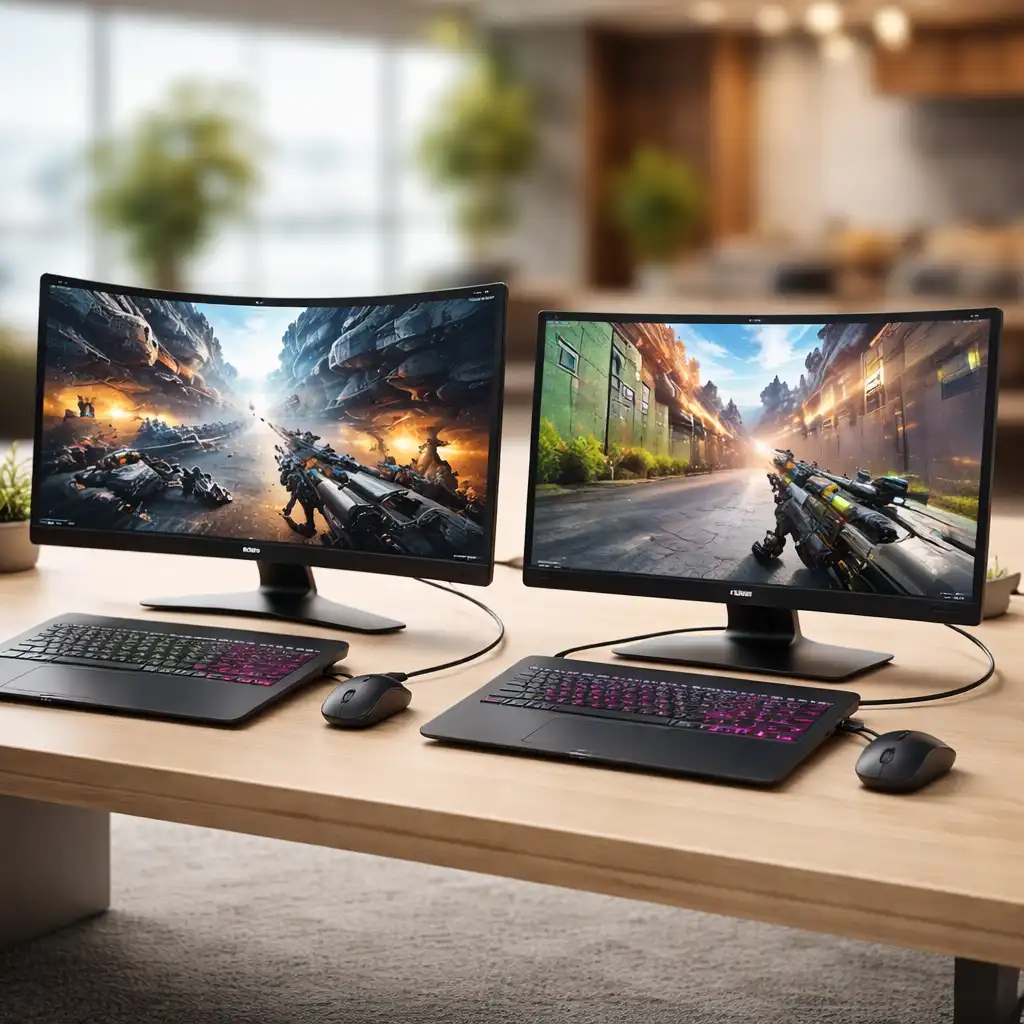
So you're trying to figure out what is difference between curved and flat gaming monitor, and honestly, the answer isn't as straightforward as the spec sheets make it sound. The real difference comes down to how each design handles immersion, viewing comfort, and image accuracy, and which one wins depends entirely on what you play and how you sit at your desk.
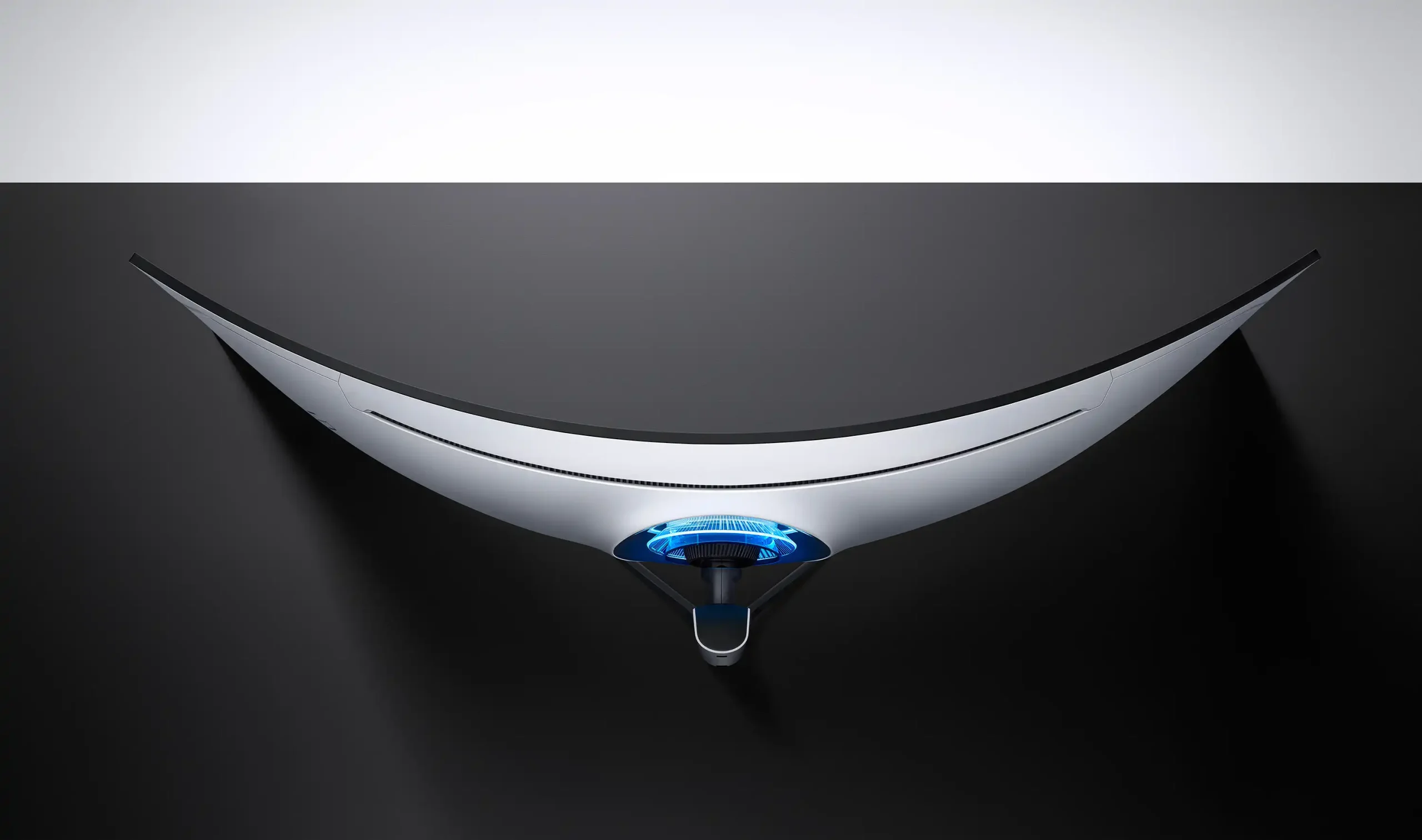
Curved monitors use a concave panel to wrap the image slightly around your field of view, while flat monitors keep everything on one plane. Per VESA standards and manufacturer specifications as of 2026, curvature is measured in "R" (radius in millimeters), with lower numbers meaning a more aggressive curve. Let's break down what actually matters so you don't waste money on the wrong panel.
The Quick Answer: Which One Should You Pick
Curved monitors wrap the image around you for deeper immersion. Flat monitors keep lines straight and colors accurate. Pick curved for single-player, racing, and simulation games.
Pick flat for competitive FPS, creative work, and multi-monitor setups. Your gaming habits should drive the decision, not marketing.
How Curvature Actually Works (It's Not Marketing Fluff)
What those "R" numbers really mean
The "R" rating tells you the radius of the circle that the monitor would form if it were a complete loop, measured in millimeters. A 1000R monitor curves more aggressively than a 1800R one because the radius is smaller. Think of it like this: tighter circle, more wrap-around effect.
Here's how the common curvature ratings break down in practice:
| Curvature | What It Feels Like | Best Screen Size | Sweet Spot Distance |
|---|---|---|---|
| 1000R | Very aggressive wrap, almost surrounding you | 32"–49" | 3–4 feet |
| 1500R | Noticeable curve, good immersion | 27"–40" | 3–5 feet |
| 1800R | Gentle curve, subtle immersion boost | 27"–34" | 3–5 feet |
| 3000R+ | Barely perceptible curve | Any | 4+ feet |
Manufacturer specs from Samsung Display and LG Display confirm that 1000R is designed to match the natural curvature of the human eye. That sounds impressive, but it only works if you're sitting at the right distance. Sit too far back and the curve does almost nothing.
Sit too close and you might notice distortion on the edges.
Why your desk depth changes everything
This is the part most buying guides skip, and it matters more than the curvature rating itself. If your desk is shallow, say 24 inches or less, a large curved monitor forces you to sit closer, which means the curve actually does its job. Your eyes hit the center and edges at more equal distances, so the image feels more natural and your eyes don't have to work as hard to refocus across the screen.
But if you've got a deep desk, 30 inches or more, and you sit 4 or 5 feet back from a 32-inch curved panel, you might barely notice the curve at all. You're paying a premium for a feature that's doing almost nothing. In that scenario, a flat monitor often makes more sense, especially if you're using it for anything besides gaming.
Aggregate reviews and user feedback consistently show that the immersion benefit of a curved monitor is most noticeable at screen sizes of 32 inches and above, or on ultrawide panels (21:9 or 32:9 aspect ratios). On a standard 27-inch 16:9 monitor, the curve is there, but it's subtle. You'll feel it more than see it.
Side-by-Side Breakdown: Curved vs Flat
Immersion and field of view
This is where curved monitors earn their keep. The concave shape pulls the edges of the image slightly toward you, which fills more of your peripheral vision. In open-world games, racing titles, and flight simulators, that extra sense of wrap-around makes you feel like you're inside the scene rather than looking at a window.
Flat monitors don't offer that effect. The image sits on a single plane, so your eyes see the edges as being farther away than the center. That's perfectly fine for most use cases, but it doesn't create the same "you are there" feeling.
If immersion is your top priority, especially in single-player games, curved wins this category.
Color accuracy and viewing angles
Here's where flat monitors, particularly those with IPS panels, tend to pull ahead. Curved VA panels, which are the most common panel type used in curved gaming monitors, can exhibit color shift when viewed off-center. On a curved screen, your eyes are technically viewing the edges at an angle, and VA panels don't handle that as gracefully as IPS technology does.
Flat IPS monitors typically deliver more consistent color across the entire screen, with better viewing angles and lower delta E values (a measure of color accuracy where lower is better). If you're doing any photo editing, video work, or color-critical tasks alongside your gaming, a flat IPS panel is the safer bet. Manufacturer specifications from LG Display confirm that their IPS panels maintain color accuracy at wider viewing angles compared to VA alternatives.
That said, curved IPS monitors do exist, and they close this gap significantly. They just cost more. If you want the best of both worlds, curved IPS is the way to go, but expect to pay a 15 to 30 percent premium over a comparable curved VA panel.
Competitive gaming performance
For competitive FPS games like CS2, Valorant, and Apex Legends, flat monitors are generally preferred by esports players and professionals. There are a few reasons. First, flat screens don't introduce any geometric distortion, so straight lines in the game world actually look straight on your screen.
On a curved monitor, horizontal lines can appear to bow slightly, which some players find distracting.
Second, the highest refresh rates, 360Hz and even 500Hz as of 2026, are more commonly available on flat panels. Response times also tend to be faster on flat IPS panels compared to curved VA panels, which can exhibit more ghosting in fast-moving scenes. If every millisecond counts, flat is the competitive standard.
Third, curved monitors have a sweet spot. You need to be sitting in the right position to get the intended visual experience. In a competitive setting where you might shift in your chair or lean in during clutch moments, that consistency matters.
Flat monitors don't care where you're sitting.
Eye strain and long sessions
Curved monitors have a legitimate advantage here, and it's backed by basic optics. Because the curve brings the edges of the screen closer to your eyes in terms of focal distance, your eyes don't have to refocus as much when you look from the center to the edges. Over a long gaming session, that reduced eye movement can translate to less fatigue.
A flat monitor forces your eyes to adjust focus as your gaze moves across the screen, since the edges are physically farther away than the center. It's a small difference per glance, but over hours it adds up. User reports and ergonomic research suggest that curved monitors can be more comfortable for extended use, particularly on larger screens where the distance variation is more pronounced.
That said, this benefit is most noticeable on screens 32 inches and above. On a 27-inch monitor, the difference in focal distance between center and edge is minimal, so the eye strain advantage of curved over flat is pretty small.
Multi-monitor and productivity use
Flat wins this one easily. Trying to line up curved monitors side by side creates visible gaps and awkward bezel alignment because the panels don't sit flush against each other. If you're running a dual or triple monitor setup for productivity, streaming, or multitasking, flat panels are far easier to arrange.
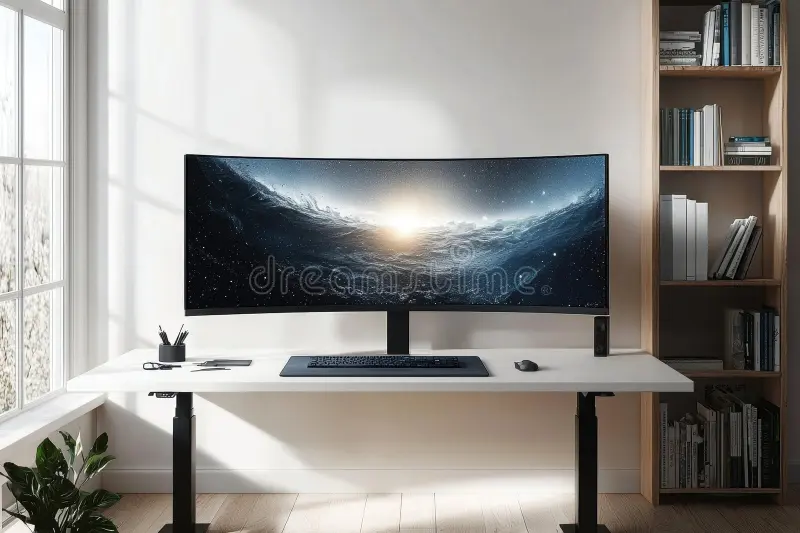
Curved ultrawide monitors can replace a dual-monitor setup, though. A 34-inch 21:9 curved ultrawide or a 49-inch 32:9 super-ultrawide gives you the screen real estate of two monitors without the bezels in the middle. That's a popular choice for streamers and professionals who want a clean desk setup.
But if you're adding a second or third monitor to an existing flat display, stick with flat across the board.
Price and value
Curved monitors typically cost 10 to 30 percent more than flat monitors with similar specs. The price gap is wider at larger screen sizes and for curved IPS panels. If you're on a tight budget and just want solid gaming performance, a flat monitor gives you more for your money.
Here's a rough pricing comparison based on current market data:
| Spec | Flat Monitor (Typical) | Curved Monitor (Typical) |
|---|---|---|
| 27" 1440p 165Hz IPS | $250–$350 | $300–$400 |
| 32" 4K 144Hz | $400–$550 | $500–$700 |
| 34" Ultrawide 1440p 165Hz | N/A (rare flat ultrawide) | $400–$600 |
| 49" Super Ultrawide 5120×1440 | N/A | $900–$1,500 |
The value proposition of curved improves when you factor in the immersion benefit for the right use case. But if you're purely spec-hunting, flat gives you more raw performance per dollar.
Best Pick for How You Actually Game
Competitive FPS and fast-paced players
If you're grinding ranked in Valorant, CS2, or Apex, go flat. You want the fastest response time, the highest refresh rate, and zero geometric distortion. A 24-inch or 27-inch flat IPS panel with 240Hz or higher refresh rate is the competitive standard for a reason.
Curved monitors can work here, but you're paying extra for an immersion feature that doesn't help you win gunfights.
Single-player, RPG, and immersion fans
If you're exploring open worlds in Elden Ring, getting lost in Baldur's Gate 3, or playing story-driven games where atmosphere matters, a curved monitor makes a real difference. The wrap-around effect pulls you into the game in a way a flat screen just can't match. A 32-inch or 34-inch curved VA or IPS panel with 1440p resolution is the sweet spot here.
Simulation and racing enthusiasts
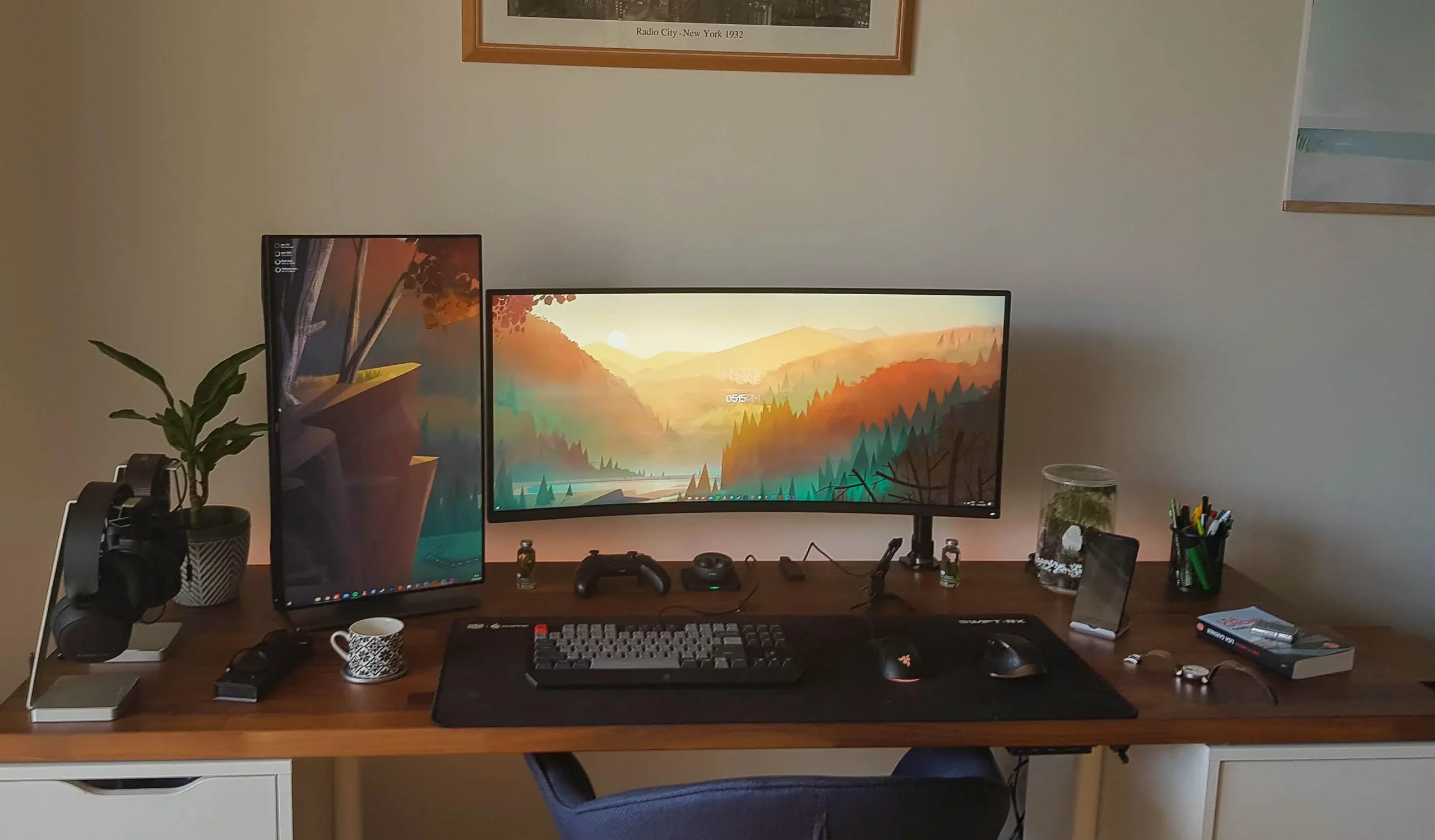
This is curved territory, full stop. Flight sims, space sims, and racing games benefit enormously from the peripheral vision boost that a curved panel provides. If you're running a 32:9 super-ultrawide like the Samsung Odyssey Neo G9, the curve isn't just a nice-to-have, it's practically required to make the extreme width usable without turning your head constantly.
Content creators who also game
If you're editing photos or video on the same monitor you game on, flat IPS is your best friend. Color accuracy matters for creative work, and flat IPS panels deliver it more consistently than curved VA alternatives. You can always game on a flat IPS panel, but you can't reliably do color-critical work on a curved VA one.
Budget-conscious buyers
Flat monitors give you the best specs per dollar, especially in the 27-inch 1440p category. If you're trying to hit a specific refresh rate or resolution target without overspending, flat is almost always the more economical choice. Put the money you save toward a better GPU or a quality monitor arm instead.
Common Mistakes People Make When Choosing
Buying a curved monitor for a shallow desk and sitting 5 feet back. The curve does almost nothing at that distance, and you've paid extra for nothing. Measure your viewing distance before you buy.
Picking a curved VA panel for color-critical work. VA panels can shift colors at the edges on a curved screen. If you edit photos or video, go flat IPS or curved IPS instead.
Assuming bigger curve is always better. A 1000R curve on a 49-inch monitor is intense. If you're not sitting close enough, it can actually feel disorienting.
Match the curvature to your screen size and viewing distance.
Ignoring the sweet spot problem. Curved monitors look best from one specific position. If you've got a couch setup or a standing desk where you move around a lot, a flat monitor is more forgiving.
Forgetting about mounting. Curved monitors are harder to VESA mount because the curve pushes the mount point away from the wall. Check your mount's compatibility and depth clearance before committing.
Overlooking refresh rate availability. If you want 240Hz or higher, your options narrow significantly on curved panels. The highest refresh rates are still more common on flat monitors as of 2026.
Pro Tips Before You Buy
Measure your desk depth and typical viewing distance. If you sit closer than 3 feet from a 32-inch or larger monitor, curved will feel noticeably better. If you sit 4 or 5 feet back, the curve benefit drops off fast.
Check the panel type, not just the curve. A curved IPS monitor gives you better color accuracy than a curved VA, but it costs more. Know what you're paying for.
Consider your primary game genre honestly. If 80 percent of your gaming time is competitive shooters, don't let a flashy curved display distract you from what actually helps your performance.
Look at the specific curvature rating. 1500R is a good middle ground for most desk setups. 1000R is aggressive and works best on large screens at close range. 1800R is subtle and a safe choice if you're unsure.
Read user reviews that mention your specific use case. A curved monitor that's amazing for racing sims might frustrate someone who plays MMOs and needs to read small UI text at the edges.
Don't ignore the stand. Curved monitors are heavier and bulkier. Make sure your desk can handle the weight and that the stand offers the adjustment you need, or budget for a VESA mount.
Frequently Asked Questions
Is a curved monitor better for gaming?
It depends on what you play. Curved monitors are better for immersion-heavy games like RPGs, racing sims, and open-world titles. Flat monitors are better for competitive FPS and any scenario where color accuracy or response time matters more than immersion.
Does a curved monitor affect aim in FPS games?
It can. The slight geometric distortion from the curve can make straight lines appear to bow, which some players find distracting. Most competitive players prefer flat monitors for this reason, along with the higher refresh rates available on flat panels.
What does 1000R curvature mean?
1000R means the monitor forms part of a circle with a 1-meter radius. It's the most aggressive common curvature rating and is designed to match the natural curve of the human eye. It works best at close viewing distances on large screens.
Can you use a curved monitor for work and productivity?
You can, but flat monitors are generally better for productivity. Curved panels can distort straight lines, which is annoying for spreadsheets, coding, and design work. If you need one monitor for both work and gaming, a flat IPS panel is the more versatile choice.
Are curved monitors more expensive than flat ones?
Typically yes, by about 10 to 30 percent for comparable specs. The price gap is wider for larger screens and curved IPS panels. Flat monitors generally offer better value if you're prioritizing raw specs over immersion.
What size monitor is best for curved?
32 inches and above is where curved monitors really shine. On a 27-inch screen, the curve is subtle and the immersion benefit is minimal. For the full effect, go 32 inches or larger, or consider an ultrawide 21:9 or 32:9 panel.
The Bottom Line: A Clear Recommendation Based on Your Setup
If you play competitive games, do creative work, or sit more than 4 feet from your screen, get a flat monitor. You'll get better response times, more accurate colors, and more specs for your money. If you play immersive single-player games, sims, or racing titles, and you sit close to a 32-inch or larger screen, a curved monitor will genuinely improve your experience.
The curve isn't a gimmick, but it's not for everyone. Match it to how you actually use your setup, not how the marketing makes it look.
Frequently Asked Questions
Do curved monitors cause distortion?
Yes, slightly. Straight lines near the edges can appear to bow outward, which is most noticeable in productivity applications and level design. For gaming, most players stop noticing it after a few sessions.
Competitive players tend to prefer flat panels for this reason.
Is ultrawide better than dual monitors?
It depends on your workflow. An ultrawide curved monitor gives you a seamless view with no bezel in the middle, great for gaming and timeline-based editing. Dual flat monitors offer more flexibility for multitasking, like running a game on one screen and Discord or OBS on the other.
How far should I sit from a curved monitor?
For a 32-inch 1000R curved monitor, the sweet spot is roughly 3 to 4 feet. For a 1500R curve, 3 to 5 feet works well. Sitting too far back reduces the immersion benefit.
Sitting too close can make the curve feel overwhelming.
Do curved monitors have more input lag?
No. Input lag is determined by the panel electronics and processing, not the physical curve. A curved monitor and a flat monitor with the same panel and controller board will have identical input lag.
Don't let anyone tell you the curve adds latency.
Can you photo edit on a curved monitor?
You can, but it's not ideal. The curve introduces slight geometric distortion that makes it harder to judge straight lines and precise alignment. For professional photo or video editing, a flat IPS or OLED monitor with factory calibration is the better tool for the job.
What is the best curvature for a 27-inch monitor?
1800R or 1500R works best at 27 inches. The curve is subtle enough to add a slight immersion boost without introducing noticeable distortion. At this screen size, going more aggressive than 1500R tends to feel gimmicky rather than beneficial.
The Bottom Line: A Clear Recommendation Based on Your Setup
If you play competitive games, do creative work, or sit more than 4 feet from your screen, get a flat monitor. You'll get better response times, more accurate colors, and more specs for your money. If you play immersive single-player games, sims, or racing titles, and you sit close to a 32-inch or larger screen, a curved monitor will genuinely improve your experience.
The curve isn't a gimmick, but it's not for everyone. Match it to how you actually use your setup, not how the marketing makes it look.

Similar Posts





















