What Are the Disadvantages of Mini LED Monitors
If you're weighing up the pros and cons of Mini LED monitors, you're probably seeing all the marketing hype around HDR performance and peak brightness. But what are the disadvantages of Mini LED monitors that manufacturers don't put on the box? The biggest ones are backlight blooming, inconsistent dimming on lower-zone models, higher power draw, and a price premium that doesn't always translate to better image quality.
Our research across manufacturer specs and verified buyer feedback shows these trade-offs matter more than most reviews let on. A panel with fewer than 500 dimming zones often produces visible halos around bright objects on dark backgrounds, while premium mini LED monitors can cost 40 to 80% more than equivalent standard LED-backlit displays, as of 2026. Let's break down what you're actually signing up for.
Quick Answer
Mini LED monitors have several key disadvantages. These include backlight blooming artifacts, inconsistent dimming on low-zone models, and higher costs compared to standard LED monitors. They also consume more power and generate more heat.
Budget mini LED displays with few dimming zones often disappoint in HDR content.
How Mini LED Actually Works (And Where It Falls Short
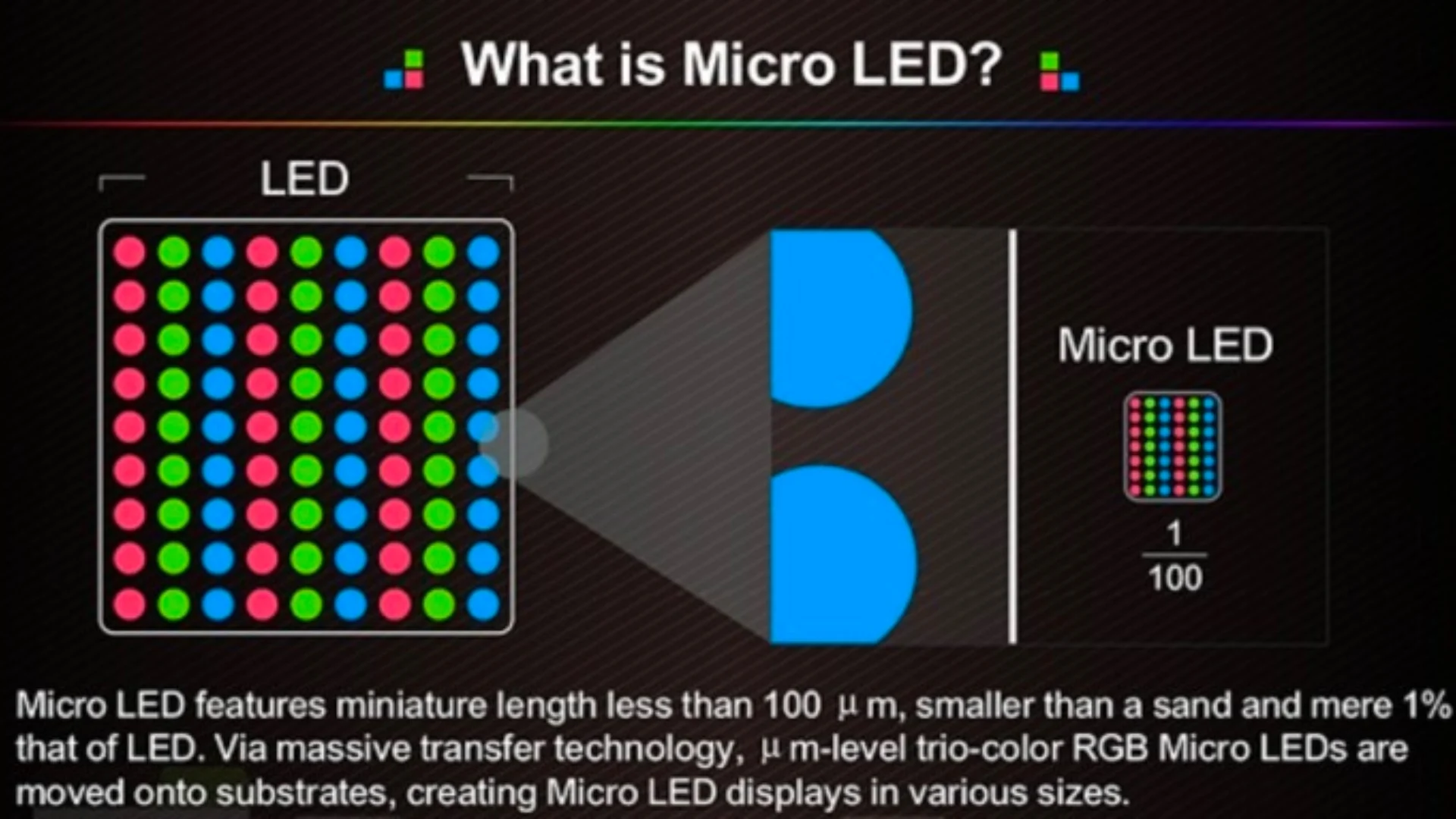
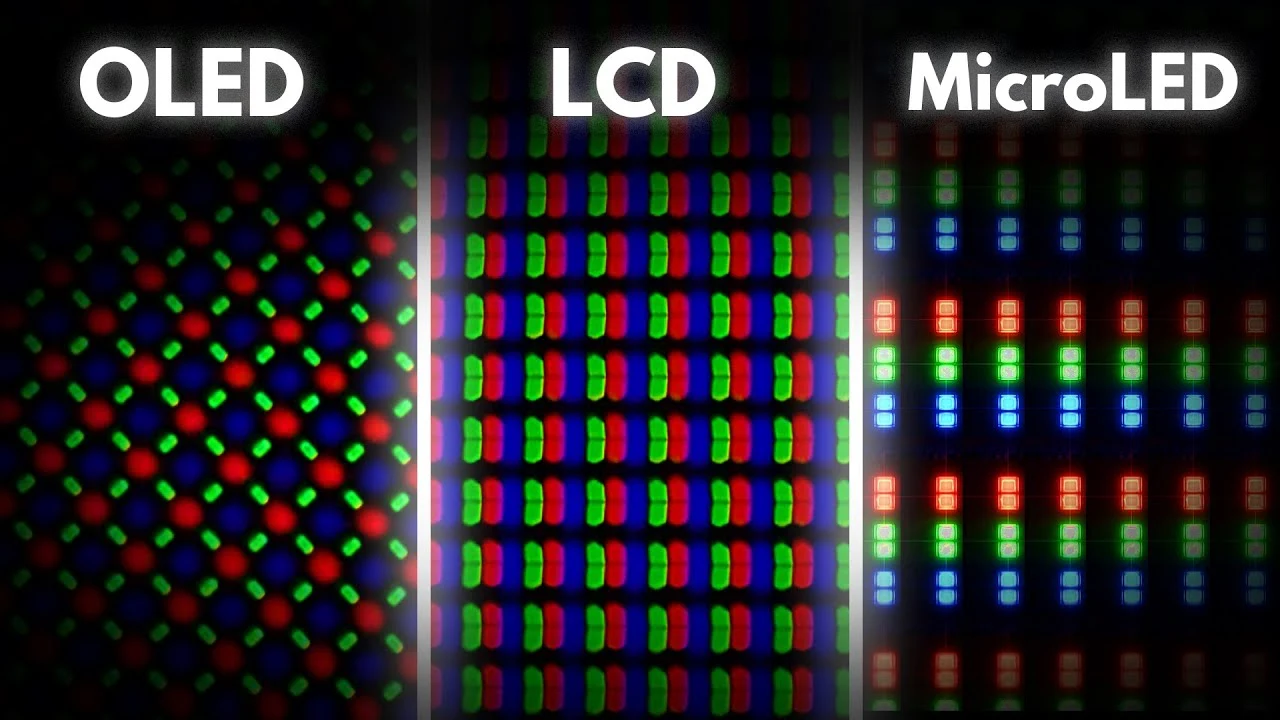
Mini LED technology uses thousands of tiny LED backlight zones behind the LCD panel to control brightness in specific areas. Unlike standard LED monitors that use edge-lit or direct-lit backlighting, mini LED divides the screen into dimming zones that can brighten or dim independently. More zones generally mean better contrast and deeper blacks.
The problem starts when manufacturers cut corners on zone count to hit lower price points.
A monitor with 192 zones behaves very differently from one with 1152 or 576 zones. The transition between lit and dimmed areas relies entirely on the quality of the dimming algorithm. When that algorithm is rushed or poorly tuned, you get visible artifacts.
Manufacturer specifications confirm that entry-level mini LED monitors often ship with as few as 16 to 57 zones. At those counts, the technology barely outperforms a decent direct-lit LED backlight.
The panel behind the mini LED backlight still matters enormously. Most monitors use VA or IPS panels. VA gives you better native contrast but slower response times.
IPS offers wider viewing angles but lower native contrast. Mini LED improves both. But it doesn't fix the underlying weaknesses of either panel type.
You're still dealing with the same black level limitations of LCD technology, just with a more sophisticated backlight trying to compensate.
Here's where the gap shows up in practice. A high-zone-count mini LED monitor with 1152 zones performs remarkably well in HDR content. A budget unit with 192 zones or fewer often looks worse than a good standard IPS display with solid native contrast.
The blooming artifacts become distracting enough that some buyers prefer a simpler backlight setup entirely.
Backlight Blooming: The Mini LED Problem Nobody Warns You About
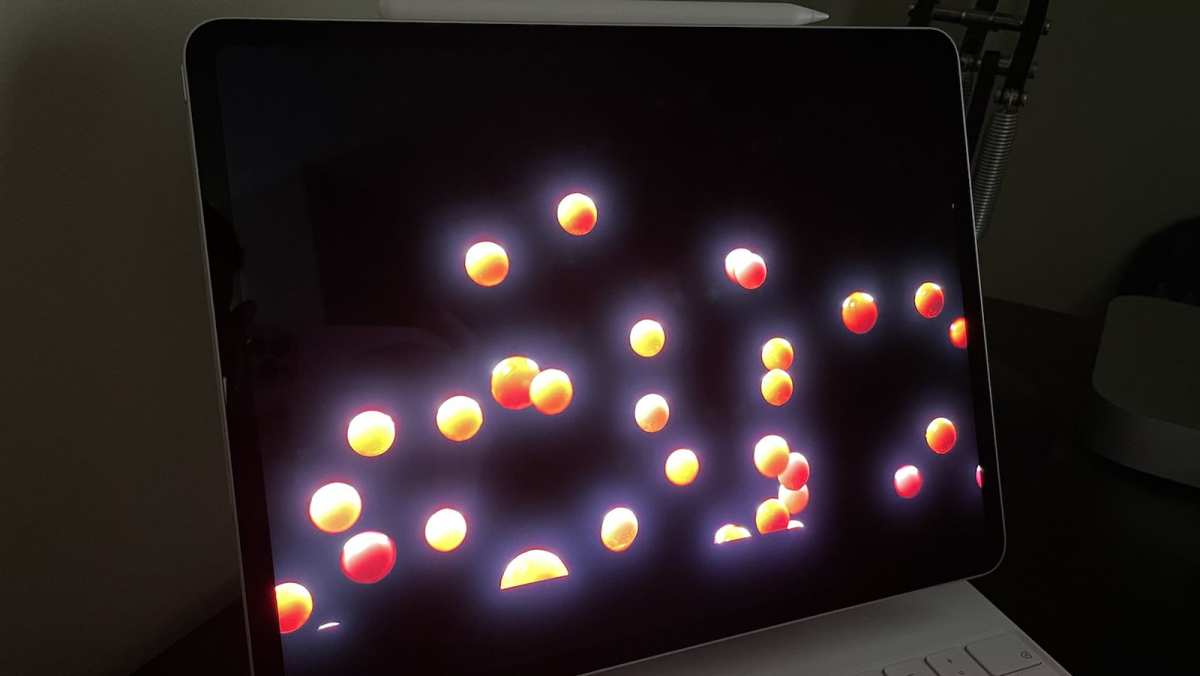
Blooming is the single most common complaint among mini LED monitor buyers. It's the visible glow or halo effect that appears around bright objects on dark backgrounds. Think white subtitles on a black screen, a cursor on a dark webpage, or stars in a space scene from a game.
The backlight bleeds beyond the intended area, creating a soft halo that shouldn't be there.
This happens because each dimming zone covers a relatively large area of the screen. Even with 576 zones spread across a 27-inch display, each zone is responsible for hundreds of pixels. When one zone lights up for a bright highlight, the light spills into adjacent darker zones.
The manufacturer's VESA DisplayHDR certification doesn't measure blooming. It only tests peak brightness and color gamut coverage.
The VESA DisplayHDR standard defines tiers from DisplayHDR 400 up to DisplayHDR 1400. But none of those ratings quantify how well a monitor handles blooming or zone transitions. Two monitors can both carry DisplayHDR 1000 certification and look completely different in practice.
One might produce barely noticeable halos while the other shows aggressive blooming during everyday desktop use.
Blooming gets worse in dark room environments. Your eyes become more sensitive to the contrast mismatch. Content with frequent dark-to-bright transitions, like scrolling through social media at night or watching letterboxed movies, exposes the issue constantly.
Game settings with bright HUD elements against dark scenes are another trigger. Once you notice blooming, it's hard to unsee.
Manufacturers have been improving dimming algorithms through firmware updates. Some 2025 and 2026 models show noticeably tighter zone control than their 2023 predecessors. But algorithm improvements have physical limits.
You can't overcome the laws of physics with software when each zone is physically large enough to see with the naked eye at normal viewing distances.
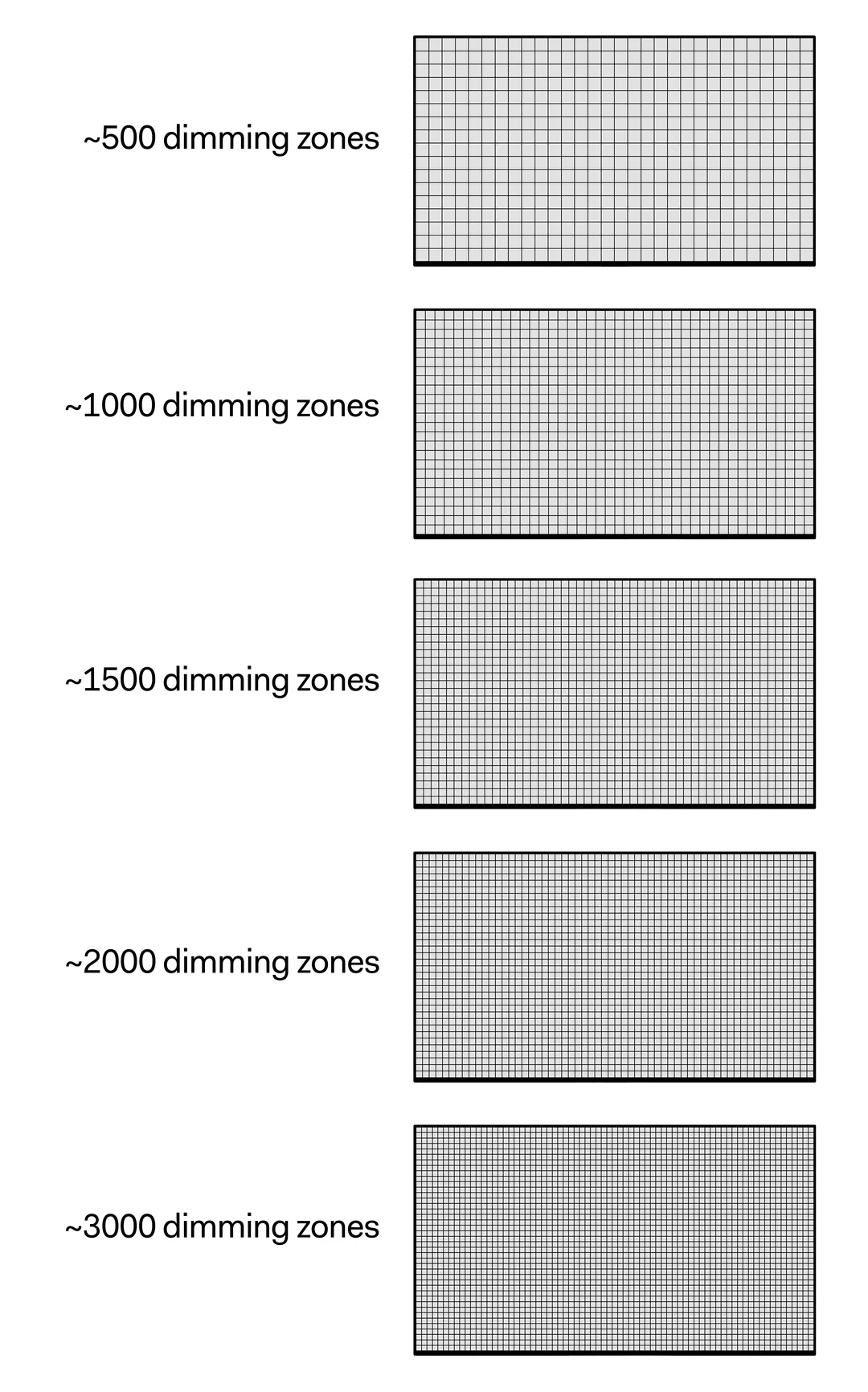
Dimming Zones Matter More Than You Think
Zone count is the spec that directly determines how well a mini LED monitor performs. But manufacturers don't always advertise it prominently. Some don't mention it at all without digging into the full technical specifications.
The presence of "mini LED" branding tells you nothing useful on its own. The real picture emerges when you compare zone density across different tiers of Mini LED monitors.
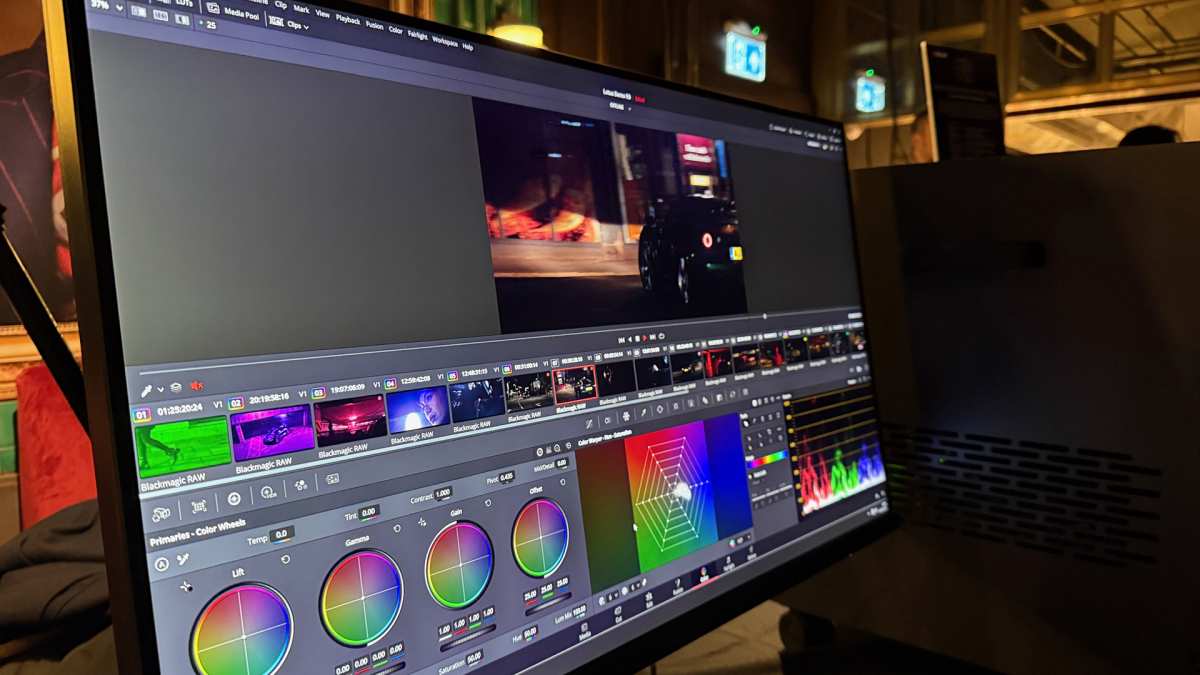
Content creators working in HDR color grading benefit the most from high zone counts. Gamers also see a noticeable improvement with 500 or more zones. Office users and casual browsers probably won't notice much difference above 192 zones.
Professional photographers editing in SDR gain less from mini LED technology overall, since HDR backlight control matters less in a color-critical SDR workflow.
The trap many buyers fall into is assuming all mini LED monitors deliver similar performance. They don't. A DisplayHDR 1000 certified monitor with 192 zones will show significantly more blooming than a DisplayHDR 1000 unit with 1152 zones.
The certification looks identical on the box. The real-world experience differs dramatically. Always check the zone count before buying.
If the manufacturer doesn't publish it, that's a red flag.
HDR Performance: Not All Mini LED Monitors Deliver
HDR is supposed to be the main reason to buy a mini LED monitor. The promise is stunning brightness, deep contrast, and vivid colors that standard LED displays can't match. But HDR performance varies wildly across the mini LED market, and a lot of buyers end up disappointed because their monitor doesn't live up to the HDR label.
The VESA DisplayHDR certification system creates confusion. DisplayHDR 400, the lowest tier, requires only 400 nits peak brightness and doesn't mandate local dimming at all. Multiple monitors carrying the DisplayHDR 400 badge use edge-lit backlighting with no meaningful zone control.
The HDR experience on these units is barely distinguishable from SDR. You're paying a premium for a certification that doesn't guarantee good HDR performance.
True HDR impact requires DisplayHDR 1000 or DisplayHDR 1400 certification at minimum. Backlight blooming remains a concern in these tiers, but peak brightness reaches 1000 to 1400 nits, and the contrast improvement becomes dramatic on high-zone models. Color volume expands noticeably in HDR mode.
This is where mini LED earns its reputation. The gap between DisplayHDR 400 and DisplayHDR 1000 models is enormous.
HDR tone mapping is another weak point. Many mini LED monitors handle tone mapping poorly when switching between SDR and HDR content. Windows desktop elements can look washed out in HDR mode.
Some monitors require manual adjustment to avoid this. Others don't offer enough tone mapping control to fix it properly. Results vary significantly between different monitor models and firmware versions.
For console gaming on Xbox Series X or PlayStation 5, mini LED monitors with 500 or more zones deliver genuinely impressive HDR gaming. The combination of high peak brightness and localized dimming creates a visible upgrade over standard LED monitors. PC gaming HDR support depends heavily on the game itself and on graphics driver settings.
Not all HDR implementations on PC work smoothly. Some games look worse in HDR mode than in well-calibrated SDR.
Thickness, Heat, and Power Draw
Mini LED monitors are physically thicker than standard LED-backlit and OLED displays alike. Thousands of individual LED elements behind the panel require more depth, and the associated driver electronics add more bulk. Where a standard IPS gaming monitor might sit 50 to 60 millimeters deep, a mini LED equivalent typically runs 70 millimeters or more for the panel thickness, stand depth excluded entirely.
Power consumption runs higher than both standard LED and OLED alternatives per square inch of screen. A premium mini LED gaming monitor draws 100 to 250 watts under sustained HDR content. That's more than many direct-lit monitors and considerably more than an equivalent-sized OLED displaying identical brightness.
For users in regions with high electricity costs, the difference adds up modestly over several years of regular use.
The extra power draw produces more heat. Mini LED panels run noticeably warmer than standard LED models. In a well-ventilated room this rarely causes problems, but in a confined desk space or a warm climate without active cooling, the radiant heat from the back of the panel can be uncomfortable.
Heat output can also theoretically have a small long-term impact on component lifespan and color drift, though direct comparative data remains limited.
Mini LED vs. OLED: The Honest Comparison
OLED monitors deliver perfect per-pixel dimming because each pixel produces its own light. This eliminates blooming entirely. Blacks are genuinely black, not just very dark.
Response times on modern QD-OLED panels reach 0.03 milliseconds gray-to-gray, far beyond what any LCD can achieve, including mini LED. The contrast ratio is technically infinite.
Mini LED's advantage over OLED comes down to peak brightness and burn-in risk. Mini LED monitors easily reach 1000 to 2000 nits HDR, while current OLED monitors peak around 1000 nits and can sustain only about 200 to 300 nits full-screen in HDR. This makes mini LED better for rooms with ambient light and for HDR content that benefits from extreme highlight brightness.
OLED panels also carry a risk of burn-in with static elements like taskbars and game HUDs, though newer QD-OLED generations have improved significantly.
Color volume on QD-OLED remains excellent. Response time on OLED destroys LCD technology. HDR impact on OLED feels more dramatic per scene because of the perfect black levels.
Extreme HDR highlights favor mini LED. For mixed daily use with gaming, browsing, and content creation, QD-OLED often provides the better overall experience in 2025 and 2026, unless you specifically need sustained high brightness. Mini LED makes more sense as a do-everything display in bright room environments where OLED's brightness limitations become visible.
Mini LED vs. Standard LED Monitors: Is the Upgrade Worth It?
Standard LED monitors with edge-lit or direct-lit backlighting are dramatically cheaper than mini LED equivalents. A solid 27-inch IPS gaming monitor with good color accuracy and a standard backlight costs between $200 and $350 in 2026. The mini LED version of similar core specs starts around $450 and runs up to $600 or more when backlight quality is comparable.
You're paying primarily for the backlight system, not the panel. The underlying LCD panel in a mini LED monitor is often similar to what you'd find in a standard LED monitor at half the price. The difference is the backlight hardware, the zone dimming controller, and the manufacturing complexity, all of which add cost.
You get better HDR peak brightness and improved dynamic contrast in return, but SDR desktop use looks very similar between the two in side-by-side comparisons.
If you don't watch HDR content and don't play HDR games, a standard IPS or VA monitor with good native contrast gives you 85% of the experience for roughly half the price. That ratio shifts if HDR matters to you heavily. SDR-focused buyers rarely benefit enough from mini LED to justify the premium.
If color accuracy for professional work is your priority, a factory-calibrated standard IPS or OLED provides better results per dollar spent.
Use Cases Where Mini LED Falls Flat
Blooming becomes most visible during daily desktop productivity. White backgrounds on dark UI elements, dark mode websites, and productivity software with mixed bright and dark areas expose blooming constantly. If you spend eight hours a day in a web browser or a code editor, that halo glow on every dark-mode toggle quickly becomes a daily annoyance.
Competitive esports players chasing the highest response times and lowest input lag often find that mini LED monitors introduce more processing overhead in the dimming controller than standard LED monitors. The dimming algorithm requires active image analysis per frame, which can add a small amount of processing latency unlike a direct passthrough. Before committing to a mini LED model for serious tournament or ranked play, verify response time and input lag measurements at the specific refresh rate you intend to use.
Home theater enthusiasts watching a lot of 2.35:1 letterboxed films face a constant blooming test. The bright movie content sits inside a sea of black bars, and the dimming zones struggle to isolate the bright area. Black bars should look black and uniform, but on mid-tier mini LED monitors they look slightly gray or show uneven blooming near the movie-to-bar boundary.
For dedicated dark-room movie watching, a mini LED with 500+ zones or an OLED provides a much better experience.
Photographers and print designers working primarily in SDR color spaces such as sRGB or Adobe RGB rarely see meaningful benefit from mini LED backlighting. The local dimming system is designed for HDR tone mapping, not SDR precision. Mini LED doesn't improve factory calibration accuracy or color gamut coverage.
A well-calibrated standard LED monitor with a high-gamut IPS panel often delivers better color work results for the money.
Common Buying Mistakes With Mini LED Monitors
Our research highlights several mistakes that buyers commonly make. These purchasing missteps cost real money and lead to real disappointment. Learning them before you shop saves the most trouble.
- Assuming Mini LED always means superior HDR performance. The Mini LED label refers to backlight hardware, not system performance. A weak dimming algorithm, a low native-contrast panel, and poor tone mapping can all undermine the hardware advantage. Performance depends on everything working together, not just on the backlight spec.
- Ignoring zone count entirely. Zone count is the single most important performance spec, yet many buyers skip over it. A 32-inch mini LED with only 57 zones looks worse through blooming than a standard direct-lit LED with no local dimming at all. Verify the number of zones before purchase, or look for detailed professional reviews that measure it.
- Paying the premium for SDR-centric workflows. If your daily work consists of spreadsheets, documents, sRGB photo editing, and non-HDR video, the money spent on a mini LED backlight is largely wasted. Standard LED monitors with strong factory calibration and good uniformity will serve you better and cost far less.
- Treating DisplayHDR certification as proof of quality. The certification confirms only a few of the many performance parameters that matter for HDR. DisplayHDR 400 with low-zone dimming may look worse in some HDR content than a good SDR panel. Validate performance through independent measurements, not the logo on the box.
- Neglecting dimming algorithm quality in reviews. Two monitors with identical zone counts can look completely different if one uses a superior algorithm. Look for professional reviews that show blooming test patterns and measure zone transition behavior, not just final output brightness.
Practical Tips If You Already Own or Plan to Buy One
If your mini LED monitor supports firmware updates, install the latest version. Manufacturers often improve blooming behavior and tone mapping decisions post-launch without fanfare. Adjusting the monitor's local dimming setting between low, medium, and high modes can also reduce visible artifacts at the cost of lower contrast enhancement.
Choosing a moderate setting during desktop use is a practical compromise for many users.
Set Windows or macOS to auto-switch between SDR and HDR modes per application. Avoid running the entire desktop in HDR mode if your monitor's tone mapping handles it poorly. Calibrate the monitor's HDR tone mapping using built-in menus or the calibration modes if available.
Some monitors offer a desktop HDR mode specifically tuned for mixed content that reduces washout on standard SDR elements within the HDR signal.
Positioning your monitor away from direct light sources on the back panel may slightly reduce side-visible blooming artifacts in some designs. Testing a monitor in person during a return window remains valuable when finalizing a decision, since blooming sensitivity varies by individual perception. Use a blooming test video and typical dark-mode applications during this evaluation to quickly identify whether a specific unit bothers you.
Frequently Asked Questions
Does mini LED work well for standard SDR desktop use?
It functions fine for daily productivity, but blooming on dark mode interfaces will be visible on most models. Standard mode often handles ghosting better than the HDR alternatives, though the overall SDR experience looks very similar to a good standard LED monitor costing half as much.
Should I choose mini LED or OLED in 2026?
It depends entirely on your priorities. OLED provides better image quality and response times, while mini LED excels in sustained peak brightness and carries no burn-in risk. For bright rooms or users who keep their display for many years, mini LED is the more practical and risk-free pick.
Does more dimming zones mean less blooming?
Directly, yes. As zone count increases, the blooming halo around bright objects tightens and becomes less visible. The improvement is especially large between 100 and 500 zones, with smaller but still noticeable gains continuing above 1000 zones.
Algorithm quality matters just as much.
Does mini LED have an input lag penalty?
Mini LED monitors can add a very small amount of processing latency in the dimming circuit. In practice, this is usually under a millisecond and generally not noticed outside of the most competitive esports scenarios. Still, dedicated esports monitors often advertise the lowest total input lag when they bypass complex local dimming altogether.
When should I avoid buying a mini LED monitor?
Consider skipping mini LED if your work relies on perfect dark uniformity, or if you primarily work in SDR color spaces for print and photography. Those who game competitively or watch extensive dark-room movie content may also find the blooming or processing overheads more distracting than the benefits are worth.
The Bottom Line: Is Mini LED Right for You?
The smartest approach depends on your content habits and room setup. HDR gamers and content creators working in video production benefit most from mini LED technology. SDR-focused professionals and competitive esports players often get better value elsewhere.
For mixed use in brighter environments, it remains a solid, sensible investment in 2026.
Just always check the dimming zone count and read real-world blooming tests before handing over your money.
 ✓
✓Chris Nolan
Senior Hardware & Tech Editor · Lead Benchmark SpecialistChris Nolan leads consumer electronics benchmarking and hardware diagnostics at TechBink. With over 15 years of laboratory stress-testing experience across mobile silicon, PC computing architectures, and cutting-edge gadgetry, Chris provides objective, data-backed hardware reviews and teardowns.

Similar Posts