Is HDR10 the Same as HDR Monitor
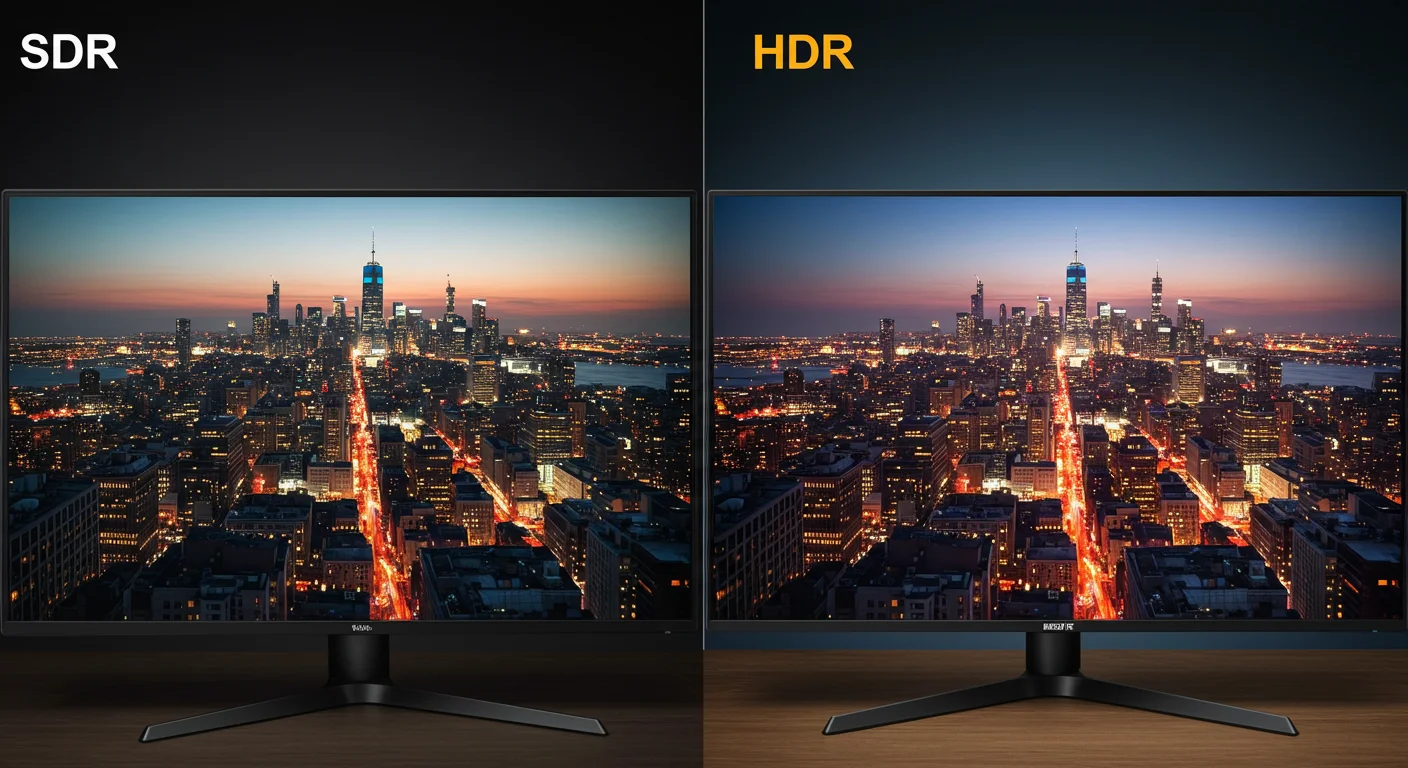
If you've been shopping for a monitor or just trying to decode spec sheets, you've probably wondered: is HDR10 the same as an HDR monitor? It's a fair question, especially since manufacturers throw both terms around like they're interchangeable. The short answer is no.
One is a specific technical format. The other is a broad product category. Mixing them up can lead to real disappointment when your "HDR" monitor doesn't actually deliver that stunning picture you expected.
Here's what makes this confusing. HDR10 refers to a particular way of encoding and transmitting HDR content, using the PQ curve defined in SMPTE ST 2084 and 10-bit color depth. An HDR monitor, on the other hand, is just any display that claims to support HDR in some form.
That claim can range from genuinely impressive to barely better than a standard SDR panel. Let's break down exactly what each term means, where they overlap, and why the distinction matters for your next purchase.
)")
Quick Answer
No. HDR10 is not the same as an HDR monitor. HDR10 is a specific HDR format using static metadata and a 10-bit PQ curve.
An HDR monitor is any display claiming to support HDR content. An HDR monitor might support HDR10, but "HDR10 compatible" on a box doesn't guarantee good HDR performance. The format is just one piece of the puzzle.
What HDR10 Actually Is
HDR10 is a specific HDR format. It's the most widely adopted baseline standard for HDR content across the industry.
At its core, HDR10 uses the Perceptual Quantizer (PQ) electro-optical transfer function defined by SMPTE ST 2084. This curve maps luminance levels in a way that matches human perception. It supports 10-bit color depth, which means 1.07 billion colors instead of the 16.7 million you get with 8-bit SDR.
That alone eliminates visible banding in gradients.
HDR10 also uses static metadata. This means one set of instructions tells the display how to handle brightness and color for the entire piece of content. The metadata includes SMPTE ST 2086 mastering display data, which describes the color volume the content was mastered in.
Here's the critical thing to understand: HDR10 is free and open. Dolby Vision requires licensing fees and certification. HDR10 doesn't.
That's why it's everywhere. Every HDR-capable device supports it as a baseline. Game consoles, streaming services, 4K Blu-ray players.
They all default to HDR10.
)")
What an HDR Monitor Actually Is
An HDR monitor is any display marketed with HDR support. That's it. There's no minimum performance threshold baked into the term itself.
A monitor labeled "HDR" or "HDR compatible" simply means it can accept an HDR signal and attempt to display it. The actual hardware backing that claim varies wildly. One HDR monitor might hit 1,000 nits peak brightness with full array local dimming.
Another might barely reach 300 nits with no local dimming at all. Both get to use the HDR label.
This is where the real confusion lives. When you see "HDR10" listed in a monitor's spec sheet, it tells you the display supports decoding HDR10 signals. It tells you nothing about how good the HDR image actually looks.
Not the brightness. Not the contrast. Not whether there's any local dimming.
Just that the format is supported.
Some monitors go further and carry VESA DisplayHDR certification. That at least gives you a tier to reference. But plenty of displays skip certification entirely and still slap "HDR Ready" on the box.
As of 2026, this remains a persistent issue in the monitor market.
The Confusion: Why These Terms Get Mixed Up
Manufacturers know "HDR" sells monitors. They also know "HDR10" sounds technical and impressive. So they list both on packaging and spec sheets, often right next to each other.
Your brain naturally connects them as the same thing. They're not.
Here's a real analogy. Think of HDR10 like MP3. MP3 is a specific audio file format.
An "MP3 player" is any device that can play MP3 files. But an MP3 player could be a $5 gas station earbud set or a high-end audiophile setup. The format support tells you nothing about the quality of the experience.
HDR10 works the same way.
The monitor market also muddies the water with vague labels. "HDR Ready," "HDR Compatible," "HDR Effect," and "HDR10 Supported" all show up on boxes. None of these terms have strict legal definitions in the monitor space.
"HDR Effect" on some displays is literally just a filter that boosts contrast in SDR content. It's not real HDR at all.
Then there's the spec sheet problem. A manufacturer might proudly list "HDR10, 10-bit color" in bold. Buried in the fine print is a peak brightness of 250 nits and no mention of local dimming.
Technically the spec sheet is accurate. Practically, it's misleading. You get a display that accepts your HDR signal but doesn't have the hardware to do it justice.
)")
HDR10 vs HDR Monitor: Side-by-Side Breakdown
Now let's put them head to head. This is really where the distinction becomes concrete.
Format Support vs Hardware Capability
| What It Describes | HDR10 | HDR Monitor |
|---|---|---|
| Nature | Technical format/standard | Product category |
| What it tells you | Signal encoding method | Display claims HDR support |
| Guarantees image quality? | No | Not necessarily |
| Required hardware | 10-bit panel recommended | Varies, often minimal |
| Performance floor | Defined by standard | Often undefined |
The fundamental difference is that HDR10 defines how content is encoded and transmitted. An HDR monitor defines a product category where the actual performance parameters are loosely constrained at best.
What Each Guarantees (and What It Doesn't)
HDR10 guarantees:
- PQ EOTF (SMPTE ST 2084) curve for luminance mapping
- 10-bit color depth support
- Static metadata transmission via SMPTE ST 2086
- BT.2020 color container (though actual coverage varies)
HDR10 does NOT guarantee:
- Any minimum peak brightness
- Wide color gamut coverage beyond the container
- Local dimming
- Good tone mapping on the display
An "HDR monitor" claims to:
- Accept HDR input signal
- Display HDR content (somehow)
An "HDR monitor" does NOT guarantee:
- Meaningful HDR performance
- Any specific brightness threshold
- Local dimming hardware
- Wide color gamut
Read those lists again. The gap between "accepts HDR signal" and "looks good doing it" is enormous. That gap is where most buyer disappointment lives.
Real Performance Differences
Manufacturer specifications reveal the truth. Consider two hypothetical monitors both listing HDR10 support:
Monitor A: "HDR Ready" Panel
- 250 nits peak brightness
- 8-bit panel with FRC dithering to simulate 10-bit
- No local dimming
- 90% sRGB, 70% DCI-P3
- $230 price tag
Monitor B: DisplayHDR 1000 Certified
- 1,000 nits peak brightness (sustained)
- True 10-bit panel
- Full array local dimming with hundreds of zones
- 98% DCI-P3 coverage
- $900+ price tag
Both support HDR10. Both will display HDR10 content. Monitor A will simply display a washed-out, dim version that might actually look worse than SDR.
Monitor B will deliver the contrast and pop HDR is known for. The format is the same. The experience is not.
Local dimming matters more than most people realize. Without it, bright highlights on a dark scene get compressed into the same backlit panel. You lose the entire point of HDR, which is the "dynamic range" part.
A display can hit decent peak brightness with edge-lit dimming, but only full array local dimming preserves deep blacks alongside those bright highlights.
Beyond HDR10: Other HDR Formats You'll See
HDR10 isn't the only HDR format out there. The market has several competing and complementary standards. Each takes a different approach to metadata, licensing, and use case.
Comparing HDR Formats:
| Metadata Type | License Cost | Primary Use Case |
|---|---|---|
| Static (HDR10) | Free/Offer for most devices | |
| Dynamic | Licensed fee | Premium streaming, Blu-ray |
| Dynamic | Free | Samsung TVs, Amazon Prime |
| None | Free (broadcast standard) | Live broadcast television |
Dolby Vision and HDR10+ both use dynamic metadata. This means the display gets scene-by-scene or even frame-by-frame instructions on how to map brightness and color. Static metadata, which HDR10 uses, gives one set of instructions for the whole movie.
Dynamic formats can adapt to a dark cave scene followed by a bright desert scene without compromise.
Dolby Vision requires manufacturers to pay licensing fees and pass certification. That's why it's more common on premium TVs and monitors. HDR10+ was developed by Samsung as a free alternative.
It adds dynamic metadata without the licensing cost. Amazon Prime Video supports it. Samsung TVs support it.
But it's less widespread than Dolby Vision.
HLG, or Hybrid Log-Gamma, serves a different purpose entirely. The BBC and NHK developed it for broadcast television. It's backward compatible with SDR displays, meaning a single signal works on both HDR and SDR TVs.
You won't see HLG much on monitors. It's almost exclusively a broadcast format.
HDR Monitor Tiers: Not All HDR Is Created Equal
This is where things get practical. VESA, the Video Electronics Standards Association, created the DisplayHDR certification program specifically because "HDR" on a box meant too little. It defines actual performance thresholds that a monitor must meet to carry the badge.
VESA DisplayHDR Certification Levels
| DisplayHDR Tier | Peak Brightness (nits) | Black Level | Color Gamut | Local Dimming | Real-World Expectation |
|---|---|---|---|---|---|
| DisplayHDR 400 | 400 | 0.4 cd/m² | 95% sRGB | No required zones | Marginal improvement over SDR |
| DisplayHDR 600 | 600 | 0.1 cd/m² | 95% DCI-P3 | Limited zones preferred | Noticeable HDR, good highlights |
| DisplayHDR 1000 | 1,000 | 0.05 cd/m² | 95%+ DCI-P3 | FALD strongly preferred | Real HDR impact, specular highlights pop |
| DisplayHDR 1400 | 1,400 | 0.02 cd/m² | 95%+ DCI-P3 | FALD effectively required | Premium HDR, close to reference quality |
)")
What Each Tier Actually Looks Like
DisplayHDR 400 is widely considered the weakest meaningful HDR tier. Some reviewers argue it's barely distinguishable from a good SDR panel. The 400-nit peak brightness sounds decent on paper, but without local dimming, dark scenes don't get any blacker.
Bright highlights bloom into the surrounding dark areas. You're still getting the full 10-bit color and wider gamut, which helps. But the dynamic range impact is minimal.
DisplayHDR 600 is where HDR starts feeling real. The jump to 600 nits gives highlights genuine punch. A sunlit scene in a game or a bright explosion actually feels bright.
You'll typically find edge-limited local dimming at this tier, which is better than nothing. Most mid-range gaming monitors that carry any certification land here.
DisplayHDR 1000 is the sweet spot for "wow factor." Manufacturer specs confirm that at 1,000 nits with proper local dimming, HDR content looks dramatically different from SDR. This is where you see true specular highlights, deep blacks maintained alongside bright elements, and the full benefit of wide color gamut. These monitors cost more, usually $700 and up, but the difference is visible.
DisplayHDR 1400 is rare and expensive. It's approaching reference monitor territory. At this level you're competing with OLED's perfect blacks and high-end mini-LED panels.
For professional color grading or high-end home theater setups, this tier makes sense. For most users, it's overkill.
Do You Actually Need HDR10? Decision Guide by Use Case
Not everyone needs the same HDR setup. Your use case determines how much you should care about format support versus hardware quality.
Gaming (PC and Console)
Best format support: HDR10, with HDR10+ if using Samsung displays
HDR10 covers essentially every HDR game on PC, PlayStation, and Xbox. Both PS5 and Xbox Series X default to HDR10 output. PC games through DirectX 12 and Vulkan also target HDR10 as the baseline.
You won't miss anything by supporting only HDR10.
Local dimming becomes critical for gaming if you play titles with high dynamic range scenes, like horror games, space sims, or first-person shooters with varied lighting. Without it, the HDR10 signal is there, but the impact is muted. DisplayHDR 600 or better is a strong baseline for gaming decisions.
Xbox users should note that Xbox Series X and S do not support Dolby Vision. They're HDR10 only. So if you're gaming on Xbox, Dolby Vision monitor features are wasted.
PlayStation supports HDR10 exclusively for games as well, though media apps vary.
Content Creation and Professional Work
Best format support: HDR10 minimum, Dolby Vision and HLG for specific workflows
If you're editing HDR video or photos, you need a monitor that can display the specific format your content targets. Most HDR mastering for streaming uses HDR10 or Dolby Vision. Broadcast content requires HLG.
You need to match your monitor to your delivery format.
Local dimming is non-negotiable here. Professional HDR work demands accurate luminance representation, and you can't verify highlight detail without display-local dimming or OLED's per-pixel control. DisplayHDR 1000 or equivalent is the practical floor for serious color work.
Manufacturers like Eizo, ASUS ProArt, and Dell UltraSharp reference lines offer this tier.
Calibration also matters more for professional use. HDR10 is the format, but the monitor has to be correctly calibrated to DCI-P3 or BT.2020 targets to display it accurately. A wide gamut panel with poor calibration is worse than a properly calibrated sRGB panel for professional work.
Colorimeter calibration becomes essential, not optional.
Casual Media Consumption
Best format support: HDR10 covers most cases; Dolby Vision adds value for Netflix, Disney+, Apple TV+.
Most HDR content on Netflix, Disney+, Amazon Prime Video, and Apple TV+ uses either HDR10 or Dolby Vision. Netflix requires its Premium plan ('Standard' plan does not stream HDR), and most Netflix HDR content uses Dolby Vision. If you subscribe to the right plan, a monitor with Dolby Vision support lets you see Netflix in that format.
If your monitor lacks it, Netflix falls back to HDR10.
HDR10 alone handles a surprising amount of content. Spotify visuals and YouTube HDR uploads typically use HDR10. Twitch doesn't support HDR at all yet.
For casual viewing, checking a stream or two and watching movies on weekends, the underlying hardware quality matters more than the format count. A bright, well-local-dimmed panel with just HDR10 beats a dim panel with every format.
Common Mistakes When Shopping for HDR
People make the same mistakes repeatedly when buying HDR monitors. These errors lead to the disappointment and confusion that fuel questions like "is HDR10 the same as hdr monitor?"
Mistake #1: Assuming "HDR Ready" Means Good HDR
We've covered this but it bears repeating. "HDR Ready" is not a standard. It's marketing language with no defined performance requirement.
Some manufacturers apply it to panels that barely meet 250 nits. These panels accept your HDR signals without having the hardware to show meaningful luminance range.
Always check the peak brightness spec in nits. Always look for whether local dimming is included, and if so, what type. Edge-lit local dimming is a marginal improvement over no dimming.
Full array local dimming is what starts looking good. Without knowing these details, you're buying blind.
)")
Mistake #2: Ignoring Peak Brightness and Local Dimming
HDR stands for High Dynamic Range. The range part requires both bright highlights and deep blacks simultaneously. Peak brightness shows the ceiling.
Local dimming enables the floor. Buying for one without the other limits HDR quality severely.
A 600-nit edge-lit panel without local dimming can look worse than a 400-nit panel with good FALD. The FALD preserves black levels while hitting those highlights. Check reviews that measure black levels, not just peak brightness.
Contrast ratio and local dimming quality tell you more about HDR performance than any format support badge.
Mistake #3: Not Checking Your Signal Chain
HDR needs to work across every link in the chain. Your GPU has to output HDR, your cable has to support enough bandwidth, your OS has to enable HDR, and your monitor has to accept it. One weak link and you're staring at an SDR image thinking something is broken.
HDMI 2.0a is the minimum for HDR10. DisplayPort 1.4 covers HDR10 at 4K 60Hz. For higher refresh rates at 4K with HDR, you need HDMI 2.1 or DisplayPort 2.0/2.1.
GPU driver settings, like color depth and pixel format, affect whether HDR engages correctly. In Windows, HDR settings live in System > Display, and toggling it on changes the desktop appearance noticeably.
Mistake #4: Expecting Dolby Vision on Every HDR Monitor
Dolby Vision requires specific hardware licensing. Not every HDR monitor includes it. A monitor that carries only HDR10 isn't defective.
It simply doesn't have the Dolby Vision decoder. Your source device might output Dolby Vision, but the monitor will fall back to HDR10 if supported.
Buying a Dolby Vision-capable monitor adds value if you stream Netflix, Disney+, or Apple TV+ content with a compatible device, and you subscribe to the right tier. Otherwise, HDR10 does everything you need. Don't pay a premium for Dolby Vision support if you can't use it.
Also note that Xbox consoles and Facebook gaming don't support Dolby Vision at all.
How to Verify Your Setup Is Actually Showing HDR
You've got your monitor, your cable, your source. Now you need to confirm HDR is actually active. An HDR signal that doesn't reach the display correctly looks worse than SDR.
Windows HDR Configuration
Windows makes HDR toggle accessible but not always intuitive. Go to Settings > System > Display, select your monitor, then toggle "Use HDR." If the toggle is missing, your GPU driver or cable isn't reporting HDR capability. Update your GPU drivers first.
Then check your cable spec.
Once HDR is on, SDR content looks washed out on purpose. Windows maps SDR content into the HDR signal space. The desktop, browsers, and non-HDR apps all look slightly different.
You can adjust SDR content brightness in the same HDR settings panel. This slider controls how bright SDR content appears within the HDR signal.
Console HDR Setup
PlayStation 5 auto-detects HDR displays. Go to Settings > Screen and Video > Video Output > HDR to confirm it's enabled. The PS5 also runs a quick HDR calibration in its settings.
Follow the on-screen prompts to set your display's peak brightness and black level correctly.
Xbox Series X and S also auto-detect HDR. The Xbox has a more detailed calibration tool under Settings > General > TV & Display Options > Calibrate HDR for games. This three-step process sets black level, peak brightness, and color saturation.
Run it. It makes a visible difference.
Confirming HDR Is Active on Your Display
Most monitors show an HDR indicator in the on-screen display when receiving an HDR signal. Check your monitor's OSD info panel. If it shows "HDR" or a color space like "BT.2020," the signal is getting through.
Some monitors also show the current refresh rate and resolution.
On Windows, the HDR toggle in display settings confirms software-level engagement. But the real test is visual. Open an HDR test pattern or an HDR video on YouTube.
Bright highlights should look noticeably brighter than the surrounding image. If everything looks the same, something in the chain isn't working.
Pricing and Value: What You Get at Each Budget Level
HDR monitor pricing correlates strongly with actual HDR performance. Budget numbers tell a clear story.
Under $300: Basic HDR10 Support
At this price, you're getting HDR10 signal acceptance. Peak brightness typically sits between 250 and 350 nits. Local dimming is usually absent.
Color gamut covers sRGB well but DCI-P3 coverage is limited. These monitors work for casual HDR viewing. Don't expect dramatic improvements over SDR.
$300–$700: Mid-Range with Better HDR
This range includes DisplayHDR 600 certified monitors. Peak brightness reaches 600 nits. Some models include basic local dimming.
DCI-P3 coverage improves to 85, 95%. Gaming monitors from brands like Gigabyte, AOC, and ASUS land here. This tier offers the best value for most users.
$700+: Genuine HDR Experience
DisplayHDR 1000 and premium panels live here. Mini-LED backlighting with hundreds of dimming zones becomes available. OLED options appear at the high end.
These monitors deliver the full HDR impact. Professional users and enthusiasts should target this tier.
Final Verdict: Should You Care About HDR10 vs HDR Monitor?
HDR10 is the format your content uses. An HDR monitor is the hardware that displays it. You need both, but the hardware matters more for how it looks.
When HDR10 Matters
If you consume HDR content from any mainstream source, HDR10 support is essential. It's the universal baseline. Every HDR game, movie, and streaming show uses it.
Without HDR10 support, your monitor can't display HDR at all.
When You Should Look Beyond Just HDR10
If you want the best possible HDR experience, look past format badges. Check peak brightness, local dimming type, and color gamut coverage. A monitor with only HDR10 support but excellent hardware outperforms a monitor with every format but mediocre hardware.
Prioritize the display's actual capabilities over its format checklist.
Frequently Asked Questions
Is HDR10 good enough for gaming?
Yes. HDR10 covers every HDR game on PC, PlayStation, and Xbox. Both console platforms default to HDR10 output.
Unless you specifically want Dolby Vision on supported titles, HDR10 handles everything.
Can an HDR monitor display HDR10 content without HDR10 support?
No. If a monitor doesn't support HDR10, it can't decode HDR10 signals properly. The content either won't display or will fall back to SDR.
Format support is a prerequisite.
Does HDR10 require a specific cable?
HDMI 2.0a or DisplayPort 1.4 minimum. For 4K at high refresh rates with HDR, HDMI 2.1 or DisplayPort 2.0 is needed. The cable must support enough bandwidth for the HDR signal.
Is DisplayHDR 400 real HDR?
Technically yes, but barely. DisplayHDR 400 meets VESA's certification threshold. However, the lack of required local dimming and modest brightness make the HDR effect minimal.
Most reviewers consider it a marginal improvement over SDR.
Do I need Dolby Vision if I have HDR10?
Not necessarily. HDR10 covers most content. Dolby Vision adds value for Netflix, Disney+, and Apple TV+ streaming.
If you don't use those services, Dolby Vision support isn't essential.


Similar Posts





















