Is 27 Inch Monitor Good for Ps5
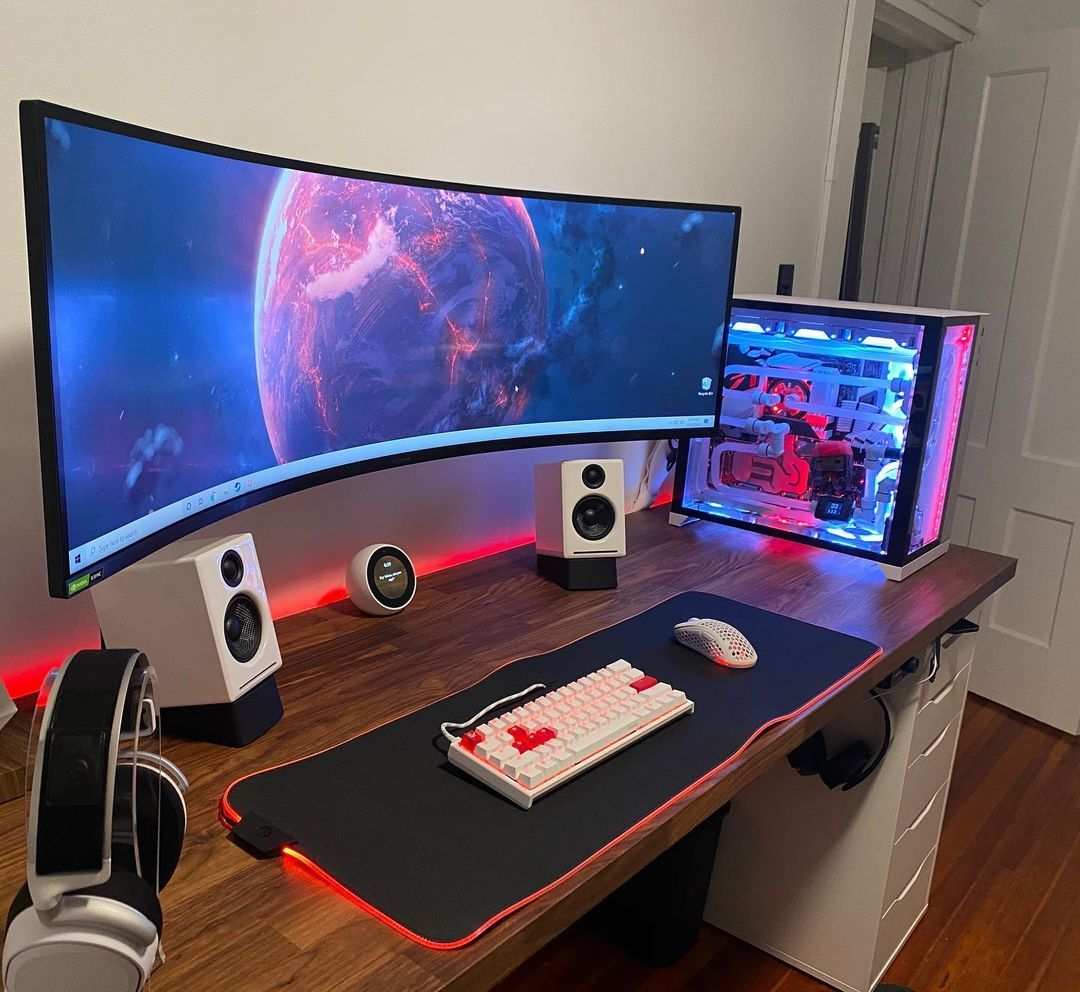
Is 27 inch monitor good for ps5? Short answer: yes, with caveats. A 27-inch monitor works well for PS5 if you game at a desk and sit two to three feet away. The size fits that viewing distance nicely.
But resolution choice at this screen size creates real trade-offs you need to understand before buying.
The PS5 outputs up to 4K at 120Hz through its HDMI 2.1 port. At 27 inches, a 4K panel gives you around 163 pixels per inch, which looks sharp at close range. A 1440p panel drops to roughly 108 PPI, and that's where things get complicated.
Let's break down exactly what you're getting into.
)")
Quick Answer
A 27-inch monitor is good for PS5 gaming at a desk. It matches typical viewing distances of two to three feet well. Choose 4K for sharper visuals.
Pick 1440p if you prioritize high refresh rates. Avoid 1080p at this size, the pixel density drops too low.
Why 27 Inches Gets Complicated for PS5
Here's the thing nobody tells you right away. The PS5 was designed with TVs in mind. Most living room TVs sit five to eight feet away, so screen size needs to be big.
But a desk setup changes everything. You're sitting much closer, which means a massive 45-inch display becomes overwhelming.
At two to three feet, 27 inches hits a sweet spot. Your eyes cover the screen without excessive head turning. Competitive players can track action across the display more easily.
The whole panel stays in your peripheral vision.
But here's where it gets tricky. Not all 27-inch monitors are created equal for console use. The resolution you pick determines how sharp the image looks at that close viewing distance.
And the PS5's resolution support has been a moving target since launch.
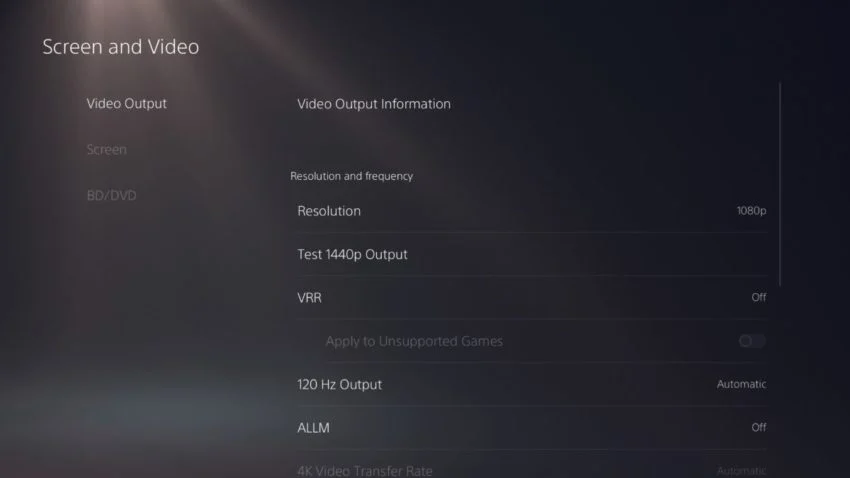
Sony's console originally launched without 1440p output. That arrived via a system software update in 2022. Even now, some games don't support it natively.
They either render at 1080p and upscale, or output at 4K and downscale. This creates visible softness on 1440p panels that you wouldn't see on a native 4K display.
Panel type matters too. IPS panels offer better viewing angles and color accuracy. VA panels give you deeper contrast but can show ghosting in fast motion.
OLED delivers the best of both worlds but costs more and carries burn-in risk with static HUD elements.
The Resolution Problem Nobody Warns You About
This is where most buying guides fall short. They'll tell you "27 inches is fine" and leave it at that. But the resolution you choose at this size makes or breaks the experience.
Let's look at the numbers.
| Resolution | Pixel Density at 27" | Sharpness at 2ft | PS5 Native Support |
|---|---|---|---|
| 1080p | ~81 PPI | Soft, visible pixels | Full support |
| 1440p | ~108 PPI | Acceptable | Added via update |
| 4K | ~163 PPI | Very sharp | Full support |
27-Inch 1440p: The Pixel Density Trade-Off
A 27-inch 1440p monitor gives you 108 pixels per inch. At two feet away, that's… fine. Not great, not terrible.
Text looks slightly soft compared to 4K at the same size. You'll notice it in menus and HUD elements more than in gameplay.
The bigger issue is how the PS5 handles 1440p output. When a game renders at 4K internally and your monitor is 1440p, the console downscales. The result depends on the game's implementation.
Some titles handle it gracefully. Others look noticeably softer than native 1440p would.
When a game runs at 1080p and your display is 1440p, the monitor upscales. This almost always looks worse than native 1080p on a 24-inch screen. The upscaling isn't perfect, and you get a slightly muddy image.
That said, 1440p at 27 inches remains popular for competitive players. You get high refresh rate options at lower price points. A 1440Hz panel costs significantly less than its 4K equivalent.
If you're playing competitive shooters and need every frame, the trade-off makes sense.
27-Inch 4K: Sharp but Expensive
This is the ideal pairing for PS5, no question. Native 4K output from the console matches a 4K panel pixel-for-pixel. No scaling artifacts.
No softness from upscaling or downscaling. Just a clean, sharp image.
At 163 PPI, text looks crisp. Fine details in games pop. You're getting the full visual fidelity the PS5 can deliver.
The downside? Price. 27-inch 4K monitors with HDMI 2.1 and high refresh rates cost more than 1440p alternatives. You're looking at $350 to $500 for a solid option.
The jump from 1440p to 4K at this size is noticeable but not cheap.
1080p at 27 Inches: Just Don't
We need to be direct here. 1080p on a 27-inch panel gives you 81 pixels per inch. At desk viewing distances, that's noticeably soft. You'll see pixels in text.
Fine details in games look muddy. It's a budget option that sacrifices too much image quality.
If 1080p is what fits your budget, go 24 inches instead. The smaller panel keeps pixel density reasonable at 91 PPI. You'll get a sharper image for less money.
Refresh Rate Matters More Than You Think
Resolution gets all the attention. Refresh rate deserves equal consideration, especially on a console that can push 120 frames per second.
The PS5 supports 120Hz output at both 1080p and 4K. A growing list of games offers performance modes that target 120fps. Call of Duty, Fortnite, Rocket League, and several others can hit that mark.
The difference between 60Hz and 120Hz is immediately noticeable in motion clarity and input responsiveness.
For competitive gaming, 120Hz is the minimum you want. 144Hz or 165Hz panels give you a bit more headroom. The PS5 won't exceed 120fps, but higher refresh rate panels often have better pixel response times too.
Here's the catch. Finding a 27-inch 4K monitor with HDMI 2.1 and 120Hz-plus refresh rate at a reasonable price takes research. Many budget 4K panels top out at 60Hz.
Some claim high refresh rates but only over DisplayPort, which the PS5 doesn't have. You need HDMI 2.1 bandwidth to run 4K at 120Hz with full chroma subsampling.
For 1440p at 120Hz, the monitor options expand considerably. More panels support it, and prices drop. This is why many competitive PS5 players lean toward 1440p despite the scaling compromises.
Side-by-Side: 27-Inch Monitor vs. PS5 Alternatives
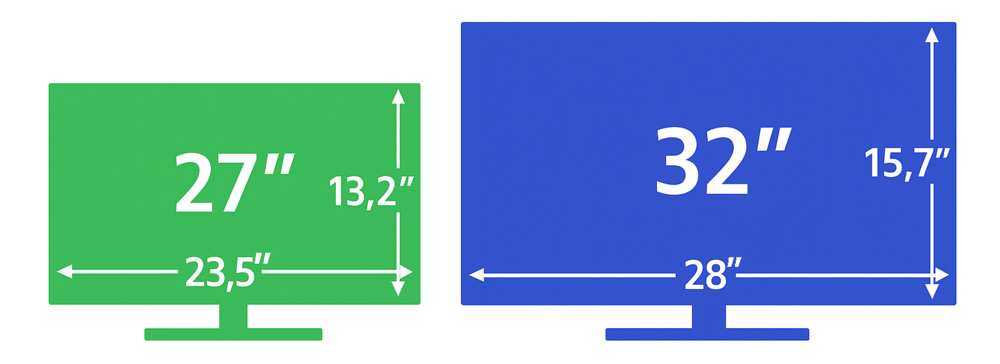
Let's put 27 inches in context against other popular choices for PS5 gaming.
| Factor | 27" 4K | 27" 1440p | 32" 4K | 24" 1080p |
|---|---|---|---|---|
| Pixel Density | 163 PPI | 108 PPI | 138 PPI | 91 PPI |
| Sharpness at Desk | Excellent | Good | Very Good | Acceptable |
| PS5 Resolution Match | Perfect | Partial | Perfect | Perfect |
| High Refresh Availability | Moderate | Extensive | Moderate | Extensive |
| Typical Price Range | $350-$500 | $200-$350 | $300-$450 | $120-$200 |
| Competitive Suitability | Good | Excellent | Fair | Good |
| Immersive Single-Player | Very Good | Good | Excellent | Fair |
)")
The 32-inch 4K option gives you more screen real estate for cinematic games. But at desk viewing distances, it can feel large. You'll move your head more to track action across the panel.
Competitive players generally prefer smaller screens for this reason.
The 24-inch 1080p route works for strict budgets. You lose the immersion of a larger display, but the image stays sharp enough at close range. It's a sensible choice if you primarily play competitive titles and want high refresh rates cheap.
The 27-inch 1440p middle ground appeals to players who want decent sharpness and extensive monitor options. Just understand the scaling compromises with PS5.
The 27-inch 4K panel is the sweet spot for visual quality. You get sharp text, native resolution matching, and a size that works at desk distance. The higher price is the main barrier.
Best 27-Inch Monitors for PS5 Right Now
We've researched the current market and identified strong options across different use cases and budgets. These aren't exhaustive, but they represent solid choices as of 2026.
Best Overall 27-Inch 4K 120Hz Option
The LG 27GP950-B remains a strong contender. It's a 27-inch 4K Nano IPS panel with HDMI 2.1, 160Hz overclocked refresh rate, and solid HDR performance. Input lag measures under 4ms in testing.
It handles PS5 signals cleanly at 4K 120Hz with 4:4:4 chroma.
Price typically sits around $400 to $450. You're paying a premium, but you get the full PS5 experience without compromises.
Best Budget 27-Inch 1440p Pick
The Gigabyte M27Q X offers 1440p at 240Hz with HDMI 2.1 for around $250 to $300. The high refresh rate benefits competitive play. The 1440p resolution means you'll encounter some scaling softness with certain games, but the price-to-performance ratio is strong.
Best Competitive 1080p 240Hz Pick
If you want 27 inches and maximum refresh rate for competitive play, the ASUS VG279QM runs 1080p at 280Hz. The 1080p resolution at 27 inches is our main concern here, but competitive players prioritize motion clarity over sharpness. Expect to pay around $200 to $250.
Best 27-Inch OLED for PS5
The LG 27GR95QE-B brings OLED technology to 27-inch 1440p. You get perfect blacks, infinite contrast, and near-instant pixel response. The 240Hz refresh rate handles competitive play beautifully.
The trade-off is higher price, typically $600 to $700, and the 1440p scaling considerations with PS5.
OLED burn-in risk exists with static HUD elements, though modern panels have mitigation features. For mixed use with varied content, the risk is low.
Who Should Actually Buy a 27-Inch Monitor for PS5
A 27-inch monitor makes sense for specific PS5 players. Here's who benefits most.
Desk-based gamers sit at the right distance for this size. If you game at a desk with the monitor two to three feet from your face, 27 inches fills your field of view without overwhelming you.
Competitive FPS players benefit from the size and high refresh rate options. Tracking targets across a 27-inch panel is easier than on a 32-inch display. Your eyes and head move less.
Players who also use their monitor for PC gaming get versatility. A 27-inch panel works well for both console and PC use at a desk.
People with limited desk space can't fit a 32-inch panel comfortably. 27 inches gives you a quality gaming experience without dominating your workspace.
Who Should Skip 27 Inches and Go Bigger
Not everyone should go 27 inches. Here's who should look elsewhere.
Living room gamers playing from a couch need more screen. At six to eight feet, 27 inches looks small. Go 32 inches or larger for that distance.
Players who prioritize immersion in single-player games benefit from a larger display. If you play God of War, Horizon, or Spider-Man and want to feel absorbed in the world, a bigger panel helps.
Anyone who struggles with small text should consider 32 inches. The larger panel keeps text readable at greater distances. This matters for games with small UI elements or for players who also use the monitor for productivity.
The 27-Inch Sweet Spot Depends on Three Things
Before you decide, consider these three factors honestly.
Viewing distance is the most important variable. Sit at your desk and measure from your eyes to where the monitor will sit. Two to three feet means 27 inches works.
Four feet or more means you'd benefit from going larger.
Game genre matters. Competitive shooters and fast-paced games benefit from smaller screens with high refresh rates. Slow-paced, cinematic games benefit from larger, sharper displays.
Be honest about what you actually play most.
Budget determines your resolution options at 27 inches. Under $250, you're looking at 1440p or 1080p. $350 to $500 gets you 4K with high refresh. Over $600 opens up OLED options.
Know your budget before falling in love with features you can't afford.
Common Mistakes People Make with PS5 Monitors
We've seen these mistakes repeatedly. Learn from others.
Buying a 60Hz 4K monitor and expecting smooth gameplay. The PS5 supports 120Hz output. A 60Hz panel caps you at 60fps even in games that can run faster.
Always check refresh rate specs.
Assuming all HDMI 2.1 implementations are equal. Some monitors have HDMI 2.1 ports with limited bandwidth. They can't run 4K at 120Hz with full chroma. Check the actual supported signal formats, not just the port version.
Ignoring input lag specs. Response time and input lag are different things. A monitor can have fast pixel response but high processing lag. Look for input lag measurements under 10ms for gaming use.
Choosing 1440p without understanding the scaling trade-offs. If you go 1440p, know that some games will look softer than expected. This is a console limitation, not a monitor defect.
Forgetting about HDR. Many budget monitors claim HDR support but lack the brightness and color volume to deliver it meaningfully. True HDR requires at least 600 nits peak brightness and local dimming. Without those, HDR looks worse than SDR.
Setup Tips Once You've Bought the Monitor
Getting the monitor is step one. Setting it up correctly matters just as much.
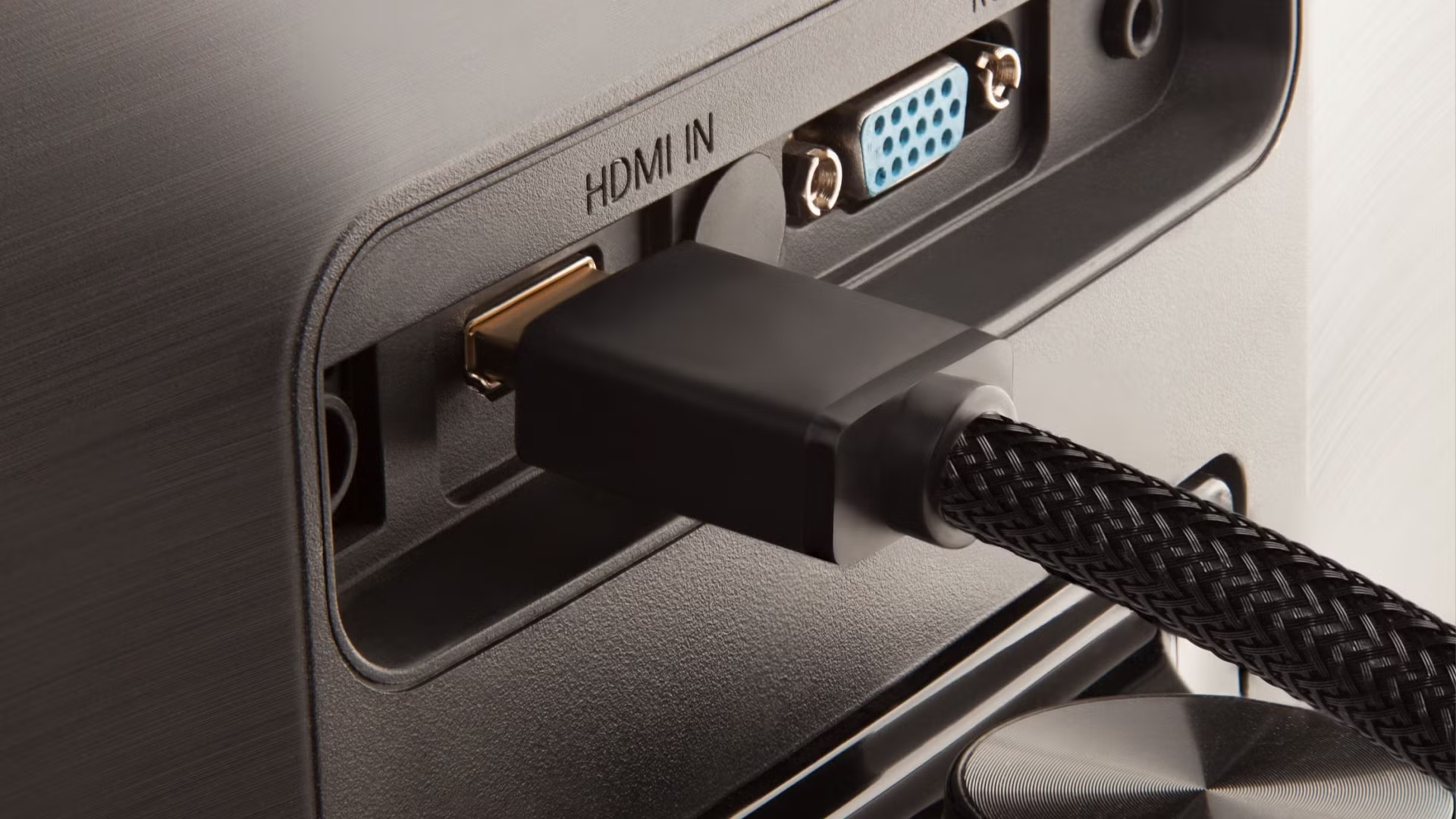
Use the HDMI cable that came with your PS5. It's a certified Ultra High Speed HDMI cable. Third-party cables may not reliably handle 4K 120Hz signals.
Enable HDMI 2.1 features in both devices. On PS5, go to Settings > Screen and Video > Video Output and enable 120Hz output and VRR if supported. On the monitor, check the OSD for HDMI 2.1 or Enhanced Format mode.
Turn on Game Mode or ALLM. Most gaming monitors have a low-latency mode. The PS5 can auto-switch to it via Auto Low Latency Mode, but verify it's working.
Calibrate HDR if your panel supports it. PS5 has a built-in HDR calibration tool in Settings > Screen and Video > Video Output > Adjust HDR. Follow the on-screen instructions for your specific panel.
Set the monitor's overdrive to the optimal level. Too much overdrive causes inverse ghosting. Too little leaves motion blur. Most monitors have a "Normal" or "Medium" setting that balances both.
)")
Frequently Asked Questions
Is 27 inches too big for a PS5 monitor?
No. At desk viewing distances of two to three feet, 27 inches is a comfortable size. It fills your field of view without requiring excessive head movement.
It works well for both competitive and casual gaming.
Does PS5 support 1440p on 27-inch monitors?
Yes. Sony added 1440p output support via system software update. However, not all games render at native 1440p.
Some upscale from 1080p or downscale from 4K, which can affect image sharpness.
Is 4K or 1440p better for PS5 at 27 inches?
4K is sharper and avoids scaling issues. 1440p offers more affordable high refresh rate options. Choose 4K for visual quality. Choose 1440p if you prioritize competitive performance and budget.
Can PS5 run 120Hz on a 27-inch monitor?
Yes, if the monitor supports 120Hz over HDMI 2.1. You need both a compatible monitor and a game with a performance mode that targets 120fps. The PS5's HDMI 2.1 port supports 4K at 120Hz and 1440p at 120Hz.
Is a 27-inch monitor better than a TV for PS5?
For desk use, yes. Monitors have lower input lag, higher refresh rates, and appropriate sizes for close viewing. TVs work better at couch distances where you need a larger screen.
What is the ideal screen size for PS5 at a desk?
27 inches is the most popular choice for desk gaming. It balances immersion with practicality. 24 inches works for competitive-focused players. 32 inches suits those who want more screen and sit slightly farther back.
Costs, Pricing, and Data
Monitor prices fluctuate, but here's what to expect as of 2026. A 27-inch 4K 120Hz panel with HDMI 2.1 typically runs $350 to $500. The LG 27GP950-B and Gigabyte M28U sit in this range.
For 1440p 120Hz, budget $200 to $300. The Gigabyte M27Q X and Acer Nitro XV272U deliver solid performance here.
Competitive 1080p 240Hz options stay under $200. The ASUS VG279QM and AOC 27G2SE are common picks.
OLED commands premium pricing, usually $600 to $700 for 27-inch panels. The LG 27GR95QE-B and Alienware AW2725DF represent this tier.
Expert Tips and Pro Advice
Look for monitors with verified HDMI 2.1 implementations. Read the fine print. Some ports claim HDMI 2.1 but only deliver 2.4 Gbps.
Full bandwidth is 48 Gbps.
Check RTINGS.com for input lag and response time measurements. RTINGS tests are consistent and reliable. They test each monitor with real equipment, giving you trustworthy numbers.
Prioritize a 120Hz panel even if you don't play competitive games. The UI and supported games feel smoother at 120Hz. The difference is immediately noticeable.
Consider a monitor with built-in speakers if you want a simple setup. But built-in speakers are weak. A decent headset or external speakers deliver far better audio.
Safety and Compliance Notes
VESA DisplayHDR certification provides a baseline for HDR quality. Look for DisplayHDR 400 or higher. DisplayHDR 1000 indicates true HDR performance.
HDMI 2.1 certification is administered by HDMI Licensing Administrator. Check the official HDMI.org website for certified products. This ensures the port meets the full specification.
Ergonomic setup matters for long gaming sessions. Position the monitor so your eyes align with the top third of the screen. This reduces neck strain and eye fatigue.
Long-Term Optimization and Maintenance
Update your monitor firmware when available. Manufacturers fix bugs and improve compatibility. A firmware update might unlock better PS5 compatibility.
Calibrate brightness for your environment. 200 to 300 nits works well for most rooms. Excessive brightness causes eye strain during long sessions.
Clean the screen with a microfiber cloth. Avoid harsh chemicals or paper towels. Gentle cleaning preserves the panel's coating and image quality.
Real Scenarios and Case Examples
Competitive FPS player, $300 budget: A 27-inch 1440p 165Hz monitor fits perfectly. The high refresh rate benefits fast-paced games. Some scaling softness occurs in certain titles, but the competitive advantage outweighs this.
Cinematic gamer, $450 budget: A 27-inch 4K 120Hz panel is the ideal match. Native 4K output from PS5 matches the display exactly. Story-driven games look their best with no scaling artifacts.
Small desk, limited space: A 27-inch 1080p 240Hz monitor works if desk depth is tight. The pixel density is low, but the high refresh rate helps competitive play. Consider 24 inches instead if sharpness matters.
Final Recommendation and Decision Guide
Choose 27-inch 4K if: You want the sharpest image, you game at a desk, and your budget allows $350 or more. This is the best visual pairing for PS5.
Choose 27-inch 1440p if: You play competitive games, want high refresh rates, and need to stay under $300. Accept some scaling trade-offs for better performance.
Choose 32-inch 4K if: You want more immersion, sit a bit farther back, or play mostly single-player games. The larger screen suits cinematic experiences.
Avoid 27-inch 1080p entirely. The pixel density is too low at this size. Go 24 inches if 1080p is your only option.
The 27-inch form factor remains the sweet spot for desk-based PS5 gaming. Pick your resolution based on budget and game preferences. You'll be happy with the result.

Similar Posts





















