Why Do Gamers Buy Mini LED Monitors
If you've been shopping for a gaming monitor lately, you've probably noticed Mini LED models popping up everywhere. So why do gamers buy Mini LED monitors? The short answer is HDR performance without the risks of OLED.
You get much higher peak brightness, deeper contrast than standard LED, and zero worry about burn-in. For more background on real-world performance, read our breakdown of why are mini led monitors better than normal led.
The technology has matured fast. As of 2026, you can find solid Mini LED gaming monitors from around $400 to over $1,500. VESA's DisplayHDR 1400 certification is becoming a common benchmark.
Let's break down what's actually going on under the hood and whether it's worth your money.
Quick Answer
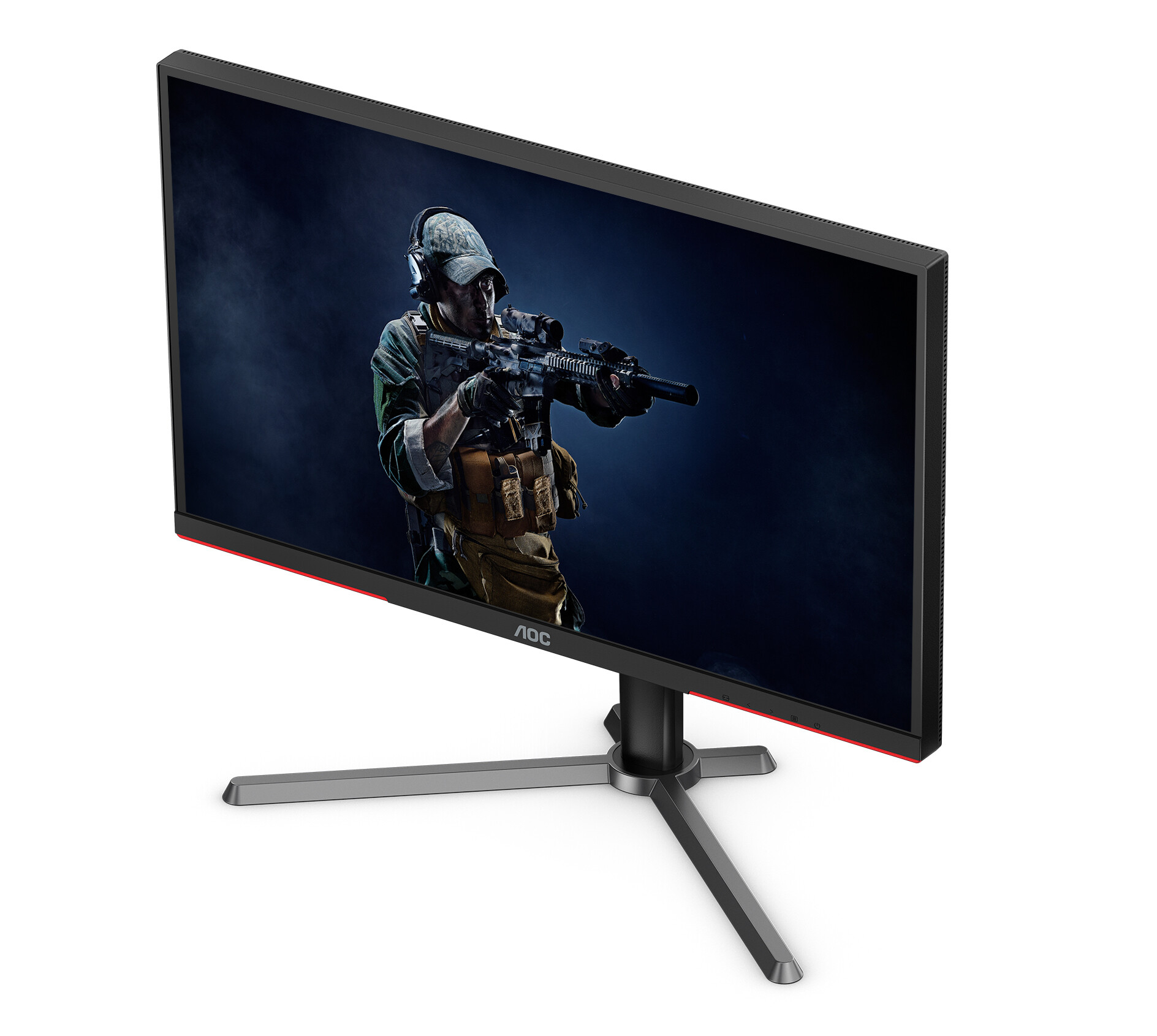
Gamers buy Mini LED monitors for strong HDR performance. These displays hit 1,000 to 2,000 nits of peak brightness. They avoid the burn-in risk that OLED panels carry. You can also reference our testing on how do mini led monitors work when configuring your display.
Mini LED works well in bright rooms where OLED struggles. The trade-off is blooming around bright objects on dark backgrounds.
Mini LED vs OLED vs Standard LED: The Gaming Display Breakdown
You've basically got three options right now. Standard LED monitors are cheap and reliable but look washed out in HDR. OLED delivers perfect blacks and per-pixel dimming but costs more and can burn in over time.
Mini LED sits in the middle with strong brightness and no burn-in risk.
Here's how they stack up on the specs that matter for gaming:
| Feature | Standard LED | Mini LED | OLED |
|---|---|---|---|
| Peak Brightness | 300–600 nits | 1,000–2,000+ nits | 600–1,000 nits (sustained) |
| Black Levels | Decent (IPS) to Good (VA) | Very Good (VA + FALD) | Perfect (per-pixel) |
| HDR Performance | Basic | Strong | Excellent |
| Burn-in Risk | None | None | Present |
| Response Time | 1–4ms | 1–6ms (varies by panel) | 0.1–1ms |
| Price Range | $150–$500 | $400–$1,500+ | $800–$2,500+ |
| Best For | Budget gaming | HDR gaming + bright rooms | Dark room, competitive play |
Standard LED monitors use edge-lit or direct-lit backlights with few or no dimming zones. HDR content looks flat because the whole screen brightens together. Mini LED fixes that with hundreds or thousands of independently controlled dimming zones.
OLED goes further by dimming each pixel individually.
The real question is what you're actually gaming in. If your room gets a lot of sunlight or you keep the lights on, Mini LED pulls ahead fast. If you game in a dark room and want the absolute best contrast, OLED still wins on pure picture quality.
What Mini LED Actually Is (And What It's Not)
Mini LED isn't a new panel type. It's a backlighting technology that goes behind existing panel types, usually VA or IPS. The "mini" part refers to the LED chips themselves, which are around 100 to 200 micrometers.
That's much smaller than traditional backlight LEDs.
Smaller LEDs mean you can fit way more of them. A Mini LED monitor might pack 1,152 or even 5,120 individual LED chips into the backlight layer. Each group of LEDs forms a dimming zone that can brighten or dim independently.
This is called full array local dimming, or FALD.
Here's the key distinction. Mini LED is not the same as MicroLED. MicroLED is a completely different display technology where each pixel emits its own light, like OLED but inorganic.
Mini LED is still an LCD display with a fancy backlight. You're still looking at an LCD panel with all its limitations, just with much better control over where the light goes.
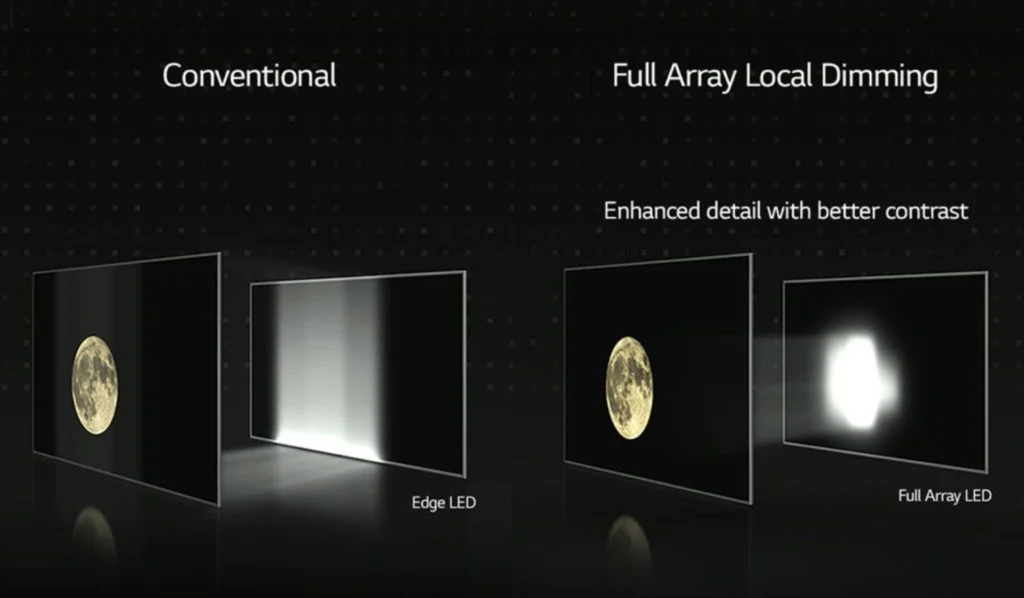
The dimming algorithm matters as much as the zone count. A monitor with 2,000 zones and a bad algorithm will look worse than one with 1,000 zones and smart dimming. Manufacturers don't always publish details about their algorithms, which makes direct comparisons tricky.
You have to rely on reviews that test real content, not just spec sheets.
Most Mini LED gaming monitors use VA panels for their naturally higher contrast. Some newer models use IPS with quantum dot layers for better color. The panel type affects response times and viewing angles, so it's worth checking which one you're getting.
The Real Benefits Gamers Care About
The biggest draw is HDR that actually looks like HDR. Standard LED monitors with DisplayHDR 400 certification barely qualify. Mini LED models with DisplayHDR 1000 or 1400 deliver visible highlight detail in explosions, sunlit scenes, and bright reflections.
You notice it immediately in games like Cyberpunk 2077 or Alan Wake 2.
Peak brightness is the headline number. Where a standard monitor tops out around 400 nits, Mini LED panels hit 1,000 to 2,000 nits in small windows. That's the difference between a spec of sunlight and actually feeling like sunlight is hitting your eyes.
Sustained full-screen brightness is lower, usually around 600 to 800 nits, but that's still well above standard LED.
No burn-in risk is a genuine practical advantage. OLED monitors can develop permanent image retention from static HUD elements, health bars, and taskbars. Mini LED LCDs don't have this problem at all.
You can leave the same game running for months and nothing sticks.
Bright room performance is underrated. OLED panels struggle in rooms with windows or overhead lighting because their peak brightness gets washed out. Mini LED's high peak brightness cuts through ambient light much better.
If your gaming setup isn't in a light-controlled cave, this matters a lot.
Color performance has improved too. Many Mini LED models cover 95% or more of DCI-P3 with quantum dot layers. That's wide enough for HDR content and close enough for color-critical work if you ever need it.
Where Mini LED Falls Short: Blooming, Bloom, and Other Trade-Offs
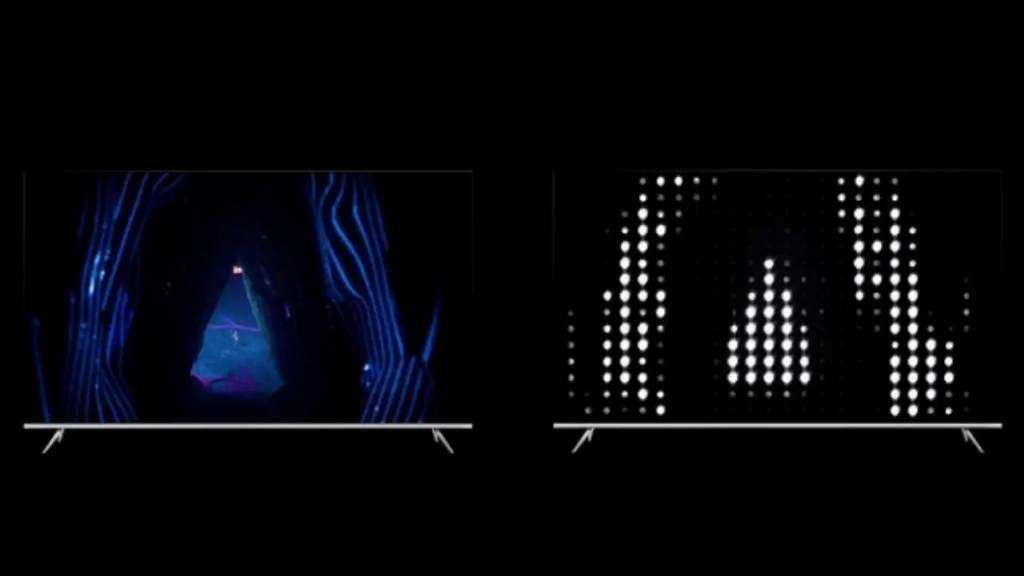
Blooming is the most obvious weakness. When a bright object appears on a dark background, you'll see a halo or glow around it. This happens because the dimming zones are larger than the bright element.
A white cursor on a black screen in a dark game scene will show visible blooming on most Mini LED monitors.
The severity depends on the zone count and the algorithm. More zones generally mean less blooming, but it never fully disappears the way it does on OLED. Some monitors let you adjust the dimming aggressiveness in the on-screen display.
Aggressive dimming reduces blooming but crushes shadow detail. It's a trade-off you'll need to set yourself.
Price is still a hurdle. A good Mini LED gaming monitor starts around $400 to $500 for a 27-inch 4K model. The sweet spot for 32-inch 4K high-zone-count displays runs $700 to $1,200.
That's more than a comparable standard LED and often close to entry-level OLED. You're paying for the backlight complexity.
Power consumption and heat are higher than standard LED. All those LED chips draw more power and generate more heat. Some high-end models include small fans for active cooling, which adds noise.
Most don't need fans, but the monitor will run warmer than a basic IPS display.
Panel thickness is noticeable. Mini LED monitors are thicker and heavier than standard LED models. The backlight layer adds 10 to 15 millimeters of depth.
If you're using a monitor arm, check the weight rating. Some 32-inch models weigh over 10 kilograms with the stand.
VA-based Mini LED panels can show black smearing in dark transitions. This is a VA panel characteristic, not a Mini LED issue, but it's worth knowing. If you play a lot of fast-paced games with dark scenes, look for models that specifically address this in reviews.
IPS-based Mini LED avoids smearing but has lower native contrast.
HDR tone mapping on PC is still inconsistent. Windows HDR implementation isn't great, and not every game handles HDR correctly. You might spend time calibrating settings per game.
Consoles handle this better out of the box, especially PS5 and Xbox Series X with their system-level HDR calibration tools.
Who Should Actually Buy a Mini LED Gaming Monitor
Mini LED makes the most sense for gamers who want strong HDR without worrying about burn-in. If you play a mix of single-player AAA titles and competitive games, it's a solid middle ground. You get the visual punch of HDR in story-driven games and the brightness to handle bright rooms during everyday use.
Console gamers on PS5 and Xbox Series X are a great fit. Both consoles support HDR natively and have system-level calibration. The high peak brightness of Mini LED pairs well with what these consoles output.
You don't deal with Windows HDR headaches.
Gamers in bright rooms benefit the most. If your setup has windows, overhead lights, or you just prefer playing with the lights on, Mini LED's brightness advantage over OLED is real and noticeable. OLED can't compete in sustained brightness against ambient light.
Content creators who also game get good value here. Many Mini LED models cover wide color gamuts accurately enough for photo editing or video work. You get a capable gaming monitor and a decent productivity display in one.
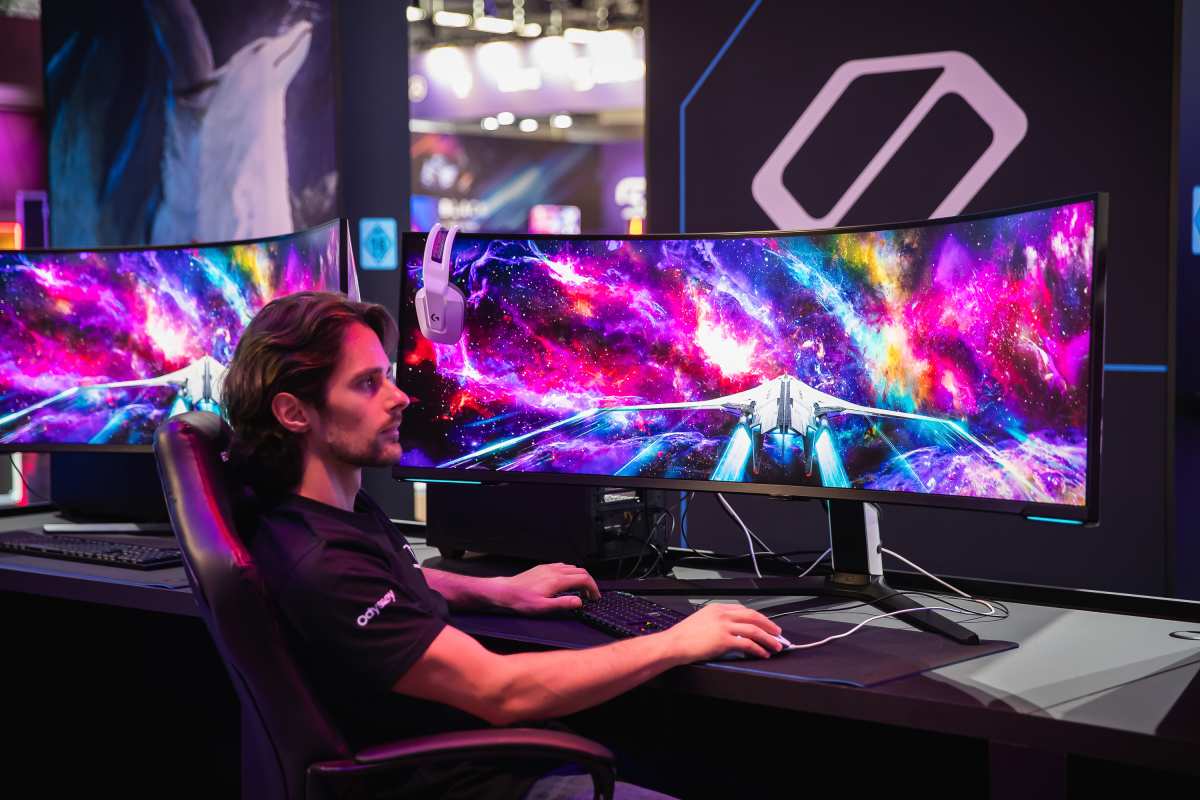
High-end PC gamers with RTX 4080 or 4090 cards can push the frame rates and resolution these monitors demand. 4K at 144Hz with HDR is the sweet spot. If your GPU can't push those frame rates, you might not fully benefit from the high refresh rate side of things.
Who Should Skip It (And Go OLED or Standard LED Instead)
Competitive players who prioritize pure response time should look at OLED. The pixel response times on OLED are significantly faster than even the best Mini LED panels. If you're playing Valorant, CS2, or Overwatch at a high level, that speed advantage matters more than HDR brightness.
Dark room gamers should seriously consider OLED. In a light-controlled environment, OLED's perfect blacks and zero blooming deliver a more immersive experience. Mini LED can't match that per-pixel precision no matter how many zones it has.
Budget buyers should stick with standard LED. A good 27-inch 4K IPS monitor for $250 to $350 handles most gaming fine. You won't get impressive HDR, but you'll get solid performance without the Mini LED price premium.
The value proposition at the low end just isn't there yet.
If you mostly play competitive shooters with static HUDs and don't care about HDR, Mini LED doesn't offer much over a good standard IPS monitor. You'd be paying more for benefits you won't fully use.
Common Mistakes People Make When Buying a Mini LED Monitor
Buying based on zone count alone is the most common error. A monitor with 2,000 zones and a poor dimming algorithm will look worse than one with 1,000 zones and smart processing. Always check reviews that test real content, not just the spec sheet.
Ignoring the panel type underneath is another mistake. Mini LED is just the backlight. The actual panel, whether VA or IPS, determines response time, viewing angles, and native contrast.
A Mini LED backlight on a slow VA panel still has VA smearing.
Not checking HDR compatibility with your system causes headaches. Make sure your GPU supports HDR output and that your games actually implement HDR well. Some PC games have broken HDR that looks worse than SDR.
Test before you invest.
Overlooking the physical size and weight catches people off guard. These monitors are thicker and heavier than standard LED. Your existing monitor arm might not handle the weight.
Your desk might not have the depth for the stand. Measure before you buy.
Assuming all Mini LED is the same leads to disappointment. There's huge quality variation between models at the same price point. A $500 Mini LED with 576 zones performs very differently from a $500 Mini LED with 1,152 zones.
Read comparisons, not just marketing.
Forgetting to budget for a good HDMI 2.1 or DisplayPort 1.4 cable is minor but annoying. High refresh rate 4K HDR needs the right cable. Not every monitor ships with one that supports the full bandwidth.
What to Look For: Specs That Actually Matter
Dimming zone count is the first number to check. For 27-inch 4K models, look for at least 1,000 zones for noticeable HDR improvement. For 32-inch and larger, 1,152 to 2,304 zones is the current sweet spot.
Some flagship models now offer 5,120 zones.
Peak brightness in DisplayHDR certification tells you a lot. DisplayHDR 1000 is the minimum for meaningful HDR. DisplayHDR 1400 is better.
DisplayHDR 400 is basically meaningless for HDR gaming, even on Mini LED.
Panel type determines the baseline experience. VA gives you better native contrast but slower response times. IPS gives you faster response and wider viewing angles but lower contrast.
Some newer models use IPS with quantum dot for a balance of both.
Refresh rate and adaptive sync support matter for gaming smoothness. 144Hz is the baseline for high refresh. 240Hz is better for competitive play. Make sure the monitor supports G-Sync or FreeSync Premium Pro for HDR-compatible variable refresh.
Response time claims are almost always marketing. Manufacturers cite 1ms GtG, but real-world performance is usually 3 to 6ms on VA and 2 to 4ms on IPS. Check independent reviews that measure actual response times with pursuit cameras.
Connectivity needs to match your setup. HDMI 2.1 is essential for console gaming at 4K 120Hz. DisplayPort 1.4 with DSC handles 4K 144Hz on PC.
USB-C with power delivery is a nice bonus if you use a laptop.
Tips to Get the Most Out of a Mini LED Gaming Setup
Enable local dimming in the monitor's on-screen display. It's often turned off by default. Without it, you're basically using an expensive standard LED monitor.
Set it to the highest quality mode available, usually labeled something like "Local Dimming High" or "HDR Premium."
Calibrate HDR at the system level first. On Windows, use the Windows HDR calibration app to set your peak brightness and black level correctly. On PS5 and Xbox, run the built-in HDR calibration tool.
This makes a bigger difference than any in-game setting.
Adjust the dimming aggressiveness to your preference. Most monitors let you choose between dimming levels. More aggressive dimming reduces blooming but loses shadow detail.
Less aggressive dimming preserves detail but shows more blooming. Find what bothers you less.
Update the monitor firmware when available. Manufacturers sometimes improve dimming algorithms through firmware updates. Check the support page for your specific model every few months.
Turn off dynamic contrast and other post-processing features in SDR mode. These features often interfere with image accuracy. Use the monitor's sRGB or native color mode for desktop work and enable HDR only when gaming or watching HDR content.
Position your room lighting to minimize reflections. Mini LED handles ambient light better than OLED, but direct glare on the screen still washes out the image. Bias lighting behind the monitor helps perceived contrast without adding glare.
Frequently Asked Questions
Is Mini LED better than OLED for gaming?
It depends on your priorities. Mini LED wins on peak brightness and burn-in safety. OLED wins on response time and perfect blacks.
For bright rooms and HDR gaming, Mini LED is often the better choice. For dark rooms and competitive play, OLED still leads.
Does Mini LED have burn-in?
No. Mini LED monitors use LCD panels with LED backlights. They don't suffer from burn-in or image retention the way OLED displays do.
You can leave static elements on screen without worry.
How many dimming zones do I need?
For a 27-inch 4K monitor, aim for at least 1,000 zones. For 32-inch and larger, 1,152 to 2,304 zones is the current sweet spot. More zones generally mean better HDR and less blooming, but the dimming algorithm quality matters just as much.
Can I use a Mini LED monitor for competitive gaming?
Yes, but check the response time and input lag specs carefully. Some Mini LED monitors have higher input lag in HDR mode. VA-based models may show dark smearing.
For competitive FPS gaming, look for models with verified low input lag and fast response times.
Why is my Mini LED monitor showing blooming?
Blooming is a normal characteristic of Mini LED technology. It happens when bright objects appear against dark backgrounds because the dimming zones are larger than the bright element. You can reduce it by using the highest local dimming setting, but it won't disappear completely.
Are Mini LED monitors good for bright rooms?
Yes, this is one of their strongest advantages. Mini LED monitors hit 1,000 to 2,000 nits of peak brightness, which cuts through ambient light much better than OLED or standard LED. If your gaming setup has windows or bright lighting, Mini LED handles it well.

Similar Posts





















