Why Are Gaming Monitors Expensive
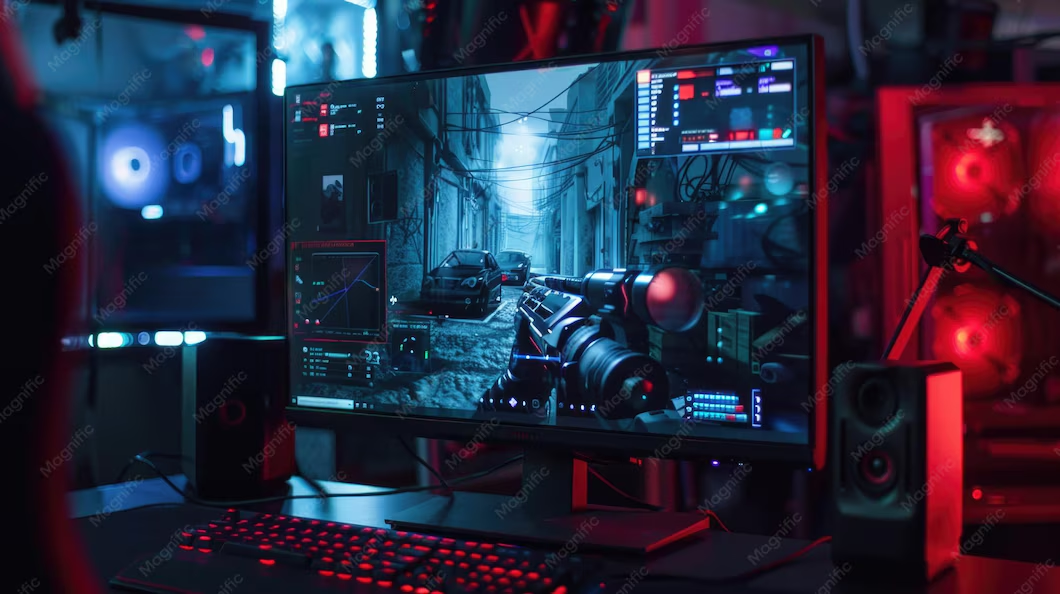
If you've ever browsed for a gaming monitor, you've probably wondered why are gaming monitors expensive when a standard display costs half the price. The short answer is that gaming-specific hardware genuinely costs more to manufacture.
But here's the catch. A big chunk of that price tag comes from features most people won't fully use. Let's break down where your money actually goes. For more background on real-world performance, read our breakdown of overdrive on gaming monitors.
Quick Answer
Gaming monitors cost more due to specialized panels, faster refresh rates, and adaptive sync hardware. High refresh rate panels require tighter manufacturing tolerances and quality control. Features like G-Sync modules and OLED technology add significant cost.
However, not every premium feature justifies its price for every user.
What Drives Gaming Monitor Prices: 7 Cost Factors
Seven main factors determine what you pay for a gaming monitor. Some are worth the premium. Others are marketing fluff.
1. Display Panel Quality
The panel itself is the single biggest cost driver. Gaming panels are binned, tested, and tuned for faster pixel response. Manufacturers reject units that don't meet tight tolerance thresholds. You can also reference our testing on whether 32 inch monitors too big for gaming when configuring your display.
That reject rate gets baked into the price.
2. Refresh Rate Engineering
Pushing a panel to 240Hz or 360Hz requires more than just a fast display. The timing controller, backlight scanning, and overdrive circuits all need enhanced design. Higher refresh rates also demand stricter thermal management.
3. Adaptive Sync Hardware
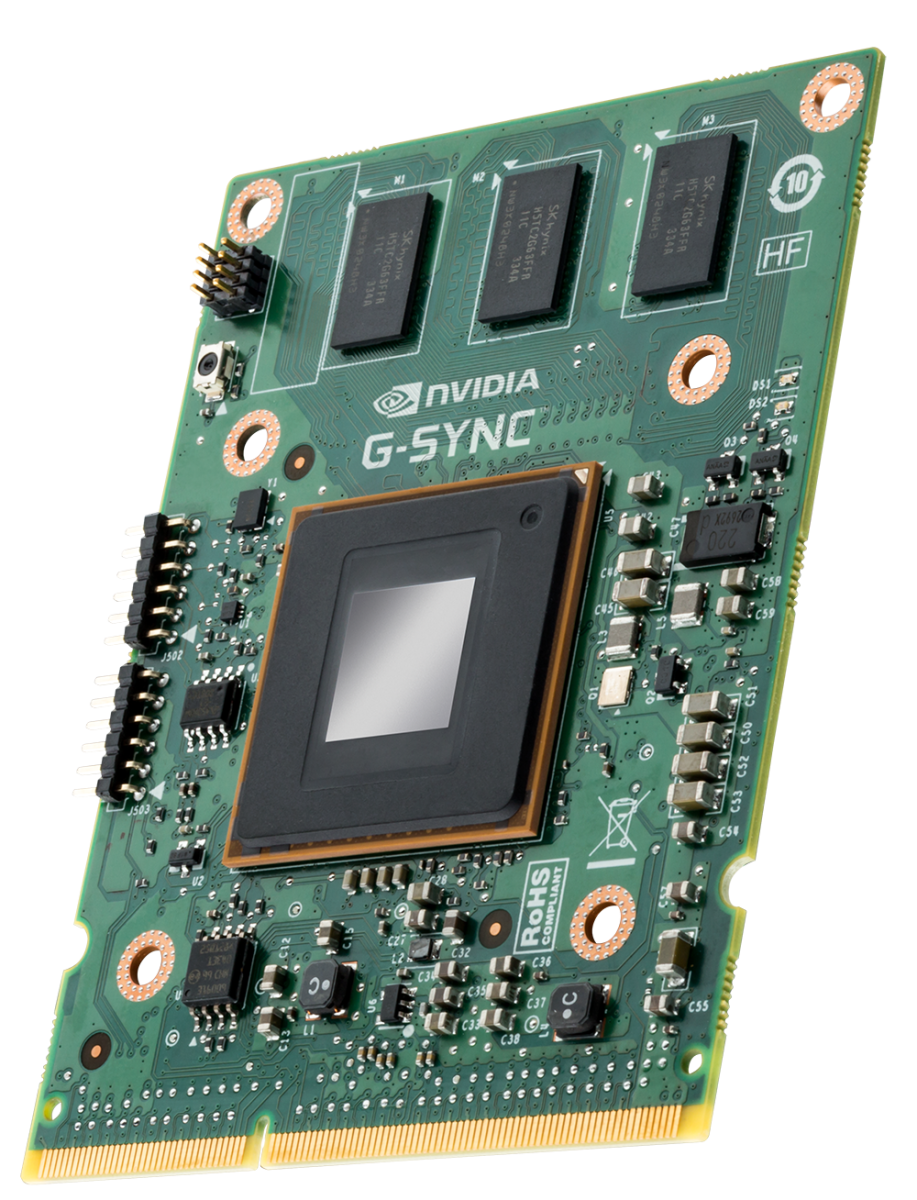
G-Sync modules contain proprietary Nvidia scalar chips. That's a real hardware cost, typically adding $50 to $150 to the bill of materials. FreeSync uses the panel's built-in timing controller, so it adds less cost.
4. HDR Implementation
True HDR requires high peak brightness and precise local dimming zones. Most budget HDR monitors use edge-lit backlights with no real dimming capability. Genuine HDR demands expensive hardware, not just a certification sticker.
5. Resolution and Pixel Density
A 4K panel has four times the pixels of a 1080p panel. More pixels mean higher manufacturing defect rates and more complex driving electronics. Yield losses increase cost significantly at higher resolutions.
6. Response Time Tuning
Achieving 1ms gray-to-gray response times requires aggressive overdrive tuning. Poorly tuned overdrive creates overshoot artifacts. Getting it right demands per-panel calibration and quality assurance time.
7. Build Quality and Stand
Premium monitors include height-adjustable stands, sturdy bezels, and robust ports. Budget monitors cut costs here first. A $150 monitor might have a great panel but a wobbly, non-adjustable stand.
Panel Types Explained: TN vs IPS vs VA vs OLED
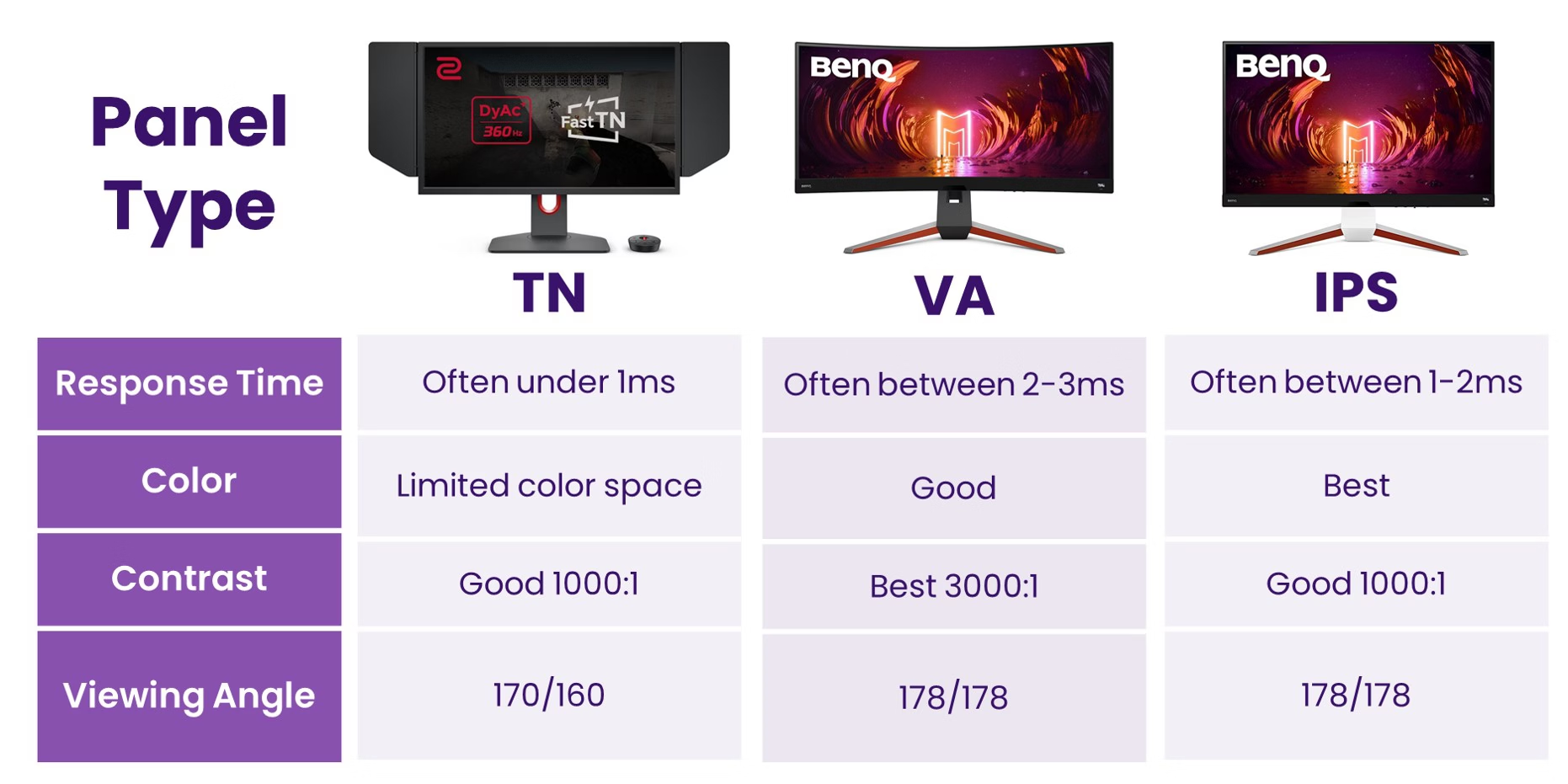
Panel technology is the foundation of every gaming monitor. Each type involves trade-offs in speed, image quality, and cost.
TN (Twisted Nematic)
TN panels offer the fastest response times and highest refresh rates at the lowest cost. They're popular in competitive esports. The downside is poor color accuracy and narrow viewing angles.
Colors shift when you view the screen from off-center.
IPS (In-Plane Switching)
IPS delivers the best color accuracy and widest viewing angles. Most mainstream gaming monitors use IPS panels. They cost more than TN but offer a better overall experience.
Some IPS panels exhibit "IPS glow," a brightening near corners in dark scenes.
VA (Vertical Alignment)
VA panels provide the highest contrast ratios and deepest blacks. They're excellent for immersive single-player games and dark-room viewing. However, VA panels typically have slower pixel transitions, causing smearing in fast-paced games.
OLED
OLED technology produces perfect blacks, infinite contrast, and near-instantaneous pixel response. Each pixel emits its own light with no backlight required. The downsides are higher price, potential burn-in risk, and lower peak brightness on full-screen white content.
| Panel Type | Best For | Response Time | Contrast Ratio | Price Range |
|---|---|---|---|---|
| TN | Competitive FPS | 1ms | 600:1 to 1000:1 | $150–$250 |
| IPS | Most gamers | 1ms to 4ms | 1000:1 | $250–$500 |
| VA | Immersive games | 4ms to 8ms | 3000:1 to 5000:1 | $200–$400 |
| OLED | Premium everything | 0.1ms | Infinite | $700–$1,500 |
VESA (Video Electronics Standards Association) defines testing methodologies for display performance metrics, though certification programs like DisplayHDR operate independently. Current market trends as of 2025 show rapid OLED monitor price decline while premium IPS panels remain competitively priced.
Refresh Rate Tiers: Which Upgrade Is Actually Worth It?
Refresh rate gets the biggest marketing numbers on the box. Here's what actually matters.
60Hz to 144Hz
This jump transforms your gaming experience completely. Motion looks dramatically smoother. Input lag drops noticeably.
Every gamer should make this upgrade at minimum.
144Hz to 240Hz
The improvement is measurable but requires trained eyes to notice. Competitive FPS players benefit most. For casual gaming, the difference feels marginal compared to the earlier jump.
240Hz to 360Hz
At this tier, we're serving professional esports players. Hardware reviewer communities and aggregate user feedback consistently indicate minimal perceptible benefit for regular consumers. You need powerful hardware to push 360 frames per second anyway.
360Hz to 500Hz
This is pure marketing territory for 99% of users. Yes, the number looks impressive. No, you won't feel the difference during actual gameplay.
These panels exist for benchmark headlines and sponsor placements.
The honest truth. Going from 60Hz to 144Hz changes everything. Going from 144Hz to 240Hz refines the experience.
Everything beyond that serves diminishing returns that hit your wallet hard.
G-Sync vs FreeSync: The Hidden Hardware Cost
Adaptive sync technology eliminates screen tearing and reduces stuttering. But not all implementations cost the same.
G-Sync (Hardware Module)
Nvidia's original G-Sync requires a proprietary scalar chip inside the monitor. This module handles frame timing independently. It adds $50 to $150 to manufacturing costs.
The result is consistent, high-quality adaptive sync performance. G-Sync Ultimate modules add even more cost with HDR processing capabilities.
G-Sync Compatible
These monitors use VESA AdaptiveSync (the open standard behind FreeSync). Nvidia certifies them as "compatible" after testing. No dedicated hardware cost here.
Functionality is similar but quality varies by monitor.
FreeSync and FreeSync Premium
AMD's technology uses the display's existing timing controller. FreeSync Premium adds requirements for low framerate compensation and minimum 120Hz refresh. FreeSync Premium Pro adds HDR support.
All of this adds minimal hardware cost.
What This Means for Your Budget
If you have an Nvidia GPU, a G-Sync Compatible monitor usually suffices. Paying extra for the hardware module makes sense only if you want guaranteed performance and are willing to pay for the assurance.

Similar Posts





















