Are 32 Inch Monitors Too Big for Gaming
are 32 inch monitors too big for gaming
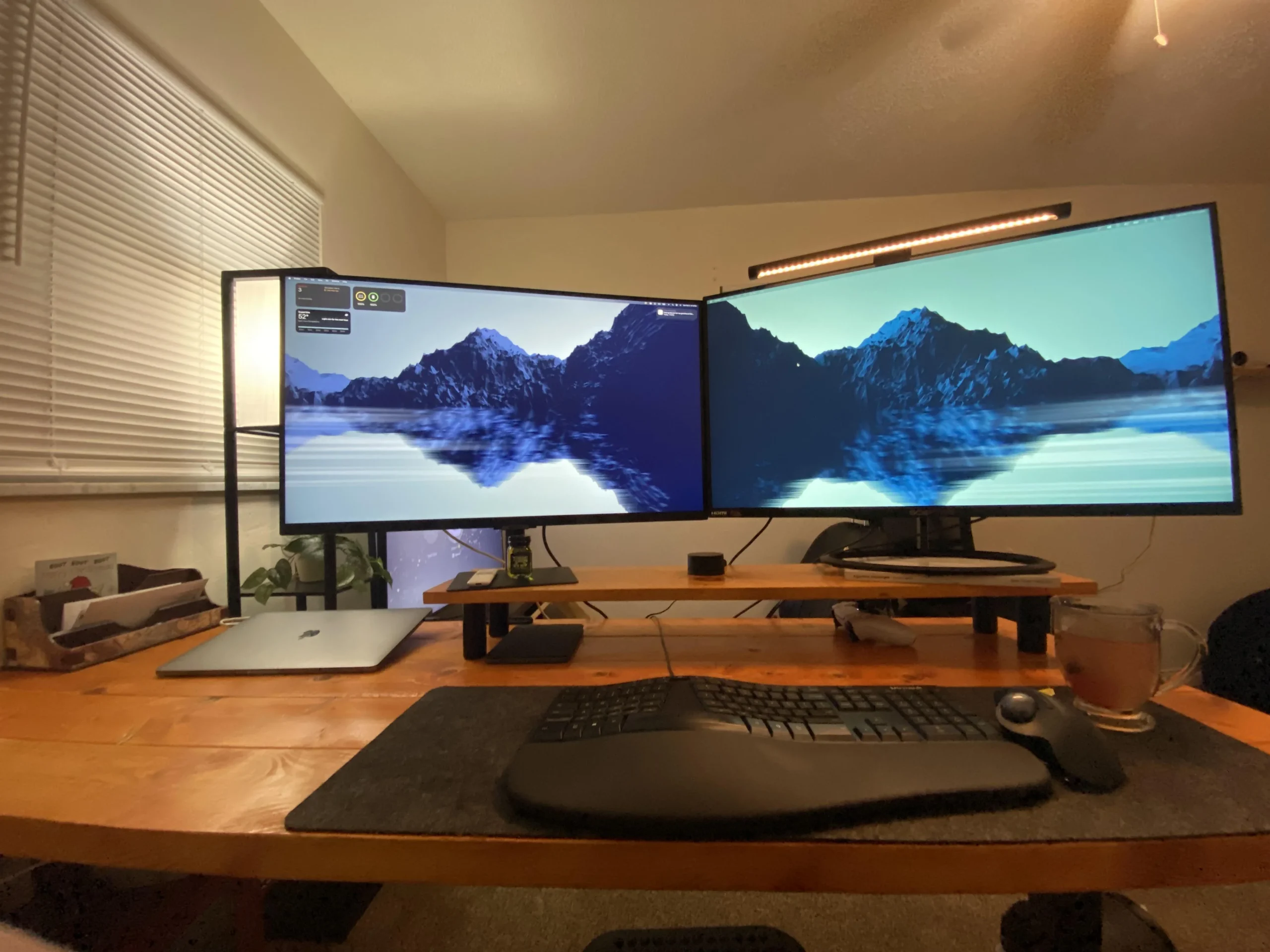
If you've been eyeing a 32-inch monitor and wondering whether it's going to overwhelm your desk or hurt your performance, you're asking the right question. The answer isn't a simple yes or no. It depends on how far you sit from your screen, what resolution you're running, and what kinds of games you actually play.
A 32-inch display at 4K resolution packs around 138 pixels per inch, which looks sharp at a typical desk viewing distance of two to three feet. But drop that resolution to 1080p and you're looking at roughly 68 PPI, where individual pixels become visible and text looks soft. Let's break down exactly when a 32-inch monitor works for gaming and when it doesn't. This directly compares with our findings on whether 32 inch curved gaming monitor too big.
The Quick Answer
32-inch monitors are not too big for gaming in most situations. The right fit depends on your viewing distance, resolution, and game genres. At 4K, a 32-inch screen works well for immersive and console gaming.
At 1080p, it often looks soft and pixelated. Competitive players at close range may prefer smaller displays.
Why 32-Inch Monitors Aren't One-Size-Fits-All
The "right" monitor size isn't a universal number. It shifts based on three main variables that most buyers overlook. For related troubleshooting and calibration steps, check our walkthrough on the refresh rate of 27 inch gaming monitors.
The Three Variables That Actually Change the Answer
Desk depth and viewing distance. If you're sitting 24 inches from the screen, a 32-inch display fills a huge portion of your field of view. Move back to 36 or 40 inches and that same screen feels far more manageable. Most standard desks run 24 to 30 inches deep, which puts many gamers uncomfortably close to a large panel.
Resolution you're running. A 32-inch screen at 4K looks crisp and detailed. That same physical size at 1080p spreads those pixels thin, and you'll notice the softness. The pixel density drops significantly as screen size increases at the same resolution, which is why resolution and size need to be considered together, not separately.
Types of games you play. A competitive Valorant player has very different needs than someone exploring Elden Ring or running a flight simulator. Fast-paced shooters benefit from smaller screens where your eyes don't have to travel as far. Immersive single-player games benefit from the extra size and presence a larger display provides.
The Resolution Problem Most People Miss
Here's where most buyers get tripped up. They see "32 inches" and think bigger is better, then pair it with the wrong resolution. The pixel density, measured in pixels per inch, determines how sharp the image looks at your viewing distance.
Why 1080p on 32 Inches Looks Worse Than You Think
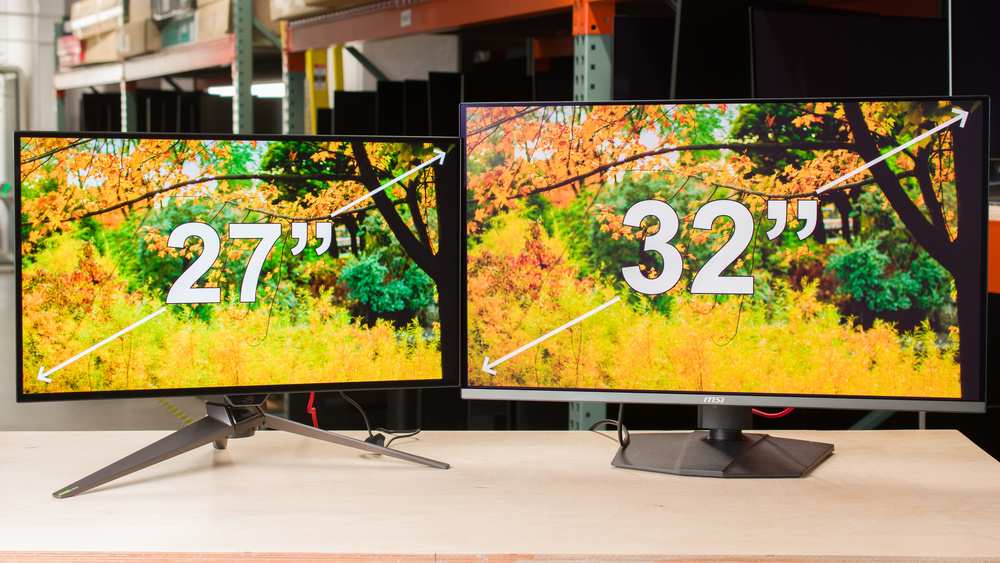
At 1080p on a 32-inch panel, you're getting roughly 68 pixels per inch. For reference, a 24-inch 1080p monitor delivers about 92 PPI. That gap is visible.
Text looks slightly fuzzy, edges aren't as clean, and fine details in games lose their sharpness. If you're coming from a smaller 1080p screen, the difference in clarity at 32 inches is immediately noticeable.
This resolution also demands less from your GPU, which sounds like a benefit. But the tradeoff in image quality is significant enough that most people regret it within the first week. Unless you're strictly limited by your graphics card and prioritize frame rate above all else, 1080p at 32 inches is hard to recommend.
1440p: The Compromise Nobody Talks About
1440p on a 32-inch screen gives you around 93 PPI. That's a meaningful step up from 1080p and lands in a range that looks acceptable for most gaming scenarios. It's not as razor-sharp as 4K, but it's perfectly serviceable, especially if you sit a bit farther back from the screen.
The tradeoff is that 1440p at 32 inches sits in an awkward middle ground. It's not as crisp as 4K for productivity and media, and it's not as easy to drive at high refresh rates as 1080p. For gamers who want a balance between visual quality and performance, it works.
For everyone else, it's a compromise that leaves something to be desired on either end.
4K: Where 32 Inches Finally Makes Sense
At 4K resolution, a 32-inch monitor hits approximately 138 PPI. That's genuinely sharp. Text is clean, game details are crisp, and the image holds up well at close viewing distances.
This is the resolution where 32 inches feels justified rather than excessive.
The catch is that 4K demands serious GPU horsepower. To push 4K at 144 frames per second, you need a top-tier graphics card like an NVIDIA RTX 4080 or RTX 4090, or an AMD Radeon RX 7900 XTX. If your GPU can't keep up, you'll end up with lower frame rates that negate the benefit of a high-refresh display.
As of 2026, 4K high-refresh gaming remains a premium experience that requires premium hardware to match.
| Resolution | Pixel Density (PPI) | Sharpness | GPU Demand | Best For |
|---|---|---|---|---|
| 1080p | ~68 | Soft, visible pixels | Low | Budget builds, esports only |
| 1440p | ~93 | Acceptable, not crisp | Mid-range | Balanced gaming |
| 4K | ~138 | Sharp and detailed | High-end | Immersive gaming, productivity |
Who Should Actually Avoid a 32-Inch Gaming Monitor
Not everyone benefits from going big. There are specific situations where a 32-inch monitor works against you rather than for you.
Competitive FPS Players Sitting at a Normal Desk
If you play competitive shooters like Counter-Strike 2, Valorant, or Apex Legends, screen real estate can actually hurt your performance. On a 32-inch display, your eyes and head need to move more to track action across the screen. That extra head movement adds milliseconds of reaction time, which matters at higher skill levels.
Most professional and competitive players stick with 24 to 27-inch monitors for a reason. The entire screen stays within your central vision, targets are easier to track, and you can maintain better focus during long sessions. If competitive performance is your priority, smaller is generally better.
Shallow Desks (Under 24 Inches Deep)
A 32-inch monitor on a shallow desk pushes the screen uncomfortably close to your face. The general recommendation is a viewing distance of at least 2.5 feet for a display this size. If your desk is only 20 to 24 inches deep, you're going to be sitting too close, which leads to eye strain and an overwhelming field of view.
Measure your desk depth before buying. If it's under 24 inches, a 27-inch monitor will serve you much better. You'll get a similar immersive feel without the ergonomic headaches that come from sitting too close to a large panel.
Anyone Running a Mid-Range GPU
If you're running a mid-range card like an RTX 4060, RTX 4070, or Radeon RX 7700 XT, driving 4K at high refresh rates isn't realistic in most modern titles. You'll either need to drop settings significantly or accept lower frame rates. Pairing a 32-inch 4K monitor with a GPU that can't push it properly means you're paying for pixels you can't fully use.
In that scenario, a 27-inch 1440p display is a smarter match. You'll get high frame rates, good sharpness, and a screen size that doesn't overwhelm your setup. Save the 32-inch upgrade for when your GPU can actually back it up.
Who Benefits Most From Going 32 Inches
On the flip side, there are gamers who genuinely benefit from the jump to 32 inches. If you fall into one of these categories, the larger screen is likely worth it.
Single-Player and Immersive Gamers
If your gaming time goes toward open-world RPGs, story-driven adventures, or atmospheric titles, a 32-inch display adds a level of immersion that smaller screens can't match. The larger image fills more of your peripheral vision, making game worlds feel more expansive and engaging. At 4K, the visual fidelity on a 32-inch panel is genuinely impressive.
Games like Cyberpunk 2077, Baldur's Gate 3, and Red Dead Redemption 2 benefit enormously from the extra screen real estate. You notice environmental details more easily, cutscenes feel more cinematic, and the overall experience feels more enveloping. For this type of gaming, bigger genuinely is better.
Sim Racing and Flight Sim Enthusiasts
Sim racers and flight sim players are among the biggest beneficiaries of larger displays. These genres rely on peripheral vision and spatial awareness, both of which improve with a larger screen. A 32-inch monitor gives you a wider field of view that makes cockpit and driving experiences feel more realistic.
Many sim enthusiasts pair a 32-inch display with a curved panel, which further enhances the sense of immersion by wrapping the image around your field of view. If you're deep into sim gaming, 32 inches is often considered the sweet spot between desk-friendly size and immersive presence.
Console Gamers Playing From a Couch
If you're connecting a PS5 or Xbox Series X and playing from a couch or a deeper desk setup, a 32-inch monitor works well. Console gamers typically sit farther back than PC gamers, which puts them in the ideal viewing range for a larger display. At that distance, the screen feels appropriately sized rather than overwhelming.
Both the PS5 and Xbox Series X support 4K output at up to 120Hz, which pairs perfectly with a 32-inch 4K high-refresh monitor. You get console convenience with PC-level display quality, and the size feels natural at couch distance.
Content Creators Who Also Game
If you stream, edit video, or do creative work on the same machine you game on, a 32-inch 4K display pulls double duty. The extra screen real estate makes editing timelines, streaming software, and multitasking far more comfortable. When you switch to gaming, you still get an immersive experience without needing a second monitor.
For creators, the 4K resolution is particularly valuable. Editing 4K footage on a 4K display at 1:1 pixel mapping gives you accurate previews of your final output. The 32-inch size provides enough room to have editing software and reference materials open side by side without feeling cramped.
The Ergonomics Nobody Warns You About
Getting the size right isn't just about image quality. How your body handles a 32-inch screen matters just as much over weeks and months of daily use.
Eye Strain and Head Tracking
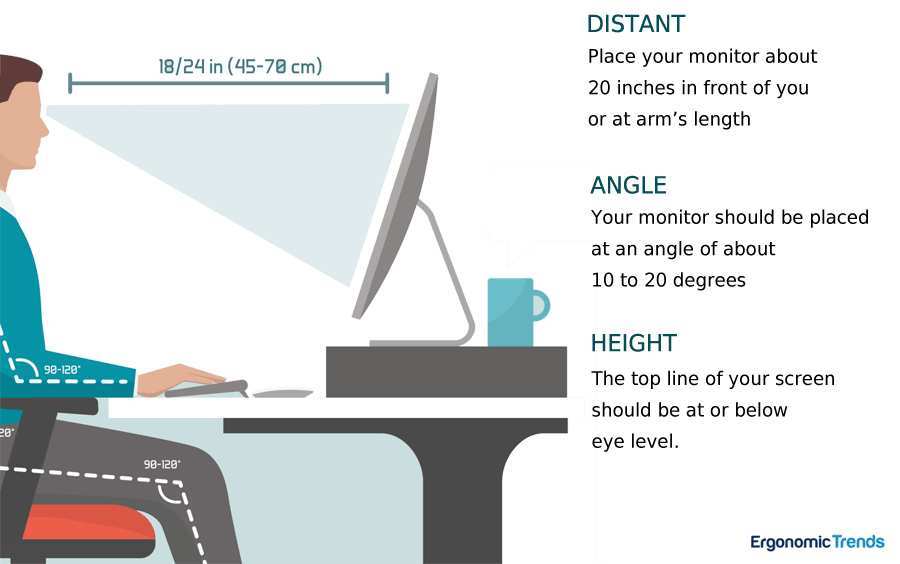
A larger screen forces your eyes to travel more to see everything happening at the edges. In fast-paced games, this constant refocusing between the center and periphery of a 32-inch display can contribute to eye fatigue over long sessions. Per OSHA workstation guidelines, the monitor should be positioned so the top of the screen is at or slightly below eye level, with a viewing distance of roughly 20 to 40 inches.
At 32 inches, if you're closer than 28 inches, those eye movements become significant.
Some gamers adapt within a few days. Others find the constant eye and head motion tires them out faster than a smaller panel would. It depends on your sensitivity and how many hours you play daily.
If you already deal with eye strain, a 27-inch display might be the safer choice.
Neck Strain From Poor Positioning
If your 32-inch monitor sits too high or too far away, you'll unconsciously adjust your posture to compensate. Tilting your head up for hours leads to neck and shoulder tension. Craning your forward to see details at distance causes upper back discomfort.
A monitor arm helps enormously here, since it lets you dial in the exact height and angle your body needs.
The general recommendation is to have your gaze angle downward by about 10 to 20 degrees when looking at the center of the screen. For a 32-inch panel, that often means mounting it slightly lower than you would a 27-inch display, especially if you're of average height and sitting at a standard desk.
How Curved Panels Change the Issue
A curved 32-inch monitor reduces some of these ergonomic concerns. The curve brings the edges of the screen closer to your eyes, which reduces the focus distance shift between the center and periphery. For a 32-inch display, a curvature rating of 1500R or 1000R makes a noticeable difference in comfort over flat panels at the same size.
However, curved panels aren't for everyone. If you do any kind of visual work, like photo editing or graphic design, the curve can distort your perception of straight lines. They also tend to reflect light differently, which matters if your room has windows or bright lighting directly behind you.
32-Inch vs. 27-Inch: The Comparison That Actually Matters
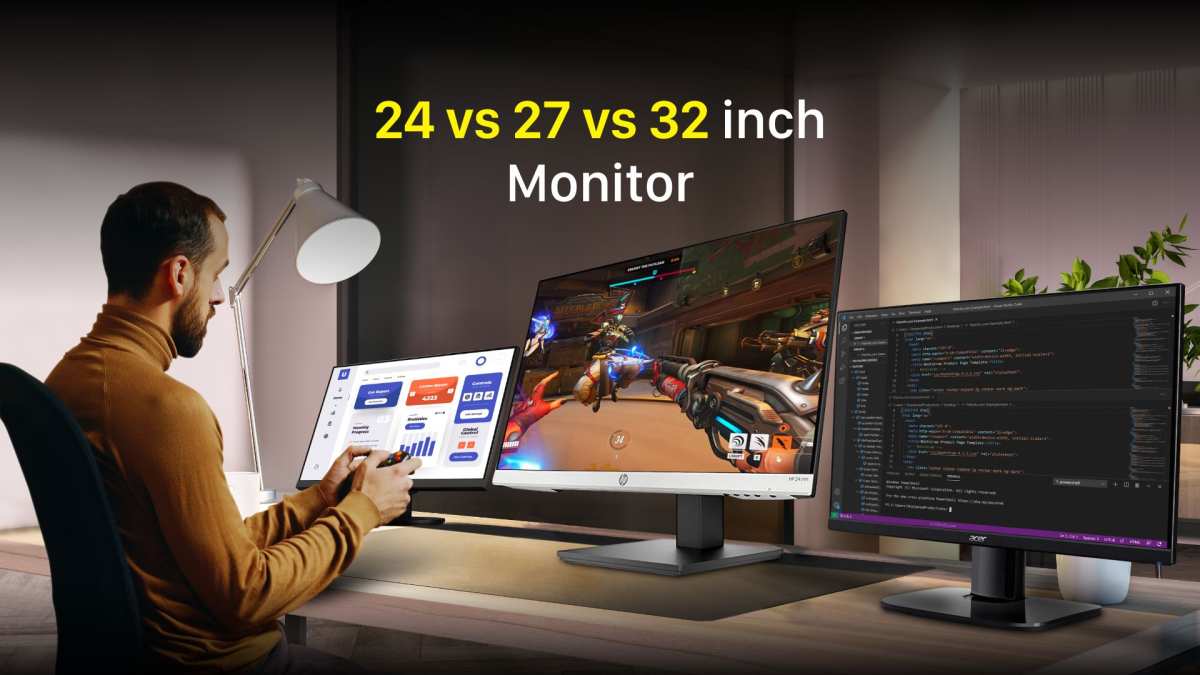
Since 27 inches has been the go-to recommendation for years, you need a clear picture of what you gain and lose by going up to 32. Not just on paper, but in actual daily use.
Side-by-Side Breakdown
| Factor | 27 Inches | 32 Inches |
|---|---|---|
| Footprint on desk | Manageable, fits shallow desks | Deep, needs 26"+ desk depth |
| Best resolution | 1440p (~109 PPI) | 4K (~138 PPI) |
| Competitive gaming | Ideal for FPS and esports | Possible but not preferred |
| Immersion in single-player | Good | Noticeably better |
| Viewing distance comfort | Fine at 24" from screen | Needs 30"+ from screen |
| GPU demand at ideal res | Mid-range handles it | High-end needed for 4K |
| Price at comparable specs | Lower | Higher |
When 27 Inches Wins
If you primarily play competitive games, sit close to your desk, or use a mid-range GPU, a 27-inch 1440p monitor remains the smarter buy. It sits in the sweet spot where image quality, performance, and physical size all align without major tradeoffs. Most gamers never feel limited by 27 inches.
These displays also take up less room for your mouse and keyboard. If you play FPS games and need room for a large mouse pad and low sensitivity aiming, the desk space saved by a 27-inch panel is a real practical benefit.
When 32 Inches Wins
For immersive single-player gaming, content creation, console use, or sim setups, 32 inches at 4K delivers a noticeably better experience. The extra size adds presence and detail that a 27-inch screen simply can't match. At the right viewing distance with a strong GPU, the upgrade is genuinely worthwhile.
If you sit at least 30 inches from your display and value visual impact over competitive edge, 32 inches gives you something 27 inches can't. It feels like a meaningful step up rather than a lateral move.
How to Decide: A Practical Decision Framework
Instead of guessing, walk through these four steps to find your actual answer. Each one eliminates bad options.
Step 1: Measure Your Viewing Distance
Grab a tape measure. Sit in your normal gaming position on your chair. Measure from your eyes to where the monitor sits.
If that distance is less than 30 inches, 32 inches is probably too big for comfortable use. If it's 30 to 40 inches or more, a 32-inch screen fits well.
This single measurement eliminates more bad purchases than any spec sheet. It's the most practical thing you can do before spending money.
Step 2: Check Your GPU Against Your Target Resolution
What graphics card are you running now? And what frame rate do you actually want? Match your hardware to the right resolution and refresh rate on a 32-inch display.
If you can't hit at least 100 frames per second in your main games at the resolution you'd want, the 4K panel isn't doing you any favors.
Step 3: Match Monitor Size to Your Primary Game Genre
Think about what you play most weeks. If it's competitive shooters or MOBAs, stick with 27 inches. If it's open-world games, RPGs, shooters you play for story, or sims, 32 inches adds real value.
The genre mismatch is what causes most people to regret going big.
Step 4: Test Your Desk Space
Measure your desk depth and width. A 32-inch monitor with a stand needs roughly 10 to 12 inches of depth just for the screen and base. If your desk is shallow, consider a monitor arm mount, which reclaims some of that space by floating the display above the desk surface.
Common Mistakes People Make When Buying a 32-Inch Monitor
Buying 4K Without the GPU to Drive It
This is the number one regret. People buy a 32-inch 4K 144Hz monitor, plug it into their RTX 4070, and then wonder why they're getting 45 frames per second in their favorite game at native resolution. Either drop settings significantly or accept 60Hz.
Neither feels great after paying premium prices.
Ignoring Panel Type at This Size
Panel choice matters more at 32 inches than at smaller sizes. A slow VA panel at 32 inches shows more motion blur and smearing than it would at 27 inches, simply because your eyes travel a greater distance across the screen during fast movement. IPS and OLED panels handle this better but cost more.
Assuming Bigger Is Always Better
Bigger is better for immersion. It's not always better for performance, comfort, or value. Going from 27 to 32 inches costs more money and demands more from your hardware.
If your current 27-inch monitor feels fine, the upgrade might not be as dramatic as you expect.
Skipping the Curved vs. Flat Decision
At 32 inches, the curved versus flat choice has a real impact on your experience. Flat panels at this size can feel like you're looking at the edges from a distance, which reduces immersion. A gentle curve, around 1500R, helps the edges feel more natural at close range.
Some people prefer flat, so if curved displays bother you, factor that into the purchase decision.
Expert Tips Before You Buy
A few practical things to keep in mind that don't always show up on spec sheets.
First, check your cable situation. To run 4K at 144Hz, you need either DisplayPort 1.4 with Display Stream Compression or HDMI 2.1. Older cables or ports cap you at 60Hz at 4K, which defeats the purpose of gaming on a high-refresh 32-inch panel.
Most modern mid-range and high-end GPUs include HDMI 2.1, but budget cards and older systems often don't.
Second, pay attention to the overdrive setting on the monitor. At 32 inches, pixel transitions are more noticeable across the larger panel area during fast movement. A well-tuned overdrive setting reduces ghosting and smearing without introducing inverse artifacts, which shows up as bright halos behind moving objects.
Reviews from aggregate sources like RTINGS test overdrive performance specifically, so check those results before buying.
Third, consider monitor arms instead of the included stand. Many 32-inch stands are deep and eat into your desk space. A good monitor arm lets you adjust height, tilt, and depth precisely, which matters even more at this size than at smaller sizes.
VESA 100x100mm mounting is standard on practically all 32-inch displays.
Frequently Asked Questions
Is a 32-inch monitor too big for competitive gaming?
For serious competitive play, most players perform better on 24 to 27-inch monitors. The smaller screen keeps everything in your central vision and reduces required head movement. That said, if you sit 30 inches back from the screen and aren't playing at the highest level, 32 inches works fine.
How far should I sit from a 32-inch monitor?
For a 32-inch 4K display, 30 to 40 inches is the comfortable range. At 1440p, sitting closer than 30 inches makes the lower pixel density more noticeable. Deeper desks generally handle 32-inch monitors better.
Is 32 inches better than 27 inches for gaming?
Better depends on your use case. For immersion and visual quality, 32 inches at 4K is a meaningful upgrade. For competitive gaming and desks under 24 inches deep, 27 inches remains the stronger choice.
Most expert comparisons treat these as complementary options rather than one being universally better.
Can I use a 32-inch monitor for office work and gaming?
This is actually one of the best use cases. The extra screen real estate helps with spreadsheets, documents, and multitasking during work hours. When you switch to gaming, the same screen provides an immersive experience.
At 4K resolution, text clarity is excellent for productivity tasks.
Is a curved or flat 32-inch monitor better for gaming?
A gentle curve around 1500R or 1000R works well for immersion and reduces edge distortion at this size. If you do visual work or prefer a flat reference display, a flat panel avoids geometry distortion. Both options perform well in gaming scenarios.
Do I need a powerful GPU for a 32-inch gaming monitor?
For 4K gaming at high refresh rates, yes, you need a high-end GPU. For console gaming at 60 to 120Hz, current consoles handle it natively. For 1440p gaming, a mid-range GPU works fine, though 32 inches at 1440p is not the sharpest pairing.
Match the display resolution to your hardware capability.
Final Verdict: Is 32 Inches Right for You?
A 32-inch monitor is the right call if you sit at least 30 inches from your display, play immersive or console games, have a GPU strong enough for 4K, and own a desk deep enough to handle the screen comfortably.
If any of those conditions don't fit your setup, a 27-inch 1440p monitor is probably the smarter buy. It serves more people in more situations with fewer tradeoffs.
The key takeaway is that size alone doesn't determine whether a monitor works for gaming. Your viewing distance, resolution, and game genres matter far more than the number on the box. Measure your space, know your hardware, and match the display to how you actually play.
A 32-inch monitor is a fantastic gaming display when the conditions are right. When they're not, it's an expensive compromise you don't need to make.

Similar Posts





















