Which Mini LED Monitor Is Best for Gaming
If you've been shopping for a gaming monitor lately, you've probably noticed mini LED backlighting everywhere. It promises deeper blacks, brighter HDR, and a picture that finally does justice to the games we're playing. But figuring out which mini LED monitor is best for gaming isn't as simple as grabbing the one with the biggest spec sheet.
The tricky part is that two monitors can share the same zone count and refresh rate but look completely different in practice. Things like local dimming algorithms, HDR tone mapping quality, and panel type matter just as much as the headline numbers. Let's break down what actually matters so you can pick the right one. Readers comparing various configurations should also examine whether mini led monitor good for gaming.
Quick Answer
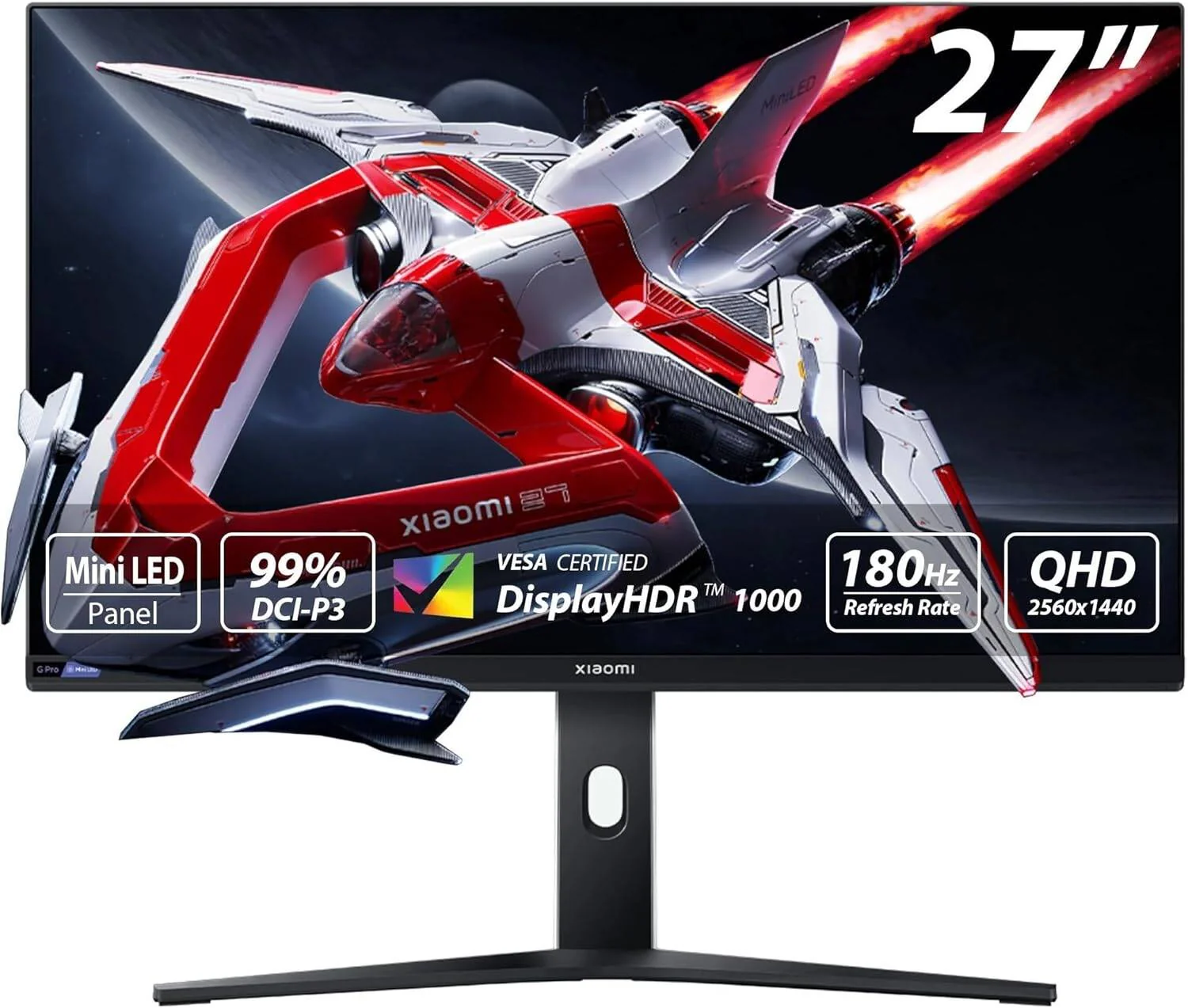
The Samsung Odyssey Neo G8 (S32BG85) is the best mini LED gaming monitor for most people. It delivers 4K resolution, 240Hz refresh, and 1,196 dimming zones. For console gaming, the ASUS ROG Swift PG32UQX is a strong pick.
Budget buyers should look at the KTC M32P10. It offers 576 zones at a much lower price.
How Mini LED Actually Works (And Why Zone Count Isn't Everything)
Mini LED backlighting is still LCD technology. The panel itself doesn't change. What changes is what's behind it. You can also reference our testing on a mini led monitor when configuring your display.
Instead of a few dozen large LED zones along the edge or scattered across the back, mini LED packs hundreds or thousands of tiny LEDs into the backlight array.
Each of those LEDs can dim or brighten independently. When a scene goes dark, the zones behind the dark areas turn down. When a bright object appears on screen, those specific zones crank up.
That's local dimming, and it's what gives mini LED its punch.
Here's where it gets interesting. A monitor with 1,196 zones can actually look worse than one with 576 zones if the dimming algorithm is poorly tuned. The algorithm decides how quickly zones respond, how aggressively they dim, and how they handle transitions between bright and dark areas.
Samsung's Neo G8 uses what they call a "Quantum Matrix" system that processes dimming zones in real time. Reviews from TFTCentral and RTINGS confirm it handles dark scene transitions with minimal lag.
But there's a catch you'll hear about in every forum thread: blooming. That's the halo effect you see around bright objects on dark backgrounds. A white cursor on a black loading screen.
Subtitles during a cutscene. The more zones you have, the tighter the blooming control. But it never fully disappears on LCD-based mini LED.
It's physics, not a defect.
The VESA DisplayHDR certification system gives us a rough quality floor. DisplayHDR 1000 and DisplayHDR 1400 certifications require sustained brightness levels that only well-implemented mini LED can reliably hit. If you see DisplayHDR 400 on a mini LED monitor, that's a red flag.
It means the backlight implementation isn't doing much more than a standard edge-lit panel.
The Specs That Actually Matter When Choosing a Mini LED Gaming Monitor
Not every spec on the box tells you something useful. Let's separate the ones that genuinely affect your gaming experience from the marketing fluff.
Dimming Zones: More Isn't Always Better
Zone count is the first number manufacturers put on the box. It matters, but context matters more.
| Zone Count Range | What to Expect | Typical Price Range |
|---|---|---|
| 96–192 zones | Noticeable blooming, basic HDR improvement over standard LED | $250–$400 |
| 384–576 zones | Good HDR performance, blooming visible only in torture tests | $400–$700 |
| 1,000+ zones | Excellent HDR, minimal blooming in real content | $700–$1,200+ |
The jump from 192 to 576 zones is dramatic. The jump from 576 to 1,196 is noticeable but smaller. Diminishing returns hit fast above 600 zones for most real-world gaming.
What matters more than raw count is how those zones are controlled. A well-tuned 576-zone VA panel can look better in dark scenes than a poorly tuned 1,000-zone IPS panel. Read reviews that specifically test dark scene performance and HDR tone mapping before you buy.
Panel Type: VA vs IPS Trade-offs You'll Actually Notice
Mini LED monitors use either VA or IPS panels. Each brings different strengths to the table.
VA panels give you native contrast ratios around 3,000:1 to 5,000:1. That's roughly three times what IPS offers. When combined with local dimming, VA panels produce deeper, more convincing blacks.
The trade-off is slower pixel response times, especially in dark transitions. You'll sometimes see smearing or ghosting in fast-moving dark scenes.
IPS panels respond faster and have wider viewing angles. Colors look consistent even when you're sitting off-center. But native contrast sits around 1,000:1, which means blacks look more gray in a dark room even with local dimming active.
Blooming tends to be more visible on IPS because the baseline black level is higher.
For competitive FPS gaming where response time is critical, IPS mini LED is usually the safer call. For cinematic single-player games and horror titles where atmosphere matters, VA's deeper blacks win out.
HDR Brightness and Tone Mapping: Where the Real Magic Happens
Peak HDR brightness is the single biggest factor in how impactful HDR looks on any monitor. Manufacturers advertise peak numbers, but sustained brightness tells the real story.
A monitor that hits 1,600 nits in a 5% window but drops to 600 nits on a full white screen isn't delivering true HDR. Look for reviews that measure both small-window and full-screen sustained brightness. The VESA DisplayHDR 1400 certification requires 1,400 nits peak and 900 nits sustained in a 10% window.
That's a meaningful threshold.
Tone mapping is the other half of the equation. This is how the monitor translates HDR content that was mastered at brightness levels the monitor can't actually reach. Good tone mapping preserves detail in highlights without crushing shadows.
Bad tone mapping makes everything look washed out or overly dark.
Samsung's Neo G8 and ASUS's ROG Swift PG32UQX both score well in tone mapping tests. Budget models from KTC and Cooler Master tend to struggle here, even when their raw brightness numbers look competitive on paper.
Refresh Rate, Response Time, and Input Lag for Competitive Play
Mini LED backlighting doesn't directly affect refresh rate or input lag. Those are panel and processor characteristics. But the monitors that use mini LED tend to be premium models, so you're usually getting competitive specs as a baseline.
For competitive gaming, look for:
- 240Hz or higher refresh rate
- 3ms or lower gray-to-gray response time
- Input lag under 4ms at maximum refresh rate
- G-Sync Compatible or FreeSync Premium Pro support
The Samsung Odyssey Neo G8 hits 240Hz at 4K, which is still rare in the mini LED space. Most competitors top out at 144Hz or 165Hz. If you're running a high-end GPU and want both 4K and high refresh, your options narrow quickly.
One thing to watch for: some mini LED monitors add processing lag when local dimming is set to its highest level. Check reviews that measure input lag with local dimming on versus off. The difference should be under 1ms.
If it's more than that, you'll feel it in fast-paced games.
My Top Picks Broken Down by Use Case
Best Overall Mini LED Gaming Monitor
The Samsung Odyssey Neo G8 (S32BG85) is the most well-rounded mini LED gaming monitor available as of 2026. It packs 1,196 dimming zones behind a 32-inch 4K VA panel running at 240Hz. That combination of resolution, refresh rate, and zone density is hard to beat.
HDR performance is its standout feature. Peak brightness hits around 1,800 nits in small windows, and sustained brightness holds strong enough that HDR content looks genuinely impactful. Tone mapping is well-tuned out of the box, with only minor tweaking needed in the OSD.
The 240Hz refresh rate at 4K makes it viable for both competitive and cinematic gaming. Response times are solid for a VA panel, though you'll still see some smearing in dark transitions that IPS handles better. Input lag measures around 2.5ms at 240Hz with local dimming active.
The main downsides are the aggressive anti-glare coating, which some users report looks grainy at close range, and the fan-cooled power supply that produces faint noise in quiet rooms. Neither is a dealbreaker for most people, but they're worth knowing about.
Best Mini LED for Console Gaming (PS5 and Xbox Series X)
Console gaming has specific requirements. You need HDMI 2.1 for 4K at 120Hz. You need good HDR tone mapping because console HDR implementation varies wildly between games.
And you need a monitor that handles the 4K/120 signal without added lag.
The ASUS ROG Swift PG32UQX checks all those boxes. It's a 32-inch 4K IPS panel with 1,152 dimming zones and a 144Hz refresh rate. HDMI 2.1 support means full compatibility with both PS5 and Xbox Series X at their maximum output specs.
Where this monitor shines for console use is its HDR processing. ASUS has clearly tuned the tone mapping for the kind of HDR signals consoles send. Games like Horizon Forbidden West and Forza Horizon 5 look noticeably better here than on competing monitors with similar specs.
The 144Hz refresh rate is lower than the Neo G8's 240Hz, but that's irrelevant for console gaming since consoles cap at 120fps. The IPS panel also means wider viewing angles, which matters if you're sitting on a couch rather than at a desk.
It's expensive, often sitting above $1,000. If that's too steep, the KTC M32P10 offers a budget alternative with HDMI 2.1 and 576 zones at roughly a third of the price.
Best Budget Mini LED Gaming Monitor
The KTC M32P10 is the monitor that makes mini LED accessible. It's a 32-inch 4K VA panel with 576 dimming zones, 144Hz refresh, and a price that typically lands between $350 and $450.
For the money, the HDR performance is genuinely impressive. Peak brightness reaches around 1,000 nits, and the 576 zones provide meaningful local dimming that you can actually see in dark games. It's not as refined as the Neo G8 or PG32UQX, but it's in a different price bracket entirely.
The downsides are what you'd expect at this price. The OSD is clunky. The stand is basic with no height adjustment.
HDR tone mapping isn't as polished, so you'll spend more time tweaking settings. And the anti-glare coating has a slightly uneven texture that's visible on solid colors.
Still, if you want real HDR gaming without spending $800 or more, this is the monitor that makes the case for mini LED at mainstream prices. It proves the technology isn't just for premium buyers anymore.
Best Mini LED for Competitive FPS Gaming
Competitive FPS players need speed above all else. High refresh rate, low response time, and minimal input lag are non-negotiable. HDR and zone count are secondary.
The Samsung Odyssey Neo G7 (S32BG75) is the best fit here. It's a 32-inch 4K VA panel with 576 zones and a 144Hz refresh rate. The lower zone count compared to the Neo G8 actually works in its favor for competitive use because the simpler dimming algorithm adds less processing overhead.
Response times are competitive for a VA panel, and input lag measures under 3ms. The 4K resolution means you need a strong GPU to push high framerates, but if you've got an RTX 4080 or better, this monitor lets you play at 4K without sacrificing responsiveness.
Some competitive players prefer 27-inch monitors for FPS because the smaller screen keeps more of the action in your central vision. If that's you, the Cooler Master Tempest GP27U is worth a look. It's a 27-inch 4K mini LED with 576 zones and excellent response times for its class.
Best 4K Mini LED for Immersive Single-Player Gaming
If you play games for atmosphere, story, and visual spectacle, you want the best HDR picture quality you can get. Zone count, tone mapping, and contrast all matter more than raw speed.
The ASUS ROG Swift PG32UQX takes this spot for its combination of 1,152 zones, excellent tone mapping, and IPS color accuracy. Games like Cyberpunk 2077, Alan Wake 2, and Elden Ring in HDR look stunning on this monitor. The 1,152 zones keep blooming tight enough that it rarely distracts during actual gameplay.
The IPS panel's wider color gamut coverage (around 98% DCI-P3) also means colors pop in a way that VA panels sometimes can't match. If you're the type who stops to take screenshots or just stares at the scenery, this monitor rewards that.
The trade-off is price and the 144Hz refresh cap. If you want both high refresh and premium HDR, the Neo G8 is the better all-rounder. But for pure visual quality in single-player games, the PG32UQX edges ahead.
Head-to-Head Comparison: How the Top Picks Stack Up
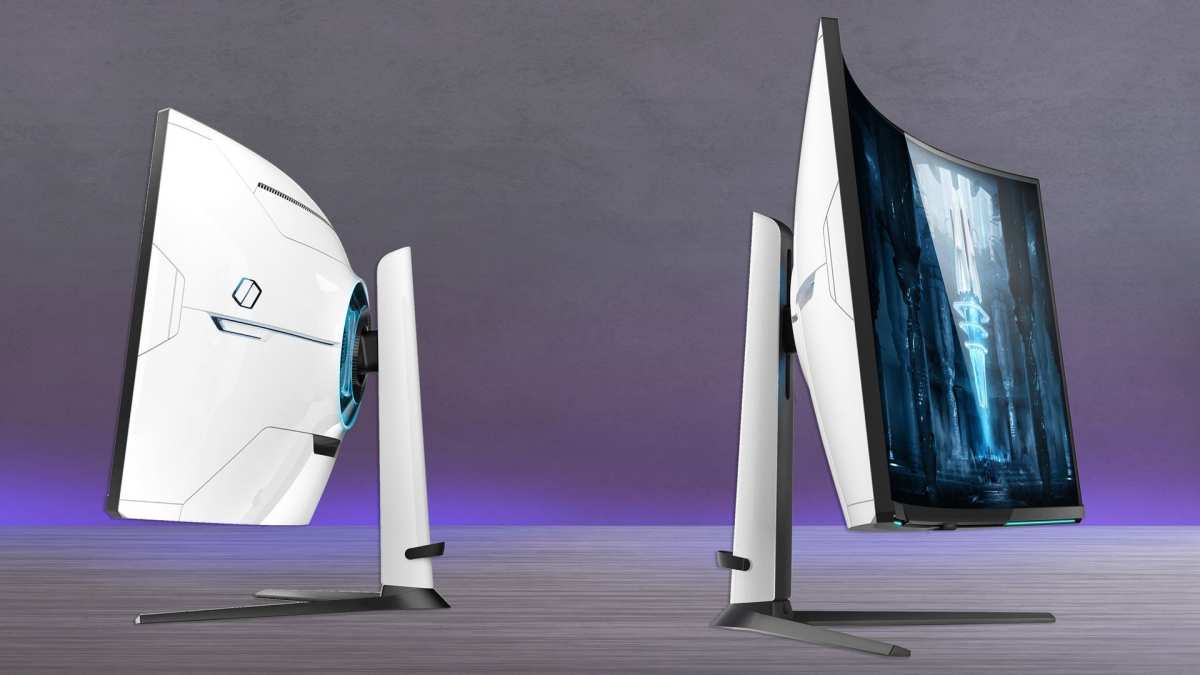
| Feature | Samsung Neo G8 (S32BG85) | ASUS PG32UQX | KTC M32P10 |
|---|---|---|---|
| Resolution | 4K (3840×2160) | 4K (3840×2160) | 4K (3840×2160) |
| Panel Type | VA | IPS | VA |
| Dimming Zones | 1,196 | 1,152 | 576 |
| Refresh Rate | 240Hz | 144Hz | 144Hz |
| Peak HDR Brightness | ~1,800 nits | ~1,400 nits | ~1,000 nits |
| HDMI 2.1 | Yes | Yes | Yes |
| Input Lag (at max refresh) | ~2.5ms | ~3.5ms | ~4ms |
| Typical Price | $800–$1,000 | $900–$1,200 | $350–$450 |
The Neo G8 wins on raw specs and versatility. The PG32UQX wins on color accuracy and tone mapping refinement. The KTC M32P10 wins on value per dollar by a wide margin.
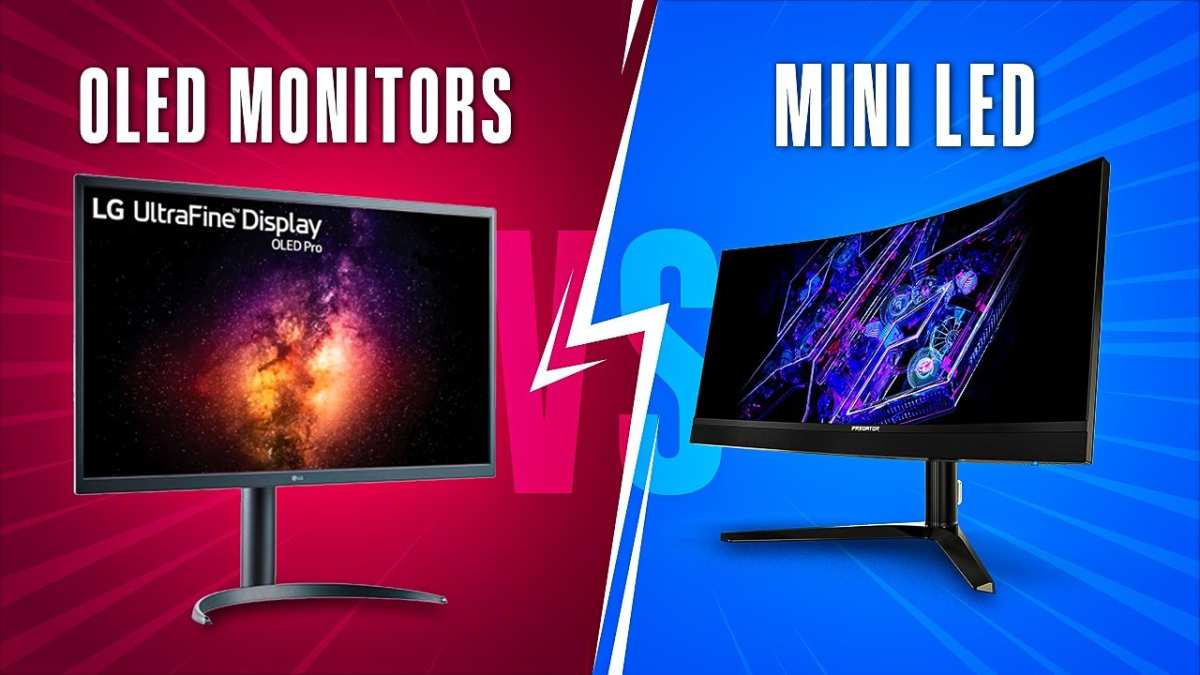
Mini LED vs OLED for Gaming: Should You Wait Instead?
This is the question everyone asks, and it's a fair one. OLED gaming monitors have improved dramatically. They offer perfect blacks, near-instant response times, and no blooming whatsoever.
So why bother with mini LED?
The answer comes down to three things: brightness, burn-in risk, and price.
OLED monitors struggle to hit the same sustained brightness levels as mini LED. The LG 27GR95QE, a popular 240Hz OLED, tops out around 1,000 nits in small windows and drops significantly on larger bright areas. Mini LED monitors like the Neo G8 sustain much higher brightness, which makes HDR highlights look more impactful.
Burn-in is still a real concern for OLED, even with modern mitigation techniques. Static HUD elements in games, taskbars, and channel logos can leave permanent marks over time. Mini LED LCDs have zero burn-in risk because the backlight doesn't degrade unevenly in the same way.
Price is where mini LED pulls ahead for most people. A good 27-inch OLED gaming monitor starts around $800. A 32-inch 4K mini LED with comparable or better HDR brightness costs similar or less, and you get a larger screen.
OLED is the better choice if you play in a dark room, prioritize response time above everything else, and don't mind the burn-in trade-off. Mini LED is the better all-rounder if you want HDR punch, longevity, and value.
Common Mistakes People Make Buying Mini LED Monitors
Buying based on zone count alone is the most common error. A 1,000-zone monitor with a bad dimming algorithm looks worse than a well-tuned 500-zone model. Always check reviews that test actual dark scene performance and HDR tone mapping, not just spec sheets.
Ignoring panel type is another mistake. If you primarily play competitive FPS games, a VA mini LED with slow dark transition response times will frustrate you regardless of how many zones it has. Match the panel type to how you actually game.
Assuming HDR certification equals HDR quality is dangerous. VESA DisplayHDR certification sets minimum thresholds, not quality standards. A DisplayHDR 1000 monitor can technically earn the certification while having mediocre tone mapping.
The certification tells you the monitor is bright enough. It doesn't tell you it looks good.
Forgetting to check HDMI 2.1 support catches a lot of console gamers. Not every mini LED monitor includes full-bandwidth HDMI 2.1 ports. Some use HDMI 2.0, which limits you to 4K at 60Hz on PS5 and Xbox Series X.
Always verify the specific HDMI version before buying for console use.
Overlooking the anti-glare coating is a subtle but important point. Some mini LED monitors use aggressive coatings that create a grainy or sparkly effect on solid colors. This is especially visible on VA panels and at close viewing distances.
It's not a defect, but some people find it distracting once they notice it.
Calibrating Your Mini LED Monitor for the Best HDR Gaming Experience
Out of the box, most mini LED monitors need some tweaking to deliver their best picture. Here's a quick calibration workflow that covers the essentials.
First, set your refresh rate to maximum in your GPU control panel. This sounds obvious, but Windows sometimes defaults to 60Hz even on 240Hz monitors. Check NVIDIA Control Panel or AMD Software to confirm.
Second, enable adaptive sync. Turn on G-Sync Compatible or FreeSync Premium Pro in your GPU settings, then enable it in the monitor's OSD. This eliminates screen tearing without adding meaningful input lag.
Third, select the correct HDR mode. Most mini LED monitors have multiple HDR presets. The "HDR10 Gaming" or equivalent mode is usually the best starting point.
Avoid "HDR Cinema" for gaming because it often adds processing lag.
Fourth, adjust the local dimming setting. Start at the highest level and test in a dark game scene. If you notice aggressive pulsing or zones visibly turning on and off, drop down one level.
The goal is effective dimming without obvious zone transitions.
Fifth, calibrate basic color settings. Set brightness to your room's comfort level (usually 35-50% for SDR). Set contrast to the default or one notch below.
Choose the native color gamut unless you're doing color-accurate work. Avoid "vivid" or "dynamic" color modes because they oversaturate and crush detail.
Finally, check for firmware updates. Several mini LED monitors have received significant HDR and local dimming improvements through firmware patches. Samsung, ASUS, and KTC have all released updates that meaningfully improved performance after launch.
Frequently Asked Questions
Is mini LED good for competitive gaming?
Yes, but choose carefully. Look for a model with low input lag (under 4ms), high refresh rate (240Hz or higher), and fast response times. The Samsung Neo G8 is the best mini LED option for competitive play because it combines 4K resolution with 240Hz refresh and minimal input lag.
How many dimming zones do I need for gaming?
576 zones is the sweet spot for most gamers. You get meaningful HDR improvement without paying premium prices. Below 192 zones, blooming becomes distracting.
Above 1,000 zones, the visual improvement over 576 is subtle in actual gameplay.
Does mini LED have burn-in?
No. Mini LED is an LCD-based technology with a separate backlight. The LEDs in the backlight can dim over many years of use, but they don't cause permanent image retention like OLED panels can.
You can leave static HUD elements on screen without worry.
Is mini LED better than OLED for HDR gaming?
It depends on your priorities. Mini LED wins on sustained brightness and HDR highlight impact. OLED wins on perfect blacks and response time.
For most people who game in rooms with some ambient light, mini LED's brightness advantage makes HDR look more impressive.
What size mini LED monitor is best for gaming?
32 inches at 4K is the current sweet spot. It gives you high pixel density (around 138 PPI) without requiring you to sit far back. 27-inch mini LED monitors exist but are less common because the smaller size makes zone transitions more visible. Ultrawide mini LED options are available but tend to be expensive.
Do mini LED monitors make noise?
Some do. Higher-zone-count monitors with active power supplies may include a small cooling fan. The noise is usually faint and inaudible during gaming with headphones, but it can be noticeable in a quiet room.
Check reviews for fan noise reports if this concerns you.
Final Verdict: Which Mini LED Gaming Monitor Should You Actually Buy?
If you want the best overall package, get the Samsung Odyssey Neo G8. It does everything well: 4K resolution, 240Hz refresh, 1,196 zones, strong HDR performance, and competitive input lag. It's the monitor I'd recommend to most people asking this question.
If you're on a budget, the KTC M32P10 delivers shockingly good HDR for the price. You'll compromise on refinement and build quality, but the actual gaming experience punches well above its cost tier.
If you're a console gamer, the ASUS ROG Swift PG32UQX offers the best HDR tone mapping and color accuracy for PS5 and Xbox Series X. It's expensive, but console gamers have fewer options that properly handle 4K/120 HDR signals.
And if you're still torn between mini LED and OLED, go mini LED if you want brightness and longevity. Go OLED if you want the absolute best contrast and response times and you're comfortable with the burn-in trade-off. Both technologies are excellent.
It just comes down to what you value most in your gaming experience.

Similar Posts





















