What Is a Mini LED Monitor
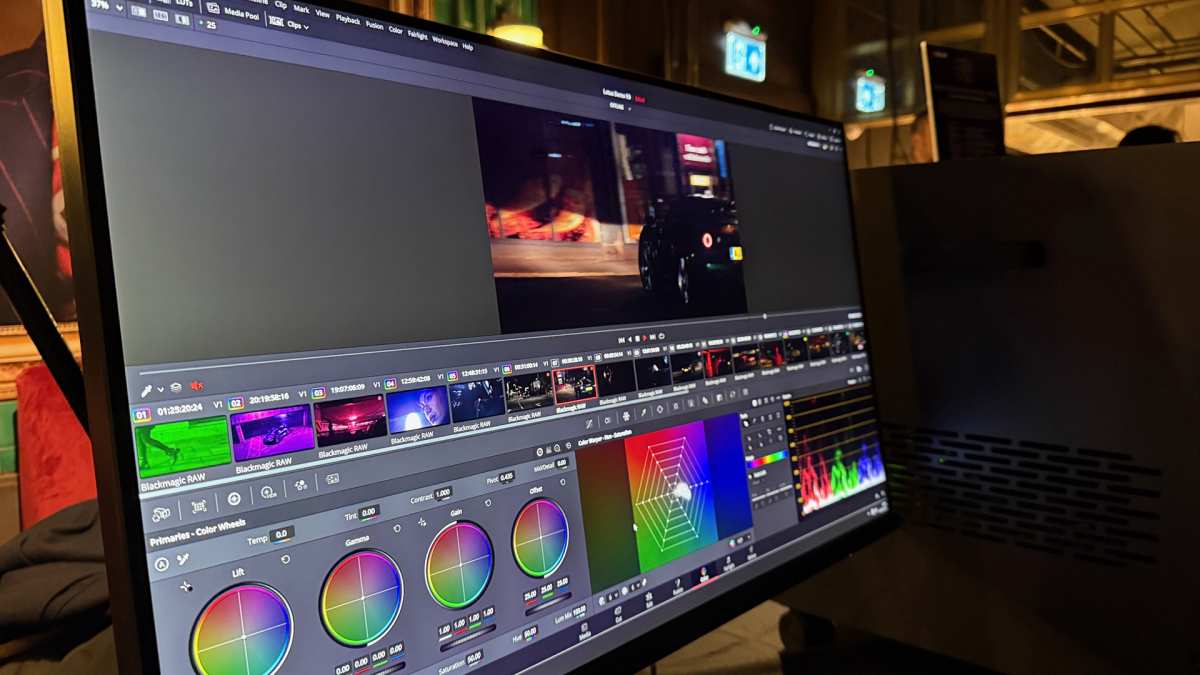
If you've been shopping for a monitor lately, you've probably seen "mini LED" splashed across spec sheets and wondered what the fuss is about. It's not just another marketing buzzword. It's a genuine shift in how monitors handle brightness, contrast, and HDR.
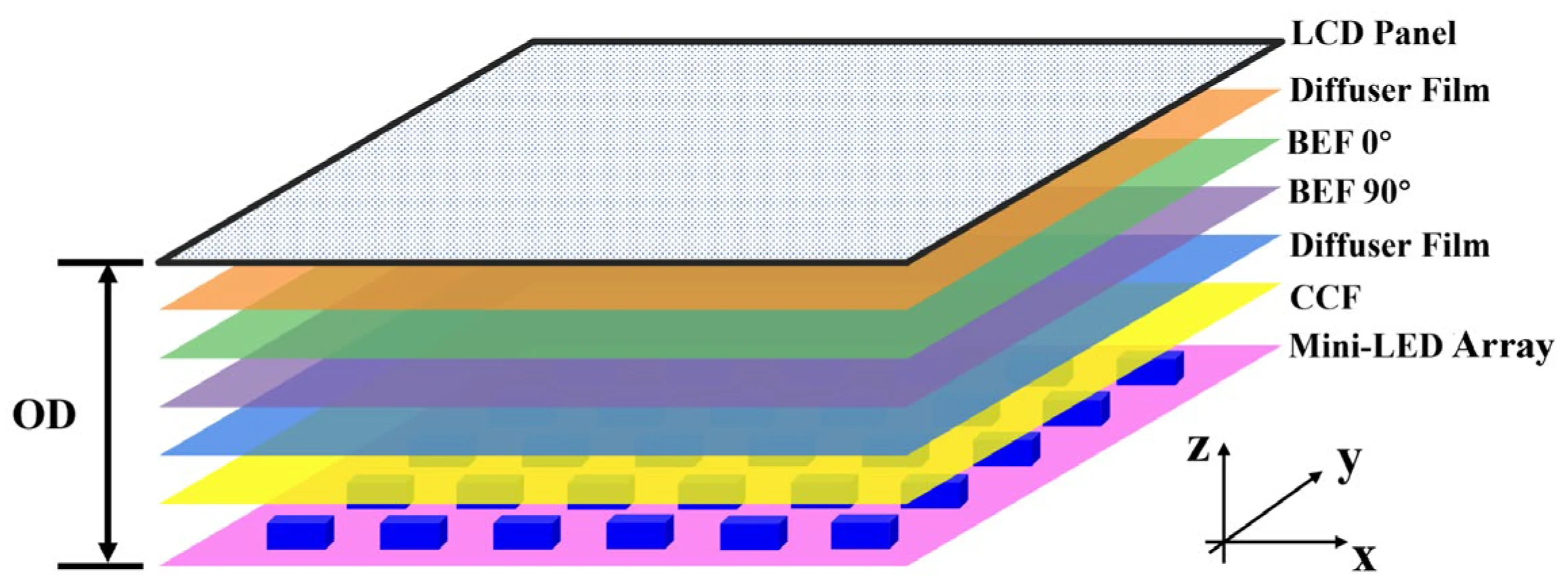
So what is a mini LED monitor? At its core, it's an LCD monitor that uses thousands of tiny LED zones behind the screen to control brightness in sections, rather than lighting the whole panel at once. The result is deeper blacks, brighter highlights, and a more convincing HDR image than standard LED-backlit monitors can deliver.
As of 2026, VESA's DisplayHDR standard has helped bring some order to the specs, but the real-world experience still depends heavily on how well the dimming is implemented.
Quick Answer
A mini LED monitor is an LCD display with a full-array backlight made up of thousands of small LED zones. These zones dim or brighten independently, improving contrast and HDR performance. It's not a new panel type like OLED.
It's a better backlight system behind a standard LCD panel.
How Mini LED Actually Works
The Backlight Difference
Here's the thing most people miss. Mini LED doesn't change the LCD panel itself. Your monitor still uses a liquid crystal layer, whether it's IPS, VA, or TN.
What changes is what's behind that layer.
A standard LED monitor uses a relatively small number of LED clusters, usually along the edges or in a simple grid behind the screen. Those LEDs light up large sections of the panel all at once. When the screen needs to show a bright starry sky, the whole backlight is essentially "on," and the LCD layer does its best to block light for the dark areas.
That's why blacks look grayish on cheap monitors.
Mini LED shrinks those individual LEDs dramatically. We're talking about LEDs that are roughly 0.2mm or smaller in diameter. Manufacturers pack hundreds or even thousands of them across the entire back surface of the display.
Each group of LEDs forms a dimming zone that can be controlled independently.
Local Dimming Zones Explained
This is where the magic happens. Local dimming is the process of turning down or turning off the backlight in specific zones while keeping other zones bright.
Imagine a scene in a game where a character walks through a dark tunnel with a flashlight. On a standard LED monitor, the whole backlight brightens to show the flashlight beam, and the surrounding tunnel walls look washed out. On a mini LED monitor with good local dimming, the zone behind the flashlight blasts at full brightness while the zones around it stay dim.
The tunnel stays dark. The flashlight pops.
The number of zones matters, but it's not the only thing that matters. A monitor with 1152 zones and a poor dimming algorithm will look worse than one with 576 zones and smart processing. The algorithm decides how quickly zones respond to changes on screen, how aggressively they dim, and how well they handle transitions between bright and dark areas.
Why Zone Count Alone Doesn't Tell the Full Story
Manufacturers love to slap a big zone count number on the box. 1152 zones. 2304 zones. It sounds impressive. But here's what that number doesn't tell you.
First, zone shape and arrangement vary. Some monitors arrange zones in a tight grid. Others use irregular patterns that can leave certain areas of the screen with less precise control.
Second, the dimming algorithm is everything. A well-tuned 576-zone monitor can outperform a poorly tuned 2000-zone monitor in real content. Third, blooming, which is that glow you see around bright objects on dark backgrounds, depends on how well the algorithm handles the edges between zones.
What you should actually look for is the combination of zone count, algorithm quality, and independent reviews that show real content performance. VESA DisplayHDR certification gives you a baseline, but even DisplayHDR 1400 monitors vary noticeably in how they handle blooming and transitions.
Mini LED vs OLED vs Standard LED: The Real Comparison
This is the comparison everyone wants, and honestly, it's the one that should drive your buying decision. Mini LED sits in an interesting middle ground, and understanding where it wins and where it falls short will save you from buyer's remorse.
Mini LED vs OLED
OLED is the elephant in the room. Every single pixel on an OLED monitor produces its own light. No backlight.
No zones. When a pixel needs to be black, it turns off completely. Perfect blacks, infinite contrast, zero blooming.
So why doesn't everyone just buy OLED? A few reasons. OLED monitors are still significantly more expensive, especially at larger sizes.
They're susceptible to burn-in, where static elements like taskbars or channel logos can leave permanent ghost images over time. And while OLED has improved, sustained peak brightness for HDR highlights still lags behind what high-end mini LED can achieve.
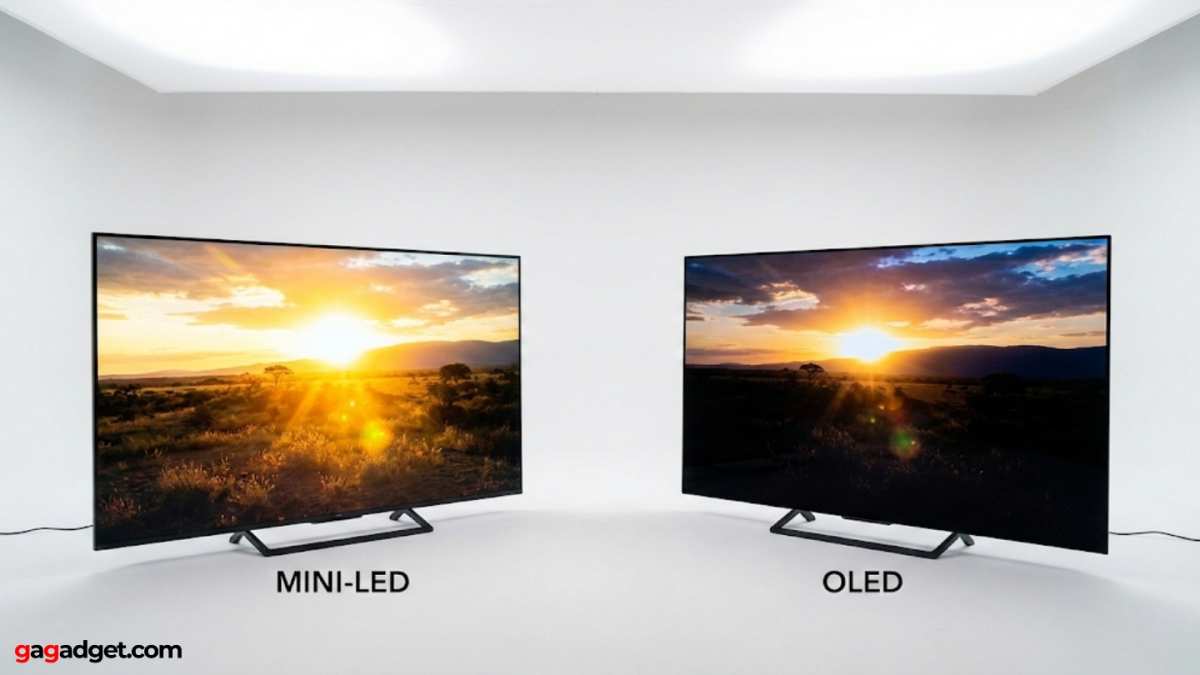
Mini LED can't match OLED's per-pixel precision. You'll still see some blooming, especially in high-contrast scenes. But mini LED doesn't burn-in.
You can leave a static desktop on screen for years without worry. And for HDR content with bright specular highlights, like sunlight glinting off metal in a game, mini LED often looks more impactful because it can push those highlights to 1000+ nits of sustained brightness.
Mini LED vs Standard LED-LCD
Compared to a standard edge-lit or basic direct-lit LED monitor, mini LED is a massive upgrade for HDR content. Standard LED monitors typically have no local dimming or at best a handful of zones. That means the entire backlight is essentially one brightness level at any given moment.
Mini LED gives you dramatically better contrast in HDR mode, higher peak brightness, and more convincing shadow detail. For SDR content like web browsing or office work, the difference is less dramatic. You'll notice it most in games, movies, and photo editing where HDR or high contrast matters.
The trade-off is cost, power consumption, and sometimes thickness. Mini LED monitors tend to run hotter and draw more power. They're also physically thicker than edge-lit models because of the full-array backlight assembly.
Side-by-Side Comparison Table
| Feature | Mini LED | OLED | Standard LED-LCD |
|---|---|---|---|
| Backlight type | Thousands of small LED zones | Self-emissive pixels (no backlight) | Edge-lit or basic direct LED |
| Black levels | Very good (zone-dependent) | Perfect (per-pixel off) | Mediocre (backlight bleed) |
| Peak brightness (sustained) | 600–2000+ nits | 400–1000 nits typical | 250–400 nits |
| Blooming | Present (varies by model) | None | N/A (no local dimming) |
| Burn-in risk | None | Yes (organic degradation) | None |
| Contrast ratio | 100,000:1 to 1,000,000:1 (dynamic) | Effectively infinite | 1000:1 to 3000:1 (native) |
| Price range | $300–$3,000+ | $800–$5,000+ | $100–$500 |
| Best for | HDR gaming, content creation, burn-in concerns | Dark room viewing, perfect blacks, response time | Budget use, office work |
| Thickness | Moderate to thick | Very thin | Thin (edge-lit) |
What the Specs Actually Mean for You
Marketing specs can be misleading if you don't know what to look for. Let's break down the numbers that actually affect your experience.
Brightness, HDR, and Nits
Brightness is measured in nits, which is candelas per square meter. A standard office monitor runs around 250 to 350 nits. A good mini LED monitor hits 600 nits minimum for HDR content, with premium models reaching 1000 to 1600 nits or more for peak highlights.
Peak brightness is the key number for HDR. That's the maximum brightness the monitor can hit on a small portion of the screen for a short burst. Sustained brightness is what it can hold across a larger area over time.
Mini LED excels at peak brightness, which is why HDR highlights look so punchy.
VESA DisplayHDR tiers give you a rough guide. DisplayHDR 400 is entry-level and honestly not that impressive for HDR. DisplayHDR 1000 is where mini LED starts to shine, literally.
DisplayHDR 1400 represents the current high end for desktop monitors.
Blooming and Halo Effect
Blooming is the bane of mini LED. It's that visible glow around bright objects on dark backgrounds. You'll see it around white text on a black screen, around HUD elements in games, or around subtitles during dark movie scenes.
How much blooming you see depends on three things: the number of zones, the dimming algorithm, and the panel's native contrast. A VA panel with 1152 zones and a good algorithm will show less blooming than an IPS panel with the same zone count because VA has better native contrast to begin with.
Some monitors let you adjust local dimming aggressiveness in the OSD. Cranking it up reduces blooming but can crush shadow detail. Finding the right balance is part of setting up a mini LED monitor properly.
Contrast: Native vs Dynamic Numbers
This is where marketing gets sneaky. You'll see contrast ratios like 1,000,000:1 on the box. That's the dynamic contrast ratio, measured with local dimming fully active.
The native contrast ratio of the panel itself is much lower, typically 1000:1 for IPS or 3000:1 for VA.
The dynamic number isn't meaningless. It reflects what you actually see in practice with local dimming on. But it's not the same as OLED's effectively infinite contrast where pixels turn off completely.
When comparing monitors, look for native contrast in reviews rather than relying on the dynamic number on the spec sheet.
Who Should Buy a Mini LED Monitor
Best For Gamers
If you're gaming on a PC or a current-gen console with HDR support, mini LED is arguably the best all-around display technology available right now. You get high peak brightness for impactful HDR, no burn-in risk from static HUD elements, and fast response times when paired with a good IPS or VA panel.
Look for models with at least 576 dimming zones, DisplayHDR 1000 certification or higher, and a refresh rate that matches your system. For competitive gaming, prioritize response time and refresh rate over zone count. For single-player immersion, prioritize HDR quality and zone count.
Best For Content Creators and Editors
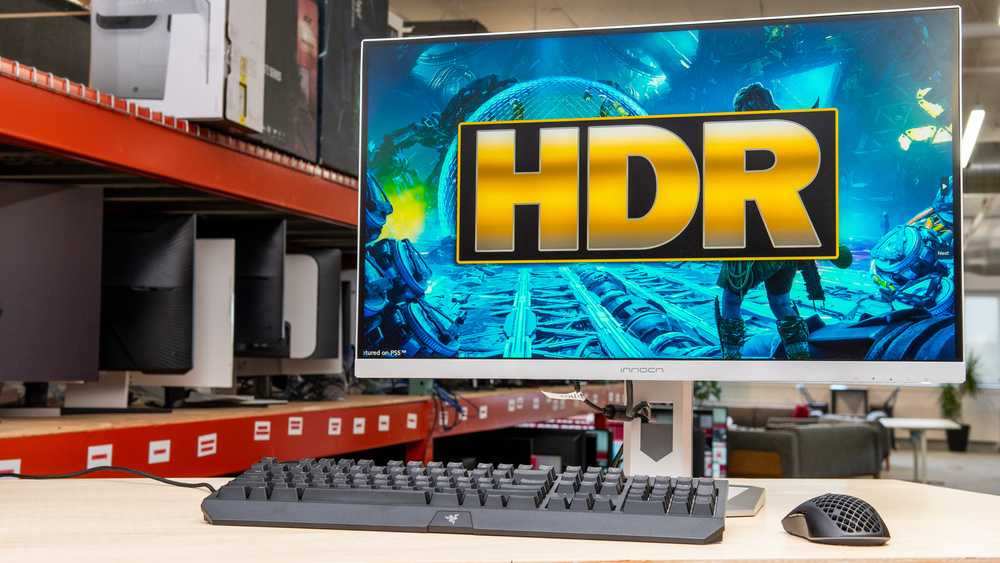
Video editors and colorists working in HDR will appreciate mini LED's ability to hit high brightness levels while maintaining wide color gamut coverage. Many premium mini LED monitors cover 95% or more of DCI-P3, which is essential for HDR mastering and professional video work.
The lack of burn-in is a real advantage here. Editing interfaces have static elements everywhere. Toolbars, timelines, and panels stay on screen for hours.
With OLED, that's a long-term concern. With mini LED, it's a non-issue.
Just make sure you calibrate with a proper colorimeter. Out-of-box accuracy varies between models, and for professional work, you need to verify against a known standard.
Best For Office and General Use
For pure office work, web browsing, and general productivity, mini LED is overkill. You're paying a premium for HDR performance you won't use. A standard IPS monitor at 250 to 350 nits will serve you just fine and save you money.
That said, if you split your time between work and gaming or media consumption, a mini LED monitor does double duty nicely. The SDR image quality is still excellent, and you get the HDR bonus when you want it.
Who Should Skip It
If your budget is tight and you're primarily doing office work, skip it. If you watch movies in a dark room and want absolute perfect blacks, OLED is the better choice. If you need the thinnest possible monitor for a clean desk setup, mini LED's thicker chassis might bother you.
Also, if you're sensitive to blooming, be honest with yourself. Some people notice it constantly and it drives them crazy. Others barely see it.
If you fall into the first camp, spend time with a mini LED monitor in person before committing.
Common Mistakes People Make When Buying
Buying based on zone count alone is the biggest mistake. A 2000-zone monitor with a bad algorithm will look worse than a well-tuned 600-zone model. Always check independent reviews that show real content, not just spec sheets.
Ignoring the panel type underneath is another common error. Mini LED is the backlight. The panel is the display.
A mini LED backlight paired with a cheap IPS panel won't deliver the same image quality as one paired with a premium IPS or VA panel. The panel matters just as much as the backlight.
Assuming all HDR is the same is a trap. DisplayHDR 400 on a mini LED monitor is barely a step above standard LED. You want DisplayHDR 1000 or higher for a genuinely impactful HDR experience.
The certification tier tells you a lot more than the word "HDR" on the box.
Forgetting to check connectivity is an easy oversight. To get full HDR at high refresh rates, you need DisplayPort 1.4 with DSC or HDMI 2.1. Older cables or ports can limit you to lower resolutions, lower refresh rates, or no HDR at all.
Make sure your system's output matches what the monitor expects.
Not adjusting the OSD settings after purchase catches people off guard. Most mini LED monitors ship with local dimming set to a middle setting. Going into the OSD and switching local dimming to its highest quality mode often makes a dramatic difference in HDR performance.
It takes two minutes and most people never do it.
What You'll Actually Pay
Mini LED monitors span a wide price range as of 2026, and understanding where your money goes helps set realistic expectations.
Entry-level mini LED monitors with around 192 to 384 zones and DisplayHDR 600 certification start around $300 to $400. These are decent for casual HDR gaming but won't blow you away with contrast or brightness. They're a step up from standard LED but not a transformative one.
The sweet spot for most people sits between $500 and $1,000. In this range, you'll find monitors with 576 to 1152 zones, DisplayHDR 1000 certification, good IPS or VA panels, and solid build quality. This is where the best value lives for gaming and general HDR use.
Premium models from 1152 zones and up, with DisplayHDR 1400 certification, professional-grade color accuracy, and high refresh rates, run from $1,000 to $3,000 or more. These are aimed at professionals, enthusiasts, and people who want the absolute best HDR experience short of OLED.
Compared to OLED, mini LED offers better value at larger sizes. A 32-inch mini LED monitor with strong HDR performance costs significantly less than a comparable OLED. At 27 inches, the price gap narrows, and the decision comes down to whether you prioritize perfect blacks or burn-in peace of mind.
Expert Tips Before You Buy
Check for firmware updates before you judge a monitor's performance. Manufacturers frequently improve local dimming algorithms through firmware. A monitor that got mediocre reviews at launch might perform noticeably better six months later after updates.
Look for monitors that let you adjust local dimming behavior in the OSD. Some offer multiple levels of aggressiveness. This lets you tune the balance between blooming control and shadow detail to your personal preference.
Consider your room lighting. Mini LED's high peak brightness is a genuine advantage in rooms with ambient light or windows. In a completely dark room, OLED's perfect blacks become more noticeable and mini LED's blooming becomes more visible.
Your environment should influence your choice.
Read reviews that specifically test blooming. Look for photos or videos showing high-contrast scenes like white text on black backgrounds or starfield tests. Spec sheets won't tell you how a monitor handles these real-world scenarios.
If possible, buy from a retailer with a good return policy. Mini LED performance is subjective. Some people are far more sensitive to blooming than others.
A monitor that looks great to one person might be distracting to another. Give yourself a trial period.
Frequently Asked Questions
Is mini LED better than OLED?
It depends on what you value. Mini LED wins on peak brightness, burn-in safety, and price at larger sizes. OLED wins on perfect blacks, blooming-free image quality, and response time.
Neither is universally better.
Does mini LED have burn-in?
No. Mini LED monitors use a standard LCD panel with an LED backlight. The LEDs can dim over many years, but they don't suffer from permanent burn-in like OLED's organic materials do.
How many dimming zones do I need?
For a noticeable HDR improvement over standard LED, aim for at least 384 zones. For genuinely good HDR, 576 to 1152 zones is the sweet spot. Beyond 1152, diminishing returns kick in unless you're very particular about image quality.
Can I use a mini LED monitor for regular office work?
Absolutely. Mini LED monitors work perfectly fine for SDR content like documents, web browsing, and email. You're just paying for HDR capability you might not use during work hours.
Is DisplayHDR 400 worth it?
Honestly, not really. DisplayHDR 400 on a mini LED monitor is a modest improvement over standard LED. For a meaningful HDR experience, look for DisplayHDR 1000 or higher.
The jump from 400 to 1000 is dramatic.
Does mini LED use more power than regular LED?
Yes, slightly. The full-array backlight with hundreds or thousands of LEDs draws more power than an edge-lit system, especially at high brightness. Expect roughly 10 to 30 percent more power consumption compared to a similar-sized edge-lit monitor.
Final Verdict: Is Mini LED Right for You?
Mini LED is the most practical display technology for most people who want strong HDR without OLED's burn-in anxiety or price premium at larger sizes. It's not perfect. Blooming still exists, and it can't match OLED's per-pixel precision.
But for gaming, content creation, and mixed use in rooms with any ambient light, it delivers where it counts.
If your budget allows and you value long-term peace of mind over absolute perfect blacks, mini LED is the smarter buy in 2026. Just do your homework on the specific model, not just the technology. A well-implemented mini LED monitor is a genuinely great display.
A poorly implemented one is an expensive disappointment.

Similar Posts





















