Is Mini LED Monitor Good for Gaming
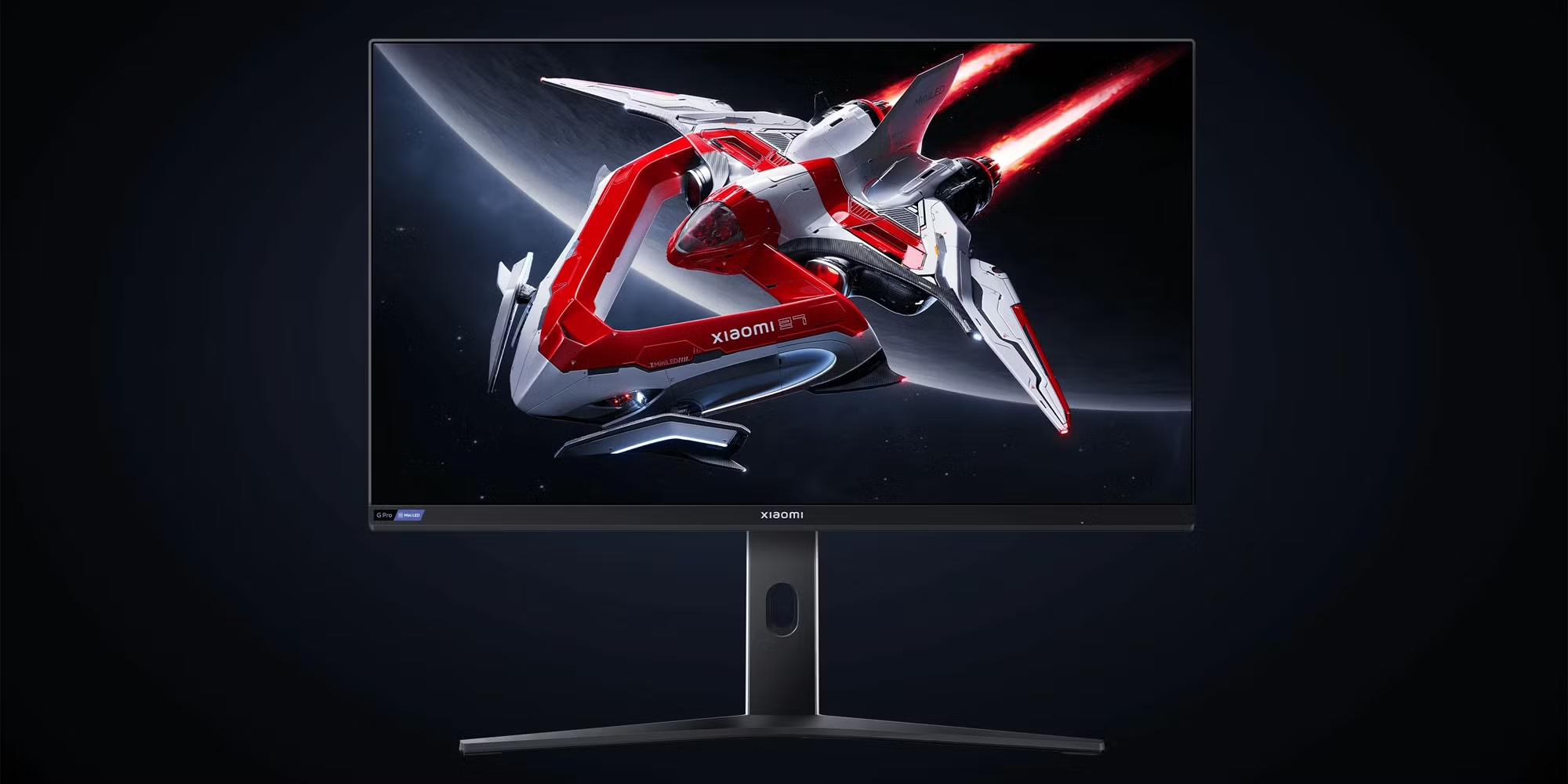
Is mini LED monitor good for gaming? The short answer is yes, with caveats. Mini LED technology delivers excellent HDR performance, high brightness, and zero burn-in risk, making it a strong choice for gamers who want visual impact without worrying about permanent image retention.
But whether it's the right choice for you depends on what kind of games you play, your room lighting, and how much you're willing to spend. This directly compares with our findings on which mini led monitor is best for gaming.
Mini LED monitors use thousands of tiny LED zones behind the screen to control brightness in specific areas. This local dimming approach produces deeper blacks and brighter highlights than standard LED monitors. As of 2026, you can find mini LED gaming monitors ranging from around $400 to well over $2,000, with zone counts varying dramatically between budget and premium models.
Let's break down what actually matters before you buy.
")
The Quick Answer: Is Mini LED Good for Gaming?
Mini LED is genuinely good for gaming, particularly HDR gaming. It produces over 1,000 nits of peak brightness on premium models. There is zero risk of permanent burn-in.
Response times now match standard LED monitors. The main drawback is blooming around bright objects on dark backgrounds. To see how this holds up against alternate models, explore whether mini led monitor good for designers.
How Mini LED Actually Works in a Monitor
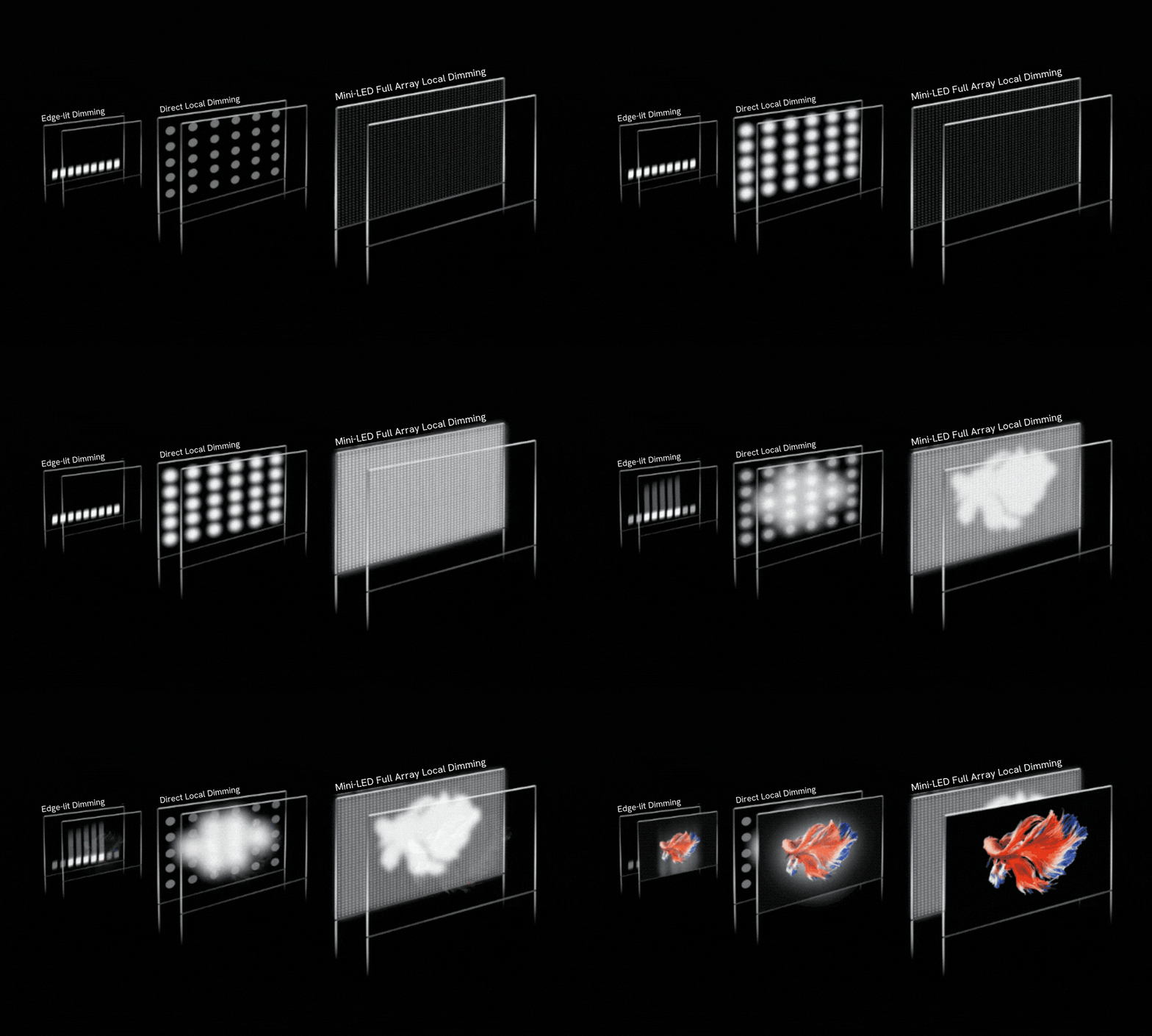
Traditional LED monitors use a single backlight or edge lighting that illuminates the entire screen uniformly. Mini LED changes this completely. The backlight is divided into hundreds or thousands of independently controlled zones, each capable of dimming or brightening based on what's displayed on screen.
This technology is called Full Array Local Dimming, or FALD. When a game shows a bright explosion against a dark sky, the zones behind the explosion hit maximum power while the surrounding zones dim significantly. The result is a picture that approaches OLED-level contrast without the organic material degradation concerns.
The "mini" in mini LED refers to the physical size of each LED diode, typically under 200 micrometers. Smaller diodes mean manufacturers can pack more zones into the same panel area. More zones generally means more precise dimming and less visible blooming.
")
The processing behind these zones matters enormously. Each monitor has a dimming algorithm that decides how aggressively to dim each zone. Some monitors prioritize deep blacks and dim aggressively, which can cause visible transitions between zones.
Others play it safe with gentler dimming, preserving uniformity but sacrificing contrast. This is why two monitors with identical zone counts can look noticeably different in practice.
VESA's DisplayHDR certification tiers help standardize performance claims. DisplayHDR 1000 and DisplayHDR 1400 certifications indicate genuine HDR capability, not just marketing labels. When shopping, look for these certifications as a baseline indicator of real performance.
The Real Trade-Offs: Pros and Cons for Gamers
Mini LED gaming monitors bring genuine advantages to the table, but they're not perfect. Here's what aggregate reviews and manufacturer specifications confirm.
Pros:
- Exceptional HDR brightness. Premium models sustain over 1,000 nits peak brightness, with some hitting 2,000 nits in small highlights. This makes HDR content genuinely impactful, not just a checkbox feature.
- Zero burn-in risk. Unlike OLED, mini LED uses inorganic backlight elements. You can leave a static HUD on screen for hundreds of hours without permanent image retention. This is critical for games with persistent health bars, minimaps, or inventory panels.
- Strong performance in bright rooms. High peak brightness combats ambient light effectively. If your gaming space has windows or bright overhead lighting, mini LED maintains visibility better than OLED.
- Wide price and size availability. From 27-inch 1440p models to 43-inch 4K displays, mini LED spans multiple form factors and budgets.
Cons:
- Blooming and haloing. Bright objects on dark backgrounds can create visible halos or light bleed into adjacent zones. This is most noticeable in horror games, space sims, and content with white subtitles on black bars.
- Response time variance. While top-tier mini LED monitors achieve 1ms GtG response times, some models, particularly early VA panel implementations, show slower pixel transitions. Always check independent response time measurements, not just manufacturer claims.
- Thicker chassis. The full array backlight and associated cooling require more depth than edge-lit alternatives. Expect a bulkier monitor that needs more desk space behind it.
- Power consumption. Driving thousands of LED zones requires meaningful power, with typical gaming draws between 60 and 100 watts on premium models. Heat output is higher than standard LED monitors.
Mini LED vs OLED vs Standard LED Monitor: The Decision That Matters
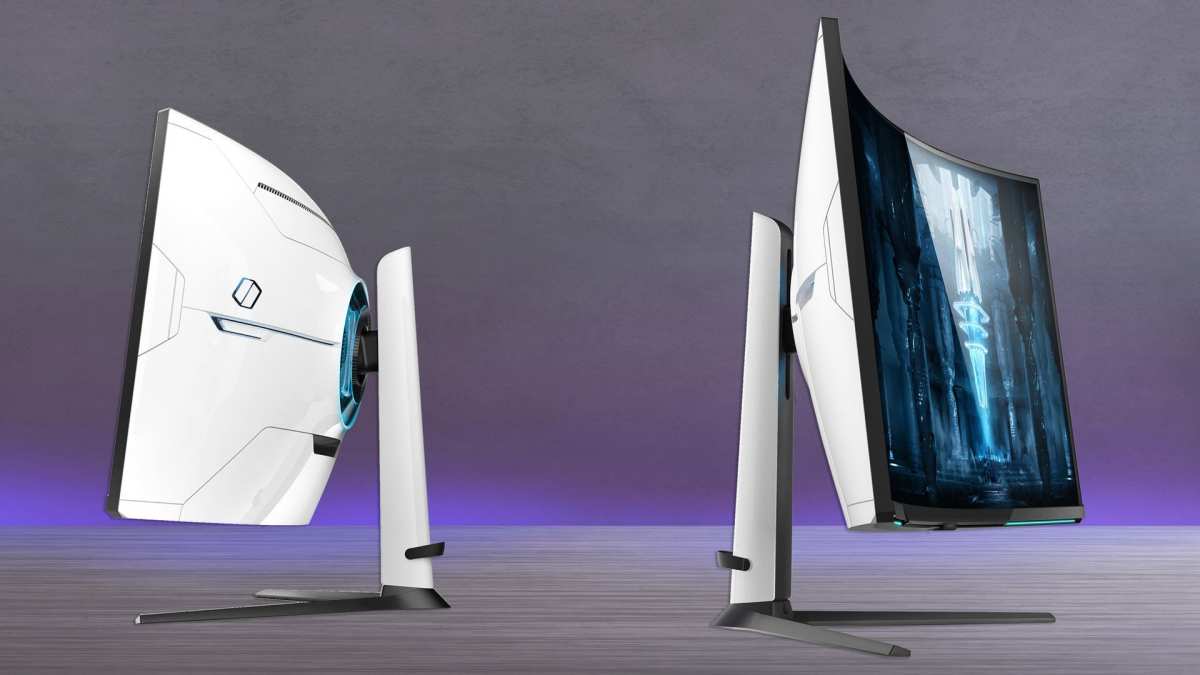
Choosing a gaming monitor in 2026 means weighing three distinct backlight technologies. Each has clear strengths depending on your priorities.
| Factor | Mini LED | OLED | Standard LED |
|---|---|---|---|
| Peak Brightness | Excellent (1,000+ nits) | Good (600-1,000 nits) | Moderate (300-600 nits) |
| Black Levels | Very Good | Perfect (per-pixel) | Average |
| Burn-In Risk | None | Possible (varies by panel type) | None |
| HDR Impact | Excellent | Excellent | Basic |
| Response Time | Good to Excellent | Excellent | Good |
| Price Range | $400-$2,000+ | $800-$3,000+ | $150-$500 |
| Best For | Bright rooms, HDR gaming, long sessions | Dark rooms, competitive play | Budget gaming, general use |
Mini LED sits in a practical middle ground. It delivers HDR performance close to OLED without burn-in anxiety. For gamers who play varied content, leave their monitor on for extended periods, or game in well-lit rooms, it's often the safer recommendation.
OLED remains the king of pixel-level response and perfect blacks. If you primarily game in a dark room and play competitive titles where every millisecond matters, a QD-OLED or WOLED monitor will outperform mini LED in motion clarity and contrast precision. The trade-off is burn-in risk with static elements and lower sustained brightness.
Standard LED monitors still make sense for budget-conscious buyers or secondary setups. They're thin, affordable, and perfectly adequate for casual gaming where HDR and deep blacks aren't priorities.
")
Who Should Buy a Mini LED Gaming Monitor
Mini LED makes the most sense for specific gamer profiles. Here's who benefits most.
HDR enthusiasts and cinematic gamers. If you play story-driven titles like Cyberpunk 2077, Alan Wake 2, or Horizon Forbidden West and want HDR that actually looks impressive, mini LED delivers. The high peak brightness makes lighting effects, sun glare, and explosions genuinely pop.
Bright room gamers. If your gaming setup sits near windows or you prefer playing with ambient light, mini LED's high brightness maintains image quality where OLED struggles. You won't need to close blinds every session.
Players concerned about burn-in. Games like MMOs, strategy titles, and competitive shooters often display static HUD elements for hours. Mini LED eliminates burn-in worry entirely. You can leave your monitor on a lobby screen overnight without anxiety.
Content creators who also game. Many mini LED monitors cover wide color gamuts, often exceeding 95% DCI-P3. If you do photo editing, video work, or streaming alongside gaming, you get a versatile display that handles both reasonably well.
Gamers wanting large-format displays. Mini LED technology scales well to larger sizes. 32-inch and 43-inch mini LED gaming monitors are widely available, offering immersive gameplay without the pixel density concerns of large OLED panels.
Who Should Skip It and Go OLED (or Stick With LED)
Mini LED isn't for everyone. Some gamers will be better served by alternatives.
Competitive esports players. If you play Valorant, Counter-Strike 2, or Overwatch at high competitive levels, response time and motion clarity matter more than HDR spectacle. QD-OLED monitors currently offer faster pixel response and lower input lag in most implementations. The difference is measurable, even if subtle.
Dark room gamers. In a fully dark environment, OLED's per-pixel dimming produces perfect blacks without any blooming. Mini LED's zone-based approach can't match this precision. If you game in a cave-like setup, OLED wins on pure image quality.
Budget buyers. If your budget sits below $400, standard LED monitors offer better value. Mini LED's advantages require meaningful zone counts and quality dimming algorithms that don't appear at the lowest price points. A good $300 IPS monitor often outperforms a cheap mini LED panel.
Users wanting thin, lightweight designs. Mini LED monitors are noticeably thicker and heavier than edge-lit alternatives. If aesthetics or desk space are priorities, this bulk may bother you.
Zone Count, Blooming, and the Specs That Actually Matter
Marketing emphasizes zone count, but the reality is more nuanced. Here's what to actually evaluate.
Zone count matters, but implementation matters more. A well-tuned 576-zone monitor can look better than a poorly tuned 1,080-zone panel. The dimming algorithm, panel quality, and processing speed all influence final image quality. Don't buy based on zone count alone.
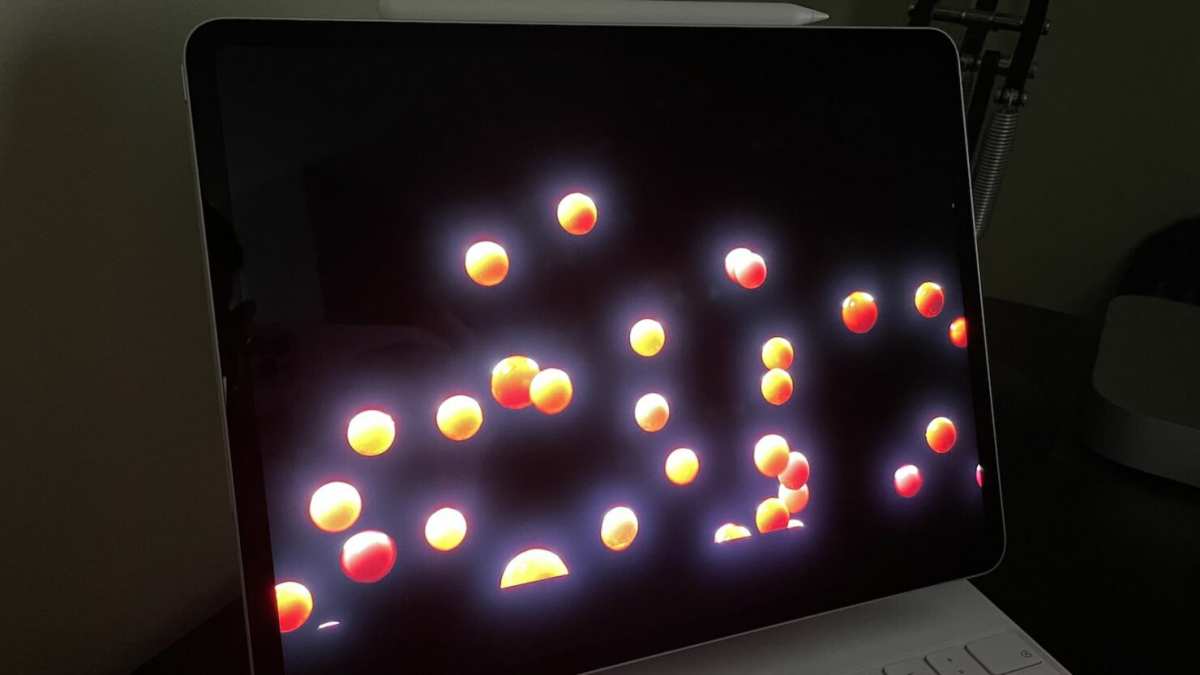
Blooming is the primary visual compromise. This appears as halos around bright objects on dark backgrounds. White subtitles on black bars, stars in space games, and cursor movements on dark menus all reveal blooming. Higher zone counts reduce blooming but don't eliminate it entirely.
")
Refresh rate and response time vary by model. Mini LED monitors range from 144Hz to 360Hz depending on the panel. Response times range from 1ms GtG on tuned VA panels to 5ms GtG on some IPS implementations. Check independent reviews for actual measured performance, not just spec sheet claims.
HDR certification provides useful guidance. VESA DisplayHDR 1000 certification indicates genuine HDR performance with local dimming. DisplayHDR 400 certification on a mini LED monitor is essentially meaningless for HDR gaming. Always verify the certification tier.
Adaptive sync compatibility varies. Most mini LED monitors support FreeSync, with many offering G-Sync Compatible certification. Full G-Sync module support with hardware-based variable refresh is less common. Verify compatibility with your specific graphics card before purchasing.
What Real Gamers Report: HDR, Bright Rooms, and Long Sessions
Aggregate user feedback and editorial analysis reveal consistent patterns in real-world mini LED gaming experiences.
HDR gaming impresses most users. Reviews across multiple models consistently highlight that HDR content on a quality mini LED monitor is a genuine upgrade over standard dynamic range. The brightness and contrast improvements are immediately visible, particularly in well-optimized HDR titles.
Bright room performance earns praise. Users gaming in rooms with ambient light report that mini LED maintains visibility and image quality where their previous standard LED monitors looked washed out. This is a frequently cited reason for choosing mini LED over OLED.
Long gaming sessions feel safer. Users coming from OLED monitors frequently mention relief at not worrying about burn-in. MMO players, in particular, appreciate leaving static UI elements on screen without anxiety.
Blooming frustrates some users. This is the most common complaint in user reviews. While less noticeable during fast-paced gameplay, it's visible in menus, loading screens, and dark game sequences. Users sensitive to image imperfections find it distracting.
Input lag concerns are largely unfounded on modern models. Early mini LED monitors had measurable input lag penalties from processing. Current models from major manufacturers have largely resolved this, with input lag measurements matching standard LED monitors in most cases.
Common Mistakes People Make When Choosing a Mini LED Monitor
Avoid these pitfalls when shopping for a mini LED gaming monitor.
Assuming all mini LED monitors perform equally. The technology varies enormously between models. A 192-zone budget mini LED panel performs noticeably differently from a 1,152-zone premium panel. Research the specific model, not just the technology.
Ignoring blooming in reviews. Look for photos and videos showing dark scene performance, not just bright HDR demos. Blooming is the primary weakness, and marketing materials rarely show it.
Overlooking response time measurements. Manufacturer GtG claims are often best-case measurements. Independent review sites provide real-world response time data that reveals ghosting and overshoot issues.
Choosing based on HDR certification alone. DisplayHDR 1000 certification is meaningful, but it doesn't guarantee good tone mapping or low input lag. Evaluate the complete picture.
Neglecting ergonomics and stand quality. Mini LED monitors are heavier and thicker. Verify that the stand offers adequate height, tilt, and swivel adjustment for your desk setup. Budget for a monitor arm if needed.
Current Price Landscape and What Gets You at Each Level
Mini LED gaming monitor pricing has become more competitive. Here's what to expect at each tier.
$400-$600: Entry-level mini LED. Expect 192-384 zones, 1440p resolution, 144-165Hz refresh rates, and DisplayHDR 600-1000 certification. Good HDR performance with noticeable blooming. Suitable for gamers wanting mini LED benefits without premium pricing.
$600-$1,000: Mid-range sweet spot. 576-1,152 zones, 4K or high-refresh 1440p options, DisplayHDR 1000 certification, and better dimming algorithms. This tier offers the best balance of performance and value for most gamers.
$1,000-$2,000: Premium performance. 1,152+ zones, 4K resolution, 240Hz+ refresh rates, and refined processing. Blooming is minimized, response times are competitive, and HDR performance approaches reference quality.
$2,000+: Enthusiast tier. Maximum zone counts, largest screen sizes, and cutting-edge features. Diminishing returns apply, but these monitors deliver the best available mini LED gaming experience.
The Final Verdict: Use This to Decide
Here's a straightforward decision framework based on your priorities.
Choose mini LED if you:
- Game in a bright or variable lighting environment
- Want strong HDR without burn-in risk
- Play games with static HUD elements for extended sessions
- Prefer larger screen sizes at reasonable prices
Choose OLED if you:
- Game primarily in dark rooms
- Prioritize competitive response times above all else
- Want perfect blacks and zero blooming
- Are comfortable with burn-in precautions
Choose standard LED if you:
- Have a budget under $400
- Prioritize thin design and low weight
- Don't need HDR performance
- Want a simple, proven technology
Mini LED is genuinely good for gaming in 2026. It's not the best at any single metric, but it offers the most balanced overall package for most gaming scenarios. Unless you have specific needs that favor OLED or budget constraints that push toward standard LED, mini LED represents a safe, high-performance choice.
Frequently Asked Questions
Is mini LED better than OLED for gaming?
It depends on your priorities. Mini LED wins on brightness and burn-in safety. OLED wins on response time and perfect blacks.
For most gamers, mini LED offers a better overall balance.
Does mini LED have input lag?
Modern mini LED monitors have input lag comparable to standard LED monitors. Early models had issues, but current implementations from major manufacturers have resolved this concern.
How many zones should I look for?
For noticeable HDR improvement over standard LED, aim for at least 384 zones. For premium performance with minimal blooming, look for 576 zones or more.
Can mini LED monitors do 4K and high refresh rates?
Yes. Multiple 4K 144Hz and 4K 240Hz mini LED monitors are available. Some models also offer 1440p at 360Hz for competitive gaming.
Will mini LED replace OLED for gaming?
Not entirely. Both technologies serve different needs. Mini LED excels in bright rooms and burn-in safety.
OLED remains superior for dark room gaming and competitive response times.

Similar Posts





















