What Size Desk Is Needed for 27 Inch Monitor
What size desk is needed for 27 inch monitor? It's one of those questions that seems like it should have a simple answer, but it doesn't. The right desk depends on how you're actually using that monitor, whether it's sitting on a stand or mounted on an arm, and what else needs to share your desk space.
Research and manufacturer specifications indicate that a 27-inch monitor on a standard stand needs roughly 48 inches of desk width and 25 to 30 inches of depth to sit comfortably. But that's just one scenario. Your setup might need more room, or you might be able to get away with less.
Let's figure out which one applies to you.
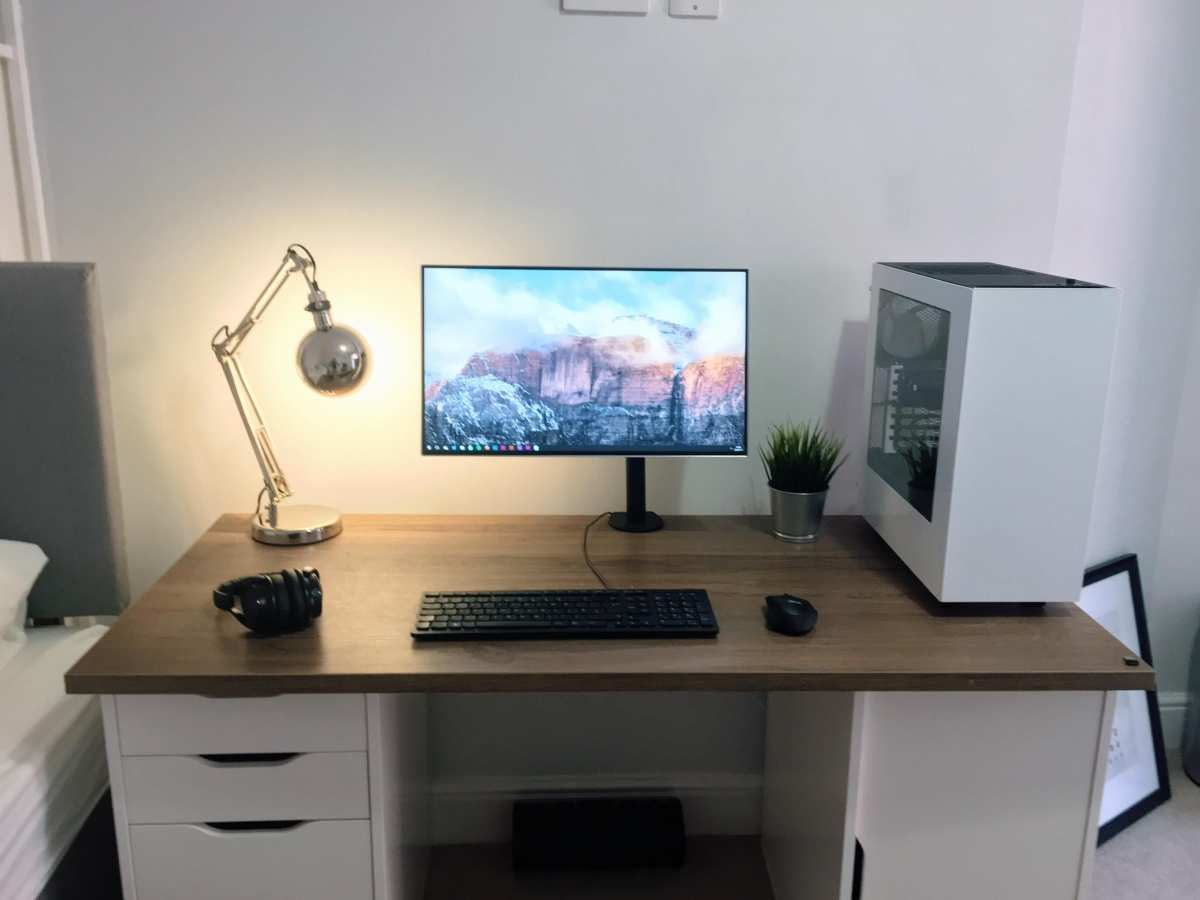
Image source: Bing (Web (fair-use with source credit))
Quick Answer
A single 27-inch monitor on a stand needs a desk at least 48 inches wide and 25 inches deep. For dual 27-inch monitors, you need 60 inches wide and 30 inches deep. Go with a monitor arm and you can reduce depth to 20 inches.
Always measure your specific monitor stand before buying.
Why "Just Get a Bigger Desk" Isn't the Right Advice
Here's what tends to happen. Someone buys a desk based on what fits their room, drops a 27-inch monitor on it, and suddenly they've got no room for a keyboard, a mouse, or their coffee. The monitor is right in their face because the desk's too shallow.
It's a frustrating and surprisingly common mistake.
The problem isn't desk size in general. It's that people treat width and depth as the same thing. They'll read that a 48-inch desk is "big enough" and not realize that 48 inches is the width.
Depth is the dimension that actually determines how comfortable your setup feels and how close that screen sits to your face.
Manufacturer specs for popular 27-inch monitors like the Dell S2722QC or LG 27UK850 confirm that stand footprints vary between 8 and 12 inches of depth. Add the distance your eyes need from the screen, and you quickly see why desk depth is the number that matters most. A desk that's 60 inches wide but only 20 inches deep leaves you cramped, no matter how much horizontal space you've got.
Understanding Your Setup: The Variables That Change Everything
Before you measure anything or start shopping, you need to pin down four things. These variables completely change what desk dimensions will work for you.
Single Monitor vs. Dual Monitors
This is the biggest one. A single 27-inch monitor takes up about 23.5 inches of horizontal space on your desk. Two of them side by side, even with thin bezels, need around 48 to 50 inches just for the screens themselves.
Add stands and you're pushing past 50 inches easily.
Monitor Stand vs. Monitor Arm
A standard monitor stand eats 8 to 12 inches of desk depth. If you clamp a VESA-compatible monitor arm to your desk instead, that footprint drops to nearly zero behind the screen. Monitor arms are compatible with standard VESA patterns like 75x75mm or 100x100mm, and most 27-inch monitors support one of these.
Sitting Desk vs. Standing Desk
If you're using a standing desk or a sit-stand converter, height adjustability doesn't change the width or depth you need. But standing setups often benefit from deeper desks because you tend to stand a bit farther back from the screen than you'd sit.
What Else Lives on Your Desk
A keyboard takes up roughly 14 to 17 inches of width. A mouse needs another 6 to 8 inches beside it. Add a notebook, a phone stand, a desk lamp, a headset hanger, and suddenly your "simple" monitor setup needs a lot more real space than you planned for.
How to Calculate Your Minimum Desk Width
Width is the easier dimension to figure out, but it's still worth doing the math for your specific situation rather than guessing.
The Width You Need for One 27-Inch Monitor
A 27-inch monitor's screen is about 23.5 inches wide measured diagonally across a 16:9 display. With thin modern bezels, the total physical width comes in around 24 inches. That's the monitor itself.
Now add your keyboard and mouse. A standard keyboard is 17 inches wide. You want at least 6 inches of mouse space to the right or left.
And ideally, you've got a few inches of breathing room on either side of the monitor.
Minimum width for a single 27-inch monitor setup: 42 inches
Comfortable width with some extra space: 48 to 55 inches
The Width You Need for Two 27-Inch Monitors
Two monitors side by side need about 48 to 50 inches of screen width alone. Add small gaps for the bezels and a keyboard beside (not between) them. You're looking at needing 55 inches minimum and 60 inches for a comfortable dual setup.
A single ultrawide monitor is an alternative here that we'll touch on later. For two separate monitors, 60 inches is the number to keep in mind.
Quick Width Reference Table
| Setup | Minimum Width | Recommended Width |
|---|---|---|
| Single 27" monitor + peripherals | 42 inches | 48 to 55 inches |
| Dual 27" monitors + peripherals | 55 inches | 60 inches |
| Single 27" + laptop on side | 50 inches | 55 to 60 inches |
How to Calculate Your Minimum Desk Depth
Depth is where most people get it wrong. They focus on whether the desk is wide enough and completely ignore how far back they can push the monitor. This section gets into why that matters and how much depth you actually need.
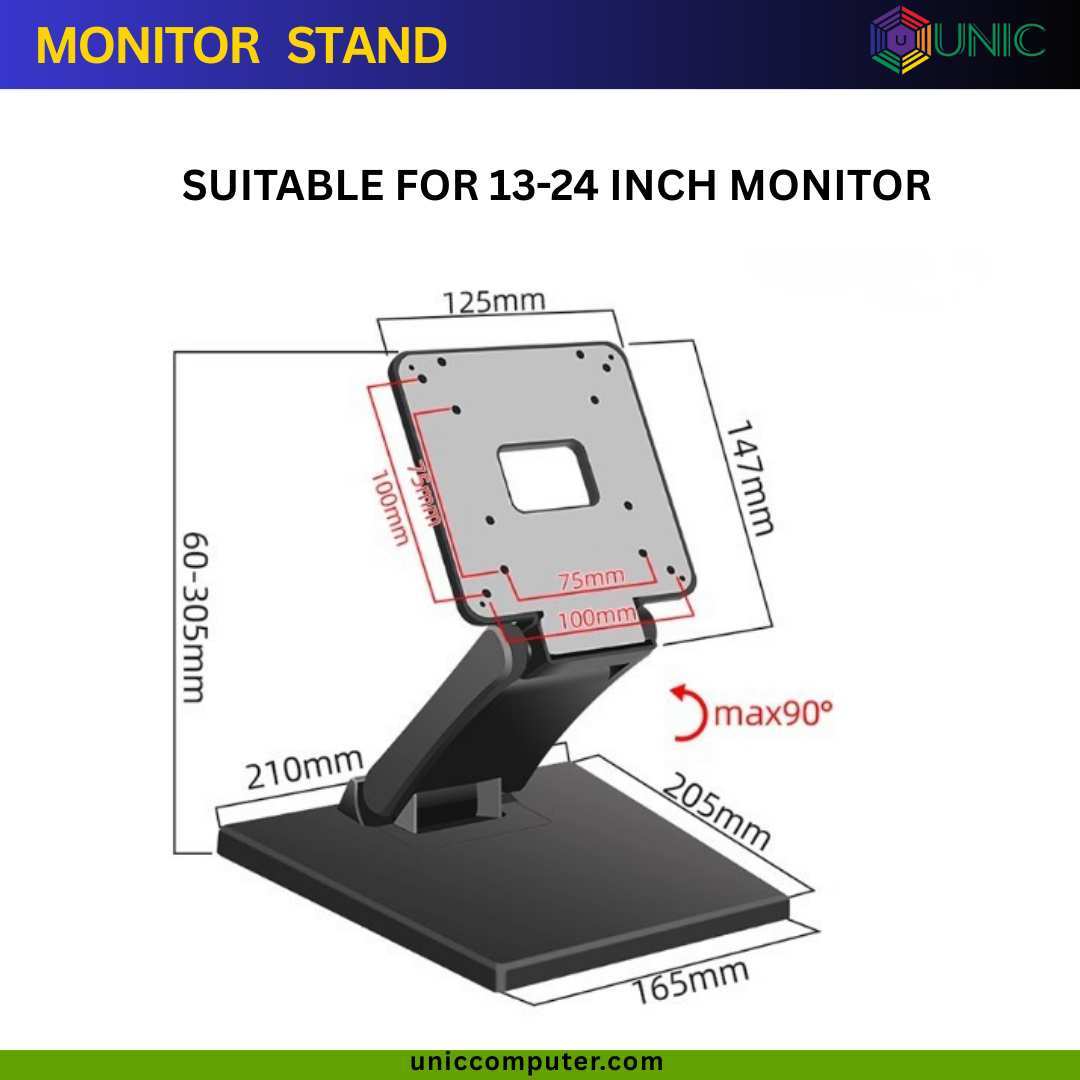
Image source: Bing (Web (fair-use with source credit))
Why Depth Matters More Than People Think
OSHA computer workstation guidelines and ergonomic research from sources like Cornell University's Ergonomics Web recommend a viewing distance of 20 to 40 inches between your eyes and the monitor screen. For a 27-inch display, the sweet spot is around 24 to 30 inches.
If your desk is only 20 inches deep and your monitor stand is 10 inches deep, the screen ends up roughly 10 to 14 inches from your face. That's way too close. It causes eye strain, neck tension, and general discomfort within an hour or two of use.
Monitor Stand Footprint
Most 27-inch monitor stands have a depth of 8 to 12 inches. Some larger stands with integrated USB hubs or heavier bases push closer to 13 to 14 inches. Without measuring your specific monitor, assume 10 inches as a safe average.
Here's the simple formula: take your desk depth, subtract the monitor stand depth, and that's the distance between the screen and your eyes (assuming you push the stand all the way back). If that number is under 20 inches, you're too close.
Viewing Distance and Eye Comfort
For a standard 1080p or 1440p 27-inch monitor, a viewing distance of at least 20 inches is considered the minimum. Anything closer and you'll likely notice yourself squinting or leaning back unconsciously to compensate. An arm mount gives you much more flexibility here since you can position the screen at the optimal distance regardless of desk depth.
Quick Depth Reference Table
| Desk Depth | Stand Depth (10" avg) | Screen-to-Eye Distance | Works? |
|---|---|---|---|
| 20 inches | 10 inches | ~10 inches | No |
| 24 inches | 10 inches | ~14 inches | Still too close |
| 25 inches | 10 inches | ~15 inches | Marginal |
| 30 inches | 10 inches | ~20 inches | Minimum acceptable |
| 30 inches + arm mount | 0 inches | ~24 to 30 inches | Comfortable |
The Decision Tree: Find Your Desk Size in 60 Seconds
If you want to skip the math and land on a recommendation quickly, walk through these four questions.
Step 1: How Many Monitors?
One 27-inch monitor means you need at least 42 inches of width. Two means at least 55 inches. Simple so far.
Step 2: Stand or Arm?
If your monitor sits on its included stand, plan for 10 inches of stand depth eating into your desk. If you're using a VESA-compatible monitor arm, that footprint drops to virtually zero behind the screen.
Step 3: What Else Needs Desk Space?
Add keyboard and mouse space, room to write or take space for a laptop screen. Minimal setups can work with less, but most home offices need at least 4 total feet of width. Add a laptop beside your monitor and you're pushing into the 55-inch range quickly.
Step 4: Sitting, Standing, or Both?
A standing desk at full height can feel less stable if you're using a very shallow surface. For standing use, 30 inches of depth gives you a more stable and comfortable workspace. It also gives you more room to step back slightly when standing.
If you answered "single monitor stand and sitting only," a 48 by 25-inch desk works. If you said "dual monitors, no arm, standing desk, plus peripherals," you're looking at 60 by 30 inches minimum.
Desk Size Recommendations by Use Case
People don't all use their desks the same way, and a gamer has different needs than a remote accountant. Here are the setups we see most often.
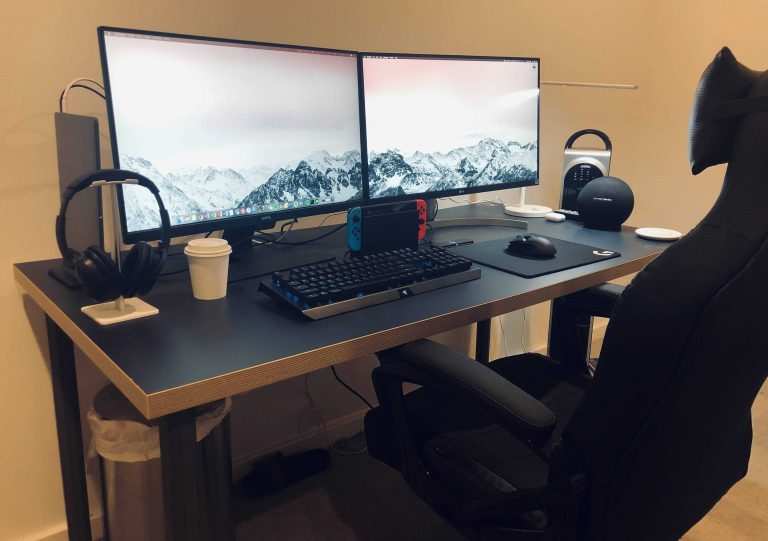
Image source: Bing (Web (fair-use with source credit))
Minimalist Single-Monitor Setup
If it's just you, one 27-inch monitor on a stand, a compact keyboard, and a mouse with nothing else on the desk, a 42 by 20-inch desk can work. This assumes careful placement and a monitor with a smaller stand (around 8 inches or less). It's tight, but it's functional.
Standard Home Office Setup
Most people want a monitor, full-size keyboard, mouse with room to move, a notebook or space to write, and maybe a desk lamp or phone stand. For this, a 48 by 25-inch desk is the minimum, with a 48 by 30-inch or 55 by 30-inch desk being the recommended range.
Dual 27-Inch Monitor Setup
Two 27-inch monitors side by side with stands, keyboard, mouse, and some breathing room. You need at least 60 inches of width. Allow 30 inches of depth for comfortable viewing.
This is one of the most common setups for remote workers, developers, and content creators.
Gaming or Stream Setup
Gamers often want a mechanical keyboard, a large mousepad, a headset stand, and possibly a capture card or streaming deck. If it's dual monitors with game capture devices, a 60 by 30-inch desk is the minimum, with 72 inches giving you more breathing room for everything.
Standing Desk Setup
For a standing desk with a single 27-inch monitor, a 48 by 30-inch surface is recommended. The extra depth helps with stability at standing height and gives you room to position the monitor at a comfortable distance. Dual monitors on a standing desk need at least 60 by 30 inches.
Common Mistakes People Make When Choosing a Desk
These are the errors we see over and over again, and they all come down to the same root cause: not measuring before buying.
Ignoring depth entirely. A 60-inch desk that's only 20 inches deep gives you plenty of width but leaves the monitor right in your face. Depth is the dimension that determines comfort.
Forgetting the stand footprint. The monitor itself is 24 inches wide, but the stand it sits on can be 10 to 12 inches deep. That's a huge chunk of your usable desk space.
Buying for the room, not the setup. Just because your office can fit a 42-inch desk doesn't mean that desk will work for your specific monitor and peripherals. Measure your gear first, then find a desk that fits it.
Assuming all 27-inch monitors have the same stand. They don't. Some stands are compact and shallow. Others are wide, heavy, and deep.
Always check the manufacturer's specifications for your exact monitor model before deciding on a desk.
Not leaving room for cable management. You need at least 3 to 6 inches behind the monitor for cables, power strips, and adapters. If your desk is exactly as deep as your monitor stand, you've got nowhere for the cables to go.
Monitor Arm vs. Stand: The Space Trade-Off
This is one of the most impactful decisions you can make when figuring out your desk size. A monitor arm changes the equation completely.
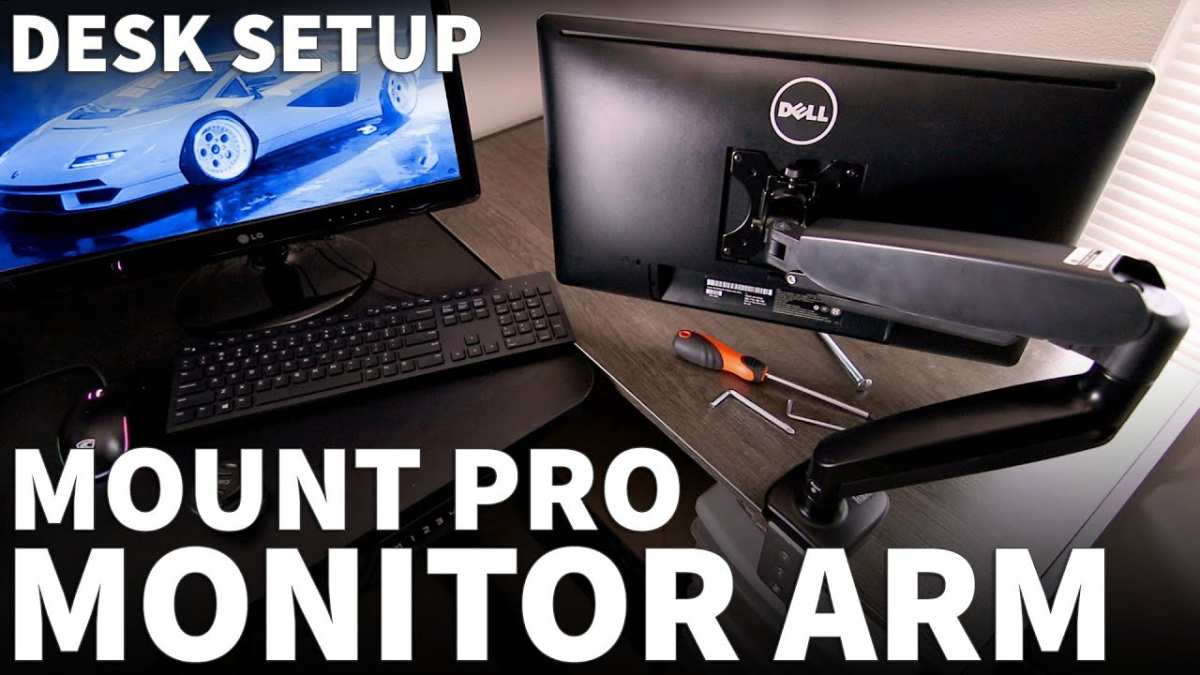
Image source: Bing (Web (fair-use with source credit))
What You Gain with a Monitor Arm
A VESA-compatible monitor arm clamps to the back edge of your desk and lifts the monitor off the surface entirely. The stand footprint goes from 10 to 12 inches down to zero behind the screen. That's a massive difference, especially on a 25-inch-deep desk.
You also get full adjustability. Height, tilt, swivel, and rotation all become easy to change. This means you can position the monitor at the exact right height and distance for your body, rather than being limited by whatever the factory stand allows.
What You Give Up
Monitor arms cost money. A decent single-arm mount runs between $25 and $80 as of 2026. You also need a desk that's compatible.
Most arms clamp to desks between 0.4 and 2.4 inches thick. Very thin desks or glass deseks may not work with clamp mounts.
There's also a weight capacity to consider. Most 27-inch monitors weigh between 8 and 15 pounds with the stand removed. Check the arm's weight rating before buying.
The Verdict
If your desk is under 30 inches deep, a monitor arm is almost always worth it. It frees up desk space, improves ergonomics, and gives you flexibility that a fixed stand simply can't match. For desks 30 inches or deeper, the stand works fine, but the arm still gives you better adjustability.
Quick Reference: Desk Size Cheat Sheet
Here's a summary table you can screenshot or bookmark for when you're shopping.
| Setup | Width | Depth | Notes |
|---|---|---|---|
| Single 27" on stand, minimal | 42" | 25" | Tight but functional |
| Single 27" on stand, comfortable | 48" | 30" | Most common recommendation |
| Single 27" on arm, comfortable | 42" | 20" | Arm saves depth |
| Dual 27" on stands | 60" | 30" | Minimum for two monitors |
| Dual 27" on arms | 55" | 25" | Arms save significant space |
| Single 27" + laptop | 55" | 30" | Room for both screens |
| Standing desk, single 27" | 48" | 30" | Extra depth for stability |
Frequently Asked Questions
Is a 48-inch desk big enough for a 27-inch monitor?
Yes, for a single 27-inch monitor on a stand with a keyboard and mouse. It's the most commonly recommended minimum width. If you plan to add a laptop or second screen, you'll want 55 inches or more.
How deep should a desk be for a 27-inch monitor?
At least 25 inches, but 30 inches is the recommended depth. This accounts for the monitor stand footprint (8 to 12 inches) plus a comfortable viewing distance of 20 to 24 inches between your eyes and the screen.
Can I use a 27-inch monitor on a small desk?
You can, but it depends on the desk depth. A desk under 20 inches deep will put the screen too close to your face, causing eye strain. If you're working with a small desk, a VESA-compatible monitor arm helps significantly by removing the stand footprint.
What size desk do I need for two 27-inch monitors?
A minimum of 60 inches wide and 30 inches deep. This gives both monitors enough room on stands, plus space for a keyboard and mouse. Using monitor arms can reduce the width needed to around 55 inches and the depth to 25 inches.
Does monitor size affect desk depth requirements?
Yes, directly. Larger monitors are typically viewed from farther away. A 27-inch screen at 1080p or 1440p works at 20 to 30 inches of viewing distance.
A 32-inch 4K monitor might need 30 to 36 inches, which means you'd want a deeper desk to accommodate that distance plus the stand footprint.
Is a standing desk different from a regular desk for monitor setup?
The width and depth requirements are the same. However, standing desks benefit from at least 30 inches of depth for stability at full height and to give you room to step back slightly when standing. A shallower desk can feel tippy when extended.

Similar Posts





















