Is Portable Monitor Good for Gaming
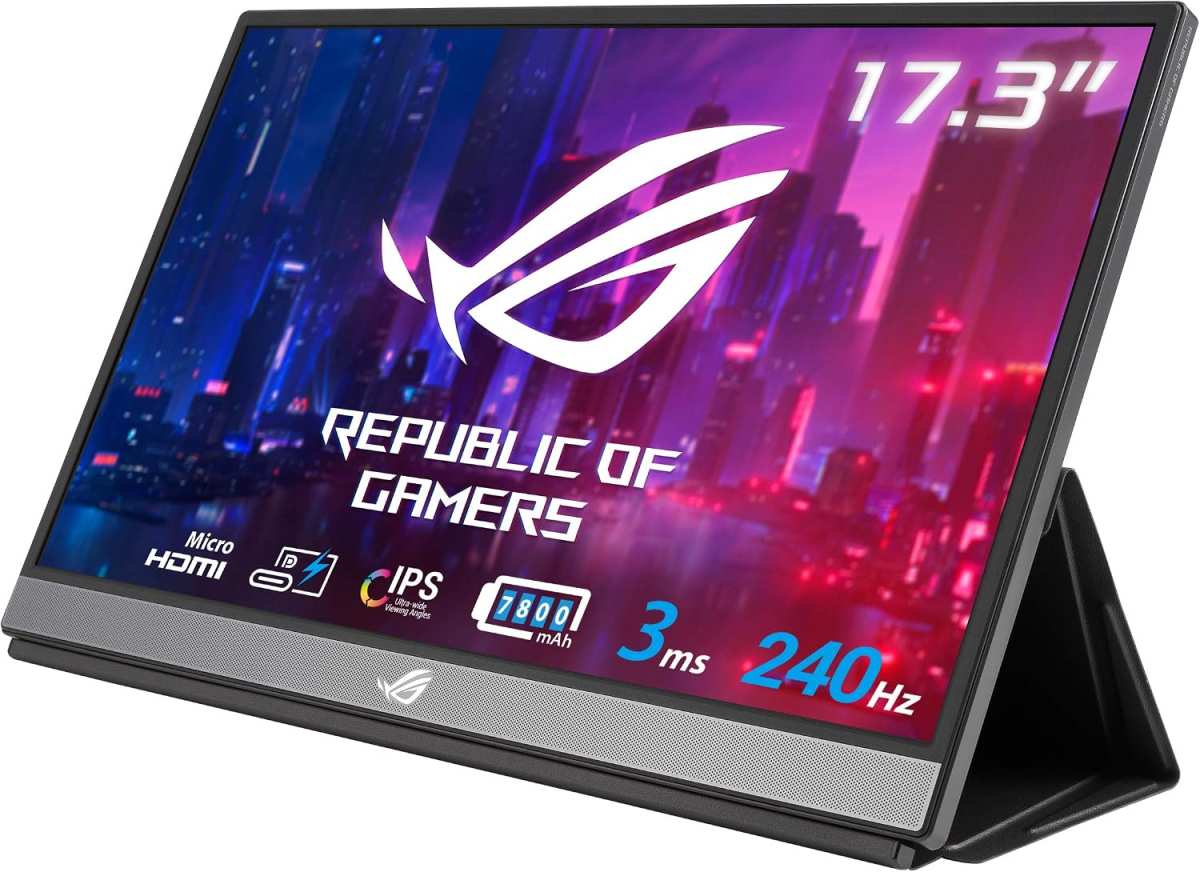
Is a portable monitor good for gaming? The honest answer is yes, with some pretty big caveats depending on what you're playing and what you're connecting to. Portable displays have gotten a lot better as of 2026, and some of them actually hold up well enough for real gameplay.
But they still make trade-offs that you wouldn't accept from a desktop monitor.
In our research, manufacturer specs confirm that top-tier portable gaming monitors now hit 144Hz refresh rates and response times under 5ms, which puts them in legit gaming territory. The trick is knowing which specs actually matter for your setup and which ones are just marketing fluff on the box. Let's break it down.
Image source: Bing (Web (fair-use with source credit))
Quick Answer
A portable monitor works well for gaming if you're playing single-player or casual games on a handheld PC or console while traveling. It's not ideal for competitive gaming because of higher input lag. Match the refresh rate to what you actually play.
Most budget options top out at 60Hz, which limits fast-paced titles.
The Honest Answer Depends on What You're Playing
Here's the deal. A portable monitor can absolutely be good for gaming, but it's not a yes-or-no question. The whole thing hinges on what kinds of games you play and what you're connecting to.
If you're playing story-driven games like Baldur's Gate 3 or Elden Ring on a Steam Deck, a portable monitor is fantastic. You get a bigger, sharper image and you're not staring at a 7-inch screen for hours. Casual and indie games look gorgeous on a 15.6-inch IPS panel.
But if you're grinding ranked Valorant or playing competitive fighting games where a single frame matters, you're going to feel the difference immediately. Even the best portable monitors add some input lag compared to a dedicated desktop gaming monitor. The panel technology is similar, but the processing and connection chain introduce small delays that add up.
Per aggregate reviews and VESA Adaptive-Sync testing data, here's how the experience breaks down by game type:
- Single-player / story games: Excellent on portable. Bigger screen, better colors, totally worth it.
- RPGs and strategy games: Great. These don't demand lightning-fast response times.
- Casual multiplayer (Stardew Valley, Minecraft): Totally fine. No real disadvantage here.
- Competitive shooters and racing games: Noticeable input lag. You'll be at a disadvantage.
- Fighting games and rhythm games: Not recommended. Frame timing matters too much.
A lot of people buy a portable monitor expecting it to replace a desktop screen for everything. That's where the disappointment comes in. Think of it as a specialized tool rather than a one-for-one replacement.
What Makes a Portable Monitor Work for Gaming
Not all portable monitors are created equal. Some are genuinely built for gaming and others are basically just extra screens for spreadsheets. The specs that matter most are the same ones you'd look at on a desktop monitor, but you need to pay closer attention here because the baseline is lower.
Refresh rate is probably the big one. Most budget portable monitors run at 60Hz, which is fine for slow-paced games but feels sluggish on anything fast. The sweet spot for portable gaming in 2026 is 120Hz or 144Hz.
You'll find options like the ASUS ROG Strix XG16AHPE at 144Hz and some from KYY and ARZOPA hitting 120Hz. Anything above that in portable form is rare and expensive.
Response time is listed on every box but take it with a grain of salt. Manufacturers love to claim 1ms GtG, but independent testing on sites like RTINGS shows most portable panels land closer to 5ms to 8ms in practice. That's still acceptable for most gaming, but don't expect true 1ms performance unless you're looking at a premium OLED panel.
Panel type affects the whole experience more than you'd think. IPS panels give you the best color accuracy and viewing angles for portable use. You'll see colors stay consistent even when you're not sitting dead center, which matters when you're gaming on a wobbly kickstand at a hotel desk.
TN panels have faster response times but look washed out. OLED portable monitors exist now and they look stunning, with perfect blacks and faster pixel transitions, but they cost more and carry a burn-in risk with static HUD elements.
Here's a quick breakdown of what the specs actually mean in practice:
| Spec | Budget Portable ($80-$150) | Mid-Range ($150-$300) | Premium ($300+) |
|---|---|---|---|
| Refresh rate | 60Hz | 100Hz–120Hz | 144Hz–165Hz |
| Response time | 8ms–10ms | 5ms–8ms | 1ms–5ms (claimed) |
| Panel type | IPS | IPS / some OLED | OLED / high-end IPS |
| Resolution | 1080p | 1080p / 1440p | 1440p / 4K |
| HDR | None or HDR10 | HDR10 | DisplayHDR 400+ |
| Adaptive sync | Rare | Sometimes | Common |
Adaptive sync support (FreeSync or G-Sync Compatible) matters more on a portable monitor than you might expect. When you're gaming on a setup that might not hold a perfectly stable frame rate, screen tearing gets distracting fast. The more expensive portables include FreeSync support, but you'll want to verify compatibility with your specific GPU or console before buying.
One thing that often gets overlooked is brightness. Most portable monitors land between 250 and 350 nits, which is fine indoors but struggles in bright rooms. Premium options with DisplayHDR 400 certification hit 400 nits or more, which is noticeably better.
If you're gaming near a window or in a well-lit hotel room, brightness matters a lot more than you'd think.
The Connection Problem Most People Don't Think About
Here's where things get messy. Buying the monitor is only half the battle. Getting it to actually work with your device can be surprisingly frustrating.
USB-C with DisplayPort Alt Mode is the ideal connection. A single cable carries video signal and power simultaneously, which keeps the setup clean. The problem is that not every USB-C port supports video output.
A lot of laptops and handhelds have USB-C ports that only handle data and charging. You need a port that specifically supports DP Alt Mode, and manufacturers don't always make this obvious in the specs.
HDMI is the fallback. Most portable monitors include a mini HDMI or full-size HDMI port, which means you can connect consoles and devices that don't do video over USB-C. But this usually means you'll need a separate power cable too, which defeats the single-cable elegance that makes portables appealing in the first place.
For PS5 and Xbox Series X|S users, HDMI is your only option and you'll almost certainly need a separate USB power source for the monitor.
Power delivery passthrough is another variable. Some portable monitors let you charge your laptop or handheld through the monitor itself, so you only need one wall plug. Others don't.
The ASUS ROG Strix portable line supports 60W PD passthrough, which is enough for most handheld gaming PCs. Cheaper brands often skip this entirely, meaning your Steam Deck or laptop will drain its battery faster while connected.
Here are the most common connection scenarios and what you need:
| Your Device | Best Connection | What to Check |
|---|---|---|
| Steam Deck | USB-C (DP Alt Mode) | Use the included USB-C cable or a certified full-featured one |
| ROG Ally / Legion Go | USB-C (DP Alt Mode) | Confirm port supports video; most do |
| Nintendo Switch | HDMI + USB power | No video over USB-C without a dock |
| PS5 | HDMI + USB power | Full-size to mini HDMI cable usually needed |
| Xbox Series X | S | HDMI + USB power |
| Gaming laptop (USB-C video) | USB-C single cable | Verify DP Alt Mode on the laptop port |
| Gaming laptop (no USB-C video) | HDMI + USB power | Two cables minimum |
Adapter and cable headaches deserve their own warning. A lot of people grab a cheap USB-C to HDMI adapter off a marketplace and wonder why their monitor flickers or won't hit its advertised refresh rate. You need a cable or adapter that supports the full bandwidth.
For 1080p at 144Hz, you need a high-quality USB-C cable with full DisplayPort 1.4 support or an HDMI 2.0 cable. Cheap cables often cap out at 60Hz without making it obvious.
The connection issue is probably the number one source of frustration for people buying portable monitors for gaming. Always check your device's video output capabilities first and buy cables from reputable sources. The USB-IF website lists certified cables if you want to be sure you're getting something that actually meets spec.
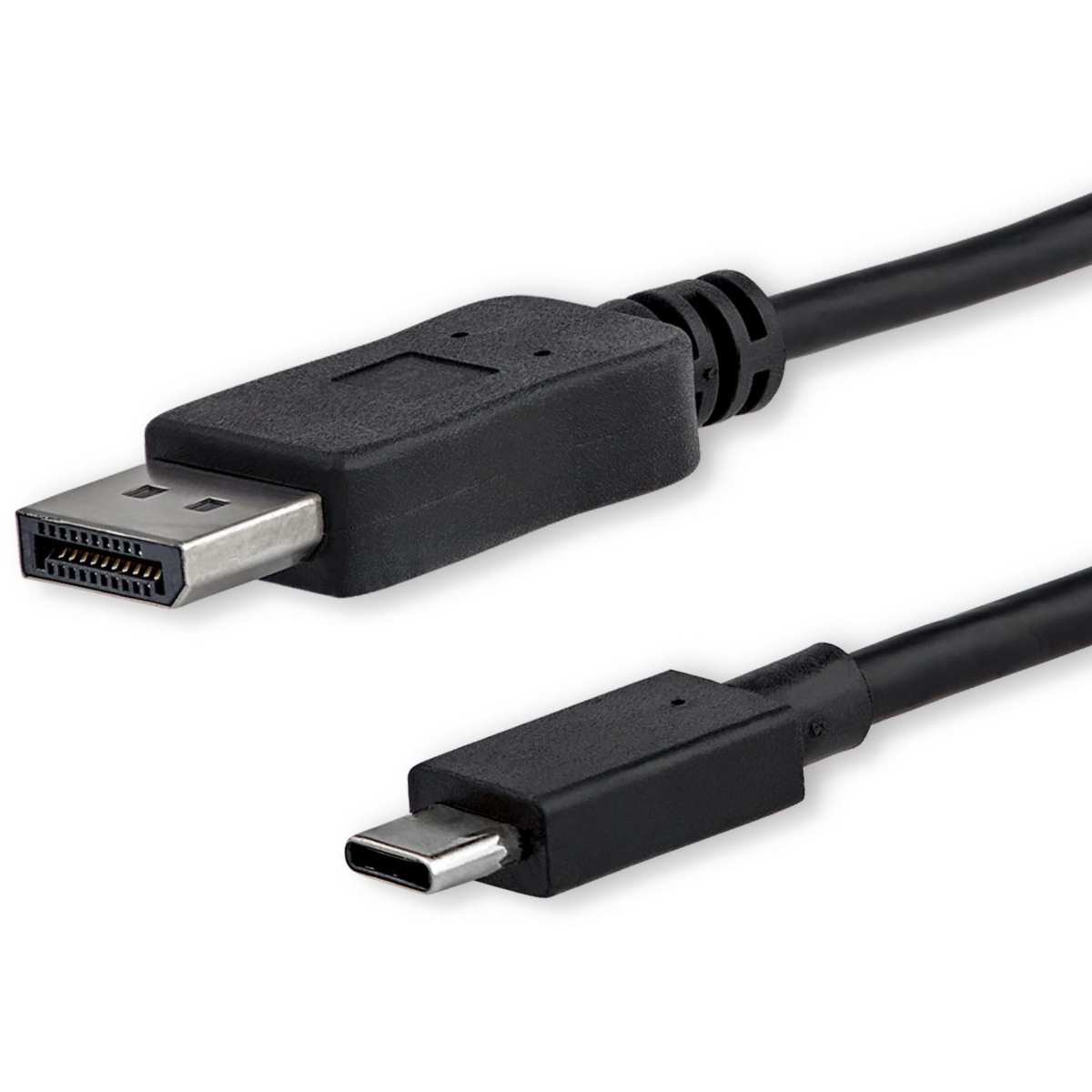
Image source: Bing (Web (fair-use with source credit))
Who Should Actually Buy One for Gaming
Let's get specific. A portable monitor isn't for everyone, but for certain types of gamers it's arguably the best purchase you can make.
Handheld gaming PC users are the biggest winners here. If you own a Steam Deck, ROG Ally, or Lenovo Legion Go, a portable monitor transforms the experience. You get a bigger screen for desktop gaming sessions at home or on the road, then disconnect and go handheld when you want to.
The ASUS ROG Strix XG16AHPE is practically designed for this exact use case. At 15.6 inches and 144Hz, it pairs perfectly with these devices over a single USB-C cable.
Traveling console gamers should seriously consider one too. If you travel for work or you're in a living situation where the main TV isn't always available, a portable monitor means you can set up your PS5 or Xbox Series S just about anywhere. It's a game-changer for hotel room gaming.
You'll need a power outlet and a table, but that's a pretty low bar. The image quality on a decent 1080p IPS panel held 18 inches from your face actually looks sharper than a 55-inch TV across the room.
College students and dorm room warriors fall into this category too. Space is tight in a dorm and a portable monitor pulls double duty. You use it for schoolwork during the day and gaming at night.
It stores in a drawer when you need the desk space. This is probably the single most popular use case based on aggregate buyer reviews and forum discussions.
Digital nomads and remote workers who also game represent a growing market. If your work requires a second screen and you don't want to carry a full-size monitor, a 15.6-inch portable display handles spreadsheets and Slack just as well as it handles games in the evening. The portability factor is the whole point here.
If any of those describe your situation, a portable monitor is genuinely worth it. Just set your expectations correctly: you're getting a good secondary display that happens to work well for gaming, not a replacement for a dedicated gaming monitor at your main setup.
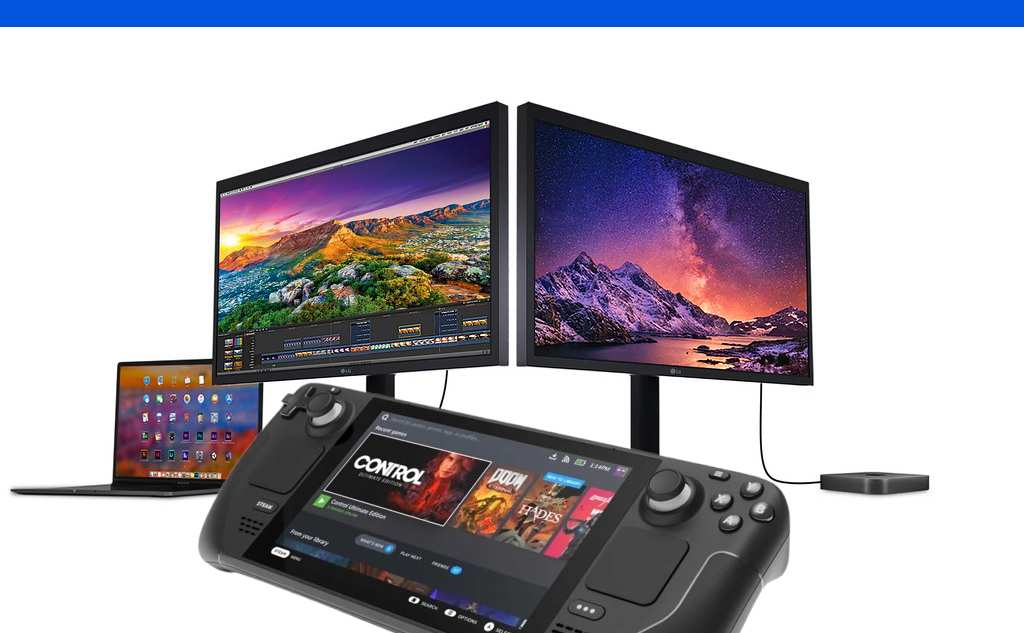
Image source: Bing (Web (fair-use with source credit))

Image source: Bing (Web (fair-use with source credit))

Similar Posts