Is Mini LED Monitor Good for 3d Rendering
If you've been eyeing a mini LED monitor for your 3D rendering work, you're probably wondering whether the hype actually translates to real workflow improvements. The short answer is yes, with some important caveats that depend entirely on what kind of 3D work you do and how you evaluate your final output.
Mini LED technology has matured significantly as of 2026, with monitors now offering 576 to 1152+ local dimming zones and peak HDR brightness hitting 1000 to 2000 nits. That's a massive leap from traditional LED backlights. But raw specs don't tell the whole story when you're trying to judge material accuracy, lighting balance, or whether your final render will hold up on a client's SDR display.
Image source: Bing (Web (fair-use with source credit))
Quick Answer
Mini LED monitors are good for 3D rendering in specific scenarios. They excel at HDR content review and bright-room workflows. They fall short for critical SDR color work compared to OLED.
Your 3D workflow type determines whether the trade-offs are worth it.
What Mini LED Actually Brings to 3D Rendering Work
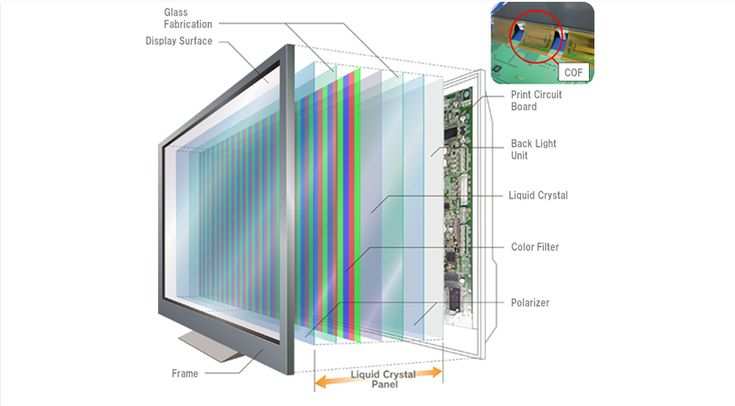
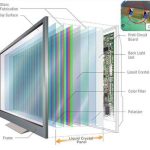
Mini LED is a backlighting technology for LCD panels. It uses thousands of small LED zones behind the screen to control brightness in specific areas. This is called full array local dimming, or FALD.
Each zone can dim or brighten independently based on the content displayed.
For 3D rendering, this matters in two ways. First, you get much deeper effective blacks than a standard LED monitor. Second, you get significantly higher peak brightness for specular highlights and HDR content.
A good mini LED monitor hits 1000 nits sustained in HDR mode. Traditional LED monitors typically max out around 350 to 400 nits.
The underlying panel is still LCD, usually IPS or VA. Mini LED improves the backlight. It does not change how the liquid crystals themselves behave.
So you still get the viewing angle characteristics, response times, and color reproduction of whatever panel sits on top of that backlight.
Here's what that means practically. If you're working in Blender, Maya, or Cinema 4D and you want to preview how your scene looks with HDR lighting, a mini LED monitor gives you a much more accurate window into that than a standard SDR display. You can actually see what your specular highlights look like at high luminance.
You can evaluate whether your night scene has the right balance between shadow detail and bright light sources.
But there's a catch. The local dimming algorithm has to guess how to handle each zone. When a bright object sits against a dark background, you'll sometimes see a halo or glow around it.
This is called blooming. For 3D work, this can be genuinely problematic when you're trying to evaluate fine detail in dark areas of your scene.
The Core Trade-Off: HDR Brightness vs. Dimming Artifacts
This is the decision that actually matters. Mini LED gives you HDR capability that traditional LED simply cannot match. But it introduces visual artifacts that don't exist on either OLED or standard LCD displays.
Let me break down the real trade-offs you'll face as a 3D artist.
Where mini LED wins:
- Peak brightness of 1000 to 2000 nits for HDR preview work
- No burn-in risk, unlike OLED panels
- Better performance in bright room environments
- Sustained brightness without degradation over time
- Wide color gamut coverage, typically 99% DCI-P3 on good panels
- Larger screen sizes available at reasonable prices
Where mini LED struggles:
- Blooming around bright objects on dark backgrounds
- Visible zone transitions during camera panning in viewports
- Color shift at high luminance levels on some panels
- Anti-glare coatings that can introduce a grainy or sparkly appearance
- Fan noise on some models with active cooling for the LED array
- Higher power consumption and heat output
The blooming issue deserves special attention. If you do a lot of archviz with night scenes, or product renders with dark backgrounds, you'll notice halos around bright elements. A glowing window in a dark building might bleed light into the surrounding wall geometry.
A bright product label on a dark surface might create an unnatural glow. This doesn't mean your render is wrong. It means the monitor is adding artifacts that aren't in your actual output.
For viewport work where you're constantly rotating and panning around a scene, the local dimming algorithm can also create visible shifts in brightness as zones turn on and off. It's distracting. Some monitors handle this better than others, but it's a fundamental limitation of the technology.
Mini LED vs. OLED vs. Traditional LED: Which Suits Your 3D Workflow
Choosing the right display for 3D rendering comes down to understanding what each technology does well and where it falls short. There's no single best option. It depends on your specific work.
| Factor | Mini LED | OLED | Traditional LED (IPS) |
|---|---|---|---|
| Peak Brightness | 1000-2000 nits | 400-1000 nits | 250-400 nits |
| Black Level | Very good (with dimming) | Perfect (per-pixel) | Moderate (IPS glow) |
| Blooming Risk | Yes (zone-based) | None | None |
| Burn-in Risk | None | Yes (static UI elements) | None |
| Color Accuracy (SDR) | Excellent | Excellent | Good to Excellent |
| HDR Preview Quality | Very Good | Excellent | Poor |
| Bright Room Performance | Excellent | Good | Good |
| Price (32" 4K) | $800-$2,500 | $1,500-$3,500 | $400-$1,200 |
| Best For | HDR review, bright rooms | Critical color work, dark rooms | Budget SDR workflows |
When Mini LED Makes Sense for 3D Artists
Mini LED is the right choice if your work involves HDR output or client deliverables. If you're creating content for HDR displays, streaming platforms, or any pipeline that ends in HDR, you need an HDR reference monitor. Mini LED gives you that at a lower price than OLED with zero burn-in risk.
It's also a strong choice if your workspace has ambient light control challenges. OLED panels struggle in bright rooms because their peak brightness is lower. Mini LED panels punch through ambient light much better, making them practical for studios with windows or overhead lighting you can't fully control.
Game developers and environment artists benefit the most. You're often working with high dynamic range scenes, bright daylight mixed with deep shadows, and you need to see how that balance reads. Mini LED lets you evaluate that in a way that a standard SDR display simply cannot.
When You Should Think Twice About Mini LED
If your primary output is SDR content for print, web, or standard broadcast, a good traditional IPS monitor or an OLED panel will serve you better. You don't need HDR brightness for that work, and you'll avoid the blooming and dimming artifacts entirely.
Product visualization artists who work against dark backgrounds should be cautious. That halo effect around your product can make it hard to judge edge quality and material accuracy. You might end up overcompensating in your render to fight what's actually a display artifact.
Freelancers who need one monitor to do everything might find that the compromises of mini LED add up. If you're switching between SDR color grading, 3D modeling, and client presentations, you may spend more time toggling settings and modes than actually working.
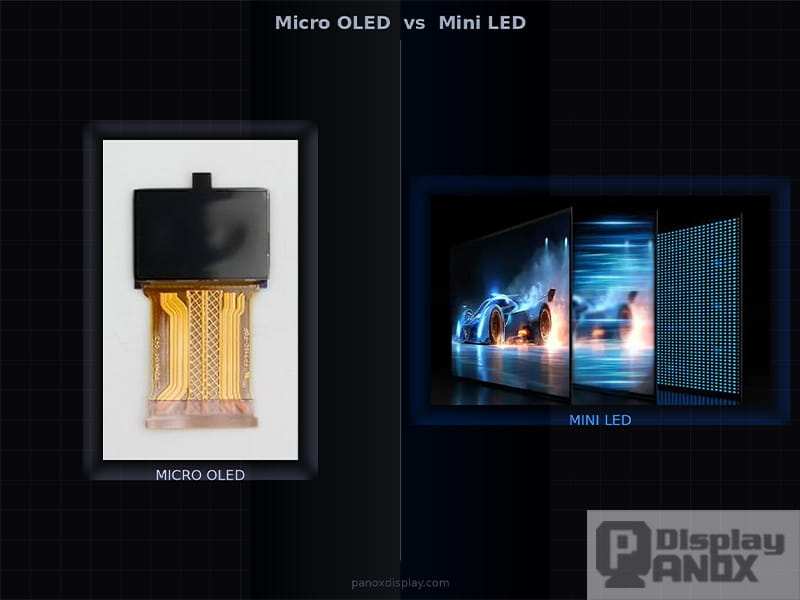
Image source: Bing (Web (fair-use with source credit))
Key Specs That Actually Matter for Rendering (And Ones That Don't)
Monitor marketing throws a lot of numbers at you. Here's what genuinely affects your 3D rendering workflow and what's mostly noise.
Specs that matter:
- Local dimming zone count. More zones means finer control and less blooming. 576 zones is a reasonable minimum for 3D work. 1152 or more is noticeably better. Below 384 zones and blooming becomes a real problem.
- Native panel contrast. This is the contrast ratio with dimming turned off. A native IPS contrast of 1000:1 is standard. VA panels offer 3000:1 or better. Higher native contrast means the dimming system has less work to do.
- Color gamut coverage. Look for 99% DCI-P3 minimum. Adobe RGB coverage matters if your pipeline targets print or photography-adjacent deliverables.
- Delta E accuracy. Factory calibrated panels with Delta E under 2 are good. Under 1 is excellent. You'll still want to hardware calibrate for critical work.
- 10-bit color support. True 10-bit panels are better than 8-bit plus FRC for smooth gradients. Check which one you're actually getting.
Specs that matter less than you'd think:
- Refresh rate. 60Hz is fine for most 3D viewport work. 120Hz or higher helps with animation playback but doesn't affect color accuracy or rendering evaluation.
- Response time. This matters for gaming. For 3D rendering, it's largely irrelevant unless you're doing a lot of real-time viewport work with fast camera movement.
- HDR certification level. VESA DisplayHDR 1000 and DisplayHDR 1400 are meaningful differences. But the certification alone doesn't tell you how good the dimming algorithm is. Two monitors with the same certification can perform very differently.
- Peak brightness in a 10% window. That 2000 nit number in the marketing? That's a tiny patch for a fraction of a time. Sustained brightness across a larger area is what you'll actually experience.
The dimming algorithm quality is something specs sheets can't capture. This is where hands-on reviews and user feedback become essential. A monitor with 576 well-tuned zones can outperform one with 1152 poorly managed zones.
The algorithm decides how quickly zones respond, how aggressively they dim, and how much blooming they allow at zone boundaries.
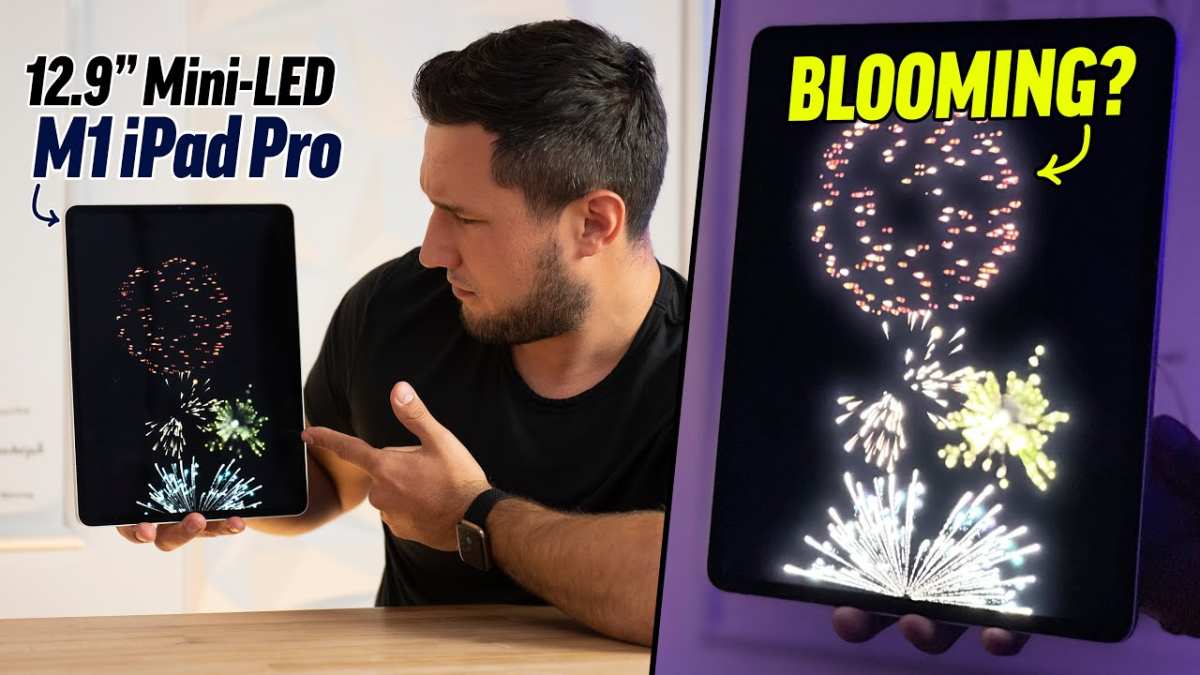
Image source: Bing (Web (fair-use with source credit))
Image source: Bing (Web (fair-use with source credit))

Similar Posts