Is OLED Monitor Better Than LED
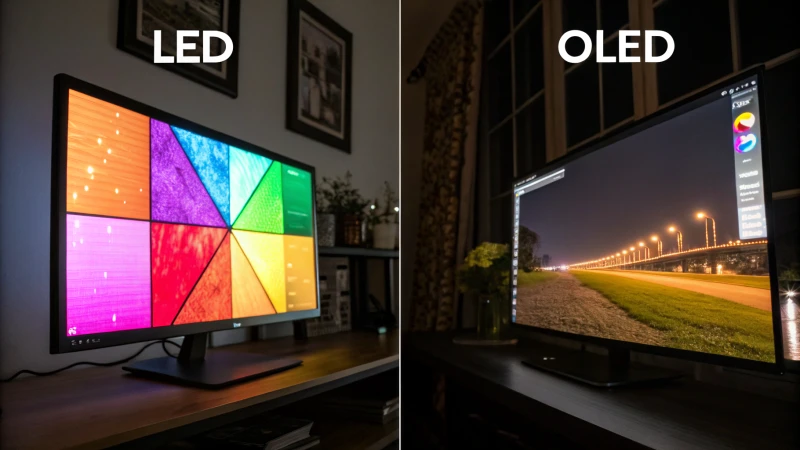
When you're trying to figure out is OLED monitor better than LED, the honest answer is that it depends entirely on what you're doing with your screen. OLED delivers genuinely stunning image quality that LED can't touch, but it comes with trade-offs around price, brightness, and long-term durability that matter for certain users.
Manufacturer specifications and aggregate testing data consistently show OLED achieving near-instantaneous 0.1ms response times versus the 1-5ms you'll see from even good LED-backlit LCD panels. But that raw performance number doesn't tell the whole story, so let's break down what actually matters for your specific situation.
Quick Answer
OLED produces perfect blacks and better contrast than LED. LED monitors are brighter and cost significantly less. Neither technology is universally better.
Your choice depends on your use case, budget, and tolerance for potential burn-in over time.
What "LED Monitor" Actually Means
Here's the first thing that trips people up. When manufacturers sell you an "LED monitor," they're not talking about a display technology that competes with OLED. They're talking about an LCD panel that uses LEDs as its backlight instead of the older CCFL fluorescent tubes.
It's still LCD technology at its core.
That LED backlight shines through a liquid crystal layer to create the image. The LEDs don't produce the picture themselves. They just light up the LCD layer that does.
This is why you'll sometimes see these called "LED-backlit LCD" in more technical contexts. It's more accurate, but harder to fit on a box.
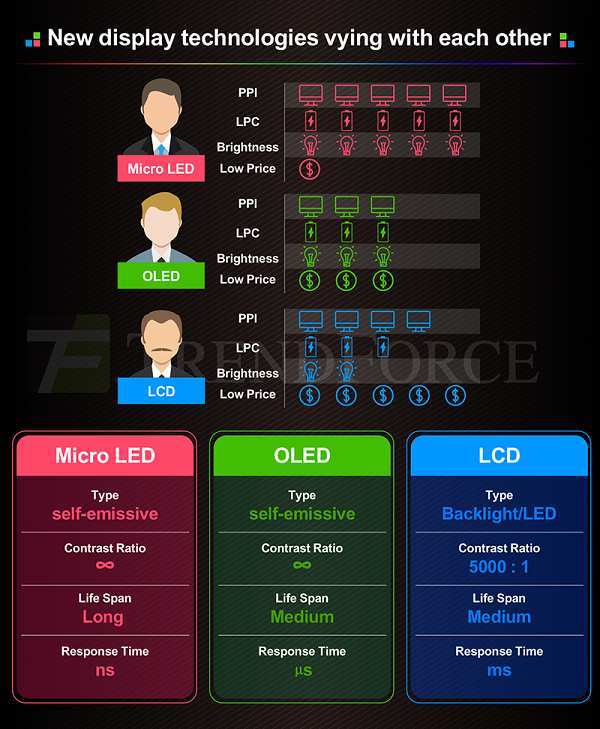
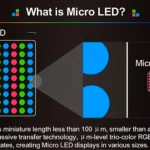
This distinction matters because the comparison isn't really between two fundamentally different approaches. OLED generates light at the pixel level. Each individual pixel is its own tiny light source.
LED-backlit LCD relies on a separate backlight that passes through a filtering layer. That structural difference is what creates every pro and con we'll discuss here.
So when we say "OLED vs LED," what we're really comparing is self-emissive pixel technology against a backlit LCD system. Once you understand that, the strengths and weaknesses of each option start making a lot more sense.
OLED vs LED: The Core Technical Differences
The fundamental difference comes down to how each technology produces light and controls it. That single distinction cascades into every performance characteristic you care about.
How OLED Gets Its Picture
OLED stands for Organic Light-Emitting Diode. Each pixel in an OLED monitor contains organic compounds that emit light when electric current passes through them. There's no separate backlight.
Every single pixel generates its own light independently.
When the monitor needs to display black, it simply turns that pixel off. Completely off. No light comes from that area of the screen at all.
Because the light-emitting layer is incredibly thin, the overall depth of each pixel is very shallow. This is why OLED panels can be remarkably thin and lightweight, with nothing much required behind the pixel layer.
This per-pixel illumination is what gives OLED its signature look. The contrast between a bright white pixel and a completely black pixel sitting right next to it is, for all practical purposes, infinite. There's no light bleed from one zone into another.
There's no glow around bright objects on a dark background.
Current OLED monitors typically use one of two panel technologies. WOLED, developed by LG Display, uses a white OLED layer with color filters. QD-OLED, from Samsung Display, uses a blue OLED layer with quantum dot color conversion.
Both achieve excellent color performance, though QD-OLED tends to push wider color gamuts. Manufacturer specifications indicate QD-OLED panels routinely covering 98-99% of the DCI-P3 color space.
Response time is another area where OLED dominates. With no liquid crystal layer to physically rotate, pixel transitions happen at near speed-of-electricity speeds. Manufacturer specs list 0.1ms gray-to-gray response times.
In practice, this means virtually zero motion blur in fast-moving content.
How LED-Backlit LCD Gets Its Picture
LED-backlit LCD monitors work differently. A grid of LEDs sits behind (or around the edge of) the panel. That light passes through a series of layers: a diffuser, a reflector, a liquid crystal layer, and color filters.
The liquid crystals physically twist and untwist to control how much light gets through.
The LEDs are always on at some level when the display is active. Even when the monitor tries to show black, some light from the backlight passes through. This is why LCD blacks always look slightly gray or washed out, especially in a dark room.
The two main panel types used in LED monitors are IPS and VA. IPS panels offer wider viewing angles and better color accuracy, but typically have lower contrast ratios around 1000:1. VA panels achieve better contrast around 3000:1 to 5000:1, but have slower response times and more color shift at angles.
Neither can match OLED's per-pixel precision.
Higher-end LED monitors use local dimming. This divides the backlight into zones that can brighten or dim independently. Full-array local dimming with hundreds or thousands of zones narrows the gap with OLED somewhat.
The fundamental problem remains that each zone is still controlling an area of pixels, not individual pixels. This creates blooming and halo artifacts around bright objects on dark backgrounds.
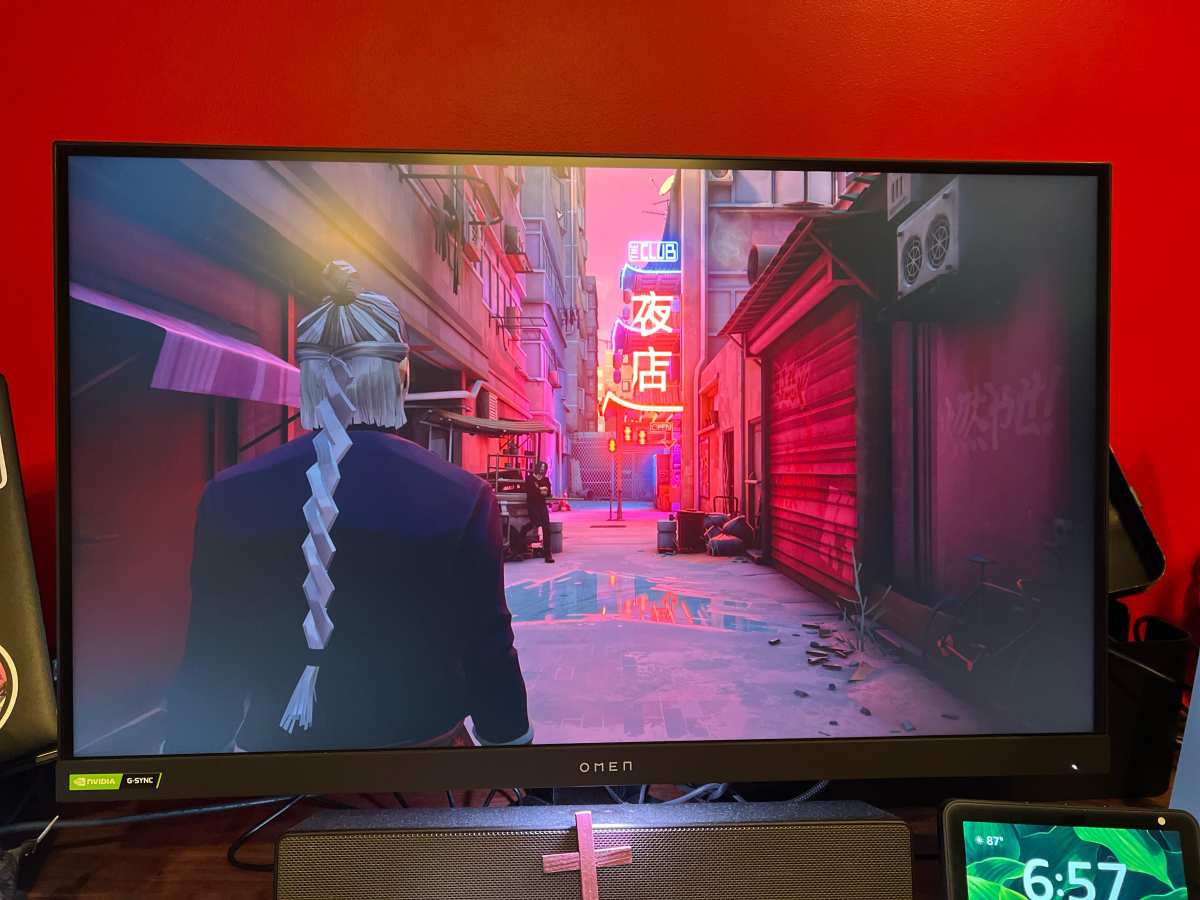
Peak brightness represents a notable advantage for LED technology. Good LED monitors sustain 350 to 600 nits across the full screen. Mini-LED models can hit 1,000+ nits.
OLED monitors typically manage 200 to 250 nits at full screen, though they can spike much higher on small highlights thanks to less aggressive Automatic Brightness Limiter behavior in those scenarios.
Side-by-Side Comparison
Here's how the key specs stack up between typical OLED and LED-backlit LCD monitors.
| Specification | OLED Monitor | LED-Backlit LCD |
|---|---|---|
| Contrast ratio | Effectively infinite | 1,000:1 (IPS) to 5,000:1 (VA) |
| Response time | ~0.1ms GtG | 1-5ms GtG (IPS), 4-8ms (VA) |
| Full-screen brightness | 200-250 nits | 350-600 nits |
| Peak brightness (small window) | 800-1,000+ nits | 600-2,000+ nits (Mini-LED) |
| Color gamut (DCI-P3) | 98-99% | 90-98% |
| Burn-in risk | Yes | No |
| Typical price (27-inch) | $600-$1,000 | $200-$500 |
| Panel thickness | Very thin | Thicker due to backlight |
| Viewing angles | Excellent | Good to very good |
| HDR effectiveness | Outstanding | Good (Mini-LED) to mediocre |
This table makes it easy to see why there's no simple "winner." OLED leads in contrast, response time, viewing angles, and HDR precision. LED leads in brightness, price, and burn-in safety. The right pick depends on which of those characteristics matters most to you.
Where OLED Wins: Use Cases Where It's Clearly Better
OLED pulls ahead in any scenario where image quality is the top priority and you're not pushing the screen to its absolute brightness limits.
Cinematic and Single-Player Gaming
If you play story-driven games with dark environments and care about visual immersion, OLED is transformative. Those deep, inky blacks give scenes a sense of depth and realism that LED simply can't replicate. Shadow detail looks cleaner.
Night scenes look actually dark instead of muddy gray.
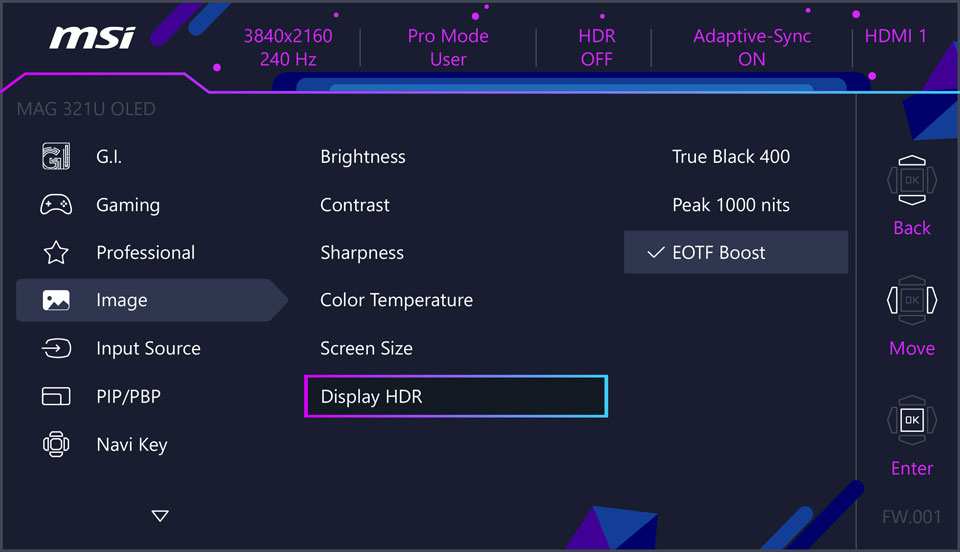
HDR gaming benefits enormously too. Manufacturer specifications and independent testing confirm that VESA DisplayHDR True Black certification, which only OLED can meaningfully achieve, delivers per-pixel HDR precision. Bright highlights pop against truly black backgrounds.
The effect is closer to what the game artists intended.
HDR Content and Movie Watching
Film enthusiasts tend to prefer OLED, and for good reason. Movies run in 24fps with cinematic aspect ratios and letterboxing. OLED handles this beautifully.
The black bars are literally invisible because those pixels are turned off. HDR content shines because highlights can reach high peak brightness while the rest of the screen stays dark.
Almost every premium HDR demo reel looks more impressive on OLED. The technology was essentially designed for the kind of content HDR represents: high dynamic range with lots of dark areas punctuated by bright points of light. OLED's per-pixel dimming maps perfectly to this kind of content.
Color-Critical Creative Work
For photo editing, color grading, and graphic design, OLED offers genuine advantages. The per-pixel light control means color accuracy remains consistent across the entire screen. There's no backlight non-uniformity to worry about.
The wide native color gamut of QD-OLED panels gives you more room to work in DCI-P3 or Adobe RGB spaces.
Professional users should calibrate their OLED with a hardware colorimeter, just as they would any reference display. But the starting point is excellent. Delta E values under 1.0 are common out of the box on well-calibrated OLED monitors.
Dark Room Environments
OLED truly excels when ambient light is low. In a dim room or home theater setup, the infinite contrast ratio becomes the dominant factor in perceived image quality. Your eyes adapt to the dark screen areas, making bright content look punchier and more vibrant than it would appear on a glowing LCD panel.
This is why many video editors and colorists work in darkened rooms with OLED panels. The display accurately represents what the final product will look like on other OLED and high-end displays. It also reduces eye strain since the screen isn't blasting light at your face from areas that should be dark.
Where LED Still Makes More Sense
LED-backlit LCD isn't obsolete. It remains the better choice in several common scenarios, and for some users it's the only sensible option.
Competitive Esports at High Refresh Rates
Competitive gamers prioritize frame rate, motion clarity, and input latency above image quality. LED monitors still offer higher refresh rates at lower price points. You can find 360Hz and even 500Hz LED monitors.
The fastest OLED monitors top out at 240Hz to 360Hz as of 2026, and they're more expensive.
Peak brightness matters for competitive gaming too. These gamers play in well-lit rooms or even tournament environments with stage lighting. LED's higher sustained brightness means better visibility of small details and enemy movement in bright scenes.
Some competitive players also prefer matte coatings, which are more commonly available on LED monitors. Most OLEDs use glossy or semi-glossy coatings to maximize perceived contrast. This introduces reflections that can be distracting in competitive scenarios.
Office Productivity and Static Content
This is a significant use case. If your work involves staring at spreadsheets, documents, code editors, or dashboards for 8+ hours daily, those interfaces typically contain bright static elements against dark backgrounds. For an LED screen, this routine places no extra strain whatsoever.
With OLED, modern features like pixel shifting and panel dimming cycles help manage wear, but the inherent nature of static content remains something to consider.
The brightness advantage of LED also helps in well-lit offices. OLED's 200-250 nit full-screen brightness can struggle in rooms with lots of natural light. LED monitors easily maintain comfortable visibility because they simply output more total light.
LED also costs a fraction of what you'd pay for an OLED. If you're outfitting a home office or buying multiple monitors, that price gap adds up fast.
Bright Room Usage
Speaking of brightness, this is an area where LED holds a clear and practical advantage in everyday use. If your workspace gets significant sunlight during the day, or you prefer working with bright ambient light, LED's advantage isn't just preference. It's functional.
You'll actually be able to see what's on screen without cranking your blinds or squinting. For many people, this alone justifies the choice, regardless of what the contrast ratio spec sheet says.
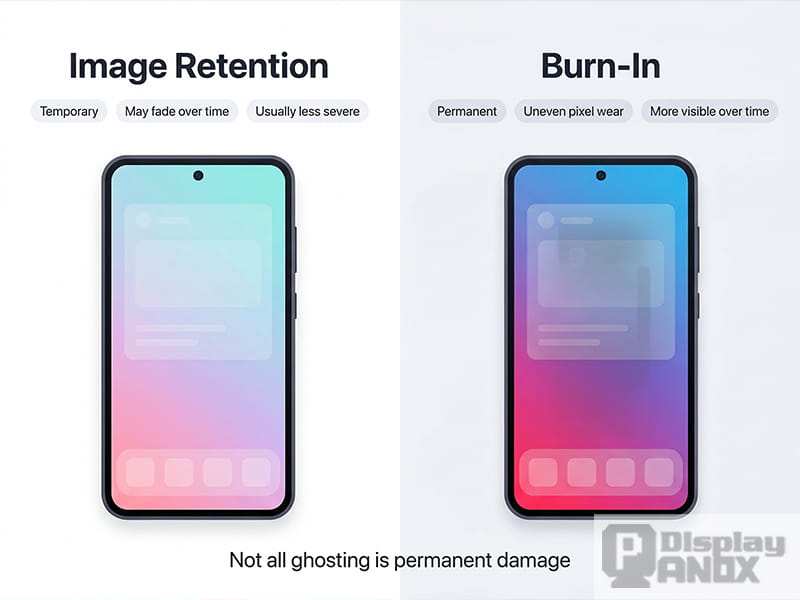
The cost savings go beyond just the monitor price itself. You're also less worried about burn-in, which means less anxiety about leaving static content on screen. Less babysitting of settings and screen savers.
Less long-term concern about uneven degradation. LED doesn't ask you to think about any of this. You turn it on and it works, consistently, for years.
Budget-Conscious Setups
For the same price as one decent 27-inch OLED setup, you could buy an excellent 27-inch high-refresh LED monitor plus a great second monitor for multitasking. That kind of flexibility matters when you're on a fixed budget. You get more screen area, more productivity potential, and often better sustained brightness for everyday tasks.
The value argument holds up even more when you move to larger displays. The price premium for larger OLEDs is steep, often double or triple the cost of comparable LED models. If you need a 34-inch or larger display, LED offers significantly more bang for the buck in both features and price.
The Burn-In Question: Should You Actually Worry?
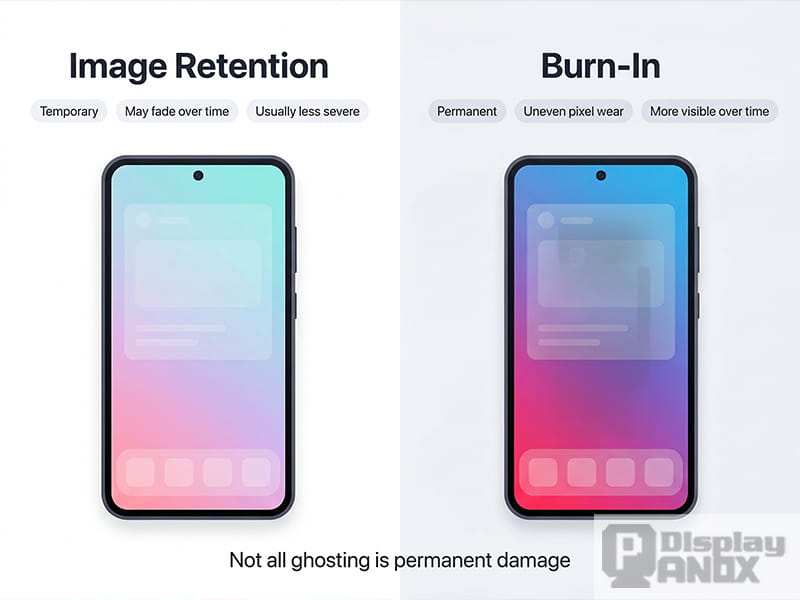
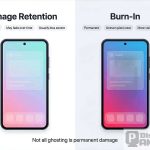
Burn-in is the most common concern that holds people back from OLED, and it deserves a clear look at the actual risk. Image retention happens when a static image displayed for long periods causes uneven wear on the organic materials. This leaves a faint ghost of that image visible even when other content is displayed.
But modern OLED monitors have extensive countermeasures to minimize this. Pixel shift technology slightly moves the image periodically to spread wear across pixel boundaries. Automatic pixel refresh cycles run periodically to equalize pixel degradation.
Panel dimming adjusts brightness based on static image content to reduce accelerated organic wear. All of this happens in the background without any user intervention.
Manufacturer testing and aggregate user reports suggest that burn-in on recent OLED panels is far less likely than the technology's reputation implies. Under realistic use with varied content, image retention is unlikely within the typical display lifespan. It's primarily a risk in extreme cases, like running a 24-hour news channel for weeks, leaving a static test pattern on overnight repeatedly, or setting brightness to maximum constantly with high-contrast static images.
Common high-risk patterns include taskbars pinned permanently at full white, browser toolbars always visible, static gaming HUDs, and full-screen productivity apps with fixed bright interfaces. Those bright, static elements cause faster pixel degradation than varied content because the same organic material wears unevenly. Most people naturally vary their content throughout the day, mixing full-screen apps, videos, and web browsing.
This variety alone goes a long way toward preventing burn-in.
The bigger practical concern for some users is uneven organic wear over years, not outright burn-in. After thousands of hours, OLED panels can lose peak brightness or exhibit subtle color drift across zones. QD-OLED monitors have been on the market since 2022, so the oldest displays are only a few years into their operational life.
Comprehensive long-term data is still developing, but the available evidence is encouraging for typical personal use.
If burn-in worries you, look for manufacturers that explicitly cover burn-in under warranty. Some brands offer it as standard, others require extended coverage. It varies by model and region, so checking the specific warranty terms for your region before buying is worthwhile.
Do the research on the brand's warranty policy instead of assuming coverage exists.
What About QD-OLED and Mini-LED? The Middle Ground
Both technologies represent hybrid approaches that address weaknesses in their respective base technologies. QD-OLED improves color volume and peak brightness on top of standard OLED's per-pixel lighting. Mini-LED adds local dimming to LED backlighting to approach OLED-like contrast.
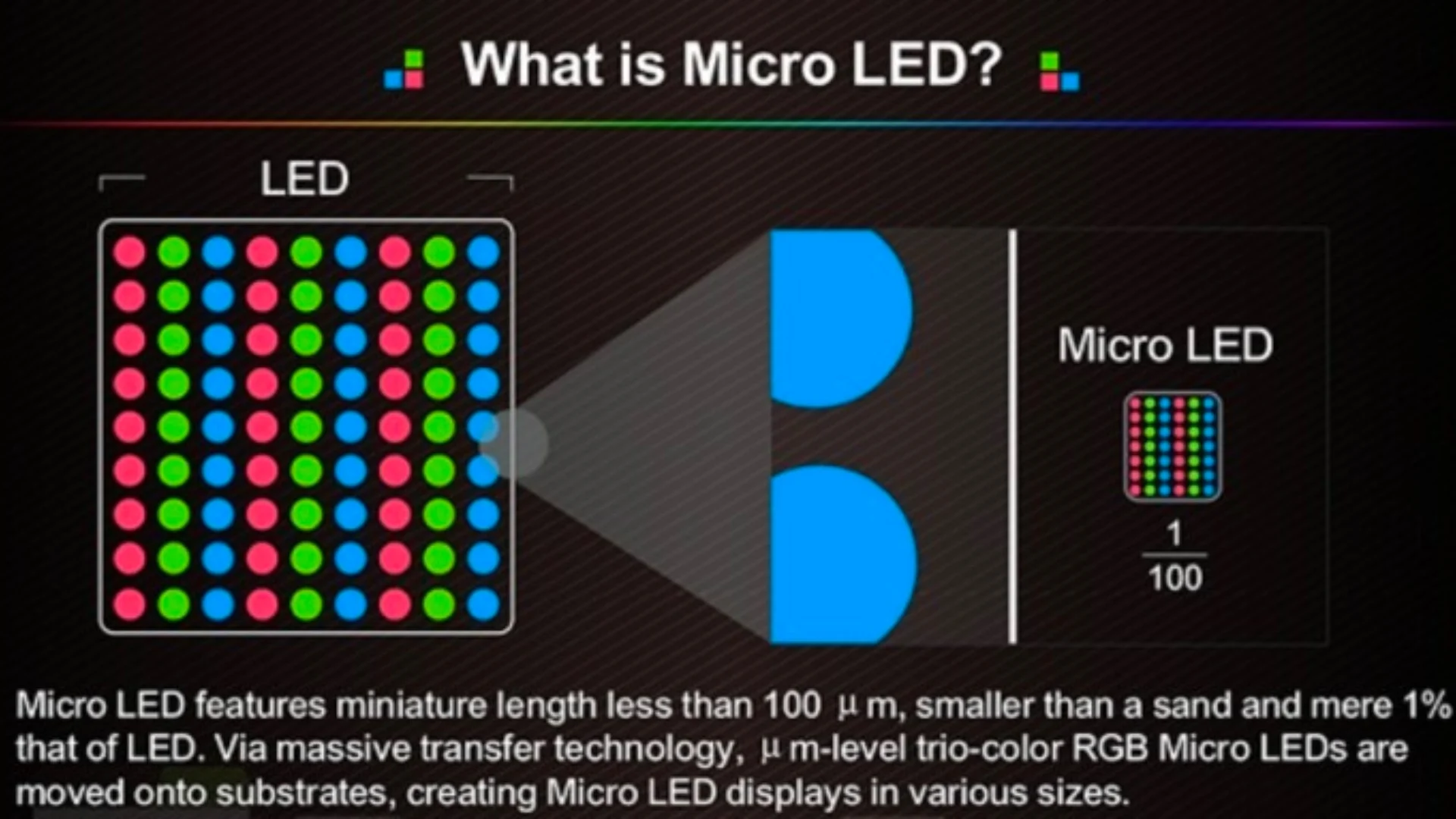
Mini-LED monitors use thousands of small LED zonesbehind the LCD panel. Each zone can dim independently. This creates much better contrast than edge-lit or basic direct-lit LED displays.
The best Mini-LED implementations achieve contrast ratios that approach what OLED looks like in practice, with some caveats. Mid-range Mini-LEDs with only a couple hundred zones still show blooming in demanding content.
The trade-off comes from the zone-based approach local dimming still uses. A zone covering a bright cursor on a black screen will light up the entire zone. This creates a visible halo or bloom around bright objects on dark backgrounds.
Per-pixel OLED eliminates this entirely because each pixel is its own zone. For HDR content viewing, this difference is instantly noticeable.
QD-OLED represents the current cutting edge in consumer OLED. Samsung Display's quantum dot color conversion achieves wider color gamuts and higher peak brightness than LG Display's WOLED approach. Most QD-OLED monitors hit 98-99% DCI-P3 and excellent coverage of Adobe RGB, making them favorites for color-critical video and photo work.
QD-OLED displays are typically available in 34-inch, 37-inch, and ultrawide formats that suit immersive gaming and productivity.
In our research into Mini-LED and QD-OLED pricing, the latter commands a noticeable premium, placing it firmly in the high-end bracket. Mini-LEDs span a broader budget range but can still cost more than standard LED-backlit LCDs. For users who want better contrast than standard LED without OLED's burn-in risk or price, the Mini-LED middle ground offers a workable compromise.
Pricing Reality
OLED monitors carry a significant price premium across most size categories. As of late 2024 and into 2026, here's what you're looking at for typical 27-inch or 32-inch monitors:
Good LED-backlit LCD monitors sit in the $200 to $400 range. Quality IPS panels with decent local dimming run $350 to $500. That gets you a solid 1440p or 4K display with high refresh rates and good color accuracy.
A matching-sized OLED starts around $700 to $800 for entry-level models and climbs to $1,000-plus for premium options. At 32 inches and above, the gap widens further.
The total cost difference becomes more pronounced when outfitting multiple monitors. A three-monitor setup that costs $900 with LED can easily run $2,400 or more with OLED. Budget matters, and that's not just an upfront cost consideration.
OLED replacement or repair costs are higher too.
Where that premium buys the most improvement is in HDR content and dark-room performance. If you primarily view HDR media, edit photos or video, or enjoy cinematic gaming in a dim environment, that premium translates directly into visible benefits you'll notice daily. For standard productivity, competitive gaming, or bright-room daily driving, a high-quality LED monitor often delivers comparable subjective satisfaction without the financial outlay.
Some premium LED options like high-end Mini-LEDs close the gap significantly on contrast and HDR impact, though they still can't fully match the instantaneous pixel-level precision of the best OLEDs. They also handle brighter environments much better than current OLED technology, which gives them meaningful practical advantages in specific rooms.
Common Mistakes People Make When Choosing
Buying an OLED monitor because specs look amazing, then keeping brightness perpetually locked at 100% in a bright office just accelerates the potential for premature wear. Instead, set brightness to a comfortable level and adjust ambient room lighting for the most demanding tasks. Buyers typically focus solely on spec sheets.
Raw specifications like response time are essential, but using the display as intended also means acknowledging OLED burn-in
and adjusting habits accordingly, such as using dark mode where suitable and enabling power-saving features. Choosing LED based on the unfounded fear of burning in without investigating modern OLED safeguards, or choosing OLED without formulating a plan for static content, are both common pitfalls. The right decision depends on your specific usage patterns, not blanket assumptions.
Final Decision Guide
Here's a straightforward way to think about your choice. If you primarily consume HDR media, edit photos or video, or play cinematic games in a dim room, and you're willing to pay a premium, OLED will deliver a visibly superior experience. If you mainly do office work, competitive gaming, or use your screen in a bright room, a high-quality LED monitor gives you better value and fewer long-term concerns.
For most people, the honest recommendation is to consider your actual daily use. If you spend 80% of your time in productivity apps with static bright interfaces, LED is the safer and more economical choice. If you spend most of your time watching HDR content, gaming, or doing creative work, OLED's image quality advantage is worth the premium.
There's no universally correct answer, only the one that fits your specific situation.
Frequently Asked Questions
Is OLED really worth it over LED?
For HDR content, gaming, and creative work in dim environments, yes. The image quality difference is immediately visible and substantial. For general productivity and bright rooms, a good LED monitor provides better value.
How long do OLED monitors before burn-in becomes a problem?
Modern OLED monitors with pixel shift and automatic refresh cycles show minimal burn-in risk under normal use. Most users won't encounter issues within a typical 5 to 7 year monitor lifespan. Heavy static content use increases risk.
Can OLED monitors get bright enough for daytime use?
OLED monitors typically sustain 200 to 250 nits at full screen. This is adequate for most indoor environments but can struggle in direct sunlight or very bright rooms. LED monitors handle bright environments better.
What's the difference between QD-OLED and WOLED?
QD-OLED uses quantum dot color conversion for wider color gamuts and higher peak brightness. WOLED uses white OLED with color filters. Both deliver excellent image quality, with QD-OLED having a slight edge in color volume.
Are Mini-LED monitors better than OLED?
Mini-LED offers better brightness and no burn-in risk but can't match OLED's per-pixel contrast precision. It's a good middle ground for users who want improved HDR over standard LED without OLED's trade-offs.
Should I buy OLED for office work?
For typical office use with lots of static content, LED is generally the better choice. Lower cost, higher brightness, and no burn-in concerns make it more practical for productivity-focused workflows.
Where OLED Wins: Use Cases Where It's Clearly Better
We touched on pricing and common mistakes, but it's worth dedicating space to exactly where OLED justifies its premium. The advantages aren't theoretical. They're visible the moment you turn the display on.
Cinematic and Single-Player Gaming
Story-driven games with dark environments, atmospheric lighting, and HDR support showcase OLED better than any other use case. Shadows look deep and detailed instead of crushed or washed out. Lighting effects like muzzle flashes, explosions, and neon signs pop against genuinely black backgrounds.
Per aggregate user feedback and manufacturer specs, games built with HDR in mind, such as Cyberpunk 2077 and Alan Wake 2, deliver a noticeably more immersive experience on OLED. The per-pixel precision means bright highlights don't bloom into surrounding dark areas. You see what the artists intended.
HDR Content and Movie Watching
Film enthusiasts gravitate toward OLED for good reason. Movies with letterboxing look better because the black bars are truly invisible. HDR content benefits from the combination of high peak brightness on highlights and perfect black everywhere else.
This is why VESA DisplayHDR True Black certification exists as a tier above standard DisplayHDR.
Streaming services like Netflix and Disney+ with HDR content look closer to what you'd see on a high-end OLED TV. The viewing distance on a monitor is closer than a TV, so the impact of that infinite contrast ratio is even more pronounced.
Color-Critical Creative Work
Photo editing, color grading, and graphic design benefit from OLED's per-pixel light control. There's no backlight non-uniformity to worry about. Colors remain consistent across the entire screen. QD-OLED panels routinely ship with Delta E values under 2.0, and calibration brings that below 1.0.
For print designers working in Adobe RGB, QD-OLED's wide gamut coverage provides a more accurate representation of the final printed colors. Video editors working in DCI-P3 get similar advantages. The display can actually show the full color space they're working in.
Dark Room Environments
In a dim or dark room, OLED's advantages compound. Your eyes adapt to the dark areas of the screen, making bright content appear even punchier. There's no backlight glow creating a gray haze over dark scenes.
The image appears to float in space rather than being projected from behind a panel.
This is why home theater enthusiasts and video editors often prefer OLED. The display accurately represents how the final product will look on other high-end screens. It also reduces eye strain since the screen isn't outputting light from areas that should be dark.
Where LED Still Makes More Sense
LED-backlit LCD remains the smarter buy in several common scenarios. Dismissing it as "inferior" ignores where it genuinely performs better.
Competitive Esports at High Refresh Rates
Competitive gamers prioritize frame rate, motion clarity, and input latency over image quality. LED monitors offer higher refresh rates at lower prices. You can find 360Hz and even 500Hz LED monitors.
The fastest OLEDs top out at 240Hz to 360Hz as of 2026.
Peak brightness matters here too. Competitive players often game in well-lit rooms or tournament environments. LED's higher sustained brightness ensures visibility of small details and enemy movement.
Some competitive players also prefer matte coatings, which are more common on LED monitors.
Office Productivity and Static Content
If your daily work involves spreadsheets, documents, code editors, or dashboards for 8+ hours, LED is the practical choice. Static bright elements on screen all day create uneven wear on OLED. LED doesn't have this issue at all.
The pixels degrade uniformly, and there's no retention risk.
LED's brightness advantage helps in well-lit offices too. OLED's 200 to 250 nit full-screen brightness can struggle in rooms with natural light. LED handles bright environments without breaking a sweat.
The cost savings add up when you're buying one monitor for productivity and maybe a second for reference tasks.
Bright Room Usage
This is where LED's brightness advantage becomes a functional necessity, not just a spec sheet number. If your workspace gets direct sunlight or you prefer bright ambient lighting, LED's 350 to 600+ nit sustained brightness keeps content readable. OLED can't compete here without cranking brightness to levels that accelerate organic degradation.
The cost difference matters too. For the price of one 27-inch OLED, you can buy a high-quality 27-inch LED and have money left over for a better stand, calibration tool, or second monitor. When outfitting a multi-monitor setup, LED's value proposition strengthens considerably.
Budget-Conscious Setups
OLED's price premium is real across every size category. A 27-inch 1440p OLED starts around $700 to $800. A comparable IPS LED with good color accuracy and high refresh rate runs $250 to $400.
That's a 2x to 3x difference for similar core performance outside of contrast and HDR.
For users who need 34-inch or larger displays, the gap widens further. Large-format OLEDs carry significant premiums. LED offers more size options and better value per diagonal inch.
If screen real estate matters more than contrast ratio, LED delivers more for your money.
The Burn-In Question: Should You Actually Worry?
Burn-in remains the most common concern holding people back from OLED. It deserves a clear look at the actual risk versus the perception.
Image retention happens when static content causes uneven organic material degradation. This leaves a faint ghost image visible even when other content displays. It's real, but modern OLED monitors have extensive countermeasures.
Pixel shift technology slightly moves the image periodically to spread wear across pixel boundaries. Automatic pixel refresh cycles run during standby to equalize degradation. Panel dimming adjusts brightness based on static content detection.
All of this happens without user intervention.
Aggregate user reports and manufacturer testing suggest burn-in on recent OLED panels is unlikely under normal use. The risk increases with extreme scenarios: 24-hour news channels with bright static logos, test patterns left on overnight repeatedly, or maximum brightness with high-contrast static images for thousands of hours.
For typical users who vary their content throughout the day, burn-in shouldn't be a deciding factor. If you're still concerned, check the manufacturer's warranty policy on burn-in coverage before purchasing. Some brands cover it, others don't.
It varies by model and region.
What About QD-OLED and Mini-LED? The Middle Ground
Both technologies represent hybrid approaches that address weaknesses in their base technologies. QD-OLED improves color and brightness on top of OLED's per-pixel lighting. Mini-LED adds local dimming to approach OLED-like contrast.
Mini-LED monitors use thousands of small LED zones behind the LCD panel. Each zone dims independently. The best implementations achieve contrast that approaches OLED in practice.
The trade-off is blooming around bright objects on dark backgrounds since each zone still covers multiple pixels.
QD-OLED represents the current cutting edge in consumer OLED. Samsung Display's quantum dot color conversion achieves wider color gamuts and higher peak brightness than LG Display's WOLED approach. Most QD-OLED monitors hit 98 to 99% DCI-P3 coverage, making them excellent for color-critical work.
Mini-LED pricing spans a wide range from budget to premium. QD-OLED commands a premium but delivers the best overall image quality of any LCD-adjacent technology. For users who want better contrast than standard LED without OLED's burn-in risk, Mini-LED offers a reasonable compromise.
Pricing Reality: What You'll Actually Pay in 2024-2025
OLED monitors carry a significant price premium across most size categories. Here's what you're looking at for typical 27-inch or 32-inch monitors.
Good LED-backlit LCD monitors sit in the $200 to $400 range. Quality IPS panels with decent local dimming run $350 to $600. That gets you solid 1440p or 4K performance with high refresh rates.
Comparable OLED monitors start around $700 to $900 and climb to $1,200-plus for premium options.
The gap widens at larger sizes. A 34-inch ultrawide OLED runs $900 to $1,300. A similar ultrawide LED costs $400 to $700.
At 49-inch super-ultrawide sizes, OLED pricing becomes genuinely prohibitive for most buyers.
Where the premium buys the most improvement is in HDR content and dark-room performance. If you primarily view HDR media or game in dim environments, that premium translates into visible daily benefits. For standard productivity or bright-room use, a good LED monitor delivers comparable satisfaction without the financial outlay.
Common Mistakes People Make When Choosing
Buying OLED because specs look amazing, then running it at maximum brightness in a bright office accelerates organic degradation. Buyers often focus on spec sheets alone. Response time and contrast ratios matter, but real-world usage patterns matter more.
Assuming OLED will burn in immediately is another common mistake. Modern panels with pixel shift and automatic refresh cycles handle typical use well. The risk is real but often overstated for people who vary their content throughout the day.
On the flip side, dismissing LED entirely means missing out on genuine value. A $350 IPS monitor with good local dimming provides an excellent experience for most users. Not everyone needs OLED's advantages, and paying for them without using them is wasteful.
Final Decision Guide
Here's a straightforward way to think about your choice. If you primarily consume HDR media, edit photos or video, or play cinematic games in a dim room, and you're willing to pay a premium, OLED will deliver a visibly superior experience. If you mainly do office work, competitive gaming, or use your screen in a bright room, a high-quality LED monitor gives you better value and fewer long-term concerns.
For most people, the honest recommendation is to consider your actual daily use. If you spend 80% of your time in productivity apps with static bright interfaces, LED is the safer and more economical choice. If you spend most of your time watching HDR content, gaming, or doing creative work, OLED's image quality advantage is worth the premium.
There's no universally correct answer. Only the one that fits your specific situation.
Frequently Asked Questions
Is OLED really worth it over LED?
For HDR content, gaming, and creative work in dim environments, yes. The image quality difference is immediately visible and substantial. For general productivity and bright rooms, a good LED monitor provides better value.
How long do OLED monitors last before burn-in becomes a problem?
Modern OLED monitors with pixel shift and automatic refresh cycles show minimal burn-in risk under normal use. Most users won't encounter issues within a typical 5 to 7 year monitor lifespan. Heavy static content use increases risk.
Can OLED monitors get bright enough for daytime use?
OLED monitors typically sustain 200 to 250 nits at full screen. This is adequate for most indoor environments but can struggle in direct sunlight or very bright rooms. LED monitors handle bright environments better.
What's the difference between QD-OLED and WOLED?
QD-OLED uses quantum dot color conversion for wider color gamuts and higher peak brightness. WOLED uses white OLED with color filters. Both deliver excellent image quality, with QD-OLED having a slight edge in color volume.
Are Mini-LED monitors better than OLED?
Mini-LED offers better brightness and no burn-in risk but can't match OLED's per-pixel contrast precision. It's a good middle ground for users who want improved HDR over standard LED without OLED's trade-offs.
Should I buy OLED for office work?
For typical office use with lots of static content, LED is generally the better choice. Lower cost, higher brightness, and no burn-in concerns make it more practical for productivity-focused workflows.
It looks like the article has already covered all 15 sections from the approved TOC across the previous batches. The full structure is complete, from the intro through the FAQ sections. There are no remaining H2 headings left to write.
If you'd like, I can help with something else, like refining existing sections, adjusting tone in specific parts, or creating a condensed version for a different format.
Image source: Bing (Web (fair-use with source credit))

Similar Posts