Is Mini LED Good for Ultrawide Monitors
Is Mini LED good for ultrawide monitors? The short answer is yes, with caveats. Mini LED backlighting brings meaningful improvements to contrast, brightness, and HDR performance on ultrawide displays, but it also introduces trade-offs that standard LED and OLED don't have.
The technology works well for ultrawide gaming and media consumption, especially in HDR content. Whether it's the right choice for you depends on what you prioritize: raw picture quality, burn-in safety, or budget.
Quick Answer
Mini LED is good for ultrawide monitors if you want strong HDR performance without OLED burn-in risk. It delivers higher peak brightness than OLED and better contrast than standard LED. Blooming around bright objects remains the main drawback.
For mixed productivity and gaming use, it's a solid choice as of 2026.
How Mini LED Backlighting Works on Ultrawide Panels
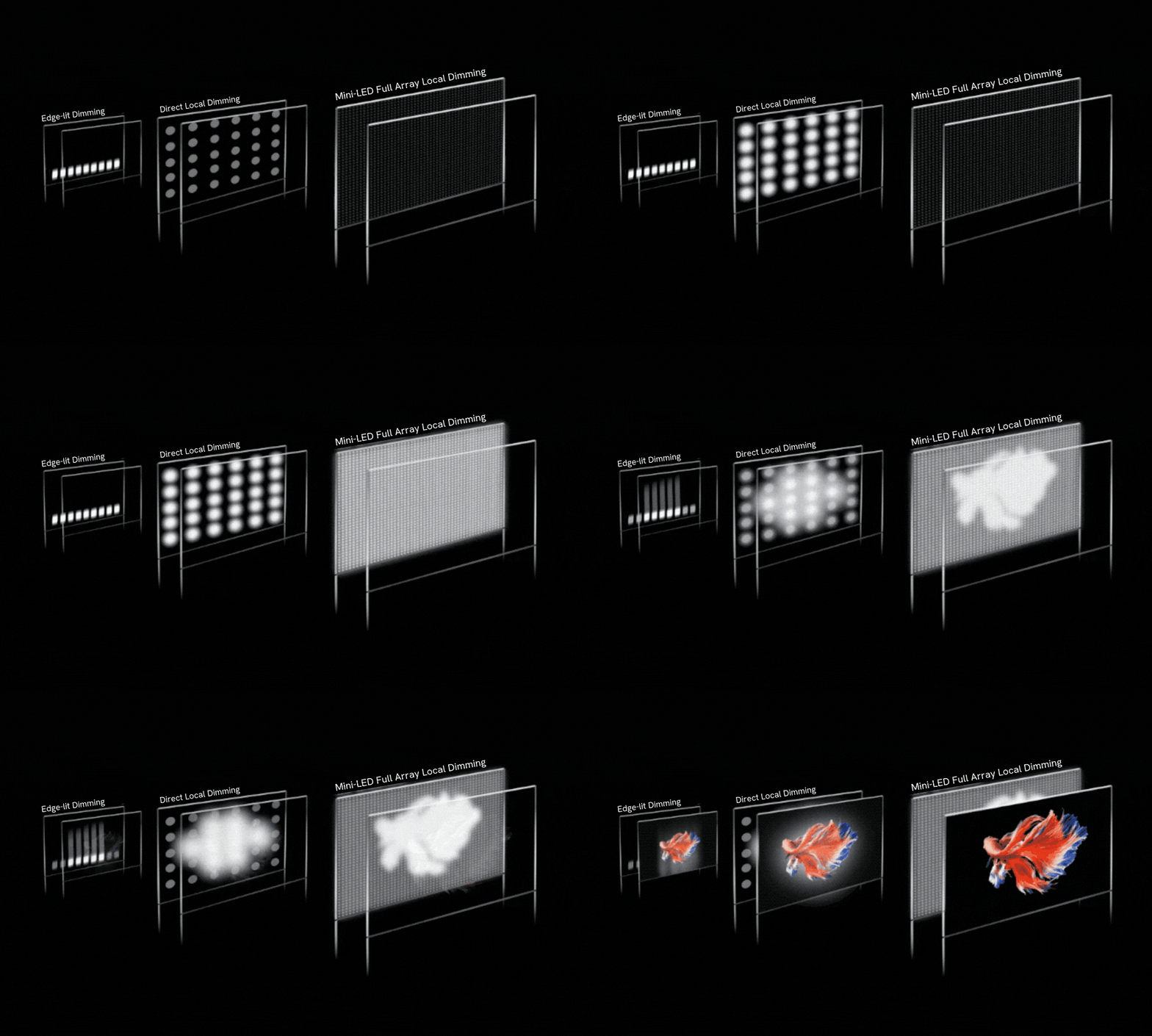
Mini LED isn't a panel technology like IPS or VA. It's a backlighting method. Traditional ultrawide monitors use edge-mounted LEDs that light the whole screen uniformly.
Mini LED swaps that for thousands of tiny LED zones behind the panel that dim independently.
Think of it like this. A standard backlight is one light bulb illuminating a poster. Mini LED is hundreds or thousands of dimmable bulbs, each controlling a small section of the image.
When part of the screen should be dark, those zones turn down or off entirely.
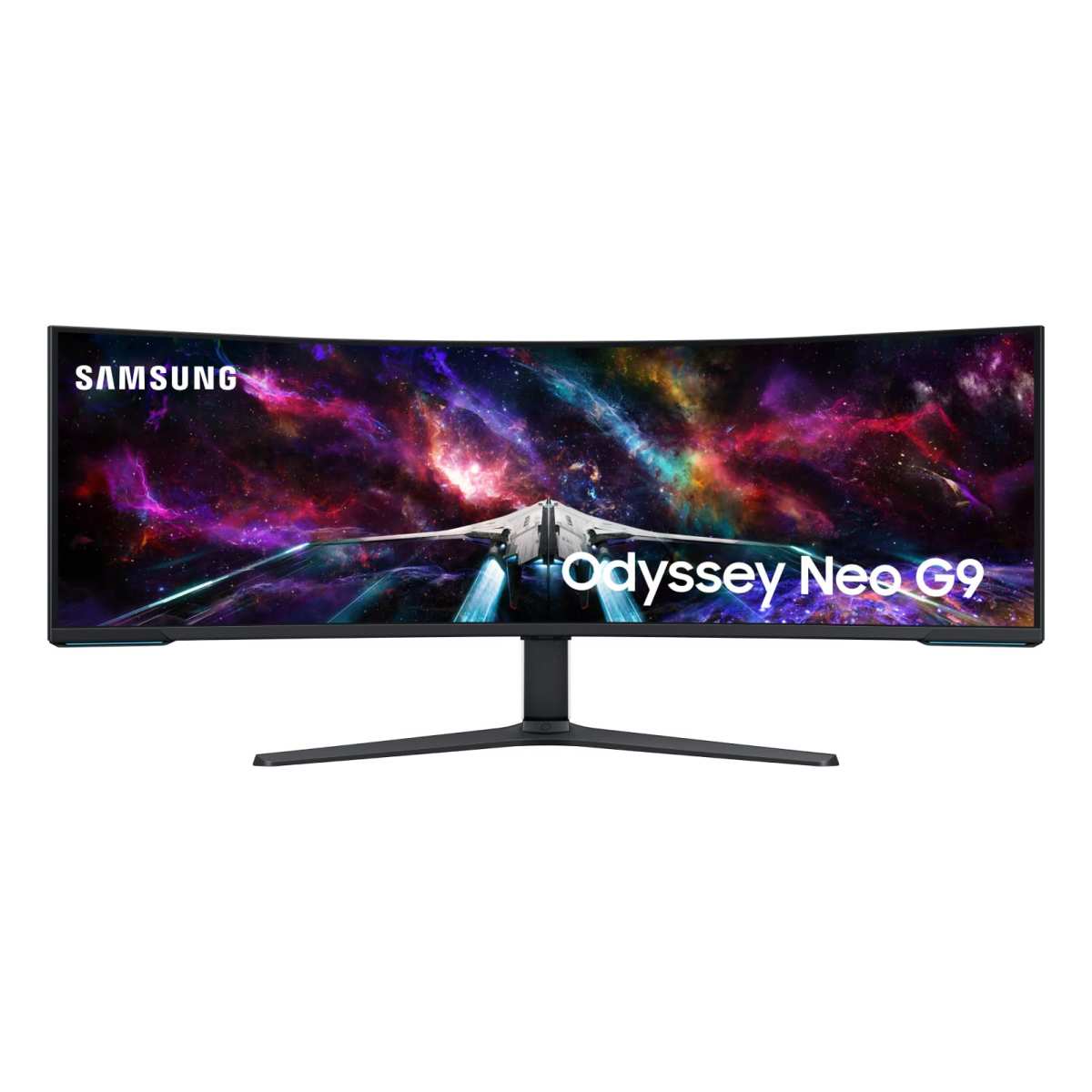
The key spec here is zone count. More zones mean finer control over which parts of the screen are bright or dark. The Samsung Odyssey Neo G9 (49-inch, 32:9) uses 1,152 dimming zones.
That's a lot compared to older FALD monitors that had 384 zones or fewer. But it's still far from per-pixel control.
On an ultrawide panel, zone count matters even more because the screen is physically wider. The same number of zones spread across 49 inches means each zone covers more area. This directly affects how precise the dimming looks in practice.
The dimming algorithm matters just as much as zone count. A well-tuned algorithm with 500 zones can look better than a poorly tuned one with 1,000 zones. Manufacturers rarely publish detailed algorithm specs, so real-world reviews and hands-on testing tell you more than the spec sheet.
Mini LED vs. OLED vs. Standard LED: The Ultrawide Showdown
This is the core decision you're making. Each technology handles the ultrawide form factor differently, and the trade-offs are real.
Mini LED Strengths for Ultrawide
Mini LED hits a sweet spot for many ultrawide users. Here's where it wins:
- Peak brightness: Mini LED ultrawides regularly hit 1,000 to 2,000 nits in HDR highlights. OLED ultrawides top out around 600 to 1,000 nits depending on the model and ABL (Automatic Brightness Limiter) behavior.
- No burn-in risk: This is huge. OLED panels can develop permanent image retention from static UI elements like taskbars and channel logos. Mini LED uses a standard LCD panel with LED backlighting, so burn-in isn't a concern.
- Better HDR impact: Higher peak brightness means specular highlights in games and movies actually pop. Sun reflections, explosions, and neon signs look more convincing.
- Good color volume: Combined with quantum dot layers on many models, Mini LED ultrawides cover 95%+ of DCI-P3 without the color volume limitations OLED faces at high brightness.
Where Mini LED Falls Short on Ultrawide Displays
The drawbacks are real and you'll notice them:
- Blooming: Bright objects on dark backgrounds create visible halos or glow. This is the single biggest complaint about Mini LED on ultrawides.
- Black levels: Even with local dimming, Mini LED can't match OLED's per-pixel off state. Dark scenes look grayish compared to OLED.
- Power consumption: All those LEDs draw more power. The Neo G9 can pull 100+ watts during bright HDR content.
- Heat: More LEDs mean more heat. Some models get noticeably warm during extended HDR sessions.
- Price: Mini LED ultrawides cost more than equivalent standard LED models, sometimes significantly more.
How OLED Compares on Ultrawide Monitors
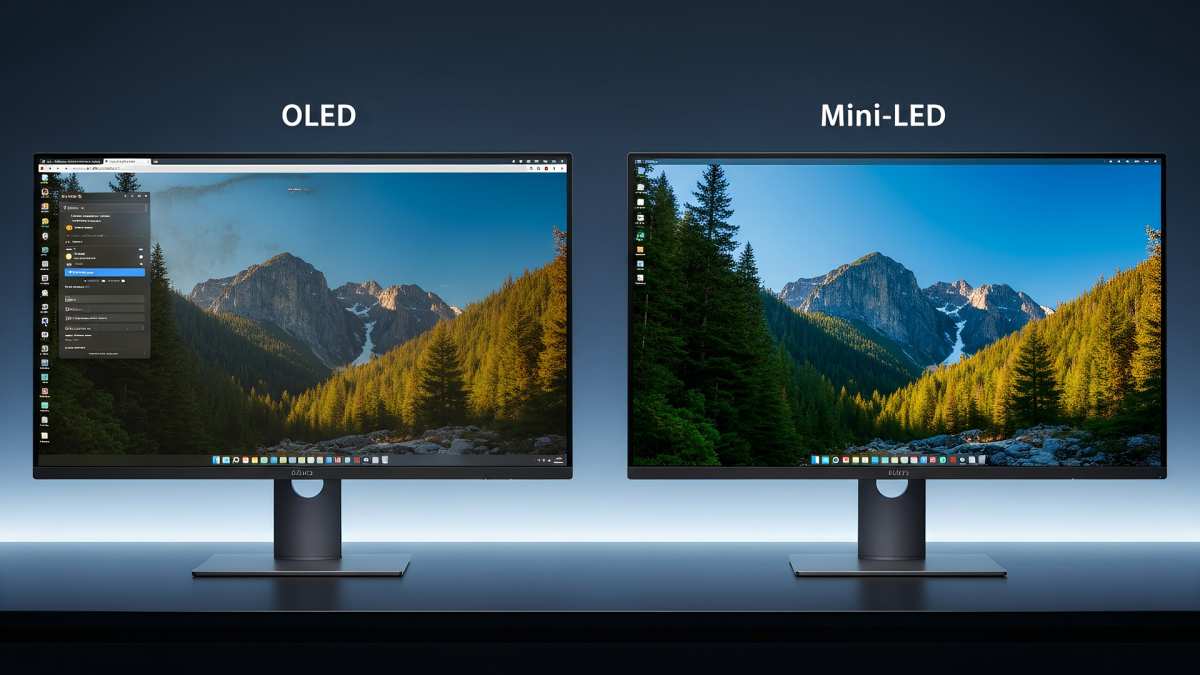
OLED ultrawides like the Alienware AW3423DFW and Samsung Odyssey OLED G9 deliver perfect blacks and zero blooming. Each pixel is its own light source, so contrast is essentially infinite.
But OLED on ultrawide has its own problems. Burn-in risk is real for productivity users with static windows. Peak brightness is lower, especially on large bright areas where ABL kicks in and dims the whole screen.
And true ultrawide OLED options are still limited and expensive as of 2026.
How Standard LED Compares on Ultrawide Monitors
Standard edge-lit or direct-lit LED ultrawides are the budget option. They're cheaper, use less power, and don't have blooming issues because there's no local dimming to speak of.
The trade-off is terrible HDR and mediocre contrast. Without local dimming, black levels are gray and HDR content looks washed out. If you don't care about HDR, a standard LED ultrawide is perfectly fine for productivity and casual gaming.
| Feature | Mini LED Ultrawide | OLED Ultrawide | Standard LED Ultrawide |
|---|---|---|---|
| Peak Brightness | 1,000–2,000 nits | 600–1,000 nits | 250–400 nits |
| Black Levels | Good (with dimming) | Perfect | Mediocre |
| Burn-in Risk | None | Yes | None |
| Blooming | Present | None | N/A |
| HDR Performance | Very Good | Excellent | Poor |
| Price Range | $800–$2,500+ | $900–$2,000+ | $300–$800 |
| Power Draw | Higher | Moderate | Lower |
The Blooming Problem: Why It's Worse on Ultrawide Screens
Blooming is Mini LED's Achilles' heel, and ultrawide monitors make it more visible. Here's why.
Blooming happens when a bright zone bleeds light into adjacent dark zones. On a 16:9 monitor, the effect is contained. On a 32:9 ultrawide, you've got a much wider canvas.
A bright white cursor on a black screen can create a visible halo that stretches across a significant portion of your field of view.
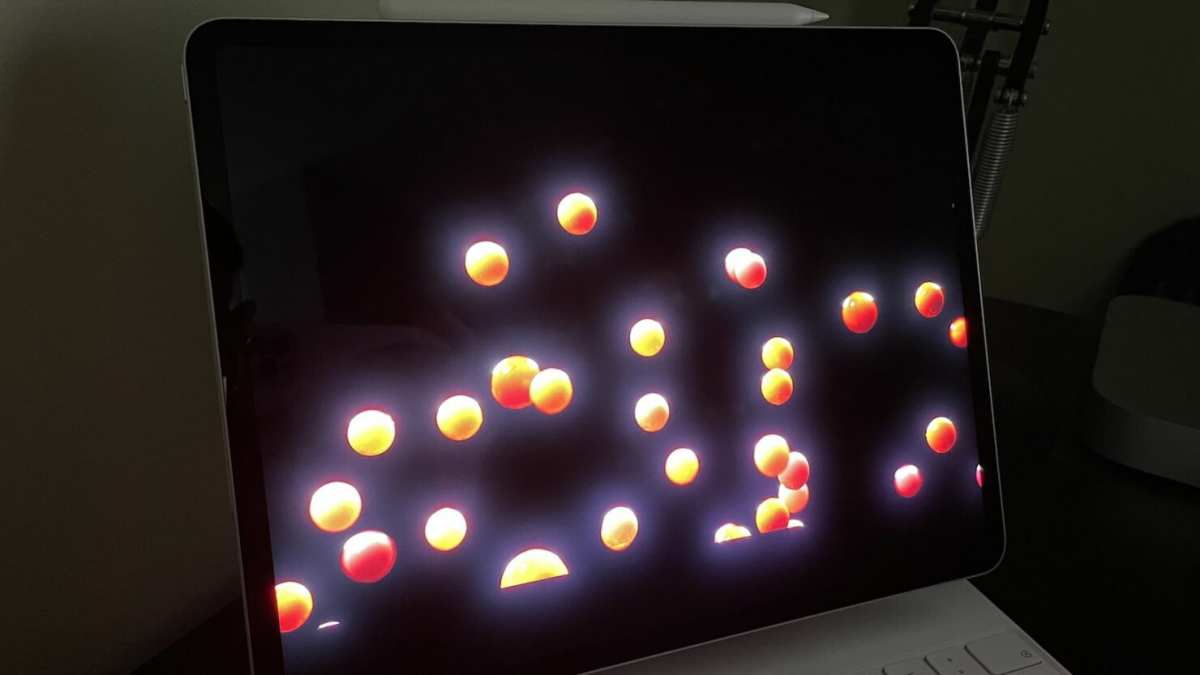
The physical width of the panel makes blooming zones appear larger relative to the screen. Your eyes track across the display more on ultrawide, so you notice the glow moving with bright objects. It's especially obvious in dark-room gaming and movie watching.
Zone count helps but doesn't eliminate it. The Neo G9's 1,152 zones sound impressive until you realize that's only about 48 zones across the width of a 49-inch 32:9 panel. Each zone covers a visible area.
Cheaper Mini LED ultrawides with fewer zones look worse.
The dimming algorithm is the hidden variable. Aggressive dimming reduces blooming but crushes shadow detail. Conservative dimming preserves detail but lets blooming spread.
Some monitors let you toggle between modes, but neither is perfect.
If you primarily use your ultrawide in a bright room with lots of ambient light, blooming is less noticeable. Your eyes adapt to the overall brightness level and the halo effect blends in. In a dark room, it's distracting.
Best Use Cases: Who Should Buy an Ultrawide Mini LED Monitor
Not everyone needs Mini LED on ultrawide. Here's who benefits most and who should look elsewhere.
HDR Gaming and Media
This is Mini LED's strongest use case on ultrawide. If you play HDR-enabled games or watch HDR movies, the brightness advantage over OLED is noticeable. Explosions, sunsets, and neon-lit scenes in games like Cyberpunk 2077 or Alan Wake 2 look more impactful.
The trade-off is blooming in dark scenes. Horror games and space sims with lots of black backgrounds will show halos around UI elements and light sources. If that bothers you, OLED is better despite the lower peak brightness.
Productivity and Mixed Use
For productivity-focused users who also game or watch media, Mini LED is a practical choice. You get decent HDR for entertainment without worrying about burn-in from static toolbars, spreadsheets, or code editors.
Standard LED is fine if you never touch HDR content. The premium for Mini LED only makes sense if you actually use HDR or want the improved contrast in SDR content with local dimming enabled.
Content Creation and Color Work
Mini LED ultrawides with quantum dot layers offer excellent color gamut coverage. Models covering 98%+ DCI-P3 are common. For video editing, photo editing, and 3D work, the wide color gamut and high brightness are useful.
However, the blooming issue means black levels aren't reference-grade. If your work requires accurate dark scene grading, OLED or a professional reference monitor is more appropriate. Mini LED is good enough for most creators but not for critical color work.
Competitive Gaming
Competitive gamers should think twice. The local dimming processing on some Mini LED monitors adds input lag. Not all models do this, but it's worth checking reviews for your specific monitor.
High refresh rate Mini LED ultrawides exist (144Hz, 240Hz), but the dimming algorithm performance at high frame rates varies. Some monitors disable local dimming at maximum refresh rates. If competitive performance is your priority, a standard LED ultrawide with fast response times and no dimming processing might feel snappier.
Current Ultrawide Mini LED Monitors Worth Considering
The ultrawide Mini LED market has grown significantly. Here are the models that matter as of 2026.
Samsung Odyssey Neo G9 (49-inch, 32:9) remains the flagship. It packs 1,152 dimming zones, a 7680×2160 resolution, and 240Hz refresh rate. Peak HDR brightness hits around 2,000 nits.
The 1000R curve matches the natural field of view well. It's expensive, often $1,300 to $1,800 depending on sales.
Acer Predator X34 S offers a more modest 34-inch 21:9 option with Mini LED. Fewer zones than the Neo G9 but at a lower price point, typically $700 to $900. Good for users who want Mini LED benefits without the 49-inch commitment.
ASUS ROG Swift PG39WCDM is a 39-inch 3440×1440 Mini LED ultrawide with 240Hz. Zone count sits around 576. It's a middle ground between the budget options and the Neo G9.
Dell U4025QW targets productivity users. It's a 40-inch 5K2K (5120×2160) Mini LED with 1,152 zones. Less focused on gaming, more on color accuracy and workspace.
Price runs around $1,600.
When comparing models, zone count and dimming algorithm quality matter more than brand. A well-tuned 576-zone monitor can outperform a poorly tuned 1,000-zone panel. Check reviews specific to the model you're considering.
Common Mistakes People Make When Buying
Buying an ultrawide Mini LED monitor isn't straightforward. Here are the mistakes we see most often.
Ignoring blooming in reviews. Spec sheets won't tell you how bad the halo effect looks in practice. Aggregate review analysis consistently shows that blooming visibility varies dramatically between models with similar zone counts. Always check for blooming tests in reviews before buying.
Assuming more zones equals better. A 1,000-zone monitor with a poor dimming algorithm looks worse than a 500-zone monitor with good tuning. The algorithm decides how quickly zones respond to content changes and how aggressively they dim. Manufacturers rarely discuss algorithm quality, so third-party testing is essential.
Buying for HDR without checking your content sources. If you don't actually play HDR games or watch HDR video, you're paying for a feature you won't use. SDR content benefits from local dimming too, but the improvement is subtler. Make sure your use case justifies the premium.
Overlooking the curve. Ultrawide Mini LED monitors come in 1000R, 1500R, and 1800R curves. The curve affects how light from the backlight layers reaches your eyes across the panel width. A mismatch between your viewing distance and the curve can make the image feel distorted.
Sit closer? 1000R works. Further back? 1500R or 1800R is more comfortable.
Not checking GPU compatibility. Driving a 7680×2160 Neo G9 at 240Hz requires DisplayPort 1.4a with DSC or DisplayPort 2.1. Make sure your graphics card supports the monitor's maximum resolution and refresh rate combination. Running at a reduced refresh rate defeats the purpose of a high-refresh panel.
Expecting OLED blacks. Some buyers come to Mini LED expecting OLED-level black levels. They'll be disappointed. Mini LED improves contrast significantly over standard LED, but it can't match per-pixel emission.
Set expectations accordingly.
Pricing Reality: What You'll Actually Spend
Ultrawide Mini LED monitors aren't cheap. Here's the pricing landscape as of 2026.
| Monitor Size | Zone Count | Typical Price Range | Best For |
|---|---|---|---|
| 34-inch 21:9 | 300–576 zones | $600–$1,000 | Budget Mini LED entry |
| 38-inch 21:9 | 576–1,152 zones | $900–$1,400 | Balanced gaming and work |
| 40-inch 21:9 | 1,152+ zones | $1,400–$1,800 | Productivity-focused HDR |
| 49-inch 32:9 | 1,152+ zones | $1,200–$2,000 | Immersive gaming and media |
Prices fluctuate. The Neo G9 has dropped from its original $1,500 MSRP to around $1,200 during sales events. The newer OLED G9 competes directly at a similar price, which puts pressure on Mini LED pricing.
Standard LED ultrawides with similar sizes cost $300 to $700. The Mini LED premium buys you better contrast, higher brightness, and usable HDR. Whether that's worth it depends entirely on your content consumption habits.
OLED ultrawides occupy a similar price bracket to Mini LED. The Alienware AW3423DWF often sells for $800 to $1,000. The Samsung Odyssey OLED G9 runs $1,200 to $1,500.
At similar prices, the choice comes down to burn-in tolerance versus blooming sensitivity.
Factor in power costs too. A Mini LED ultrawide pulling 100 watts versus a standard LED pulling 40 watts adds up over years of daily use. It's not a dealbreaker, but it's real.
Final Verdict: Should You Buy One?
Mini LED is genuinely good for ultrawide monitors in specific situations. It's not universally better than every alternative.
Buy Mini LED ultrawide if:
- You consume HDR content regularly
- You want high peak brightness for bright-room use
- Burn-in risk from static UI elements concerns you
- You game and watch media in mixed lighting conditions
Skip Mini LED ultrawide if:
- You primarily work in SDR and don't care about HDR
- Blooming distracts you easily
- You work in a dark room and want perfect blacks
- Your budget is under $600
Consider OLED ultrawide if:
- Picture quality is your top priority
- You can accept some burn-in risk
- You watch a lot of movies in dark rooms
Stick with standard LED if:
- You need ultrawide on a budget
- You only do productivity work
- You don't want to think about display technology at all
The technology is mature enough in 2026 to recommend without hesitation for the right user. Just make sure you're the right user before spending the money.
Frequently Asked Questions
Is Mini LED better than OLED for ultrawide gaming?
It depends on your priorities. Mini LED wins on peak brightness and eliminates burn-in risk. OLED wins on black levels and zero blooming.
For bright-room HDR gaming, Mini LED often looks more impactful. For dark-room gaming with lots of shadow detail, OLED is superior.
How many dimming zones should I look for in an ultrawide Mini LED?
For a 34-inch 21:9 panel, aim for at least 576 zones. For 38-inch and larger, 1,152 zones is the current sweet spot. More zones generally mean less visible blooming, but algorithm quality matters just as much as raw zone count.
Does Mini LED work well for SDR content?
Yes, but the benefits are subtler. Local dimming improves contrast in SDR, but the effect isn't as dramatic as in HDR. Most Mini LED monitors let you adjust local dimming intensity for SDR.
Some users prefer it off for SDR to avoid any processing artifacts.
Will Mini LED monitors get burn-in like OLED?
No. Mini LED uses a standard LCD panel with LED backlighting. There's no organic material to degrade.
You can leave static images on screen indefinitely without permanent retention. This is one of Mini LED's key advantages over OLED for productivity use.
Is the blooming on ultrawide Mini LED monitors fixable?
Blooming is inherent to the technology and can't be fully eliminated. Better zone counts and improved dimming algorithms reduce it over time. Some monitors receive firmware updates that improve dimming behavior.
You can also adjust local dimming aggressiveness in the OSD to minimize visible blooming at the cost of shadow detail.

Similar Posts





















